2019 HYUNDAI I30 detection
[x] Cancel search: detectionPage 355 of 659

5-51
Driving your vehicle
5
Information
• The Auto Hold does not operatewhen:
- The driver's seat belt is unfastenedand driver's door is opened
- The engine hood is opened
- The shift lever is in P (Park) or R (Reverse)
- The EPB is applied
• For your safety, the Auto Hold auto- matically switches to EPB when:
- The driver's seat belt is unfastenedand driver's door is opened
- The engine hood is opened with the shift lever is in D (Drive)
- The vehicle stops for more than 10 minutes
- The vehicle stands on a steep slope
- The vehicle moves several times (Continued)(Continued)
In these cases, the parking brake
warning light comes on, the AUTO
HOLD indicator changes from
green to white, and a warning sound
and a message will appear to inform
you that EPB has been automatical-
ly engaged. Before driving off again,
press foot brake pedal, check the
surrounding area near your vehicle
and release parking brake manually
with the EPB switch.
• If the AUTO HOLD indicator changes to yellow, the Auto Hold is not working
properly. We recommend that you
contact an authorized HYUNDAI
dealer.
• While operating Auto Hold, you may hear mechanical noise. However, it is
normal operating noise. If there is a malfunction with the
driver's door or engine hood open
detection system, the Auto Hold
may not work properly.
We recommend that you contact
an authorized HYUNDAI dealer.
NOTICE
i
Depress the accelerator pedal
slowly when you start the
vehicle.
For your safety, cancel the
Auto Hold when you drive
downhill, back up the vehicle
or park the vehicle.
WARNING
Page 374 of 659

5-70
Driving your vehicle
The Blind Spot Detection System
(BSD) uses radar sensors in the rear
bumper to monitor and warn the driv-
er of an approaching vehicle in the
driver's blind spot area.
The system monitors the rear area of
the vehicle and provides information
to the driver with an audible alert and
a indicator on the outside rearview
mirrors. (1) BSD (Blind Spot Detection)
The blind spot detection range
varies relative to vehicle speed.
Note that if your vehicle is travel-
ing much faster than the vehicles
around you, the warning will not
occur.
(2) LCA (Lane Change Assist) The Lane Change Assist feature
will alert you when a vehicle is
approaching in an adjacent lane
at a high rate of speed. If the driv-
er activates the turn signal when
the system detects an oncoming
vehicle, the system sounds an
audible alert. The time of alert
varies according to the speed dif-
ference between you and the
approaching vehicle.
(3) RCTA (Rear Cross Traffic Alert) The Rear Cross Traffic Alert fea-
ture monitors approaching cross
traffic from the left and right side
of the vehicle when your vehicle is
in reverse. The feature will operate
when the vehicle is moving in
reverse below about 10 km/h (6
mph). If oncoming cross traffic is
detected a warning chime will
sound. The time of alert varies according
to the speed difference between
you and the approaching vehicle.
B
B L
L I
I N
N D
D
S
S P
P O
O T
T
D
D E
E T
T E
E C
C T
T I
I O
O N
N
S
S Y
Y S
S T
T E
E M
M
(
( B
B S
S D
D )
)
(
( I
I F
F
E
E Q
Q U
U I
I P
P P
P E
E D
D )
)
OAE056106
Blind spot area
Closing at high speed
Always be aware of road con-
ditions while driving and be
alert for unexpected situations
even though the Blind Spot
Detection System is operat-
ing.
The Blind Spot Detection
System (BSD) is not a substi-
tute for proper and safe driving.
Always drive safely and use
caution when changing lanes
or backing up the vehicle. The
Blind Spot Detection System
(BSD) may not detect every
object alongside the vehicle.
WARNING
Page 375 of 659
5-71
Driving your vehicle
5
BSD (Blind Spot Detection) /
LCA (Lane Change Assist)
(if equipped)
Operating conditions
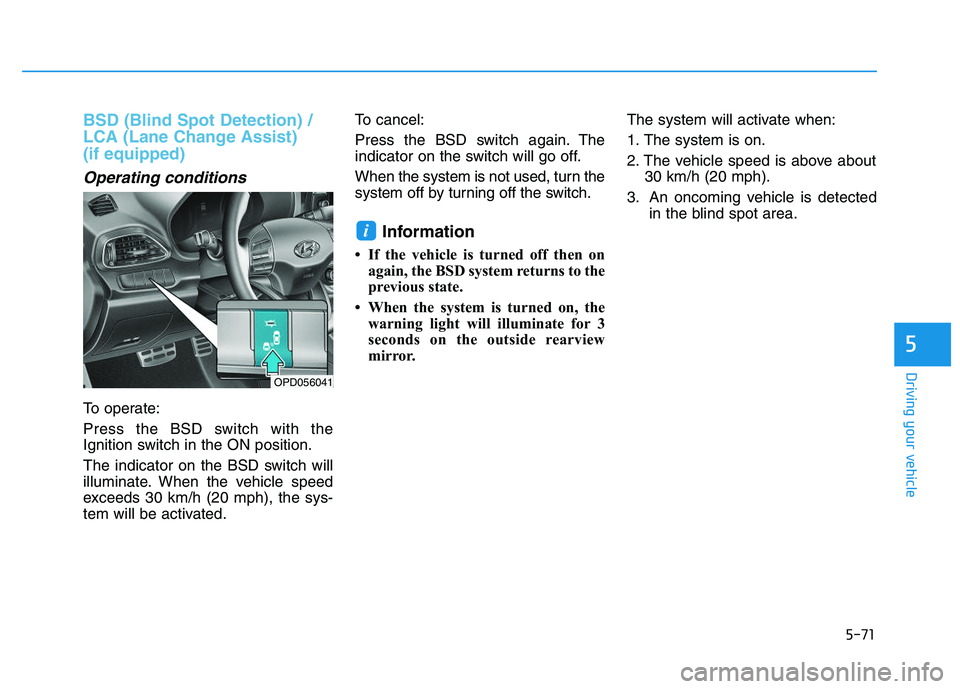
To operate:
Press the BSD switch with the
Ignition switch in the ON position.
The indicator on the BSD switch will
illuminate. When the vehicle speed
exceeds 30 km/h (20 mph), the sys-
tem will be activated.To cancel:
Press the BSD switch again. The
indicator on the switch will go off.
When the system is not used, turn the
system off by turning off the switch.
Information
• If the vehicle is turned off then on
again, the BSD system returns to the
previous state.
• When the system is turned on, the warning light will illuminate for 3
seconds on the outside rearview
mirror. The system will activate when:
1. The system is on.
2. The vehicle speed is above about
30 km/h (20 mph).
3. An oncoming vehicle is detected in the blind spot area.
i
OPD056041
Page 377 of 659

5-73
Driving your vehicle
5
The second stage alarm may bedeactivated.
- To deactivate the warning chime:
Go to the 'User Settings →Sound
and deselect Blind Spot Detection
Sound' on the LCD display.
- To activate the warning chime:
Go to the 'User Settings →Sound
and select Blind Spot Detection
Sound' on the LCD display.
Information
The warning chime function helps
alert the driver. Deactivate this func-
tion only when it is necessary.
Detecting sensor
The sensors are located inside the
rear bumper.
Always keep the rear bumper clean
for proper operation of the system.
Warning message
Blind Spot Detection disabled.
Radar blocked.
This warning message may appear when :
- One or both of the sensors on therear bumper is blocked by dirt or
snow or a foreign object.
- Driving in rural areas where the BSD sensor does not detect
another vehicle for an extended
period of time.
- When there is inclement weather such as heavy snow or rain.
- A trailer or carrier is installed. (To use the BSD system, remove the
trailer or carrier from your vehicle.)
iOPD056045OAE056040L
Page 380 of 659
5-76
Driving your vehicle The system may not work prop-erly when the bumper has been
damaged, or if the rear bumper
has been replaced or repaired.
The sensing range differs some- what according to the width of
the road. When the road is nar-
row, the system may detect
other vehicles in the next lane
Or when the road is wide, the
system may not detect other
vehicles in the next lane.
The system may turn off due to strong electromagnetic waves.
Non-operating condition
The BSD indicator on the outer side
view mirror may not illuminate
properly when:
The outside rearview mirror hous-ing is damaged.
The mirror is covered with dirt, snow, or debris.
The window is covered with dirt, snow, or debris.
The window is tinted.
NOTICE
(Continued)
The Blind Spot Detection
System (BSD) and Rear Cross
Traffic Alert (RCTA) are not a
substitute for proper and safe
driving practices. Always
drive safely and use caution
when changing lanes or back-
ing up your vehicle. The Blind
Spot Detection System (BSD)
may not detect every object
alongside the vehicle.
The warning light on the out-
side rearview mirror will illu-
minate whenever a vehicle is
detected at the rear side by
the system.
To avoid accidents, do not
focus only on the warning
light and neglect to see the
surrounding of the vehicle.
Drive safely even though the
vehicle is equipped with a
Blind Spot Detection System
(BSD) and Rear Cross Traffic
Alert (RCTA). Do not solely
rely on the system but check
your surrounding before
changing lanes or backing the
vehicle up.
The system may not alert the
driver in some conditions so
always check your surround-
ings while driving. (Continued)
WARNING
Page 384 of 659
5-80
Driving your vehicle
AEB warning message and
system control
The AEB produces warning mes-
sages and warning alarms in accor-
dance with the collision risk levels,
such as abrupt stopping of the vehi-
cle in front, insufficient braking dis-
tance, or pedestrian detection. Also,
it controls the brakes in accordance
with the collision risk levels.
The driver can select the initial warn-
ing activation time in the User
Settings in the LCD display. The
options for the initial Forward
Collision Warning include Early,
Normal or Late initial warning time.
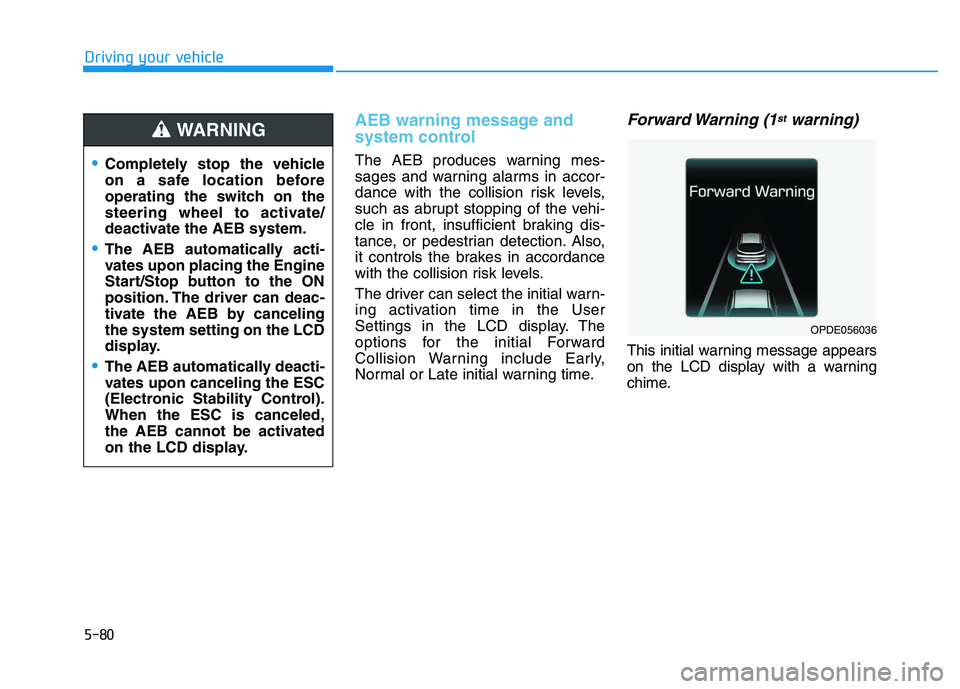
Forward Warning (1stwarning)
This initial warning message appears
on the LCD display with a warning
chime.
Completely stop the vehicle
on a safe location before
operating the switch on the
steering wheel to activate/
deactivate the AEB system.
The AEB automatically acti-
vates upon placing the Engine
Start/Stop button to the ON
position. The driver can deac-
tivate the AEB by canceling
the system setting on the LCD
display.
The AEB automatically deacti-
vates upon canceling the ESC
(Electronic Stability Control).
When the ESC is canceled,
the AEB cannot be activated
on the LCD display.
WARNING
OPDE056036
Page 392 of 659

5-88
Driving your vehicle
- Detecting the vehicle in front of you
If the vehicle in front of you has cargo
that extends rearward from the cab,
or when the vehicle in front of you
has higher ground clearance, addi-
tional special attention is required.
The AEB system may not be able to
detect the cargo extending from the
vehicle. In these instances, you must
maintain a safe braking distance
from the rearmost object, and if nec-
essary, depress the brake pedal to
reduce your driving speed in order to
maintain distance.
Detecting pedestrians
The sensor may be limited when:
The pedestrian is not fully detected by the camera recognition system,
for example, if the pedestrian is
leaning over or is not fully walking
upright
The pedestrian is moving very quickly or appears abruptly in the
camera detection area
The pedestrian is wearing clothing that easily blends into the back-
ground, making it difficult to be
detected by the camera recogni-
tion system
The outside lighting is too bright (e.g. when driving in bright sunlight
or in sun glare) or too dark (e.g.
when driving on a dark rural road
at night)
It is difficult to detect and distin- guish the pedestrian from other
objects in the surroundings, for
example, when there is a group of
pedestrians or a large crowd
There is an item similar to a per- son's body structure
The pedestrian is small The pedestrian has impaired
mobility
The sensor recognition is limited
The radar sensor or camera is blocked with a foreign object or
debris
Inclement weather such as heavy rain or snow obscures the field of
view of the radar sensor or camera
When light coming from a street light or an oncoming vehicle is
reflected on a wet road surface
such as a puddle in the road
The field of view in front is obstructed by sun glare
The windshield glass is fogged up; a clear view of the road is obstruct-
ed
The adverse road conditions cause excessive vehicle vibrations while
driving
OPD056040
Page 396 of 659
5-92
Driving your vehicle
AEB warning message and
system control
The AEB produces warning mes-
sages and warning alarms in accor-
dance with the collision risk levels,
such as abrupt stopping of the vehi-
cle in front, insufficient braking dis-
tance, or detection. Also, it controls
the brakes in accordance with the
collision risk levels.
The driver can select the initial warn-
ing activation time in the User
Settings in the LCD display. The
options for the initial Forward
Collision Warning include Early,
Normal or Late initial warning time.
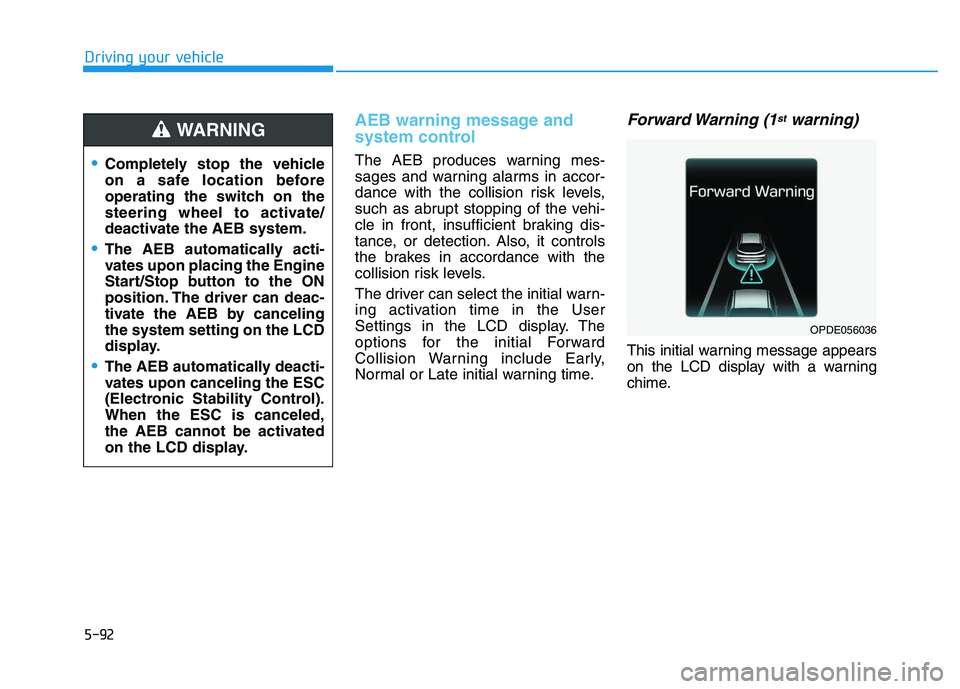
Forward Warning (1stwarning)
This initial warning message appears
on the LCD display with a warning
chime.
Completely stop the vehicle
on a safe location before
operating the switch on the
steering wheel to activate/
deactivate the AEB system.
The AEB automatically acti-
vates upon placing the Engine
Start/Stop button to the ON
position. The driver can deac-
tivate the AEB by canceling
the system setting on the LCD
display.
The AEB automatically deacti-
vates upon canceling the ESC
(Electronic Stability Control).
When the ESC is canceled,
the AEB cannot be activated
on the LCD display.
WARNING
OPDE056036