2019 HONDA CLARITY FUEL CELL start stop button
[x] Cancel search: start stop buttonPage 104 of 551
102
uuIndicators uDriver Information Interface Wa rning and Information Messages
Instrument Panel
Driver Information Interface Warning and Information Messages
The following messages appear only on the driver information interface. Press th e (display/information) button to see the mess age
again with the system message indicator on.
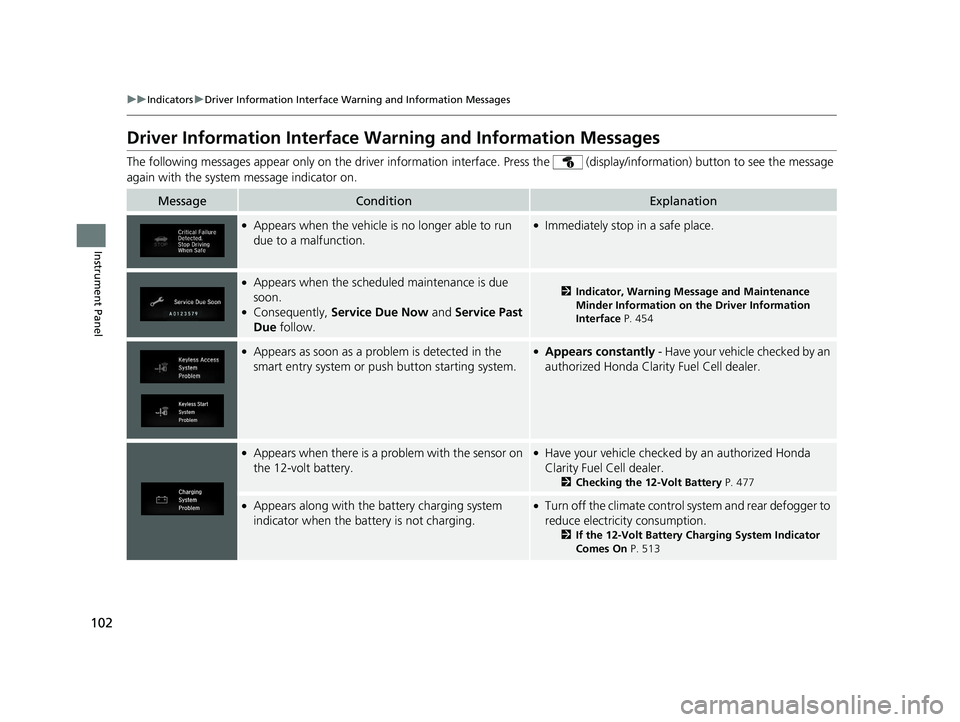
MessageConditionExplanation
●Appears when the vehicle is no longer able to run
due to a malfunction.●Immediately stop in a safe place.
●Appears when the schedul ed maintenance is due
soon.
●Consequently, Service Due Now and Service Past
Due follow.
2Indicator, Warning Message and Maintenance
Minder Information on the Driver Information
Interface P. 454
●Appears as soon as a problem is detected in the
smart entry system or push button starting system.●Appears constantly - Have your vehicle checked by an
authorized Hond a Clarity Fuel Cell dealer.
●Appears when there is a pr oblem with the sensor on
the 12-volt battery.●Have your vehicle checked by an authorized Honda
Clarity Fuel Cell dealer.
2 Checking the 12-Volt Battery P. 477
●Appears along with the battery charging system
indicator when the battery is not charging.●Turn off the climate control system and rear defogger to
reduce electricity consumption.
2If the 12-Volt Battery Charging System Indicator
Comes On P. 513
19 CLARITY FCV CSS-31TRT6200.book 102 ページ 2019年1月17日 木曜日 午前11 時54分
Page 373 of 551
Continued371
uuWhen Driving uTurning on the Power
Driving
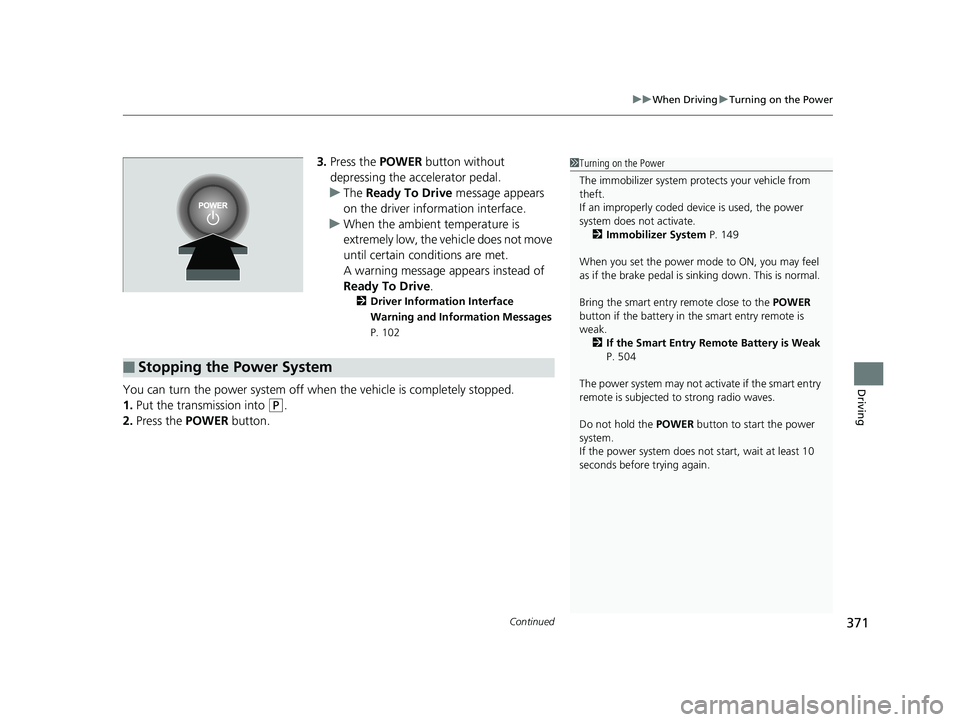
3. Press the POWER button without
depressing the accelerator pedal.
u The Ready To Drive message appears
on the driver info rmation interface.
u When the ambient temperature is
extremely low, the vehicle does not move
until certain conditions are met.
A warning message appears instead of
Ready To Drive .
2Driver Information Interface
Warning and Information Messages
P. 102
You can turn the power system off when the vehicle is completely stopped.
1. Put the transmission into
(P.
2. Press the POWER button.
1Turning on the Power
The immobilizer system pr otects your vehicle from
theft.
If an improperly coded de vice is used, the power
system does not activate. 2 Immobilizer System P. 149
When you set the power mode to ON, you may feel
as if the brake pedal is sinking down. This is normal.
Bring the smart entry remote close to the POWER
button if the battery in the smart entry remote is
weak.
2 If the Smart Entry Remote Battery is Weak
P. 504
The power system may not activate if the smart entry
remote is subjected to strong radio waves.
Do not hold the POWER button to start the power
system.
If the power system does not start, wait at least 10
seconds before trying again.
■Stopping the Power System
19 CLARITY FCV CSS-31TRT6200.book 371 ページ 2019年1月17日 木曜日 午前11 時54分
Page 396 of 551
uuWhen Driving uAdaptive Cruise Control (ACC) with Low Speed Follow (LSF)
394
Driving
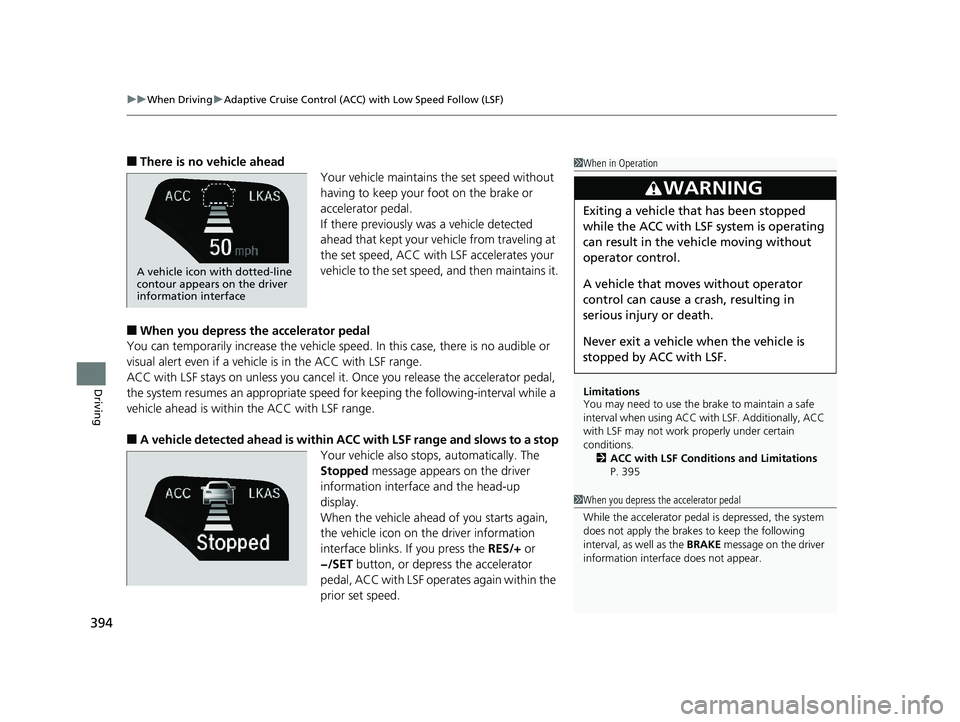
■There is no vehicle ahead
Your vehicle maintains the set speed without
having to keep your foot on the brake or
accelerator pedal.
If there previously was a vehicle detected
ahead that kept your vehicle from traveling at
the set speed, ACC with LSF accelerates your
vehicle to the set speed, and then maintains it.
■When you depress the accelerator pedal
You can temporarily increase th e vehicle speed. In this case, there is no audible or
visual alert even if a vehicle is in the ACC with LSF range.
ACC with LSF stays on unless you cancel it. Once you release the accelerator pedal,
the system resumes an appropriate speed for keeping the following-interval while a
vehicle ahead is within the ACC with LSF range.
■A vehicle detected ahead is within AC C with LSF range and slows to a stop
Your vehicle also stop s, automatically. The
Stopped message appears on the driver
information interface and the head-up
display.
When the vehicle ahead of you starts again,
the vehicle icon on th e driver information
interface blinks. If you press the RES/+ or
−/SET button, or depress the accelerator
pedal, ACC with LSF operates again within the
prior set speed.
1 When in Operation
Limitations
You may need to use the brake to maintain a safe
interval when using ACC wi th LSF. Additionally, ACC
with LSF may not work properly under certain
conditions. 2 ACC with LSF Conditions and Limitations
P. 395
3WARNING
Exiting a vehicle that has been stopped
while the ACC with LSF system is operating
can result in the ve hicle moving without
operator control.
A vehicle that moves without operator
control can cause a crash, resulting in
serious injury or death.
Never exit a vehicle when the vehicle is
stopped by ACC with LSF.
A vehicle icon with dotted-line
contour appears on the driver
information interface
1 When you depress the accelerator pedal
While the accelerator pedal is depressed, the system
does not apply the brakes to keep the following
interval, as well as the BRAKE message on the driver
information interface does not appear.
19 CLARITY FCV CSS-31TRT6200.book 394 ページ 2019年1月17日 木曜日 午前11 時54分
Page 430 of 551
uuBraking uBrake System
428
Driving
Keeps the brake applied after releasing the br ake pedal until the accelerator pedal is
pressed. You can use this system while th e vehicle is temporarily stopped, like at
traffic lights and in heavy traffic.
■Automatic Brake Hold1 Automatic Brake Hold
3WARNING
Activating the automatic brake hold system
on steep hills or slippery roads may still
allow the vehicle to move if you remove
your foot from the brake pedal.
If a vehicle unexpectedly moves, it may
cause a crash resulting in serious injury or
death.
Never activate the automatic brake hold
system or rely on it to keep a vehicle from
moving when stopped on a steep hill or
slippery roads.
3WARNING
Using the automatic brake hold system to
park the vehicle may result in the vehicle
unexpectedly moving.
If a vehicle moves unexpectedly, it may
cause a crash, resulting in serious injury or
death.
Never leave the vehicle when braking is
temporarily kept by automatic brake hold
and always park the vehicle by putting the
transmission in
( P and applying the parking
brake.
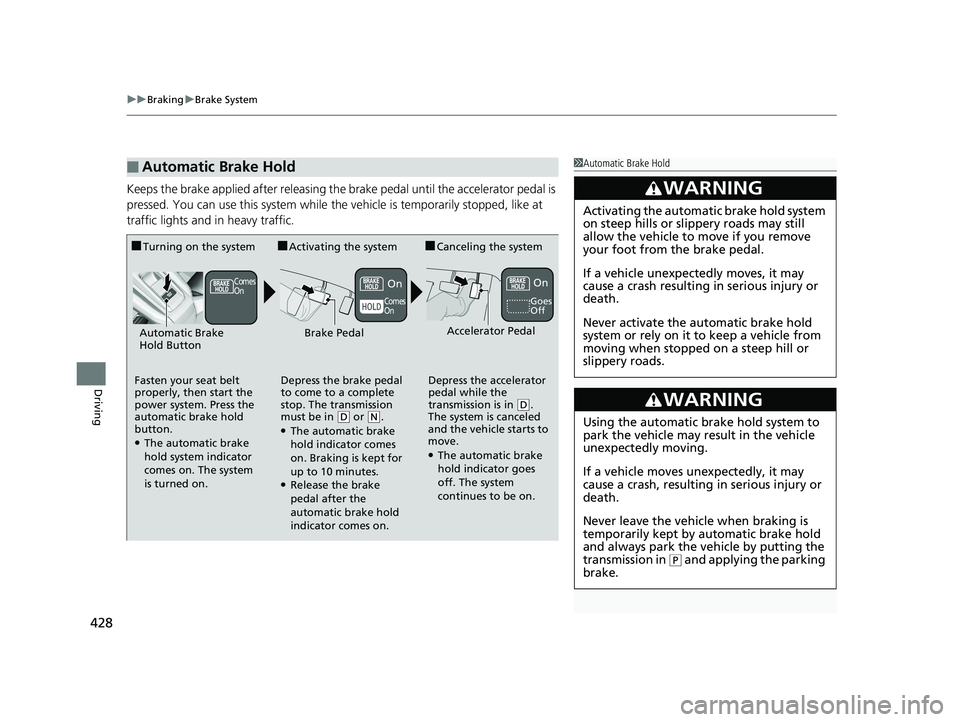
■Turning on the system
Fasten your seat belt
properly, then start the
power system. Press the
automatic brake hold
button.
●The automatic brake
hold system indicator
comes on. The system
is turned on.
■Activating the system
Depress the brake pedal
to come to a complete
stop. The transmission
must be in
( D or (N.●The automatic brake
hold indicator comes
on. Braking is kept for
up to 10 minutes.
●Release the brake
pedal after the
automatic brake hold
indicator comes on.
■Canceling the system
Depress the accelerator
pedal while the
transmission is in
( D.
The system is canceled
and the vehicle starts to
move.
●The automatic brake
hold indicator goes
off. The system
continues to be on.
Accelerator PedalBrake PedalAutomatic Brake
Hold Button
Goes
Off
On OnComes
On
Comes
On
19 CLARITY FCV CSS-31TRT6200.book 428 ページ 2019年1月17日 木曜日 午前11 時54分
Page 507 of 551
505
uuPower System Won’t StartuEmergency Power System Off
Handling the Unexpected
Emergency Power System Off
The POWER button may be used to turn the power system off due to an emergency
situation even while driving. If you must tu rn the power system off, do either of the
following operations:
• Press and hold the POWER button for about two seconds.
• Firmly press the POWER button three times.
The steering wheel will not lock. However, because turning off the power system
disables the power assist the power syst em provides to the steering and braking
systems, it will require significantly more physical effort and time to steer and slow
the vehicle. Use both feet on the brake pe dal to slow down the vehicle and stop
immediately in a safe place.
The gear position auto matically changes to
(P after the vehicle comes to a complete
stop. Then, the power mode changes to VEHICLE OFF.
1 Emergency Power System Off
Do not press the button while driving unless it is
absolutely necessary for the power system to be
turned off.
19 CLARITY FCV CSS-31TRT6200.book 505 ページ 2019年1月17日 木曜日 午前11 時54分
Page 548 of 551
546
Index
Siri® Eyes Free ............................................ 269
SiriusXM ® Radio ........................................ 240
Smart Entry System ................................... 135
Snow Tires ................................................. 476
Song By Voice
TM (SBV) .............................. 251
Spare Tire (Optional) ................................ 531
Specifications ............................................ 530
Specified Fuel .................................... 444, 530
SPORT Mode ............................................. 381
SPORT Mode Indicator ....................... 97, 381
SRS Airbags (Airbags) ................................. 58
Steering Wheel Adjusting ................................................. 169
Stopping .................................................... 440
Summer Tires ............................................ 476
Supplemental Restraint System (SRS) ........ 58
Switches (Around the Steering
Wheel) ............................................. 6, 7, 154
Synchronization Mode ............................. 193
System Message Indicator .......................... 95
T
Temperature Sensor................................. 196
Temporary Tire Repair Kit ........................ 491
Time (Setting) ........................................... 132
Tire Pressure Monitoring System
(TPMS) ...................................................... 415
Indicator ............................................ 94, 516
Tires ........................................................... 468
Air Pressure ..................................... 469, 531 Chains..................................................... 476
Checking and Maintaining ...................... 468
Flat Tire (Puncture) .................................. 490
Inspection ............................................... 468
Labeling .................................................. 469
Regulations ............................................. 471
Rotation .................................................. 475
Spare (Optional) ...................................... 531
Summer .................................................. 476
Temporary Tire Re
pair Kit ........................ 491
Wear Indicators ....................................... 473
Winter..................................................... 476
Towing a Trailer ....................................... 369
Towing Your Vehicle ................................ 369
Emergency .............................................. 526
TPMS (Tire Pressure Monitoring System) .................................................... 415
Transmission ............................... 34, 374, 375
Creeping ................................................. 374
Fluid ........................................................ 461
Gear Position Indicator ...................... 91, 377
Number................................................... 532
Operating the Shift Button ................ 34, 377
Shifting ................................................... 375
Trip Meter ................................................. 121
Troubleshooting ....................................... 489
Blown Fuse...................................... 518, 520
Brake Pedal Vibrates .................................. 39
Buzzer Sounds When Opening Door.......... 39
Emergency Towing .................................. 526
Flat Tire/Puncture .................................... 490 Noise When Braking ................................. 41
Overheating ............................................ 509
Power System Won’t Start ...................... 503
Rear Door Won’t Open ..................... 39, 144
Warning Indicators.................................... 86
Trunk ........................................................ 146
Lid .......................................................... 146
Light Bulbs .............................................. 530
Unable to Open ...................................... 528
Turn Signals .............................................. 157
Indicators (Instru ment Panel) ..................... 96
Turn-by-Turn Directions .................. 122, 129
Turning on the Power ............................. 370
Does Not Activate ................................... 503
Jump Starting ......................................... 506
U
Under-Floor Storage Area ....................... 185
Unlocking the Doors ................................ 135
Unlocking the Fron t Doors from the
Inside ................................................. 28, 142
USB Flash Drives ............................... 257, 283
USB Ports .................................................. 199
Using the Smart Entr y with Push Button
Start System ............................................ 135
V
Vanity Mirrors .............................................. 9
Vehicle Identification Number ................ 532
19 CLARITY FCV CSS-31TRT6200.book 546 ページ 2019年1月17日 木曜日 午前11 時54分