2019 FORD FIESTA 5 speed
[x] Cancel search: 5 speedPage 132 of 443
1.6L TiVCT
Recommended shift
speed mph ( km/h)
Shift
To
From
13 (21)
21
25 (40)
32
33 (53)
43
44 (71)
54
Reverse
Note: Do not shift the gearshift lever to
reverse gear when your vehicle is moving.
This can cause damage to the transmission.
1. Fully depress the clutch pedal to disengage clutch.
2. Shift the gearshift lever to the reverse position.
If reverse gear is not fully engaged, press
the clutch pedal down and shift the
gearshift lever to the neutral position.
Release the clutch pedal for a moment,
depress the clutch again and shift the
gearshift lever to reverse.
Parking Your Vehicle WARNING: Always set the parking
brake fully and make sure you shift the
gearshift lever to first gear. Switch the
ignition off and remove the key whenever
you leave your vehicle.
To park your vehicle:
1. Press the brake pedal and shift the gearshift lever to the neutral position.
2. Fully apply the parking brake and switch the ignition off.
3. Hold the clutch pedal down, and shift the gearshift lever to first gear. AUTOMATIC TRANSMISSION WARNING:
Do not apply the brake
pedal and accelerator pedal
simultaneously. Applying both pedals
simultaneously for more than a few
seconds will limit engine performance,
which may result in difficulty maintaining
speed in traffic and could lead to serious
injury.
Note: When you switch the ignition off, the
transmission will carry out a series of checks.
You may hear slight clicking sounds. This is
normal.
We have designed your vehicle to improve
fuel economy by reducing fuel usage
compared to a traditional torque converter
automatic transmission. When you take
your foot off the accelerator pedal and
your vehicle begins to slow down, this can
feel like a light to medium braking
sensation.
129
2019 Fiesta (CCT) Canada/United States of America, KE8J 19A321 AA enUSA, Edition date: 201806, Second-Printing Transmission
Page 133 of 443
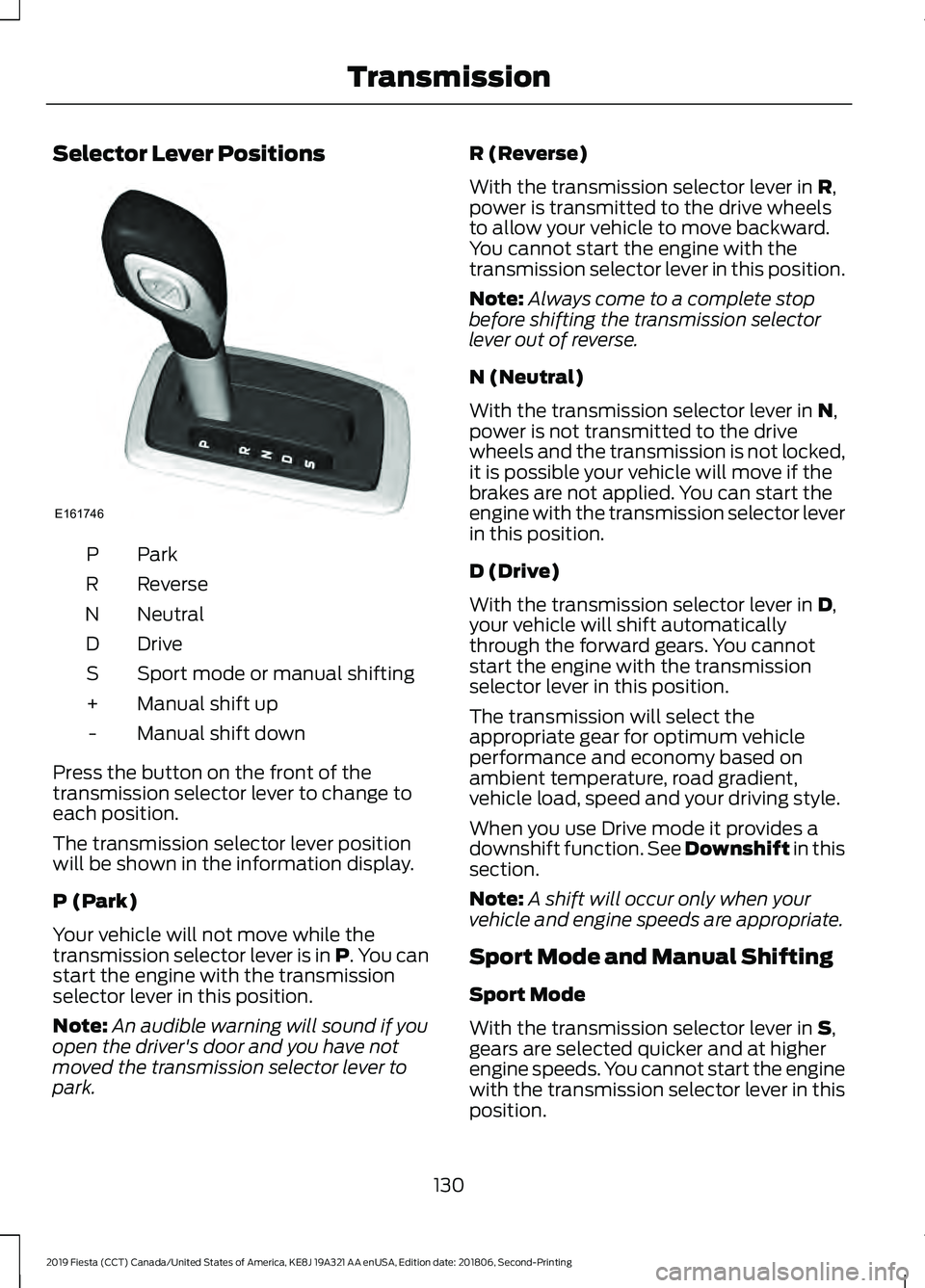
Selector Lever Positions
ParkP
Reverse
R
Neutral
N
Drive
D
Sport mode or manual shifting
S
Manual shift up
+
Manual shift down
-
Press the button on the front of the
transmission selector lever to change to
each position.
The transmission selector lever position
will be shown in the information display.
P (Park)
Your vehicle will not move while the
transmission selector lever is in P. You can
start the engine with the transmission
selector lever in this position.
Note: An audible warning will sound if you
open the driver's door and you have not
moved the transmission selector lever to
park. R (Reverse)
With the transmission selector lever in R,
power is transmitted to the drive wheels
to allow your vehicle to move backward.
You cannot start the engine with the
transmission selector lever in this position.
Note: Always come to a complete stop
before shifting the transmission selector
lever out of reverse.
N (Neutral)
With the transmission selector lever in
N,
power is not transmitted to the drive
wheels and the transmission is not locked,
it is possible your vehicle will move if the
brakes are not applied. You can start the
engine with the transmission selector lever
in this position.
D (Drive)
With the transmission selector lever in
D,
your vehicle will shift automatically
through the forward gears. You cannot
start the engine with the transmission
selector lever in this position.
The transmission will select the
appropriate gear for optimum vehicle
performance and economy based on
ambient temperature, road gradient,
vehicle load, speed and your driving style.
When you use Drive mode it provides a
downshift function. See Downshift in this
section.
Note: A shift will occur only when your
vehicle and engine speeds are appropriate.
Sport Mode and Manual Shifting
Sport Mode
With the transmission selector lever in
S,
gears are selected quicker and at higher
engine speeds. You cannot start the engine
with the transmission selector lever in this
position.
130
2019 Fiesta (CCT) Canada/United States of America, KE8J 19A321 AA enUSA, Edition date: 201806, Second-Printing TransmissionE161746
Page 134 of 443
Sport mode will remain on until you either
shift manually up or down the gears using
the + or - buttons on the side of the
transmission selector lever or you move
the transmission selector lever to drive.
When you use Sport mode it provides a
downshift function. See Downshift in this
section.
Manual Shifting
Press the
+ button to shift up and the -
button to shift down.
Gears may be skipped by pressing the + or
-
buttons repeatedly at short intervals.
Manual mode also provides a downshift
function. See
Downshift in this section.
Note: The transmission will automatically
upshift if the engine speed is too high or
downshift if the engine speed is too low.
Hints on Driving with an Automatic
Transmission
Note: The system carries out a series of
checks when you switch the ignition on and
off. You may hear clicking sounds. This is
normal.
Moving off
1. Press the brake pedal to apply the brakes.
2. Move the transmission selector lever to
R,D or S.
3. Release the parking brake.
4. Release the brake pedal and press the
accelerator pedal.
Stopping
1. Release the accelerator pedal and press the brake pedal.
2. Apply the parking brake.
3. Move the transmission selector lever to
N or P. Downshift
Press the accelerator pedal fully with the
transmission selector lever in either
D,
S
mode or manual shifting position to select
a lower gear for optimum performance.
Release the accelerator pedal when you
no longer require downshift.
If Your Vehicle Gets Stuck In Mud or
Snow
If your vehicle gets stuck in mud or snow,
it may be rocked out by shifting between
D
and R, stopping between shifts in a
steady pattern. Press the accelerator
lightly in each gear.
Note: Do not rock your vehicle if the engine
is not at normal operating temperature as
this can damage the transmission.
Note: Do not rock your vehicle for more
than a minute as this can damage the
transmission or the tires and the engine may
overheat.
Emergency Park Position Release
Lever WARNING:
Do not drive your
vehicle until you verify that the
stoplamps are working. WARNING:
If the parking brake is
fully released, but the brake warning
lamp remains illuminated, the brakes
may not be working properly. Have your
vehicle checked as soon as possible. WARNING:
When doing this
procedure, you need to take the
transmission out of park (P) which
means your vehicle can roll freely. To
avoid unwanted vehicle movement,
always fully apply the parking brake prior
to doing this procedure. Use wheels
chocks if appropriate.
131
2019 Fiesta (CCT) Canada/United States of America, KE8J 19A321 AA enUSA, Edition date: 201806, Second-Printing Transmission
Page 143 of 443

WARNING: The parking aid system
can only assist you to detect objects
when your vehicle is moving at parking
speeds. To help avoid personal injury you
must take care when using the parking
aid system. WARNING: To help avoid personal
injury, always use caution when in
reverse (R) and when using the sensing
system.
Note: Some accessories such as large
trailer hitches, bike or surfboard racks can
cause reduced performance or false alerts.
Note: Keep the sensors free from snow, ice
and large accumulations of dirt. Blocked
sensors may affect system accuracy. Do
not clean the sensors with sharp objects.
Note: If your vehicle sustains damage
leaving the sensors misaligned, this will
cause inaccurate measurements or false
alerts.
The system warns you of objects that are
within the detection zone of the bumper
areas.
When the parking aid system sounds a
tone, the audio system may reduce the set
volume. When the warning ends, the audio
system will return to the previously set
volume.
The rear parking aid sensors automatically
turn on when you shift into reverse (R). Coverage area of up to 72 in (183
cm) from the bumper. There is
decreased coverage area at the
outer corners of the bumper.
A
As your vehicle moves closer to an
obstacle, the rate of the audible warning
increases. When the obstacle is less than
12 in (30 cm) away, the audible warning
sounds continuously. If a stationary or
receding object is detected
12 in (30 cm)
or more from the side of your vehicle, the
audible warning sounds for only three
seconds. Once the system detects an
object approaching, the audible warning
sounds again.
If a fault is present in the system, a warning
message appears in the information
display and does not allow you to switch
the system on.
FRONT PARKING AID (IF EQUIPPED) WARNING:
The system may not
detect small or moving objects,
particularly those close to the ground.
140
2019 Fiesta (CCT) Canada/United States of America, KE8J 19A321 AA enUSA, Edition date: 201806, Second-Printing Parking Aids
(If Equipped)E130178
Page 144 of 443

WARNING: The system may not
detect objects with surfaces that absorb
reflection. Always drive with due care
and attention. Failure to take care may
result in a crash. WARNING: The parking aid system
can only assist you to detect objects
when your vehicle is moving at parking
speeds. To help avoid personal injury you
must take care when using the parking
aid system.
Note: Keep the sensors free from snow, ice
and large accumulations of dirt. Blocked
sensors may affect system accuracy. Do
not clean the sensors with sharp objects.
Note: If your vehicle sustains damage
leaving the sensors misaligned, this will
cause inaccurate measurements or false
alerts.
The system warns you of objects that are
within the detection zone of the bumper
areas.
When the parking aid system sounds a
tone, the audio system may reduce the set
volume. When the warning ends, the audio
system will return to the previously set
volume.
The front parking aid sensors automatically
turn on when you shift into reverse (R) or
you press the parking aid button. Coverage area of up to 31 in (80
cm) from the center of the
bumper and up to 14 in (35 cm)
to the side of the bumper.
A
As your vehicle moves closer to an
obstacle, the rate of the audible warning
increases. When the obstacle is less than
12 in (30 cm)
away, the audible warning
sounds continuously. If a stationary or
receding object is detected
12 in (30 cm)
or more from the side of your vehicle, the
audible warning sounds for only three
seconds. Once the system detects an
object approaching, the audible warning
sounds again.
If a fault is present in the system, a warning
message appears in the information
display and does not allow you to switch
the system on.
141
2019 Fiesta (CCT) Canada/United States of America, KE8J 19A321 AA enUSA, Edition date: 201806, Second-Printing Parking Aids
(If Equipped)E184301
A
Page 146 of 443
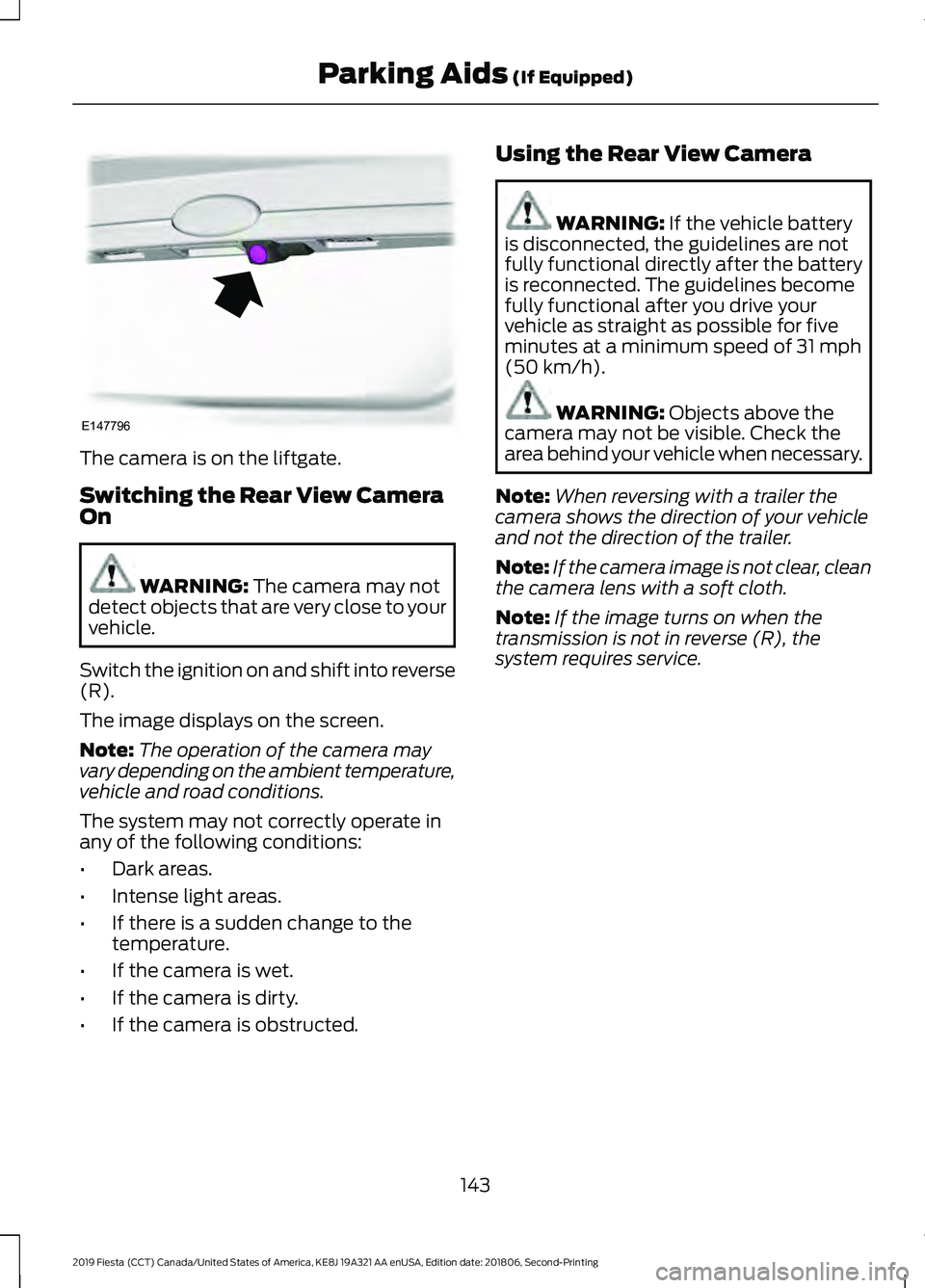
The camera is on the liftgate.
Switching the Rear View Camera
On
WARNING: The camera may not
detect objects that are very close to your
vehicle.
Switch the ignition on and shift into reverse
(R).
The image displays on the screen.
Note: The operation of the camera may
vary depending on the ambient temperature,
vehicle and road conditions.
The system may not correctly operate in
any of the following conditions:
• Dark areas.
• Intense light areas.
• If there is a sudden change to the
temperature.
• If the camera is wet.
• If the camera is dirty.
• If the camera is obstructed. Using the Rear View Camera WARNING:
If the vehicle battery
is disconnected, the guidelines are not
fully functional directly after the battery
is reconnected. The guidelines become
fully functional after you drive your
vehicle as straight as possible for five
minutes at a minimum speed of
31 mph
(50 km/h). WARNING:
Objects above the
camera may not be visible. Check the
area behind your vehicle when necessary.
Note: When reversing with a trailer the
camera shows the direction of your vehicle
and not the direction of the trailer.
Note: If the camera image is not clear, clean
the camera lens with a soft cloth.
Note: If the image turns on when the
transmission is not in reverse (R), the
system requires service.
143
2019 Fiesta (CCT) Canada/United States of America, KE8J 19A321 AA enUSA, Edition date: 201806, Second-Printing Parking Aids
(If Equipped)E147796
Page 148 of 443
If you switch this feature on, the image
continues to display when you shift from
reverse (R) until:
•
You shift to a forward gear and the
vehicle speed sufficiently increases.
• You shift into park (P).
• You apply the parking brake.
Enhanced Park Aids or Park Pilot
(If Equipped)
The system uses red, yellow and green
highlights that appear on top of the video
image when any of the sensing systems
detect an object.
145
2019 Fiesta (CCT) Canada/United States of America, KE8J 19A321 AA enUSA, Edition date: 201806, Second-Printing Parking Aids (If Equipped)
Page 149 of 443
PRINCIPLE OF OPERATION
Cruise control lets you maintain a set
speed without keeping your foot on the
accelerator pedal. You can use cruise
control when your vehicle speed is greater
than 20 mph (30 km/h).
USING CRUISE CONTROL WARNING:
Do not use cruise
control on winding roads, in heavy traffic
or when the road surface is slippery. This
could result in loss of vehicle control,
serious injury or death. WARNING:
When you are going
downhill, your vehicle speed could
increase above the set speed. The
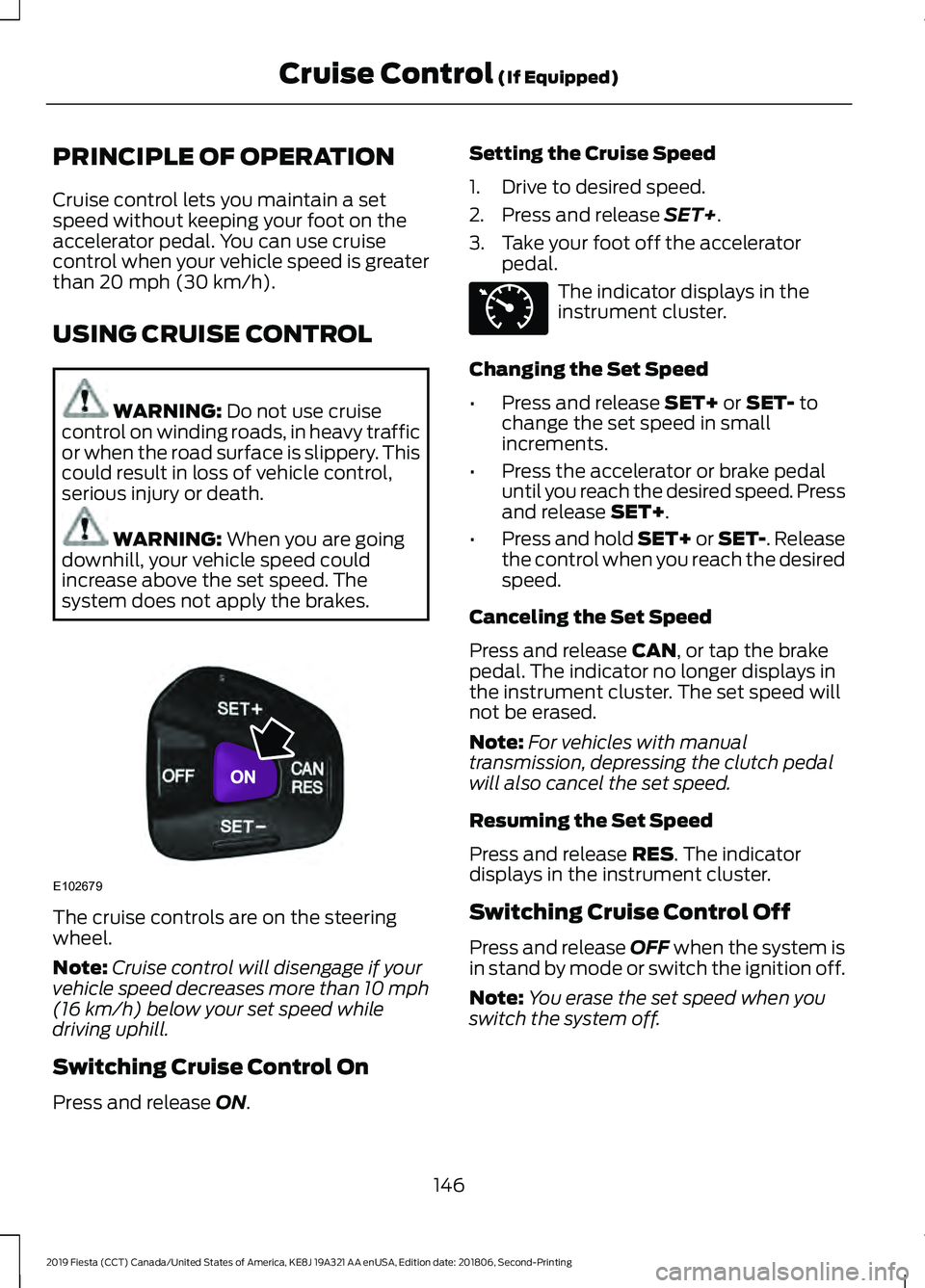
system does not apply the brakes. The cruise controls are on the steering
wheel.
Note:
Cruise control will disengage if your
vehicle speed decreases more than 10 mph
(16 km/h)
below your set speed while
driving uphill.
Switching Cruise Control On
Press and release
ON. Setting the Cruise Speed
1. Drive to desired speed.
2. Press and release
SET+.
3. Take your foot off the accelerator pedal. The indicator displays in the
instrument cluster.
Changing the Set Speed
• Press and release
SET+ or SET- to
change the set speed in small
increments.
• Press the accelerator or brake pedal
until you reach the desired speed. Press
and release
SET+.
• Press and hold SET+ or SET-. Release
the control when you reach the desired
speed.
Canceling the Set Speed
Press and release
CAN, or tap the brake
pedal. The indicator no longer displays in
the instrument cluster. The set speed will
not be erased.
Note: For vehicles with manual
transmission, depressing the clutch pedal
will also cancel the set speed.
Resuming the Set Speed
Press and release
RES. The indicator
displays in the instrument cluster.
Switching Cruise Control Off
Press and release
OFF when the system is
in stand by mode or switch the ignition off.
Note: You erase the set speed when you
switch the system off.
146
2019 Fiesta (CCT) Canada/United States of America, KE8J 19A321 AA enUSA, Edition date: 201806, Second-Printing Cruise Control
(If Equipped)E102679 E71340