2019 FORD FIESTA starting
[x] Cancel search: startingPage 5 of 443

Wipers and Washers
Windshield Wipers
........................................70
Windshield Washers ....................................
70
Rear Window Wiper and Washers ...........
71
Lighting
General Information .....................................
72
Lighting Control ..............................................
72
Autolamps ........................................................
73
Instrument Lighting Dimmer .....................
74
Headlamp Exit Delay ...................................
74
Front Fog Lamps ...........................................
74
Direction Indicators .......................................
74
Interior Lamps .................................................
75
Ambient Lighting ...........................................
76
Windows and Mirrors
Power Windows ..............................................
77
Exterior Mirrors ...............................................
78
Interior Mirror ...................................................
79
Moonroof .........................................................
80
Instrument Cluster
Gauges ...............................................................
81
Warning Lamps and Indicators ................
82
Audible Warnings and Indicators ............
85
Information Displays
General Information ....................................
86
Clock ..................................................................
87
Trip Computer .................................................
87
Personalized Settings .................................
88
Information Messages ................................
88
Climate Control
Manual Climate Control .............................
96
Automatic Climate Control .......................
96
Hints on Controlling the Interior Climate ........................................................................\
..
98 Heated Windows and Mirrors
..................
101
Cabin Air Filter ..............................................
102
Remote Start ................................................
102
Seats
Sitting in the Correct Position .................
103
Head Restraints ...........................................
103
Manual Seats ................................................
105
Rear Seats ......................................................
106
Heated Seats .................................................
107
Auxiliary Power Points
Auxiliary Power Points ..............................
109
Cigar Lighter ..................................................
109
Storage Compartments
Center Console ...............................................
111
Overhead Console .........................................
111
Starting and Stopping the Engine
General Information ....................................
112
Ignition Switch ...............................................
112
Keyless Starting .............................................
113
Starting a Gasoline Engine ........................
114
Switching Off the Engine ...........................
115
Engine Block Heater ....................................
115
Fuel and Refueling
Safety Precautions .......................................
117
Fuel Quality .....................................................
117
Fuel Filler Funnel Location ........................
118
Running Out of Fuel ....................................
118
Refueling .........................................................
120
Fuel Consumption .......................................
122
Engine Emission Control
Emission Law ................................................
124
Catalytic Converter .....................................
125
2
2019 Fiesta (CCT) Canada/United States of America, KE8J 19A321 AA enUSA, Edition date: 201806, Second-Printing Table of Contents
Page 6 of 443
Transmission
Manual Transmission
.................................128
Automatic Transmission ...........................
129
Brakes
General Information ...................................
133
Hints on Driving With Anti-Lock Brakes ........................................................................\
.
134
Parking Brake ................................................
134
Hill Start Assist .............................................
134
Traction Control
Principle of Operation ................................
136
Using Traction Control ...............................
136
Stability Control
Principle of Operation ................................
137
Using Stability Control ..............................
138
Parking Aids
Principle of Operation ................................
139
Rear Parking Aid ...........................................
139
Front Parking Aid .........................................
140
Rear View Camera .......................................
142
Cruise Control
Principle of Operation ...............................
146
Using Cruise Control ..................................
146
Driving Aids
Eco Mode ........................................................
147
Steering ...........................................................
147
Load Carrying
Rear Under Floor Storage .........................
149
Cargo Nets .....................................................
149
Luggage Covers ............................................
149
Load Limit ......................................................
150Towing
Towing a Trailer
............................................
155
Transporting the Vehicle ...........................
155
Towing the Vehicle on Four Wheels ......
155
Driving Hints
Breaking-In .....................................................
158
Economical Driving .....................................
158
Driving Through Water ...............................
158
Floor Mats ......................................................
159
Roadside Emergencies
Roadside Assistance .................................
160
Hazard Flashers ............................................
161
Fuel Shutoff ....................................................
161
Jump Starting the Vehicle ........................
162
Customer Assistance
Getting the Services You Need ..............
165
In California (U.S. Only) ............................
166
The Better Business Bureau (BBB) Auto Line Program (U.S. Only) ......................
167
Utilizing the Mediation/Arbitration Program (Canada Only) .......................
168
Getting Assistance Outside the U.S. and Canada .......................................................
168
Ordering Additional Owner's Literature ........................................................................\
.
170
Reporting Safety Defects (U.S. Only) ........................................................................\
.
170
Reporting Safety Defects (Canada Only) ........................................................................\
.
170
Fuses
Fuse Specification Chart ...........................
172
Changing a Fuse ..........................................
180
Maintenance
General Information ...................................
182
Opening and Closing the Hood ..............
182
3
2019 Fiesta (CCT) Canada/United States of America, KE8J 19A321 AA enUSA, Edition date: 201806, Second-Printing Table of Contents
Page 56 of 443
CREATING A MYKEY
Use the information display to create a
MyKey:
1.
Insert the key you want to program into
the ignition. See Keyless Starting
(page 113). If your vehicle is equipped
with a push-button start, place the
remote control into the backup
position. See
Passive Anti-Theft
System (page 65). 2. Switch the ignition on.
3. Access the main menu on the
information display controls. Use the
arrow keys to get to the following menu
selections: Action and Description
Message
Press the OK button or the right arrow key.
Settings
Press the OK button or the right arrow key.
MyKey
Press the OK button or the right arrow key.
Create MyKey
When prompted, hold the OK button until
you see a message informing you to label
this key as a MyKey. The programmed
restrictions apply when you key off, open
and close the driver door and restart your
vehicle with the programmed key or
transmitter.
MyKey is successfully created. Make sure
you label it so you can distinguish it from
the admin keys.
You can also program configurable
settings for the key(s). See
Programming/Changing Configurable
Settings
. Programming/Changing
Configurable Settings
Use the information display to access your
configurable MyKey settings.
1. Switch the ignition on using an admin
key or remote control.
2. Access the main menu on the information display controls. Use the
arrow keys to get to the following menu
selections: Action and Description
Message
Press the OK button or the right arrow key.
Settings
Press the OK button or the right arrow key.
MyKey
53
2019 Fiesta (CCT) Canada/United States of America, KE8J 19A321 AA enUSA, Edition date: 201806, Second-Printing MyKey
™
(If Equipped)
Page 58 of 443
CHECKING MYKEY SYSTEM
STATUS
You can find information about your
programmed MyKeys by using the
information display. See Information
Displays (page 86).
MyKey Distance
Tracks the distance when drivers use a
MyKey. The only way to delete the
accumulated distance is by using an admin
key to clear all MyKeys. If the distance does
not accumulate as expected, then the
intended user is not using the MyKey, or an
admin key user recently cleared and then
recreated a MyKey.
Number of MyKeys
Indicates the number of MyKeys
programmed to your vehicle. Use this
feature to detect how many MyKeys you
have for your vehicle and determine when
all MyKeys have been deleted. Number of Admin Keys
Indicates how many admin keys are
programmed to your vehicle. Use this
feature to determine how many admin
keys you have for your vehicle, and detect
if an additional MyKey has been
programmed.
USING MYKEY WITH REMOTE
START SYSTEMS
MyKey is not compatible with
non-Ford-approved aftermarket remote
start systems. If you choose to install a
remote start system, please see an
authorized dealer for a Ford-approved
remote start system.
MYKEY – TROUBLESHOOTING Potential causes
Condition
· The key or transmitter used to start the
vehicle does not have admin privileges.
I cannot create a MyKey.
· The key or transmitter used to start the
vehicle is the only admin key (there always
has to be at least one admin key).
· Vehicles with keyless start: The transmitter
is not in the correct position. The position
location is in another chapter. See Keyless
Starting
(page 113).
· SecuriLock passive anti-theft system is
disabled or in unlimited mode.
· The key or transmitter used to start the
vehicle does not have admin privileges.
I cannot program the configurable settings.
55
2019 Fiesta (CCT) Canada/United States of America, KE8J 19A321 AA enUSA, Edition date: 201806, Second-Printing MyKey
™
(If Equipped)
Page 60 of 443
LOCKING AND UNLOCKING
Remote Control
Unlocking the Doors
Note:
The driver door can be unlocked with
the key if the remote control is not
functioning.
Note: When you lock your vehicle for
several weeks, the remote control will be
switched off. Your vehicle must be unlocked
and the engine started using the key.
Unlocking and starting your vehicle once will
enable the remote control.
One-Stage Unlocking Press the button to unlock all
doors.
The direction indicators will flash.
Two-Stage Unlocking Press the button to unlock the
driver door.
Press the button again within three
seconds to unlock all doors.
The direction indicators will flash.
Reprogramming the Unlocking
Function
You can reprogram the unlocking function
using the remote control to change
between one-stage and two-stage
unlocking. See Remote Control (page
47).
Locking the Doors Press the button to lock all the
doors. The direction indicators
will flash. Press the button again within three
seconds to confirm that all the doors are
closed. The doors will lock again, the
direction indicators will flash and the horn
will sound, if all the doors and the luggage
compartment are closed.
Note:
If any door, the hood or the luggage
compartment is open on vehicles that have
an anti-theft alarm or remote start, the
direction indicators will not flash but the
horn will sound.
Automatic Re-locking
(If Equipped)
The doors will relock automatically if you
do not open a door within 45 seconds of
unlocking the doors with the remote
control. The door locks and the alarm will
return to their previous state.
Locking and Unlocking the Doors
From Inside
The power door lock control is located on
the instrument panel near the radio. Press the button to lock and
unlock all the doors. The lamp
illuminates with the doors
locked.
Locking and Unlocking the Doors
With the Key
Note: Do not leave your keys in your vehicle.
Locking With the Key
Turn the top of the key toward the front of
your vehicle.
Unlocking With the Key
Turn the top of the key toward the rear of
your vehicle.
57
2019 Fiesta (CCT) Canada/United States of America, KE8J 19A321 AA enUSA, Edition date: 201806, Second-Printing Doors and Locks E138623 E102566
Page 68 of 443
PASSIVE ANTI-THEFT
SYSTEM
Note:
The system is not compatible with
non-Ford aftermarket remote start systems.
Use of these systems may result in vehicle
starting problems and a loss of security
protection.
Note: Metallic objects, electronic devices
or a second coded key on the same key
chain may cause vehicle starting problems
if they are too close to the key when starting
the engine. Prevent these objects from
touching the coded key while starting the
engine. Switch the ignition off, move all
objects on the key chain away from the
coded key and restart the engine if a
problem occurs.
Note: Do not leave a duplicate coded key
in the vehicle. Always take your keys and
lock all doors when leaving the vehicle.
SecuriLock®
The system is an engine immobilization
system. It is designed to help prevent the
engine from being started unless a coded
key programmed to your vehicle is used.
Using the wrong key may prevent the
engine from starting. A message may
appear in the information display.
If you are unable to start the engine with a
correctly coded key, a malfunction has
happened and a message may appear in
the information display.
Automatic Arming
The vehicle arms immediately after you
switch the ignition off.
Automatic Disarming
Switching the ignition on with a coded key
disarms the vehicle. Replacement Keys
Note:
Your vehicle comes equipped with
two integrated keyhead transmitters or two
intelligent access keys.
The integrated keyhead transmitter
functions as a programmed ignition key
that operates all the locks and starts the
vehicle, as well as a remote control.
The intelligent access key functions as a
programmed key that operates the driver
door lock and activates the intelligent
access with push button start system, as
well as a remote control.
If your programmed transmitters or
standard SecuriLock coded keys
(integrated keyhead transmitters only) are
lost or stolen and you do not have an extra
coded key, you will need to have your
vehicle towed to an authorized dealer. You
need to erase the key codes from your
vehicle and program new coded keys.
Store an extra programmed key away from
the vehicle in a safe place to help prevent
any inconveniences. See your authorized
dealer to purchase additional spare or
replacement keys.
Programming a Spare Integrated
Keyhead Transmitter
Note: You can program a maximum of eight
coded keys to your vehicle. All eight can be
integrated keyhead transmitters.
You can program your own integrated
keyhead transmitter or standard
SecuriLock coded keys to your vehicle. This
procedure only programs the engine
immobilizer keycode to your vehicle.
Note: You can also program the remote
entry portion of the integrated keyhead
transmitter to your vehicle. See Remote
Control (page 47).
Only use integrated keyhead transmitters
or standard SecuriLock keys.
65
2019 Fiesta (CCT) Canada/United States of America, KE8J 19A321 AA enUSA, Edition date: 201806, Second-Printing Security
Page 85 of 443
Displays the temperature of the engine
coolant. At normal operating temperature
the indicator will remain in the center
section.
Fuel Gauge
Switch the ignition on. The fuel gauge will
indicate approximately how much fuel is
left in the fuel tank. The fuel gauge may
vary slightly when your vehicle is moving
or on a gradient. The arrow adjacent to the
fuel pump symbol indicates on which side
of your vehicle the fuel filler door is located.
Low Fuel Reminder
Vehicles with Trip Computer
A low fuel level reminder displays and
sounds when the distance to empty
reaches 75 mi (120 km) for MyKey and
50 mi (80 km) for all other keys.
Note: The low fuel reminder can appear at
different fuel gauge positions depending on
fuel economy conditions. This variation is
normal.
Vehicles without Trip Computer
A low fuel level reminder displays and
sounds when the fuel gauge needle is at
1/16th.
WARNING LAMPS AND
INDICATORS
The following warning lamps and
indicators alert you to a vehicle condition
that may become serious. Some lamps
illuminate when you start your vehicle to
make sure they work. If any lamps begin
to flash or remain on at any time after
starting your vehicle, have your vehicle
checked as soon as possible. Depending on vehicle options and
instrument cluster type fitted, not all of the
following warning lamps and indicators
display or are available.
Note:
Some warning indicators appear in
the information display and operate the
same as a warning lamp but do not
illuminate when you start your vehicle.
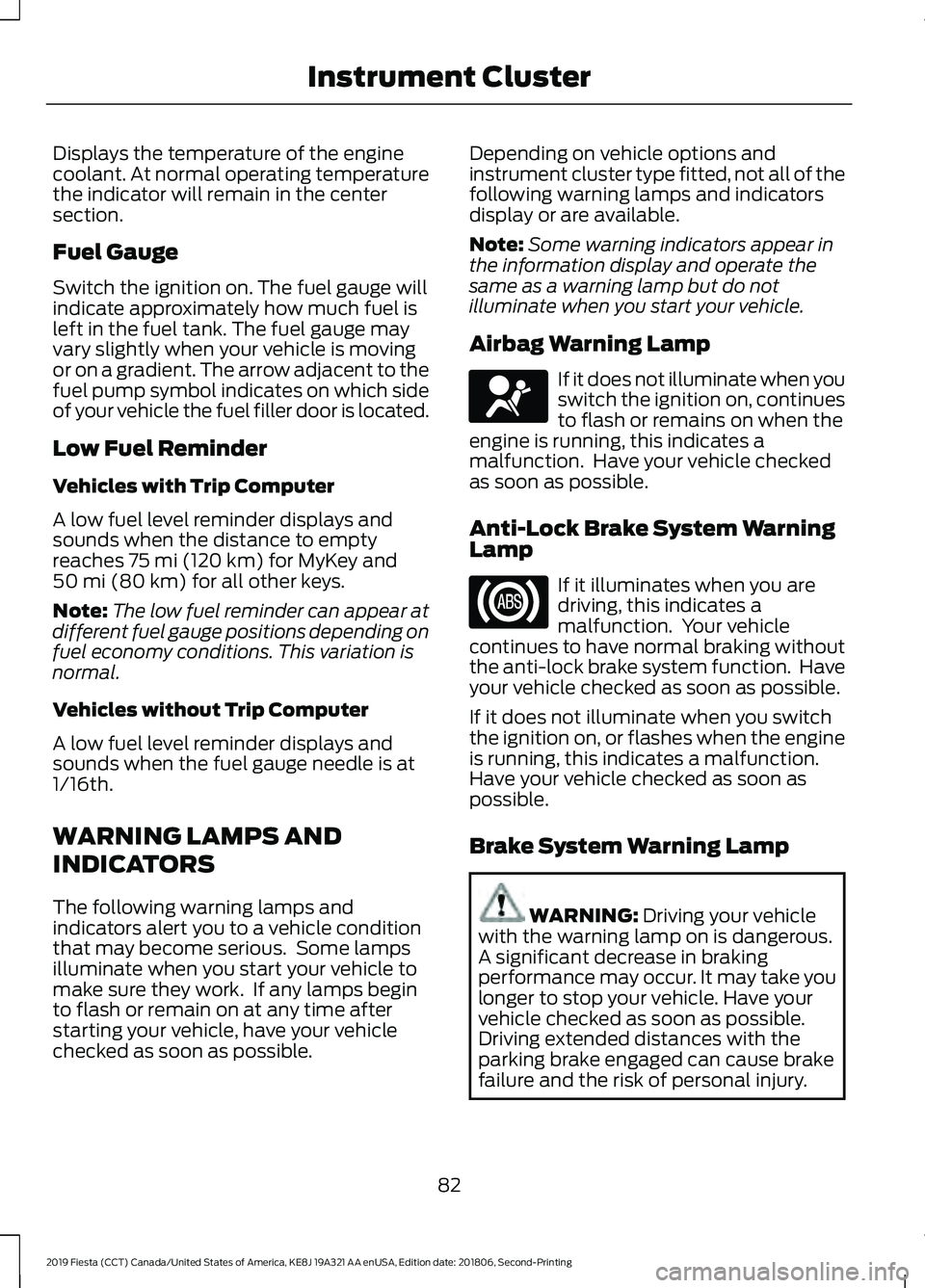
Airbag Warning Lamp If it does not illuminate when you
switch the ignition on, continues
to flash or remains on when the
engine is running, this indicates a
malfunction. Have your vehicle checked
as soon as possible.
Anti-Lock Brake System Warning
Lamp If it illuminates when you are
driving, this indicates a
malfunction. Your vehicle
continues to have normal braking without
the anti-lock brake system function. Have
your vehicle checked as soon as possible.
If it does not illuminate when you switch
the ignition on, or flashes when the engine
is running, this indicates a malfunction.
Have your vehicle checked as soon as
possible.
Brake System Warning Lamp WARNING:
Driving your vehicle
with the warning lamp on is dangerous.
A significant decrease in braking
performance may occur. It may take you
longer to stop your vehicle. Have your
vehicle checked as soon as possible.
Driving extended distances with the
parking brake engaged can cause brake
failure and the risk of personal injury.
82
2019 Fiesta (CCT) Canada/United States of America, KE8J 19A321 AA enUSA, Edition date: 201806, Second-Printing Instrument ClusterE67017
Page 94 of 443
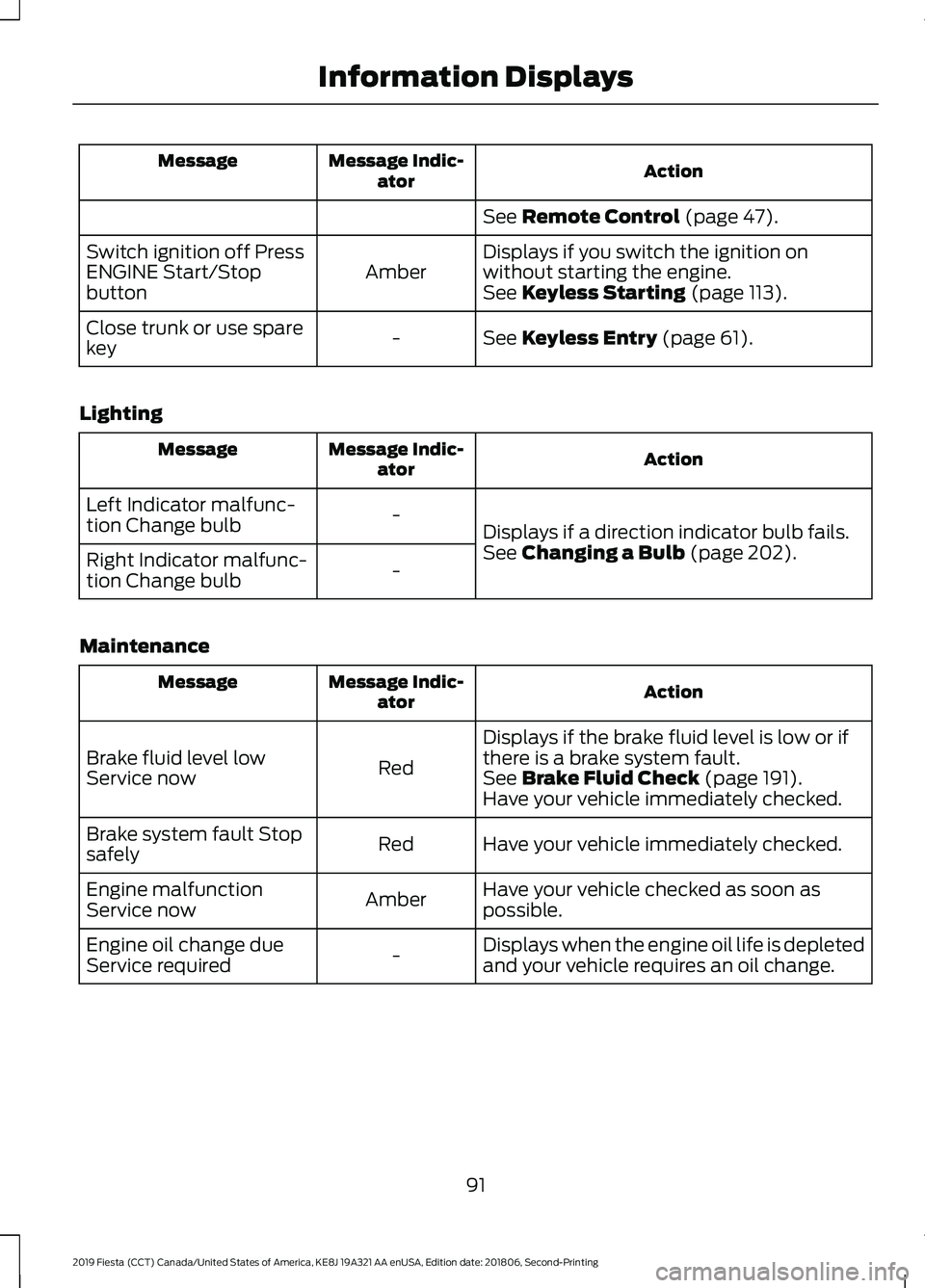
Action
Message Indic-
ator
Message
See Remote Control (page 47).
Displays if you switch the ignition on
without starting the engine.
Amber
Switch ignition off Press
ENGINE Start/Stop
button
See
Keyless Starting (page 113).
See
Keyless Entry (page 61).
-
Close trunk or use spare
key
Lighting Action
Message Indic-
ator
Message
Displays if a direction indicator bulb fails.
-
Left Indicator malfunc-
tion Change bulb
See
Changing a Bulb (page 202).
-
Right Indicator malfunc-
tion Change bulb
Maintenance Action
Message Indic-
ator
Message
Displays if the brake fluid level is low or if
there is a brake system fault.
Red
Brake fluid level low
Service now
See
Brake Fluid Check (page 191).
Have your vehicle immediately checked.
Have your vehicle immediately checked.
Red
Brake system fault Stop
safely
Have your vehicle checked as soon as
possible.
Amber
Engine malfunction
Service now
Displays when the engine oil life is depleted
and your vehicle requires an oil change.
-
Engine oil change due
Service required
91
2019 Fiesta (CCT) Canada/United States of America, KE8J 19A321 AA enUSA, Edition date: 201806, Second-Printing Information Displays