2019 FORD EXPEDITION light
[x] Cancel search: lightPage 99 of 583

Press repeatedly or press and hold until
you reach the desired level.
HEADLAMP EXIT DELAY
After you switch the ignition off, you can
switch the headlamps on by pulling the
direction indicator lever toward you. You
will hear a short tone. The headlamps will
switch off automatically after three
minutes with any door open or 30 seconds
after the last door has been closed. You
can cancel this feature by pulling the
direction indicator toward you again or
switching the ignition on.
DAYTIME RUNNING LAMPS (IF
EQUIPPED) WARNING:
The daytime running
lamps system does not activate the rear
lamps and may not provide adequate
lighting during low visibility driving
conditions. Make sure you switch the
headlamps on, as appropriate, during all
low visibility conditions. Failure to do so
may result in a crash.
Type One - Conventional (Non-
Configurable)
The daytime running lamps turn on when:
1. Switching the ignition on.
2. The transmission is not in park (P) for vehicles with automatic transmissions,
or releasing the parking brake for
vehicles with manual transmissions.
3. The lighting control is in the off, parking
lamp or autolamps positions.
4. The headlamps are off. Type Two - Configurable
Switch the daytime running lamps on or
off using the information display. See
Information Displays
(page 113).
The daytime running lamps turn on when:
1. The lamps are on in the information display.
2. Switching the ignition on.
3. The transmission is not in park (P) for vehicles with automatic transmissions,
or releasing the parking brake for
vehicles with manual transmissions.
4. The lighting control is in the autolamps
position.
5. The headlamps are off.
The other lighting control switch positions
do not turn on the daytime running lamps.
If the daytime running lamps are off in the
information display, the lamps stay off in
all switch positions.
AUTOMATIC HIGH BEAM
CONTROL
(IF EQUIPPED) WARNING:
The system does not
relieve you of your responsibility to drive
with due care and attention. You may
need to override the system if it does not
turn the high beams on or off.
The system turns on high beams if it is dark
enough and no other traffic is present. If it
detects an approaching vehicle ’s
headlamps or tail lamps, or street lighting
ahead, the system turns off high beams
before they can distract other road users.
Low beams remain on.
Note: The system may not operate properly
if the sensor is blocked. Keep the windshield
free from obstruction or damage.
96
Expedition (TB8) Canada/United States of America, enUSA, Edition date: 201808, Second-Printing Lighting
Page 100 of 583
Note:
The system may not operate properly
in cold or inclement conditions. You can
switch on the high beams by overriding the
system.
Note: If the system detects a blockage, for
example bird droppings, bug splatter, snow
or ice, the system goes into low beam mode
until you clear the blockage. A message may
appear in the information display if the
camera is blocked.
Note: Using much larger tires or equipping
vehicle accessories such as snowplows can
modify your vehicle's ride height and
degrade automatic high beam control
performance.
A camera sensor, centrally mounted
behind the windshield of your vehicle,
continuously monitors conditions to turn
the high beams on and off.
Once the system is active, the high beams
turn on if:
• The ambient light level is low enough.
• There is no traffic in front of your
vehicle.
• The vehicle speed is greater than
approximately 32 mph (51 km/h).
The system turns the high beams off if:
• The ambient light level is high enough
that high beams are not required.
• The system detects an approaching
vehicle's headlamps or tail lamps.
• The vehicle speed falls below
approximately
27 mph (44 km/h).
• The system detects severe rain, snow
or fog.
• The camera is blocked.
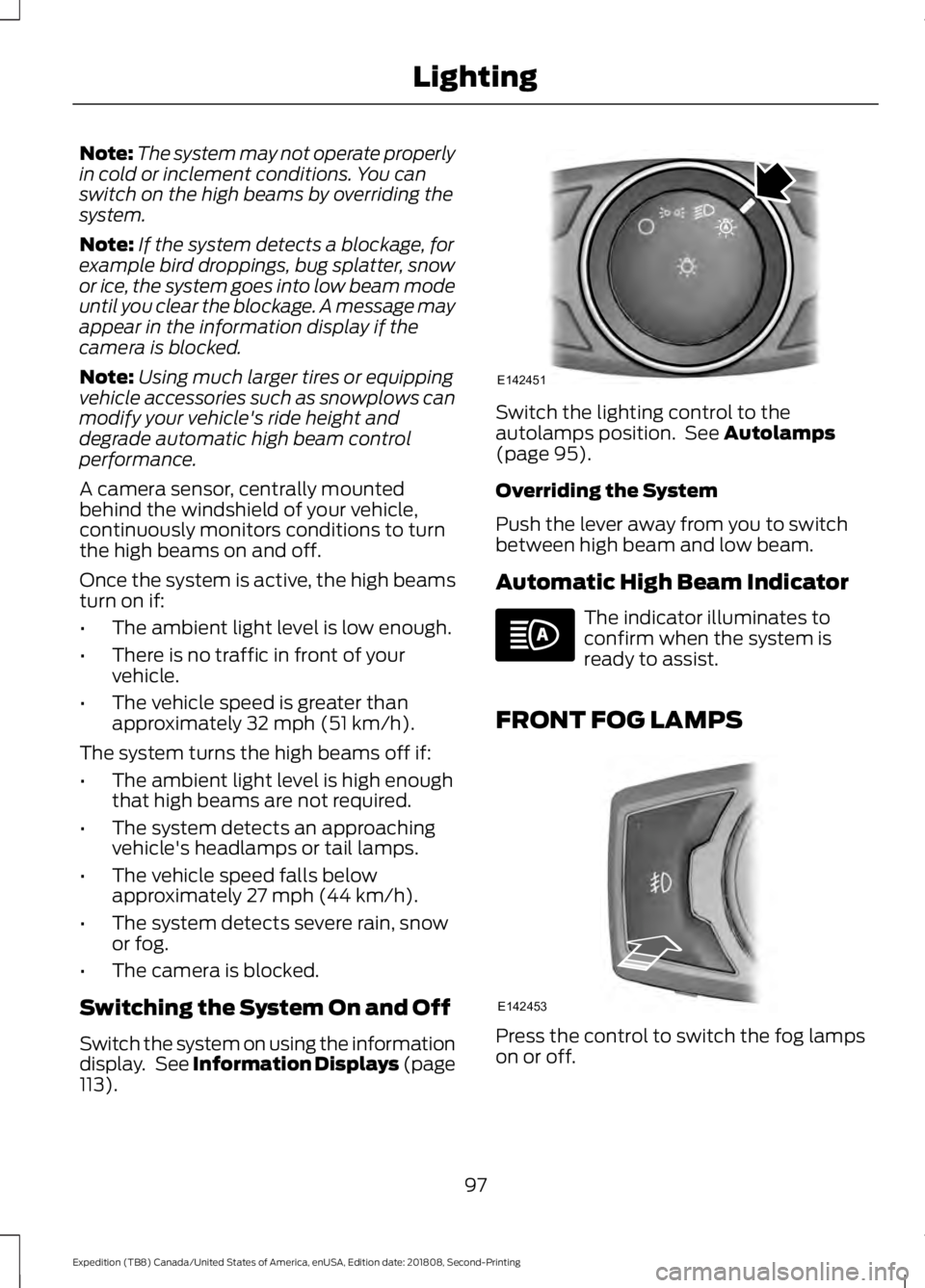
Switching the System On and Off
Switch the system on using the information
display. See Information Displays (page
113
). Switch the lighting control to the
autolamps position. See
Autolamps
(page 95).
Overriding the System
Push the lever away from you to switch
between high beam and low beam.
Automatic High Beam Indicator The indicator illuminates to
confirm when the system is
ready to assist.
FRONT FOG LAMPS Press the control to switch the fog lamps
on or off.
97
Expedition (TB8) Canada/United States of America, enUSA, Edition date: 201808, Second-Printing LightingE142451 E142453
Page 101 of 583
You can switch the fog lamps on when the
lighting control is in any position except
Off and the high beams are not on.
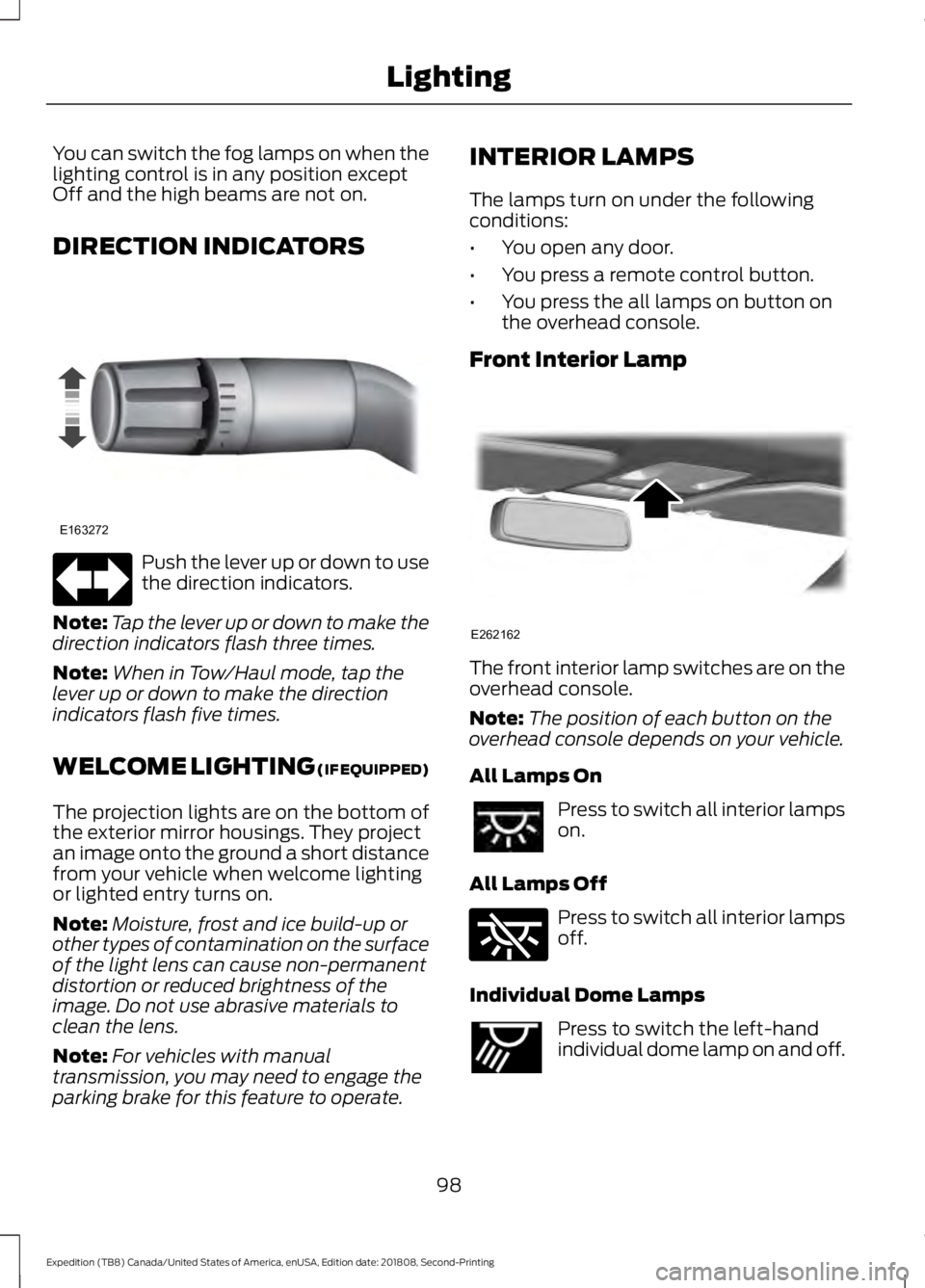
DIRECTION INDICATORS
Push the lever up or down to use
the direction indicators.
Note: Tap the lever up or down to make the
direction indicators flash three times.
Note: When in Tow/Haul mode, tap the
lever up or down to make the direction
indicators flash five times.
WELCOME LIGHTING (IF EQUIPPED)
The projection lights are on the bottom of
the exterior mirror housings. They project
an image onto the ground a short distance
from your vehicle when welcome lighting
or lighted entry turns on.
Note: Moisture, frost and ice build-up or
other types of contamination on the surface
of the light lens can cause non-permanent
distortion or reduced brightness of the
image. Do not use abrasive materials to
clean the lens.
Note: For vehicles with manual
transmission, you may need to engage the
parking brake for this feature to operate. INTERIOR LAMPS
The lamps turn on under the following
conditions:
•
You open any door.
• You press a remote control button.
• You press the all lamps on button on
the overhead console.
Front Interior Lamp The front interior lamp switches are on the
overhead console.
Note:
The position of each button on the
overhead console depends on your vehicle.
All Lamps On Press to switch all interior lamps
on.
All Lamps Off Press to switch all interior lamps
off.
Individual Dome Lamps Press to switch the left-hand
individual dome lamp on and off.
98
Expedition (TB8) Canada/United States of America, enUSA, Edition date: 201808, Second-Printing LightingE163272 E262162 E262185 E262193
Page 102 of 583
Press to switch the right-hand
individual dome lamp on and off.
Interior Lamp Function Press to switch the interior lamp
function on and off.
When the interior lamp function is off and
you open a door, the courtesy and door
lamps stay off.
When the interior lamp function is on and
you open a door, the courtesy and door
lamps turn on.
Note: The indicator lamp lights amber
when the door function is off.
Individual Map Lamps
Press a map lens to switch individual map
lamps on and off independently.
Rear Interior Lamps
The rear interior lamps may be above the
rear seat or above the rear windows. Press to switch the lamps on or
off.
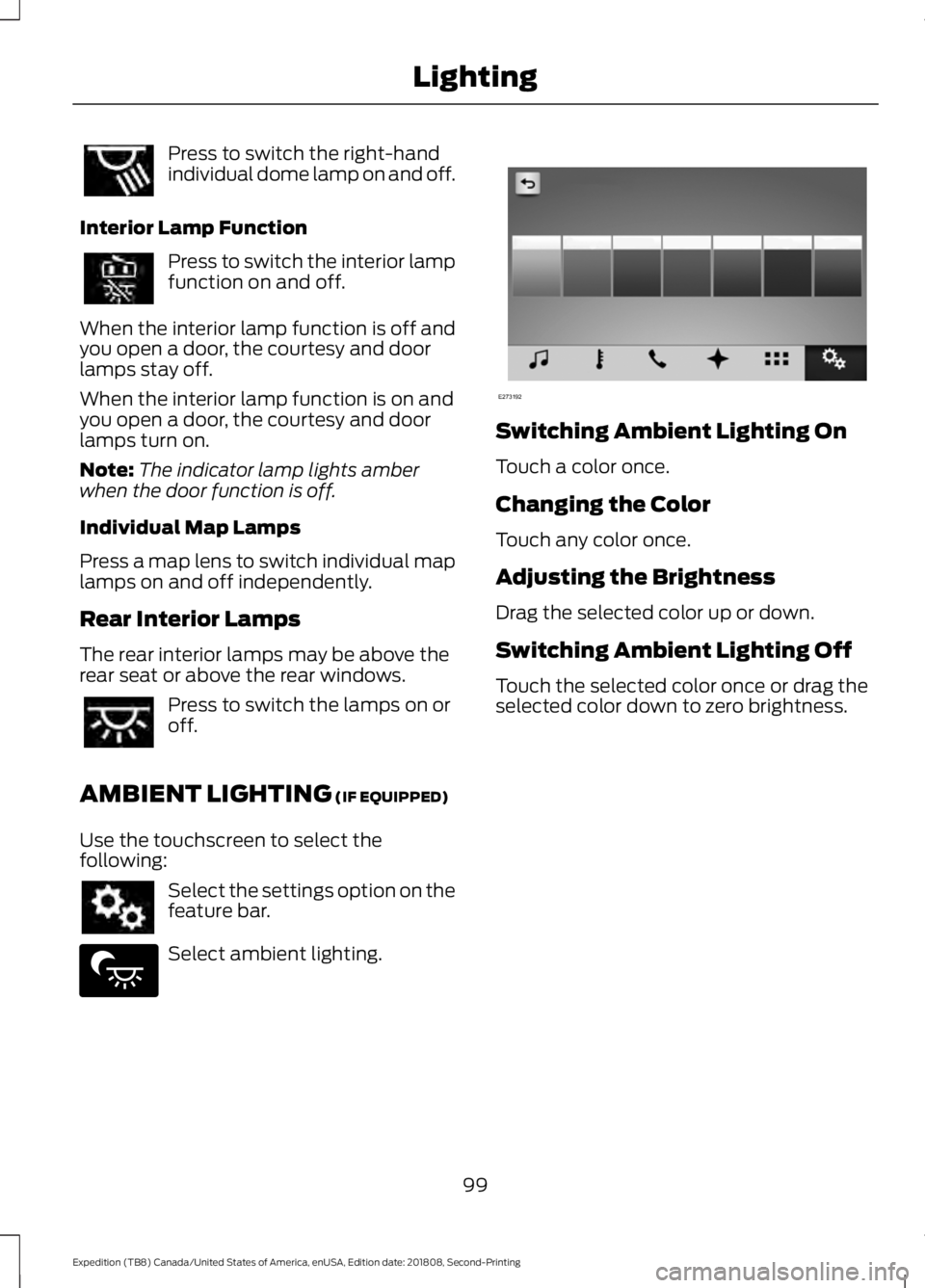
AMBIENT LIGHTING (IF EQUIPPED)
Use the touchscreen to select the
following: Select the settings option on the
feature bar.
Select ambient lighting. Switching Ambient Lighting On
Touch a color once.
Changing the Color
Touch any color once.
Adjusting the Brightness
Drag the selected color up or down.
Switching Ambient Lighting Off
Touch the selected color once or drag the
selected color down to zero brightness.
99
Expedition (TB8) Canada/United States of America, enUSA, Edition date: 201808, Second-Printing Lighting E279027 E273192
Page 103 of 583
POWER WINDOWS
WARNING: Do not leave children
unattended in your vehicle and do not
let them play with the power windows.
Failure to follow this instruction could
result in personal injury. WARNING:
When closing the
power windows, verify they are free of
obstruction and make sure that children
and pets are not in the proximity of the
window openings. Note:
You may hear a pulsing noise when
just one of the windows is open. Lower the
opposite window slightly to reduce this
noise.
Press the control to open the window.
Lift the control to close the window.
One-Touch Down
Press the control to open the window.
Press again or lift it to stop the window.
One-Touch Up
Lift the control fully and release it. Press
again or lift it to stop the window.
Bounce-Back
The window stops and reverses some
distance if it detects an obstacle when
closing. Overriding the Bounce-Back Feature WARNING:
If you override
bounce-back, the window does not
reverse if it detects an obstacle. Take
care when closing the windows to avoid
personal injury or damage to your
vehicle.
Pull up the window switch and hold within
a few seconds of the window reaching the
bounce-back position. The window travels
up with no bounce-back protection. The
window stops if you release the switch
before the window fully closes.
Window Lock Press the control to lock or
unlock the rear window controls.
It illuminates when you lock the
rear window controls.
Accessory
The window switches remain operational
for several minutes when you switch the
ignition off or until you open either front
door.
GLOBAL OPENING
(IF EQUIPPED)
You can use the remote control to open
the windows and vent the moonroof with
the ignition off.
Note: You can enable or disable this feature
in the information display, or see an
authorized dealer.
Note: To operate this feature, accessory
delay must not be active.
100
Expedition (TB8) Canada/United States of America, enUSA, Edition date: 201808, Second-Printing Windows and Mirrors
Page 104 of 583

Remote Control Front Windows
You can open the windows for a short time
after you unlock your vehicle with the
remote control. After you unlock your
vehicle, press and hold the remote control
unlock button to open the windows.
Release the button once movement starts.
Press the lock or unlock button to stop
movement.
Moonroof (If Equipped)
You can vent the moonroof after you
unlock your vehicle with the remote
control. After you unlock your vehicle, press
and hold the remote control unlock button
to vent the moonroof. Release the button
once movement starts. Press the lock or
unlock button to stop movement.
EXTERIOR MIRRORS
Power Exterior Mirrors WARNING:
Do not adjust the
mirrors when your vehicle is moving. This
could result in the loss of control of your
vehicle, serious personal injury or death.
Note: Do not use an ice scraper on the
mirror glass or housing. Left-hand mirror.
A
Right-hand mirror.
B
Adjustment control.
C
Window lockout.
D
Power-folding mirror control.
E
To adjust a mirror:
1. Select the mirror you want to adjust. The control lights.
2. Adjust the position of the mirror.
3. Press the mirror control again.
Fold-Away Exterior Mirrors
Push the mirror toward the door window
glass. Make sure that you fully engage the
mirror in its support when returning it to its
original position.
Auto-Folding Mirrors
(If Equipped)
The exterior mirrors automatically fold in
toward the glass after you place the
transmission into park (P), switch off the
vehicle, open and close the driver-side door
and lock the vehicle. The exterior mirrors
automatically unfold and return to their
driving position after you unlock the vehicle
and open and close the driver-side door.
You can switch this feature on and off
through the information display.
See
General Information (page 113).
101
Expedition (TB8) Canada/United States of America, enUSA, Edition date: 201808, Second-Printing Windows and MirrorsE176219
Page 105 of 583
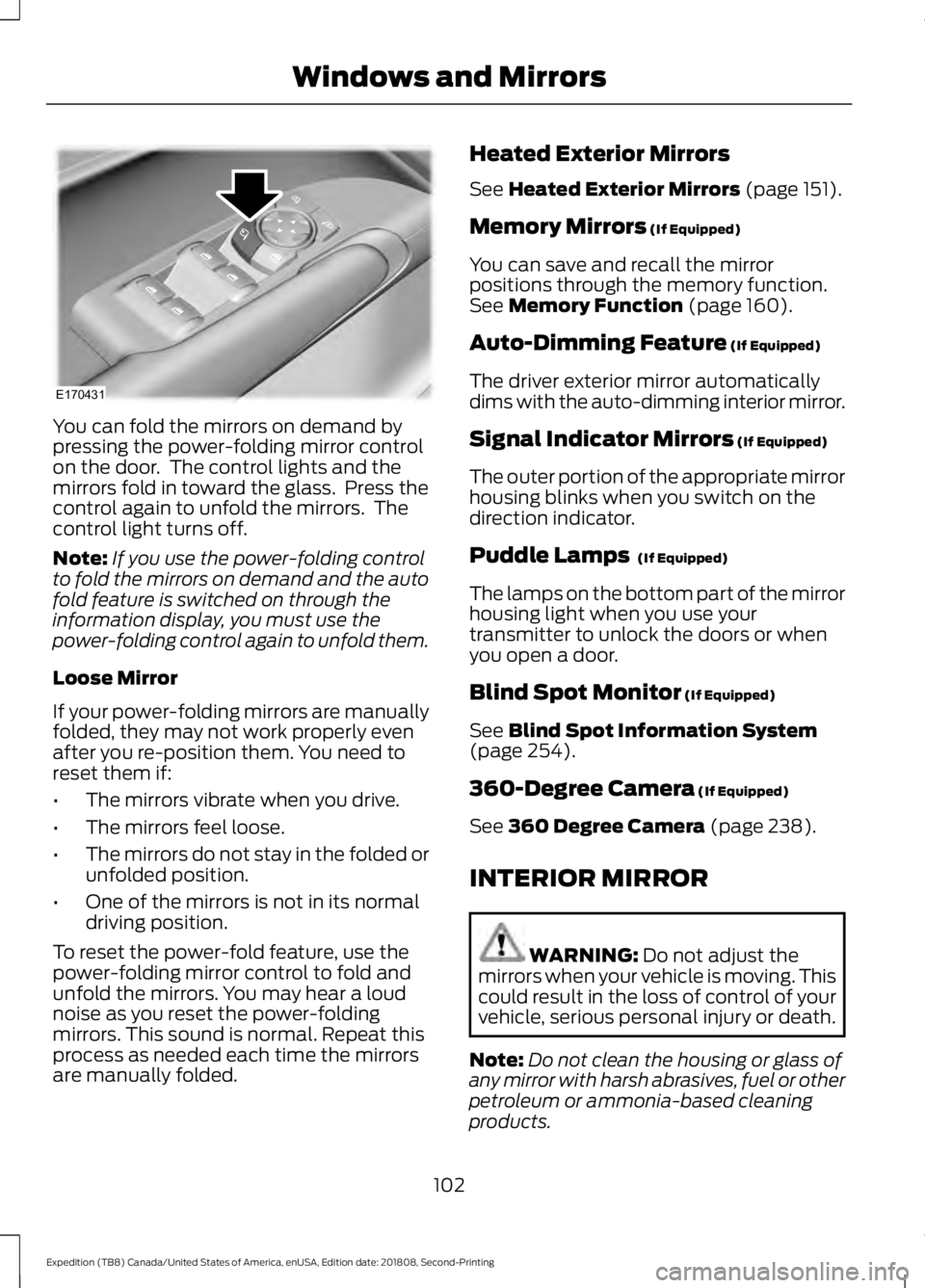
You can fold the mirrors on demand by
pressing the power-folding mirror control
on the door. The control lights and the
mirrors fold in toward the glass. Press the
control again to unfold the mirrors. The
control light turns off.
Note:
If you use the power-folding control
to fold the mirrors on demand and the auto
fold feature is switched on through the
information display, you must use the
power-folding control again to unfold them.
Loose Mirror
If your power-folding mirrors are manually
folded, they may not work properly even
after you re-position them. You need to
reset them if:
• The mirrors vibrate when you drive.
• The mirrors feel loose.
• The mirrors do not stay in the folded or
unfolded position.
• One of the mirrors is not in its normal
driving position.
To reset the power-fold feature, use the
power-folding mirror control to fold and
unfold the mirrors. You may hear a loud
noise as you reset the power-folding
mirrors. This sound is normal. Repeat this
process as needed each time the mirrors
are manually folded. Heated Exterior Mirrors
See Heated Exterior Mirrors (page 151).
Memory Mirrors
(If Equipped)
You can save and recall the mirror
positions through the memory function.
See
Memory Function (page 160).
Auto-Dimming Feature
(If Equipped)
The driver exterior mirror automatically
dims with the auto-dimming interior mirror.
Signal Indicator Mirrors
(If Equipped)
The outer portion of the appropriate mirror
housing blinks when you switch on the
direction indicator.
Puddle Lamps
(If Equipped)
The lamps on the bottom part of the mirror
housing light when you use your
transmitter to unlock the doors or when
you open a door.
Blind Spot Monitor
(If Equipped)
See
Blind Spot Information System
(page 254).
360-Degree Camera
(If Equipped)
See
360 Degree Camera (page 238).
INTERIOR MIRROR WARNING:
Do not adjust the
mirrors when your vehicle is moving. This
could result in the loss of control of your
vehicle, serious personal injury or death.
Note: Do not clean the housing or glass of
any mirror with harsh abrasives, fuel or other
petroleum or ammonia-based cleaning
products.
102
Expedition (TB8) Canada/United States of America, enUSA, Edition date: 201808, Second-Printing Windows and MirrorsE170431
Page 106 of 583
You can adjust the interior mirror to your
preference. Some mirrors also have a
second pivot point. This lets you move the
mirror head up or down and from side to
side.
Auto-Dimming Mirror
Note:
Do not block the sensors on the front
and back of the mirror. A rear center
passenger or raised rear center head
restraint may also block light from reaching
the sensor.
The mirror dims to reduce the effect of
bright light from behind. It returns to
normal when the bright light from behind
is no longer present or if you shift into
reverse (R).
CHILDMINDER MIRROR
On overhead consoles, the childminder
mirror allows the driver to view the rear
seating area. WARNING: Do not use the
childminder mirror to view rearward
traffic, do not allow rear passengers to
distract you from the driving task, and
make sure the rear view mirror has a
clear view of rearward traffic. Failure to
do so could increase the risk of a crash
from an unseen vehicle, which may result
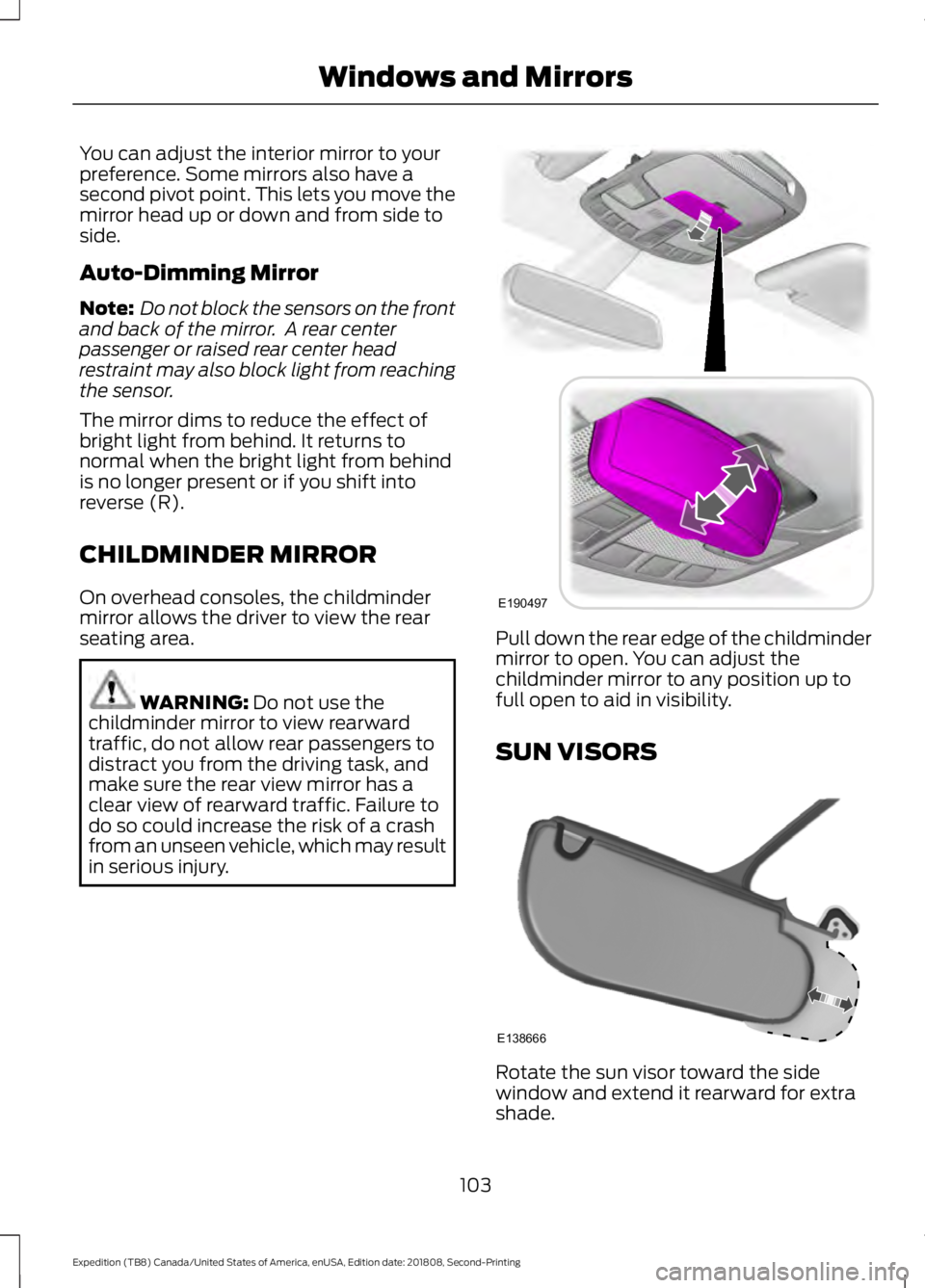
in serious injury. Pull down the rear edge of the childminder
mirror to open. You can adjust the
childminder mirror to any position up to
full open to aid in visibility.
SUN VISORS
Rotate the sun visor toward the side
window and extend it rearward for extra
shade.
103
Expedition (TB8) Canada/United States of America, enUSA, Edition date: 201808, Second-Printing Windows and MirrorsE190497 E138666