Page 12 of 300
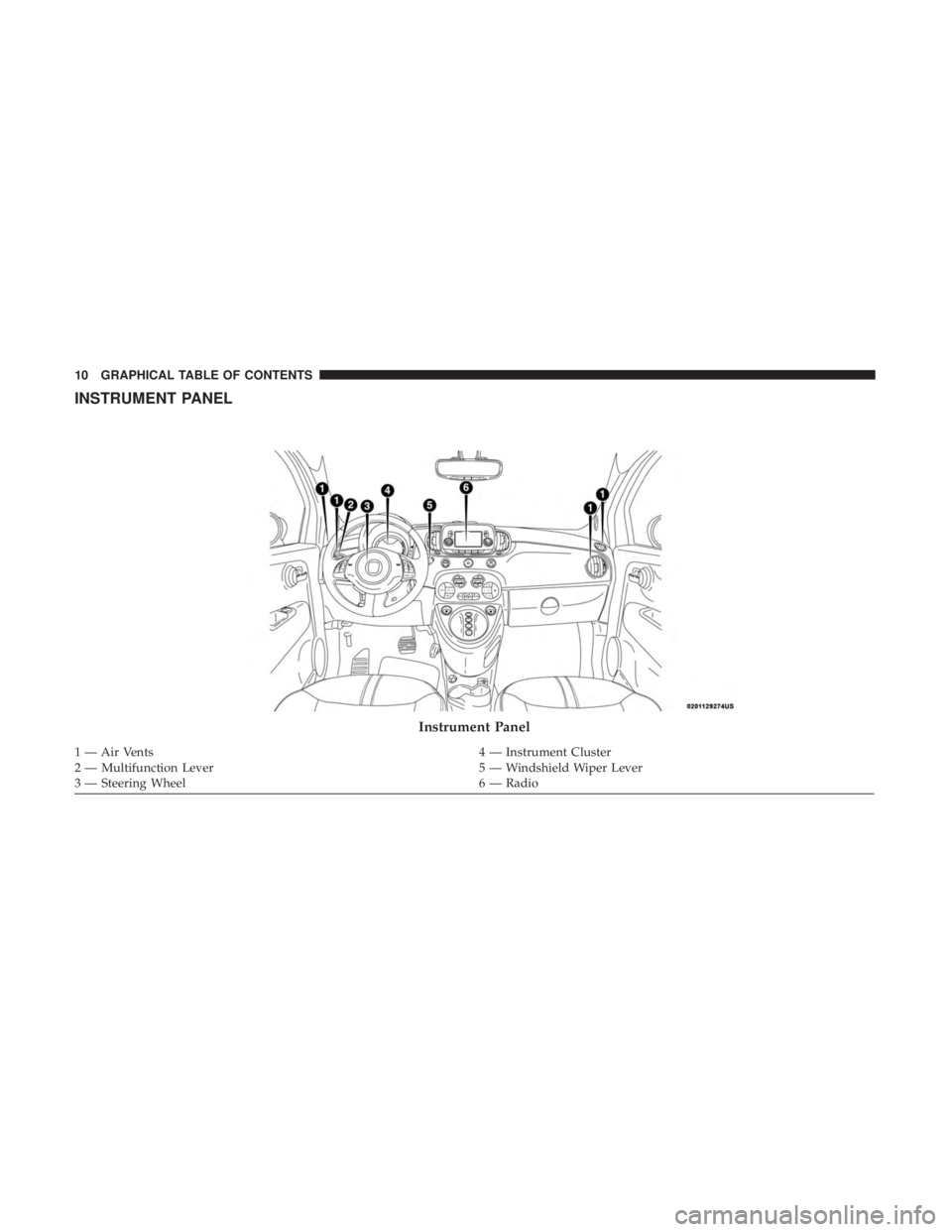
INSTRUMENT PANEL
Instrument Panel
1 — Air Vents4 — Instrument Cluster
2 — Multifunction Lever 5 — Windshield Wiper Lever
3 — Steering Wheel 6 — Radio
10 GRAPHICAL TABLE OF CONTENTS
Page 16 of 300
▫Central Lock/Unlock (Switch Safe Lock Device) —
If Equipped ............................44
� DOORS ...............................45
▫ Manual Lock ...........................45
▫ Power Door Locks ......................46
� SEATS ................................47
▫ Manual Adjustment Front Seats ..............47
▫ Heated Seats — If Equipped ...............50
▫ Manual Folding Rear Seat ..................51
� HEAD RESTRAINTS ......................52
▫ Reactive Head Restraints — Front Seats ........52
▫ Rear Head Restraints .....................54
� STEERING WHEEL .......................55
▫ Tilt Steering Column — If Equipped ..........55
� MIRRORS ..............................56
▫ Inside Day/Night Mirror ..................56
▫ Automatic Dimming Mirror — If Equipped .....56▫
Power Mirrors .........................57
▫ Folding Mirrors .........................57
▫ Spotter Mirror — If Equipped ...............58
▫ Heated Mirrors — If Equipped .............58
� EXTERIOR LIGHTS .......................58
▫ Multifunction Lever ......................58
▫ Headlights ............................58
▫ Daytime Running Lights ..................59
▫ High Beams ...........................59
▫ Flash-To-Pass ..........................59
▫ Parking Lights .........................59
▫ Follow Me Home/Headlight Delay ...........60
▫ Fog Lights — If Equipped .................60
▫ Turn Signals ...........................60
▫ Lane Change Assist ......................61
� INTERIOR LIGHTS .......................61
▫ Interior Light Timing (Center Position) ........62
14 GETTING TO KNOW YOUR VEHICLE
Page 20 of 300
500e ELECTRIC VEHICLE FEATURES
Understanding the unique characteristics of your 500e will
help ensure maximum performance and the best driving
range from your vehicle.
Your 500e is equipped with two electrical systems; a 12 Volt
system that is used to power the conventional electrical
system and a high voltage system, which is used to drive
the wheels through a single-speed transmission as well as
other high voltage system components.
Your 500e operates differently then a traditional vehicle or
Hybrid vehicle. Here are some of the main differences:
Audible Pedestrian Warning System
Your vehicle is equipped with an Audible Pedestrian
Warning System. The Audible Pedestrian Warning System
uses distinct sounds to alert pedestrians that your vehicle is
approaching.
The audible warning system uses an in-car sound synthe-
sizer with a speaker located in the underhood compart-
ment. The warning system is automatically activated when
selecting DRIVE or REVERSE.
In DRIVE range, the system will remain active until the
vehicle reaches a speed of approximately 22 mph(35.5 km/h). At approximately 22 mph (35.5 km/h), the
warning system is deactivated and will automatically be
active when the vehicle returns to approximately 20 mph
(32 km/h).
Single-Speed Transmission
Instead of a traditional transmission, your vehicle is
equipped with a single-speed transmission to transfer the
torque from the E-Drive motor to the drive wheels. This
transmission requires no maintenance and is designed to
operate for the life of the vehicle.
Auto Park
Auto Park will automatically place the transmission into
PARK if there is an indication that the driver may leave the
vehicle while still in the DRIVE, NEUTRAL or REVERSE
gear. Refer to “Single-Speed Transmission” in “Starting
And Operating” in your Owner ’s Manual for further
information.
E-Park
The parking pawl is traditionally located inside an auto-
matic transmission and activated when the vehicle is
placed in the PARK position.
18 GETTING TO KNOW YOUR VEHICLE
Page 57 of 300
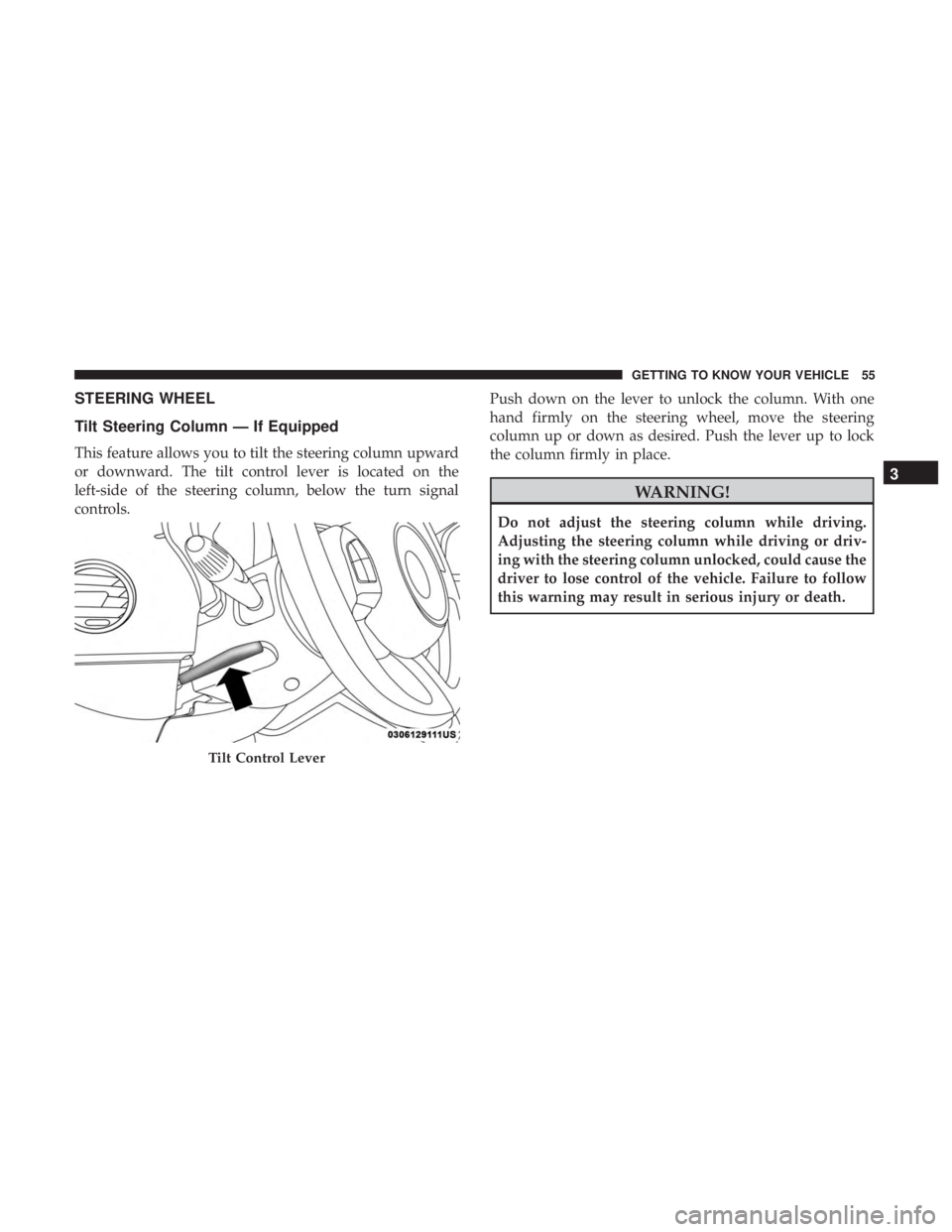
STEERING WHEEL
Tilt Steering Column — If Equipped
This feature allows you to tilt the steering column upward
or downward. The tilt control lever is located on the
left-side of the steering column, below the turn signal
controls.Push down on the lever to unlock the column. With one
hand firmly on the steering wheel, move the steering
column up or down as desired. Push the lever up to lock
the column firmly in place.
WARNING!
Do not adjust the steering column while driving.
Adjusting the steering column while driving or driv-
ing with the steering column unlocked, could cause the
driver to lose control of the vehicle. Failure to follow
this warning may result in serious injury or death.
Tilt Control Lever
3
GETTING TO KNOW YOUR VEHICLE 55
Page 60 of 300
Spotter Mirror — If Equipped
Some models are equipped with a driver’s side spotter
mirror. The spotter mirror allows for a greater range of
visibility on the driver’s side of the vehicle.
Heated Mirrors — If Equipped
These mirrors are heated to melt frost or ice. This
feature will be activated whenever you turn on the
rear window defroster (if equipped). Refer to “Climate
Controls” in “Getting To Know Your Vehicle” for further
information.
EXTERIOR LIGHTS
Multifunction Lever
The multifunction lever, located on the left side of the
steering wheel, controls the operation of the headlights,
headlight beam selection, passing light and turn signals.
NOTE: The headlights can only be turned on with the
ignition in the ON/RUN position.
Headlights
Rotate the end of the multifunction lever upward
to the first detent for headlight operation.
Spotter Mirror
58 GETTING TO KNOW YOUR VEHICLE
Page 61 of 300

NOTE:When the headlights are turned on, the Daytime
Running Lights will be deactivated.
Daytime Running Lights
To activate the Daytime Running Lights (DRL), rotate the
end of the multifunction lever to the Osymbol.
NOTE: The low beams and side/taillights will not be on
with DRL. If allowed by law in the country in which the vehicle was
purchased the DRL function can be turned on or off using
the display menus. Refer to “Uconnect Settings” in “Mul-
timedia” for further information.
High Beams
With the low beams activated, push the multifunc-
tion lever towards the instrument panel to turn on
the high beams. Pull the multifunction lever toward the
steering wheel to turn off the high beams.
Flash-To-Pass
You can signal another vehicle with your headlights by
partially pulling the multifunction lever toward the steer-
ing wheel. This will cause the high beam headlights to turn
on until the lever is released.
Parking Lights
To turn on the parking lights, remove the key or
turn the ignition to OFF/LOCK position and
turn on the headlights.
Headlight Operation
3
GETTING TO KNOW YOUR VEHICLE 59
Page 62 of 300

Follow Me Home/Headlight Delay
When this feature is selected, the driver can choose to have
the headlights remain on for a preset period of time.
Activation
Remove the key or turn the ignition to the STOP (OFF/
LOCK) position, and pull the multifunction lever toward
the steering wheel within two minutes. Each time the lever
is pulled, the activation of the lights will be extended by 30
seconds. The activation of the lights can be extended to a
maximum of 210 seconds.
Deactivation
Pull the multifunction lever toward the steering wheel and
hold it for more than two seconds.
Fog Lights — If Equipped
The fog light switch is located on the center stack of the
instrument panel, just below the radio.Push the switch once to turn the front fog lights on. Push
the switch a second time to turn the front fog lights off.
Turn Signals
Push the multifunction lever upward to signal a right turn
or downward to signal a left turn. The corresponding
indicator in the instrument cluster display will blink to
indicate the operation of the turn signal.
Fog Light Switch
60 GETTING TO KNOW YOUR VEHICLE
Page 63 of 300
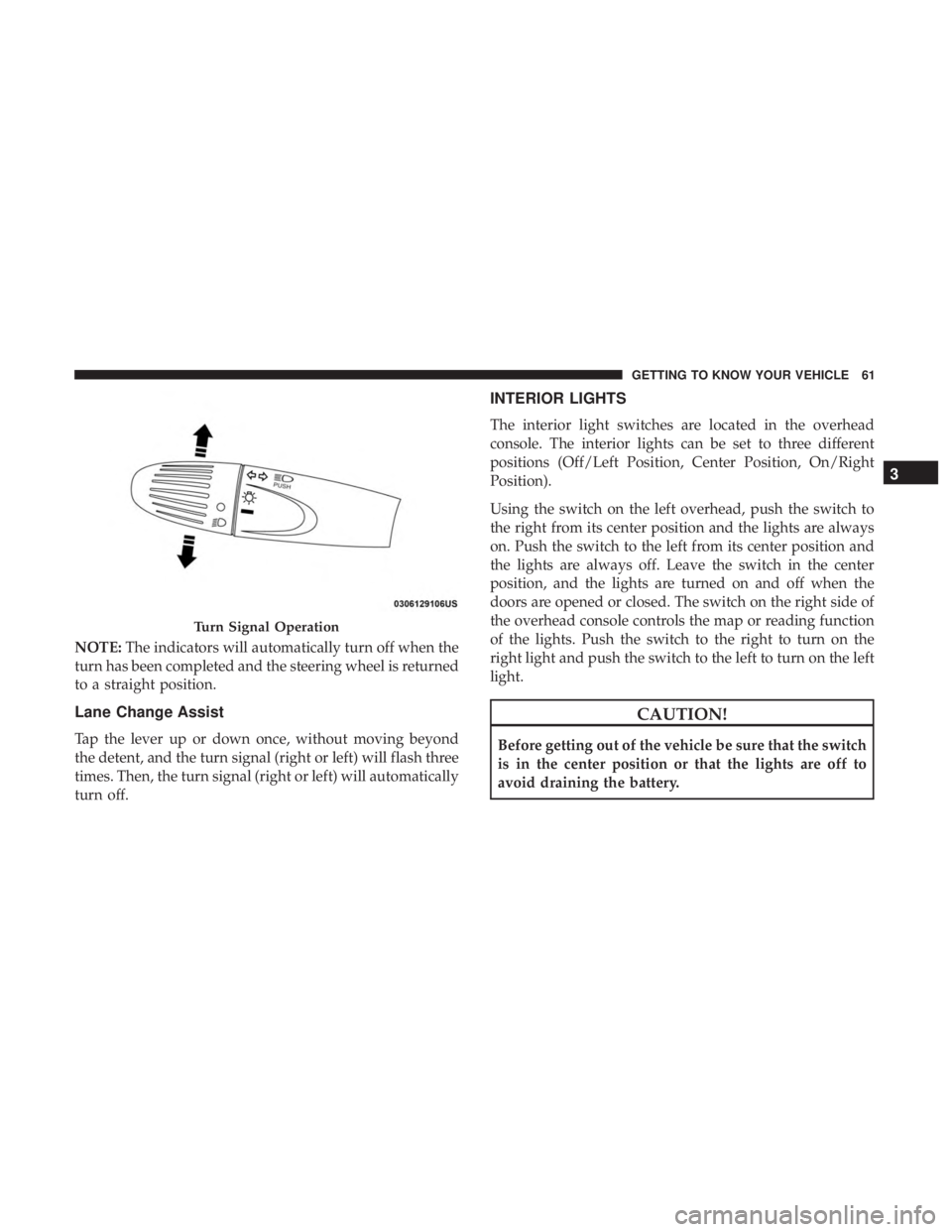
NOTE:The indicators will automatically turn off when the
turn has been completed and the steering wheel is returned
to a straight position.
Lane Change Assist
Tap the lever up or down once, without moving beyond
the detent, and the turn signal (right or left) will flash three
times. Then, the turn signal (right or left) will automatically
turn off.
INTERIOR LIGHTS
The interior light switches are located in the overhead
console. The interior lights can be set to three different
positions (Off/Left Position, Center Position, On/Right
Position).
Using the switch on the left overhead, push the switch to
the right from its center position and the lights are always
on. Push the switch to the left from its center position and
the lights are always off. Leave the switch in the center
position, and the lights are turned on and off when the
doors are opened or closed. The switch on the right side of
the overhead console controls the map or reading function
of the lights. Push the switch to the right to turn on the
right light and push the switch to the left to turn on the left
light.
CAUTION!
Before getting out of the vehicle be sure that the switch
is in the center position or that the lights are off to
avoid draining the battery.
Turn Signal Operation
3
GETTING TO KNOW YOUR VEHICLE 61