Page 436 of 496
SRT DRIVE MODES
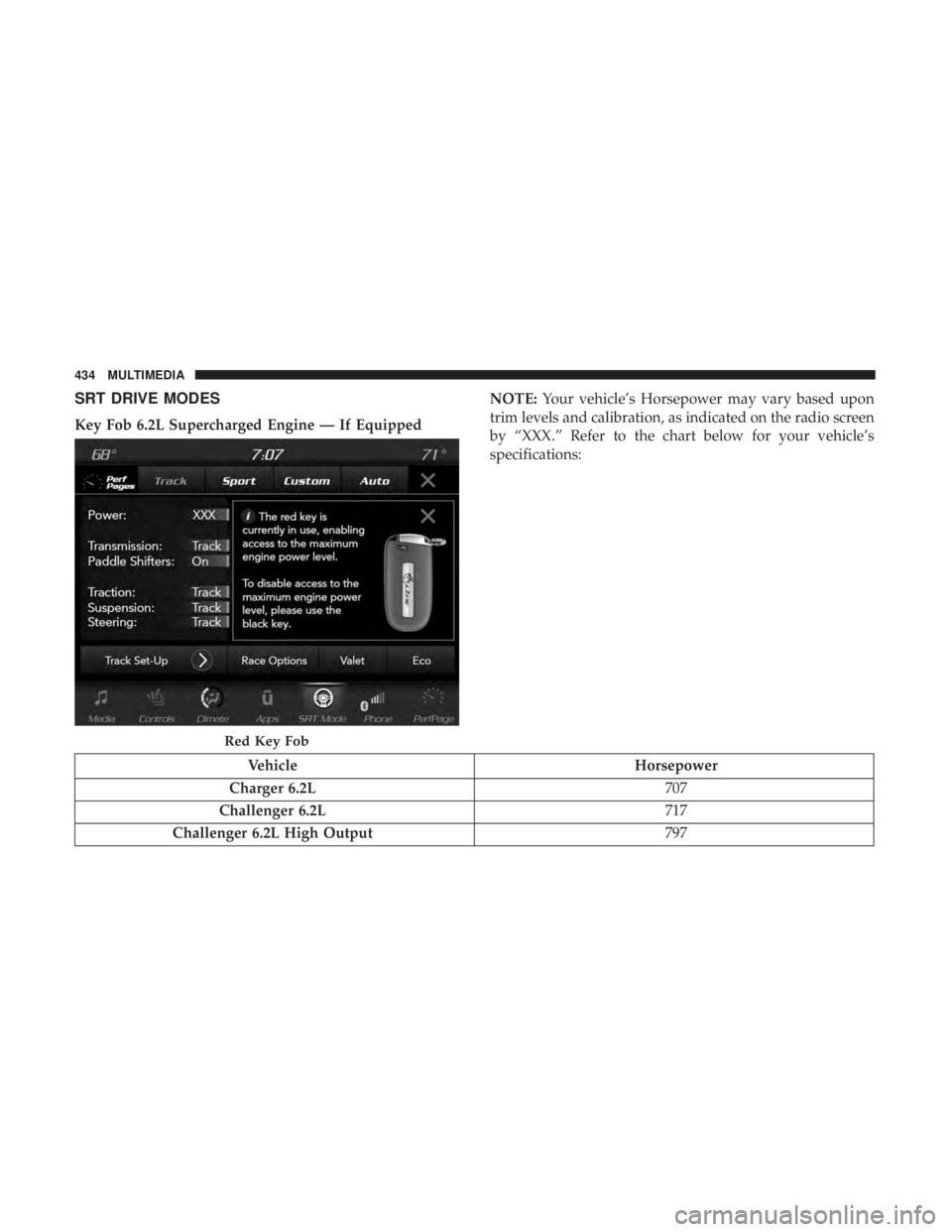
Key Fob 6.2L Supercharged Engine — If EquippedNOTE:
Your vehicle’s Horsepower may vary based upon
trim levels and calibration, as indicated on the radio screen
by “XXX.” Refer to the chart below for your vehicle’s
specifications:
Vehicle Horsepower
Charger 6.2L 707
Challenger 6.2L 717
Challenger 6.2L High Output 797
Red Key Fob
434 MULTIMEDIA
Page 437 of 496
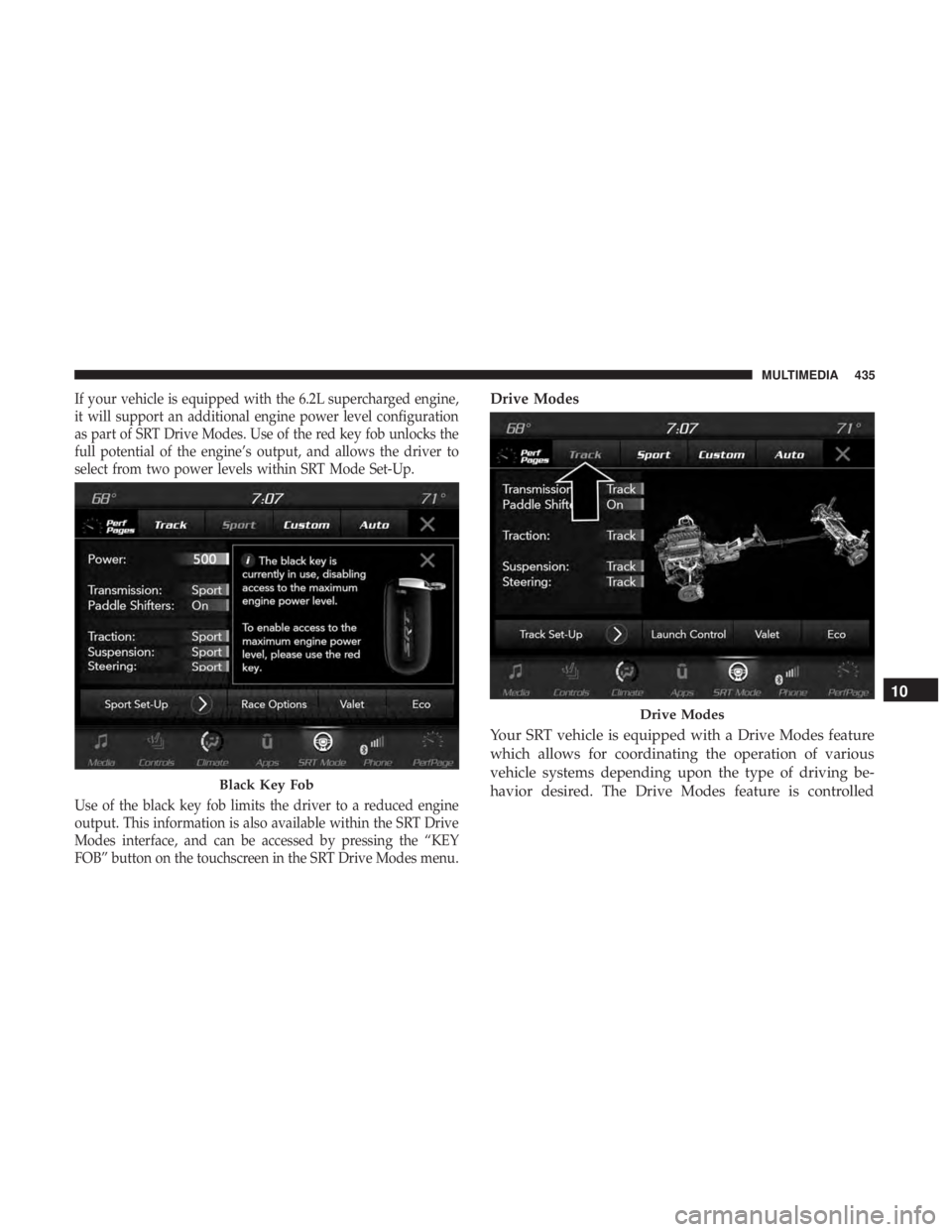
If your vehicle is equipped with the 6.2L supercharged engine,
it will support an additional engine power level configuration
as part of SRT Drive Modes. Use of the red key fob unlocks the
full potential of the engine’s output, and allows the driver to
select from two power levels within SRT Mode Set-Up.
Use of the black key fob limits the driver to a reduced engine
output. This information is also available within the SRT Drive
Modes interface, and can be accessed by pressing the “KEY
FOB” button on the touchscreen in the SRT Drive Modes menu.Drive Modes
Your SRT vehicle is equipped with a Drive Modes feature
which allows for coordinating the operation of various
vehicle systems depending upon the type of driving be-
havior desired. The Drive Modes feature is controlled
Black Key Fob
Drive Modes
10
MULTIMEDIA 435
Page 438 of 496
through the Uconnect system and may be accessed by
performing any of the following:
•Pushing the SRT button on the instrument panel switch
bank.
• Selecting “SRT Modes” from the “Apps” menu.
• Selecting “Drive Modes” from within the Performance
Pages menu. NOTE:
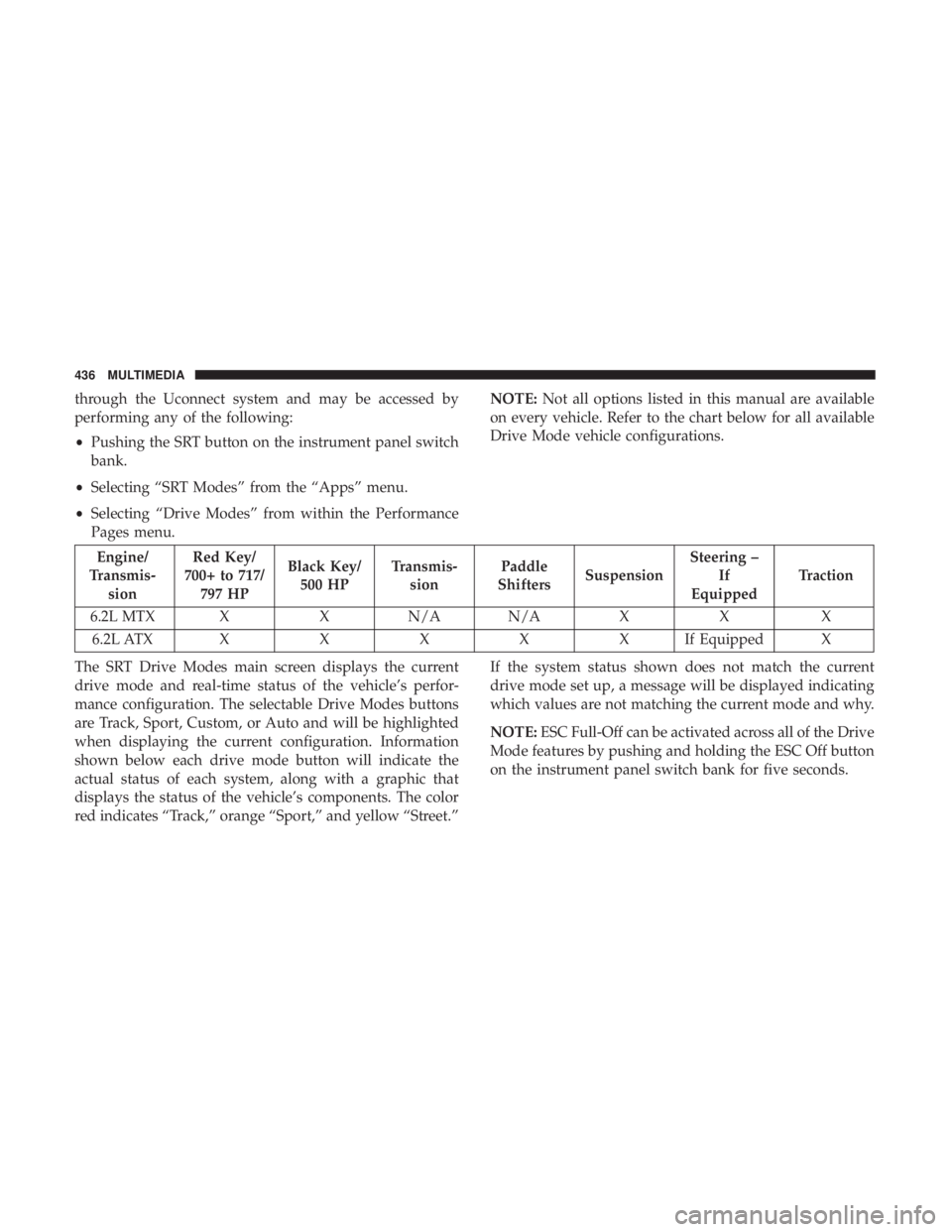
Not all options listed in this manual are available
on every vehicle. Refer to the chart below for all available
Drive Mode vehicle configurations.
Engine/
Transmis- sion Red Key/
700+ to 717/ 797 HP Black Key/
500 HP Transmis-
sion Paddle
Shifters Suspension Steering –
If
Equipped Traction
6.2L MTX X X N/A N/A X X X 6.2L ATX XXXXXI fEquipped X
The SRT Drive Modes main screen displays the current
drive mode and real-time status of the vehicle’s perfor-
mance configuration. The selectable Drive Modes buttons
are Track, Sport, Custom, or Auto and will be highlighted
when displaying the current configuration. Information
shown below each drive mode button will indicate the
actual status of each system, along with a graphic that
displays the status of the vehicle’s components. The color
red indicates “Track,” orange “Sport,” and yellow “Street.” If the system status shown does not match the current
drive mode set up, a message will be displayed indicating
which values are not matching the current mode and why.
NOTE:
ESC Full-Off can be activated across all of the Drive
Mode features by pushing and holding the ESC Off button
on the instrument panel switch bank for five seconds.
436 MULTIMEDIA
Page 439 of 496
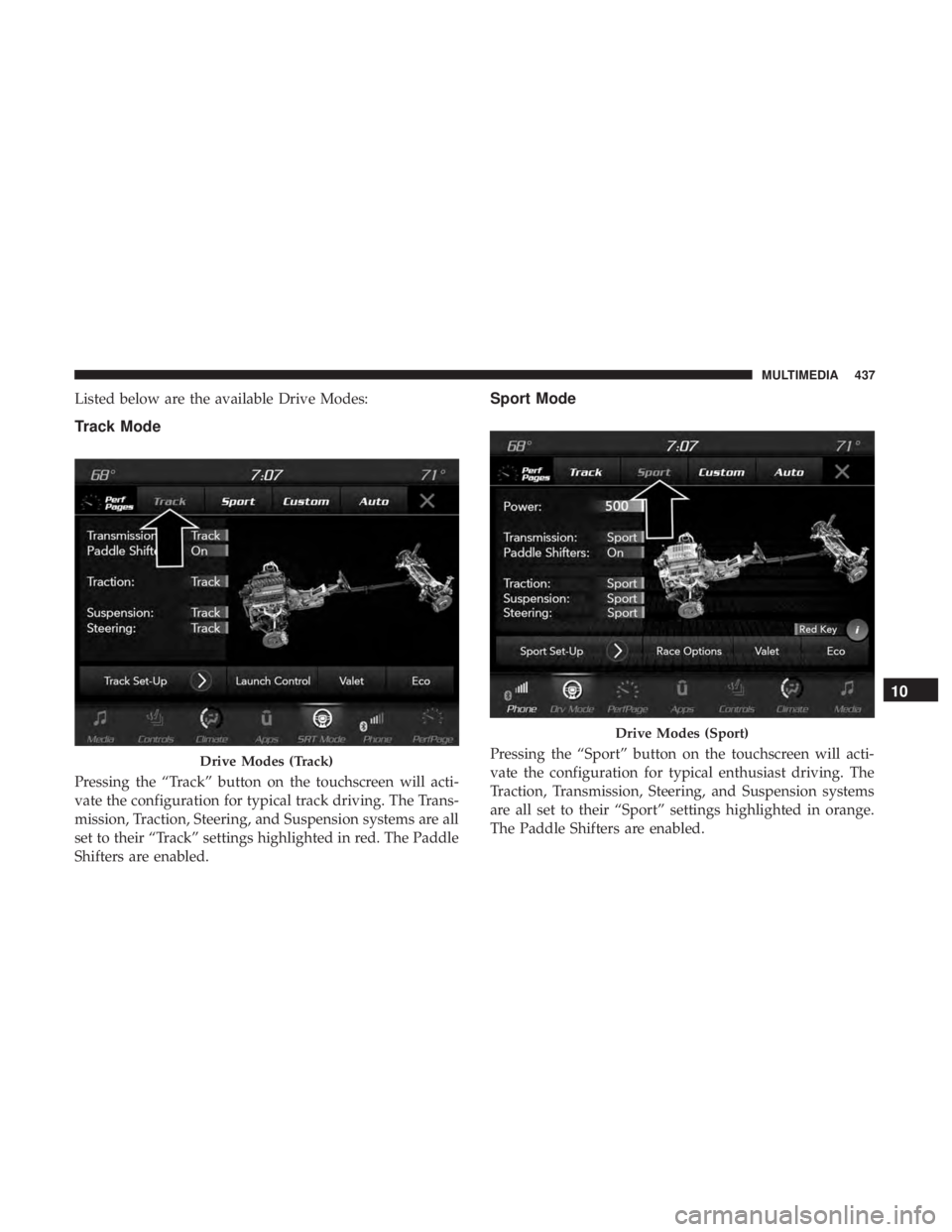
Listed below are the available Drive Modes:
Track Mode
Pressing the “Track” button on the touchscreen will acti-
vate the configuration for typical track driving. The Trans-
mission, Traction, Steering, and Suspension systems are all
set to their “Track” settings highlighted in red. The Paddle
Shifters are enabled.
Sport Mode
Pressing the “Sport” button on the touchscreen will acti-
vate the configuration for typical enthusiast driving. The
Traction, Transmission, Steering, and Suspension systems
are all set to their “Sport” settings highlighted in orange.
The Paddle Shifters are enabled.Drive Modes (Track)
Drive Modes (Sport)
10
MULTIMEDIA 437
Page 440 of 496
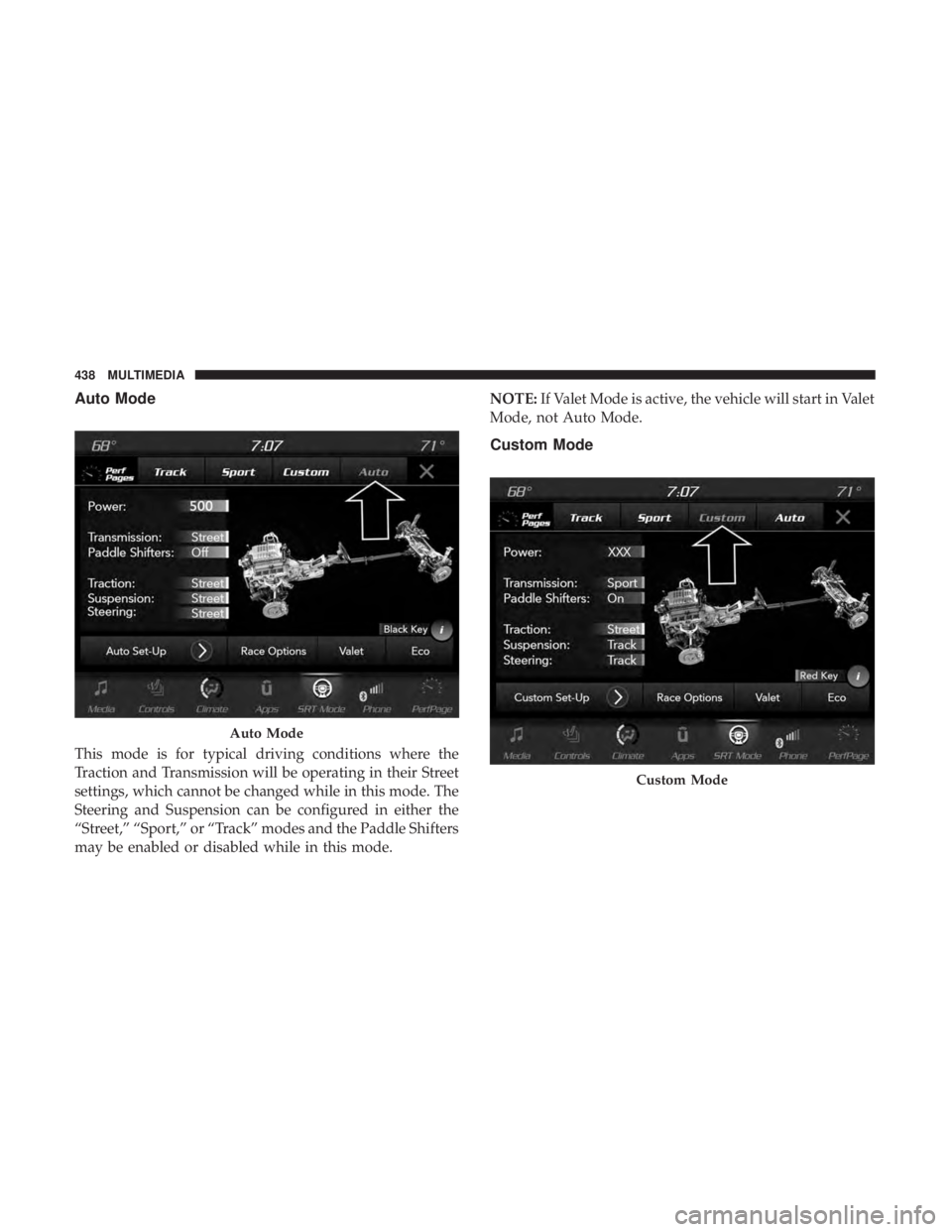
Auto Mode
This mode is for typical driving conditions where the
Traction and Transmission will be operating in their Street
settings, which cannot be changed while in this mode. The
Steering and Suspension can be configured in either the
“Street,” “Sport,” or “Track” modes and the Paddle Shifters
may be enabled or disabled while in this mode.NOTE:
If Valet Mode is active, the vehicle will start in Valet
Mode, not Auto Mode.
Custom Mode
Auto Mode
Custom Mode
438 MULTIMEDIA
Page 441 of 496
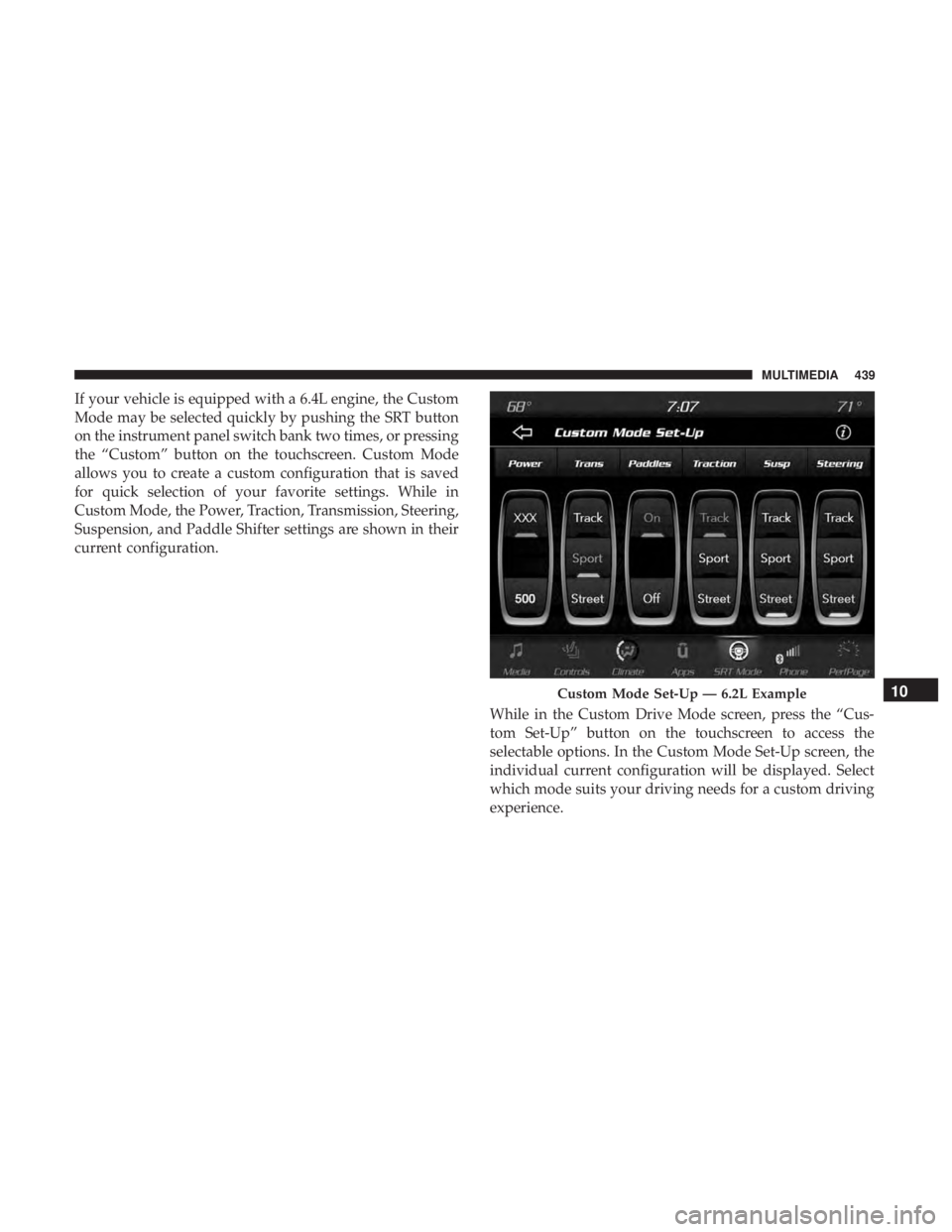
If your vehicle is equipped with a 6.4L engine, the Custom
Mode may be selected quickly by pushing the SRT button
on the instrument panel switch bank two times, or pressing
the “Custom” button on the touchscreen. Custom Mode
allows you to create a custom configuration that is saved
for quick selection of your favorite settings. While in
Custom Mode, the Power, Traction, Transmission, Steering,
Suspension, and Paddle Shifter settings are shown in their
current configuration.While in the Custom Drive Mode screen, press the “Cus-
tom Set-Up” button on the touchscreen to access the
selectable options. In the Custom Mode Set-Up screen, the
individual current configuration will be displayed. Select
which mode suits your driving needs for a custom driving
experience.
Custom Mode Set-Up — 6.2L Example10
MULTIMEDIA 439
Page 442 of 496
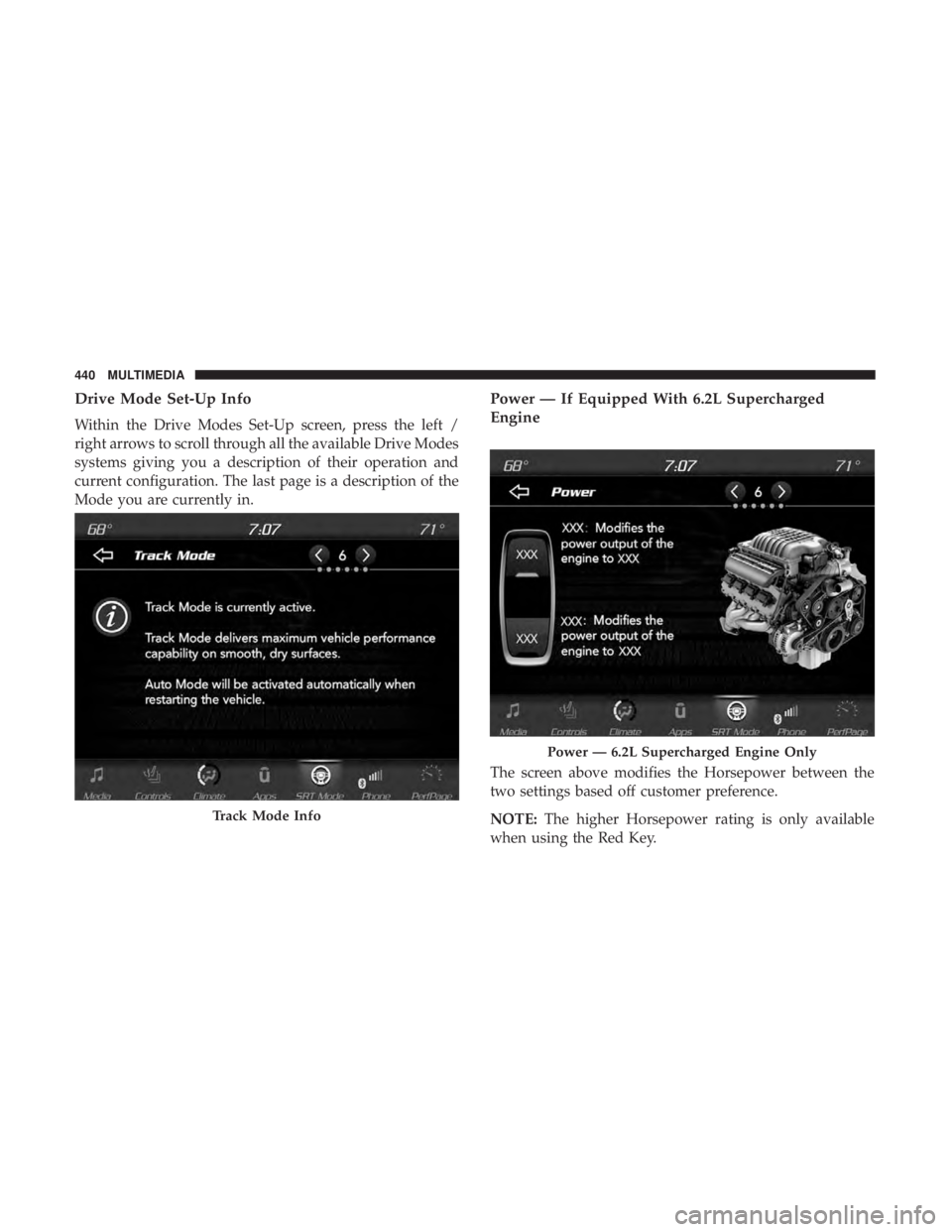
Drive Mode Set-Up Info
Within the Drive Modes Set-Up screen, press the left /
right arrows to scroll through all the available Drive Modes
systems giving you a description of their operation and
current configuration. The last page is a description of the
Mode you are currently in.
Power — If Equipped With 6.2L Supercharged
Engine
The screen above modifies the Horsepower between the
two settings based off customer preference.
NOTE:The higher Horsepower rating is only available
when using the Red Key.
Track Mode Info
Power — 6.2L Supercharged Engine Only
440 MULTIMEDIA
Page 443 of 496
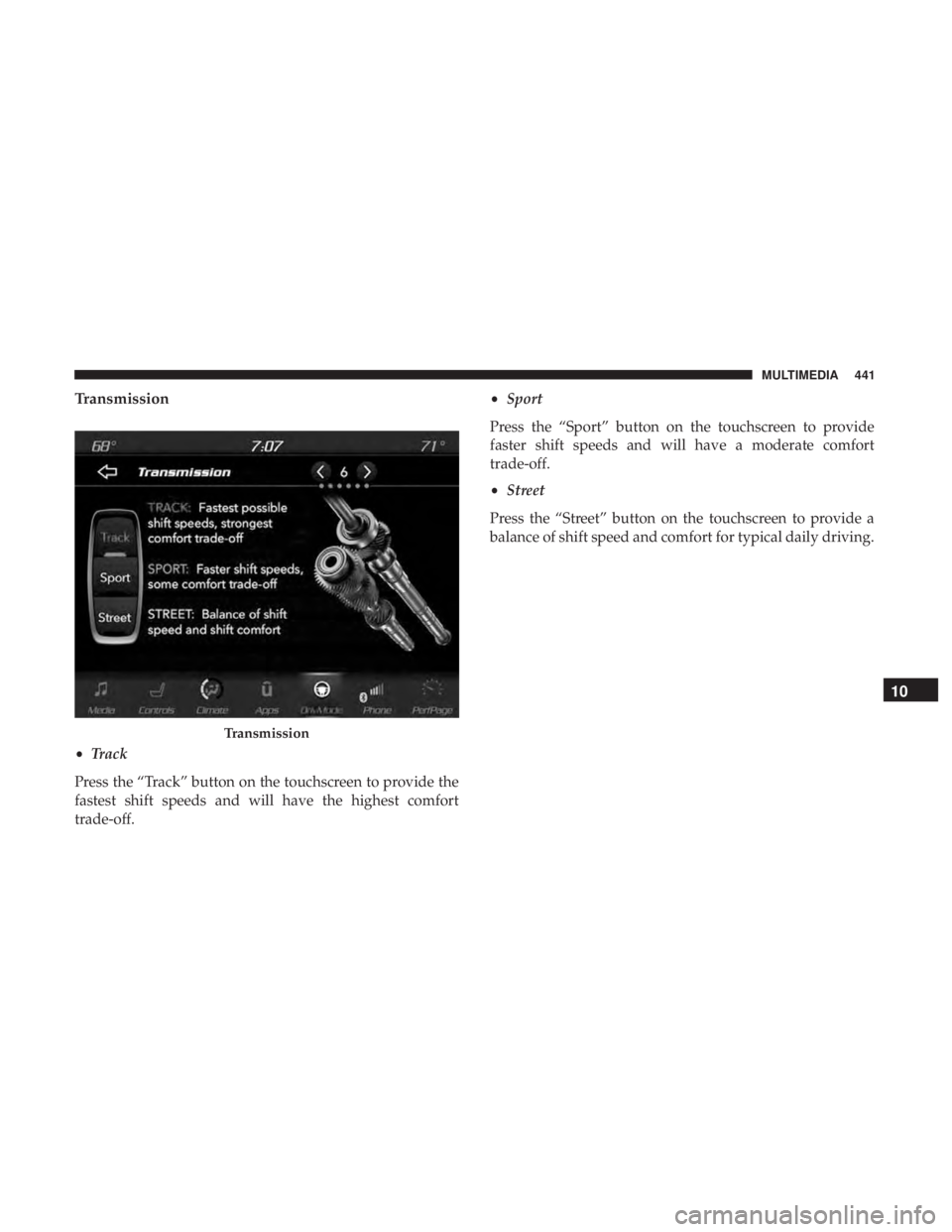
Transmission
•Track
Press the “Track” button on the touchscreen to provide the
fastest shift speeds and will have the highest comfort
trade-off. •
Sport
Press the “Sport” button on the touchscreen to provide
faster shift speeds and will have a moderate comfort
trade-off.
• Street
Press the “Street” button on the touchscreen to provide a
balance of shift speed and comfort for typical daily driving.
Transmission
10
MULTIMEDIA 441