Page 472 of 500
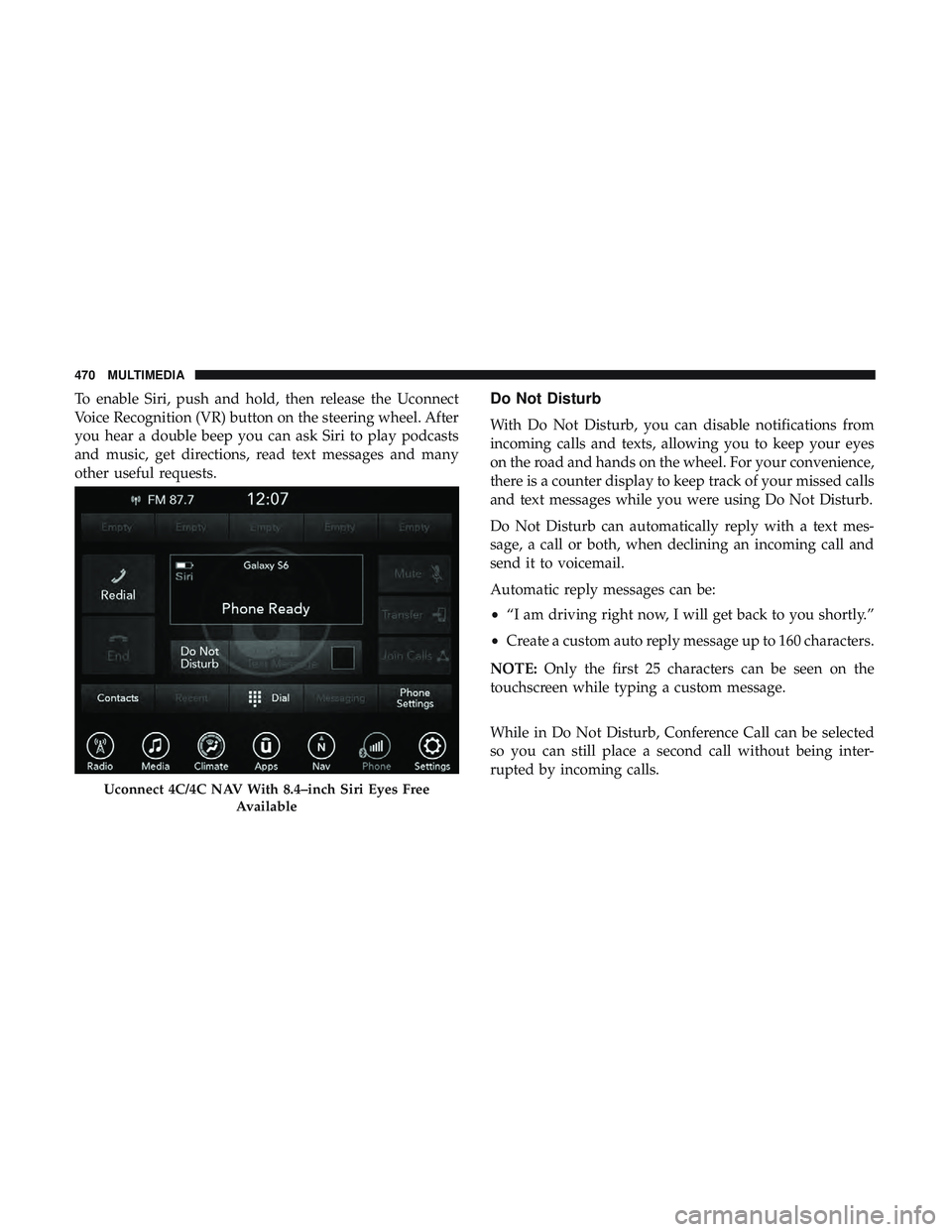
To enable Siri, push and hold, then release the Uconnect
Voice Recognition (VR) button on the steering wheel. After
you hear a double beep you can ask Siri to play podcasts
and music, get directions, read text messages and many
other useful requests.Do Not Disturb
With Do Not Disturb, you can disable notifications from
incoming calls and texts, allowing you to keep your eyes
on the road and hands on the wheel. For your convenience,
there is a counter display to keep track of your missed calls
and text messages while you were using Do Not Disturb.
Do Not Disturb can automatically reply with a text mes-
sage, a call or both, when declining an incoming call and
send it to voicemail.
Automatic reply messages can be:
•“I am driving right now, I will get back to you shortly.”
• Create a custom auto reply message up to 160 characters.
NOTE: Only the first 25 characters can be seen on the
touchscreen while typing a custom message.
While in Do Not Disturb, Conference Call can be selected
so you can still place a second call without being inter-
rupted by incoming calls.
Uconnect 4C/4C NAV With 8.4–inch Siri Eyes Free
Available
470 MULTIMEDIA
Page 473 of 500
NOTE:
•Reply with text message is not compatible with iPhones.
• Auto reply with text message is only available on
phones that support Bluetooth MAP.
Android Auto — If Equipped
NOTE: Feature availability depends on your carrier and
mobile phone manufacturer. Some Android Auto features
may or may not be available in every region and/or
language.
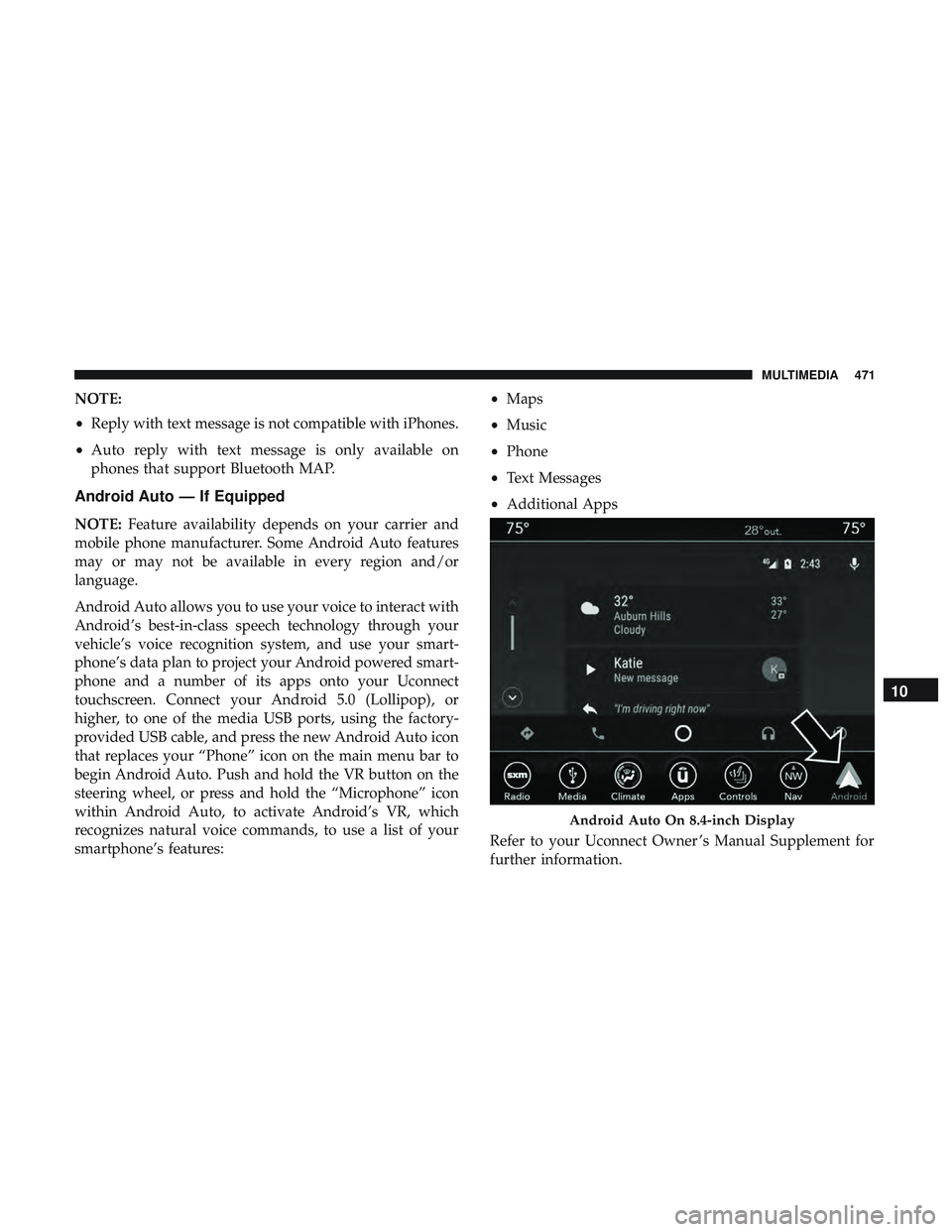
Android Auto allows you to use your voice to interact with
Android’s best-in-class speech technology through your
vehicle’s voice recognition system, and use your smart-
phone’s data plan to project your Android powered smart-
phone and a number of its apps onto your Uconnect
touchscreen. Connect your Android 5.0 (Lollipop), or
higher, to one of the media USB ports, using the factory-
provided USB cable, and press the new Android Auto icon
that replaces your “Phone” icon on the main menu bar to
begin Android Auto. Push and hold the VR button on the
steering wheel, or press and hold the “Microphone” icon
within Android Auto, to activate Android’s VR, which
recognizes natural voice commands, to use a list of your
smartphone’s features: •
Maps
• Music
• Phone
• Text Messages
• Additional Apps
Refer to your Uconnect Owner ’s Manual Supplement for
further information.
Android Auto On 8.4-inch Display
10
MULTIMEDIA 471
Page 474 of 500
NOTE:Requires compatible smartphone running Android
5.0 Lollipop or higher and download app on Google Play.
Android, Android Auto, and Google Play are trademarks
of Google Inc.
Apple CarPlay — If Equipped
NOTE: Feature availability depends on your carrier and
mobile phone manufacturer. Some Apple CarPlay features
may or may not be available in every region and/or
language.
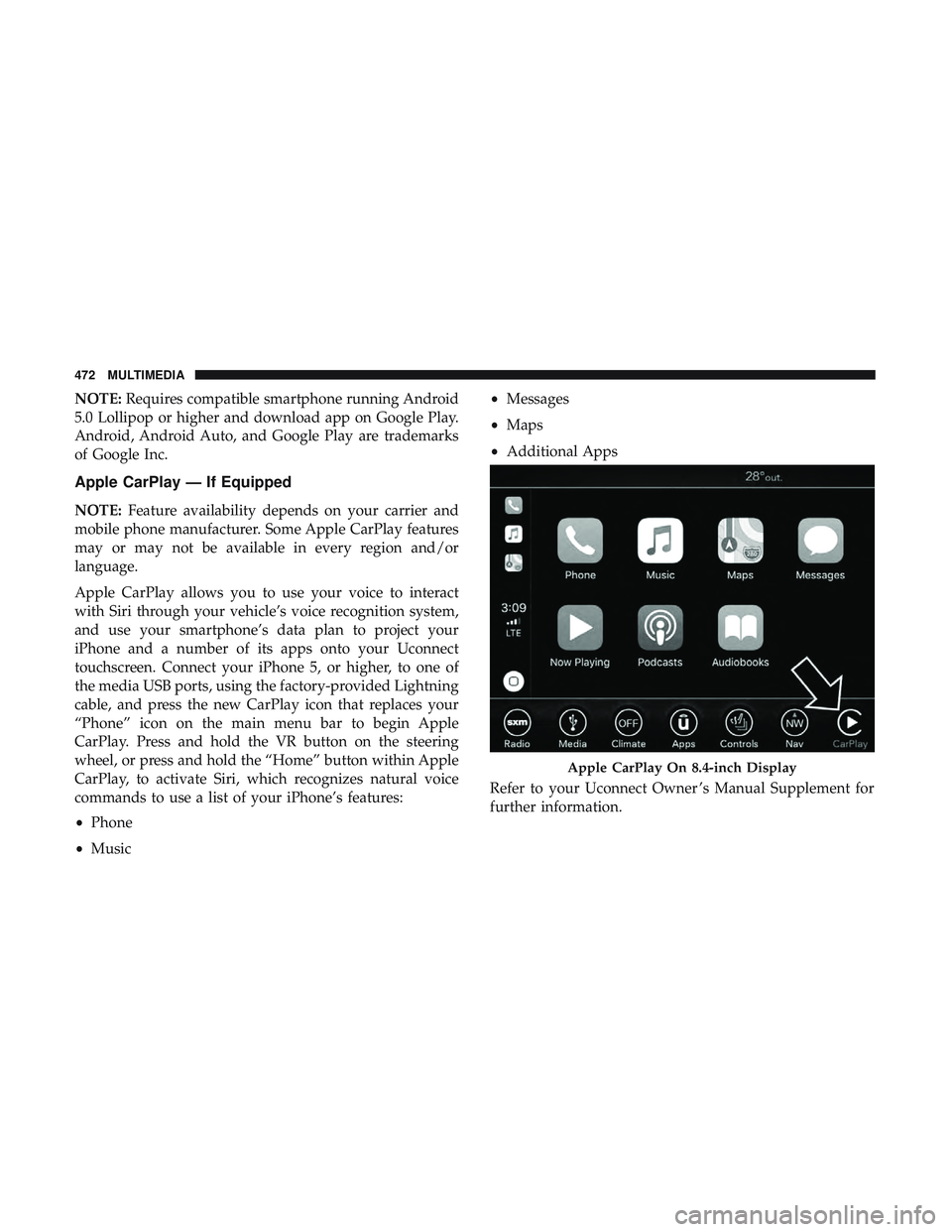
Apple CarPlay allows you to use your voice to interact
with Siri through your vehicle’s voice recognition system,
and use your smartphone’s data plan to project your
iPhone and a number of its apps onto your Uconnect
touchscreen. Connect your iPhone 5, or higher, to one of
the media USB ports, using the factory-provided Lightning
cable, and press the new CarPlay icon that replaces your
“Phone” icon on the main menu bar to begin Apple
CarPlay. Press and hold the VR button on the steering
wheel, or press and hold the “Home” button within Apple
CarPlay, to activate Siri, which recognizes natural voice
commands to use a list of your iPhone’s features:
• Phone
• Music •
Messages
• Maps
• Additional Apps
Refer to your Uconnect Owner ’s Manual Supplement for
further information.
Apple CarPlay On 8.4-inch Display
472 MULTIMEDIA
Page 496 of 500
Wheel, Heated...........................57
Wheel, Tilt .......................... .55, 56
Steering Wheel Audio Controls .................456
Steering Wheel Mounted Sound System Controls . . . .456
Storage ...............................93, 384
Storage, Vehicle ........................ .77, 384
Storing Your Vehicle ........................384
Stuck, Freeing ............................ .325
Sun Roof ...............................80, 82
Supplemental Restraint System – Air Bag ..........173
Synthetic Engine Oil ........................341
Telescoping Steering Column ................55, 56
Temperature Control, Automatic (ATC) ............75
Tilt Steering Column ..................... .55, 56
Time Delay Headlight ...............................63
Tire And Loading Information Placard ............366
Tire Markings ............................ .360
Tires ......................208, 370, 377, 378, 383 Aging (Life Of Tires) ..................... .374
Air Pressure ............................370
Chains ............................... .381
Changing ............................. .360
Compact Spare ..........................378 General Information
................370, 377, 378
High Speed ............................ .372
Inflation Pressure ........................371
Jacking ............................... .360
Life Of Tires ............................374
Load Capacity .......................366, 367
Pressure Monitoring System (TPMS) ........123, 153
Quality Grading ........................ .383
Radial ............................... .372
Replacement ............................375
Rotation ...............................381
Safety ............................ .360, 370
Sizes .................................362
Snow T
ires............................ .377
Spare Tires ..................... .377, 378, 379
Spinning ...............................373
Tread Wear Indicators .....................374
Wheel Nut Torque ........................391
Tire Safety Information .......................360
Tire Service Kit......303, 304, 305, 307, 311, 312, 313, 315, 317, 318
To Open Hood .............................82
Towing ................................. .277
Disabled Vehicle ..................... .327, 328
Recreational ............................277
494 INDEX