Page 108 of 718

Rain Sensing Wipers — If Equipped
This feature senses rain or snowfall on the windshield and
automatically activates the wipers for the driver. This
feature is especially useful for road splash or overspray
from the windshield washers of the vehicle ahead. Rotate
the end of the multifunction lever to one of the four
intermittent wiper sensitivity settings to activate this fea-
ture.
The sensitivity of the system is adjustable from the multi-
function lever. Wiper sensitivity position 3 has been cali-
brated for best overall wiping sensitivity. If the operator
desires more wiping sensitivity, they may select sensitivity
position 4. If the operator desires less wiping sensitivity,
they may select sensitivity positions 2 or 1. Place the
multifunction lever in the OFF position when not using the
system.
NOTE:
•The Rain Sensing feature will not operate when the
wiper speed is in the low or high position.
• The Rain Sensing feature may not function properly
when ice or dried saltwater is present on the windshield. •
Use of Rain-X or products containing wax or silicone
may reduce rain sensor performance.
• The Rain Sensing feature can be turned on and off
through the Uconnect System. Refer to “Uconnect Set-
tings” in “Multimedia” for further information.
The Rain Sensing system has protective features for the
wiper blades and arms. It will not operate under the
following conditions:
• Low Temperature Wipe Inhibit — The Rain Sensing
feature will not operate when the ignition is first
switched ON, when the vehicle is stationary and the
outside temperature is below 32°F (0°C), unless the
wiper control on the multifunction lever is moved, the
vehicle speed becomes greater than 3 mph (5 km/h) or
the outside temperature rises above freezing.
106 GETTING TO KNOW YOUR VEHICLE
Page 116 of 718
IconDescription
Mix Mode
Mix Mode
Air is directed through the floor, defrost, and side window demister outlets. This setting works
best in cold or snowy conditions that require extra heat to the windshield. This setting is good
for maintaining comfort while reducing moisture on the windshield.
Climate Control OFF Button
Press and release this button to turn the Climate Control ON/OFF.
Controlling The Rear Climate Controls From The
Front MTC Display/Touchscreen
The Three-Zone MTC system allows for adjustment of the
rear climate controls from the front MTC display/
touchscreen.
Uconnect 4 Front MTC Panel Rear Control Display
114 GETTING TO KNOW YOUR VEHICLE
Page 117 of 718
To change the rear system settings:•
Press the �REAR CLIMATE� button on the touchscreen
to change control to rear control mode, Rear display
appears. Control functions now operate rear system.
• To return to the Front screen on the Uconnect system,
press the �Front Climate� button on the touchscreen.
Icon Description
Rear Lock Button
Press and release to lock out the rear manual temperature controls from adjusting the rear tem-
perature and blower settings.
Uconnect 4C/4C NAV Front MTC Panel Rear Control
Display
3
GETTING TO KNOW YOUR VEHICLE 115
Page 118 of 718

IconDescription
Front Climate Button
Press and release this button to change the display on the Uconnect system back to the Front
Climate Controls.
Rear Passenger Temperature Up and Down Buttons
Provides the rear passengers with independent temperature control. Push the up arrow button
on the touchscreen to increase the temperature. Push the down arrow button on the touchscreen
to decrease the temperature. When the SYNC feature is active, the passenger ’s temperature
moves up and down with the driver ’s temperature.
SYNC Button
Press the SYNC button on the touchscreen to toggle the SYNC feature on/off. The SYNC indica-
tor is illuminated when this feature is enabled. SYNC is used to synchronize the front and rear
passenger temperature settings with the driver temperature setting. Changing the front or rear
passenger temperature setting while in SYNC exits this feature.
NOTE:The SYNC setting is only available on the touchscreen.
Blower Control
Blower Control is used to regulate the amount of air forced through the climate system. There
are seven blower speeds available. Adjusting the blower causes automatic mode to switch to
manual operation. The speeds can be selected using the buttons on the touchscreen.
116 GETTING TO KNOW YOUR VEHICLE
Page 129 of 718
IconDescription
Mix Mode
Mix Mode
Air is directed through the floor, defrost, and side window demister outlets. This setting works
best in cold or snowy conditions that require extra heat to the windshield. This setting is good
for maintaining comfort while reducing moisture on the windshield.
Climate Control OFF Button
Press and release this button to turn the Climate Control ON/OFF.
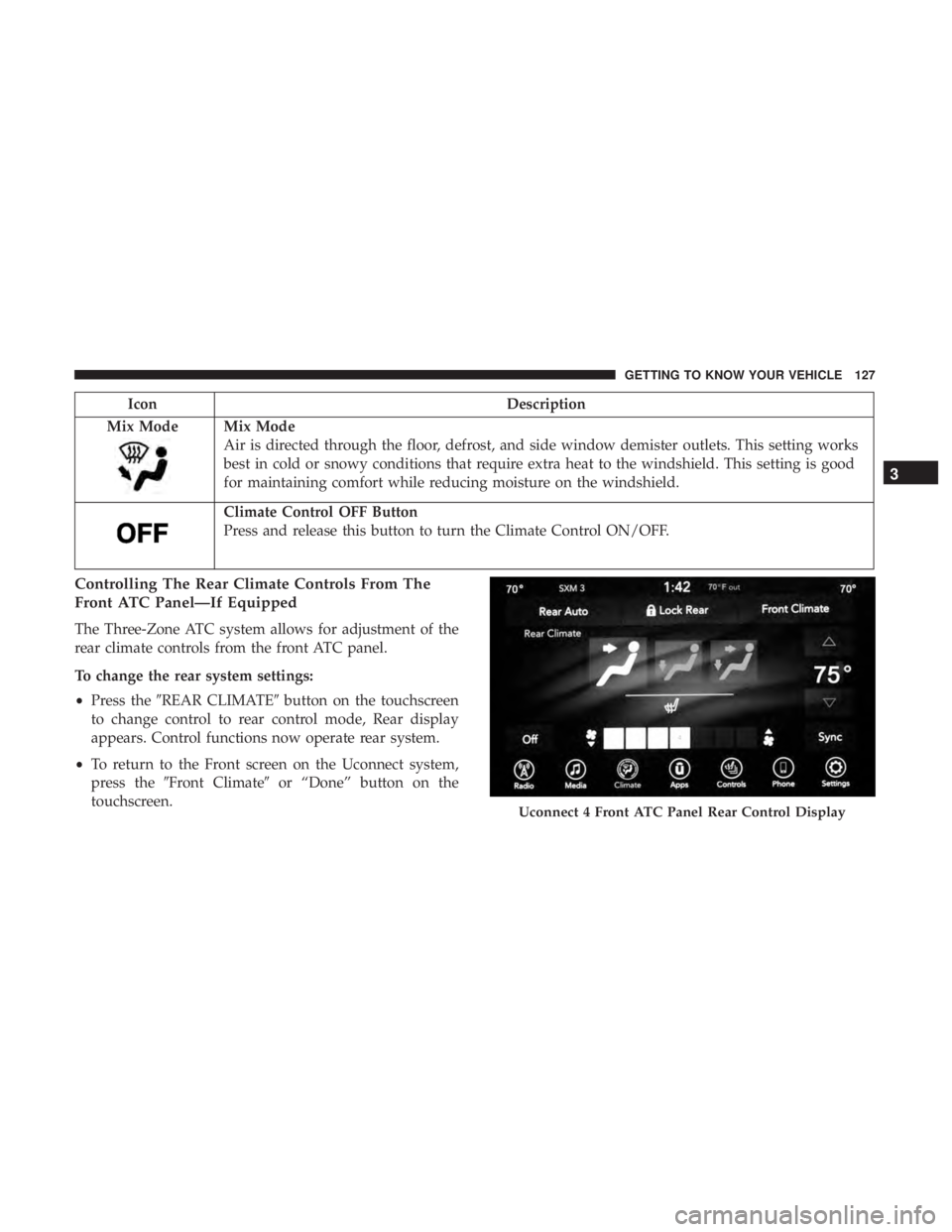
Controlling The Rear Climate Controls From The
Front ATC Panel—If Equipped
The Three-Zone ATC system allows for adjustment of the
rear climate controls from the front ATC panel.
To change the rear system settings:
• Press the �REAR CLIMATE� button on the touchscreen
to change control to rear control mode, Rear display
appears. Control functions now operate rear system.
• To return to the Front screen on the Uconnect system,
press the �Front Climate� or “Done” button on the
touchscreen.
Uconnect 4 Front ATC Panel Rear Control Display
3
GETTING TO KNOW YOUR VEHICLE 127
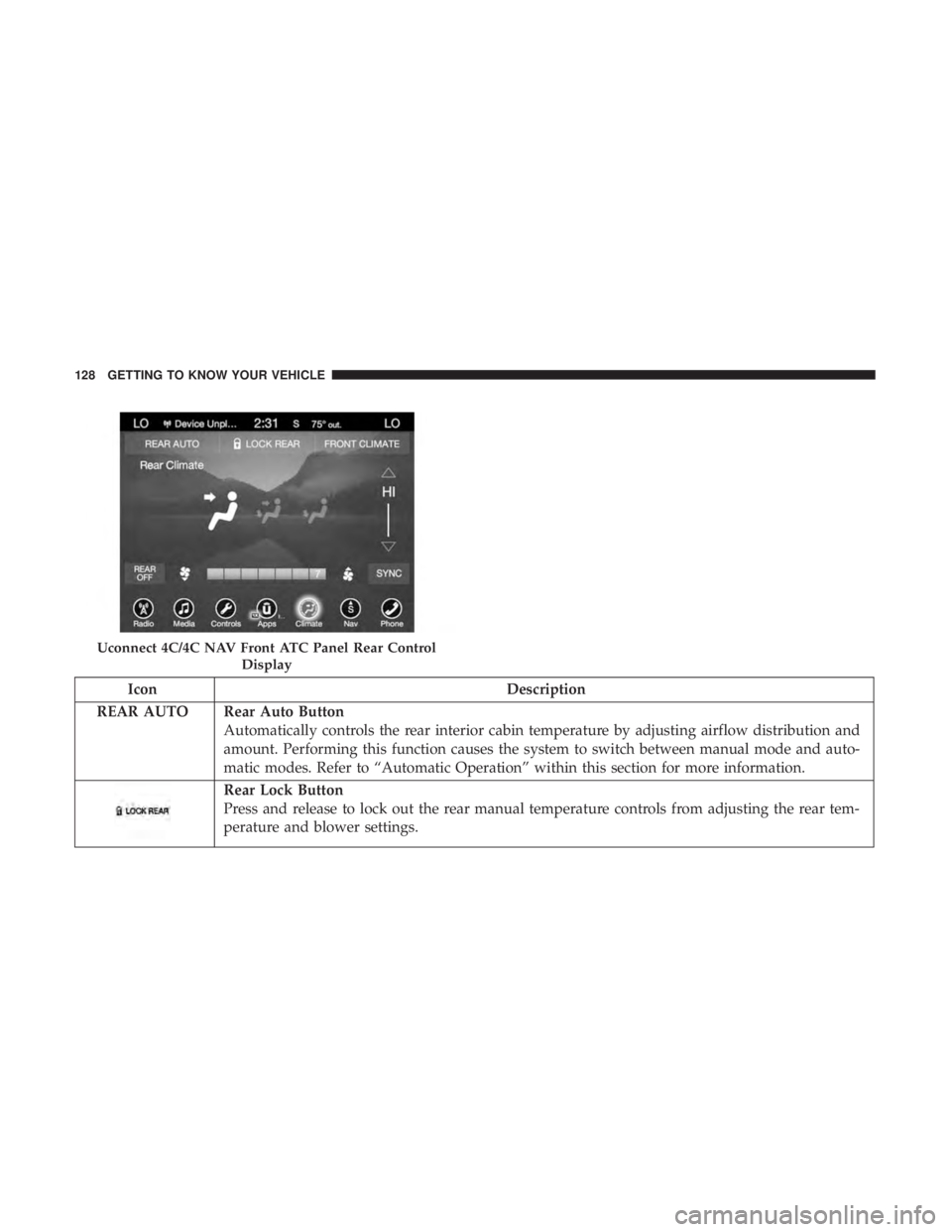
Page 130 of 718
IconDescription
REAR AUTO Rear Auto Button Automatically controls the rear interior cabin temperature by adjusting airflow distribution and
amount. Performing this function causes the system to switch between manual mode and auto-
matic modes. Refer to “Automatic Operation” within this section for more information.
Rear Lock Button
Press and release to lock out the rear manual temperature controls from adjusting the rear tem-
perature and blower settings.
Uconnect 4C/4C NAV Front ATC Panel Rear Control
Display
128 GETTING TO KNOW YOUR VEHICLE
Page 131 of 718
IconDescription
Front Climate Button
Press and release this button to change the display on the Uconnect system back to the Front
Climate Controls.
Rear Passenger Temperature Up And Down Buttons
Provides the front occupants with the ability to control the rear temperature. Push the up arrow
button on the touchscreen to increase the temperature. Push the down arrow button on the
touchscreen to decrease the temperature. When the SYNC feature is active, the passenger ’s tem-
perature will move up and down with the driver ’s temperature.
SYNC Button
Press the SYNC button on the touchscreen to toggle the SYNC feature on/off. The SYNC indica-
tor is illuminated when this feature is enabled. SYNC is used to synchronize the front and rear
passenger temperature settings with the driver temperature setting. Changing the front or rear
passenger temperature/mode/blower settings while in SYNC will automatically exit this fea-
ture.
NOTE:The SYNC setting is only available on the touchscreen.
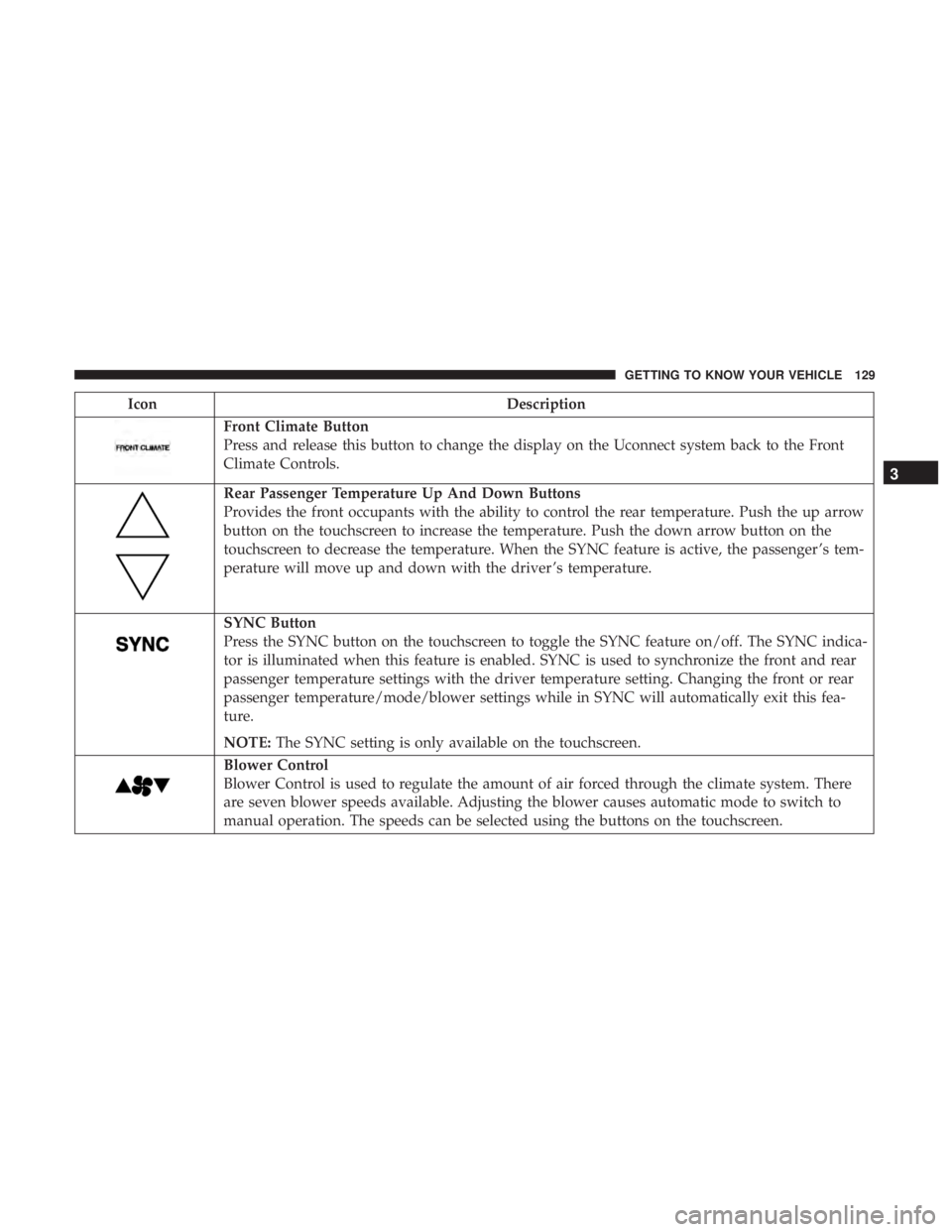
Blower Control
Blower Control is used to regulate the amount of air forced through the climate system. There
are seven blower speeds available. Adjusting the blower causes automatic mode to switch to
manual operation. The speeds can be selected using the buttons on the touchscreen.
3
GETTING TO KNOW YOUR VEHICLE 129
Page 137 of 718
Recirculation For Automatic Temperature Control
When outside air contains smoke, odors, or high humidity,
or if rapid cooling is desired, you may wish to recirculate
interior air by pressing the Recirculation control button.
The recirculation indicator will illuminate when this button
is selected. Press the button a second time to turn off the
Recirculation mode and allow outside air into the vehicle.
NOTE:In cold weather, use of recirculation mode may lead
to excessive window fogging. The recirculation feature
may be unavailable (button on the touchscreen greyed out)
if conditions exist that could create fogging on the inside of
the windshield. On systems with Manual Climate Controls,
the Recirculation mode is not allowed in Defrost mode to
improve window clearing operation. Recirculation will be
disabled automatically if this mode is selected. Attempting
to use Recirculation while in this mode will cause the LED
in the control button to blink and then turn off.
Automatic Temperature Control (ATC) — If
Equipped
Automatic Operation
1. Push the AUTO button on the faceplate, or the AUTO button on the touchscreen on the Automatic Tempera-
ture Control (ATC) Panel. 2. Next, adjust the temperature you would like the system
to maintain by adjusting the driver and passenger
temperature control buttons. Once the desired tempera-
ture is displayed, the system will achieve and automati-
cally maintain that comfort level.
3. When the system is set up for your comfort level, it is not necessary to change the settings. You will experience
the greatest efficiency by simply allowing the system to
function automatically.
NOTE:
• It is not necessary to move the temperature settings for
cold or hot vehicles. The system automatically adjusts
the temperature, mode, and blower speed to provide
comfort as quickly as possible.
• The temperature can be displayed in U.S. or Metric units
by selecting the US/Metric customer-programmable fea-
ture. Refer to the “Uconnect Settings” in “Multimedia”
for further information.
To provide you with maximum comfort in the Automatic
mode during cold start-ups, the blower fan will remain on
low until the engine warms up. The blower will increase in
speed and transition into Auto mode.
3
GETTING TO KNOW YOUR VEHICLE 135