Page 65 of 492
Power mirror preselected positions can be controlled by
the optional Memory Seat Feature. Refer to “Driver
Memory Seat” in “Getting To Know Your Vehicle” for
further information.
Power Folding Outside Mirrors — If Equipped
If equipped with power folding mirrors, they can be
electrically folded rearward and unfolded into the drive
position.
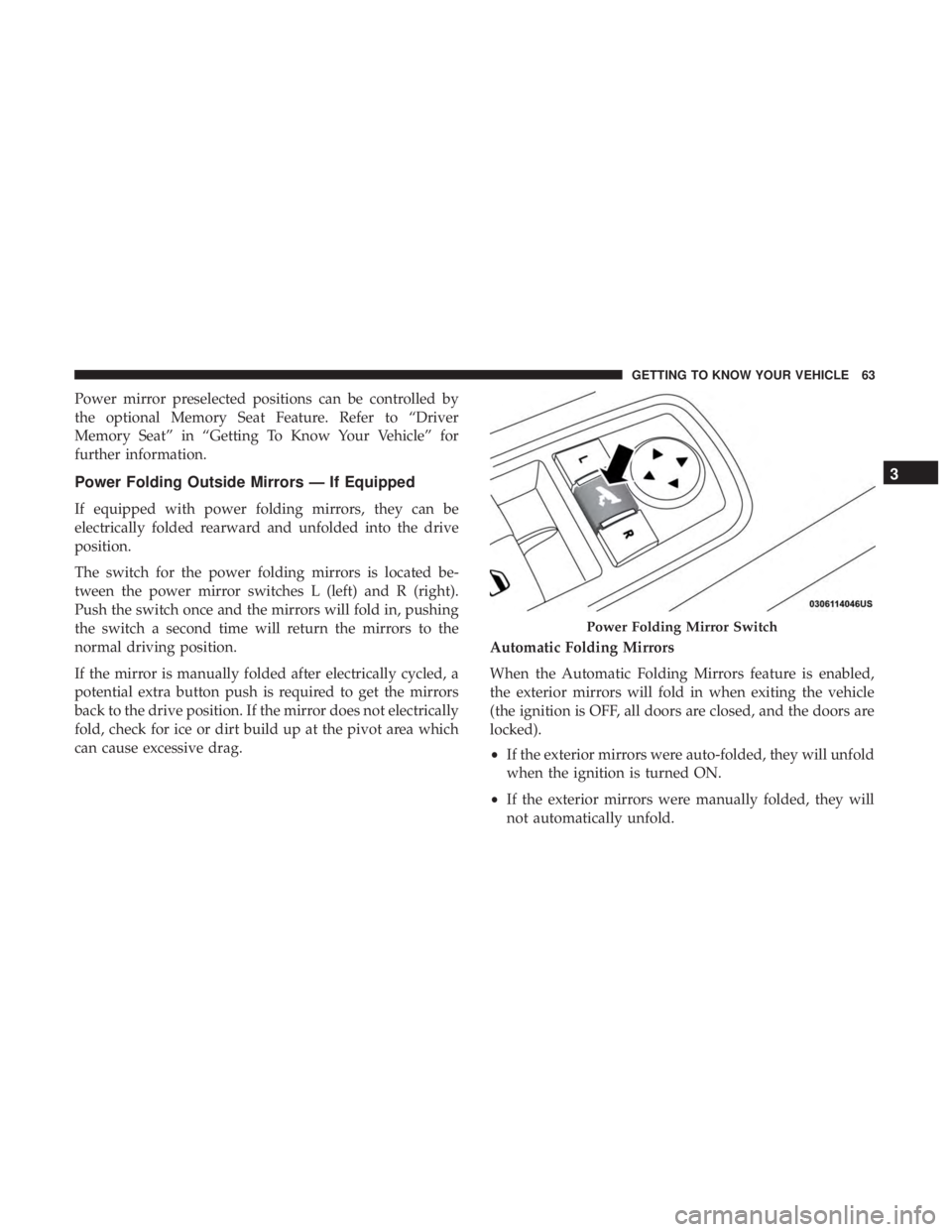
The switch for the power folding mirrors is located be-
tween the power mirror switches L (left) and R (right).
Push the switch once and the mirrors will fold in, pushing
the switch a second time will return the mirrors to the
normal driving position.
If the mirror is manually folded after electrically cycled, a
potential extra button push is required to get the mirrors
back to the drive position. If the mirror does not electrically
fold, check for ice or dirt build up at the pivot area which
can cause excessive drag.Automatic Folding Mirrors
When the Automatic Folding Mirrors feature is enabled,
the exterior mirrors will fold in when exiting the vehicle
(the ignition is OFF, all doors are closed, and the doors are
locked).
•
If the exterior mirrors were auto-folded, they will unfold
when the ignition is turned ON.
• If the exterior mirrors were manually folded, they will
not automatically unfold.
Power Folding Mirror Switch
3
GETTING TO KNOW YOUR VEHICLE 63
Page 66 of 492
NOTE:The Automatic Fold/Unfold Mirrors feature is not
turned on when delivered from the factory. The Automatic
Fold/Unfold Mirrors feature can be turned on and off
using the Uconnect System. Refer to “Uconnect Settings” in
�Multimedia� for further information.
Resetting The Power Folding Outside Mirrors
You may need to reset the power folding mirrors if the
following occurs:
• The mirrors are accidentally blocked while folding.
• The mirrors are accidentally manually folded/unfolded.
• The mirrors come out of the unfolded position.
• The mirrors shake and vibrate at normal driving speeds.
To reset the power folding mirrors, fold and unfold them
by pushing the button (this may require multiple button
pushes). This resets them to their normal position.Heated Mirrors — If Equipped
These mirrors are heated to melt frost or ice. This
feature will be activated whenever you turn on the
rear window defroster (if equipped). Refer to “Climate
Controls” in “Getting To Know Your Vehicle” for further
information.
Tilt Side Mirrors In Reverse — If Equipped
Tilt Side Mirrors In Reverse provides automatic outside
mirror positioning which will aid the driver ’s view of the
ground rearward of the front doors. The outside mirrors
will move slightly downward from the present position
when the vehicle is shifted into REVERSE. The outside
mirrors will then return to the original position when the
vehicle is shifted out of the REVERSE position. Each stored
memory setting will have an associated Tilt Side Mirrors In
Reverse position.
NOTE: The Tilt Side Mirrors In Reverse feature is not
turned on when delivered from the factory. The Tilt Side
Mirrors In Reverse feature can be turned on and off using
the Uconnect System. Refer to “Uconnect Settings” in
“Multimedia” for further information.
64 GETTING TO KNOW YOUR VEHICLE
Page 67 of 492
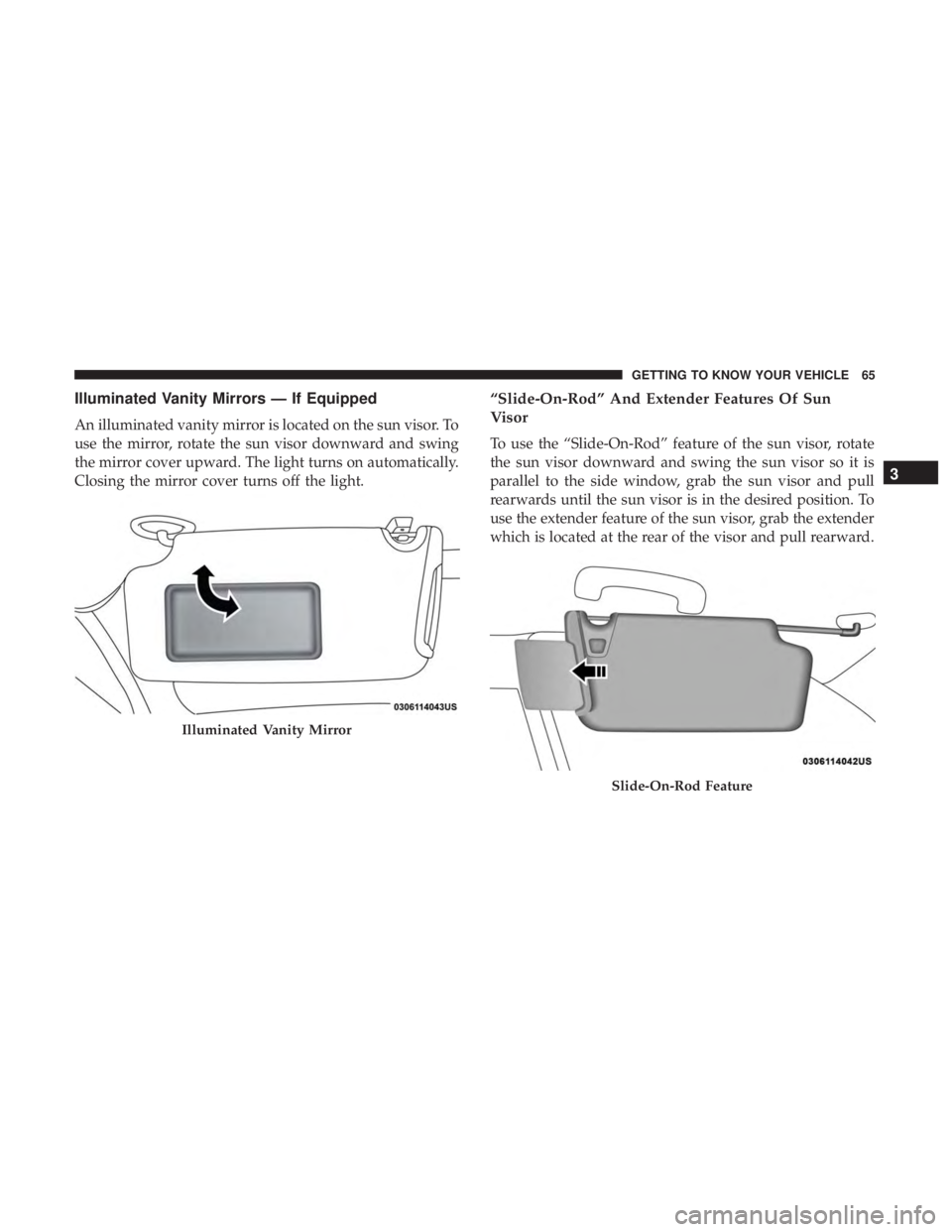
Illuminated Vanity Mirrors — If Equipped
An illuminated vanity mirror is located on the sun visor. To
use the mirror, rotate the sun visor downward and swing
the mirror cover upward. The light turns on automatically.
Closing the mirror cover turns off the light.
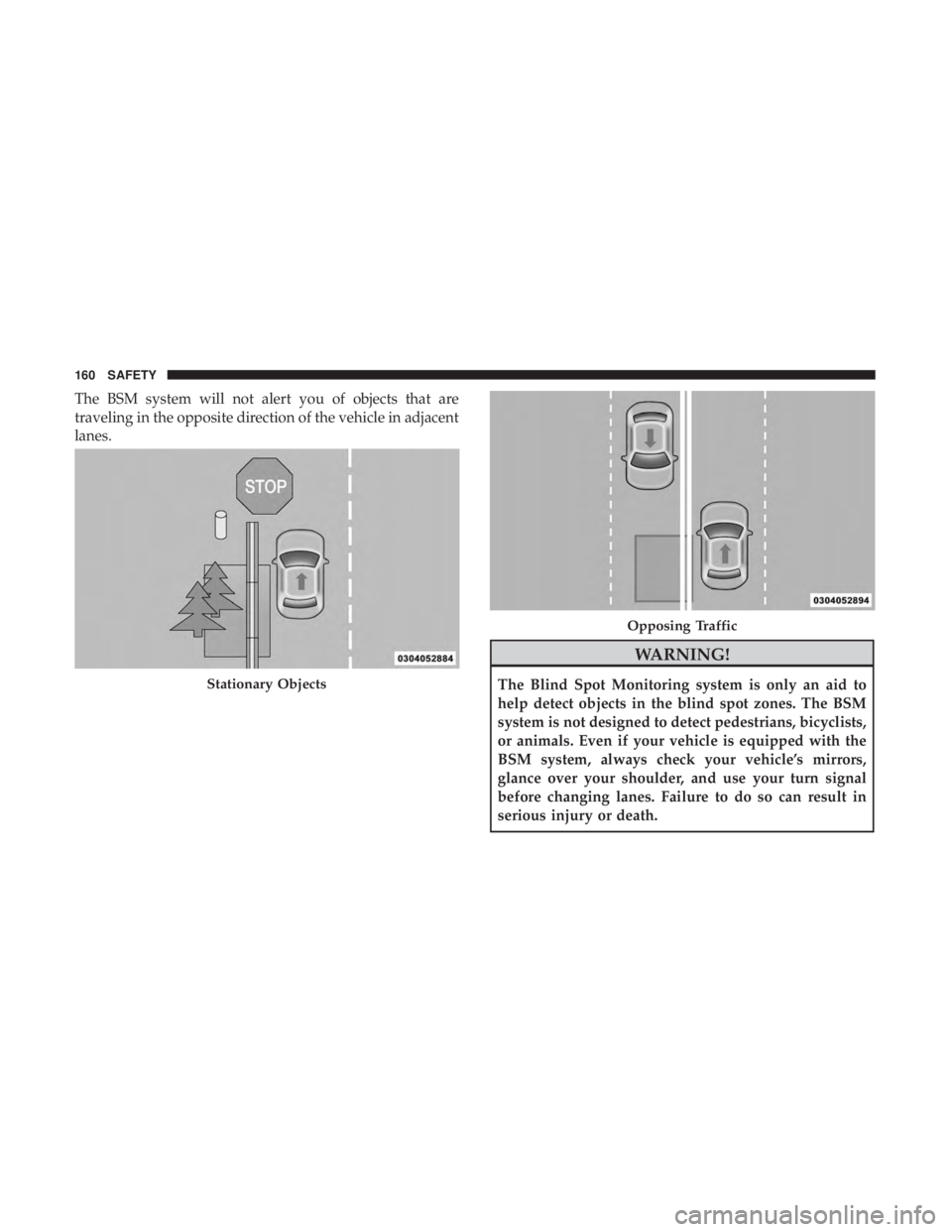
“Slide-On-Rod” And Extender Features Of Sun
Visor
To use the “Slide-On-Rod” feature of the sun visor, rotate
the sun visor downward and swing the sun visor so it is
parallel to the side window, grab the sun visor and pull
rearwards until the sun visor is in the desired position. To
use the extender feature of the sun visor, grab the extender
which is located at the rear of the visor and pull rearward.
Illuminated Vanity Mirror
Slide-On-Rod Feature
3
GETTING TO KNOW YOUR VEHICLE 65
Page 83 of 492
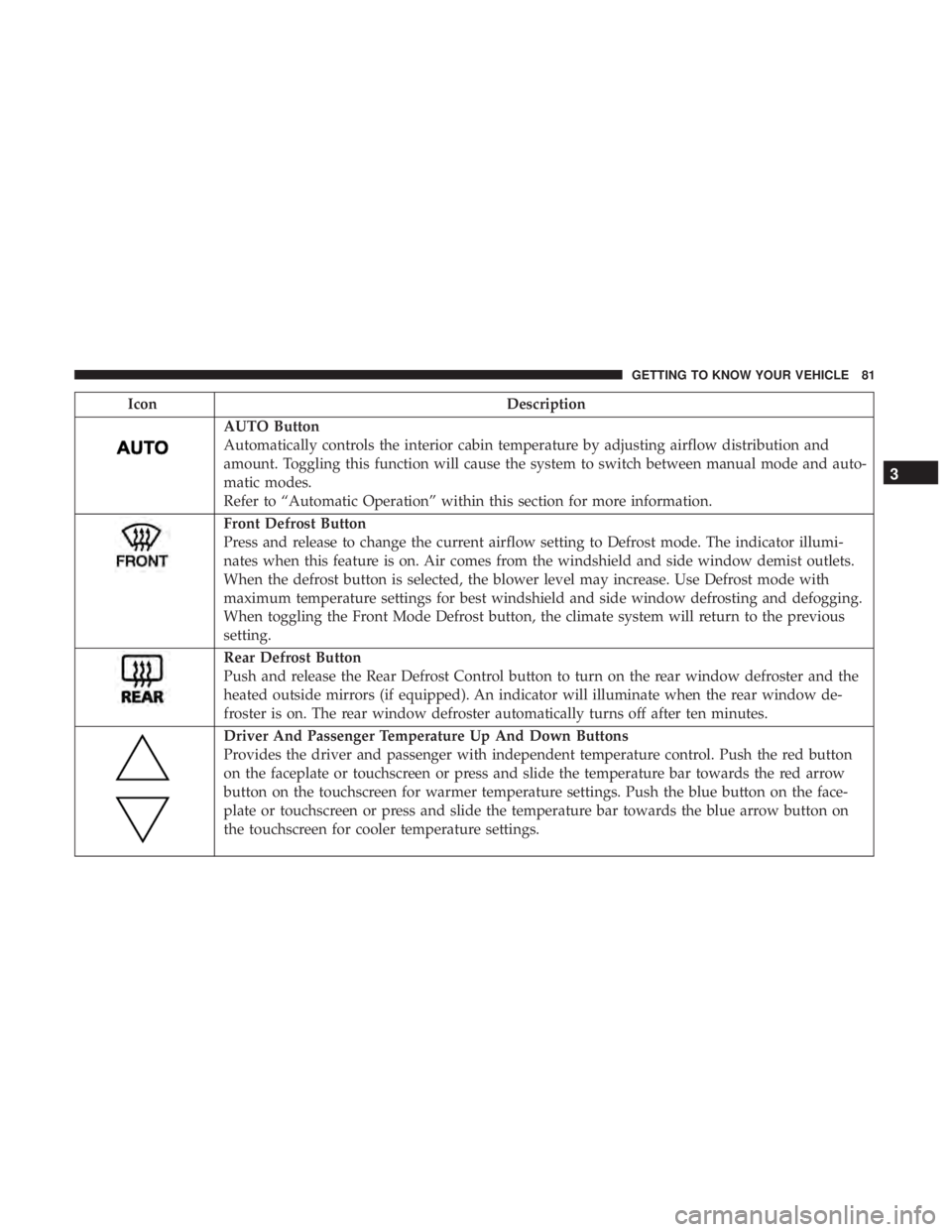
IconDescription
AUTO Button
Automatically controls the interior cabin temperature by adjusting airflow distribution and
amount. Toggling this function will cause the system to switch between manual mode and auto-
matic modes.
Refer to “Automatic Operation” within this section for more information.
Front Defrost Button
Press and release to change the current airflow setting to Defrost mode. The indicator illumi-
nates when this feature is on. Air comes from the windshield and side window demist outlets.
When the defrost button is selected, the blower level may increase. Use Defrost mode with
maximum temperature settings for best windshield and side window defrosting and defogging.
When toggling the Front Mode Defrost button, the climate system will return to the previous
setting.
Rear Defrost Button
Push and release the Rear Defrost Control button to turn on the rear window defroster and the
heated outside mirrors (if equipped). An indicator will illuminate when the rear window de-
froster is on. The rear window defroster automatically turns off after ten minutes.
Driver And Passenger Temperature Up And Down Buttons
Provides the driver and passenger with independent temperature control. Push the red button
on the faceplate or touchscreen or press and slide the temperature bar towards the red arrow
button on the touchscreen for warmer temperature settings. Push the blue button on the face-
plate or touchscreen or press and slide the temperature bar towards the blue arrow button on
the touchscreen for cooler temperature settings.
3
GETTING TO KNOW YOUR VEHICLE 81
Page 132 of 492
•Rear Defroster And Heated Mirrors
• HVAC System
• 115V AC Power Inverter System
• Audio and Telematics System
Loss of the battery charge may indicate one or more of the
following conditions:
• The charging system cannot deliver enough electrical
power to the vehicle system because the electrical loads
are larger than the capability of the charging system. The
charging system is still functioning properly.
• Turning on all possible vehicle electrical loads (e.g.
HVAC to max settings, exterior and interior lights,
overloaded power outlets +12V, 115V AC, USB ports)
during certain driving conditions (city driving, towing,
frequent stopping).
• Installing options like additional lights, upfitter electri-
cal accessories, audio systems, alarms and similar de-
vices.
• Unusual driving cycles (short trips separated by long
parking periods). •
The vehicle was parked for an extended period of time
(weeks, months).
• The battery was recently replaced and was not charged
completely.
• The battery was discharged by an electrical load left on
when the vehicle was parked.
• The battery was used for an extended period with the
engine not running to supply radio, lights, chargers,
+12V portable appliances like vacuum cleaners, game
consoles and similar devices.
What to do when an electrical load reduction action
message is present (“Battery Saver On” or “Battery Saver
Mode”)
During a trip:
• Reduce power to unnecessary loads if possible:
– Turn off redundant lights (interior or exterior)
– Check what may be plugged in to power outlets +12V, 115V AC, USB ports
– Check HVAC settings (blower, temperature)
– Check the audio settings (volume)
130 GETTING TO KNOW YOUR INSTRUMENT PANEL
Page 158 of 492
AUXILIARY DRIVING SYSTEMS
Blind Spot Monitoring (BSM) — If Equipped
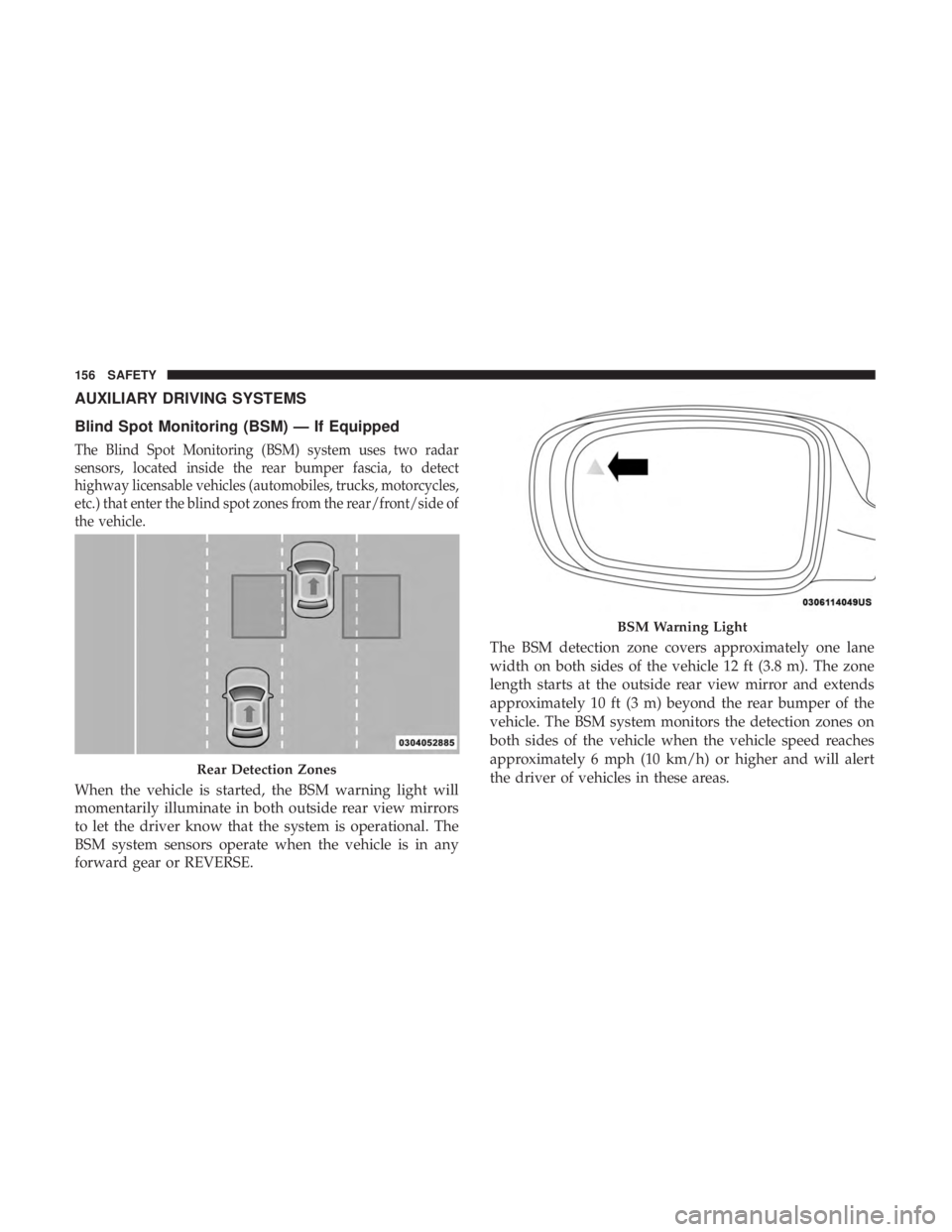
The Blind Spot Monitoring (BSM) system uses two radar
sensors, located inside the rear bumper fascia, to detect
highway licensable vehicles (automobiles, trucks, motorcycles,
etc.) that enter the blind spot zones from the rear/front/side of
the vehicle.
When the vehicle is started, the BSM warning light will
momentarily illuminate in both outside rear view mirrors
to let the driver know that the system is operational. The
BSM system sensors operate when the vehicle is in any
forward gear or REVERSE.The BSM detection zone covers approximately one lane
width on both sides of the vehicle 12 ft (3.8 m). The zone
length starts at the outside rear view mirror and extends
approximately 10 ft (3 m) beyond the rear bumper of the
vehicle. The BSM system monitors the detection zones on
both sides of the vehicle when the vehicle speed reaches
approximately 6 mph (10 km/h) or higher and will alert
the driver of vehicles in these areas.
Rear Detection Zones
BSM Warning Light
156 SAFETY
Page 159 of 492
NOTE:
•The BSM system does NOT alert the driver about
rapidly approaching vehicles that are outside the detec-
tion zones.
•
The BSM system detection zone DOES NOT change if your
vehicle is towing a trailer. Therefore, visually verify the
adjacent lane is clear for both your vehicle and trailer before
making a lane change. If the trailer or other object (i.e.,
bicycle, sports equipment) extends beyond the side of your
vehicle, this may result in the BSM warning light randomly
alerting on the trailer or even remaining illuminated the
entire time the vehicle is in a forward gear.
• The Blind Spot Monitoring (BSM) system may experi-
ence drop outs (blinking on and off) of the side mirror
Warning Indicator lamps when a motorcycle or any
small object remains at the side of the vehicle for
extended periods of time (more than a couple of sec-
onds).
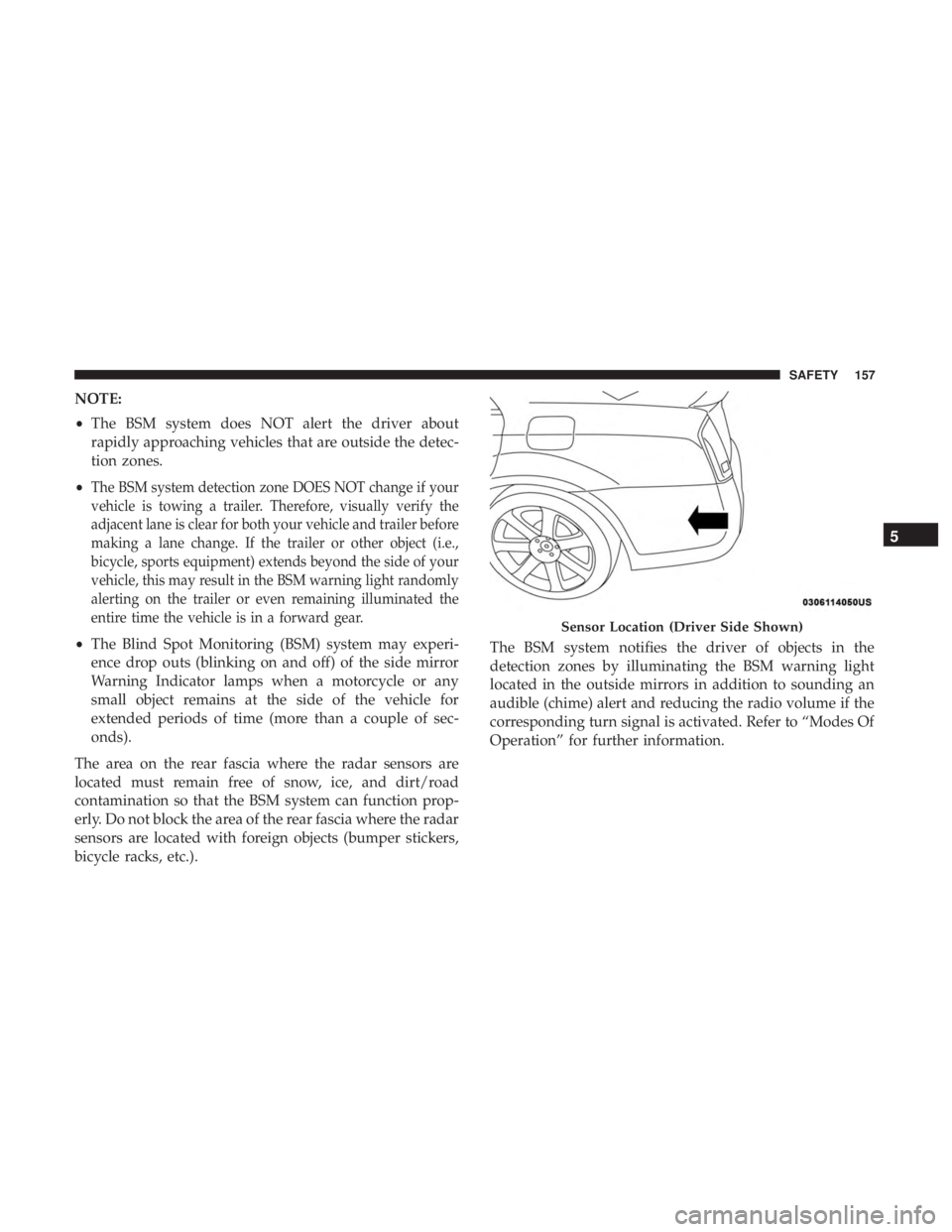
The area on the rear fascia where the radar sensors are
located must remain free of snow, ice, and dirt/road
contamination so that the BSM system can function prop-
erly. Do not block the area of the rear fascia where the radar
sensors are located with foreign objects (bumper stickers,
bicycle racks, etc.). The BSM system notifies the driver of objects in the
detection zones by illuminating the BSM warning light
located in the outside mirrors in addition to sounding an
audible (chime) alert and reducing the radio volume if the
corresponding turn signal is activated. Refer to “Modes Of
Operation” for further information.
Sensor Location (Driver Side Shown)
5
SAFETY 157
Page 162 of 492
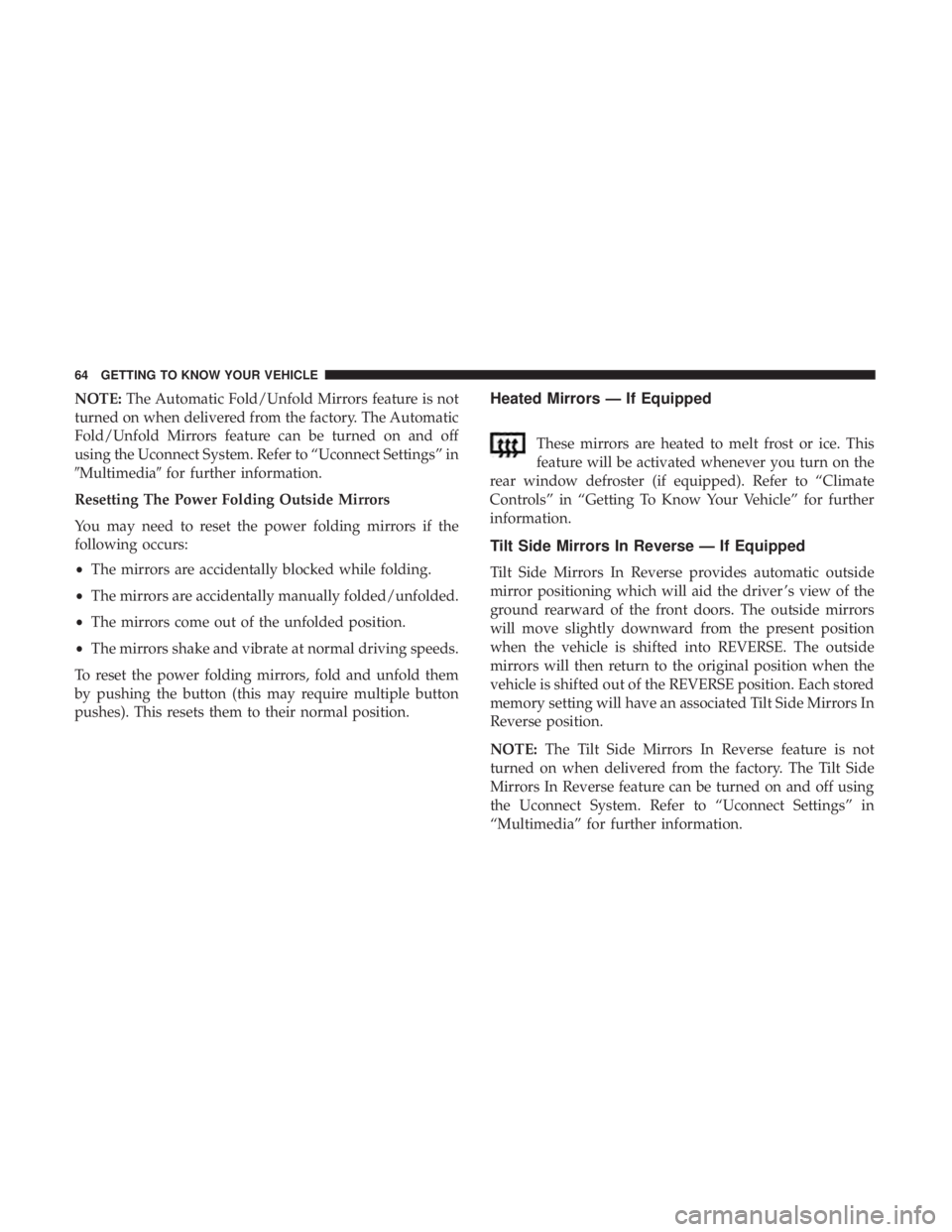
The BSM system will not alert you of objects that are
traveling in the opposite direction of the vehicle in adjacent
lanes.
WARNING!
The Blind Spot Monitoring system is only an aid to
help detect objects in the blind spot zones. The BSM
system is not designed to detect pedestrians, bicyclists,
or animals. Even if your vehicle is equipped with the
BSM system, always check your vehicle’s mirrors,
glance over your shoulder, and use your turn signal
before changing lanes. Failure to do so can result in
serious injury or death.Stationary Objects
Opposing Traffic
160 SAFETY