2019.75 VAUXHALL CROSSLAND X lights
[x] Cancel search: lightsPage 82 of 247

80Instruments and controlsService displayThe service system informs when to
change the engine oil and filter or a
vehicle service is required. Based on
driving conditions, the interval at
which an engine oil and filter change
is required can vary considerably.
Service information 3 213.
A required service due is displayed in the Driver Information Centre for7 seconds after switching on the
ignition.
If no service is required for the next
1800 miles or more no service
information appears in the display.
If service is required within the next
1800 miles, the remaining distance or
time duration is indicated for several
seconds. Simultaneously C lights
up permanently as reminder.
If service is required in less than
600 miles, C flashes and then
lights up permanently. Remaining
distance or time duration is indicated for several seconds.
Overdued service is indicated by a
message in the Driver Information
Centre which indicates the overdueddistance. C flashes and then lights
up permanently until service is
executed.
Reset of service interval
After each service, the service
indicator must be reset to ensure
proper functionality. It is
recommended to seek the assistance of a workshop.
Operate as following: ● switch off ignition
● press and hold button M or
CHECK
● switch on ignition, the distance indication begins a countdown
● when the display indicates =0,
release the button
The C disappears.
Retrieving service information To retrieve the status of the service
information at any time press left
button underneath the Driver
Information Centre.
Or
The service information is displayed
for a few seconds.
Service information 3 213.
Page 83 of 247

Instruments and controls81Control indicatorsThe control indicators described are
not present in all vehicles. The
description applies to all instrument
versions.
Depending on the equipment, the
position of the control indicators may vary. When the ignition is switched
on, most control indicators will
illuminate briefly as a functionality test.
The control indicator colours mean:red:danger, important reminderyellow:warning, information, faultgreen:confirmation of activationblue:confirmation of activationwhite:confirmation of activation
Instrument cluster overview 3 76.
Turn lights
O illuminates or flashes green.
Illuminates briefly The parking lights are switched on.
Flashes
A turn light or the hazard warning flashers are activated.
Rapid flashing: failure of a turn light or associated fuse.
This includes turn lights connected to the socket of the towing equipment.
Bulb replacement 3 180.
Fuses 3 188.
Turn lights 3 103.
Seat belt reminder
Seat belt reminder on all seats
X illuminates or flashes red in the
instrument cluster together with the
indication in the roof console for each
seat belt.
● When the ignition is switched on,
X in the instrument cluster and
the symbol for the respective
seat in the roof console comes
on, if the seat belt of any
occupied seat has not been
fastened.
● After driving off, X in the
instrument cluster and the
symbol for the respective seat in
the roof console flashes for a
certain time together with a
chime. After a certain time of
driving X illuminates constantly
until the seat belt of the
Page 88 of 247

86Instruments and controls1. Select neutral gear.
2. Move out of the flow of traffic as quickly as possible without
impeding other vehicles.
3. Switch off ignition.9 Warning
When the engine is off,
considerably more force is needed
to brake and steer.
During an Autostop, the brake
servo unit will still be operational.
Do not remove key until vehicle is stationary, otherwise the steeringwheel lock could engage
unexpectedly.
Keep engine turned off and let the
vehicle be towed to a workshop
3 175.
Low fuel o illuminates yellow.
Level in fuel tank is too low.
Refuelling 3 166.
Bleeding the diesel fuel system
3 179.
Autostop D illuminates or flashes green.
Illuminates green
Engine is in an Autostop.
Flashes green
Autostop is temporarily unavailable,
or Autostop mode is invoked
automatically.
Stop-start system 3 125.
Exterior light 8 illuminates green.
The exterior lights are on 3 99.
Low beam
9 illuminates green.
Illuminated when low beam is on.
High beam
C illuminates blue.Illuminated when high beam is on or
during headlight flash 3 100.
High beam assist
f illuminates green.
The high beam assist is activated
3 100.
Front fog lights
> illuminates green.
The front fog lights are on 3 103.
Rear fog light
ø illuminates yellow.
The rear fog light is on 3 104.
Rain sensor
< illuminates green.
Illuminated when automatic wiping
with rain sensor is activated.
Windscreen wiper and washer 3 71.
Page 96 of 247

94Instruments and controlsMessages in the
Colour Info Display
Some important messages may
appear additionally in the
Info Display. Some messages only
pop-up for a few seconds.
Warning chimes If several warnings appear at the
same time, only one warning chime
will sound.
When starting the engine or whilst
driving
The warning chime regarding not
fastened seat belts has priority over
any other warning chime.
● If a seat belt is not fastened.
● If a door or the tailgate is not fully
closed when starting off.
● If a certain speed is exceeded with parking brake applied.
● If cruise control deactivates automatically.
● If a programmed speed or speed
limit is exceeded.● If a warning message appears in the Driver Information Centre.
● If the electronic key is not in the passenger compartment.
● If the parking assist detects an object.
● If an unintended lane change occurs.
● If the exhaust filter has reached the maximum filling level.
When the vehicle is parked and / or the driver's door is opened
● With exterior lights on.
During an Autostop ● If the driver's door is opened.
● If any condition for an autostart is
not fulfilled.Vehicle personalisation
The vehicle's behaviour can be
personalised by changing the settings in the Info Display.
Some functions are only displayed or
active when the engine is running.
Graphic Info Display
Press MENU to open the menu page.
Use four-way button to operate the
display:
Select ˆ Personalisation-
configuration I OK .
Page 98 of 247
96Instruments and controlsview camera guidelines on the
Info Display.
● Comfort and Convenience
Auto Wipe in Reverse Gear :
Activates or deactivates
automatic switching on of the
rear window wiper when reverse gear is engaged.
● Lighting
Ambient Lighting : Activates or
deactivates the ambient lighting
and adjusts its brightness.
Welcome Lighting : Activates or
deactivates and changes the duration of welcome lighting.
Exit Lighting : Activates or
deactivates and changes the
duration of exit lighting.
● Remote Lock, Unlock, Start
Remote Door Unlock : Changes
the configuration to unlock the
driver's door only or all doors
when pressing O on the remote
control.
Unlock boot only : Activates or
deactivates unlocking the tailgateonly when pressing T on the
remote control.
8" Colour Info Display
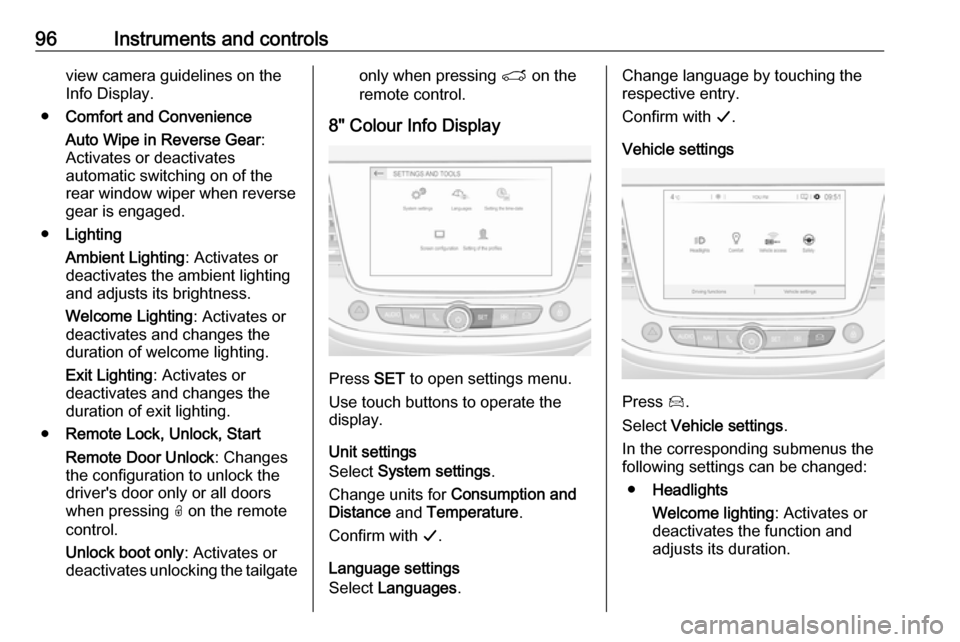
Press SET to open settings menu.
Use touch buttons to operate the
display.
Unit settings
Select System settings .
Change units for Consumption and
Distance and Temperature .
Confirm with G.
Language settings
Select Languages .
Change language by touching the
respective entry.
Confirm with G.
Vehicle settings
Press Í.
Select Vehicle settings .
In the corresponding submenus the
following settings can be changed:
● Headlights
Welcome lighting : Activates or
deactivates the function and
adjusts its duration.
Page 101 of 247
Lighting99LightingExterior lighting............................ 99
Light switch ................................ 99
Automatic light control .............100
High beam ............................... 100
High beam assist .....................100
Headlight flash ......................... 101
Headlight range adjustment ....101
Headlights when driving abroad .................................... 102
Daytime running lights .............102
LED headlights ........................ 102
Hazard warning flashers ..........102
Turn lights ................................ 103
Front fog lights ......................... 103
Rear fog light ........................... 104
Parking lights ........................... 104
Reversing lights .......................104
Misted light covers ...................104
Interior lighting ........................... 105
Instrument panel illumination control ..................................... 105
Interior lights ............................ 105
Reading lights .......................... 105
Sun visor lights ........................ 106Lighting features ........................106
Centre console lighting ............106
Entry lighting ............................ 106
Exit lighting .............................. 106
Battery discharge protection ....107Exterior lighting
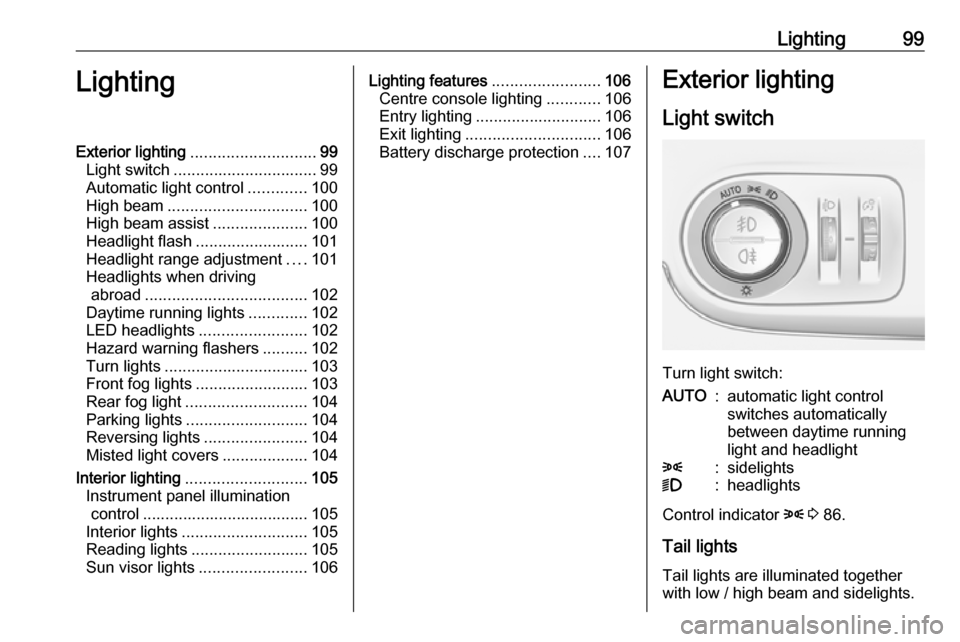
Light switch
Turn light switch:
AUTO:automatic light control
switches automatically
between daytime running
light and headlight8:sidelights9:headlights
Control indicator 8 3 86.
Tail lights Tail lights are illuminated together
with low / high beam and sidelights.
Page 102 of 247

100LightingAutomatic light control
When the automatic light control
function is switched on and the
engine is running, the system
switches between daytime running
lights and headlights automatically
depending on the external lighting
conditions and information given by
the wiper system.
Make sure the sensor is not blocked
3 10, 3 35.
Daytime running light 3 102.
Automatic headlight activation During poor lighting conditions
headlights are switched on.
Additionally, headlights are switched
on if the windscreen wipers have
been activated for several wipes.
LED headlights 3 102.
Tunnel detection
When a tunnel is entered headlights
are switched on immediately.
High beam
Push to switch from low to high beam.Pull to deactivate high beam.
High beam assist 3 100.
High beam assist
The camera in the windscreen
detects the lights of oncoming or
preceding vehicles. Once activated,
high beam assist remains active and
switches high beam on and off
depending on surrounding
conditions. The latest setting of the
high beam assist will remain after the ignition is switched on again.
This feature automatically activates
the high beam in the dark when
vehicle speed is faster than 15 mph.
It switches automatically back to low
beam when:
● The camera in the windscreen detects the lights of oncoming or
preceding vehicles.
● The vehicle speed drops below 9 mph.
● It is foggy or snowy.
● Front or rear fog lights are switched on.
● Driving in urban areas.
If there are no restrictions detected,
the system switches back to high
beam.
Page 103 of 247
Lighting101Activation
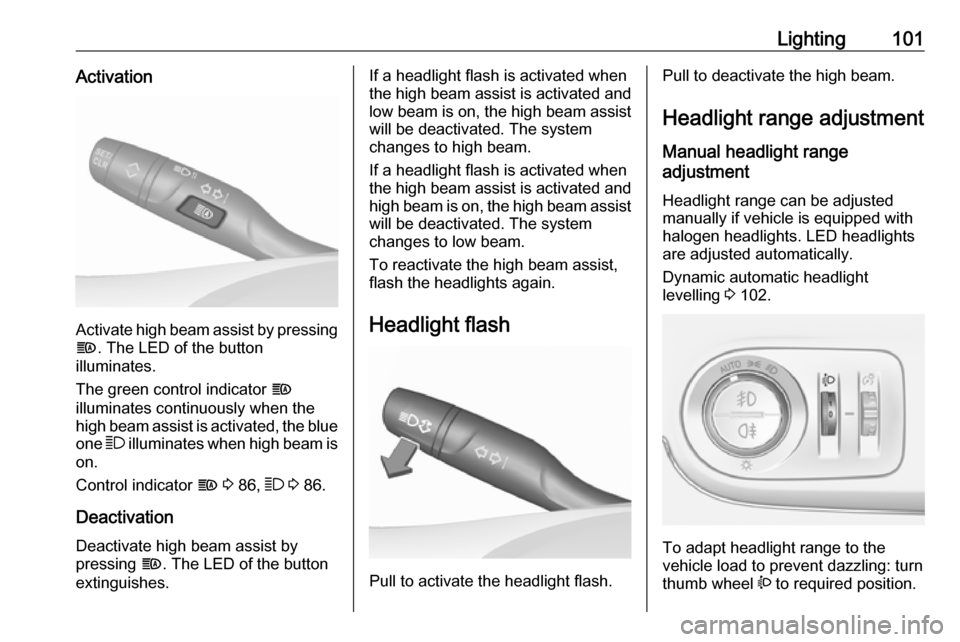
Activate high beam assist by pressingf . The LED of the button
illuminates.
The green control indicator f
illuminates continuously when the
high beam assist is activated, the blue
one 7 illuminates when high beam is
on.
Control indicator f 3 86, 7 3 86.
Deactivation
Deactivate high beam assist by
pressing f. The LED of the button
extinguishes.
If a headlight flash is activated when
the high beam assist is activated and low beam is on, the high beam assist
will be deactivated. The system
changes to high beam.
If a headlight flash is activated when
the high beam assist is activated and high beam is on, the high beam assistwill be deactivated. The system
changes to low beam.
To reactivate the high beam assist,
flash the headlights again.
Headlight flash
Pull to activate the headlight flash.
Pull to deactivate the high beam. Headlight range adjustment
Manual headlight range
adjustment
Headlight range can be adjusted
manually if vehicle is equipped with
halogen headlights. LED headlights
are adjusted automatically.
Dynamic automatic headlight
levelling 3 102.
To adapt headlight range to the
vehicle load to prevent dazzling: turn
thumb wheel ? to required position.