2018 TESLA MODEL S park assist
[x] Cancel search: park assistPage 2 of 195

Overview............................................................. 2
Interior Overview.........................................................................2
Exterior Overview....................................................................... 3
Opening and Closing..................................... 4 Doors............................................................................................... 4Windows.........................................................................................9Rear Trunk.................................................................................... 10 Front Trunk...................................................................................13Glove Box......................................................................................15Sunroof.......................................................................................... 16Cup Holders................................................................................. 17
Seating and Safety Restraints................... 18 Front and Rear Seats............................................................... 18Seat Belts...................................................................................... 21 Child Safety Seats.................................................................... 24
Tesla Built-In Rear Facing Child Seats............................... 31 Airbags......................................................................................... 35
Driving...............................................................39 Driver
Profiles............................................................................ 39
Steering Wheel........................................................................... 41 Mirrors.......................................................................................... 44Starting and Powering
Off.................................................... 45
Gears............................................................................................. 46 Instrument Panel.......................................................................47 Lights.............................................................................................53Wipers and Washers............................................................... 58Brakes........................................................................................... 60Traction Control........................................................................ 63Park Assist.................................................................................. 64 Vehicle Hold............................................................................... 66Acceleration Modes................................................................. 67
Trip Information........................................................................ 69Getting Maximum Range...................................................... 70Rear View Camera.................................................................... 72
Driver Assistance.......................................... 73
About Driver Assistance........................................................ 73
Traffic-Aware Cruise Control............................................... 76
Autosteer..................................................................................... 82 Auto Lane Change................................................................... 85
Autopark...................................................................................... 87 Lane Assist................................................................................... 91Collision Avoidance Assist.................................................... 93Speed Assist............................................................................... 97
Using the Touchscreen............................... 99 Touchscreen Overview........................................................... 99
Controls...................................................................................... 104 Settings.......................................................................................107Climate Controls........................................................................ 111Smart Air Suspension............................................................. 117
Media and Audio...................................................................... 119 Phone...........................................................................................124 Maps and Navigation............................................................. 126Calendar.......................................................................................131Security Settings..................................................................... 132 HomeLink
Page 4 of 195

1.Exterior lights ( Lights on page 53)
2. Door handles ( Using Exterior Door Handles on page 6)
3. Sunroof (optional) ( Sunroof on page 16)
4. Charge port ( Charging Instructions on page 142)
5. Driver Assistance cameras ( About Driver Assistance on page 73)
6. Exterior mirrors ( Mirrors on page 44)
7. Hood/Front trunk ( Front Trunk on page 13)
8. Radar sensor (hidden from view in the above image) ( About Driver Assistance on page 73)
9. Wheels and tires ( Wheels and Tires on page 171)
10. Rear view camera ( Rear View Camera on page 72 and About Driver Assistance on page
73)
11. Rear trunk/liftgate ( Rear Trunk on page 10)
12. Ultrasonic sensors ( Park Assist on page 64 and About Driver Assistance on page 73)
Exterior Overview
Overview3
Page 65 of 195
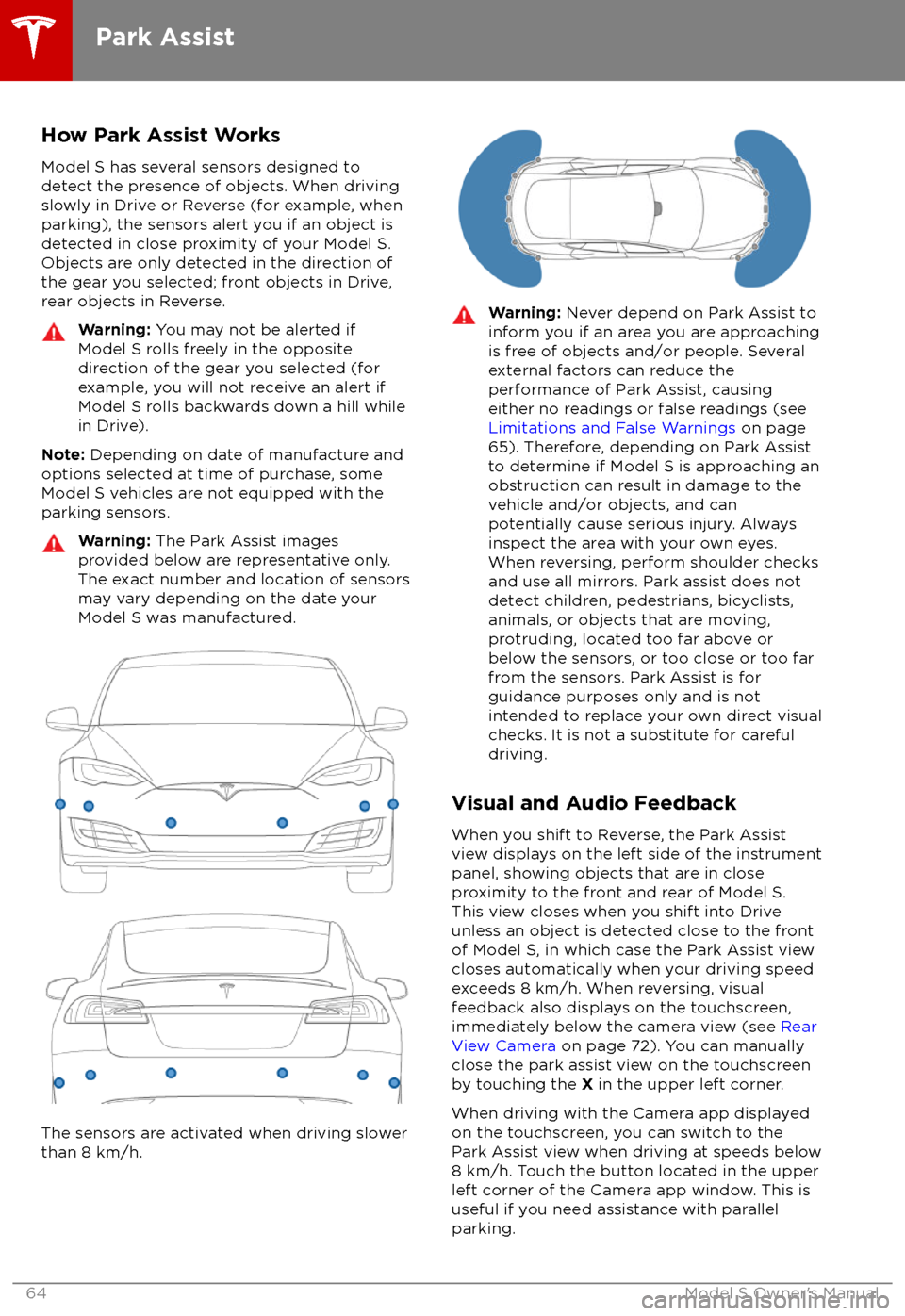
How Park Assist WorksModel S has several sensors designed todetect the presence of objects. When drivingslowly in Drive or Reverse (for example, when
parking), the sensors alert you if an object is detected in close proximity of your Model S.
Objects are only detected in the direction of
the gear you selected; front objects in Drive,
rear objects in Reverse.Warning: You may not be alerted if
Model S rolls freely in the opposite
direction of the gear you selected (for
example, you will not receive an alert if
Model S rolls backwards down a hill while
in Drive).
Note: Depending on date of manufacture and
options selected at time of purchase, some Model S vehicles are not equipped with theparking sensors.
Warning: The Park Assist images
provided below are representative only.
The exact number and location of sensors may vary depending on the date your
Model S was manufactured.
The sensors are activated when driving slower
than 8 km/h.
Warning: Never depend on Park Assist to
inform you if an area you are approaching is free of objects and/or people. Several
external factors can reduce the
performance of Park Assist, causing
either no readings or false readings (see
Limitations and False Warnings on page
65). Therefore, depending on Park Assist
to determine if Model S is approaching an obstruction can result in damage to the
vehicle and/or objects, and can
potentially cause serious injury. Always
inspect the area with your own eyes.
When reversing, perform shoulder checks and use all mirrors. Park assist does not
detect children, pedestrians, bicyclists,
animals, or objects that are moving, protruding, located too far above or
below the sensors, or too close or too far
from the sensors. Park Assist is for
guidance purposes only and is not intended to replace your own direct visual
checks. It is not a substitute for careful
driving.
Visual and Audio Feedback
When you shift to Reverse, the Park Assist
view displays on the left side of the instrument panel, showing objects that are in close
proximity to the front and rear of Model S.
This view closes when you shift into Drive
unless an object is detected close to the front
of Model S, in which case the Park Assist view
closes automatically when your driving speed
exceeds 8 km/h. When reversing, visual
feedback also displays on the touchscreen,
immediately below the camera view (see Rear
View Camera on page 72). You can manually
close the park assist view on the touchscreen
by touching the X in the upper left corner.
When driving with the Camera app displayed on the touchscreen, you can switch to the
Park Assist view when driving at speeds below
8 km/h. Touch the button located in the upper
left corner of the Camera app window. This is
useful if you need assistance with parallel parking.
Park Assist
64Model S Owner
Page 66 of 195
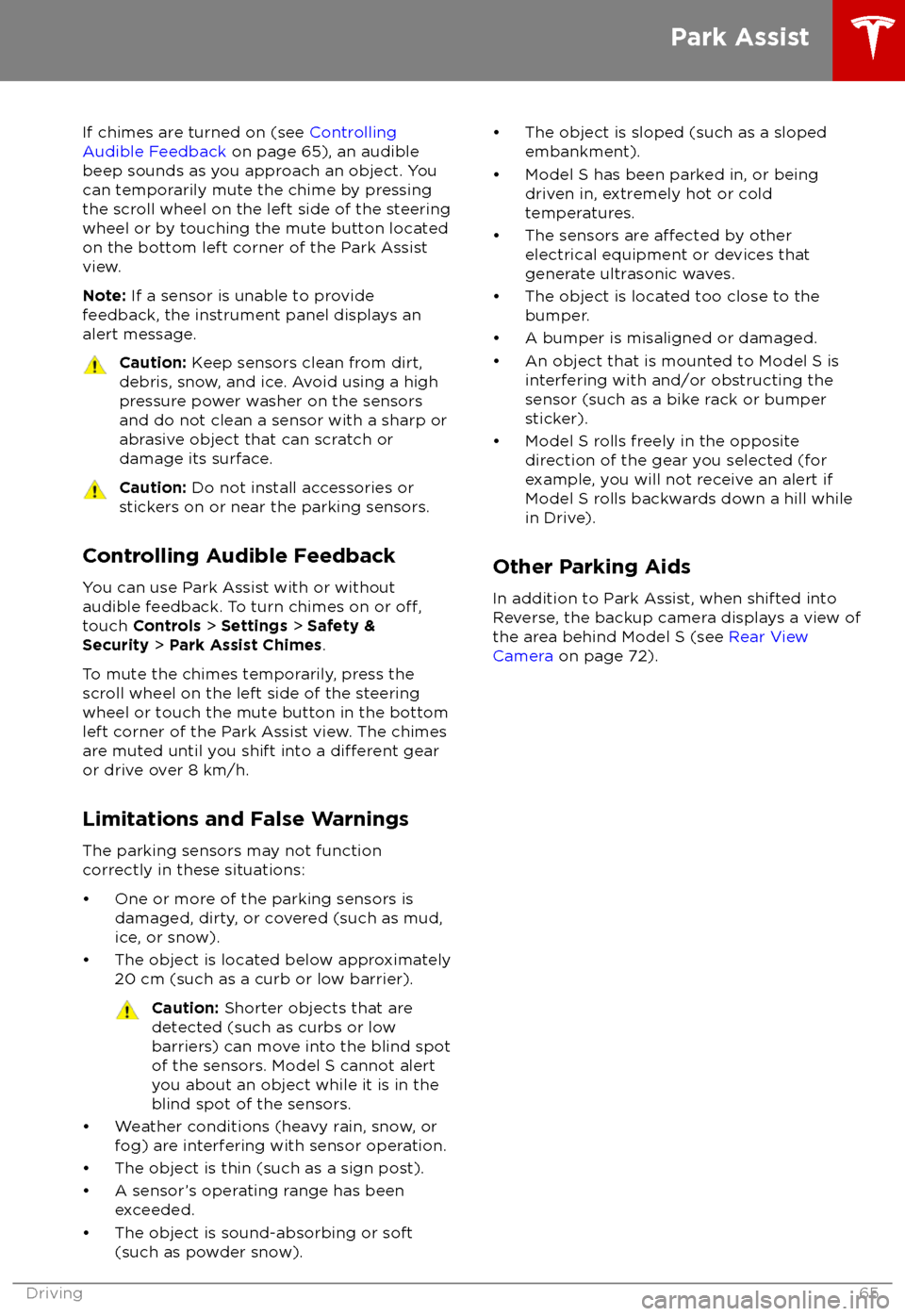
If chimes are turned on (see Controlling
Audible Feedback on page 65), an audible
beep sounds as you approach an object. You
can temporarily mute the chime by pressing
the scroll wheel on the left side of the steering
wheel or by touching the mute button located
on the bottom left corner of the Park Assist
view.
Note: If a sensor is unable to provide
feedback, the instrument panel displays an
alert message.Caution: Keep sensors clean from dirt,
debris, snow, and ice. Avoid using a high
pressure power washer on the sensors
and do not clean a sensor with a sharp or abrasive object that can scratch or
damage its surface.Caution: Do not install accessories or
stickers on or near the parking sensors.
Controlling Audible Feedback
You can use Park Assist with or without
audible feedback. To turn chimes on or
off,touch Controls > Settings > Safety &
Security > Park Assist Chimes .
To mute the chimes temporarily, press the
scroll wheel on the left side of the steering wheel or touch the mute button in the bottom
left corner of the Park Assist view. The chimesare muted until you shift into a
different gear
or drive over 8 km/h.
Limitations and False Warnings
The parking sensors may not function correctly in these situations:
Page 73 of 195
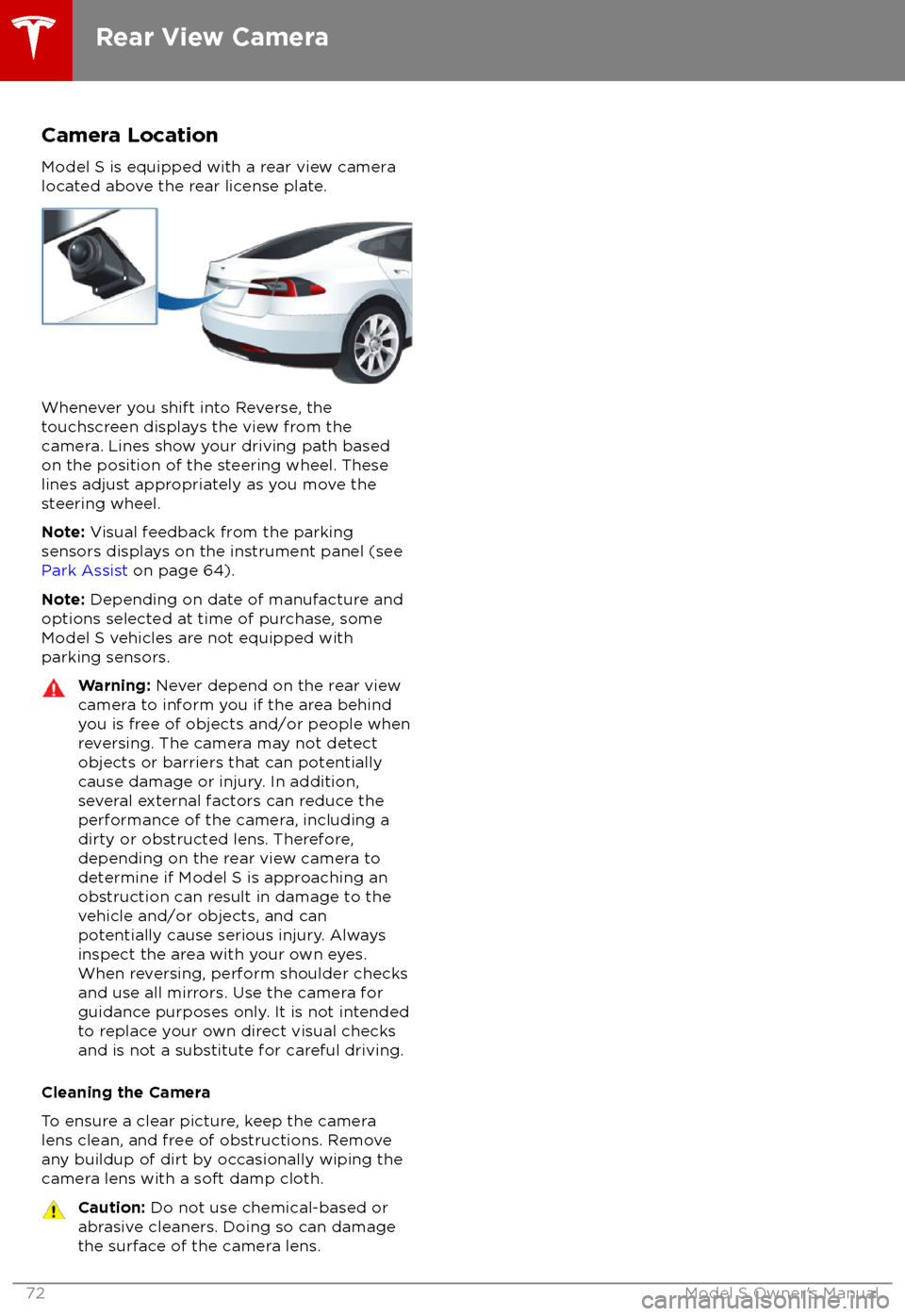
Camera Location
Model S is equipped with a rear view camera
located above the rear license plate.
Whenever you shift into Reverse, the
touchscreen displays the view from the
camera. Lines show your driving path based
on the position of the steering wheel. These
lines adjust appropriately as you move the
steering wheel.
Note: Visual feedback from the parking
sensors displays on the instrument panel (see
Park Assist on page 64).
Note: Depending on date of manufacture and
options selected at time of purchase, some Model S vehicles are not equipped with
parking sensors.
Warning: Never depend on the rear view
camera to inform you if the area behind
you is free of objects and/or people when
reversing. The camera may not detect
objects or barriers that can potentially
cause damage or injury. In addition,
several external factors can reduce the
performance of the camera, including a
dirty or obstructed lens. Therefore,
depending on the rear view camera to
determine if Model S is approaching an
obstruction can result in damage to the vehicle and/or objects, and can
potentially cause serious injury. Always
inspect the area with your own eyes.
When reversing, perform shoulder checks and use all mirrors. Use the camera forguidance purposes only. It is not intendedto replace your own direct visual checks
and is not a substitute for careful driving.
Cleaning the Camera
To ensure a clear picture, keep the camera
lens clean, and free of obstructions. Remove
any buildup of dirt by occasionally wiping the camera lens with a soft damp cloth.
Caution: Do not use chemical-based or
abrasive cleaners. Doing so can damage
the surface of the camera lens.
Rear View Camera
72Model S Owner
Page 88 of 195

If your Model S is equipped with Driver
Assistance components (see About Driver
Assistance on page 73), and you have
purchased the optional Enhanced Autopilot or
Full Self-Driving Capability package, Autopark
uses data from the ultrasonic sensors and GPS
to:
Page 180 of 195

When Transporting Model SAlways transport Model S with all four tires
offthe ground. A flatbed truck or comparable
transport vehicle is recommended. A wheel lift
and dolly can be used only when transporting
Model S for a maximum of 15 miles (25 km), provided the driving speed does not exceed45 mph (70 km/h). When transporting,
whether on a
flatbed truck or using a wheel
lift and dolly, Model S can face either direction.
Do not transport Model S using any other method unless
specified by Tesla. Follow the
steps provided and observe all warnings and
cautions. Damage caused by transporting your
vehicle is not covered by the warranty.
Note: The following illustrations are for
demonstration purposes only.
Warning: Model S is equipped with high
voltage components (see High Voltage
Components on page 138). Before
transporting Model S as a result of an
event (such as a collision) that may have
compromised a high voltage component, it is important to assume that these
components are energized. Always follow
high voltage safety precautions (wearing
personal protective equipment, etc.) until
emergency response professionals have
evaluated the vehicle and can accurately
confirm that all high voltage systems are
no longer energized. Failure to do so may
result in serious injury or death.
Disable Self-Leveling (air
suspension vehicles only)
If Model S is equipped with Smart Air
Suspension, it automatically self-levels, even
when power is
off. To prevent damage, you
must activate Jack mode to disable self- leveling:
1. Touch Controls > Suspension on the
touchscreen.
2. Press the brake pedal, then touch Very
High to maximize height.
3. Touch Jack.
Note:
Jack mode cancels when Model S is
driven over 4 mph (7 km/h).Warning: Failure to activate Jack mode
on a Model S equipped with Smart Air
Suspension can result in the vehicle
becoming loose during transport, which
may cause
significant damage.
Activate Tow Mode
Model S may automatically shift into Park
when it detects the driver leaving the vehicle,
even if it has previously been shifted into
Neutral. To keep Model S in Neutral (which
disengages the parking brake), you must use
the touchscreen to activate Tow mode:
1. Shift into Park.
2. Chock the tires or otherwise ensure
Model S is stable.
3. Press and hold the brake pedal, then on
the touchscreen touch Controls >
Settings > Service & Reset > Tow Mode >
ON .
When Tow mode is active, Model S
displays this indicator light on the
instrument panel, along with a
message telling you that Model S is
free-rolling.
To cancel Tow Mode, shift Model S into Park.
Caution: If the electrical system is not
working, and you therefore cannot release
the electric parking brake, attempt to
jump start the 12V battery. For
instructions, call Tesla Roadside
Assistance. If a situation occurs where
you cannot disengage the parking brake,
use a self-loading dolly or tire skates.
Before doing so, always check the
manufacturer
Page 189 of 195

AABS (Anti-lock Braking System) 60
absolute speed limit 97
Acceleration (dual-motor) 104
Acceleration settings 67
access panel, removing 159accessoriesplugging into power socket 122
adaptive headlights 56
air circulation 112
air conditioning 111
air distribution 112
air
filter 115
air suspension 118
air vents 115
airbag, front passenger, disabling 37
airbags 35
alarm 132
all-season tires 151
always connected, setting 70
anti-lock braking (ABS) 60
audioplaying files 119
steering wheel buttons 41
volume control 119
Auto High Beam 56
Auto Lane Change 85
auto-raising suspension 117
automatic emergency braking 94
Autopark 87
Autopilot components 73
Autosteer 82
average range 70
B backup camera 72
battery (12V)complete discharge 140specifications 170Battery (high voltage)care of 140
coolant 159
specifications 170
temperature limits 140
battery (key), replacing 5
blind spot warning 91
Bluetoothdevices, playing audio files from 122
general information 124
phone, pairing and using 124
body repairs 163
body touch up 156
brake
fluid replacement 147
brakesautomatic in emergencies 94fluid level 160brakes (continued)overview of 60specifications 170
brightness of displays 107
C
Cabin Overheat Protection setting 107
cabin temperature control 111
Calendar app 131
camera (rear view) 72
cameras (autopilot) 73
car cover 156
car status, displaying 41, 42
car washes 154
cargo area 11
cargo volume 168
carpets, cleaning 155
CE
certifications 185
CHAdeMO 139
chains 151
change of ownership 110
charge port 142
charge port light 143
chargingcharge settings 144
components and equipment 138
instructions 142
public charging stations 139
scheduling 144
status of 145
charging locations, finding 127
child protectiondisabling liftgate and rear door handles 7
disabling rear window switches 9child seatscleaning 155
disabling front passenger airbag 37
installing and using 24
Tesla built-in rear facing 31
Chill acceleration 67
cleaning 154
climate controls 111
Climate Timer 114
Cold Weather controls 104
collision avoidance assist 93
console12V power socket 122
cup holders 17
USB ports 122
consumption chart 70
contact informationroadside assistance 177coolantBattery, checking level of 159
Battery, replacement interval 147
copyrights 182
Creep 104
Index
188Model S Owner