2018 SUBARU WRX engine
[x] Cancel search: enginePage 180 of 578

(185,1)
北米Model "A1700BE-B" EDITED: 2017/ 10/ 11
!Screen Settings
After entering the“Screen Settings”menu,
select one of the following menus.
!Welcome Good-bye Screen
The welcome screen/good-bye screens
can be activated or deactivated. Select
“On”to activate the screens. Select“Off”to
deactivate the screens.
!Gauge Initial Movement
The movement of the meter needles and
gauge needles that occurs when the
ignition switch is turned to the“ON”
position can be activated or deactivated.
Select“On”to activate. Select“Off”to
deactivate.
!Gear Position Indicator Setting
(MT models)
Display of the shift position indicator can
be activated or deactivated. Select“On”to
activate display of the shift position in-
dicator or“Off”to deactivate it.
!Languages
Operate the“
”or“
”switch on the
steering wheel to display the preferred
language. Then pull the“/SET”switch to
select the displayed language.!SRH (if equipped)
Select“On”to activate the Steering Re-
sponsive Headlight (SRH). Select“Off”to
deactivate the SRH.
!REV settings (STI)
NOTEIf the setting of the REV Indicator Light
is“Off”, the setting menus of the REV
Alarm Level Engine Speed and the REV
Buzzer are not displayed.
After entering the“REV settings”menu,
select any of the following menus.
!REV Indicator Light
Display of the REV indicator light can be
activated or deactivated. Select“On”to
activate display of the REV indicator light
or“Off”to deactivate it.
!REV Alarm Level Engine Speed
The alarm-level engine speed can be set
(in 100 rpm steps) within the range from
2,000 rpm to the red zone.
!REV Buzzer
The REV buzzer can be activated or
deactivated. Select“On”to activate the
REV buzzer or“Off”to deactivate it.!EyeSight (models with the EyeSight
system)
NOTERefer to the Owner’s Manual supple-
ment for the EyeSight system.
!BSD/RCTA (if equipped)
After entering the“BSD/RCTA”menu,
select the“Warning Volume”menu. You
can set the volume of the warning buzzer
for RCTA (Rear Cross Traffic Alert). You
can select“Max”,“Mid”,“Min”or“Off”.
!RAB (models with the EyeSight
system)
After entering the“RAB”menu, select one
of the following menus.NOTEFor details about the Reverse Auto-
matic Braking system, refer to“Re-
verse Automatic Braking System”F7-
66.
!Warning Volume
The volume of the warning sound that is
activated when the Reverse Automatic
Braking system is in operation can be set
in 3 stages (“Max”,“Mid”and“Min”).
–CONTINUED–
Instruments and controls/Combination meter display (color LCD)
3-43
3
Page 182 of 578

(187,1)
北米Model "A1700BE-B" EDITED: 2017/ 10/ 11
market and vehicle specifications.Multi-function display
1) Clock
2) Climate control (displayed only when the
ignition switch is in the“ON”position)
3) Outside temperature
4) Information screen
NOTEThe outside temperature indicator
shows the temperature around the
sensor. Therefore, the temperature in-
dication may differ from the actual
outside air temperature.&Welcome screenWhen the driver’s door is closed, the
welcome screen will appear for a short
time.NOTE.The welcome screen will disappear
when the ignition switch is turned to the
“ON”position while the welcome
screen is displayed.
.You can set the welcome screen to
on or off. For details, refer to“Bypass
screen setting”F3-58.
.For a certain period of time after the
welcome screen has once appeared, it
may not appear again even when the
driver’s door is closed again. This does
not indicate a malfunction.
&Self-check screenWhen the ignition switch is turned to the
“ON”position, the vehicle self-check will
be performed. The screens corresponding
to the following items will appear one after
another for several seconds each.1) Inspection and maintenance: Checks the
interval of inspection and maintenance.
2) Engine oil: Checks the interval of engine
oil replacement.
3) Oil filter: Checks the interval of oil filter
replacement.
4) Tires: Checks the interval of tire rotation.When the checks are performed, the color
of the icon corresponding to the checked
item will turn as follows:
.If the checked item has no notifications,
it turns green.
.If the checked item has any mainte-
–CONTINUED–
Instruments and controls/Multi-function display (color LCD)
3-45
3
Page 186 of 578

(191,1)
北米Model "A1700BE-B" EDITED: 2017/ 10/ 11
!Triple meter screenTriple meter screen (display example)From the following pieces of information,
you can select up to three items to be
displayed.
Item Details
Engine oil temperature (except
STI)Average vehicle speedAccelerator opening ratioItem Details
Vehicle postureAverage fuel consumption cor-
responding to the driving dis-
tance of the odometerBoost pressureJourney distance (the distance
that has been driven since the
ignition switch was turned to
the“ON”position)Average fuel consumption for
the entire driving distance from
when the ignition switch was
turned to the“ON”position
!Prevention safety screen1) Telltale screen
2) Steering angle
3) Vehicle posture
4) Running conditionFor functions that are operating, the
corresponding indicator will illuminate or
flash.NOTEThe vehicle posture indication may
differ from the actual vehicle posture.
–CONTINUED–
Instruments and controls/Multi-function display (color LCD)
3-49
3
Page 190 of 578

(195,1)
北米Model "A1700BE-B" EDITED: 2017/ 10/ 11
Top menu Menu option Description Page
Mainte-
nanceMaintenance Schedule Set and adjust the vehicle maintenance notification date. 3-59
Engine Oil Set and adjust the oil maintenance notification date. 3-59
Oil Filter Set and adjust the oil filter maintenance notification date. 3-59
Tires Set and adjust the tire maintenance notification date. 3-59
On/OffTurn on or off the self-check screen that is activated
when the ignition switch is turned to the“ON”position.On or Off 3-59
Clear All Settings Clear all items to the factory default settings. Yes or No 3-60
Go Back Return to the top menu.—
Driving
HistorySet Register and overwrite the driving record. 3-60
Go Back Return to the top menu.—
–CONTINUED–
Instruments and controls/Multi-function display (color LCD)
3-53
3
Page 196 of 578

(201,1)
北米Model "A1700BE-B" EDITED: 2017/ 10/ 11
!Maintenance settings
You can set maintenance reminders.
!Engine oil setting
1. Select“Engine Oil”from the 2nd menu
in the setting screen. Refer to“Setting
screen”F3-52.2. Set the date and distance of the
reminder by using the control switches.
3. Select“Set”to exit settings. Select“Go
Back”to return to the previous screen
without applying the setting changes.
NOTE.The reminder will be displayed by
either date or distance in accordance
with the setting.
.Even when either“Day”or“Dis-
tance”are displayed as“__”a pop-up
screen will appear.
.The reminder will be displayed until
either of the following conditions is
satisfied.
–The period of time passed after
the registered notification date is 15
days or more.
–The total distance driven after the
registered notification distance is
approximately 311 miles (500 km) or
more.
!Oil filter setting
The setting procedure is the same as
“Engine oil setting”F3-59, but select the
“Oil Filter”item in step 1.
!Tires setting
The setting procedure is the same as
“Engine oil setting”F3-59, but select the
“Tires”item in step 1.
!Maintenance schedule setting
The setting procedure is the same as
“Engine oil setting”F3-59, but select the
“Maintenance Schedule”item in step 1.!On/Off setting
1. Select“On/Off”from the 2nd menu on
the setting screen. Refer to“Setting
screen”F3-52.
2. Select“On”or“Off”to turn the opening
screen on or off by using the control
switches.
3. Select“Set”to exit settings. Select“Go
Back”to return to the previous screen
without applying the setting changes.
–CONTINUED–
Instruments and controls/Multi-function display (color LCD)
3-59
3
Page 200 of 578

(205,1)
北米Model "A1700BE-B" EDITED: 2017/ 10/ 11
2. Select“Set”to exit settings. Select“Go
Back”to return to the previous screen
without resetting.&How to get the source code
using the open sourceFree/Open Source Software Information
This product contains Free/Open Source
Software (FOSS).
The license information and/or the source
code of such FOSS can be found at the
following URL.
http://www.globaldenso.com/en/open-
source/ivi/subaru/
Light control switch
CAUTION
.Use of any lights for a long period
of time while the engine is not
running can cause the battery to
discharge.
.Before leaving the vehicle, make
sure that the lights are turned off.
If the vehicle is left unattended
for a long time with the lights
illuminated, the battery may be
discharged.
Models with“keyless access with
push-button start system”:
The light control switch operates when the
push-button ignition switch is in the“ACC”
or“ON”position.
Regardless of the position of the light
control switch, the illuminated lights are
turned off when the push-button ignition
switch is turned off.
Models without“keyless access with
push-button start system”:
The light control switch operates when the
key is inserted in the ignition switch.
Regardless of the position of the light
control switch, the illuminated lights areturned off when the key is removed from
the ignition switch.
NOTEThe light control switch can be oper-
ated (except auto on/off headlights),
even under the following conditions.
.when the push-button ignition
switch is turned off (models with“key-
less access with push-button start
system”)
.when the key is not inserted into the
ignition switch (models without“key-
less access with push-button start
system”)
When opening the driver’s door with
the headlights illuminated under such
conditions, the chirp sound will inform
the driver that the lights are illuminated.
–CONTINUED–
Instruments and controls/Light control switch
3-63
3
Page 204 of 578

(209,1)
北米Model "A1700BE-B" EDITED: 2017/ 10/ 11
NOTE.You cannot lower the sensitivity of
the high beam assist function in the
following conditions.
–Cruise control or Adaptive Cruise
Control is in operation
–The EyeSight warning indicator
(yellow) is illuminated
.The sensitivity of the high beam
assist function returns to normal level
the next time the ignition switch is
turned to the“LOCK”/“OFF”position
and the engine is restarted.
!How to change the headlight
mode manually
Change to the low beam:
Return the turn signal lever to the center
position to turn off the high beam assist
function. Then the high beam assist
indicator will turn off.
Change to the high beam:
Turn the light control switch to the“
”
position to change the headlight mode to
the high beam.
At this time, the high beam assist function
will turn off, the high beam assist indicator
will turn off and the high beam indicator
light will turn on.
NOTEAfter manually selecting the high beam
mode:
.If you want to turn on the high beam
assist function, return the light control
switch to the“AUTO”position.
.Turn the light control switch to the
“
”position to turn on the instrument
panel illumination, parking lights, front
side marker lights, rear side marker
lights, tail lights and license plate
lights.
!Tips for the high beam assist
function
.The high beam assist function recog-
nizes the condition surrounding the vehicle
based on the brightness of illumination
ahead of your vehicle, etc. Therefore, the
headlight mode may switch in some
situations that do not match to the driver’s
sense.
.A bicycle or cargo cycle may not be
detected.
.Under the following situations, the high
beam assist function may not work prop-
erly. As a result, the glare of the high beam
may disturb the oncoming vehicle or
vehicle ahead. Also, the low beam mode
may continue although there are no
oncoming vehicles and vehicles ahead.In the such cases, change the headlight
mode manually.
–In bad weather (fog, snow, sand
storm, heavy rain, etc.)
–When the windshield glass is dirty,
fogged, cracked or damaged
–Whenthestereocameraisde-
formed or the stereo camera lenses
are dirty
–If there are lights similar to the
headlights or the tail lights in the
surrounding area
–When an oncoming vehicle or ve-
hicle ahead is driven without its head-
lights and tail lights on
–If the headlights of an oncoming
vehicle or the tail lights of a vehicle
ahead are dirty or discolored, or if the
light beams are not aimed correctly
–When a rapid change of brightness
continues while driving
–When driving on a road with many
ups and downs, uneven surfaces or
curves
–When there are some objects that
reflect light strongly, such as a road
sign or a mirror in vehicle ahead
–When the rear part of the vehicle
ahead, such as a container, reflects
light strongly
–When the headlights of your vehicle
are damaged or dirty
–CONTINUED–
Instruments and controls/Light control switch
3-67
3
Page 205 of 578
(210,1)
北米Model "A1700BE-B" EDITED: 2017/ 10/ 11
–When your vehicle is tilted, such as
in case the vehicle has a flat tire or is
being towed
–Immediately after the engine has
started
.In the following conditions, the head-
light mode will not be automatically chan-
ged from the high beam to the low beam.
–When your vehicle passes an on-
coming vehicle suddenly in a blind
curve
–When another vehicle passes in
front of your vehicle
–When an oncoming vehicle or ve-
hicle ahead comes in and out of view
because of continuous curves, median
strips, roadside trees, etc.
.If the stereo camera detects the light of
the front fog lights of an oncoming vehicle,
the headlight mode may change from the
high beam to the low beam automatically.
.The headlight mode may change from
the high beam to the low beam, or the low
beam mode may continue, when affected
by a street light, traffic signal, illumination
of an advertisement board, or a reflective
object such as a road sign and signboard.
.The timing of the change of headlight
mode may differ due to the following
factors.
–the vehicle condition (e.g., the num-
ber of passengers or the weight ofloaded cargo)
–surrounding situation (e.g., the
movement and direction of an oncom-
ing vehicle or vehicle ahead)
–detection limitations of the camera
angle
&Headlight flasher
CAUTION
Do not hold the lever in the flashing
position for more than just a few
seconds.
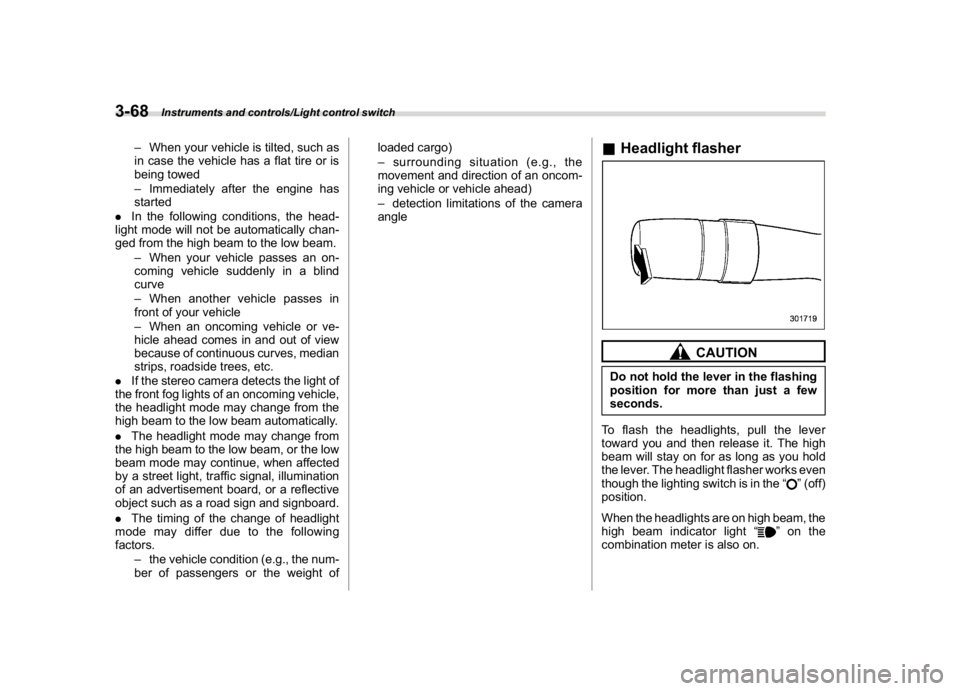
To flash the headlights, pull the lever
toward you and then release it. The high
beam will stay on for as long as you hold
the lever. The headlight flasher works even
though the lighting switch is in the“
”(off)
position.
When the headlights are on high beam, the
high beam indicator light“
”on the
combination meter is also on.
Instruments and controls/Light control switch
3-68