Page 109 of 416
107
Do not attach anything to the cabin fixing
structure.
Do not exceed the number of passengers
indicated on the registration certificate.
In the rear, the loading area is intended
for carrying goods only.
You are advised to place the heavy goods
or objects as far for wards as possible in
the loading area (towards the cab) and
secure them by means of straps using the
stowing rings on the floor.
The rear seat belt fittings are not designed
to secure the load.
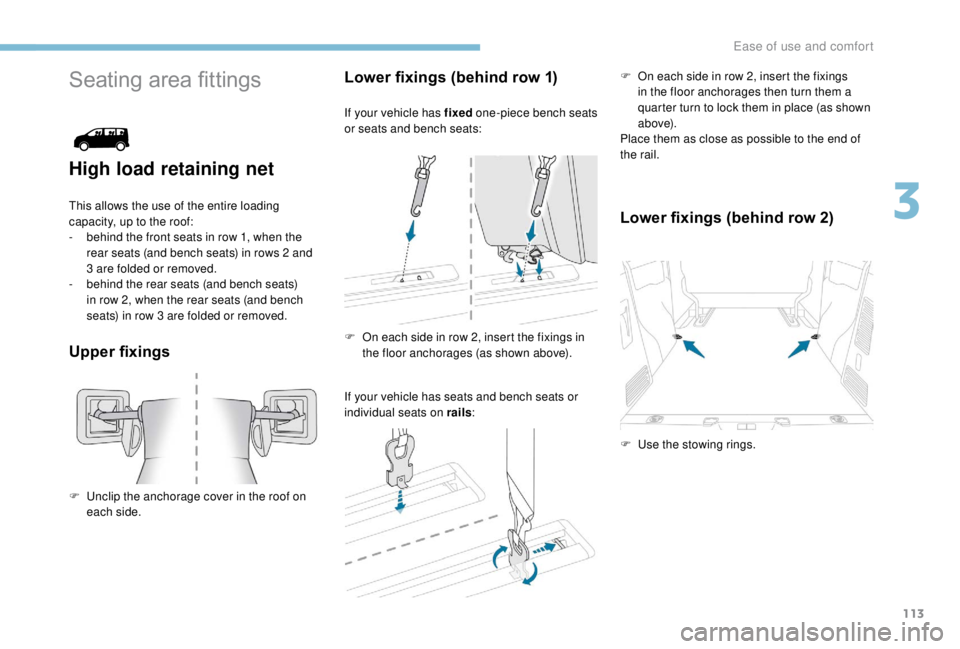
The wells can be disassembled* and removed*
from the back to stow bulky objects underneath
the bench seat.
*
D
epending on the country of sale.
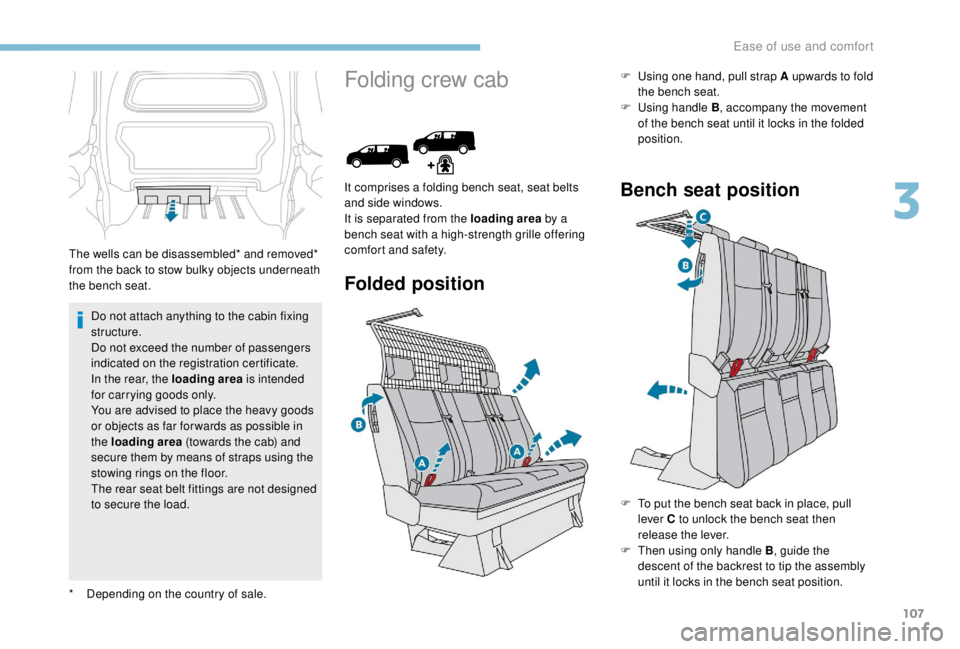
Folding crew cab
Folded position
It comprises a folding bench seat, seat belts
and side windows.
It is separated from the loading area by a
bench seat with a high-strength grille offering
comfort and safety. F
Us
ing one hand, pull strap A upwards to fold
the bench seat.
F
Us
ing handle B
, accompany the movement
of the bench seat until it locks in the folded
position.Bench seat position
F To put the bench seat back in place, pull lever C to unlock the bench seat then
release the lever.
F
T
hen using only handle B , guide the
descent of the backrest to tip the assembly
until it locks in the bench seat position.
3
Ease of use and comfort
Page 110 of 416
108
Do not attach anything to the cab fixing
structure.
Do not exceed the number of passengers
indicated on the registration certificate.
In the rear, the load space is intended for
carrying goods only.
You are advised to place heavy goods or
objects as far for wards as possible in the
load space (towards the cab) and secure
them by means of straps using the stowing
rings on the floor.
The rear seat belt fittings are not designed
to secure the load.
Interior fittings
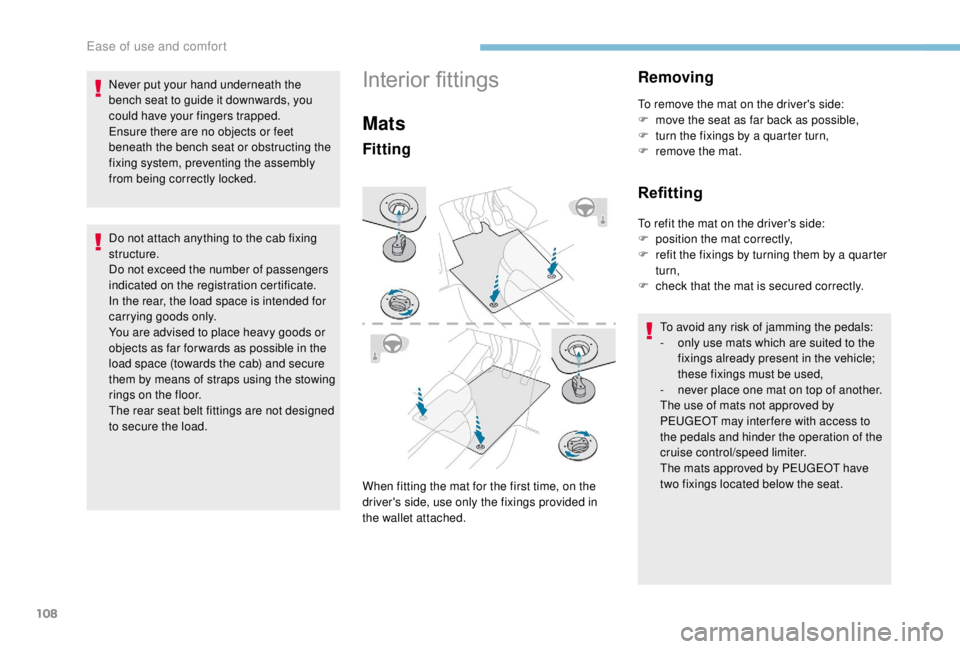
Mats
Fitting
When fitting the mat for the first time, on the
driver's side, use only the fixings provided in
the wallet attached.
Removing
To remove the mat on the driver's side:
F m ove the seat as far back as possible,
F
t
urn the fixings by a quarter turn,
F
r
emove the mat.
Refitting
To refit the mat on the driver's side:
F p osition the mat correctly,
F
r
efit the fixings by turning them by a quarter
turn,
F
c
heck that the mat is secured correctly.
To avoid any risk of jamming the pedals:
-
o
nly use mats which are suited to the
fixings already present in the vehicle;
these fixings must be used,
-
n
ever place one mat on top of another.
The use of mats not approved by
PEUGEOT may inter fere with access to
the pedals and hinder the operation of the
cruise control/speed limiter.
The mats approved by PEUGEOT have
two fixings located below the seat.
Never put your hand underneath the
bench seat to guide it downwards, you
could have your fingers trapped.
Ensure there are no objects or feet
beneath the bench seat or obstructing the
fixing system, preventing the assembly
from being correctly locked.
Ease of use and comfort
Page 115 of 416
113
Seating area fittings
High load retaining net
This allows the use of the entire loading
capacity, up to the roof:
-
b
ehind the front seats in row 1, when the
rear seats (and bench seats) in rows 2
and
3
are folded or removed.
-
b
ehind the rear seats (and bench seats)
in row 2, when the rear seats (and bench
seats) in row 3
are folded or removed.
Upper fixings Lower fixings (behind row 1)
If your vehicle has fixed
one-piece bench seats
or seats and bench seats:
If your vehicle has seats and bench seats or
individual seats on rails : F
O
n each side in row 2, insert the fixings
in the floor anchorages then turn them a
quarter turn to lock them in place (as shown
a b ove).
Place them as close as possible to the end of
the rail.
Lower fixings (behind row 2)
F Unclip the anchorage cover in the roof on each side. F
O
n each side in row 2, insert the fixings in
the floor anchorages (as shown above).
F
U
se the stowing rings.
3
Ease of use and comfort
Page 116 of 416
114
Fitting the net
Unclip the upper fixing covers and secure the
lower fixings (as previously described).
F
F
old (table position) or remove the seats
and bench seats in rows 2
and 3 (depending
on equipment).
F
C
lose the rear heating and air conditioning
vents (depending on equipment).
F
U
nroll the high load retaining net.
F
P
osition the upper net fixings in the
corresponding anchorages in the roof (first
one side, then the other).
F
F
ully extend the straps.
F
O
n each side, attach the bottom fixings of
the net to the lower anchorages (behind
row 1) or in the stowing rings (behind row 2).
F
T
ension the straps to extend the net.
F
C
heck that the net is attached securely and
properly extended.
Never use the ISOFIX ring for the strap
fixing point of a child seat with Top Tether.
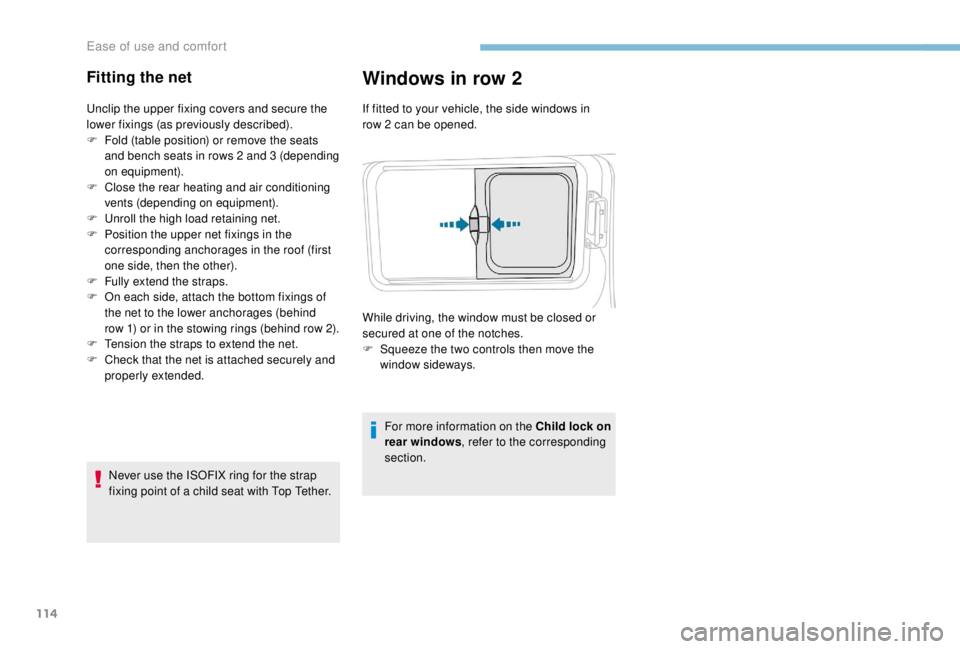
Windows in row 2
If fitted to your vehicle, the side windows in
row 2 can be opened.
For more information on the Child lock on
rear windows , refer to the corresponding
section.
While driving, the window must be closed or
secured at one of the notches.
F
S
queeze the two controls then move the
window sideways.
Ease of use and comfort
Page 128 of 416
126
Using these two clocks and according to
season you can, for example, select one
or the other start time.
A message in the screen confirms your
choice.
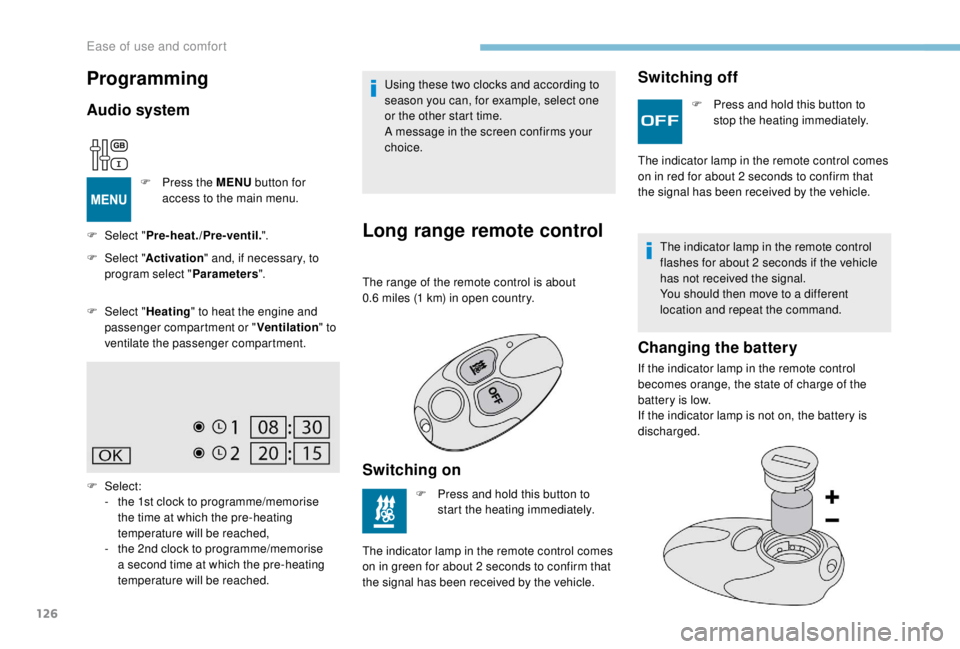
Long range remote control
The range of the remote control is about
0.6 miles (1 km) in open country.
Switching on
F Press and hold this button to start the heating immediately.
The indicator lamp in the remote control comes
on in green for about 2
seconds to confirm that
the signal has been received by the vehicle.
Switching off
F Press and hold this button to stop the heating immediately.
The indicator lamp in the remote control comes
on in red for about 2
seconds to confirm that
the signal has been received by the vehicle.
The indicator lamp in the remote control
flashes for about 2
seconds if the vehicle
has not received the signal.
You should then move to a different
location and repeat the command.
Changing the battery
If the indicator lamp in the remote control
becomes orange, the state of charge of the
battery is low.
If the indicator lamp is not on, the battery is
discharged.
Programming
Audio system
F Press the MENU button for
access to the main menu.
F
Sel
ect " Pre-heat./Pre-ventil. ".
F
Sel
ect " Activation " and, if necessary, to
program select " Parameters".
F
Sel
ect " Heating " to heat the engine and
passenger compartment or " Ventilation" to
ventilate the passenger compartment.
F
Select:
-
t
he 1st clock to programme/memorise
the time at which the pre-heating
temperature will be reached,
-
t
he 2nd clock to programme/memorise
a second time at which the pre-heating
temperature will be reached.
Ease of use and comfort
Page 130 of 416
128
Automatic operation
The front courtesy lamp comes on when the
key is removed from the ignition switch.
All of the courtesy lamps come on when
the vehicle is unlocked, when one of the
corresponding doors is opened and for location
of the vehicle using the remote control.
They go off gradually after the ignition is
switched on and when the vehicle is locked.Permanently on, ignition on.Lights up when one of the front
or rear doors is opened.
Permanently off.
Take care not to put anything in contact
with the courtesy lamps.
Courtesy lamps
Front
Rear
Courtesy lamp(s)
Front
Rear
Ease of use and comfort
Page 131 of 416
129
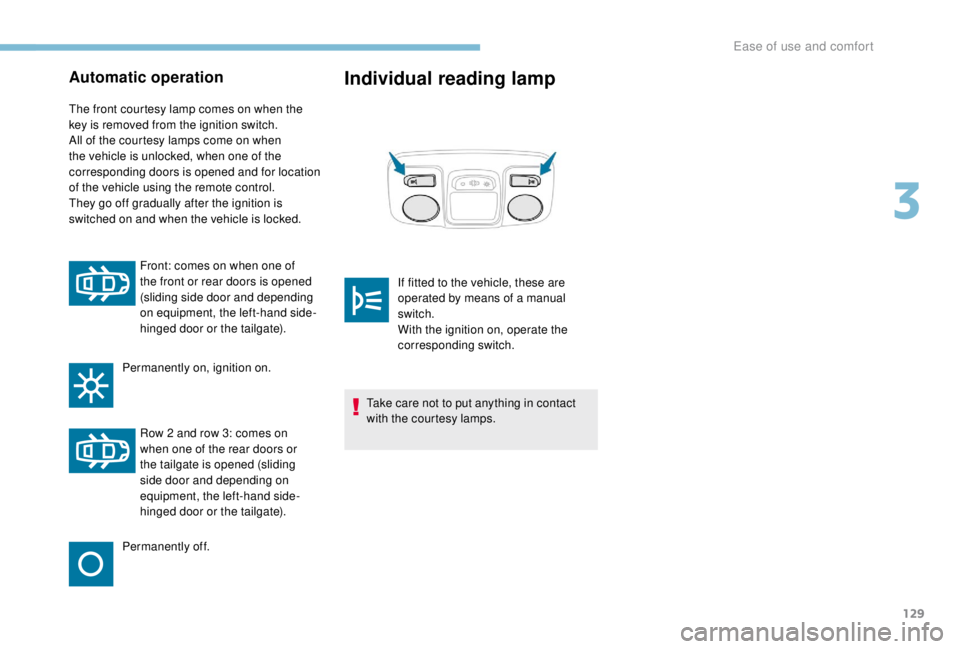
Automatic operation
The front courtesy lamp comes on when the
key is removed from the ignition switch.
All of the courtesy lamps come on when
the vehicle is unlocked, when one of the
corresponding doors is opened and for location
of the vehicle using the remote control.
They go off gradually after the ignition is
switched on and when the vehicle is locked.Front: comes on when one of
the front or rear doors is opened
(sliding side door and depending
on equipment, the left-hand side-
hinged door or the tailgate).
Permanently on, ignition on.
Row 2
and row 3: comes on
when one of the rear doors or
the tailgate is opened (sliding
side door and depending on
equipment, the left-hand side-
hinged door or the tailgate).
Permanently off.
Individual reading lamp
Take care not to put anything in contact
with the courtesy lamps. If fitted to the vehicle, these are
operated by means of a manual
switch.
With the ignition on, operate the
corresponding switch.
3
Ease of use and comfort
Page 136 of 416
134
Programming
The activation, deactivation and selection of
the duration of the guide-me-home lighting can
be configured.
With audio system
In the "Personalisation-
configuration " menu, activate/
deactivate " Guide-me-home
lighting ".
With touch screen
In the "Driving/Vehicle " menu,
activate/deactivate " Guide-me-
home lighting ".
Exterior welcome lighting
The remote control operation of the lighting
makes your approach to the vehicle easier
in poor light. It is activated when the lighting
control is in the " AUTO" position and the level
of light detected by the sunshine sensor is low.
Switching on
Press the open padlock on the
remote control or one of the front
door handles with the Keyless Entry
and Starting system.
The dipped beam headlamps and the
sidelamps come on; your vehicle is also
unlocked.
Switching off
The exterior welcome lighting switches off
automatically after a set time, when the ignition
is switched on or on locking the vehicle.
Programming
The activation, deactivation and selection of
the of the welcome lighting duration can be
configured.
With audio system
In the " Personalisation-
configuration " menu, activate/
deactivate " Welcome lighting ".
With touch screen
In the "Driving/Vehicle " menu,
activate/deactivate " Welcome
lighting ".
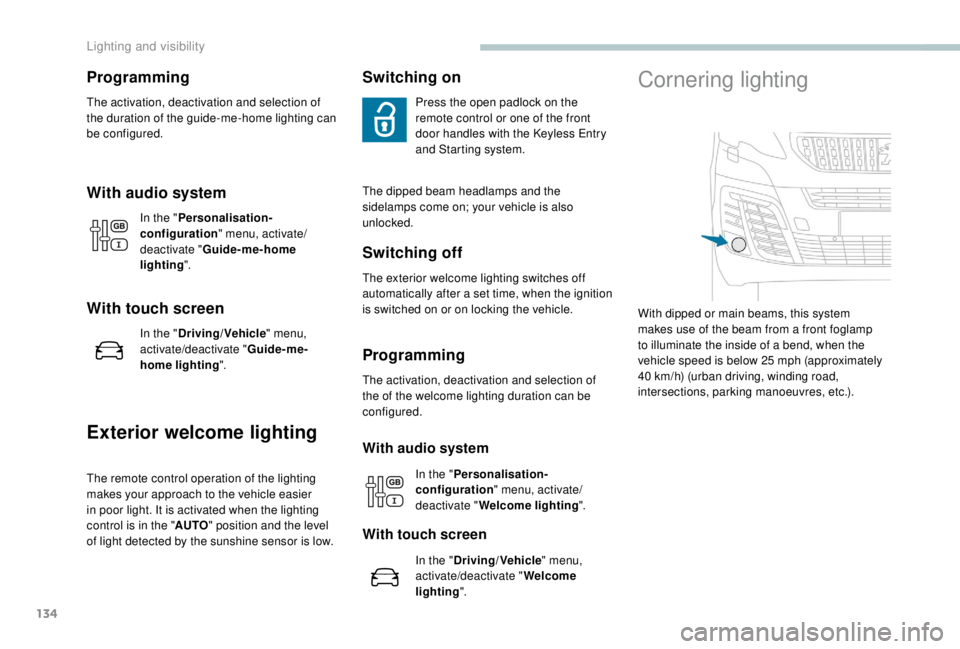
Cornering lighting
With dipped or main beams, this system
makes use of the beam from a front foglamp
to illuminate the inside of a bend, when the
vehicle speed is below 25
mph (approximately
40
km/h) (urban driving, winding road,
intersections, parking manoeuvres, etc.).
Lighting and visibility