2018 PEUGEOT EXPERT brake
[x] Cancel search: brakePage 217 of 416
215
Pause
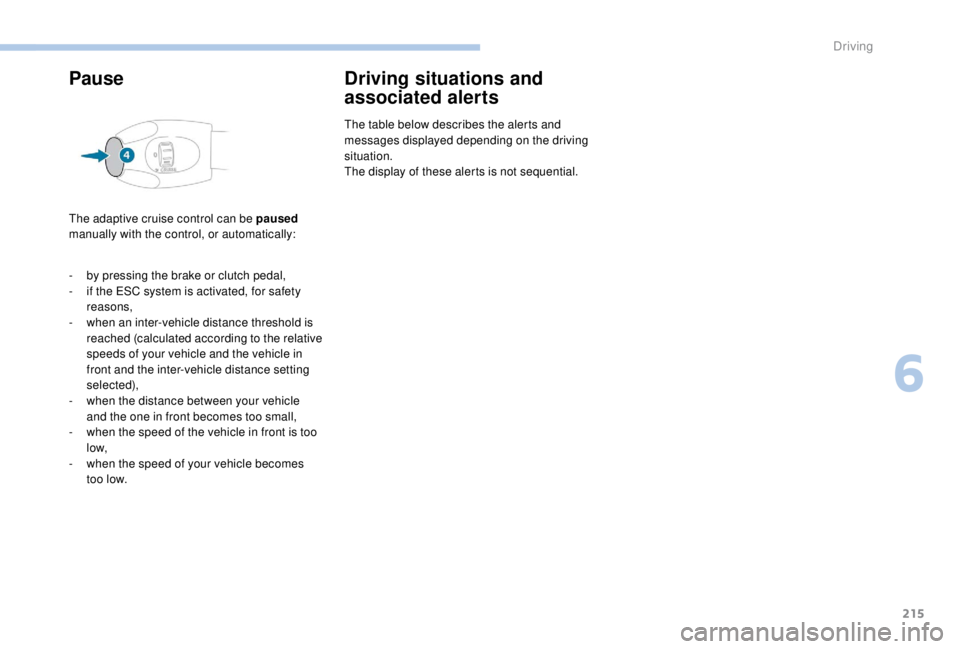
The adaptive cruise control can be paused
manually with the control, or automatically:
Driving situations and
associated alerts
The table below describes the alerts and
messages displayed depending on the driving
situation.
The display of these alerts is not sequential.
-
b
y pressing the brake or clutch pedal,
-
i
f the ESC system is activated, for safety
reasons,
-
w
hen an inter-vehicle distance threshold is
reached (calculated according to the relative
speeds of your vehicle and the vehicle in
front and the inter-vehicle distance setting
selected),
-
w
hen the distance between your vehicle
and the one in front becomes too small,
-
w
hen the speed of the vehicle in front is too
low,
-
w
hen the speed of your vehicle becomes
too low.
6
Driving
Page 219 of 416
217
When the adaptive cruise control pauses
automatically, it can only be reactivated
when all of the safety conditions are met.
The message "Activation not possible,
conditions unsuitable" is displayed while
reactivation is not possible.
When the conditions allow, it is
recommended that the function be
reactivated by pressing button 2 ( S E T+)
or 3
(SET-), which will make the current
speed of your vehicle the new cruise
speed setting, rather than by pressing
button 4
(on/pause) which reactivates the
cruise control using the old cruise speed
setting, which may be very different from
the current speed of your vehicle.
Operating limits
The regulation range is limited to a
maximum difference of 20 mph (30 km/h)
between the cruise speed setting and the
speed of the vehicle in front.
Above this, the system goes into pause if the
safe distance becomes too small. -
i
f the vehicle in front slows down too much
or too suddenly, and the driver does not
brake,
-
i
f a vehicle comes between your vehicle and
the vehicle in front,
-
i
f the system does not slow the vehicle
enough to continue to maintain a safe
distance, for example when descending a
steep hill.
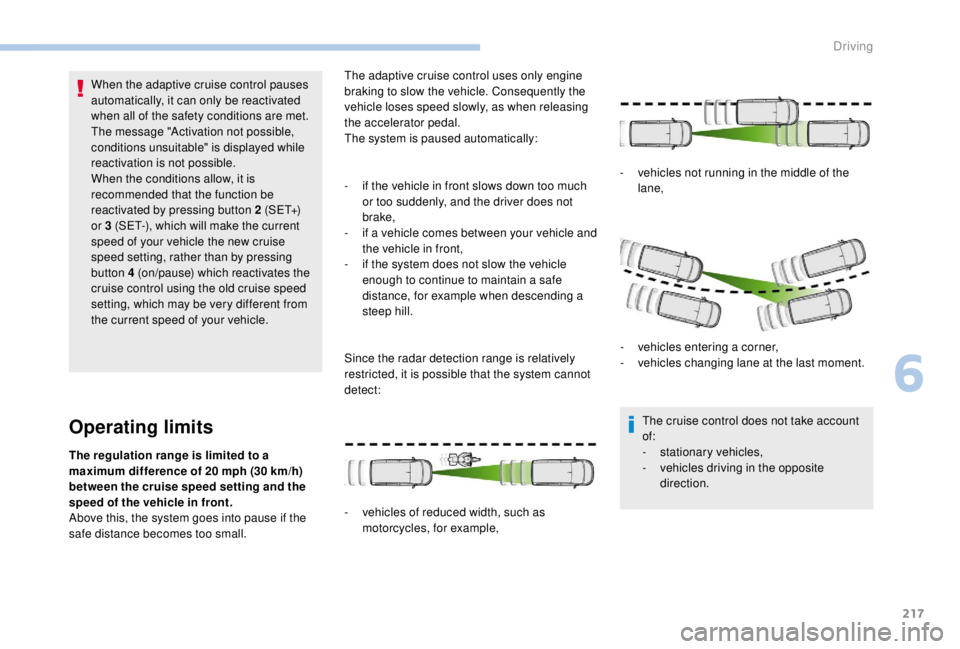
Since the radar detection range is relatively
restricted, it is possible that the system cannot
detect:
-
v
ehicles of reduced width, such as
motorcycles, for example, -
v
ehicles not running in the middle of the
lane,
-
v
ehicles entering a corner,
-
v
ehicles changing lane at the last moment.
The cruise control does not take account
of:
- s tationary vehicles,
- v ehicles driving in the opposite
direction.
The adaptive cruise control uses only engine
braking to slow the vehicle. Consequently the
vehicle loses speed slowly, as when releasing
the accelerator pedal.
The system is paused automatically:
6
Driving
Page 220 of 416
218
The system does not act on the braking
system, but works only with engine
braking.
The regulation range is limited: there will
no longer be any adjustment of speed if
the difference between the programmed
speed setting and the speed of the vehicle
in front becomes too high.
If the difference between the programmed
speed setting and the speed of the
vehicle in front is too great, the speed
cannot be adjusted: the cruise control is
automatically deactivated.
Collision Risk Alert and
Active Safety BrakeConditions for operation
The Collision Risk Alert system only
operates:
-
w
ith a vehicle pointing in the same direction,
moving or stationary,
-
w
ith pedestrians,
-
a
bove 4 mph (7 km/h) (and deactivates at
3
mph (5 km/h)).
The Active Safety Brake system only
operates:
-
b
etween 3 and 87 mph (5 and 140 km/h), in
the case of a moving vehicle,
-
a
t a speed below 50 mph (80 km/h), in the
case of a stationary vehicle,
-
a
t a speed below 37 mph (60 km/h), in the
case of a pedestrian,
-
i
f the passenger seat belts are fastened,
-
i
f the vehicle is not accelerating sharply,
-
i
f the vehicle is not in a tight corner.
The Active Safety Brake system does not
operate:
-
i
f the front bumper is damaged,
-
i
f the system has been triggered in the last
10
seconds,
-
i
f the electronic stability control system has
a fault.
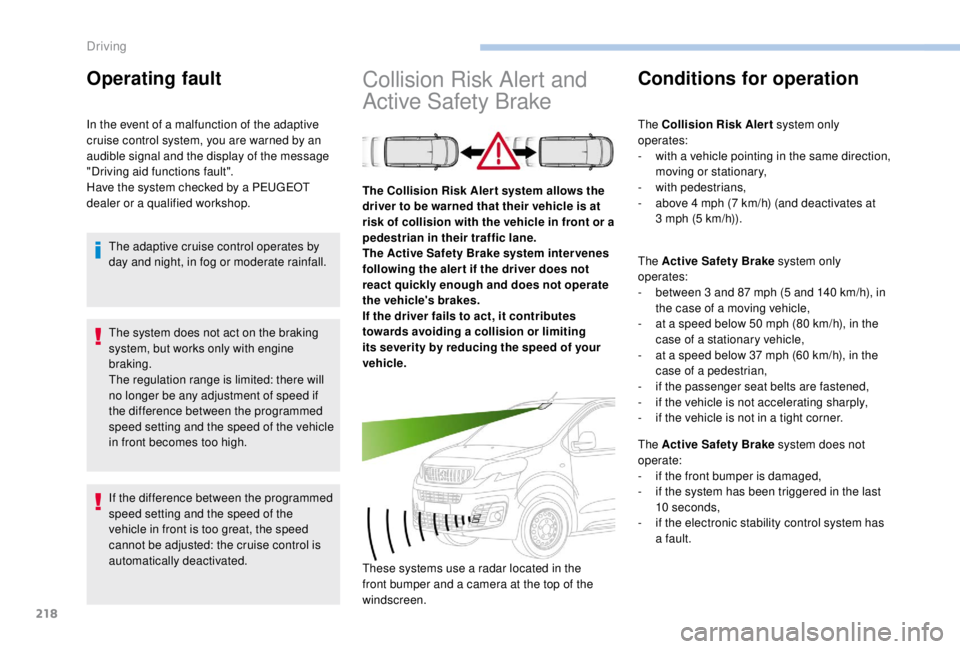
The Collision Risk Aler t system allows the
driver to be warned that their vehicle is at
risk of collision with the vehicle in front or a
pedestrian in their traffic lane.
The Active Safety Brake system inter venes
following the aler t if the driver does not
react quickly enough and does not operate
the vehicle's brakes.
If the driver fails to act, it contributes
towards avoiding a collision or limiting
its severity by reducing the speed of your
vehicle.
These systems use a radar located in the
front bumper and a camera at the top of the
windscreen.
Operating fault
In the event of a malfunction of the adaptive
cruise control system, you are warned by an
audible signal and the display of the message
"Driving aid functions fault".
Have the system checked by a PEUGEOT
dealer or a qualified workshop.
The adaptive cruise control operates by
day and night, in fog or moderate rainfall.
Driving
Page 221 of 416
219
After an impact, the function automatically
stops operating. Consult a PEUGEOT
dealer or a qualified workshop to have the
system checked.
Operating limits
In the following cases, deactivating the
system via the vehicle's configuration menu is
recommended:
-
w
hen towing a trailer or caravan,
-
w
hen a load on the roof rack extends
beyond the windscreen (for example: long
objects),
-
w
hen the vehicle is being towed, with the
engine running,
-
w
hen a "space-saver" type spare wheel is
fitted (if your vehicle has one),
-
w
hen on a rolling stand for a ser vice in a
workshop,
-
w
hen in an automatic car wash,
-
i
f the brake lamps are not working. Because of limits in the operation of the
system, it is possible that warnings are
not given, are given too late or seem
unjustified. Consequently, always stay
alert and be prepared to react at any time
to avoid an accident.
Collision Risk Alert
Depending on the degree of risk of collision
detected by the system and the alert threshold
chosen, different levels of alert can be
triggered and displayed in the instrument panel
or the head-up display.
This information also appears in the
head-up display. For more information
on the Head-up display, refer to the
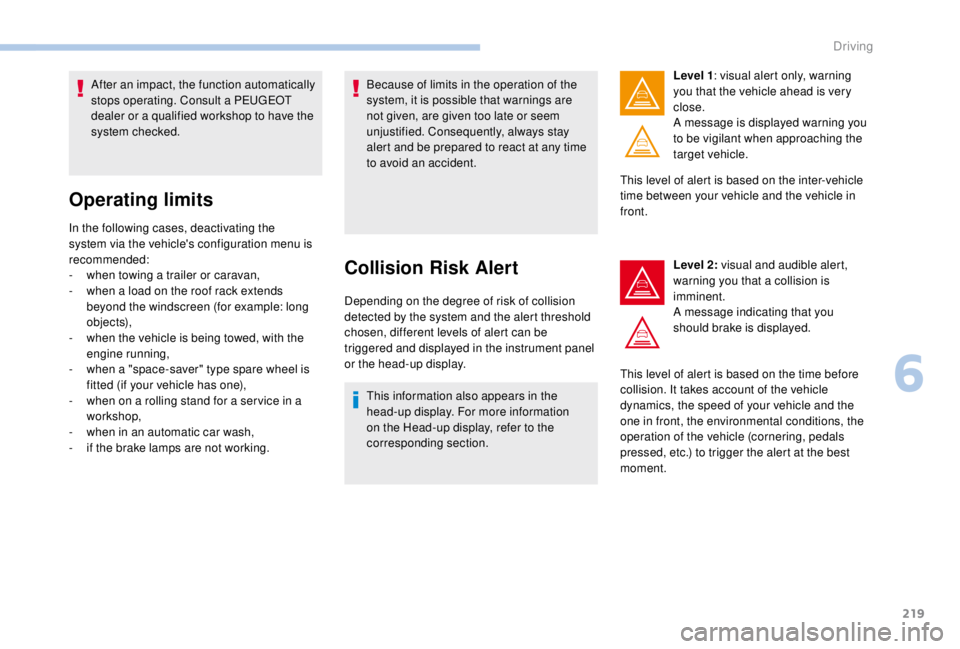
corresponding section. Level 1
: visual alert only, warning
you that the vehicle ahead is very
close.
A message is displayed warning you
to be vigilant when approaching the
target vehicle.
This level of alert is based on the inter-vehicle
time between your vehicle and the vehicle in
front.
Level 2: visual and audible alert,
warning you that a collision is
imminent.
A message indicating that you
should brake is displayed.
This level of alert is based on the time before
collision. It takes account of the vehicle
dynamics, the speed of your vehicle and the
one in front, the environmental conditions, the
operation of the vehicle (cornering, pedals
pressed, etc.) to trigger the alert at the best
moment.
6
Driving
Page 222 of 416
220
Where the speed of your vehicle is too
high approaching another vehicle, the first
level of alert may not be displayed: the
level 2 alert may be displayed directly.
Furthermore, the level 1
alert is never
displayed with the " Close" threshold.
Programming the alert
thresholds
The thresholds for triggering an alert determine
how you wish to be warned of the presence of a
vehicle moving or stationary ahead of you, or a
pedestrian in your traffic lane.
You can select one of three thresholds:
-
"Distant ", to be warned early (cautious
driving).
-
"Normal ".
-
"Close ", to be warned later.
With audio system
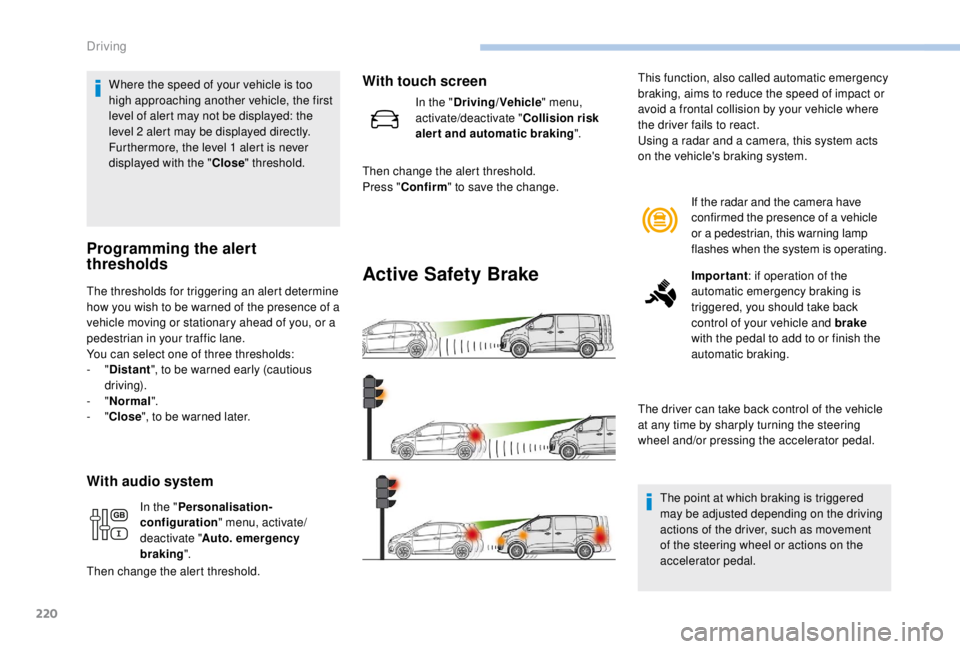
Active Safety Brake
If the radar and the camera have
confirmed the presence of a vehicle
or a pedestrian, this warning lamp
flashes when the system is operating.
Important : if operation of the
automatic emergency braking is
triggered, you should take back
control of your vehicle and brake
with the pedal to add to or finish the
automatic braking.
The driver can take back control of the vehicle
at any time by sharply turning the steering
wheel and/or pressing the accelerator pedal.
The point at which braking is triggered
may be adjusted depending on the driving
actions of the driver, such as movement
of the steering wheel or actions on the
accelerator pedal.
This function, also called automatic emergency
braking, aims to reduce the speed of impact or
avoid a frontal collision by your vehicle where
the driver fails to react.
Using a radar and a camera, this system acts
on the vehicle's braking system.
In the " Personalisation-
configuration " menu, activate/
deactivate " Auto. emergency
braking ".
Then change the alert threshold.
With touch screen
In the " Driving/Vehicle " menu,
activate/deactivate " Collision risk
alert and automatic braking ".
Then change the alert threshold.
Press " Confirm " to save the change.
Driving
Page 223 of 416

221
Operation of the system may be felt by
slight vibration in the brake pedal.
If the vehicle comes to a complete stop,
the automatic braking is maintained for
1 to 2 seconds.
With a manual gearbox, in the event of
automatic emergency braking until the
vehicle comes to a complete stop, the
vehicle may stall.
With an automatic gearbox, in the event
of automatic emergency braking until the
vehicle comes to a complete stop, keep
the brake pedal pressed down to prevent
the vehicle from starting off again.
If automatic emergency braking is not
activated, you are alerted by the fixed
display of the warning lamp accompanied
by a message.
Intelligent emergency braking
assistance
If the driver does not brake sufficiently
to avoid an accident, this system will
complete the braking.
This emergency braking system will not
act if you press the brake pedal.
Deactivation/Activation of the
alert and the braking
By default, the function is automatically
activated at every engine start.
The deactivation or activation of the function is
done in the vehicle configuration menu.
With audio system
Operating fault
In the event of a fault with the
system, you are alerted by the
illumination of this warning lamp,
accompanied by the display of a
message and an audible signal.
If the fault persists, contact a PEUGEOT dealer
or a qualified workshop to have the system
checked. If one of the two sensors (camera or radar)
is masked or its visibility is reduced, while
the other sensor is able to work normally,
the system still operates, but at a lower
level of per formance. No message or
warning lamp indicates this.
To ensure correct operation of the radar,
do not paint over the paintwork on the
vehicle's bumper.
Poor weather conditions (very heavy
rain, accumulation of snow in front of the
radar and the camera) may hinder the
operation of the system, with the display of
an operating fault message. The function
remains unavailable until the message
disappears.
In the "
Personalisation-
configuration " menu, activate/
deactivate " Auto. emergency
braking ".
With touch screen
In the "Driving/Vehicle " menu,
activate/deactivate " Collision risk
alert and automatic braking ".
6
Driving
Page 243 of 416

241
Snow chains
In wintry conditions, snow chains improve
traction as well as the behaviour of the vehicle
when braking.The snow chains must be fitted only to the
front wheels.
Take account of the legislation in force in
your country on the use of snow chains
and the maximum authorised speed. Use only the chains designed to be fitted to the
type of wheel fitted to your vehicle:
You can also use snow socks.
For more information, contact a PEUGEOT
dealer or a qualified workshop.
Installation tips
F Move off gently and drive for a few
seconds, without exceeding around 30 mph
(50
km/h).
F
S
top your vehicle and check that the snow
chains are correctly tightened.
Original tyre size Type of chain
215/65
R16 12
mm link
215/60
R17 KONIG K-SUMMIT
VA N K8 4
2 2 5 / 5 5
R17
F
I
f you have to fit the chains during a journey,
stop the vehicle on a flat sur face on the side
of the road.
F
A
pply the parking brake and, if necessary,
put wheel chocks against the wheels to
prevent your vehicle from sliding.
F
F
it the chains following the instructions
provided by the manufacturer. Avoid driving with snow chains on roads
that have been cleared of snow, to avoid
damaging your vehicle's tyres and the
road sur face. If your vehicle is fitted with
alloy wheels, check that no part of the
chain or its fixtures is in contact with the
wheel rim.
It is strongly recommended that before
you leave, you practise fitting the snow
chains on a level and dry sur face.
7
Practical information
Page 249 of 416
247
Engine
Diesel
The Diesel fuel system operates under
high pressure:
-
N
ever carry out any work on the
system yourself.
-
H
Di engines make use of advanced
technology.
Specialist knowledge is needed for any
work on the system, which can only be
assured by PEUGEOT dealers.
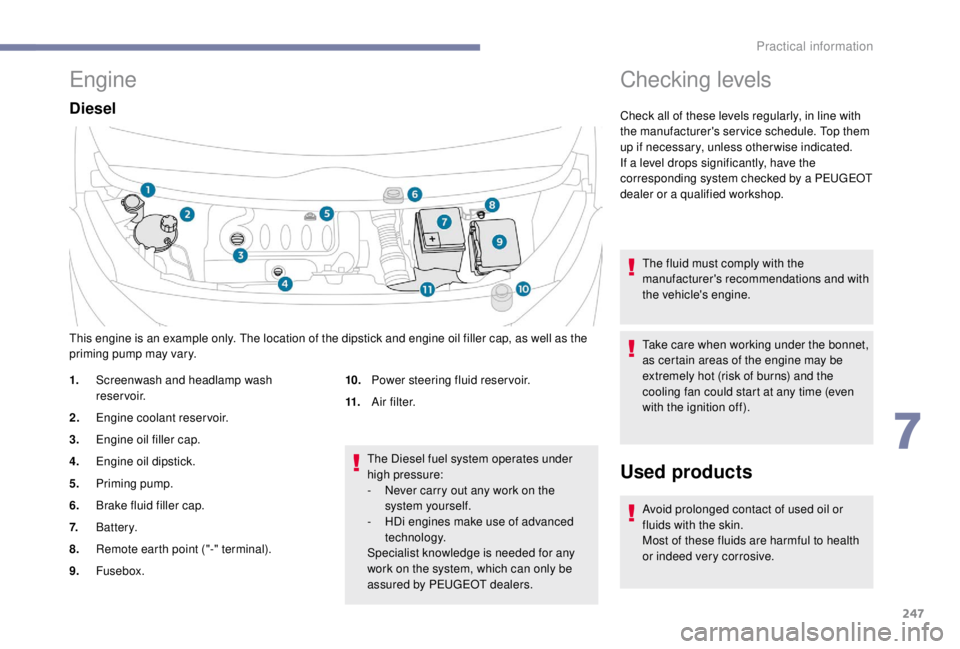
This engine is an example only. The location of the dipstick and engine oil filler cap, as well as the
priming pump may vary.
1.
Screenwash and headlamp wash
reservoir.
2. Engine coolant reservoir.
3. Engine oil filler cap.
4. Engine oil dipstick.
5. Priming pump.
6. Brake fluid filler cap.
7. Battery.
8. Remote earth point ("-" terminal).
9. Fusebox. 10.
Power steering fluid reservoir.
11. A i r f i l t e r.
Checking levels
Check all of these levels regularly, in line with
the manufacturer's service schedule. Top them
up if necessary, unless other wise indicated.
If a level drops significantly, have the
corresponding system checked by a PEUGEOT
dealer or a qualified workshop.
The fluid must comply with the
manufacturer's recommendations and with
the vehicle's engine.
Take care when working under the bonnet,
as certain areas of the engine may be
extremely hot (risk of burns) and the
cooling fan could start at any time (even
with the ignition off).
Used products
Avoid prolonged contact of used oil or
fluids with the skin.
Most of these fluids are harmful to health
or indeed very corrosive.
7
Practical information