2018 PEUGEOT 5008 steering
[x] Cancel search: steeringPage 329 of 364
15
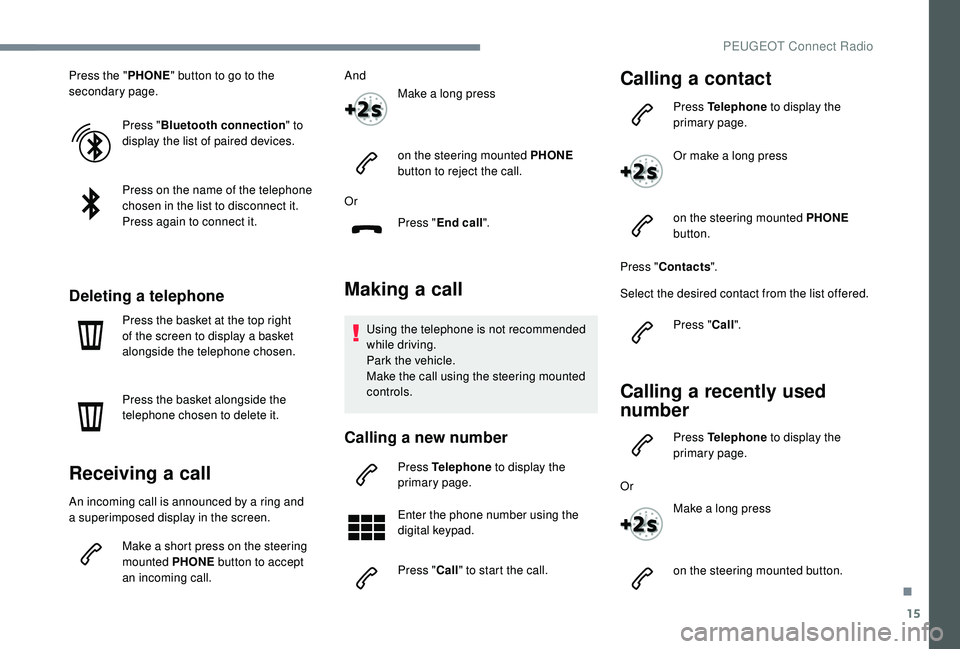
Press the "PHONE" button to go to the
secondary page.
Press "Bluetooth connection " to
display the list of paired devices.
Press on the name of the telephone
chosen in the list to disconnect it.
Press again to connect it.
Deleting a telephone
Press the basket at the top right
of the screen to display a
basket
alongside the telephone chosen.
Press the basket alongside the
telephone chosen to delete it.
Receiving a call
An incoming call is announced by a ring and
a superimposed display in the screen.
Make a
short press on the steering
mounted PHONE button to accept
an incoming call. And
Make a long press
on the steering mounted PHONE
button to reject the call.
Or Press "End call".
Making a call
Using the telephone is not recommended
while driving.
Park the vehicle.
Make the call using the steering mounted
controls.
Calling a new number
Press Telephone to display the
primary page.
Enter the phone number using the
digital keypad.
Press " Call" to start the call.
Calling a contact
Press Telephone to display the
primary page.
Or make a
long press
on the steering mounted PHONE
button.
Press " Contacts ".
Select the desired contact from the list offered.
Press "Call".
Calling a recently used
n umber
Press Telephone to display the
primary page.
Or Make a
long press
on the steering mounted button.
.
PEUGEOT Connect Radio
Page 338 of 364
2
First steps
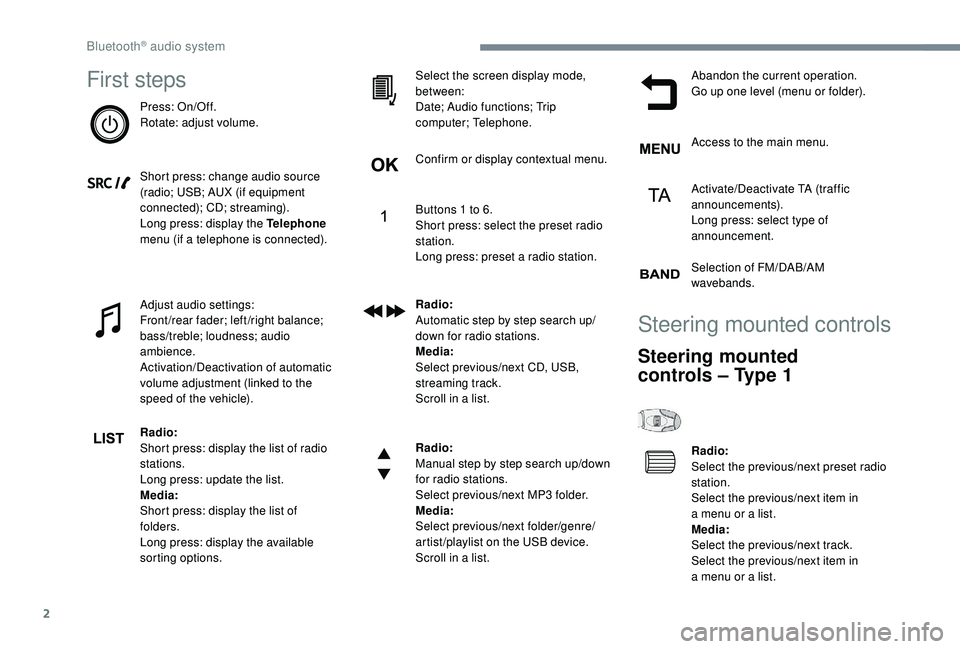
Press: On/Off.
Rotate: adjust volume.
Short press: change audio source
(radio; USB; AUX (if equipment
connected); CD; streaming).
Long press: display the Telephone
menu (if a
telephone is connected).
Adjust audio settings:
Front/rear fader; left/right balance;
bass/treble; loudness; audio
ambience.
Activation/Deactivation of automatic
volume adjustment (linked to the
speed of the vehicle).
Radio:
Short press: display the list of radio
stations.
Long press: update the list.
Media:
Short press: display the list of
folders.
Long press: display the available
sorting options. Select the screen display mode,
between:
Date; Audio functions; Trip
computer; Telephone.
Confirm or display contextual menu.
Buttons 1
to 6.
Short press: select the preset radio
station.
Long press: preset a
radio station.
Radio:
Automatic step by step search up/
down for radio stations.
Media:
Select previous/next CD, USB,
streaming track.
Scroll in a
list.
Radio:
Manual step by step search up/down
for radio stations.
Select previous/next MP3
folder.
Media:
Select previous/next folder/genre/
artist/playlist on the USB device.
Scroll in a
list.Abandon the current operation.
Go up one level (menu or folder).
Access to the main menu.
Activate/Deactivate TA (traffic
announcements).
Long press: select type of
announcement.
Selection of FM/DAB/AM
wavebands.
Steering mounted controls
Steering mounted
controls – Type 1
Radio:
Select the previous/next preset radio
station.
Select the previous/next item in
a
menu or a list.
Media:
Select the previous/next track.
Select the previous/next item in
a
menu or a list.
Bluetooth® audio system
Page 339 of 364
3
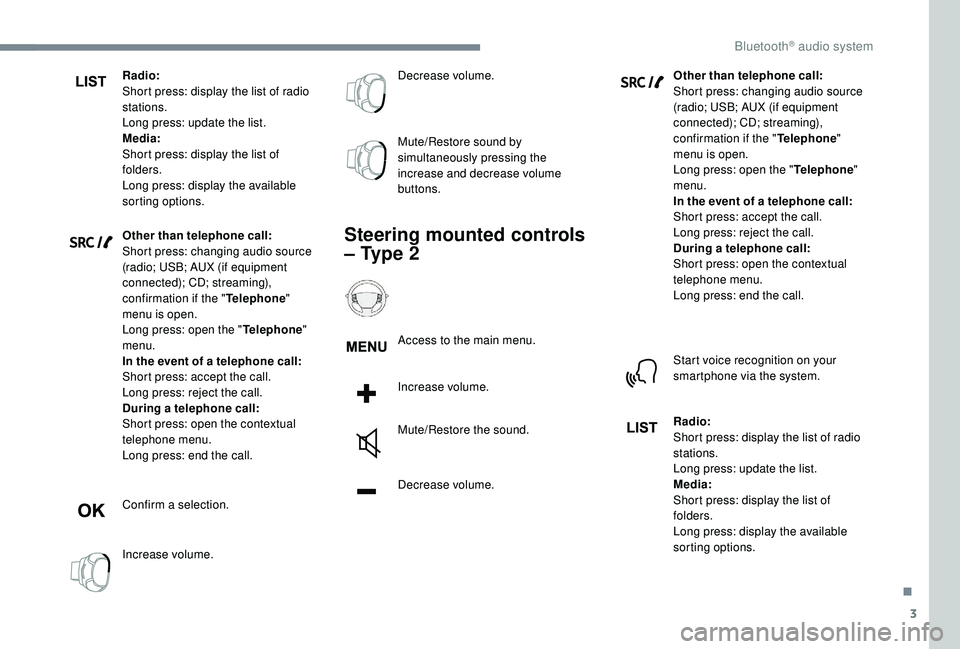
Radio:
Short press: display the list of radio
stations.
Long press: update the list.
Media:
Short press: display the list of
folders.
Long press: display the available
sorting options.
Other than telephone call:
Short press: changing audio source
(radio; USB; AUX (if equipment
connected); CD; streaming),
confirmation if the "Telephone"
menu is open.
Long press: open the " Telephone"
menu.
In the event of a
telephone call:
Short press: accept the call.
Long press: reject the call.
During a
telephone call:
Short press: open the contextual
telephone menu.
Long press: end the call.
Confirm a
selection.
Increase volume. Decrease volume.
Mute/Restore sound by
simultaneously pressing the
increase and decrease volume
buttons.
Steering mounted controls
– Type 2
Access to the main menu.
Increase volume.
Mute/Restore the sound.
Decrease volume.
Other than telephone call:
Short press: changing audio source
(radio; USB; AUX (if equipment
connected); CD; streaming),
confirmation if the "
Telephone"
menu is open.
Long press: open the " Telephone"
menu.
In the event of a telephone call:
Short press: accept the call.
Long press: reject the call.
During a
telephone call:
Short press: open the contextual
telephone menu.
Long press: end the call.
Start voice recognition on your
smartphone via the system.
Radio:
Short press: display the list of radio
stations.
Long press: update the list.
Media:
Short press: display the list of
folders.
Long press: display the available
sorting options.
.
Bluetooth® audio system
Page 345 of 364
9
CD player
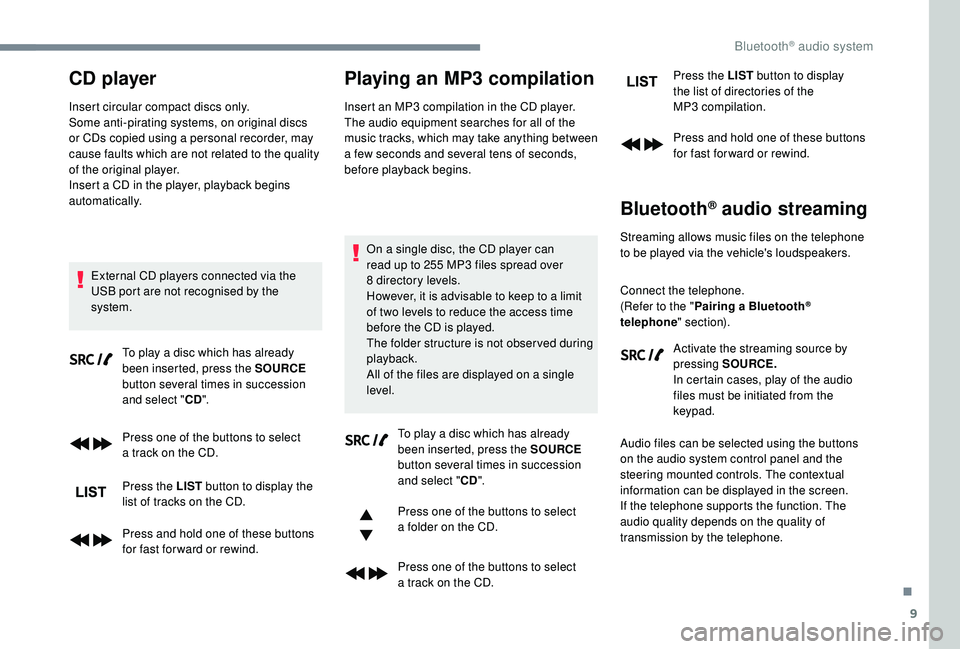
Insert circular compact discs only.
Some anti-pirating systems, on original discs
or CDs copied using a personal recorder, may
cause faults which are not related to the quality
of the original player.
Insert a
CD in the player, playback begins
automatically.
External CD players connected via the
USB port are not recognised by the
system. To play a
disc which has already
been inserted, press the SOURCE
button several times in succession
and select " CD".
Press one of the buttons to select
a
track on the CD.
Press the LIST button to display the
list of tracks on the CD.
Press and hold one of these buttons
for fast for ward or rewind.
Playing an MP3 compilation
Insert an MP3 compilation in the CD player.
T he audio equipment searches for all of the
music tracks, which may take anything between
a
few seconds and several tens of seconds,
before playback begins.
On a
single disc, the CD player can
read up to 255
MP3 files spread over
8
directory levels.
However, it is advisable to keep to a
limit
of two levels to reduce the access time
before the CD is played.
The folder structure is not obser ved during
playback.
All of the files are displayed on a
single
level.
To play a
disc which has already
been inserted, press the SOURCE
button several times in succession
and select " CD".
Press one of the buttons to select
a
folder on the CD.
Press one of the buttons to select
a
track on the CD. Press the LIST
button to display
the list of directories of the
MP3 compilation.
Press and hold one of these buttons
for fast for ward or rewind.
Bluetooth® audio streaming
Streaming allows music files on the telephone
to be played via the vehicle's loudspeakers.
Connect the telephone.
(Refer to the " Pairing a Bluetooth
®
telephone " section).
Activate the streaming source by
pressing SOURCE.
In certain cases, play of the audio
files must be initiated from the
keypad.
Audio files can be selected using the buttons
on the audio system control panel and the
steering mounted controls. The contextual
information can be displayed in the screen.
If the telephone supports the function. The
audio quality depends on the quality of
transmission by the telephone.
.
Bluetooth® audio system
Page 348 of 364
12
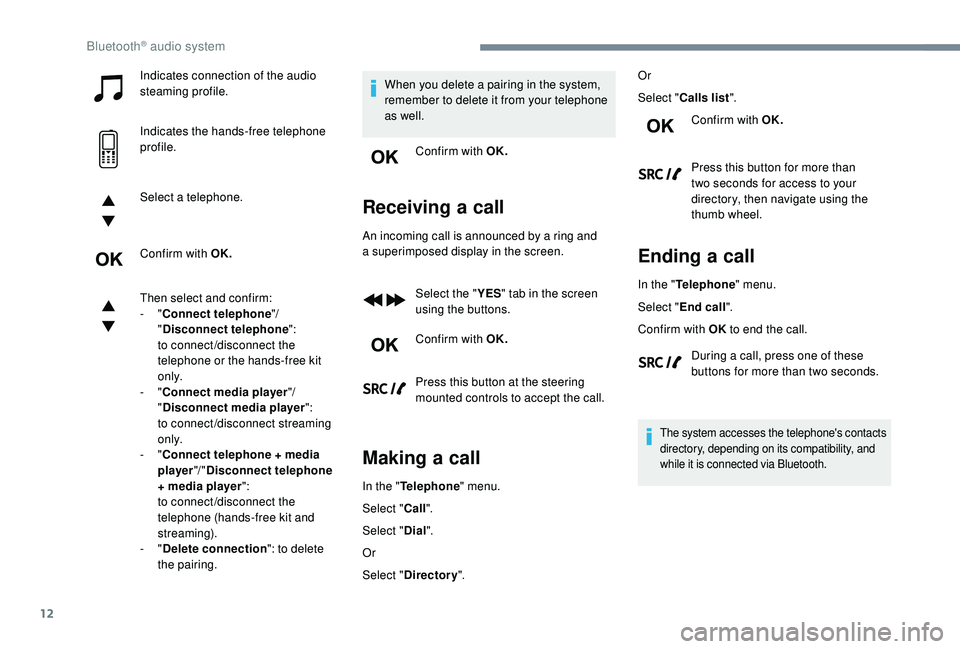
Indicates connection of the audio
steaming profile.
Indicates the hands-free telephone
profile.
Select a
telephone.
Confirm with OK.
Then select and confirm:
-
"Connect telephone "/
" Disconnect telephone ":
to connect/disconnect the
telephone or the hands-free kit
o n l y.
-
"Connect media player "/
" Disconnect media player ":
to connect/disconnect streaming
o n l y.
-
"Connect telephone + media
player "/ "Disconnect telephone
+ media player ":
to connect/disconnect the
telephone (hands-free kit and
streaming).
-
"Delete connection ": to delete
the pairing. When you delete a
pairing in the system,
remember to delete it from your telephone
as well.
Confirm with OK.
Receiving a call
An incoming call is announced by a ring and
a superimposed display in the screen.
Select the " YES" tab in the screen
using the buttons.
Confirm with OK.
Press this button at the steering
mounted controls to accept the call.
Making a call
In the "Telephone " menu.
Select " Call".
Select " Dial".
Or
Select " Directory ". Or
Select "
Calls list ".
Confirm with OK.
Press this button for more than
two seconds for access to your
directory, then navigate using the
thumb wheel.
Ending a call
In the "Telephone " menu.
Select " End call".
Confirm with OK to end the call.
During a
call, press one of these
buttons for more than two seconds.
The system accesses the telephone's contacts
directory, depending on its compatibility, and
while it is connected via Bluetooth.
Bluetooth® audio system
Page 350 of 364
14
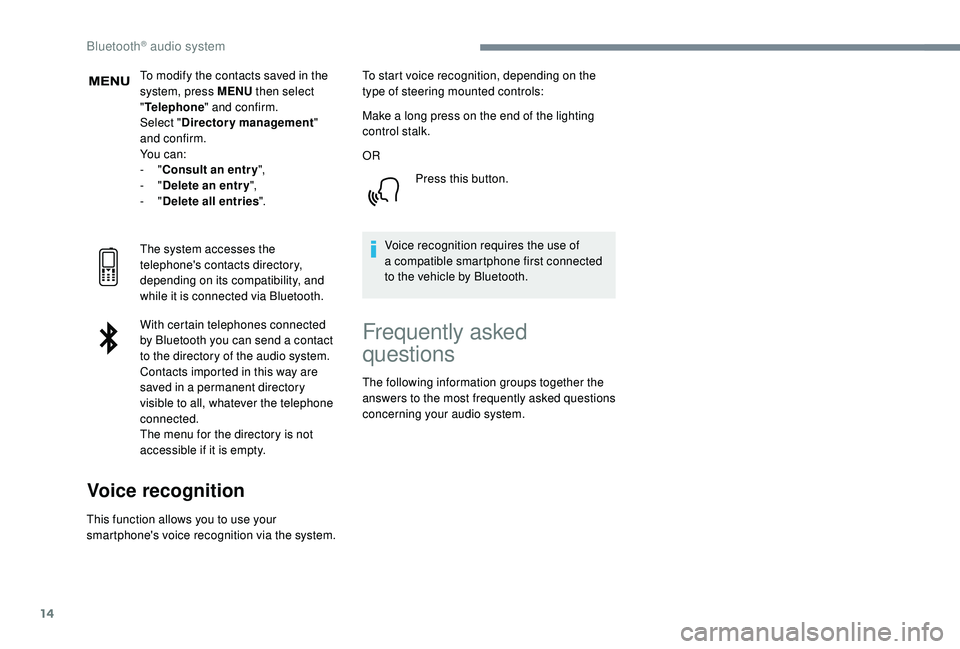
To modify the contacts saved in the
system, press MENU then select
" Telephone " and confirm.
Select " Directory management "
and confirm.
Yo u c a n :
-
"Consult an entr y ",
-
"Delete an entry ",
-
"Delete all entries ".
The system accesses the
telephone's contacts directory,
depending on its compatibility, and
while it is connected via Bluetooth.
With certain telephones connected
by Bluetooth you can send a
contact
to the directory of the audio system.
Contacts imported in this way are
saved in a
permanent directory
visible to all, whatever the telephone
connected.
The menu for the directory is not
accessible if it is empty.
Voice recognition
This function allows you to use your
smartphone's voice recognition via the system. To start voice recognition, depending on the
type of steering mounted controls:
Make a
long press on the end of the lighting
control stalk.
OR
Press this button.
Voice recognition requires the use of
a compatible smartphone first connected
to the vehicle by Bluetooth.
Frequently asked
questions
The following information groups together the
answers to the most frequently asked questions
concerning your audio system.
Bluetooth® audio system
Page 355 of 364
275
Accessories .......................................... 12 2, 16 0
Active Safety Brake..................... 16 -17, 19 2-19 5
AdBlue
® ............................................. 2 0, 32, 237
Additive, Diesel ............................................. 235
Adjusting headlamps
.................................... 114
Adjusting head restraints
................................ 71
Adjusting seats
................................ 69 -71, 77-78
Adjusting the air distribution
.....................89-92
Adjusting the air flow
................................. 8
9-92
Adjusting the date
......................... 38 - 40, 31, 18
Adjusting the height and reach of the steering wheel
.................................... 74
Adjusting the lumbar support
.................... 6
9 -71
Adjusting the seat belt height
................ 13
0 -131
Adjusting the temperature
........................89-92
Adjusting the time
......................... 38 - 40, 31, 17
Advanced Grip Control
.......................... 128 -12 9
Advice on driving
................................... 15 5 -15 6
Airbags
...............................
.............18, 13 4, 13 9
Airbags, curtain
...................................... 13 5 -137
Airbags, front .................................. 13 4 -13 5, 137
Airbags, lateral
...................................... 13 5, 137
Air conditioning
......................................... 86-88
Air conditioning, automatic
.............................85
Air conditioning, dual-zone automatic
......89, 93
Air conditioning, manual
............... 8
5 - 86, 92-93
Air conditioning, mono-zone
...............87- 88, 93
Air intake
................................................... 89-92
Air vents
.......................................................... 84
Alarm
............................................................... 56
Amplifier, audio
...............................
..............101
Anti-lock braking system (ABS)
..............15, 125
Apple CarPlay connection
........................16, 12
Armrest, front
......................................... 102-103
Assistance call
...............................
........123 -124 Assistance, emergency braking
...........
125, 19 4
Audio streaming (Bluetooth)
...................
24, 9, 9
Cable, audio
................................................23, 9
Cable, Jack
.................................................23, 9
Capacity, fuel tank
........................................220
Cartridge, fragrance
............................. 10
3 -104
A
B
C
Backrest, folding ........................................7 0 -71
Battery ..................... 13, 227, 235, 262, 264-265
Battery charge (warning lamp)
.......................13
Battery, charging
................................... 263-264
Battery, remote control
.............................52, 54
Blind
..............................
..................................64
Blind spot monitoring system
..........24, 203-205
Blind spot monitoring system, active
......24, 205
Blind spot sensors
..........................24, 203-204
Blinds, side
.................................................... 107
BlueHDi
..................................... 32, 35, 237, 240
Bluetooth (hands-free)
........ 2
5 -2 6 , 13 -14, 10 -11
Bluetooth (telephone)
...................... 2
5 - 2 7, 1 3 -1 5
Bonnet
................................................... 230-231
Boot
............................................. 59 - 60, 62, 110
Boot (fittings)
................................................. 108
Brake discs
............................................ 236-237
Brake lamps
...............................
...................255
Brakes
........................................ 14-15, 236-237
Braking assistance system
...........................125
Braking, automatic emergency
...16 -17, 19 2-19 5
Braking, emergency
...................................... 16
4
Brightness
....................................................... 16
Bulbs
............................................................. 252
Bulbs (changing)
...........................252, 255-256
180° rear vision
.....................................
209 -210 CD
.....................................................
23 -24, 9, 9
CD, MP3
............................................
23 -24, 9, 9
Central locking
.......................................... 4
9, 55
Changing a
bulb
............................
25
2, 255-256
Changing a
fuse
............................
25
7-258, 261
Changing a
wheel
..................
24
1-243, 246 -248
Changing a wiper blade ........................
12 0, 257
Changing the remote control battery ..............
54
Charger, induction ..................................101-102
Charger, wireless
................................... 10
1-102
Checking the engine oil level
..........................31
Checking the levels
..............................232, 234
Checking tyre pressures (using the kit)
......................................243, 245
Checks
...................................231-232, 235-237
Child lock
................................................15 3 -15 4
Children
.................................14 4, 14 6 -148, 15 0
Children (safety)
.....................................15 3 -15 4
Child seats
............1
33, 138 -139, 142, 144, 152
Child seats, conventional
......................142, 14 4
Child seats, i-Size
.........................................15 0
Child seats, ISOFIX
.......................14 6 -148, 15 0
Cigarette lighter
............................................10 0
Closing the boot
..................................47, 50, 59
Closing the doors
..........................47, 49 -50, 59
Configurations, seats
......................................82
Configuration, vehicle
......................... 3
8 - 42, 44
Connection, Bluetooth
........ 1
9, 25 -27, 13 -15, 11
Connection, MirrorLink
.........................17, 11 -1 2
Connection, Wi-Fi network
.............................20
Connectivity
..................................................101
Container, AdBlue
® ....................................... 23 8
Control, emergency door ................................ 52
C
ontrol, heated seats
...................................... 73
Controls, steering mounted
.................. 165 -169
Control stalk, lighting
................. 2 5 - 2 6 , 111, 113
Control stalk, wipers
.............................. 11
9 -12 1
Courtesy lamps
..................................... 104 -105
Cruise control
... 175 -176, 178, 181-187, 191-192
Cruise control by speed limit recognition
.....178
.
Alphabetical index
Page 358 of 364
278
SSafety, children .....................13 4 -13 5, 13 8 -13 9,
142, 14 4, 14 6 -148, 15 0
Saturation of the particle filter (Diesel)
.........235
Scented air freshener
...........................103 -104
Screen menu map
........................................... 12
Screen, monochrome
...............................38-40
Screen, multifunction (with audio system)
........4
Screens, very cold conditions
.....................2
28
Screenwash, front
......................................... 120
Screenwash, rear
................................... 11 9 -12 0
SCR (Selective Catalytic Reduction)
............237
Seat belts
....................................... 13 0 -13 3, 142
Seat belts, rear
.............................................. 131
Seats, additional
....................................... 79
-82
Seats, electric
............................................ 72-73
Seats, front
...............................
............69, 72-73
Seats, heated
.................................................. 73
Seats, rear
................................................. 76 - 82
Selector, gear
........................................ 165 -169
Serial number, vehicle
..................................273
RRadio ......................................... 21, 24, 6, 9, 4-5
Radio, digital (Digital Audio Broadcasting – DAB)
............................22, 8, 6
Range, AdBlue
.......................................... 32-34
RDS
................
........................................ 21-22, 7
Rear air blower
...............................
.................92
Rear screen, demisting
...................................94
Recharging the battery
.........................263-264
Reduction of electrical load
..........................227
Regeneration of the particle filter
.................235
Reinitialisation of the under- inflation detection system
...........................175
Reinitialising the remote control
..................... 54
R
eminder, key in ignition
...............................15
8
Remote control
......................... 46 - 47, 49 -50, 52
Removing a
wheel ................................ 24 9 - 2 51 Service indicator
.......................................
29, 35
Servicing
......................................................... 29
S
ettings, equipment
............................
38 - 42, 44
Settings, system
........................................
30, 16
Sidelamps
....................... 1
12-113, 252-253, 255
Side repeater
................................................
254
Snow chains
..................................
174, 228-229
Snow screen
.................................................
228
Socket, 12 V accessory ................
10 0, 107, 110
Socket, 230 V
...............................
.................
10 6
Socket, auxiliary
...................................... 2
3, 9, 8
Socket, Jack
............................................
23, 9, 8
Speakers
.......................................................
101
Speed limiter
........................... 17
5 -176 , 178 -181
Speed limit recognition
.......................... 17
6 -17 7
Speedometer
....................................................
8
Stability control (ESC).................... 125, 127-12 9
Starting a
Diesel engine
...............................
222
S
tarting the engine
.......................................
15
6
Starting the vehicle
.......... 2
7, 15 5 -15 9, 16 5 -16 9
Starting using another battery
.......
160 -161, 262
Station, radio
...............................
......
21-22, 6, 4
Stay, bonnet
..........................................
230-231
Steering mounted controls, audio
........ 3
, 3, 2-3
Steering wheel, adjustment ............................ 74
S topping the vehicle ........27, 15 5 -15 9, 16 5 -16 9
Stop & Start
............................23 -24, 38, 86, 93,
171-173, 220, 230, 235, 265
Storage
.....................................99 -10 0, 102-103
Storage boxes
...............................................108
Storage compartments
...................................99
Storing driving positions
............................ 7
2-73
Sunroof, panoramic
........................................ 64
S
un visor
...............................
..........................99
Switching off the engine
...............................15 6
Synchronising the remote control
...................54
Parking brake
........................................
236-237
Parking brake, electric
............... 1
4, 27, 161-16 4
Parking sensors, audible and visual
.............
205
Parking sensors, front
...................................
206
Parking sensors, rear .................................... 205
PEUGEOT Connect Nav ...................................
1
PEUGEOT Connect Radio
...............................
1
P
lates, identification
...................................... 273
Player, Apple
® ..................................... 2 4, 10, 10
Player, MP3
CD ............................... ............23, 9
Player, USB
..................................... 100, 23, 9, 7
Port, USB
................................. 100 -101, 23, 9, 7
Pre-heater, Diesel
........................................... 23
Pressures, tyres
.................................... 236, 246
Pre-tensioning seat belts
.............................. 13 3
Priming the fuel system
........................ 240 -241
Profiles
...................................................... 30, 16
Protecting children
................ 13 4 -13 5, 13 8 -13 9,
142, 14 4, 14 6 -148, 15 0
Puncture
................................................ 243, 245Removing the mat
.........................................
104
Replacing bulbs
............................ 25
2, 255-256
Replacing fuses
.....................................
257-258
Replacing the air filter
................................... 23
5
Replacing the oil filter
................................... 23
5
Replacing the passenger compartment filter
......................................
235
Reservoir, screenwash .................................
234
Resetting the service indicator .......................31
Resetting the trip recorder
........................35-36
Reset trip
.........................................................37
Rev counter
.......................................................8
Reversing camera
...............................
..........209
Reversing lamps
..............................
.....255-256
Roof bars
...............................................229-230
Running out of fuel (Diesel)
..................240 -241
Alphabetical index