2018 Peugeot 308 standby
[x] Cancel search: standbyPage 45 of 324

43
If one of the doors or the boot is still open
or if the electronic key for the K eyless
Entry and Starting system has been left
inside the vehicle, the central locking does
not take place.
If the vehicle is unlocked inadvertently and
if no action is taken at the doors or boot,
the vehicle will automatically lock itself
again after about 30
seconds.
If fitted to your vehicle, the alarm is not
reactivated.
The automatic folding and unfolding of
the door mirrors can be deactivated by a
PEUGEOT dealer or a qualified workshop.
As a safety measure (children on board),
never leave the vehicle without taking the
electronic key for the
K
eyless Entry and
Starting system with you, even for a short
period.
Be aware of the risk of theft when the
electronic key for the
K
eyless Entry and
Starting system is in one of the defined
zones with the vehicle unlocked. In order to preser ve the battery in the
electronic key and the vehicle's battery,
the "hands-free" functions are put into
long-term standby after 21 days without
use. To restore these functions, press
one of the remote control buttons or start
the engine with the electronic key in the
reader.
For more information on Star ting -
switching off the engine with "
Keyless
Entr y and Star ting ", refer to the
corresponding section.
Locking/unlocking from
the inside
Automatic central locking
of the doors
The doors can lock automatically while driving
(speed above 6 mph [10 km/h]).
To activate or deactivate this
function, press and hold the button
until a message appears in the
screen. After unlocking, if no door is opened
within 30
seconds, the doors lock again
automatically.
F
P
ress the button.
This locks and unlocks the doors and the boot.
If the vehicle is deadlocked or locked with
the remote control or the door handles,
the button is not operational. In this case,
use the key or remote control to unlock.
When carrying large objects with the boot
open, you can press this button to lock
just the doors.
When locking from inside, the door mirrors
do not fold.
2
Access
Page 130 of 324

128
Stop & Start
The Stop & Start system puts the engine
t emporarily into standby – STOP mode – during
stops in traffic (red lights, traffic jams, etc.). The
engine restarts automatically – START mode –
as soon as you want to move off.
The restart takes place instantly, quickly and
silently.
Per fect for urban use, the Stop & Start system
reduces fuel consumption and exhaust
emissions as well as the noise level when
stationary.
Operation
Going into engine STOP mode
This indicator lamp comes on in the
instrument panel and the engine goes
into standby automatically: -
W
ith a manual gearbox
, at speeds below
2 mph (3 km/h) (with BlueHDi 130 S&S
engine) or with the vehicle stationary (other
engines), when you place the gear selector
in neutral and release the clutch pedal.
- With an automatic gearbox , vehicle
stationary, when you press the brake pedal
or place the gear selector lever in position N .
Stop & Star t time counter
(minutes/seconds or hours/
minutes)
A time counter calculates the time spent in STOP
mode during a journey.
It resets to zero every time the ignition is switched on.
For your comfort, during parking
manoeuvres, STOP mode is not available
for a few seconds after coming out of
reverse gear.
The Stop & Start system does not modify
the vehicle's functions, such as, for
example, braking, power steering, etc.
A slight delay between the vehicle
stopping and the engine cutting out may
be noticed.
Never refuel with the engine in STOP
mode; you must switch off the ignition.
Special cases: STOP mode not
available
STOP mode does not activate, mainly when:
-
t he vehicle is on a steep slope (rising or
falling),
-
t
he driver's door is open,
-
t
he driver's seat belt is not fastened,
-
t
he vehicle has not exceeded 6 mph
(10
km/h) since the last engine start by the
driver,
-
t
he electric parking brake is applied or being
applied,
-
t
he engine is needed to maintain a
comfortable temperature in the passenger
compartment,
-
d
emisting is active,
-
s
ome temporary conditions (battery charge,
engine temperature, braking assistance,
exterior temperature, etc.) make this
necessary to ensure control of a system.
In this case, this indicator lamp flashes
for a few seconds then goes off.
This operation is perfectly normal.
Going into engine START mode
This indicator lamp goes off and the
engine restarts automatically:
The system adapts its gear shift
recommendation according to the driving
conditions (slope, load, etc.) and the
driver’s requirements (power, acceleration,
b r a k i n g , e t c .) .
The system never suggests:
-
e
ngaging first gear,
-
enga
ging reverse gear.
Driving
Page 151 of 324
149
Malfunction
In the event of a fault with the system,
you are alerted by the continuous
illumination of this warning lamp,
accompanied by the display of a
message and an audible signal.
Fatigue detection system
Take a break as soon as you feel tired or at
least every two hours.
These systems cannot in any circumstances
replace the need for vigilance on the part
of the driver who must remain in control
of their decisions. In no case can these
systems keep the driver awake or prevent
them from falling asleep at the wheel.
It is the driver’s responsibility to stop if they
feel tired.
Activation/Deactivation
The system is activated or deactivated via the
vehicle configuration menu.
For more information on the menu, refer to the
part covering your screen in the "Instruments"
section.
The state of the system stays in the memory
when the ignition is switched off.
Driver Attention Warning
The system triggers an alert once it
detects that the driver has not taken
a break after two hours of driving at
a speed above 40 mph (65 km/h).
This alert is issued via the display of a
message encouraging you to take a break,
accompanied by an audible signal.
If the driver does not follow this advice, the
alert is repeated hourly until the vehicle is
stopped.
The system resets itself if one of the following
conditions is met:
-
e
ngine running, the vehicle has been
stationary for more than 15
minutes,
-
t
he ignition has been switched off for a few
minutes,
-
t
he driver's seat belt is unfastened and their
door is open.
As soon as the speed of the vehicle drops
below 40
mph (65 km/h), the system goes
into standby.
The driving time is counted again once the
speed is above 40
mph (65 km/h).
Driver Attention Alert
Depending on version, the "Driver Attention
Warning" may be combined with the "Driver
Attention Alert".
Contact a PEUGEOT dealer or a qualified
workshop to have the system checked.
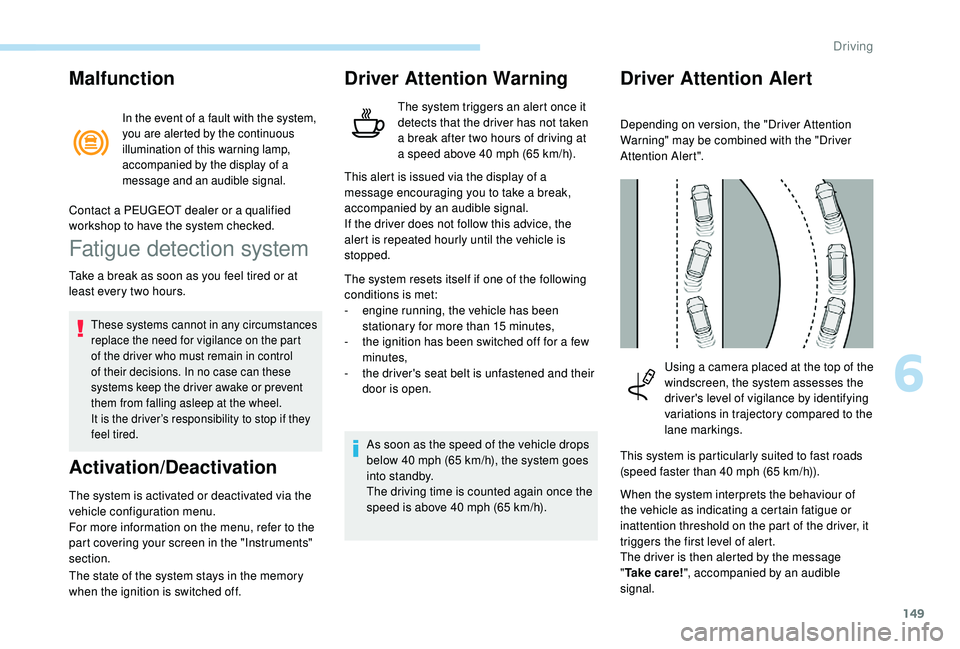
Using a camera placed at the top of the
windscreen, the system assesses the
driver's level of vigilance by identifying
variations in trajectory compared to the
lane markings.
This system is particularly suited to fast roads
(speed faster than 40
mph (65 km/h)).
When the system interprets the behaviour of
the vehicle as indicating a certain fatigue or
inattention threshold on the part of the driver, it
triggers the first level of alert.
The driver is then alerted by the message
" Ta k e c a r e ! ", accompanied by an audible
signal.
6
Driving
Page 154 of 324
152
Status of the
functionIndicator
lamp
Display and/or associated message
Comments
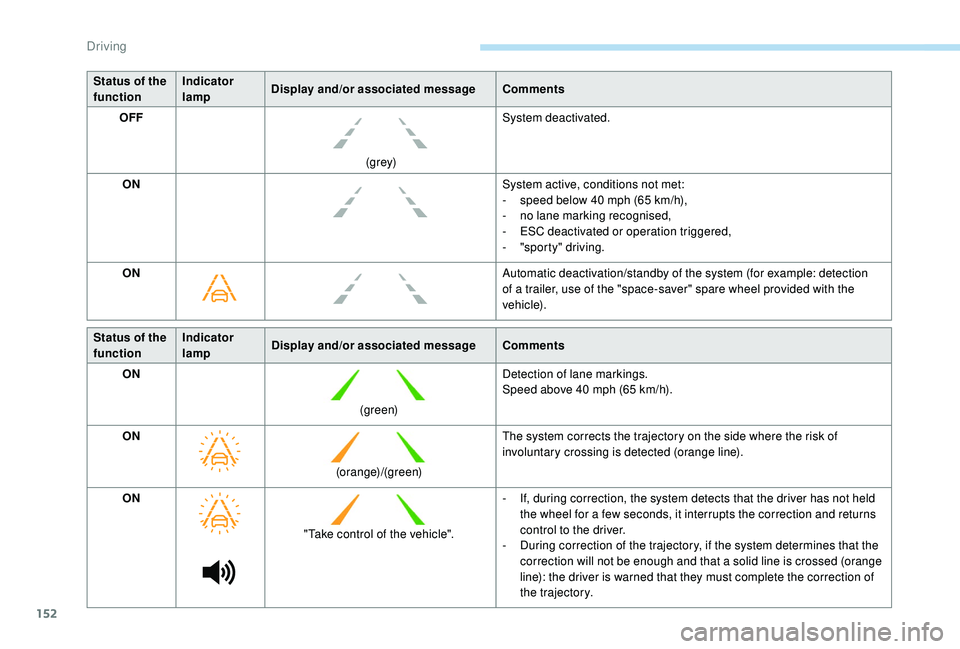
OFF
(grey)System deactivated.
ON System active, conditions not met:
-
s
peed below 40 mph (65 km/h),
-
n
o lane marking recognised,
-
E
SC deactivated or operation triggered,
-
"
sporty" driving.
ON Automatic deactivation/standby of the system (for example: detection
of a trailer, use of the "space-saver" spare wheel provided with the
vehicle).
Status of the
function Indicator
lamp
Display and/or associated message
Comments
ON
(green)Detection of lane markings.
Speed above 40
mph (65 km/h).
ON (orange)/(green)The system corrects the trajectory on the side where the risk of
involuntary crossing is detected (orange line).
ON "Take control of the vehicle". -
I
f, during correction, the system detects that the driver has not held
the wheel for a few seconds, it interrupts the correction and returns
control to the driver.
-
D
uring correction of the trajectory, if the system determines that the
correction will not be enough and that a solid line is crossed (orange
line): the driver is warned that they must complete the correction of
the trajectory.
Driving
Page 155 of 324
153
Operating limits
The system goes into standby automatically in
the following cases:
-
E
SC deactivated or operation triggered,
-
s
peed below 40 mph (65 km/h) or greater
than 112
mph (180 km/h),
-
c
onnected electrically to a trailer,
-
u
se of the "space-saver" spare
wheel detected (as detection is not
immediate, deactivation of the system is
recommended),
-
d
ynamic driving style detected, pressure on
the brake or accelerator pedal,
-
d
riving beyond lane markings,
-
a
ctivation of the direction indicators,
-
c
rossing the inside line on a bend,
-
d
riving in a tight corner,
-
i
nactivity by the driver detected during
correction. The following situations may interfere with
the operation of the system or prevent it
working:
-
c
onditions of poor visibility (inadequate
street lighting, snowfall, rain, fog),
-
d
azzle (headlamps of an oncoming
vehicle, low sun, reflections on a damp
road, leaving a tunnel, alternating
shade and light),
-
w
indscreen area located in front of the
camera: dirty, misted, frost-covered,
snow-covered, damaged or covered by
a s t i c ke r,
-
l
ane markings worn, hidden (snow,
mud) or multiple (roadworks, etc.),
-
r
unning close to the vehicle in front
(the lane markings may not be
detected),
-
r
oads that are narrow, winding, etc.
Risk of undesirable operation
Deactivation of the system is recommended in
the following situations:
-
d
riving on a road sur face in poor condition,
-
u
nfavourable climatic conditions,
-
d
riving on slippery sur faces (ice). The system is not intended for driving in the
following situations:
-
d
riving on a speed circuit,
-
d
riving with a trailer,
-
d
riving on a rolling road,
-
d
riving on unstable sur faces.
Deactivation/Activation
Without touch screen
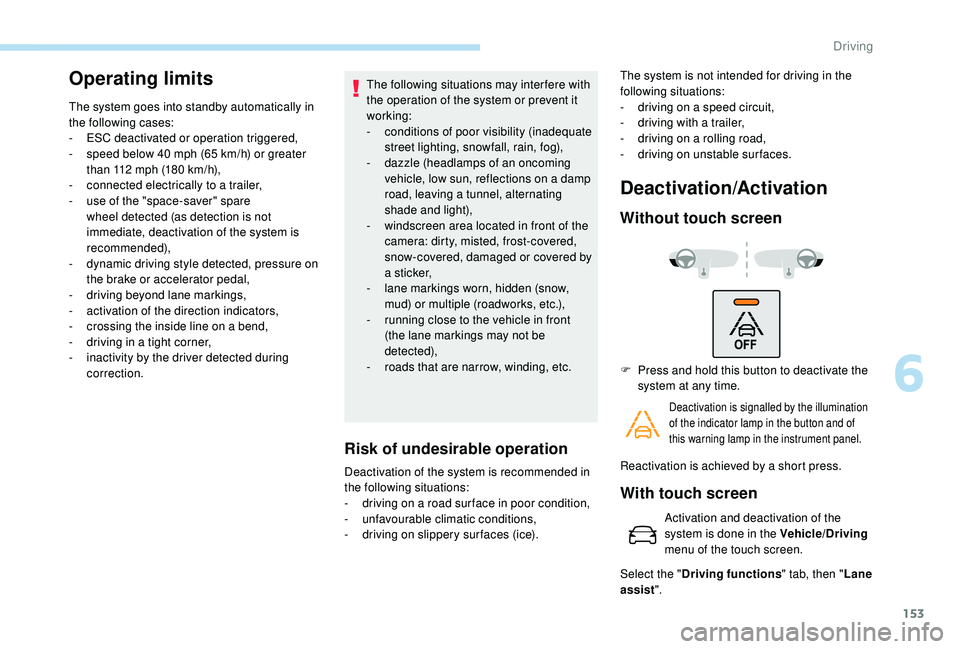
F Press and hold this button to deactivate the
system at any time.
Deactivation is signalled by the illumination
of the indicator lamp in the button and of
this warning lamp in the instrument panel.
Reactivation is achieved by a short press.
With touch screen
Activation and deactivation of the
system is done in the Vehicle/Driving
menu of the touch screen.
Select the " Driving functions " tab, then "Lane
assist ".
6
Driving
Page 183 of 324

181
F Press the trigger fully in and remove the towball by pulling it toward you.
F
O
n the towball, push the latch to the left and
hold it in this position.
F
A
t the same time, push the trigger for wards
to unlock the mechanism (position B ).
F
I
nstall and clip the protective plug in the
carrier located below the rear bumper.
F
S
tow the towball in its bag.
Energy economy mode
System which manages the duration of use of
certain functions to conser ve a sufficient level
of charge in the battery.
After the engine has stopped, you can still use
functions such as the audio and telematics
system, windscreen wipers, dipped beam
headlamps,
courtesy lamps, etc. for a
maximum combined duration of about forty
minutes.
Switching to this mode
A message appears in the instrument panel
screen indicating that the vehicle has switched
to economy mode and the active functions are
put on standby.
If a telephone call is being made at this
time, it will be maintained for around
10
minutes with the Bluetooth hands-free
kit of your audio system.
Exiting the mode
These functions will be automatically restored
the next time the vehicle is used.
In order to restore the use of these functions
immediately, start the engine and let it run:
-
f
or less than ten minutes, to use the
equipment for approximately five minutes, A flat battery prevents the engine from
starting.
For more information on the 12
V batter y
,
refer to the corresponding section.
Load reduction mode
System which manages the use of certain
functions according to the level of charge
remaining in the battery.
When the vehicle is being driven, the load
reduction function temporarily deactivates
certain functions, such as air conditioning,
heated rear screen, etc.
The deactivated functions are reactivated
automatically as soon as conditions permit. -
f
or more than ten minutes, to use the
equipment for up to approximately thirty
minutes.
Let the engine run for the duration specified to
ensure that the battery charge is sufficient.
Do not repeatedly and continuously restart the
engine in order to charge the battery.
7
Practical information
Page 253 of 324
1
PEUGEOT Connect Radio
Multimedia audio system –
Applications – Bluetooth®
telephone
Contents
First steps
2
S
teering mounted controls
3
M
enus
4
A
pplications
5
Radio
6
DAB (Digital Audio Broadcasting) radio
8
M
edia 9
Telephone
11
Settings
16
Frequently asked questions
1
8The different functions and settings
described vary depending on the version
and configuration of your vehicle.
As a safety measure and because it
requires sustained attention by the
driver, the pairing of a Bluetooth mobile
telephone with the Bluetooth hands-free
system of your audio system must be
done with the vehicle stationary
and the
ignition on.
The system is protected in such a way that
it will only operate in your vehicle.
The display of the Energy Economy
Mode message signals that a change to
standby is imminent.
The link below gives access to OSS (Open
Source Software) codes for the system.
https://www.groupe-psa.com/fr/oss/
https://www.groupe-psa.com/en/oss/
.
PEUGEOT Connect Radio
Page 255 of 324

3
In very hot conditions, the volume may
be limited to protect the system. It may go
into standby (screen and sound off) for at
least 5 minutes
The return to normal takes place when
the temperature in the passenger
compartment has dropped.
Steering mounted controls
Steering mounted controls
– Type 1
Radio:
Select the previous/next preset radio
station.
Select the previous/next item in a
menu or a list.
Media:
Select the previous/next track.
Select the previous/next item in a
menu or a list. Radio:
Short press: display the list of radio
stations.
Long press: update the list.
Media:
Short press: display the list of
folders.
Long press: display the available
sorting options.
Change audio source (radio; USB;
AUX if equipment connected; CD;
streaming).
Confirm a selection.
Increase volume.
Decrease volume.
Mute/Restore sound by
simultaneously pressing the
increase and decrease volume
buttons.
Steering mounted controls
– Type 2
Depending on model.
Voice commands :
This control is located on the
steering wheel or at the end of the
lighting control stalk (depending on
model).
Short press, smartphone voice
commands via the system.
or Increase volume.
or Mute/Restore the sound.
Or
Mute by pressing the volume
increase and decrease buttons
simultaneously.
Restore the sound by pressing one
of the two volume buttons.
.
PEUGEOT Connect Radio