12
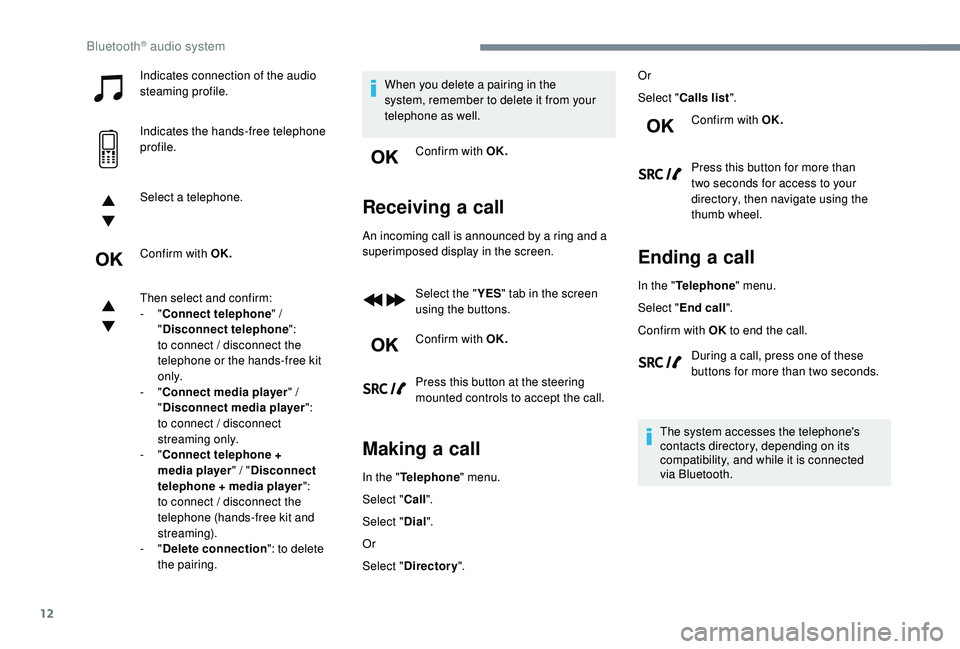
Indicates connection of the audio
steaming profile.
Indicates the hands-free telephone
profile.
Select a telephone.
Confirm with OK.
Then select and confirm:
- "Connect telephone " /
" Disconnect telephone ":
to connect / disconnect the
telephone or the hands-free kit
o n l y.
-
"Connect media player " /
" Disconnect media player ":
to connect / disconnect
streaming only.
-
"Connect telephone +
media player " / "Disconnect
telephone + media player ":
to connect / disconnect the
telephone (hands-free kit and
streaming).
-
"Delete connection ": to delete
the pairing. When you delete a pairing in the
system, remember to delete it from your
telephone as well.
Confirm with OK.
Receiving a call
An incoming call is announced by a ring and a
superimposed display in the screen.
Select the " YES" tab in the screen
using the buttons.
Confirm with OK.
Press this button at the steering
mounted controls to accept the call.
Making a call
In the " Telephone " menu.
Select " Call".
Select " Dial".
Or
Select " Directory ". Or
Select "
Calls list ".
Confirm with OK.
Press this button for more than
two seconds for access to your
directory, then navigate using the
thumb wheel.
Ending a call
In the " Telephone " menu.
Select " End call".
Confirm with OK to end the call.
During a call, press one of these
buttons for more than two seconds.
The system accesses the telephone's
contacts directory, depending on its
compatibility, and while it is connected
via Bluetooth.
Bluetooth® audio system