2018 PEUGEOT 3008 Interior light
[x] Cancel search: Interior lightPage 4 of 360
2
.
.
Head-up digital screen 8
W arning and indicator lamps 1 1
Indicators
29
Manual test
3
5
Distance recorders
3
6
Lighting dimmer
3
6
Ambient lighting
3
6
Trip computer
3
7
Monochrome screen C
3
8
Touch screen
4
0
Remote control
4
8
K
eyless Entry and Starting
5
0
Back-up procedures
5
4
Central locking
5
7
Anti-intrusion security
5
8
Alarm
5
8
Doors
60
Boot
6
1
Hands-free tailgate
62
E
lectric windows
6
5
Panoramic opening sunroof
6
7Driving position
7
0
Front seats
7
1
Steering wheel adjustment
7
6
Mirrors
76
R
ear seats
7
8
i- Cockpit Amplify function
8
0
Heating and Ventilation
8
1
Manual air conditioning 8 4
Semi-automatic mono-zone air conditioning 8 4
Automatic dual-zone air conditioning
8
6
Recirculation of the interior air
9
0
Front demist – defrost
9
0
Heated windscreen
9
1
Rear screen demist – defrost
9
1
Programmable heating
9
2
Front fittings
9
6
Courtesy lamps
1
02
Interior ambient lighting
1
03
Rear fittings
1
04
Boot fittings
1
05Exterior lighting control stalk
1
09
Direction indicators
1
11
Headlamp adjustment
1
12
Automatic illumination of headlamps
1
12
Automatic headlamp dipping
1
14
Cornering lighting
1
16
Wiper control stalk
1
17
Automatic windscreen wipers 1 19
General safety recommendations
1
21
Hazard warning lamps
1
22
H or n
12
2
Emergency or assistance call
1
22
Electronic stability control (ESC)
1
24
Advanced Grip Control
1
27
Hill Assist Descent Control
1
28
Seat belts
1
29
Airbags
133
Child seats
1
37
Deactivating the front passenger airbag
1
38
ISOFIX mountings and child seats
1
43
i-Size child seats
1
46
Child lock
1
49
InstrumentsAccess
Over view
Ease of use and comfort
Lighting and visibility
Safety
Eco-driving
Instruments and controls 4
Contents
Page 7 of 360

5
Steering mounted controlsSide switch panelCentral switch panel
1.
External lighting / Direction indicators
control stalk
2. Wiper / Screenwash / Trip computer
control stalk
3. Audio system setting controls
4. Instrument panel display mode selection
wheel
5. Voice synthesis control
Volume adjustment
6. Speed limiter / Cruise control / Adaptive
cruise control with Stop function controls 1.
Headlamp beam height adjustment wheel
2. Programmable heating operation
indicator lamp
3. Hands-free tailgate opening / closing
4. Deactivation of Stop & Start
5. Deactivation of the interior volumetric and
anti-tilt monitoring
6. Heated windscreen
7. Electric child lock 1.
Hazard warning lamps switch
2. Bluetooth audio system controls
or
Touch screen controls with PEUGEOT
Connect Radio or PEUGEOT Connect
Nav
i- Cockpit Amplify function
3. Manual air conditioning system controls
or
Semi-automatic or automatic air
conditioning system controls
4. Rear screen demist / defrost control
5. Central locking control
6. Heated seats controls
.
Over view
Page 72 of 360
70
Driving position
Adopting a good driving position helps improve
your comfort and protection.
It also optimises interior and exterior visibility
as well as access to controls.
Sitting comfortably
Whether or not your vehicle has certain seat
adjustments described in this section depends
on the trim level and country of sale.
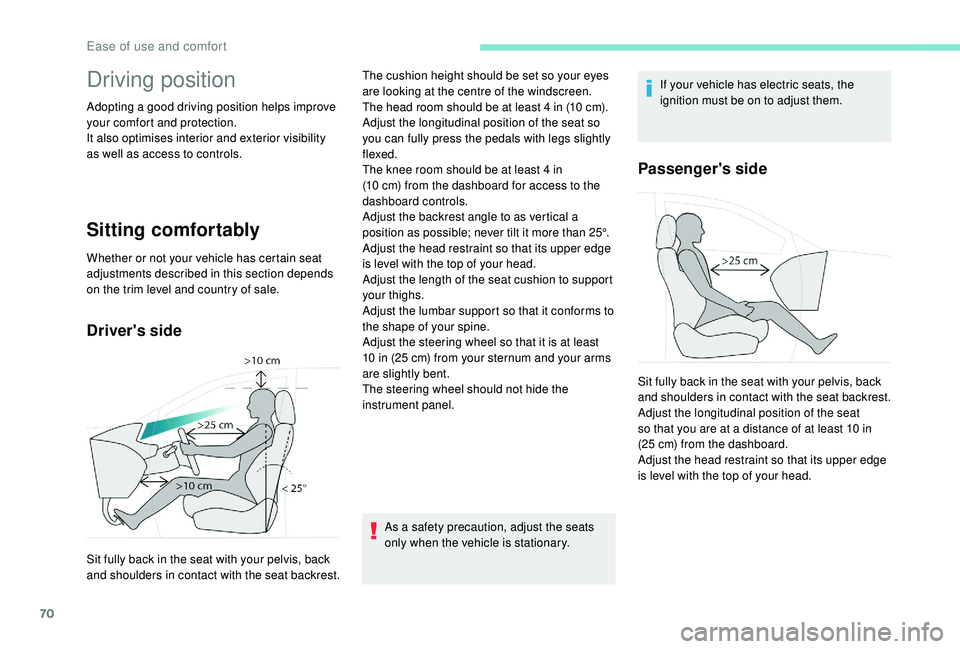
Driver's side
As a safety precaution, adjust the seats
only when the vehicle is stationary.If your vehicle has electric seats, the
ignition must be on to adjust them.
Passenger's side
Sit fully back in the seat with your pelvis, back
and shoulders in contact with the seat backrest.The cushion height should be set so your eyes
are looking at the centre of the windscreen.
The head room should be at least 4
in (10 cm).
Adjust the longitudinal position of the seat so
you can fully press the pedals with legs slightly
flexed.
The knee room should be at least 4 in
(10 cm) from the dashboard for access to the
dashboard controls.
Adjust the backrest angle to as vertical a
position as possible; never tilt it more than 25°.
Adjust the head restraint so that its upper edge
is level with the top of your head.
Adjust the length of the seat cushion to support
your thighs.
Adjust the lumbar support so that it conforms to
the shape of your spine.
Adjust the steering wheel so that it is at least
10 in (25 cm) from your sternum and your arms
are slightly bent.
The steering wheel should not hide the
instrument panel. Sit fully back in the seat with your pelvis, back
and shoulders in contact with the seat backrest.
Adjust the longitudinal position of the seat
so that you are at a distance of at least 10 in
(25 cm) from the dashboard.
Adjust the head restraint so that its upper edge
is level with the top of your head.
Ease of use and comfort
Page 86 of 360
84
Manual air conditioning
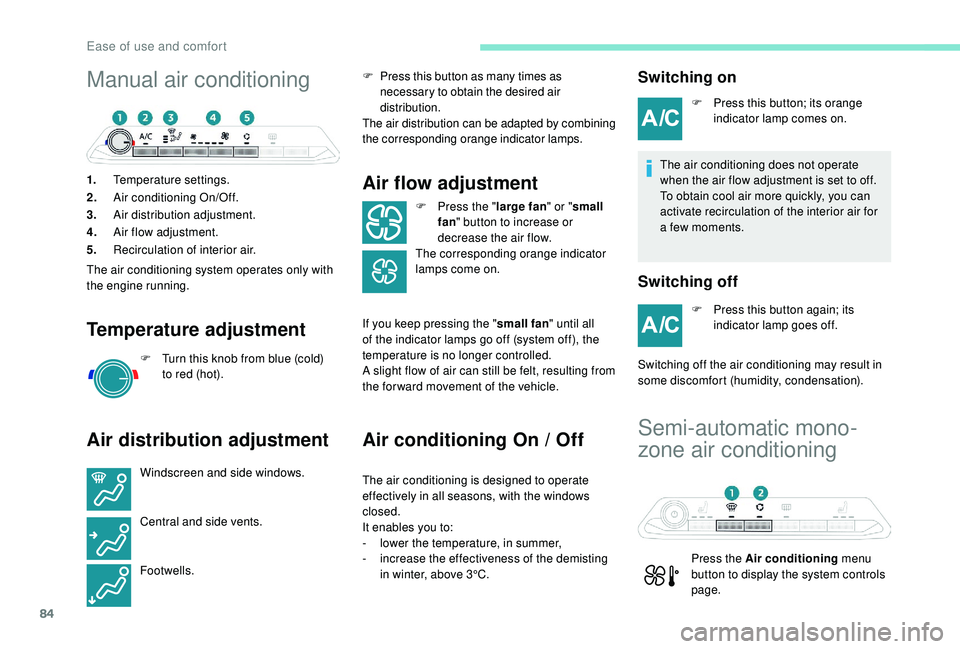
1.Temperature settings.
2. Air conditioning On/Off.
3. Air distribution adjustment.
4. Air flow adjustment.
5. Recirculation of interior air.
The air conditioning system operates only with
the engine running.
Temperature adjustment
F Turn this knob from blue (cold) to red (hot).
Air distribution adjustment
Windscreen and side windows.
Central and side vents.
Footwells. F
P
ress this button as many times as
necessary to obtain the desired air
distribution.
The air distribution can be adapted by combining
the corresponding orange indicator lamps.
Air flow adjustment
F Press the " large fan" or "small
fan " button to increase or
decrease the air flow.
The corresponding orange indicator
lamps come on.
If you keep pressing the " small fan" until all
of the indicator lamps go off (system off), the
temperature is no longer controlled.
A slight flow of air can still be felt, resulting from
the for ward movement of the vehicle.
Air conditioning On / Off
The air conditioning is designed to operate
effectively in all seasons, with the windows
closed.
It enables you to:
-
l
ower the temperature, in summer,
-
i
ncrease the effectiveness of the demisting
in winter, above 3°C.
Switching on
F Press this button; its orange indicator lamp comes on.
The air conditioning does not operate
when the air flow adjustment is set to off.
To obtain cool air more quickly, you can
activate recirculation of the interior air for
a few moments.
Switching off
F Press this button again; its indicator lamp goes off.
Switching off the air conditioning may result in
some discomfort (humidity, condensation).
Semi-automatic mono-
zone air conditioning
Press the Air conditioning menu
button to display the system controls
page.
Ease of use and comfort
Page 88 of 360
86
The air conditioning does not operate
when the air flow adjustment is set to off.
To obtain cool air more quickly, you can
use recirculation of the interior air for a
few moments. Then return to the intake of
exterior air.
Switching off
F Press this button again, its indicator lamp goes off.
Switching off the air conditioning may result in
some discomfort (humidity, condensation).
Maximum air conditioning
This function allows faster cooling of the air in
the passenger compartment.
The system automatically adjusts the
temperature setting to the lowest possible, air
distribution towards the centre and outer vents,
air flow to maximum and activates recirculation
of interior air.
F
P
ress this button to activate
the function; its indicator lamp
comes on.
Automatic visibility
programme
For more information on Front demist –
defrost , refer to the corresponding section.
Switching off the system
F Press this button; its indicator
lamp comes on and all other
indicator lamps of the system
go of f.
Avoid driving for too long with the system
switched off – Risk of condensation and
deterioration of air quality!
Pressing any button reactivates the
system with the settings that were
previously in use.
Automatic dual-zone air
conditioning
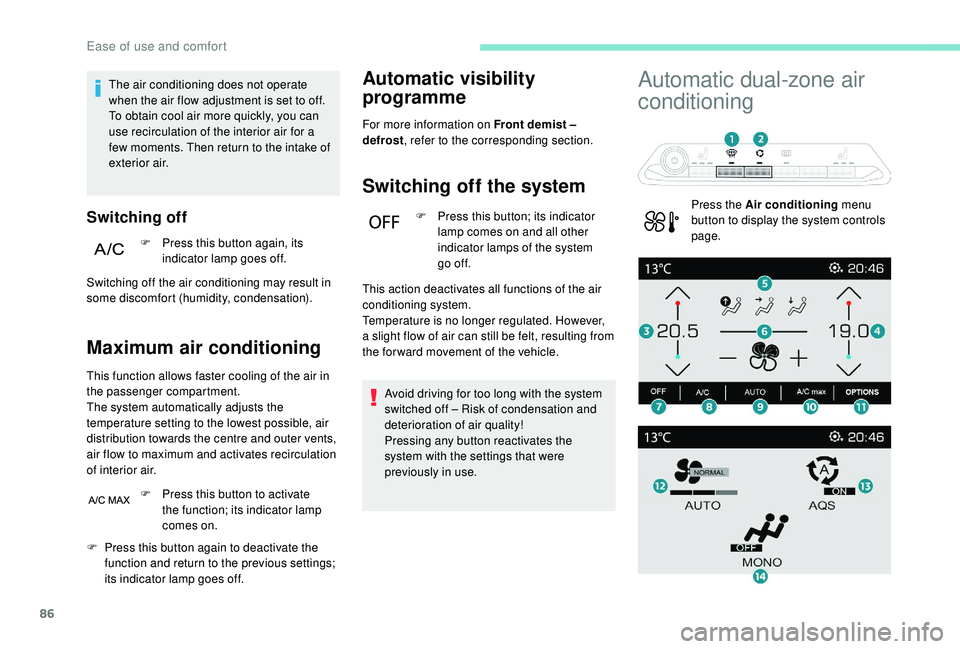
Press the Air conditioning menu
button to display the system controls
page.
F
P
ress this button again to deactivate the
function and return to the previous settings;
its indicator lamp goes off. This action deactivates all functions of the air
conditioning system.
Temperature is no longer regulated. However,
a slight flow of air can still be felt, resulting from
the for ward movement of the vehicle.
Ease of use and comfort
Page 91 of 360
89
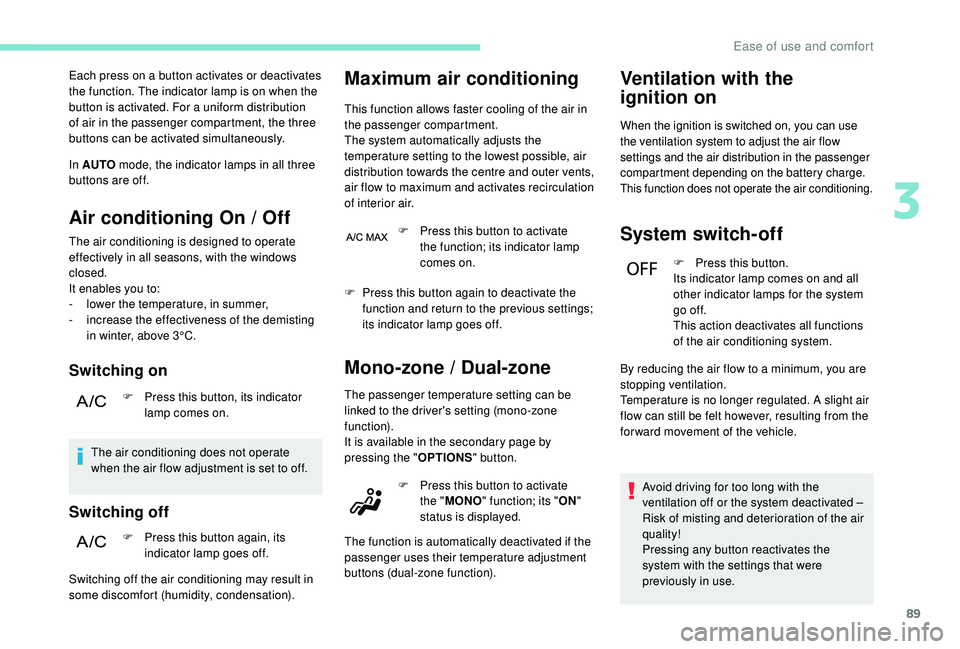
Each press on a button activates or deactivates
the function. The indicator lamp is on when the
button is activated. For a uniform distribution
of air in the passenger compartment, the three
buttons can be activated simultaneously.
In AUTO mode, the indicator lamps in all three
buttons are off.
Air conditioning On / Off
The air conditioning is designed to operate
effectively in all seasons, with the windows
closed.
It enables you to:
-
l
ower the temperature, in summer,
-
i
ncrease the effectiveness of the demisting
in winter, above 3°C.
Switching on
F Press this button, its indicator lamp comes on.
The air conditioning does not operate
when the air flow adjustment is set to off.
Switching off
F Press this button again, its indicator lamp goes off.
Maximum air conditioning
This function allows faster cooling of the air in
the passenger compartment.
The system automatically adjusts the
temperature setting to the lowest possible, air
distribution towards the centre and outer vents,
air flow to maximum and activates recirculation
of interior air.
Switching off the air conditioning may result in
some discomfort (humidity, condensation). F
P
ress this button to activate
the function; its indicator lamp
comes on.
F
P
ress this button again to deactivate the
function and return to the previous settings;
its indicator lamp goes off.
Mono-zone / Dual-zone
The passenger temperature setting can be
linked to the driver's setting (mono-zone
function).
It is available in the secondary page by
pressing the " OPTIONS" button.
Ventilation with the
ignition on
When the ignition is switched on, you can use
the ventilation system to adjust the air flow
settings and the air distribution in the passenger
compartment depending on the battery charge.
This function does not operate the air conditioning.
System switch-off
F Press this button.
Its indicator lamp comes on and all
other indicator lamps for the system
go of f.
This action deactivates all functions
of the air conditioning system.
Avoid driving for too long with the
ventilation off or the system deactivated
–
Risk of misting and deterioration of the air
quality!
Pressing any button reactivates the
system with the settings that were
previously in use.
F
P
ress this button to activate
the " MONO " function; its " ON"
status is displayed.
The function is automatically deactivated if the
passenger uses their temperature adjustment
buttons (dual-zone function). By reducing the air flow to a minimum, you are
stopping ventilation.
Temperature is no longer regulated. A slight air
flow can still be felt however, resulting from the
for ward movement of the vehicle.
3
Ease of use and comfort
Page 105 of 360
103
Front and rear map reading
lamps
Take care not to put anything in contact
with the courtesy lamps.F
W
ith the ignition on, operate the
corresponding switch.
When the courtesy lamp is in the
"permanent lighting" position, the rear
courtesy lamp also comes on, except if it
is in the "permanently off " position.
To switch off the rear courtesy lamp, put it
in the "permanently off " position.
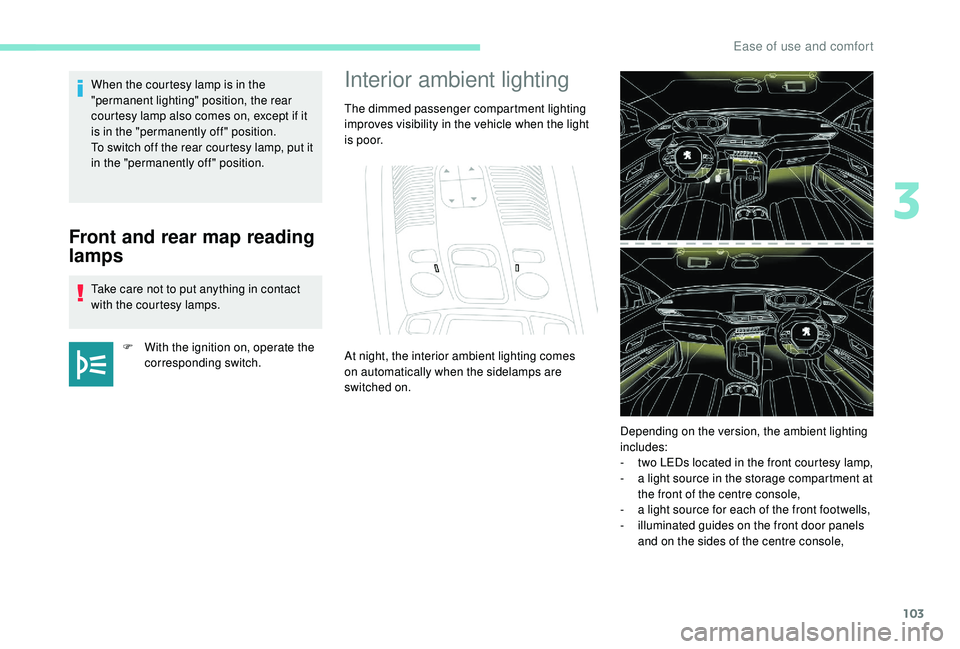
Interior ambient lighting
The dimmed passenger compartment lighting
improves visibility in the vehicle when the light
i s p o o r.
At night, the interior ambient lighting comes
on automatically when the sidelamps are
switched on.
Depending on the version, the ambient lighting
includes:
-
t
wo LEDs located in the front courtesy lamp,
-
a l
ight source in the storage compartment at
the front of the centre console,
-
a l
ight source for each of the front footwells,
-
i
lluminated guides on the front door panels
and on the sides of the centre console,
3
Ease of use and comfort
Page 106 of 360
104
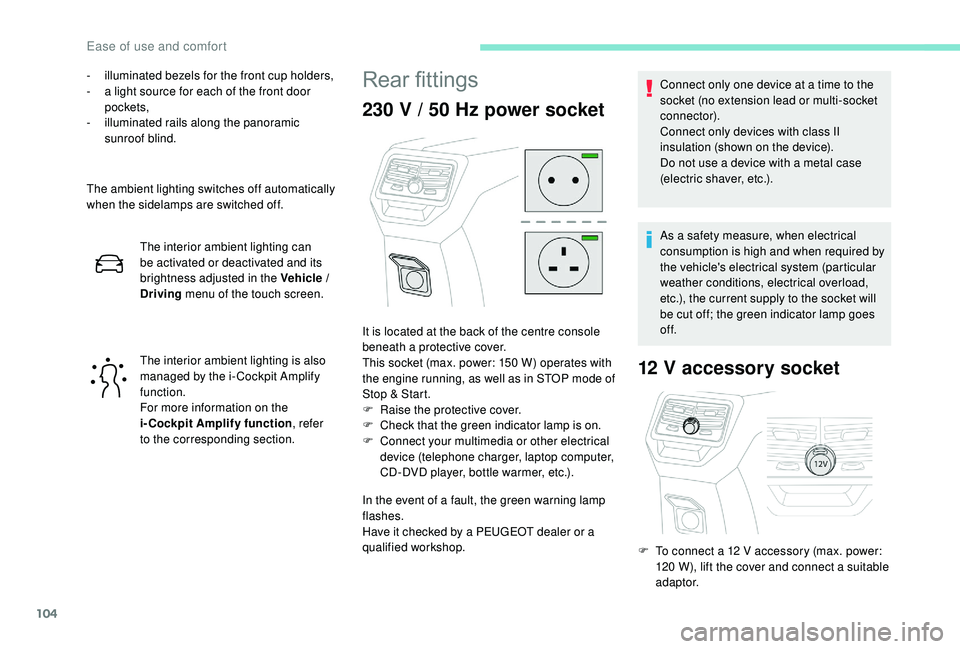
- illuminated bezels for the front cup holders,
- a l ight source for each of the front door
pockets,
-
i
lluminated rails along the panoramic
sunroof blind.
The ambient lighting switches off automatically
when the sidelamps are switched off. The interior ambient lighting can
be activated or deactivated and its
brightness adjusted in the Vehicle /
Driving menu of the touch screen.
The interior ambient lighting is also
managed by the i- Cockpit Amplify
function.
For more information on the
i-Cockpit Amplify function , refer
to the corresponding section.Rear fittings
230 V / 50 Hz power socket
In the event of a fault, the green warning lamp
flashes.
Have it checked by a PEUGEOT dealer or a
qualified workshop.
12 V accessory socket
It is located at the back of the centre console
beneath a protective cover.
This socket (max. power: 150
W) operates with
the engine running, as well as in STOP mode of
Stop & Start.
F
Ra
ise the protective cover.
F
C
heck that the green indicator lamp is on.
F
C
onnect your multimedia or other electrical
device (telephone charger, laptop computer,
CD-DVD player, bottle warmer, etc.). Connect only one device at a time to the
socket (no extension lead or multi-socket
connector).
Connect only devices with class II
insulation (shown on the device).
Do not use a device with a metal case
(electric shaver, etc.).
As a safety measure, when electrical
consumption is high and when required by
the vehicle's electrical system (particular
weather conditions, electrical overload,
etc.), the current supply to the socket will
be cut off; the green indicator lamp goes
of f.
F
T
o connect a 12 V accessory (max. power:
120
W), lift the cover and connect a suitable
adaptor.
Ease of use and comfort