2018 PEUGEOT 3008 ignition
[x] Cancel search: ignitionPage 186 of 360
184
This setting remains in memory, whatever the
state of the system and when the ignition is
switched off.
Exceeding the programmed
setting
It is possible to exceed the speed setting
temporarily by depressing the accelerator
pedal.
The cruise control no longer manages the
braking system during this period.
Simply release the accelerator pedal to return
to the programmed speed.
If the programmed speed setting is exceeded,
the display of the speed setting disappears
and a message "Cruise control suspended"
is displayed until the accelerator pedal is
released.
Driving situations and
associated alerts
To benefit from all necessary information on
the instrument panel, you must previously
select the "DRIVING" display mode.
The table below describes the alerts and
messages displayed depending on the driving
situation.
The display of these alerts is not sequential.
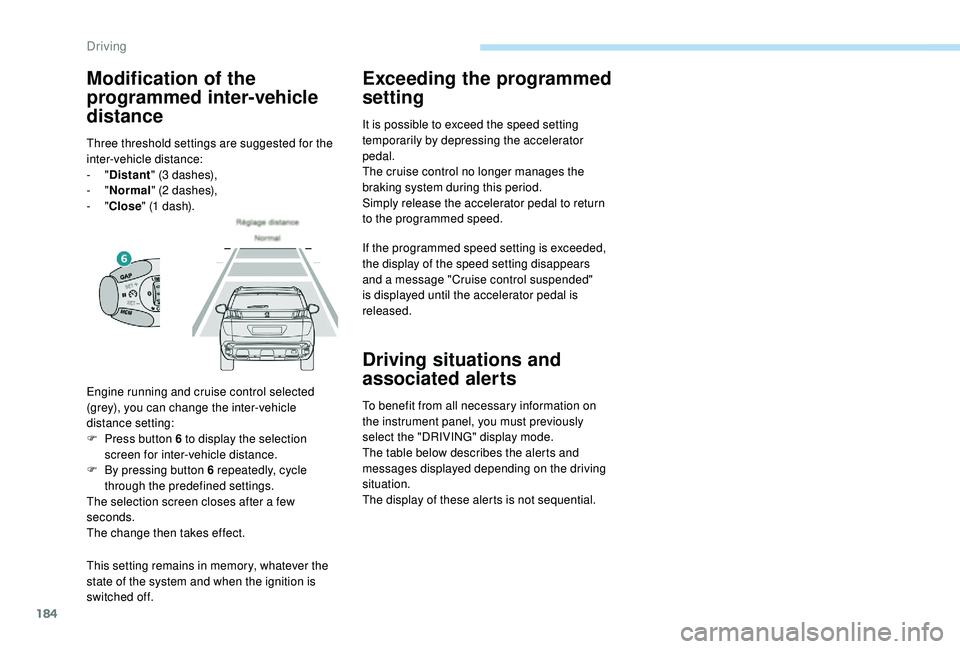
Engine running and cruise control selected
(grey), you can change the inter-vehicle
distance setting:
F
P
ress button 6 to display the selection
screen for inter-vehicle distance.
F
B
y pressing button 6 repeatedly, cycle
through the predefined settings.
The selection screen closes after a few
seconds.
The change then takes effect.
Modification of the
programmed inter-vehicle
distance
Three threshold settings are suggested for the
inter-vehicle distance:
-
"Distant " (3
dashes),
-
"Normal " (2
dashes),
-
"Close " (1
dash).
Driving
Page 192 of 360
190
It is possible that warnings are not given,
are given too late or seem unjustified.
Consequently, always stay alert and be
prepared to react at any time to avoid an
accident.
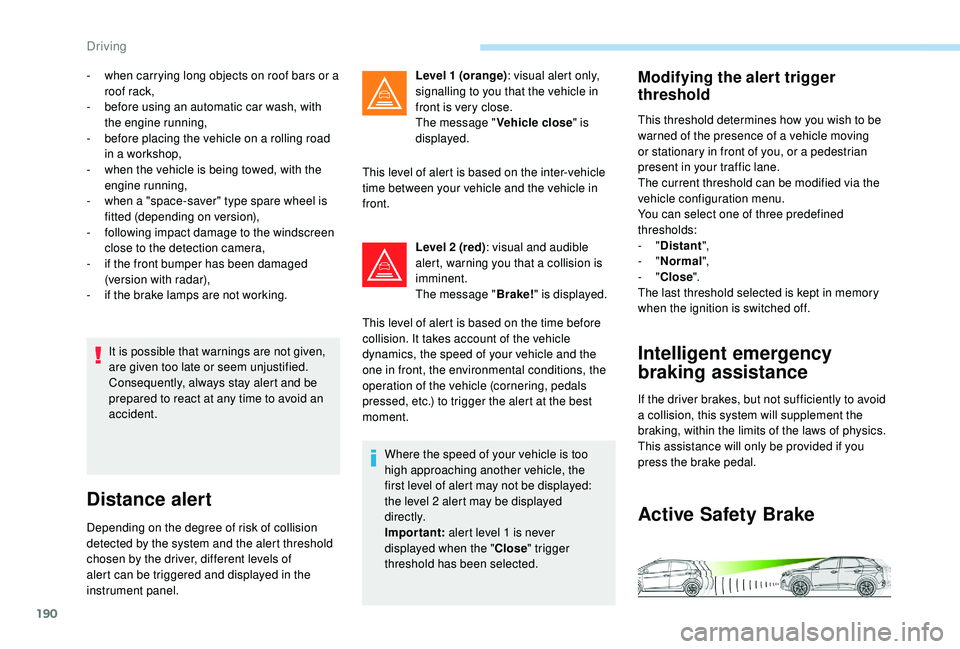
Distance alert
Depending on the degree of risk of collision
detected by the system and the alert threshold
chosen by the driver, different levels of
alert can be triggered and displayed in the
instrument panel.Level 1 (orange)
: visual alert only,
signalling to you that the vehicle in
front is very close.
The message " Vehicle close" is
displayed.
This level of alert is based on the inter-vehicle
time between your vehicle and the vehicle in
front.
Level 2 (red) : visual and audible
alert, warning you that a collision is
imminent.
The message " Brake!" is displayed.
This level of alert is based on the time before
collision. It takes account of the vehicle
dynamics, the speed of your vehicle and the
one in front, the environmental conditions, the
operation of the vehicle (cornering, pedals
pressed, etc.) to trigger the alert at the best
moment.
Where the speed of your vehicle is too
high approaching another vehicle, the
first level of alert may not be displayed:
the level 2 alert may be displayed
di r e c t l y.
Important: alert level 1 is never
displayed when the " Close" trigger
threshold has been selected.
-
w
hen carrying long objects on roof bars or a
roof rack,
-
b
efore using an automatic car wash, with
the engine running,
-
b
efore placing the vehicle on a rolling road
in a workshop,
-
w
hen the vehicle is being towed, with the
engine running,
-
w
hen a "space-saver" type spare wheel is
fitted (depending on version),
-
fo
llowing impact damage to the windscreen
close to the detection camera,
-
i
f the front bumper has been damaged
(version with radar),
-
i
f the brake lamps are not working.
Modifying the alert trigger
threshold
This threshold determines how you wish to be
warned of the presence of a vehicle moving
or stationary in front of you, or a pedestrian
present in your traffic lane.
The current threshold can be modified via the
vehicle configuration menu.
You can select one of three predefined
thresholds:
-
"Distant ",
-
"Normal ",
-
"Close ".
The last threshold selected is kept in memory
when the ignition is switched off.
Intelligent emergency
braking assistance
If the driver brakes, but not sufficiently to avoid
a collision, this system will supplement the
braking, within the limits of the laws of physics.
This assistance will only be provided if you
press the brake pedal.
Active Safety Brake
Driving
Page 195 of 360
193
The state of the system stays in memory when
the ignition is switched off.
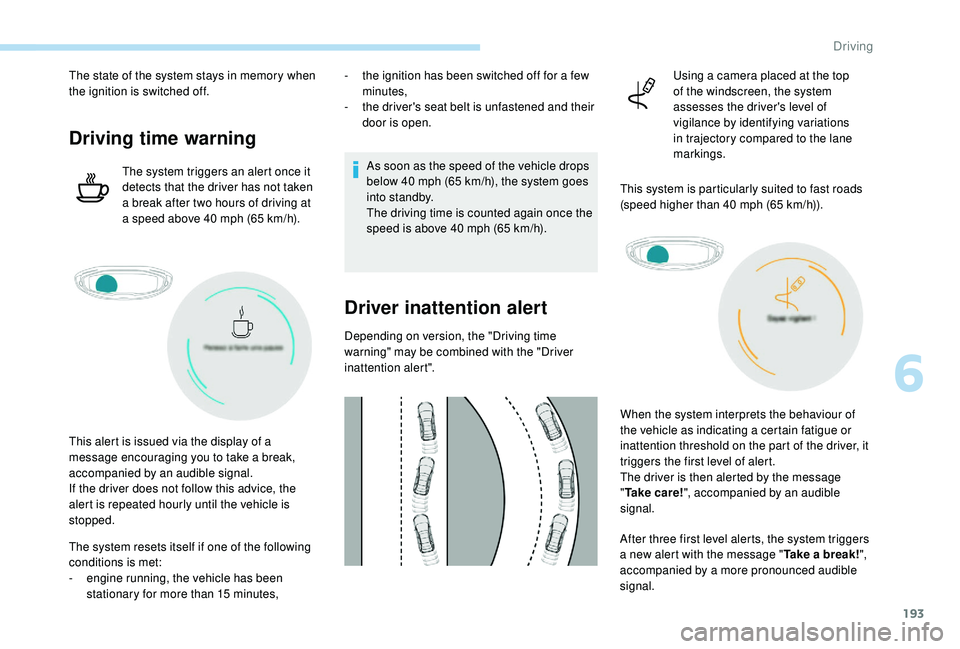
Driving time warning
The system triggers an alert once it
detects that the driver has not taken
a break after two hours of driving at
a speed above 40 mph (65 km/h).
The system resets itself if one of the following
conditions is met:
-
e
ngine running, the vehicle has been
stationary for more than 15
minutes,
This alert is issued via the display of a
message encouraging you to take a break,
accompanied by an audible signal.
If the driver does not follow this advice, the
alert is repeated hourly until the vehicle is
stopped. -
t
he ignition has been switched off for a few
minutes,
-
t
he driver's seat belt is unfastened and their
door is open.
As soon as the speed of the vehicle drops
below 40 mph (65 km/h), the system goes
into standby.
The driving time is counted again once the
speed is above 40
mph (65 km/h).
Driver inattention alert
Depending on version, the "Driving time
warning" may be combined with the "Driver
inattention alert".
After three first level alerts, the system triggers
a new alert with the message "Take a break!",
accompanied by a more pronounced audible
signal. When the system interprets the behaviour of
the vehicle as indicating a certain fatigue or
inattention threshold on the part of the driver, it
triggers the first level of alert.
The driver is then alerted by the message
"
Ta k e c a r e ! ", accompanied by an audible
signal. Using a camera placed at the top
of the windscreen, the system
assesses the driver's level of
vigilance by identifying variations
in trajectory compared to the lane
markings.
This system is particularly suited to fast roads
(speed higher than 40 mph (65 km/h)).
6
Driving
Page 196 of 360
194
In certain driving conditions (poor road
sur face or strong winds), the system may
give alerts independent of the driver's
level of vigilance.The following situations may interfere
with the operation of the system or
prevent it working:
-
p
oor visibility (inadequate lighting of
the roadway, falling snow, heavy rain,
dense fog, etc.),
-
d
azzle (headlamps of an oncoming
vehicle, low sun, reflections on
a damp road, leaving a tunnel,
alternating shade and light, etc.),
-
w
indscreen area located in front of
the camera: dirty, misted up, frost-
covered, snow-covered, damaged or
covered by a sticker,
-
l
ane markings absent, worn,
hidden (snow, mud) or multiple
(roadworks,
etc.),
-
c
lose to the vehicle ahead (lane
markings not detected),
-
r
oads that are narrow, winding, etc.Lane Departure Warning
System
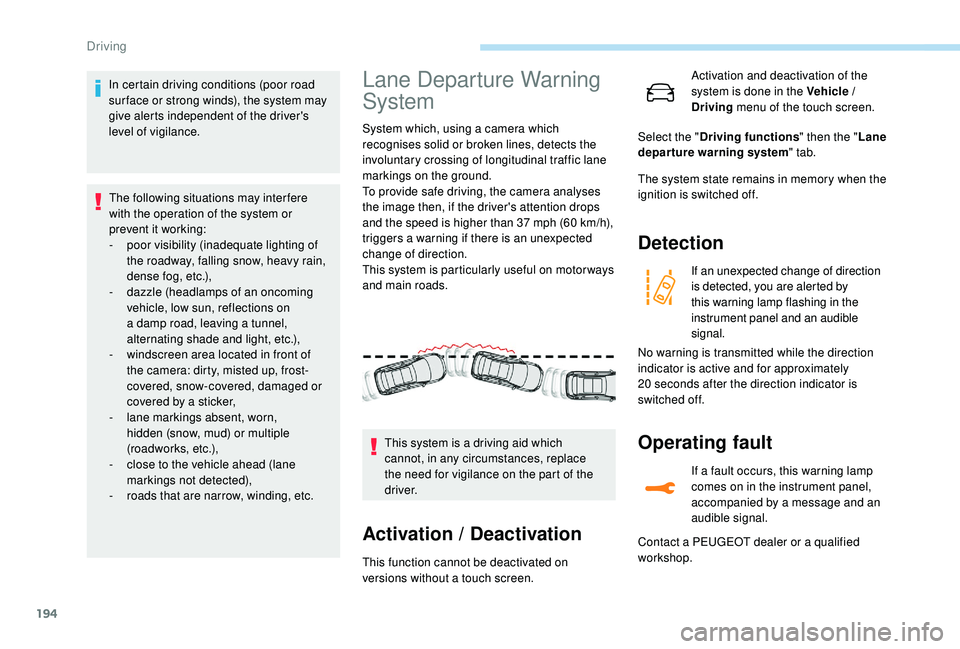
System which, using a camera which
recognises solid or broken lines, detects the
involuntary crossing of longitudinal traffic lane
markings on the ground.
To provide safe driving, the camera analyses
the image then, if the driver's attention drops
and the speed is higher than 37 mph (60 km/h),
triggers a warning if there is an unexpected
change of direction.
This system is particularly useful on motor ways
and main roads.
Activation / Deactivation
This function cannot be deactivated on
versions without a touch screen. This system is a driving aid which
cannot, in any circumstances, replace
the need for vigilance on the part of the
driver. Activation and deactivation of the
system is done in the Vehicle /
Driving
menu of the touch screen.
The system state remains in memory when the
ignition is switched off.
Detection
If an unexpected change of direction
is detected, you are alerted by
this warning lamp flashing in the
instrument panel and an audible
signal.
Operating fault
If a fault occurs, this warning lamp
comes on in the instrument panel,
accompanied by a message and an
audible signal.
Select the "
Driving functions " then the "Lane
departure warning system " tab.
No warning is transmitted while the direction
indicator is active and for approximately
20
seconds after the direction indicator is
switched off.
Contact a PEUGEOT dealer or a qualified
workshop.
Driving
Page 201 of 360
199
Operating limits
The system goes into standby automatically in
the following cases:
-
E
SC deactivated or operation triggered,
-
S
peed below 40 mph (65 km/h) or greater
than 112
mph (180 km/h),
-
c
onnected electrically to a trailer,
-
u
se of the "space-saver" spare
wheel detected (as detection is not
immediate, deactivation of the system is
recommended),
-
d
ynamic driving style detected, pressure on
the brake or accelerator pedal,
-
d
riving where there are no lane markings,
-
a
ctivation of the direction indicators,
-
c
rossing the inside line on a bend,
-
d
riving in a tight corner,
-
i
nactivity by the driver detected during
correction. The following situations may interfere
with the operation of the system or
prevent it working:
-
c
onditions of poor visibility
(inadequate street lighting, snowfall,
rain, fog),
-
d
azzle (headlamps of an oncoming
vehicle, low sun, reflections on
a damp road, leaving a tunnel,
alternating shade and light),
-
w
indscreen area located in front of
the camera: dirty, misted, frost-
covered, snow-covered, damaged or
covered by a sticker,
-
l
ane markings absent, worn, hidden
(snow, mud) or multiple (roadworks),
-
r
unning close to the vehicle in front
(the lane markings may not be
detected),
-
r
oads that are narrow, winding, etc.
Risk of undesirable operation
Activation / Deactivation
Activation and deactivation of the
system is done in the Vehicle /
Driving menu of the touch screen.
The system state remains in memory when the
ignition is switched off.
Deactivation of the system is recommended in
the following situations:
-
d
riving on a road sur face in poor condition,
-
u
nfavourable climatic conditions,
-
d
riving on slippery sur faces (ice). Select the "
Driving functions " then the "Lane
assist " tab.
Operating fault
In the event of a fault with the system, you are
alerted by the illumination of these warning
lamps in the instrument panel, accompanied by
the display of a message and an audible signal.
Have the system checked by a PEUGEOT
dealer or a qualified workshop. The system is not intended for driving in the
following situations:
-
d
riving on a speed circuit,
-
d
riving with a trailer,
-
d
riving on a rolling stand,
-
d
riving on unstable sur faces.
6
Driving
Page 202 of 360
200
Blind Spot Monitoring
System
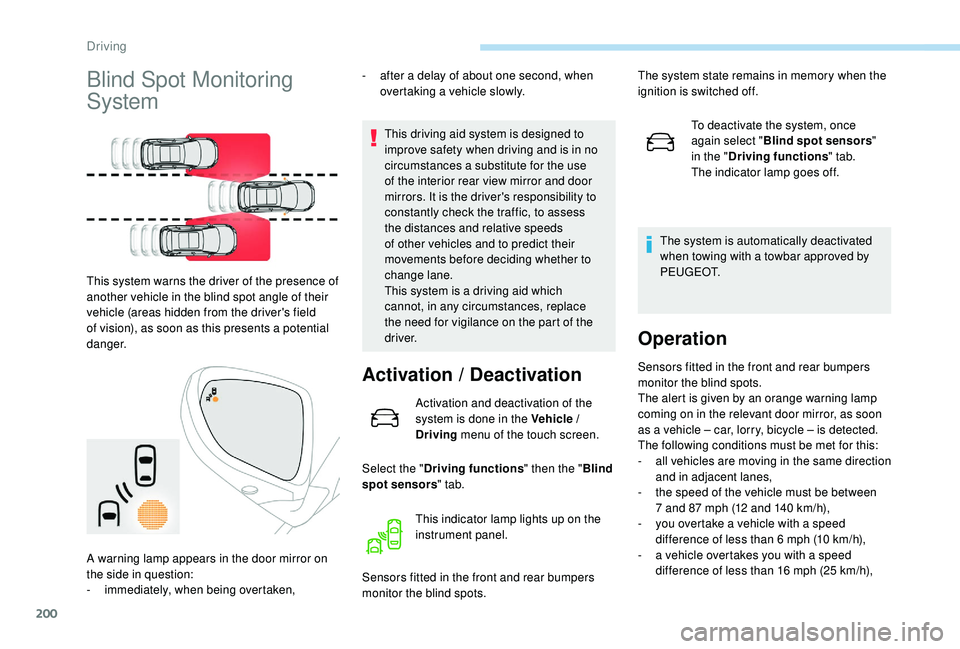
This system warns the driver of the presence of
another vehicle in the blind spot angle of their
vehicle (areas hidden from the driver's field
of vision), as soon as this presents a potential
danger.-
a
fter a delay of about one second, when
overtaking a vehicle slowly.
This driving aid system is designed to
improve safety when driving and is in no
circumstances a substitute for the use
of the interior rear view mirror and door
mirrors. It is the driver's responsibility to
constantly check the traffic, to assess
the distances and relative speeds
of other vehicles and to predict their
movements before deciding whether to
change lane.
This system is a driving aid which
cannot, in any circumstances, replace
the need for vigilance on the part of the
driver.
Activation / Deactivation
Activation and deactivation of the
system is done in the Vehicle /
Driving menu of the touch screen.
Select the " Driving functions " then the "Blind
spot sensors " tab.
Sensors fitted in the front and rear bumpers
monitor the blind spots. To deactivate the system, once
again select "
Blind spot sensors "
in the " Driving functions " tab.
The indicator lamp goes off.
The system is automatically deactivated
when towing with a towbar approved by
P E U G E O T.
Operation
Sensors fitted in the front and rear bumpers
monitor the blind spots.
The alert is given by an orange warning lamp
coming on in the relevant door mirror, as soon
as a vehicle – car, lorry, bicycle – is detected.
The following conditions must be met for this:
-
a
ll vehicles are moving in the same direction
and in adjacent lanes,
-
t
he speed of the vehicle must be between
7 and 87
mph (12 and 140 km/h),
-
y
ou overtake a vehicle with a speed
difference of less than 6
mph (10 km/h),
-
a v
ehicle overtakes you with a speed
difference of less than 16
mph (25 km/h),
This indicator lamp lights up on the
instrument panel.
A warning lamp appears in the door mirror on
the side in question:
-
i
mmediately, when being overtaken, The system state remains in memory when the
ignition is switched off.
Driving
Page 205 of 360
203
Visual assistance
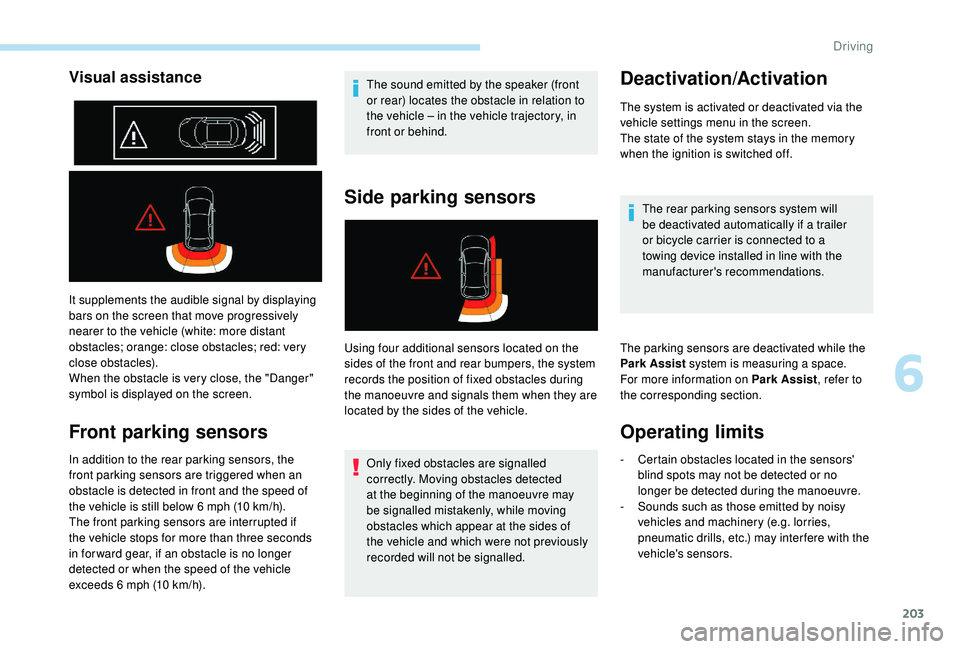
It supplements the audible signal by displaying
bars on the screen that move progressively
nearer to the vehicle (white: more distant
obstacles; orange: close obstacles; red: very
close obstacles).
When the obstacle is very close, the "Danger"
symbol is displayed on the screen.
Front parking sensors
In addition to the rear parking sensors, the
front parking sensors are triggered when an
obstacle is detected in front and the speed of
the vehicle is still below 6 mph (10 km/h).
The front parking sensors are interrupted if
the vehicle stops for more than three seconds
in for ward gear, if an obstacle is no longer
detected or when the speed of the vehicle
exceeds 6
mph (10 km/h). The sound emitted by the speaker (front
or rear) locates the obstacle in relation to
the vehicle
– in the vehicle trajectory, in
front or behind.
Side parking sensors
Using four additional sensors located on the
sides of the front and rear bumpers, the system
records the position of fixed obstacles during
the manoeuvre and signals them when they are
located by the sides of the vehicle.
Only fixed obstacles are signalled
correctly. Moving obstacles detected
at the beginning of the manoeuvre may
be signalled mistakenly, while moving
obstacles which appear at the sides of
the vehicle and which were not previously
recorded will not be signalled.
Deactivation/Activation
The system is activated or deactivated via the
vehicle settings menu in the screen.
The state of the system stays in the memory
when the ignition is switched off.
The rear parking sensors system will
be deactivated automatically if a trailer
or bicycle carrier is connected to a
towing device installed in line with the
manufacturer's recommendations.
The parking sensors are deactivated while the
Park Assist system is measuring a space.
For more information on Park Assist , refer to
the corresponding section.
Operating limits
- Certain obstacles located in the sensors' blind spots may not be detected or no
longer be detected during the manoeuvre.
-
S
ounds such as those emitted by noisy
vehicles and machinery (e.g. lorries,
pneumatic drills, etc.) may inter fere with the
vehicle's sensors.
6
Driving
Page 207 of 360
205
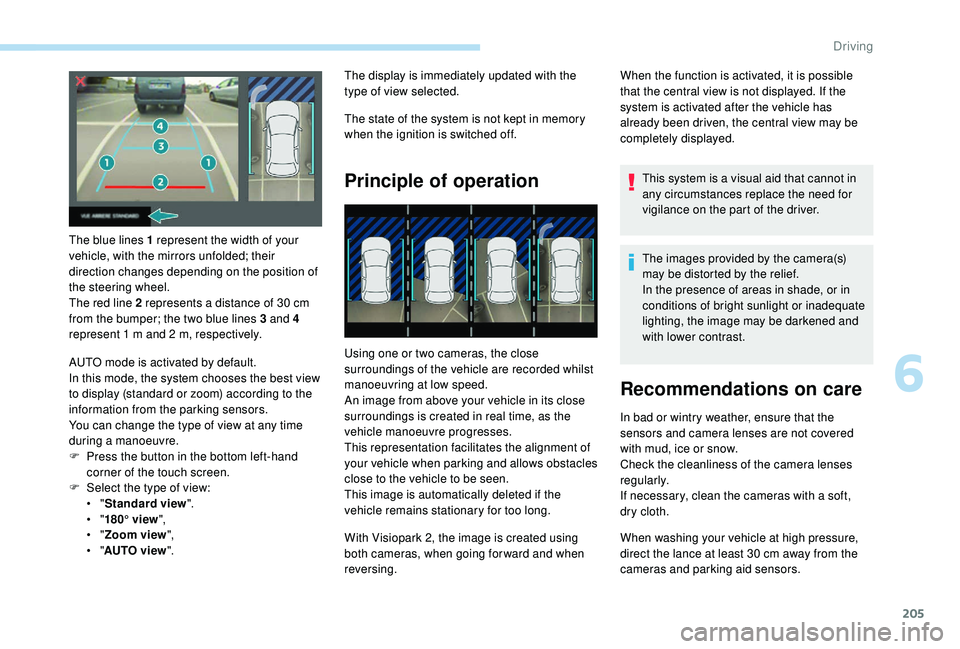
The blue lines 1 represent the width of your
vehicle, with the mirrors unfolded; their
direction changes depending on the position of
the steering wheel.
The red line 2 represents a distance of 30 cm
from the bumper; the two blue lines 3 and 4
represent 1
m and 2 m, respectively.
AUTO mode is activated by default.
In this mode, the system chooses the best view
to display (standard or zoom) according to the
information from the parking sensors.
You can change the type of view at any time
during a manoeuvre.
F
P
ress the button in the bottom left-hand
corner of the touch screen.
F
Sel
ect the type of view:
•
"Standard view ".
•
"180° view ",
•
"Zoom view ",
•
"AUTO view ". The display is immediately updated with the
type of view selected.
The state of the system is not kept in memory
when the ignition is switched off.
Principle of operation
Using one or two cameras, the close
surroundings of the vehicle are recorded whilst
manoeuvring at low speed.
An image from above your vehicle in its close
surroundings is created in real time, as the
vehicle manoeuvre progresses.
This representation facilitates the alignment of
your vehicle when parking and allows obstacles
close to the vehicle to be seen.
This image is automatically deleted if the
vehicle remains stationary for too long.
When the function is activated, it is possible
that the central view is not displayed. If the
system is activated after the vehicle has
already been driven, the central view may be
completely displayed.
This system is a visual aid that cannot in
any circumstances replace the need for
vigilance on the part of the driver.
The images provided by the camera(s)
may be distorted by the relief.
In the presence of areas in shade, or in
conditions of bright sunlight or inadequate
lighting, the image may be darkened and
with lower contrast.
Recommendations on care
In bad or wintry weather, ensure that the
sensors and camera lenses are not covered
with mud, ice or snow.
Check the cleanliness of the camera lenses
regularly.
If necessary, clean the cameras with a soft,
dry cloth.
With Visiopark 2, the image is created using
both cameras, when going for ward and when
reversing. When washing your vehicle at high pressure,
direct the lance at least 30
cm away from the
cameras and parking aid sensors.
6
Driving