Page 530 of 702
Bluetooth® audio operation
The ability to pause, change tracks, fast
forward, rewind, randomize and repeat
music may be different between devices.
Some or all of these functions may not be
supported on each device.
NOTE:
Depending on the Bluetooth® audio de-
vice that is connected, it may not be pos-
sible to perform audio operations or a
delay may occur before music is played
back.
Activation and playing
A Bluetooth® audio device can be played by
touching the “Bluetooth” key on the Menu
screen or by touching Bluetooth on the
Launch Bar.
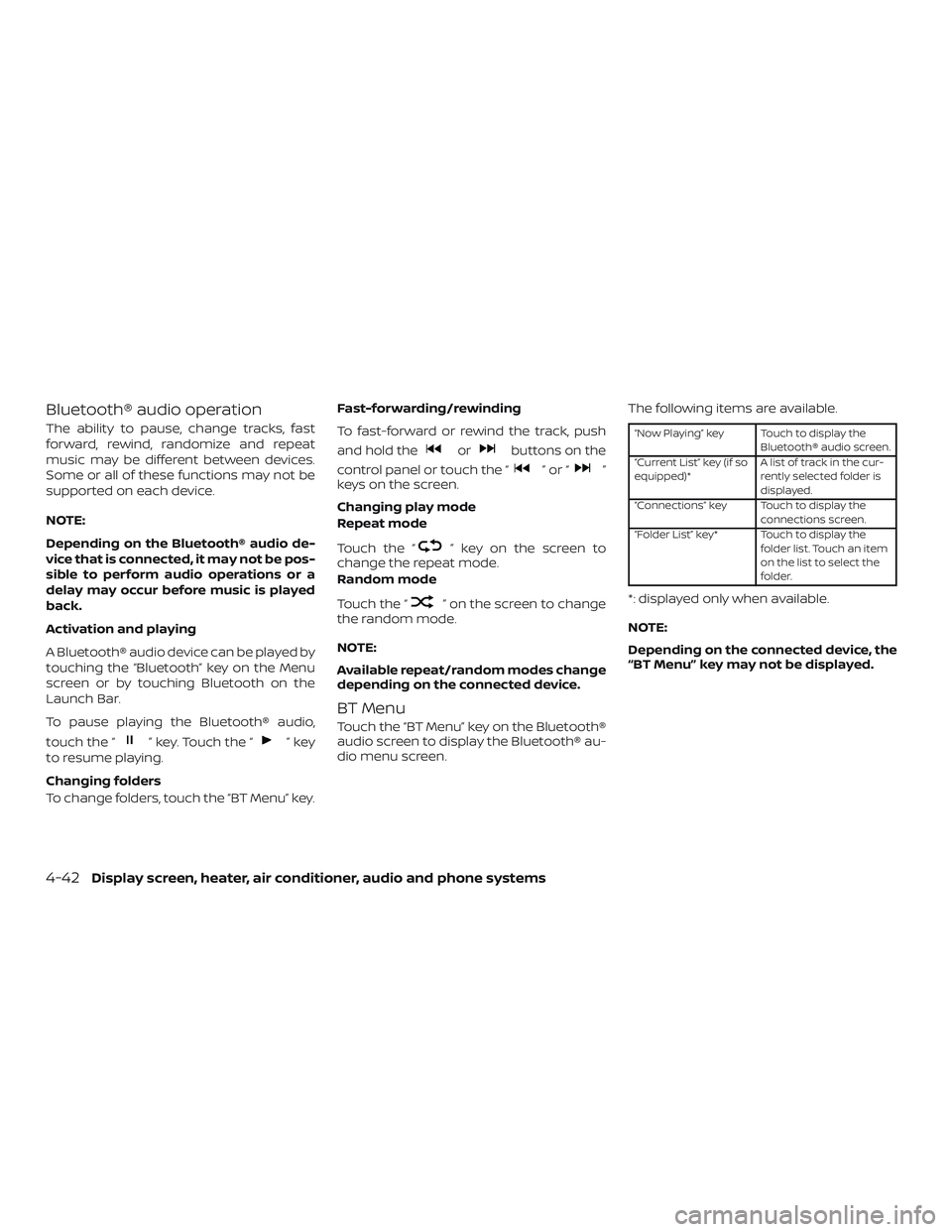
To pause playing the Bluetooth® audio,
touch the “
” key. Touch the “”key
to resume playing.
Changing folders
To change folders, touch the “BT Menu” key. Fast-forwarding/rewinding
To fast-forward or rewind the track, push
and hold the
orbuttons on the
control panel or touch the “
”or“”
keys on the screen.
Changing play mode
Repeat mode
Touch the “
” key on the screen to
change the repeat mode.
Random mode
Touch the “
” on the screen to change
the random mode.
NOTE:
Available repeat/random modes change
depending on the connected device.
BT Menu
Touch the “BT Menu” key on the Bluetooth®
audio screen to display the Bluetooth® au-
dio menu screen. The following items are available.
“Now Playing” key Touch to display the
Bluetooth® audio screen.
“Current List” key (if so
equipped)* A list of track in the cur-
rently selected folder is
displayed.
“Connections” key Touch to display the connections screen.
“Folder List” key* Touch to display the folder list. Touch an item
on the list to select the
folder.
*: displayed only when available.
NOTE:
Depending on the connected device, the
“BT Menu” key may not be displayed.
4-42Display screen, heater, air conditioner, audio and phone systems
Page 539 of 702
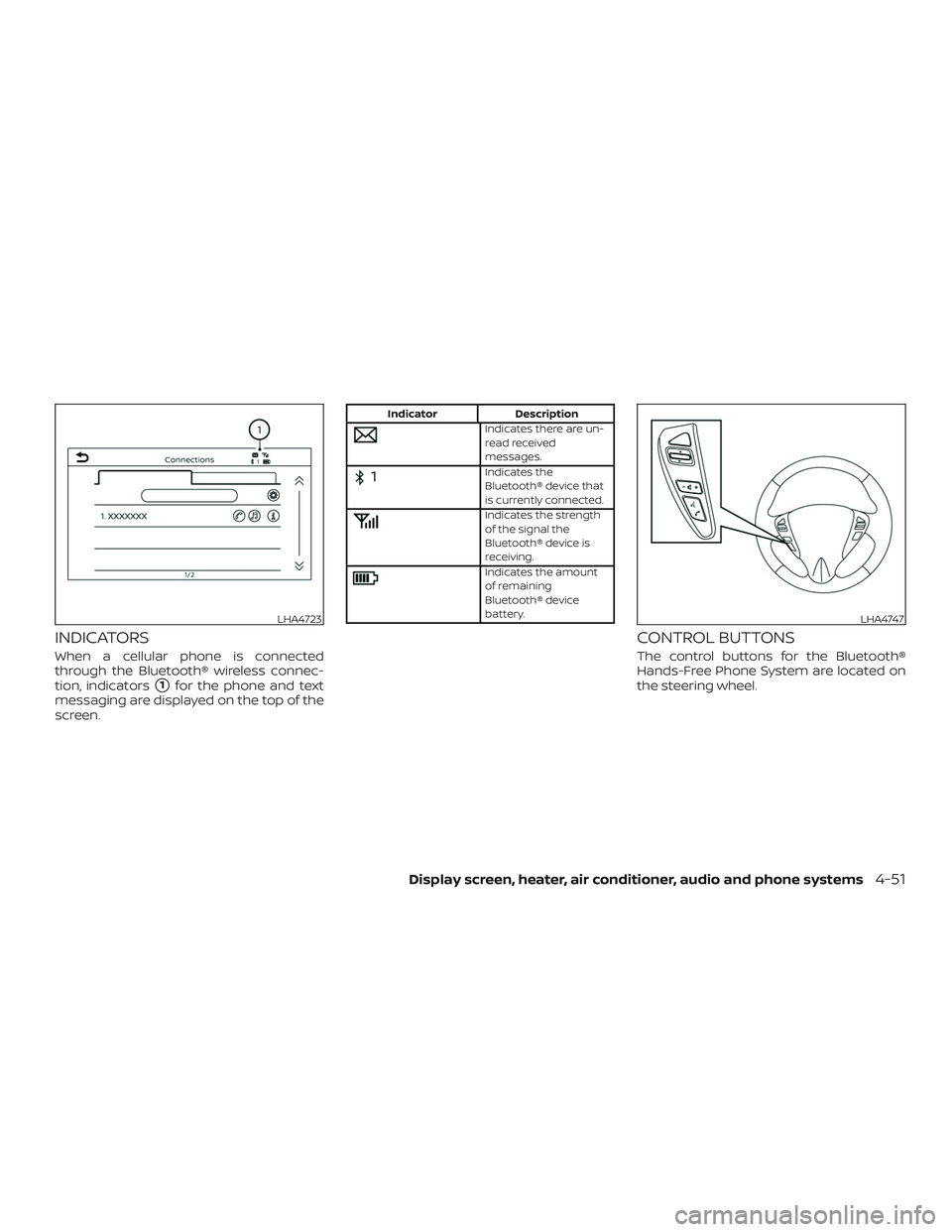
INDICATORS
When a cellular phone is connected
through the Bluetooth® wireless connec-
tion, indicators
�1for the phone and text
messaging are displayed on the top of the
screen.
Indicator DescriptionIndicates there are un-
read received
messages.
Indicates the
Bluetooth® device that
is currently connected.
Indicates the strength
of the signal the
Bluetooth® device is
receiving.
Indicates the amount
of remaining
Bluetooth® device
battery.
CONTROL BUTTONS
The control buttons for the Bluetooth®
Hands-Free Phone System are located on
the steering wheel.
LHA4723LHA4747
Display screen, heater, air conditioner, audio and phone systems4-51
Page 631 of 702
CAUTION
Be careful not to allow children to swal-
low the battery or removed parts.
KEY FOB (if so equipped)
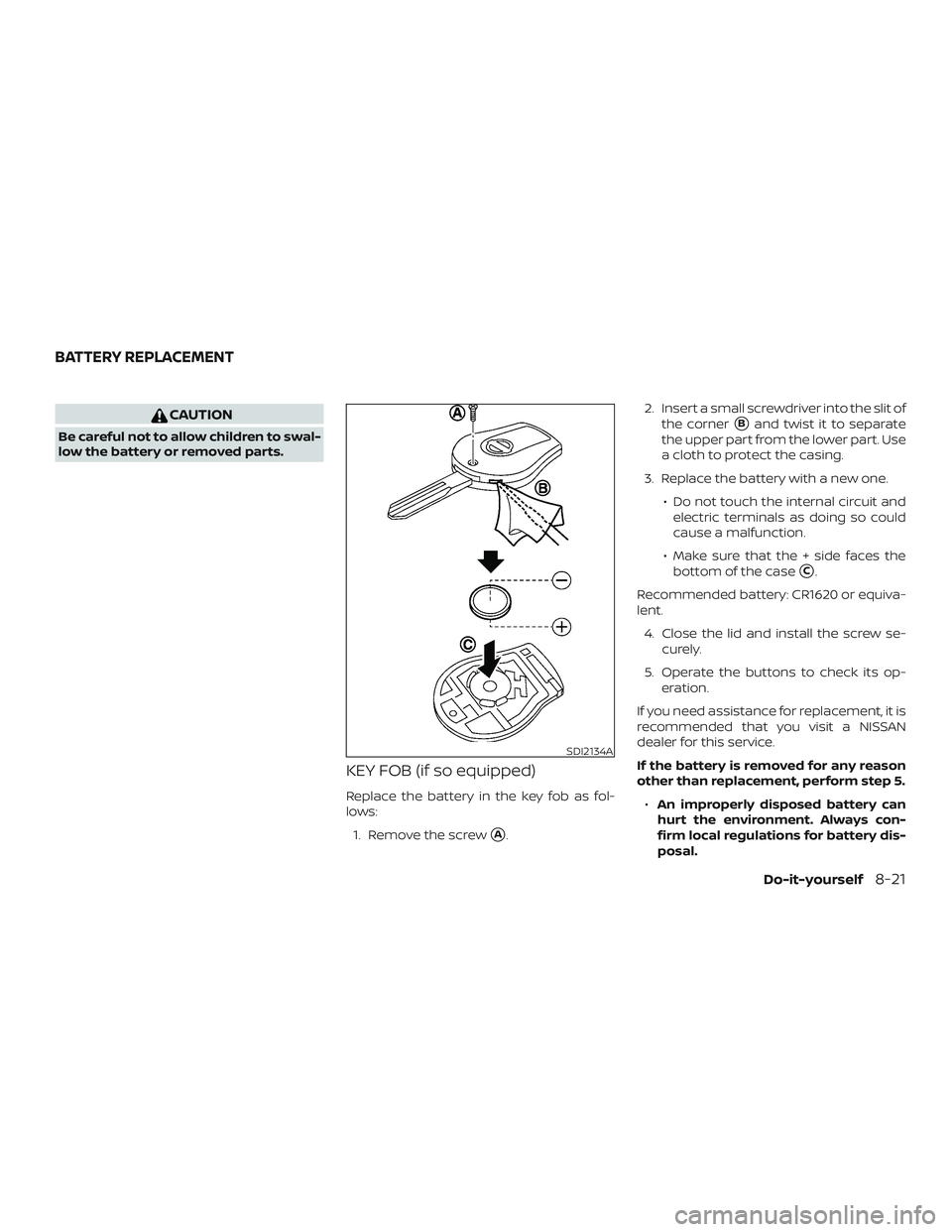
Replace the battery in the key fob as fol-
lows:1. Remove the screw
�A. 2. Insert a small screwdriver into the slit of
the corner
�Band twist it to separate
the upper part from the lower part. Use
a cloth to protect the casing.
3. Replace the battery with a new one. ∙ Do not touch the internal circuit andelectric terminals as doing so could
cause a malfunction.
∙ Make sure that the + side faces the bottom of the case
�C.
Recommended battery: CR1620 or equiva-
lent. 4. Close the lid and install the screw se- curely.
5. Operate the buttons to check its op- eration.
If you need assistance for replacement, it is
recommended that you visit a NISSAN
dealer for this service.
If the battery is removed for any reason
other than replacement, perform step 5. ∙ An improperly disposed battery can
hurt the environment. Always con-
firm local regulations for battery dis-
posal.
SDI2134A
BATTERY REPLACEMENT
Do-it-yourself8-21
Page 690 of 702
LATCH (Lower Anchors and Tethers for
CHildren)System..............1-23
Precautions on child
restraints .........1-20, 1-27, 1-33, 1-38
Top tether strap anchor point
locations.................. .1-25
Child safety rear door lock ..........3-6
Chimes, audible reminders .........2-20
Cleaningexteriorandinterior......7-2,7-4
Clockset.....................4-5
Clutch Clutchfluid.................8-10
Coldweatherdriving.............5-29
Continuously Variable Transmission
(CVT) .....................5-8,5-11
Continuously Variable Transmission
(CVT) fluid ...................8-9
Driving with Continuously Variable
Transmission (CVT) ..........5-8,5-11
Control panel buttons .............4-2
Brightness/contrast button .......4-7
Controls Audio controls (steering wheel) .....4-43
Heater and air conditioner controls . .4-15
Coolant Capacities and recommended
fuel/lubricants...............10-2
Changing engine coolant .........8-5
Checking engine coolant level ......8-5
Engine coolant temperature gauge . .2-9
Corrosionprotection..............7-7
Cruisecontrol..................5-19
Cupholders...................2-29
Curtain side-impact and rollover air
bag....................... .1-57D
Defroster switch Rearwindowdefrosterswitch.....2-22
Dimensions and weights ..........10-10
Dimmer switch for instrument panel . . .2-24
Display controls
(see control panel buttons) ..........4-2
Door locks ....................3-4
Door open warning light ...........2-14
Drivebelt ....................8-14
Driving Cold weather driving ...........5-29
Driving with Continuously Variable
Transmission (CVT) ..........5-8,5-11
Driving with manual
transmission ..............5-9,5-16
Precautions when starting and
driving.....................5-2
Drivingthevehicle...............5-11
E
Economy - fuel .................5-22
Emission control information label . . . .10-12
Emission control system warranty . . . .10-19
Engine Before starting the engine ........5-10
Blockheater ................5-31
Capacities and recommended
fuel/lubricants...............10-2
Changing engine coolant .........8-5
Changing engine oil ............8-7
Changing engine oil filter .........8-8
Checking engine coolant level ......8-5Checking engine oil level
.........8-6
Engine compartment check
locations...................8-3
Engine coolant temperature gauge . .2-9
Engine cooling system ..........8-4
Engine oil ...................8-6
Engine oil and oil filter
recommendation .............10-7
Engine oil pressure warning light ....2-14
Engine oil viscosity .............10-7
Engine serial number ..........10-12
Engine specifications ...........10-9
Starting the engine ............5-10
Engine coolant temperature gauge ....2-9
EventDatarecorders ............10-21
Exhaust gas (Carbon monoxide) .......5-2
Explanation of maintenance items .....9-2
Explanation of scheduled maintenance
items .......................9-5
Extended storage switch ..........8-20
F
Flashers
(Seehazardwarningflasherswitch)....6-2
F
lattire....................6-2,6-3
Floormatpositioningaid...........7-6
Fluid Brakefluid..................8-9
Capacities and recommended
fuel/lubricants...............10-2
Clutchfluid.................8-10
Continuously Variable Transmission (CVT)
fluid......................8-9
Engine coolant ...............8-4
11-2