Page 77 of 474
WARNING
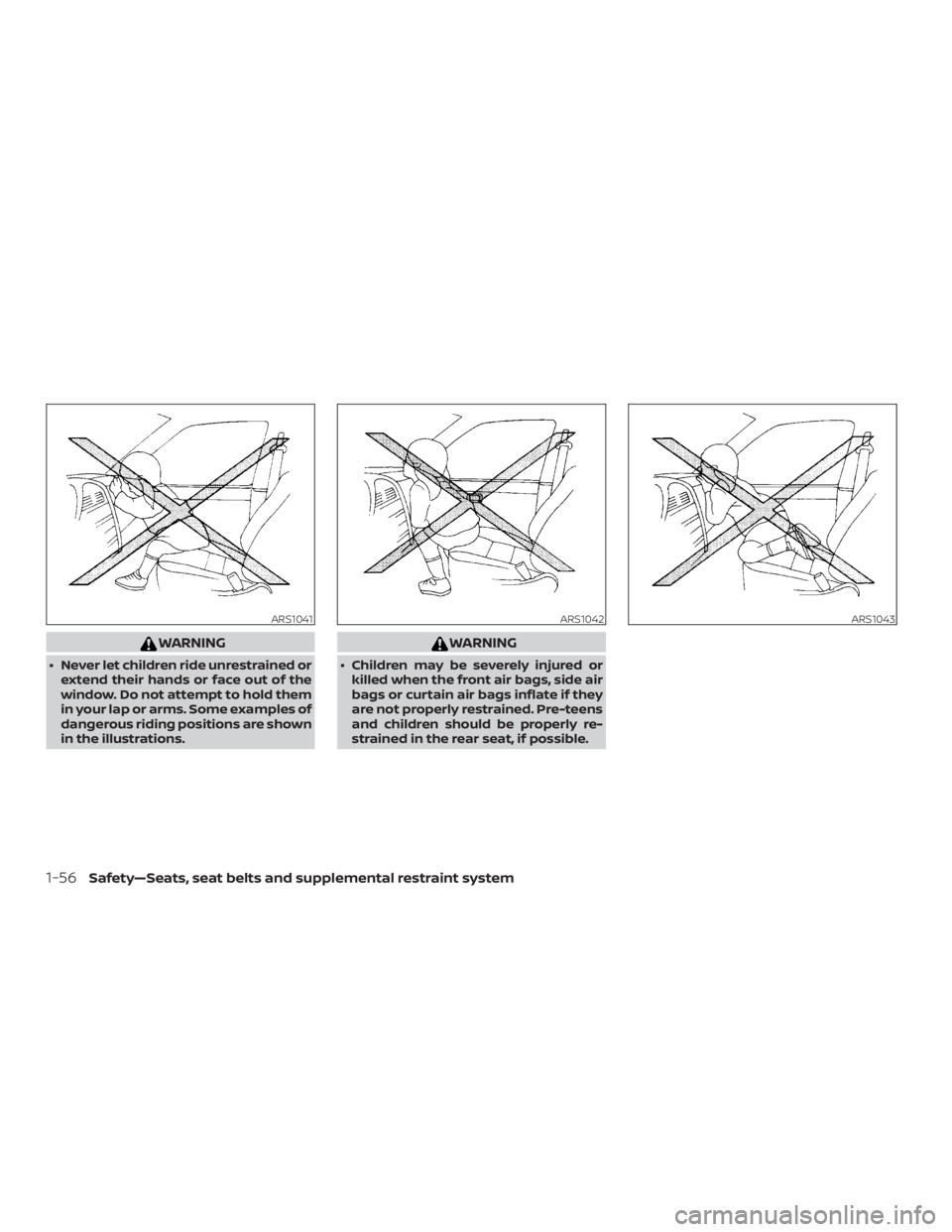
∙ Never let children ride unrestrained orextend their hands or face out of the
window. Do not attempt to hold them
in your lap or arms. Some examples of
dangerous riding positions are shown
in the illustrations.
Page 134 of 474
If the rear window wiper operation is inter-
rupted by snow, etc., the wiper may stop
moving to protect its motor. If this occurs,
turn the wiper switch to OFF and remove
the snow, etc. on and around the wiper
arms. Af ter about 1 minute, turn the switch
on again to operate the wiper.
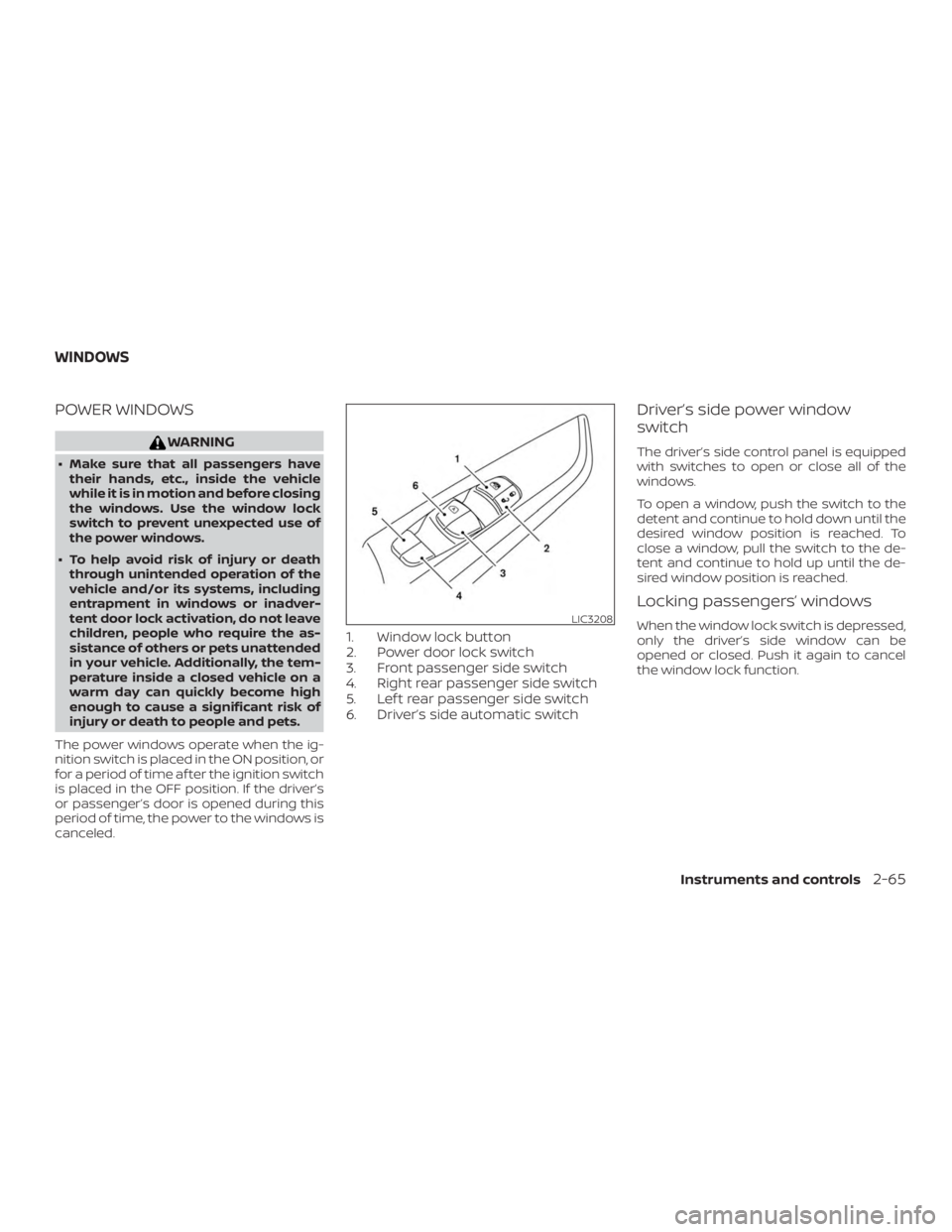
The rear window wiper and washer oper-
ate when the ignition switch is in the ON
position. Turn the switch clockwise from
the OFF position to operate the wiper.
�1Intermittent (INT) — intermittent op-
eration (not adjustable)
�2Low (ON) — continuous low speed op-
eration
Push the switch forward
�3to operate the
washer. The wiper will also operate several
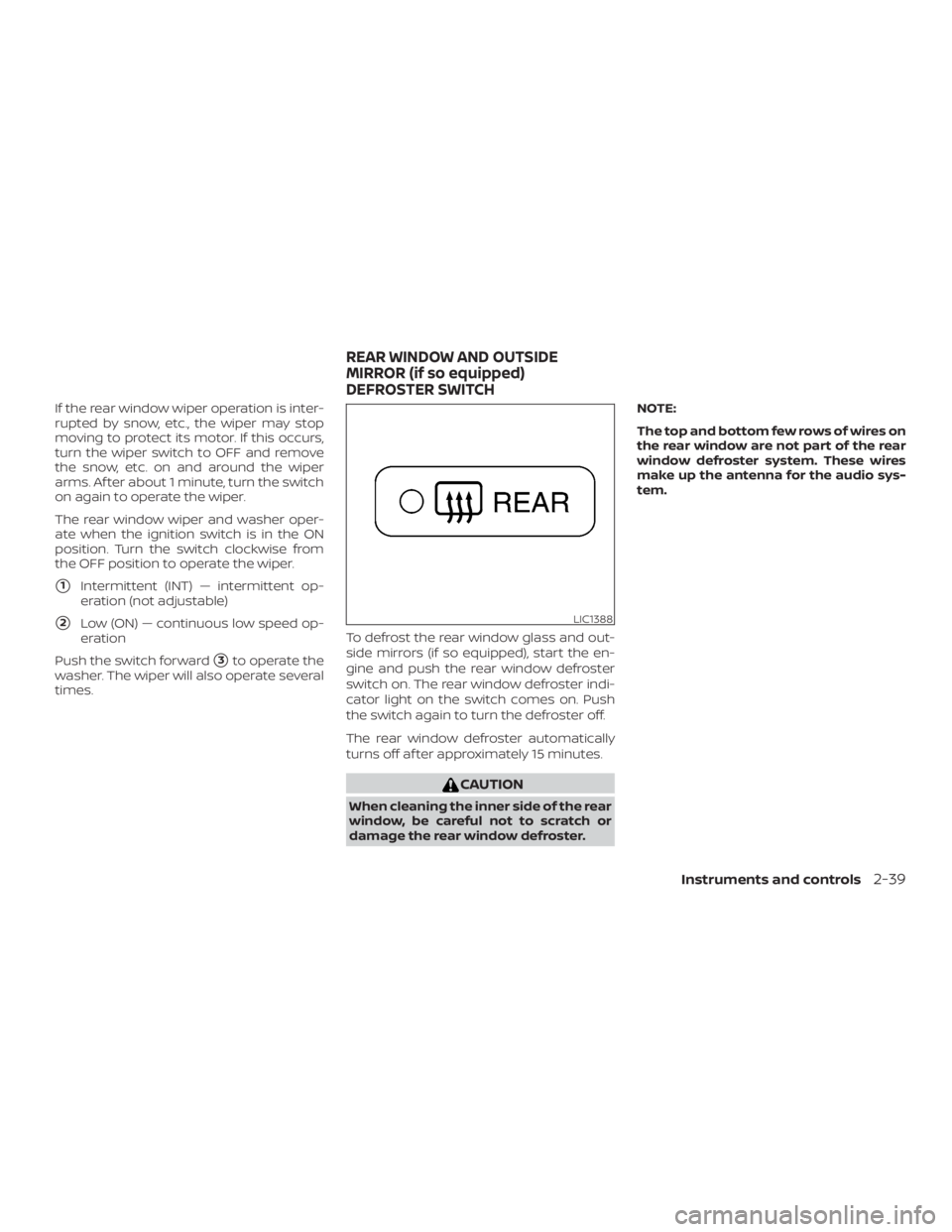
times. To defrost the rear window glass and out-
side mirrors (if so equipped), start the en-
gine and push the rear window defroster
switch on. The rear window defroster indi-
cator light on the switch comes on. Push
the switch again to turn the defroster off.
The rear window defroster automatically
turns off af ter approximately 15 minutes.
Page 160 of 474
Page 162 of 474
Auto-reverse function (if so
equipped)
The auto-reverse function can be acti-
vated when a window is closed by auto-
matic operation.
Depending on the environment or driv-
ing conditions, the auto-reverse func-
tion may be activated if an impact or
load similar to something being caught
in the window occurs.
Page 229 of 474
WARNING
∙ Failure to follow the warnings and in-structions for proper use of the Rear-
View Monitor system could result in
serious injury or death.
∙ RearView Monitor is a convenience feature and is not a substitute for
proper backing. Always turn and look
out the windows and check mirrors to
be sure that it is safe to move before
operating the vehicle. Always back up
slowly.
∙ The system is designed as an aid to the driver in showing large stationary
objects directly behind the vehicle, to
help avoid damaging the vehicle.
∙ The distance guide line and the ve- hicle width line should be used as a
reference only when the vehicle is on a
level paved surface. The distance
viewed on the monitor is for reference
only and may be different than the
actual distance between the vehicle
and displayed objects.
Page 282 of 474
If the Intelligent Key is within the operating
range, it is possible for anyone, even some-
one who does not carry the Intelligent Key,
to push the ignition switch to start the en-
gine.
The operating range of the engine start
function is inside of the vehicle
�1.
∙ The luggage area is not included in the operating range, but the Intelligent Key
may function.
∙ If the Intelligent Key is placed on the instrument panel, inside the glove box,
storage bin or door pocket, the Intelli-
gent Key may not function.
∙ If the Intelligent Key is placed near the door or window outside the vehicle, the
Intelligent Key may function.
PUSH-BUTTON IGNITION SWITCH
POSITIONS
LOCK (Normal parking position)
The ignition switch can only be locked in
this position.
The ignition switch will be unlocked when it
is pushed to the ACC position while carry-
ing the Intelligent Key. The ignition switch will lock when any door
is opened or closed with the ignition
switched off.
ACC (Accessories)
This position activates electrical accesso-
ries, such as the radio, when the engine is
not running.
ACC has a battery saver feature that will
place the ignition switch in the OFF position
af ter a period of time under the following
conditions:
∙ All doors are closed.
∙ The shif t lever is in P (Park).
The battery saver feature will be canceled if
any of the following occur: ∙ Any door is opened.
∙ The shif t lever is moved out of P (Park).
∙ The ignition switch changes position.
ON (Normal operating position)
This position turns on the ignition system
and electrical accessories. ON has a battery saver feature that will
place the ignition switch in the OFF posi-
tion, if the vehicle is not running, af ter some
time under the following conditions:
∙ All doors are closed.
∙ The shif t lever is in P (Park).
The battery saver feature will be canceled if
any of the following occur: ∙ Any door is opened.
∙ The shif t lever is moved out of the P (Park) position.
∙ The ignition switch changes position.
Page 306 of 474
WARNING
Listed below are the system limitations
for the RCTA system. Failure to operate
the vehicle in accordance with these
system limitations could result in seri-
ous injury or death.
∙ Always check surroundings and turnto check what is behind you before
backing up. The radar sensors detect
approaching (moving) vehicles. The
radar sensors cannot detect every
object such as:
– Pedestrians, bicycles, motorcycles, animals or child-operated toy
vehicles
– A vehicle that is passing at speeds greater than approximately
19 mph (30 km/h)
– A vehicle that is passing at speeds lower than approximately 5 mph
(8 km/h)
∙ The radar sensors may not detect ap- proaching vehicles in certain
situations:
– Illustration a: When a vehicle parked next to you obstructs the
beam of the radar sensor. – Illustration b: When the vehicle is
parked in an angled parking space.
– Illustration c: When the vehicle is parked on inclined ground.
– Illustration d: When an approach- ing vehicle turns into your vehicle’s
parking lot aisle.
– Illustration e: When the angle formed by your vehicle and ap-
proaching vehicle is small.
∙ The following conditions may reduce the ability of the radar to detect other
vehicles:
– Severe weather
– Road spray
– Ice/frost/dirt build-up on the vehicle
∙ Do not attach stickers (including transparent material), install accesso-
ries or apply additional paint near the
radar sensors. These conditions may
reduce the ability of the radar to de-
tect other vehicles. ∙ Excessive noise (e.g., audio system
volume, open vehicle window) will in-
terfere with the chime sound, and it
may not be heard.
Starting and driving5-37
Page 334 of 474
CAUTION
During the first 1,200 miles (2,000 km),
follow these recommendations to ob-
tain maximum engine performance
and ensure the future reliability and
economy of your new vehicle. Failure to
follow these recommendations may re-
sult in shortened engine life and re-
duced engine performance.∙ Avoid driving for long periods at con- stant speed, either fast or slow, and do
not run the engine over 4,000 RPM.
∙ Do not accelerate at full throttle in any gear.
∙ Avoid quick starts.
∙ Avoid hard braking as much as pos- sible.
∙ Do not tow a trailer for the first 500 miles (805 kilometers). Your engine, axle or
other parts could be damaged. Follow these easy-to-use Fuel Efficient
Driving Tips to help you achieve the most
fuel economy from your vehicle.
1. Use Smooth Accelerator and Brake
Pedal Application
∙ Avoid rapid starts and stops.
∙ Use smooth, gentle accelerator and brake application whenever possible.
∙ Maintain constant speed while com- muting and coast whenever pos-
sible.
2. Maintain Constant Speed
∙ Look ahead to try and anticipate and minimize stops.
∙ Synchronizing your speed with traffic lights allows you to reduce your num-
ber of stops.
∙ Maintaining a steady speed can mini- mize red light stops and improve fuel
efficiency.
3. Use Air Conditioning (A/C) at Higher
Vehicle Speeds
∙ Below 40 mph (64 km/h), it is more efficient to open windows to cool the
vehicle due to reduced engine load. ∙ Above 40 mph (64 km/h), it is more
efficient to use A/C to cool the vehicle
due to increased aerodynamic drag.
∙ Recirculating the cool air in the cabin when the A/C is on reduces cooling
load.
4. Drive at Economical Speeds and Dis-
tances
∙ Observing the speed limit and not exceeding 60 mph (97 km/h) (where
legally allowed) can improve fuel effi-
ciency due to reduced aerodynamic
drag.
∙ Maintaining a safe following distance behind other vehicles reduces un-
necessary braking.
∙ Safely monitoring traffic to anticipate changes in speed permits reduced
braking and smooth acceleration
changes.
∙ Select a gear range suitable to road conditions.
BREAK-IN SCHEDULE FUEL EFFICIENT DRIVING TIPS
Starting and driving5-65