Page 127 of 460
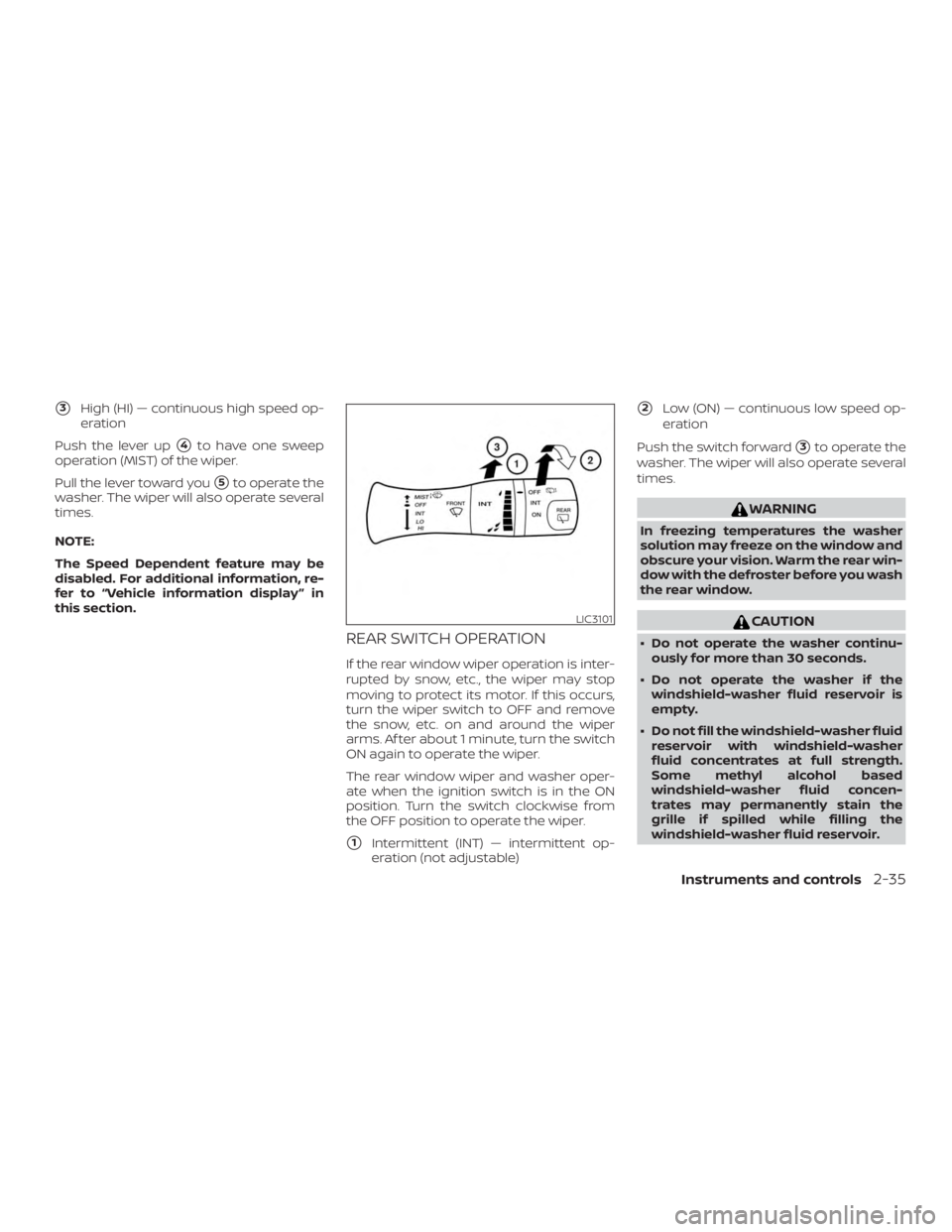
�3High (HI) — continuous high speed op-
eration
Push the lever up
�4to have one sweep
operation (MIST) of the wiper.
Pull the lever toward you
�5to operate the
washer. The wiper will also operate several
times.
NOTE:
The Speed Dependent feature may be
disabled. For additional information, re-
fer to “Vehicle information display ” in
this section.
REAR SWITCH OPERATION
If the rear window wiper operation is inter-
rupted by snow, etc., the wiper may stop
moving to protect its motor. If this occurs,
turn the wiper switch to OFF and remove
the snow, etc. on and around the wiper
arms. Af ter about 1 minute, turn the switch
ON again to operate the wiper.
The rear window wiper and washer oper-
ate when the ignition switch is in the ON
position. Turn the switch clockwise from
the OFF position to operate the wiper.
�1Intermittent (INT) — intermittent op-
eration (not adjustable)
�2Low (ON) — continuous low speed op-
eration
Push the switch forward
�3to operate the
washer. The wiper will also operate several
times.
Page 131 of 460
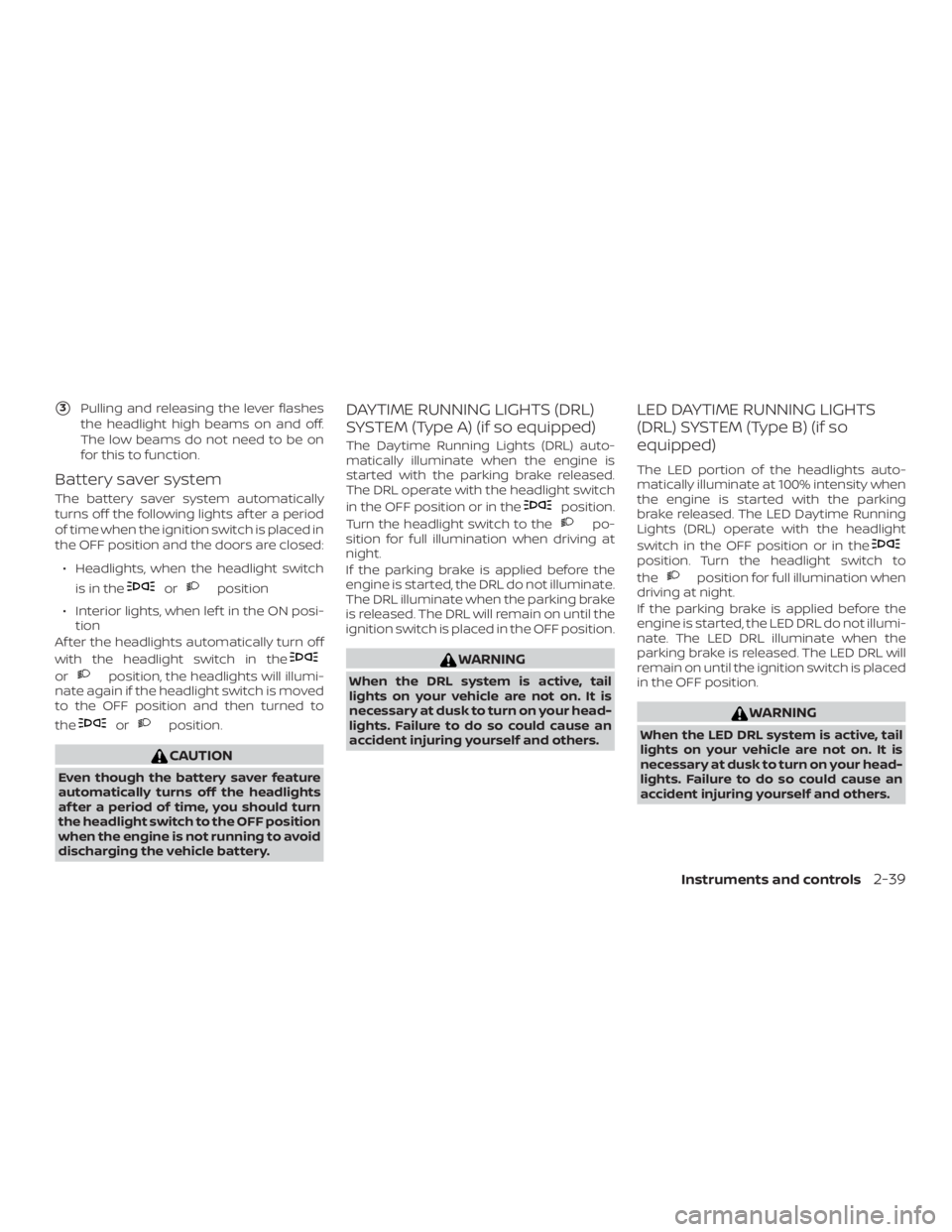
�3Pulling and releasing the lever flashes
the headlight high beams on and off.
The low beams do not need to be on
for this to function.
Battery saver system
The battery saver system automatically
turns off the following lights af ter a period
of time when the ignition switch is placed in
the OFF position and the doors are closed:
∙ Headlights, when the headlight switch is in the
Page 134 of 460
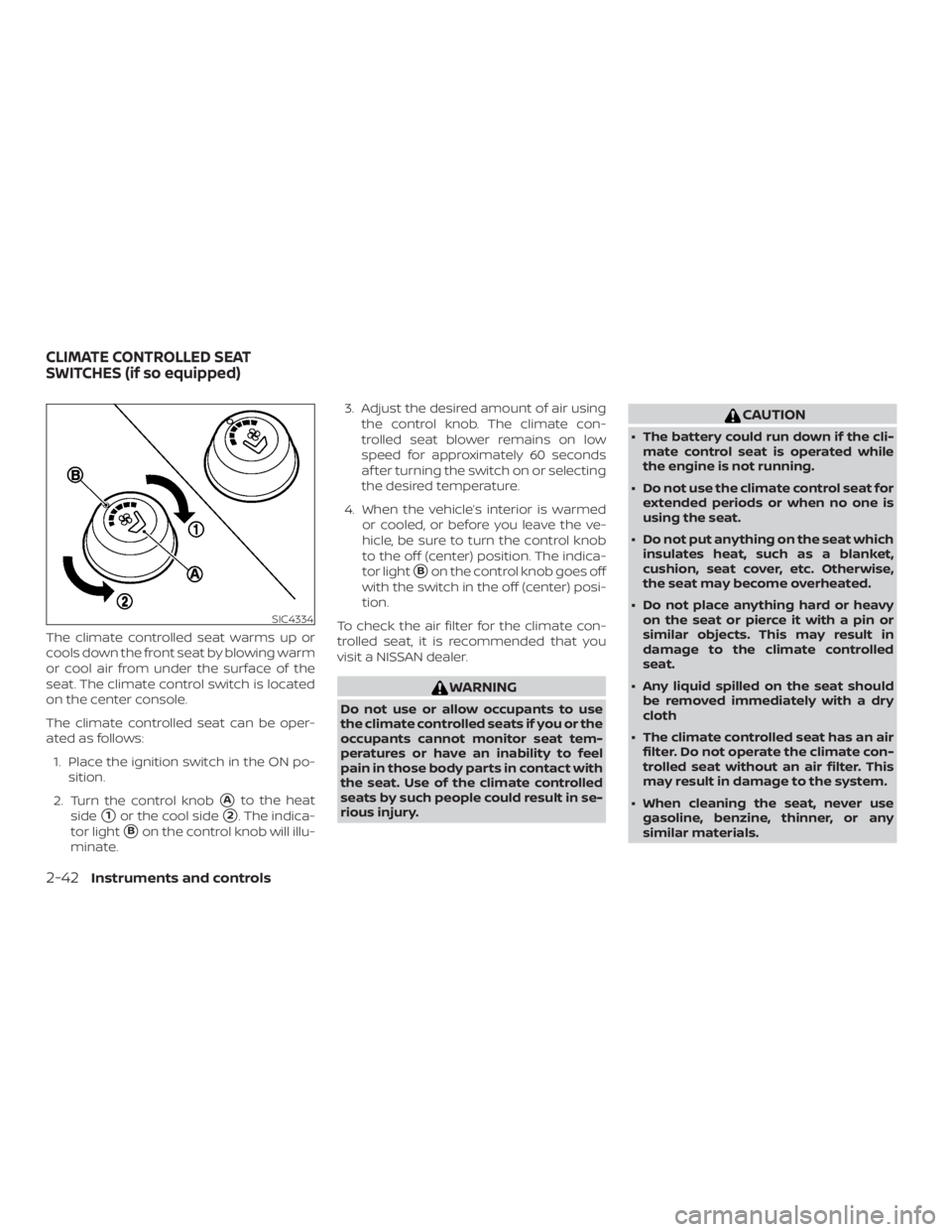
The climate controlled seat warms up or
cools down the front seat by blowing warm
or cool air from under the surface of the
seat. The climate control switch is located
on the center console.
The climate controlled seat can be oper-
ated as follows:1. Place the ignition switch in the ON po- sition.
2. Turn the control knob
�Ato the heat
side
�1or the cool side�2. The indica-
tor light
�Bon the control knob will illu-
minate. 3. Adjust the desired amount of air using
the control knob. The climate con-
trolled seat blower remains on low
speed for approximately 60 seconds
af ter turning the switch on or selecting
the desired temperature.
4. When the vehicle’s interior is warmed or cooled, or before you leave the ve-
hicle, be sure to turn the control knob
to the off (center) position. The indica-
tor light
�Bon the control knob goes off
with the switch in the off (center) posi-
tion.
To check the air filter for the climate con-
trolled seat, it is recommended that you
visit a NISSAN dealer.
Page 139 of 460
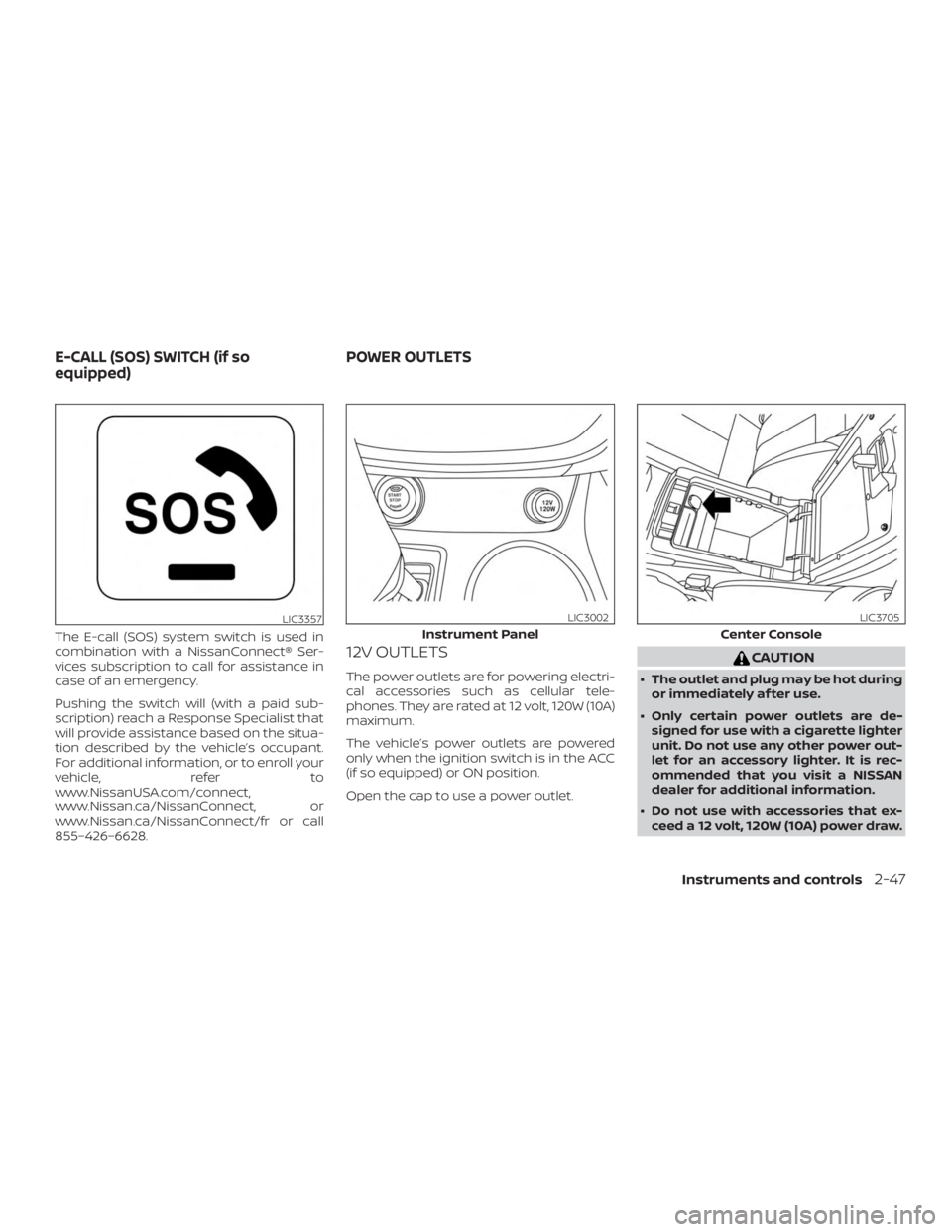
The E-call (SOS) system switch is used in
combination with a NissanConnect® Ser-
vices subscription to call for assistance in
case of an emergency.
Pushing the switch will (with a paid sub-
scription) reach a Response Specialist that
will provide assistance based on the situa-
tion described by the vehicle’s occupant.
For additional information, or to enroll your
vehicle, refer to
www.NissanUSA.com/connect,
www.Nissan.ca/NissanConnect, or
www.Nissan.ca/NissanConnect/fr or call
855–426–6628.
12V OUTLETS
The power outlets are for powering electri-
cal accessories such as cellular tele-
phones. They are rated at 12 volt, 120W (10A)
maximum.
The vehicle’s power outlets are powered
only when the ignition switch is in the ACC
(if so equipped) or ON position.
Open the cap to use a power outlet.
Page 152 of 460
Auto-reverse function (when
closing or tilting down the
moonroof )
The auto-reverse function can be acti-
vated when the moonroof is closed or
tilted down by automatic operation when
the ignition switch is placed in the ON po-
sition or for a period of time af ter the igni-
tion switch is placed in the OFF position.
Depending on the environment or driv-
ing conditions, the auto-reverse func-
tion may be activated if an impact or
load similar to something being caught
in the moonroof occurs.
Page 156 of 460
WARNING
∙ Do not use the HomeLink® UniversalTransceiver with any garage door
opener that lacks safety stop and re-
verse features as required by federal
safety standards. (These standards
became effective for opener models
manufactured af ter April 1, 1982). A
garage door opener which cannot de-
tect an object in the path of a closing
garage door and then automatically
stop and reverse, does not meet cur-
rent federal safety standards. Using a
garage door opener without these
features increases the risk of serious
injury or death.
∙ During the programming procedure your garage door or security gate will
open and close (if the transmitter is
within range). Make sure that people
or objects are clear of the garage door,
gate, etc. that you are programming.
∙ Your vehicle’s engine should be turned off while programming the
HomeLink® Universal Transceiver.
PROGRAMMING HOMELINK®
If you have any questions or are having
difficulty programming your HomeLink®
buttons, refer to the HomeLink® web site at:
www.homelink.com or call 1-800-355-3515.
NOTE:
Place the ignition switch in the ACC posi-
tion (if so equipped) when programming
HomeLink®. It is also recommended that
a new battery be placed in the hand-held
transmitter of the device being pro-
grammed to HomeLink® for quicker pro-
gramming and accurate transmission of
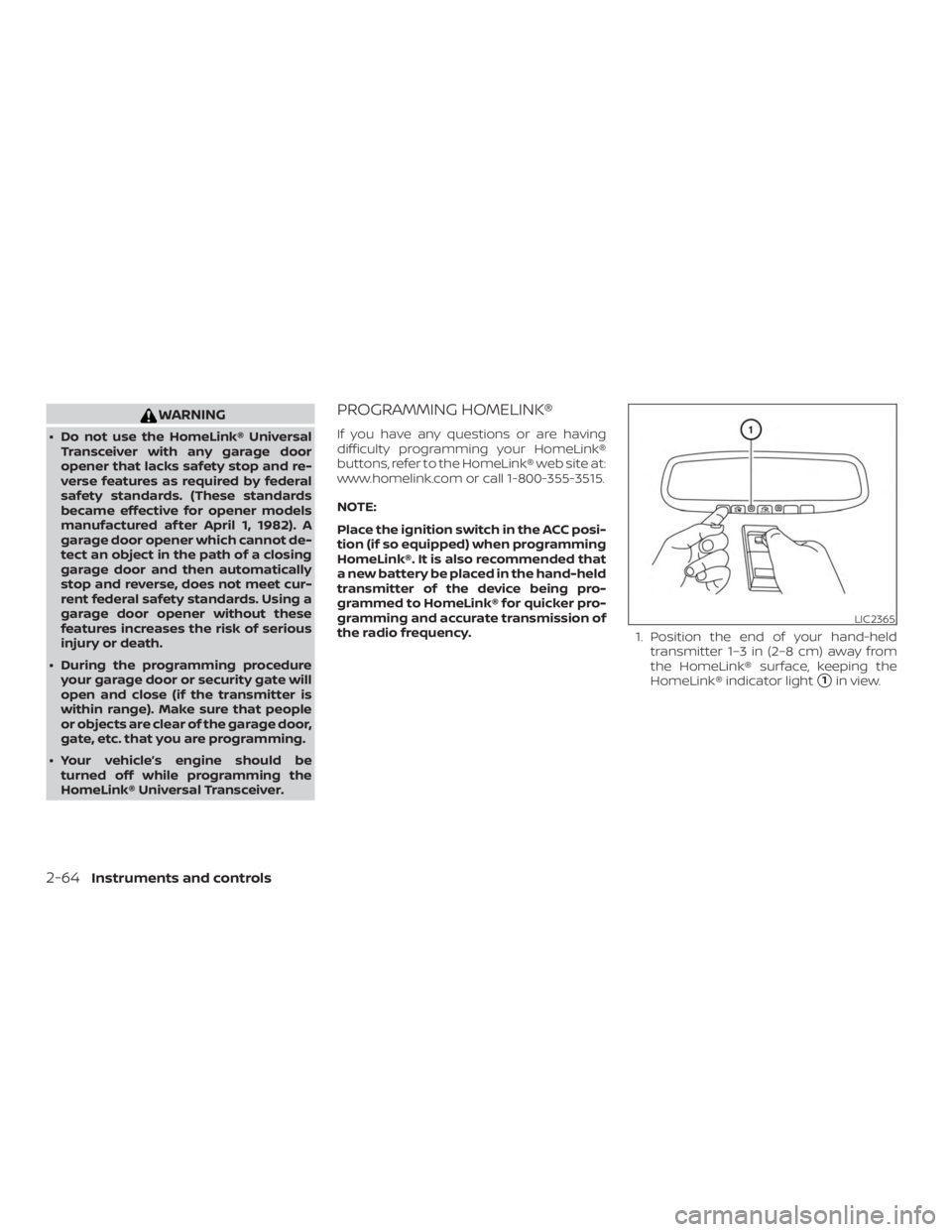
the radio frequency. 1. Position the end of your hand-held
transmitter 1–3 in (2–8 cm) away from
the HomeLink® surface, keeping the
HomeLink® indicator light
�1in view.
Page 172 of 460
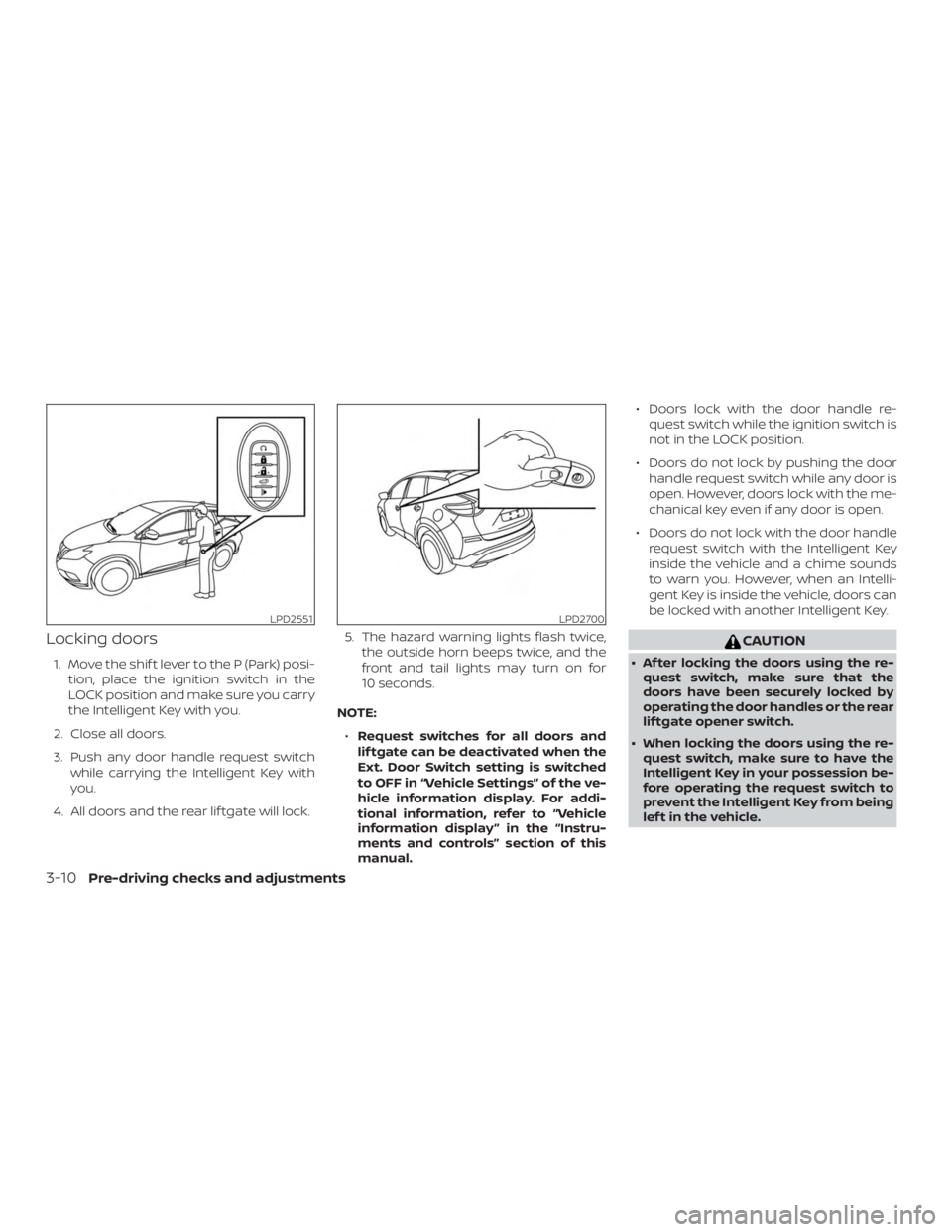
Locking doors
1. Move the shif t lever to the P (Park) posi-tion, place the ignition switch in the
LOCK position and make sure you carry
the Intelligent Key with you.
2. Close all doors.
3. Push any door handle request switch while carrying the Intelligent Key with
you.
4. All doors and the rear lif tgate will lock. 5. The hazard warning lights flash twice,
the outside horn beeps twice, and the
front and tail lights may turn on for
10 seconds.
NOTE: ∙ Request switches for all doors and
lif tgate can be deactivated when the
Ext. Door Switch setting is switched
to OFF in “Vehicle Settings” of the ve-
hicle information display. For addi-
tional information, refer to “Vehicle
information display ” in the “Instru-
ments and controls” section of this
manual. ∙ Doors lock with the door handle re-
quest switch while the ignition switch is
not in the LOCK position.
∙ Doors do not lock by pushing the door handle request switch while any door is
open. However, doors lock with the me-
chanical key even if any door is open.
∙ Doors do not lock with the door handle request switch with the Intelligent Key
inside the vehicle and a chime sounds
to warn you. However, when an Intelli-
gent Key is inside the vehicle, doors can
be locked with another Intelligent Key.
Page 197 of 460
Entry/Exit function
The automatic drive positioner system will
make the steering wheel move up auto-
matically when the driver’s door is opened
and the ignition switch is in the LOCK posi-
tion. This lets the driver get into and out of
the seat more easily. The steering wheel
moves back into position when the driver’s
door is closed and the ignition switch is
pushed.
For additional information, refer to “Auto-
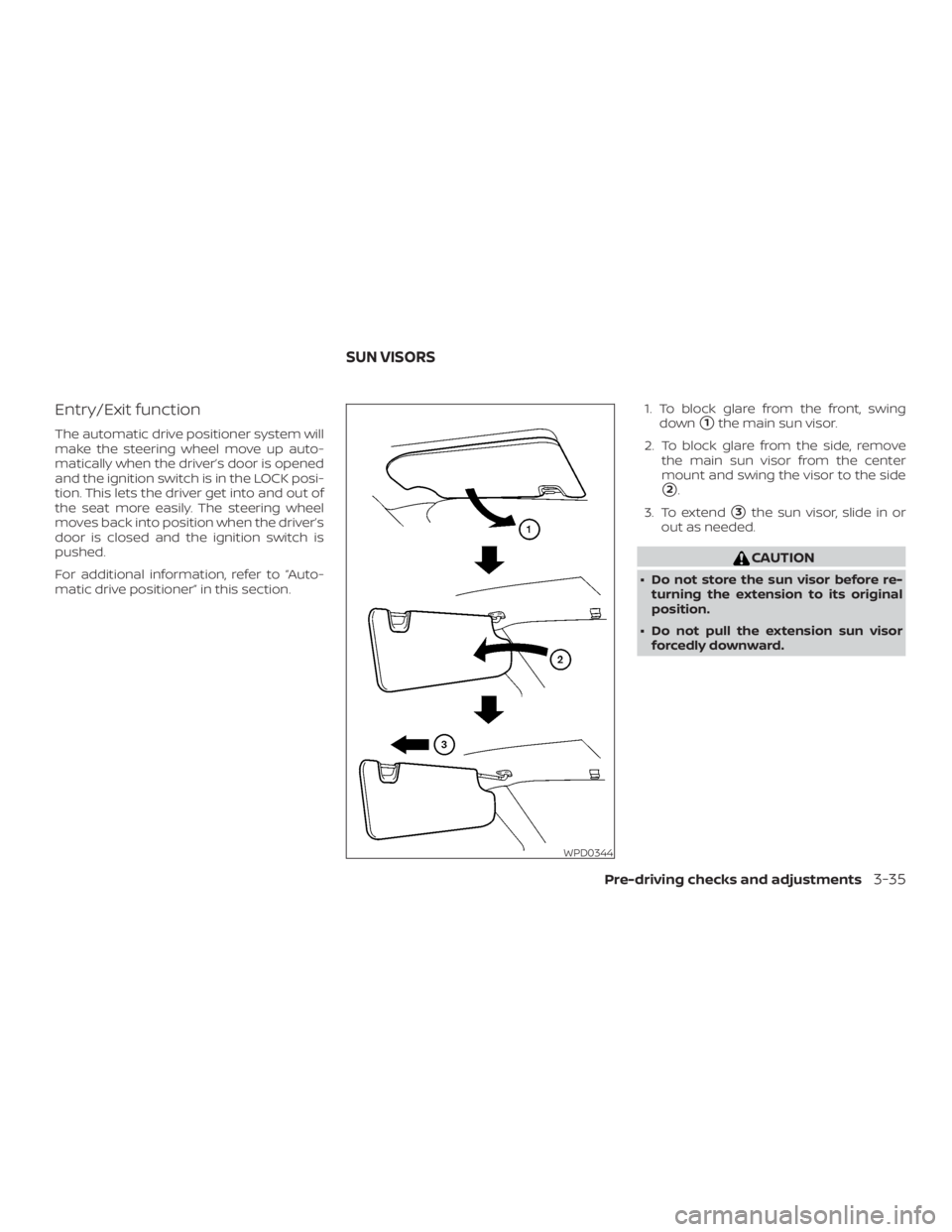
matic drive positioner” in this section.1. To block glare from the front, swing
down�1the main sun visor.
2. To block glare from the side, remove the main sun visor from the center
mount and swing the visor to the side
�2.
3. To extend
�3the sun visor, slide in or
out as needed.