2018 MERCEDES-BENZ GLS SUV air suspension
[x] Cancel search: air suspensionPage 7 of 398

AIRMATICpackage
ADS (Adaptive Damping System) .. .188
Function/notes .............................1 88
Alarm
ATA (Anti-Theft Alarm system) ......... 75
Switching off (ATA) .......................... 75
Switching the function on/off
(ATA) ................................................ 75
Alarm system
see ATA (Anti-Theft Alarm system)
AMG
Adaptive sport suspension sys-
tem ................................................ 191
AMG menu (on-board computer) ..... 245
Anti-lock braking system
see ABS (Anti-lock Braking System)
Anti-skid chains
see Snow chains
Anti-Theft Alarm system
see ATA (Anti-Theft Alarm system)
Approach/departure angle .............. 173
Ashtray ............................................... 311
Assistance display (on-board com-
puter) ..................................................2 41
Assistance menu (on-board com-
puter) ..................................................2 41
ASSYST PLUS
Displaying a service message ........3 29
Hiding a service message .............. 329
Resetting the service interval dis-
play ................................................ 329
Service message ............................ 329
Special service requirements ......... 330
ATA (Anti-Theft Alarm system)
Activating/deactivating ................... 75
Function ...........................................7 5
Switching off the alarm .................... 75
ATTENTION ASSIST
Activating/deactivating ................. 242
Display message ............................ 265
Function/notes ............................. 207
Audio menu (on-board computer) .... 239
Authorized Mercedes-Benz Center
see Qualified specialist workshop
Authorized workshop
see Qualified specialist workshop AUTO lights
Display message ............................ 260
see Lights
Automatic car wash (care) ............... 330
Automatic engine start (ECO start/
stop function) .................................... 145
Automatic engine switch-off (EC
O
start/stop function) .......................... 144
Automatic headlamp mode .............. 115
Automatic transmission
Accelerator pedal position ............. 150
Changing gear ............................... 150
DIRECT SELECT lever ..................... 148
Display message ............................ 275
Drive program ................................ 151
Drive program display .................... 149
Driving tips .................................... 150
DYNAMIC SELECT controller ......... 147
Emergency running mode .............. 155
Engaging drive position .................. 149
Engaging neutral ............................ 149
Engaging park position automati-
cally ............................................... 148
Engaging reverse gear ................... 148
Engaging the park position ............ 148
Important safety notes .................. 148
Kickdown ....................................... 151
Manual shifting .............................. 152
Oil temperature (on-board com-
puter, Mercedes-AMG vehicles) ..... 245
Overview ........................................ 148
Problem (malfunction) ................... 155
Pulling away ................................... 143
Starting the engine ........................ 142
Steering wheel paddle shifters ...... 152
Trailer towing ................................. 151
Transmission position display ........ 149
Transmission positions .................. 150
Automatic transmission emer-
gency mode ....................................... 155
AUX jacks
CD/DVD drive ............................... 299
Axle load, permissible (trailer tow-
ing) ...................................................... 395
B
Back button ....................................... 293
Index5
Page 22 of 398

Opening/closing .............................. 93
Problem (malfunction) ..................... 96
Resetting ......................................... 94
see Panorama roof with power
tilt/sliding panel
SmartKey
Changing the battery ....................... 80
Changing the programming .............7 9
Checking the battery ...................... .80
Convenience closing feature ............ 91
Convenience opening feature .......... 90
Dis play message ............................ 278
Door central locking/unlocking ...... .77
Important safety notes .................... 77
KEYLESS-GO start function .............. 79
Loss .................................................8 1
Mechanical key ................................ 79
Overview .......................................... 77
Positions (ignition lock) ................. 140
Problem (malfunction) ..................... 81
Starting the engine ........................ 142
Smartphone
Starting the engine ........................ 142
SMS
see also Digital Operator's Man-
ual .................................................. 292
Snow chains
Information .................................... 356
Sockets
Center console .............................. 312
General notes ................................ 312
Luggage compartment ...................3 13
Rear compartment ......................... 312
Sound
Switching on/off ........................... 293
Special seat belt retractor .................. 60
Specialist workshop ............................ 31
Speed, controlling
see Cruise control
Speedometer
Digital ............................................ 237
In the Instru
ment cluster ................. 37
Segments ...................................... 233
Selecting the display unit ...............2 43
Standing lamps
Display message ............................ 260
Switching on/off ........................... 116 Start/Stop button
Starting the engine ........................ 142
Start/stop function
see ECO start/stop function
Starting (engine) ................................ 141
STEER CONTROL .................................. 75
Steering
Display message ............................ 277
Steering Pilot
Activating/deactivating ................. 241
Display message ............................ 271
Steering wheel
Adjusting (electrically) ................... 109
Adjusting (manually) ...................... 108
Button overview ............................... 38
Buttons (on-board computer) ......... 234
Cleaning ......................................... 336
Important safety notes .................. 108
Steering wheel heating .................. 109
Storing settings (memory func-
tion) ............................................... 113
Steering wheel heating
Problem (malfunction) ................... 109
Switching on/off ........................... 109
Steering wheel paddle shifters ........ 152
Stopwatch (RACETIMER) ................... 246
Stowage areas ................................... 300
Stowage compartments
Armrest (under) ............................. 301
Center console .............................. 302
Center console (rear) ..................... 302
Cup holders ................................... 308
Eyeglasses compartment ............... 302
Glove box ....................................... 301
Important safety information ......... 300
Stowage net ................................... 302
Stowage net ....................................... 302
Summer tires
In winter ........................................ 356
Sun visor ............................................ 310
Suspension setting
AIRMATIC ...................................... 188
AMG adaptive sport suspension
system ........................................... 191
Suspension tuning
SETUP (on-board computer,
Mercedes-AMG vehicles) ............... 246
20Index
Page 35 of 398

to detect and rectify malfunctions and to opti-
mize vehicle functions. Most of these data are
volatile and processed only in the vehicle itself.
Only a small part of the data is stored in event or
malfunction memories.
When you use services, the technical data from
the vehicle can be read out by service network
employees or third parties. Services can include
repair services, maintenance processes, war-
ranty cases and quality assurance measures.
The data is read out via the legally prescribed
diagnostics connection in the vehicle. The rele-
vant offices in the service network or third par-
ties collect, process and use the data. These
data document the vehicle's technical states,
are used to help in finding malfunctions and
improving quality and are sent to the manufac-
turer where necessary. In addition, the manu-
facturer is subject to product liability. The man-
ufacturer needs technical data from vehicles for
this purpose.
Malfunction memories in the vehicle can be
reset by a service center during repair or service
work.
You can incorporate data into the vehicle's com-
fort and infotainment functions yourself as part
of the s
elected equipment.
These include, for example:
Rmultimedia data such as music, films or pho-
tos for playback in an integrated multimedia
system
Raddress book data for use in conjunction with
an integrated hands-free system or an inte-
grated navigation system
Rnavigation destinations that have been
entered
Rdata about using Internet services
These data can be saved locally in the vehicle or are located on a device that you have connected
to the vehicle. If this data is saved in the vehicle,
you can delete it at any time. These data are sent
to third parties only at your request, particularly
when you use online services in accordance with
the settings that you have selected.
You can save and change comfort settings/
customizations in the vehicle at any time.
Depending on the piece of equipment in ques-
tion, these can include, for example:
Rseat and steering wheel position settings
Rsuspension and climate control settings
Rcustom settings such as interior lighting If your vehicle is equipped appropriately, you
can connect your smartphone or another mobile
end device to the vehicle. You can control this by
means
of th
e control elements integrated in the
vehicle. The smartphone's picture and sound
can be output via the multimedia system. Spe-
cific items of information are also sent to your
smartphone.
Depending on the type of integration, this can
include:
Rgeneral vehicle information
Rposition data
This allows the use of selected smartphone
apps, such as navigation or music player apps.
There is no additional interaction between the
smartphone and the vehicle, particularly active
access to vehicle data. The type of additional
data processing is determined by the provider of
the app being used. Whether you can configure settings for it and, if so, which ones, depends on
the app and your smartphone's operating sys-
tem.
Service provider
Wireless network connection
If your vehicle has a wireless network connec-
tion, data can be exchanged between your vehi- cle and other systems. The wireless network
connection is made possible by the vehicle's
own transmitter and receiver or by mobile devi-
ces that you have brought into the vehicle (e.g.
smartphones). Online functions can be used via
this wireless network connection. These include
online services and applications/Apps provided
by the manufacturer or other providers.
Services provided by the manufacturer
In the case of the manufacturer's online serv-
ices, the manufacturer describes the functions
in a suitable place and the associated informa-
tion subject to data protection legislation. Per-
sonal data can be used in order to provide online
services. The data exchange for this takes place
via a secure connection, e.g. with the manufac-turer's IT systems intended for the purpose. Col-
lecting, processing and using personal data
beyond the provision of services is permitted
only on the basis of a statutory permit or decla-
ration of consent.
Dat astored in the vehicle33
Introduction
Z
Page 153 of 398
Kickdown
Use kickdown for maximum acceleration.
XDepress theaccelerato rpedal beyon dth e
pressur epoint.
The automatic transmission shift sto alower
gear depending on th eengin espeed.
XEas eoff th eaccelerato rpedal once th e
desire dspeed is reached.
The automatic transmission shift sbac kup.
Rocking the vehicle free
Shifting bac kand forth between transmission
position sh and kcan help to free up th e
vehicl eif it get sstuck in mud or snow. The vehi-
cle's engin emanagemen tsystem limits th e
speed to amaximum of 5mph (9 km/h) when
shifting bac kand forth .To shift repeatedly
between transmission position sh and k,
mov eth eDIRECT SELECT lever up and down
past th epoin tof resistance.
Towing a trailer
XDrive in th emiddle of th eengin espee drange
on uphil lgradients .
XDependin gon th euphil lor downhill gradient,
use th eleft-han dsteering whee lpaddl e
shifter (
Ypage 152) to select alower gear ,
eve nif cruise control or Distanc ePilo t
DISTRONI Care activated.
Drive programs
Slippery drive program
The Slipper ydrive progra mhas th efollowin g
characteristics :
Rreducedengin eand transmission setting sfor
optimum propulsion on slipper yor snow-cov-
ere droads.
Roptimized ES P®stabilitycontrol on slipper yor
snow-covered roads.
Rth evehicl ehas improved drivin gstabilit yon
slipper yor snow-covered roads, for example.
Comfort drive program
The Comfor tdrive progra mhas th efollowin g
characteristics :
Rcomfort-oriented engin eand transmission
settings.
Roptimal fuel consumption resulting from th e
automatic transmission shifting up sooner.
Rth evehicl epullin gaway mor egentl yin
forward and revers egears, unless th eaccel-
erator pedal is depressed fully.
Rth eautomatic transmission shifting up
sooner. This result sin th evehicl ebein gdriven
at lower engin espeeds and th ewheels bein g
less likely to spin .
Sportdrive program
TheSport drive progra mhas th efollowin gchar-
acteristics :
Rsportyengin eand transmission settings.
Rth eautomatic transmission shifting up later.
th efuel consumption possibl ybein ghigher as
a result of th elater automatic transmission
shift points .
Rthesuspension exhibits sport ydamping (vehi-
cle swit hAIRMATIC) .
Drive program Sport Plus (Mercedes-
AMG vehicles)
The Sport Plu sdrive progra mhas th efollowin g
characteristics :
Rthevehicl eexhibits particularly sport ydrivin g
characteristics .
Rthevehicl epullin gaway in first gear .
Rtheautomatic transmission shifting up later.
th efuel consumption possibl ybein ghigher as
a result of th elater automatic transmission
shift points .
Rthesuspension exhibits particularly fir m
springing and damping setting s(vehicles wit h
AIRMATIC) .
RtheECO start/sto pfunction is deactivated, it
can ,however ,be activated again usin gth e
ECO butto n (
Ypage 145).
Automatic transmission151
Driving an d parking
Z
Page 190 of 398
When the HOLD function is activated, the trans-
mission is automatically shifted to positionj
if:
Rthe driver's door is open and the driver's seat
belt is unfastened
Rthe engine is switched off, unless it is auto-
matically switched off by the ECO start/stop
function
The electric parking brake secures the vehicle
automatically if the HOLD function is activated
when the vehicle is stationary and:
Ra system malfunction occurs
Rthe power supply is insufficient
On steep uphill or downhill gradients or if there
is a malfunction, the transmission may also be
automatically shifted to position j.
AIRMATIC package
General notes
AIRMATIC is an air suspension system with var-
iable damping for improved driving comfort.
Level control ensures the best possible suspen-
sion and constant ground clearance, even with a
laden vehicle. When you drive fast, the vehicle is
lowered automatically to improve driving safety
and to reduce fuel consumption. There is also
the option to manually adjust the vehicle level.
AIRMATIC consists of:
Rlevel settings
Rlevel control and
RADS or ADS PLUS (Adaptive Damping Sys-
tem)
All vehicles (except Mercedes-AMG vehi-
cles): your vehicle may also be equipped with
the ACTIVE CURVE SYSTEM (
Ypage 189).
Mercedes-AMG vehicles: your vehicle is equip-
ped with the ACTIVE CURVE SYSTEM
(
Ypage 189).
Observe the notes on driving with a trailer
(
Ypage 225).
The vehicle level can be set using the DYNAMIC
SELECT controller (
Ypage 147) or the level but-
ton (Ypage 190). The setting always corre-
sponds to the last selected function.
Important safety notes
GWARNING
When the vehicle is being lowered, people
could become trapped if their limbs are
between the vehicle body and the wheels or
underneath the vehicle. There is a risk of
injury.
Make sure no one is underneath the vehicle or
in the immediate vicinity of the wheel arches
when the vehicle is being lowered.
If you unlock the vehicle or open a door, the
vehicle begins to compensate for load discrep-
ancies while still parked. However, for signifi-
cant level changes, such as after the vehicle has
been stationary for a long period, the engine
must be on. For safety reasons, the vehicle is
only lowered when the doors are closed. Low-
ering is interrupted if a door is opened, and it
continues once the door has been closed.
ADS and ADS PLUS (Adaptive Damping
System)
General notes
The Adaptive Damping System automatically
controls the calibration of the dampers. The
damping characteristics adapt to the current
operating and driving situation.
The damping is tuned individually to each wheel
and depends on:
Ryour driving style, e.g. sporty
Rthe road surface conditions
Rthe drive program selected
Rthe vehicle level setting
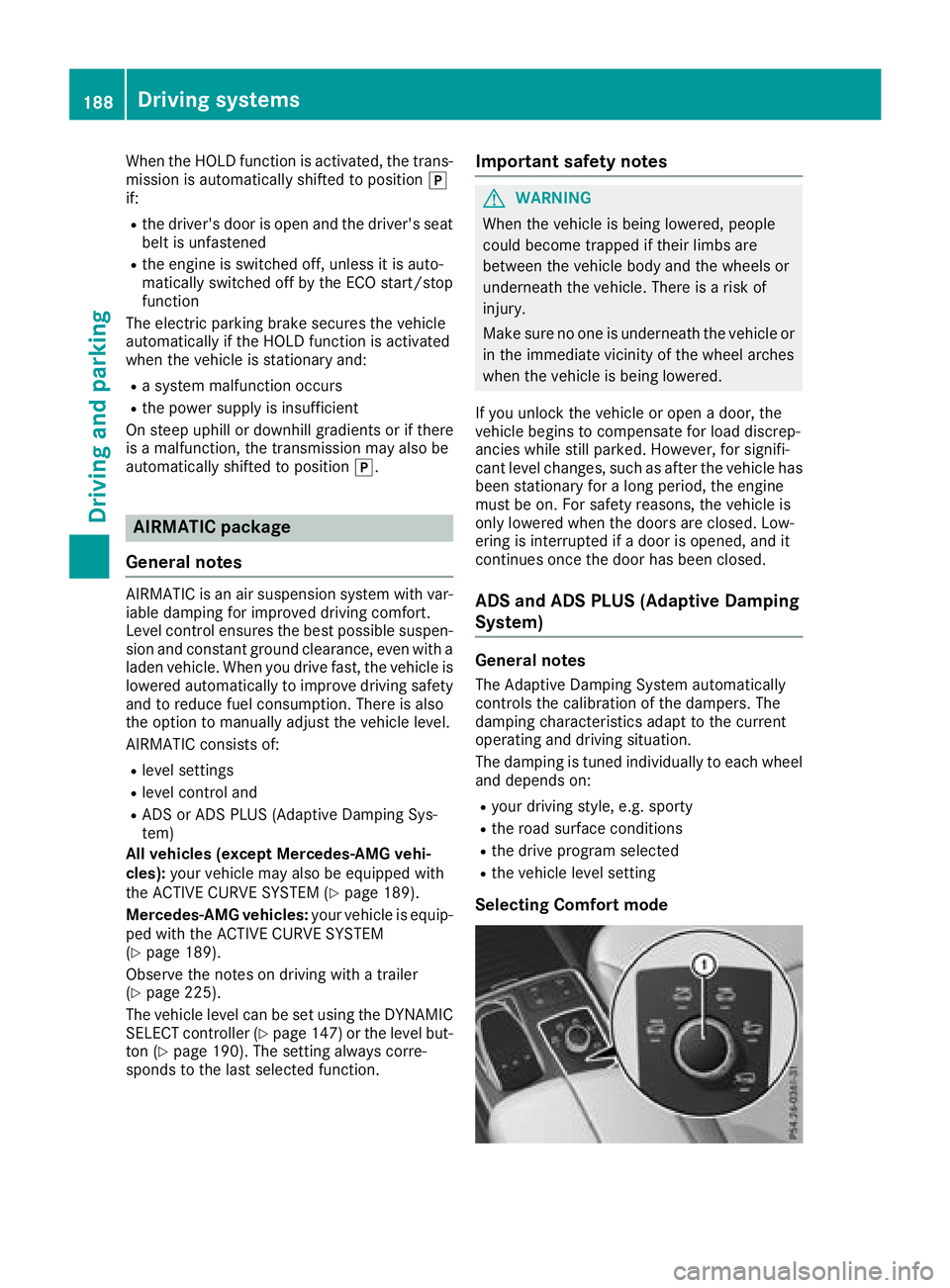
Selecting Comfort mode
188Driving systems
Driving and parking
Page 194 of 398

Sport mode
The firmer setting of the suspension tuning in
Sport mode ensures even better contact with
the road. Select this mode when employing a
sporty driving style, e.g. on winding country
roads.
XPress button:repeatedly until indicator
lamp =lights up.
You have selected Sport mode.
The AMG Suspension System SPORT
mes-
sage appears in the multifunction display.
Sport + mode
The very firm setting of the suspension setting in
Sport + mode ensures the best possible contact
with the road. Select this mode only when driv-
ing on race circuits.
If indicator lamps ;and =are off:
XPress button :repeatedly until indicator
lamp ;lights up.
You have selected Sport + mode.
The AMG
SuspensionSystemSPORT +mes-
sage appears in the multifunction display.
In "Sport +" mode, the vehicle is lowered by
10 mm compared to the normal level.
Comfort mode
In Comfort mode, the driving characteristics of
your vehicle are more comfortable. Select this
mode if you favor a more comfortable driving
style, but also when driving fast on straight
roads, e.g. highways.
XPress button :repeatedly until indicator
lamps ;and =go out.
You have selected Comfort mode.
The AMG
SuspensionSystemCOMFORTmes-
sage appears in the multifunction display.
Parking Assist PARKTRONIC
Important safety notes
Parking Assist PARKTRONIC is an electronic
parking aid with ultrasound. It monitors the area
around your vehicle using six sensors in the
front bumper and six sensors in the rear
bumper. Parking Assist PARKTRONIC visually
and audibly indicates the distance between your
vehicle and an object.
Parking Assist PARKTRONIC is only an aid. It is
not a replacement for your attention to your
immediate surroundings. You are always
responsible for safe maneuvering, parking and
exiting a parking space. When maneuvering,
parking or pulling out of a parking space, make
sure that there are no persons, animals or
objects in the area in which you are maneuver-
ing.
!When parking, pay particular attention to
objects above or below the sensors, such as
flower pots or trailer drawbars. PARKTRONIC
does not detect such objects when they are in
the immediate vicinity of the vehicle. You
could damage the vehicle or the objects.
The sensors may not detect snow and other
objects that absorb ultrasonic waves.
Ultrasonic sources such as an automatic car
wash, the compressed-air brakes on a truck
or a pneumatic drill could cause PARKTRONIC
to malfunction.
PARKTRONIC may not function correctly on
uneven terrain.
!Fold in the ball coupling if the trailer tow
hitch is not required. PARKTRONIC measures
the minimum detection range to an obstacle
from the bumper, not the ball coupling.
Parking Assist PARKTRONIC is deactivated for
the rear area when you establish an electrical
connection between your vehicle and a trailer.
Parking Assist PARKTRONIC is activated auto-
matically when you:
Rswitch on the ignition
Rshift the transmission to position D,Ror N
Rrelease the electric parking brake
Parking Assist PARKTRONIC is deactivated at
speeds above 11 mph (18 km/h). It is reactiva-
ted at lower speeds.
192Driving systems
Driving and parking
Page 356 of 398
Important safety notes
GWARNING
If wheels and tires of th ewrong siz eare used,
th ewhee lbrakes or suspension component s
may be damaged. Ther eis aris kof an acci-
dent.
Always replace wheels and tires wit hthose
that fulfill th especification sof th eoriginal
part .
When replacing wheels, mak esur eto use th e
correct:
Rdesignation
Rmodel
When replacing tires ,mak esur eto use th e
correct:
Rdesignation
Rmanufacturer
Rmodel
GWARNIN G
A flat tire severely impairs th edriving ,steer -
ing and braking characteristics of th evehicle.
Ther eis aris kof accident.
Tires without run-flat characteristics :
Rdo notdriv ewit h a flat tire.
Rimmediately replace th eflat tire wit hyour
emergenc yspar ewhee lor spar ewheel, or
consult aqualified specialist workshop.
Tires wit hrun-flat characteristics :
Rpay attention to theinformation and warn -
ing notice son MOExtended tires (tire swit h
run-flat characteristics).
Accessories that are no tapprove dfor your vehi-
cle by Mercedes-Ben zor are no tbein gused cor-
rectl ycan impair th eoperating safety.
Before purchasing and usin gnon-approve d
accessories, visit aqualified specialist work-
sho pand inquire about :
Rsuitability
Rlegal stipulation s
Rfactory recommendation sFurther information regarding wheels and tires
can be foun
dunder "Wheel/tire combinations"
(
Ypage 379).
You can ask for information regarding permitte d
wheel-tire combination sat an authorize d
Mercedes-Ben zCenter.
Tir epressur einformation can be found:
Ron th eTir eand Loading Information placard
on th eB-pillar on th edriver' sside
Rin th etire pressur etable in th efuel filler flap
Rin th e"Tir epressure" section
Operation
Information on driving
Chec kth etire pressur ewhen th evehicl eis
heavily laden and adjust prio rto atrip.
While driving ,pay attention to vibrations, noises
and unusual handlin gcharacteristics ,e.g. pull-
ing to on eside .This may indicat ethat th e
wheels or tires are damaged. If you suspec tthat
a tire is defective, reduce your spee dimmedi-
ately. Stop th evehicl eas soo nas possible to
chec kth ewheels and tires for damage. Hidden
tire damag ecould also be causing th eunusual
handlin gcharacteristics .If you fin dno sign sof
damage, hav eth etires and wheels checke dat a
qualified specialist workshop.
When parking your vehicle, mak esur ethat th e
tires do no tget deformed by th ecur bor other
obstacles. If it is necessar yto driv eove rcurbs,
spee dhump sor similar elevations, tr yto do so
slowly and at an obtuse angle. Otherwise, th e
tires ,particularly th esidewalls, may be dam-
aged.
Regular checking of wheels and tires
GWARNIN G
Damaged tires can caus etire inflation pres-
sur eloss .As aresult ,you could lose control of
your vehicle. Ther eis aris kof accident.
Chec kth etires regularly for sign sof damag e
and replace any damaged tires immediately.
Chec kwheels and tires for damag eat least once
a month .Chec kwheels and tires after driving
off-road or on roug hroads. Damaged wheels
can caus e aloss of tire pressure.
354Operation
Wheels and tires
Page 359 of 398
To avoid hazardous situations:
Rnever install snow chains to the front
wheels
Ralways install snow chains in pairs to the
rear wheels.
!Check the snow chains for damage before
mounting them. Damaged or worn snow
chains may snap and damage the following
components:
Rwheel
Rwheel housing
Rwheel suspension
For this reason, you must use only snow
chains that are free of defects. Observe the
manufacturer's mounting instructions.
!You must drive at raised vehicle level (height
1) if snow chains have been installed. The
vehicle may otherwise be damaged.
!Vehicles with ADS (Adaptive Damping
System): do not use the sport mode when
driving with snow chains mounted. The vehi-
cle may otherwise be damaged.
For safety reasons, Mercedes-Benz recom-
mends that you only use snow chains that have
been specially approved for your vehicle by
Mercedes-Benz, or are of a corresponding
standard of quality. For more information,
please contact a qualified specialist workshop.
Install the snow chains on all driven wheels for
maximum tractive power and driving stability. If
you own snow chains for two driven wheels only,
install the snow chains to the wheels on the rear
axle. The vehicle then remains more stable
under braking.
If you intend to mount snow chains, please bear
the following points in mind:
RSnow chains may not be mounted on all
wheel/tire combinations. Permissible
wheel/tire combinations (
Ypage 379).
ROnly use snow chains when driving on roads
completely covered by snow. Remove the
snow chains as soon as possible when you
come to a road that is not snow-covered.
RLocal regulations may restrict the use of snow
chains. Observe the appropriate regulations if
you wish to mount snow chains.
RDo not exceed the maximum permissible
speed of 30 mph (50 km/h).
RNever use Parking Pilot when snow chains are
installed (Ypage 195).
You may wish to deactivate ESP®(Ypage 71)
when pulling away with snow chains mounted.
You can thereby allow the wheels to spin in a
controlled manner, achieving an increased driv-
ing force (cutting action).
Information about driving with an emergency
spare wheel (
Ypage 380).
Tire pressure
Tire pressure specifications
Important safety notes
GWARNING
Underinflated or overinflated tires pose the
following risks:
Rthe tires may burst, especially as the load
and vehicle speed increase.
Rthe tires may wear excessively and/or
unevenly, which may greatly impair tire
traction.
Rthe driving characteristics, as well as steer-
ing and braking, may be greatly impaired.
There is a risk of an accident.
Follow recommended tire inflation pressures
and check the pressure of all the tires includ-
ing the spare wheel:
Rmonthly, at least
Rif the load changes
Rbefore beginning a long journey
Runder different operating conditions, e.g.
off-road driving
If necessary, correct the tire pressure.
Details on tire pressure can be found at the fol-
lowing positions in the vehicle:
RTire and Loading Information placard on the
B-pillar on the driver's side
Rtable for tire pressure on the inside of the fuel
filler flap
The tire pressure monitor does not warn you of:
Tire pressure357
Wheels and tires
Z