2018 MERCEDES-BENZ E-CLASS COUPE light
[x] Cancel search: lightPage 331 of 593
St
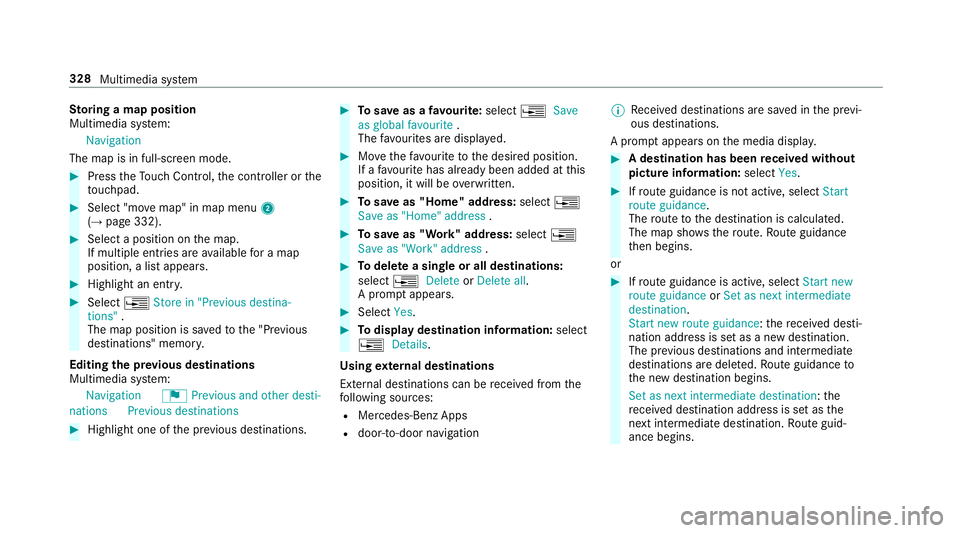
oring a map position
Multimedia sy stem:
Navigation
The map is in full-screen mode. #
Press theTo uch Control, the controller or the
to uchpad. #
Select "mo vemap" in map menu 2
(→ page 332). #
Select a position on the map.
If multiple entri es areavailable for a map
position, a list appears. #
Highlight an entr y.#
Select ¥Store in "Previous destina-
tions" .
The map position is sa vedto the "Pr evious
destinations" memo ry.
Editing the pr evious destinations
Multimedia sy stem:
Navigation ¬Previous and other desti-
nation sPrevious destinations #
Highlight one of the pr evious destinations. #
Tosave as a favo urite: select ¥Save
as global favourite .
The favo urites are displ ayed. #
Movethefa vo urite tothe desired position.
If a favo urite has already been added at this
position, it will be overwritten. #
Tosave as "Home" address: select¥
Save as "Home" address . #
Tosave as "Work" address: select¥
Save as "Work" address . #
Todel ete a single or all destinations:
select ¥Delete orDelete all.
A prom ptappears. #
Select Yes. #
Todispl aydestination information: select
¥ Details.
Using extern al destinations
External destinations can be recei ved from the
fo llowing sources:
R Mercedes-Benz Apps
R door-to-door navigation %
Recei ved destinations are sa ved in the pr evi‐
ous destinations.
A prom ptappears on the media displa y. #
A destination has been received without
picture information: selectYes. #
Ifro ute guidance is not active, select Start
route guidance .
The route tothe destination is calculated.
The map sho ws thero ute. Route guidance
th en begins.
or #
Ifro ute guidance is active, select Start new
route guidance orSet as next intermediate
destination .
Start new route guidance: there cei ved desti‐
nation address is set as a new destination.
The pr evious destinations and intermediate
destinations are dele ted. Ro ute guidance to
th e new destination begins.
Set as next intermediate destination: the
re cei ved destination address is set as the
next intermedia tedestination. Route guid‐
ance begins. 328
Multimedia sy stem
Page 338 of 593
Av
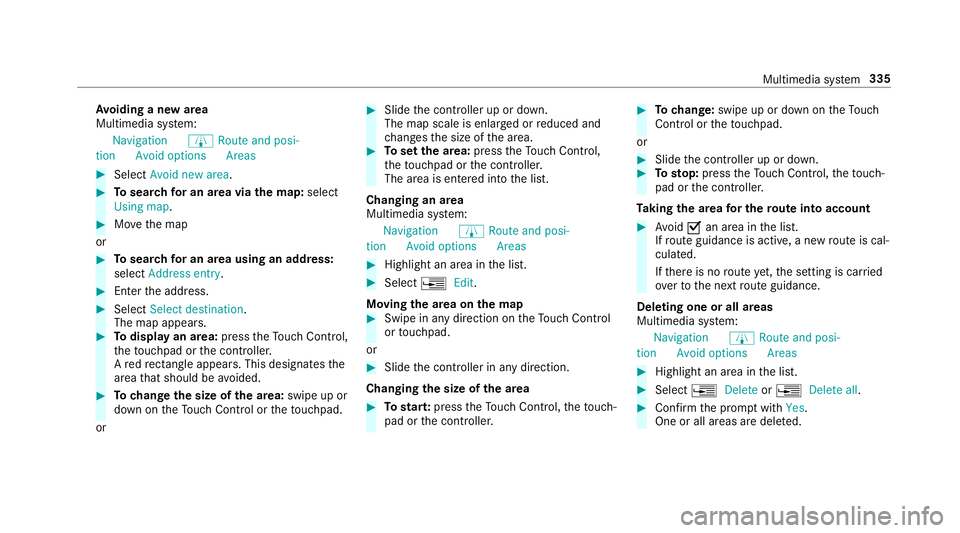
oiding a new area
Multimedia sy stem:
Navigation ÀRoute and posi-
tion Avoid option sAreas #
Select Avoid new area . #
Tosear chfor an area via the map: select
Using map. #
Movethe map
or #
Tosear chfor an area using an address:
select Address entry . #
Enter the address. #
Select Select destination.
The map appears. #
Todispl ayan area: presstheTo uch Control,
th eto uchpad or the controller.
A redre ctangle appea rs. This designates the
area that should be avoided. #
Tochange the size of the area: swipe up or
down on theTo uch Control or theto uchpad.
or #
Slide the controller up or down.
The map scale is enlar ged or reduced and
ch anges the size of the area. #
Toset the area: presstheTo uch Control,
th eto uchpad or the controller.
The area is entered into the list.
Changing an area
Multimedia sy stem:
Navigation ÀRoute and posi-
tion Avoid option sAreas #
Highlight an area in the list. #
Select ¥Edit.
Moving the area on the map #
Swipe in any direction on theTo uch Control
or touchpad.
or #
Slide the controller in any direction.
Changing the size of the area #
Tostar t:press theTo uch Control, theto uch‐
pad or the controller. #
Tochange: swipe up or down on theTo uch
Control or theto uchpad.
or #
Slide the controller up or down. #
Tosto p:press theTo uch Control, theto uch‐
pad or the controller.
Ta king the area for the route into account #
Avoid Oan area in the list.
If ro ute guidance is active, a new route is cal‐
culated.
If th ere is no route yet,th e setting is car ried
ove rto the next route guidance.
Deleting one or all areas
Multimedia sy stem:
Navigation ÀRoute and posi-
tion Avoid option sAreas #
Highlight an area in the list. #
Select ¥Delete or¥ Delete all. #
Confirm the prom ptwith Yes.
One or all areas are dele ted. Multimedia sy
stem 335
Page 345 of 593

Fu
nctions of the mobile phone in two phone
mode
Fu nctions overview Mobile phone in
the
fo re gr ound Mobile phone in
the
bac kground
Fu llra nge of func‐
tions Incoming calls Using a SIM card
for business telephony #
Light lypress co ver4 ofthe compartment
fo rth e SIM card reader in theglove box.
The compartment opens. #
Insert SIM card 1in card slot 2. Micro or
nano cards can be used with adap ters 3 . Setting up business
telephony
Re quirements:
R Using a mobile phone:
- Blue tooth ®
is activated on the mobile
phone (see the manufacturer's operating
instructions).
- Blue tooth ®
is activated on the multimedia
sy stem (→ page 300).
- Ifth e mobile phone supports the Blue‐
tooth ®
SA P profile (SIM AccessProfile),
th e SIM card PIN must be entered and
confi rmed.
R Using a SIM card:
- A SIM card is inser ted in the card slot in
th ete lephone module (→ page 342).
- The SIM card PIN is entered in the multi‐
media sy stem.
Multimedia sy stem:
Telephone ªDevices
Connecting a mobile phone #
Select Activate Business telephony .342
Multimedia sy stem
Page 347 of 593
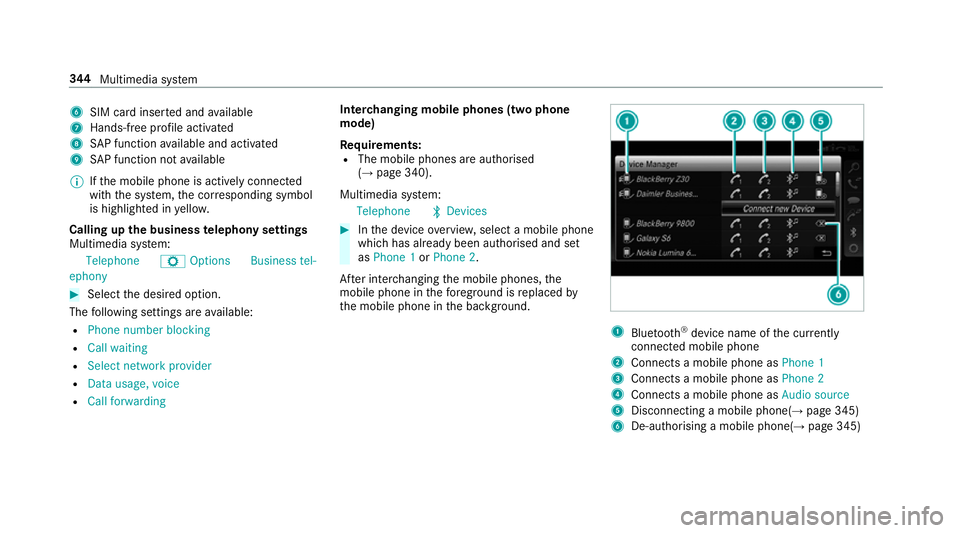
6
SIM card inse rted and available
7 Hands-free profile activated
8 SAP function available and activated
9 SAP function not available
% Ifth e mobile phone is actively connected
with the sy stem, the cor responding symbol
is highlighte d inyello w.
Calling up the business telephony settings
Multimedia sy stem:
Telephone ZOption sBusiness tel-
ephony #
Select the desired option.
The following settings are available:
R Phone number blocking
R Call waiting
R Select network provider
R Data usage, voice
R Call forwarding Inter
changing mobile phones (two phone
mode)
Re quirements:
R The mobile phones are authorised
(→ page 340).
Multimedia sy stem:
Telephone ªDevices #
Inthe device overview, select a mobile phone
which has already been authorised and set
as Phone 1 orPhone 2.
Af ter inter changing the mobile phones, the
mobile phone in thefo re ground isreplaced by
th e mobile phone in the bac kground. 1
Blue tooth ®
device name of the cur rently
connected mobile phone
2 Connects a mobile phone as Phone 1
3 Connects a mobile phone as Phone 2
4 Connects a mobile phone as Audio source
5 Disconnecting a mobile phone(→ page 345)
6 De-au thorising a mobile phone(→ page 345)344
Multimedia sy stem
Page 370 of 593

#
Toswitch from PANto DUN: select the
mobile phone. #
Select ¥. #
Select Change configuration. #
Deactivate ªAutomatic configuration. #
Select Configure settings using COMAND .#
Configuri ngthe Internet connection using
preset or manual access data (→ page 366).
% While using business telephon y,it is not pos‐
sible toswitch Blue tooth ®
profiles.
Editing access data
Requ irements:
R The mobile phone supports the Blue tooth®
DUN profile.
Multimedia sy stem:
System öConnectivit yInternet set-
tings #
Highlight the mobile phone. #
Select ¥. #
Select Change configuration . #
For mobile phones with PAN and DUN:
select Configure settings using COMAND. #
Configure the Internet connection using pre‐
set or manual access data (→ page 366).
Cancelling Internet access permission for a
mobile phone
Multimedia sy stem:
System öConnectivit yInternet set-
tings #
Highlight the mobile phone. #
Select ¥. #
Select Delete configuration. #
Select Yes.
Displaying mobile phone details
Multimedia sy stem:
System öConnectivit yInternet set-
tings #
Highlight the mobile phone. #
Select ¥. #
Select Details. Establishing an Internet connection
Multimedia sy
stem:
Connect #
Forex ample, select zBrowser .
% The multimedia sy stem usually es tablishes
th e Internet connection automaticall y.Ifthe
multimedia sy stem is not connected tothe
Internet, the Internet connection is es tab‐
lished when an Internet application is used.
% The availability of web br ows ers is count ry-
dependent. Multimedia sy
stem 367
Page 373 of 593

Calling up
web br owser options
Multimedia sy stem:
Connect zBrowser ZOptions
The following functions are available:
R Refresh page /Cancel
R Zoom
R Browser settings
R Delete browser data #
Select an option. #
Make the desired changes tothe settings.
Calling up thewe b br owser settings
Multimedia sy stem:
Con-
nect zBrowser ZOption sBrow
ser settings
The following functions are available:
R Block popups
R Enable Javascript
R Enable cookies #
Activate Oor deacti vate ª the function. Deleting br
owser data
Multimedia sy stem:
Con-
nect zBrowser ZOption sDelet
e browser data
The following options are available:
R All
R Cache
R Cookies
R Entered URLs
R Form data #
Select an option. #
Select Yes.
Managing bookmar ks
Multimedia sy stem:
Connect zBrowser ßBook-
marks
Selecting a bookmark #
Select an entry. Creating a bookmark #
Select Add new bookmark. #
Enter a URL and a name. #
Select ¡.
Editing a bookmark #
Highlight a bookmar k. #
Select p. #
Select Edit. #
Enter a URL and a name. #
Select ¡.
Deleting a bookmark #
Highlight a bookmar k. #
Select p. #
Select Delete. #
Select Yes.
Closing the br owser
Multimedia sy stem:
Connect zBrowser #
Select åClose browser .37 0
Multimedia sy stem
Page 387 of 593

Ac
tivating Blue tooth ®
audio
Multimedia sy stem:
Media àMedia sources #
Select áBluetooth audio.
The multimedia sy stem activates the connec‐
te d Blue tooth®
audio equipment.
Selecting the media pla yer on the Blue tooth ®
audio device
Multimedia sy stem:
Media ª #
Select theBluetooth audio players category.
If multiple media pla yers are present on the
Blu etoo th®
audio equipment a list appears. #
Select a media pla yer.
Playback starts.
% The function is not suppo rted byeve ry
mobile phone. Sear
ching for a music track on the Blue‐
to oth ®
audio device
Multimedia sy stem:
Media àMedia sources áBlue-
tooth audio #
Select ª. #
Select a categor y.
A track li stappears. #
Select a trac k.
% The function is only available when the
mobile phone and the media pla yer selected
on the mobile phone support this function.
Switching Blu etoo th®
audio equipment via
NFC
Requ irements:
R Obser vethe no tes on using NFC
(→ page 345).
R The Blue tooth®
audio overview is displa yed
( → page 382). #
Lightly press the NFC area on the mobile
phone (see the manufacturer's operating
instructions).
If th e mobile phone has already been author‐
ised on the multimedia sy stem as Blue tooth®
audio equipment, it is now connec ted.
If th e mobile phone is authorised on the mul‐
timedia sy stem as Blue tooth ®
audio equip‐
ment forth efirs t time, it is connected af ter
confirming the instructions forth e mobile
phone (see the manufacturer's operating
instructions).
Disconnecting Blue tooth ®
audio equipment
Multimedia sy stem:
Telephone áMedia sources #
Select thei symbol in the line of the
mobile phone.
The disconnection of the mobile phone takes
place without a con firm ation prom pt. The
mobile phone remains auth orised inthe sys‐
te m. 384
Multimedia sy stem
Page 390 of 593

Setting
the frequency band Multimedia sy
stem:
Radio ÞRadio source #
Select a frequency band. Selecting a
radio station Multimedia sy
stem:
Radio #
Navigate up or down. Calling up
thera dio station list Multimedia sy
stem:
Radio è #
Select a station. Sear
ching forra dio stations using station
names or direct frequency entry Multimedia sy
stem:
Radio èè #
Enter a station name or frequenc y. #
Select a.
The sea rchre sults are displa yed. #
Select a station. St
oring radio stations Multimedia sy
stem:
Radio ßPresets #
Select Store current station in the presets . Editing
radio station presets Multimedia sy
stem:
Radio ßPresets
Moving stations: #
Highlight a preset entry and navigate tothe
left. #
Select Move highlighted station. #
Select a memo rypreset.
Deleting stations: #
Highlight a preset entry and navigate tothe
left. #
Select Delete highlighted station. #
Select Yes. Calling up a slide show (FM/DAB
radio mode) Multimedia sy
stem:
Radio ÞRadio source FM/DAB
radio stations Multimedia sy
stem 387