Page 480 of 593
Pe
rm issible towing capacit y,braked (at a
minimum start-off gradeability of 12%) Model
Perm issible towing
capacit y,braked
All models 1800 kg Pe
rm issible towing capacit y,unbraked Model
Perm issible towing
capacit y,unbraked
All model s7 50kg Maximum
tongue weight *
NO
TEDama gecaused bythe trailer
coming loose If
th eto ngue weight used is too lo w,the
trailer may come loose. #
The tongue weight must not be below
50 kg. #
Use a tongue weight that is as close as
possible tothe maximum permissible
to ngue weight. Maximum
tongue weight Model
All models
75kg Pe
rm issible rear axle load during trailer
operation Axle load
Model
Axle load
E 200 1240 kg
E 200 4MATIC 1250 kg
E 220 d1 290kg
E 220 d 4MATIC 1295 kg
E 300 1265 kg
E 300 d1 285kg Model
Axle load
E 350 1270 kg
E 350 d1 255kg
E 400 d 4MATIC 1275 kg
E 450 4MATIC 1270 kg Te
ch nical da ta477
Page 485 of 593
Display messages
Possible causes/consequences and M
MSolutions
If th e electric parking brake should not be applied, e.g. when washing theve hicle in an automatic car wash or when
having theve hicle towe d, lea vethe ignition switched on. This does not include having theve hicle towe d with the
re ar axle raised.
If th e electric parking brake is not applied automatically: #
Switch off the ignition and switch it back on. #
Release and then apply the electric parking brake manually (→ page188).
If it is still not possible toapply the electric parking brake: #
Consult a qualified specialist workshop. #
Where necessar y,also safeguard the par kedve hicle against rolling away.
To release: #
Ifth e conditions for auto matic release are fulfilled and the electric parking brake is not released automaticall y,
re lease the electric parking brake manually (→ page188).
If it is still not possible torelease the electric parking brake: #
Do not continue driving under any circums tances. Consult a qualified specialist workshop.
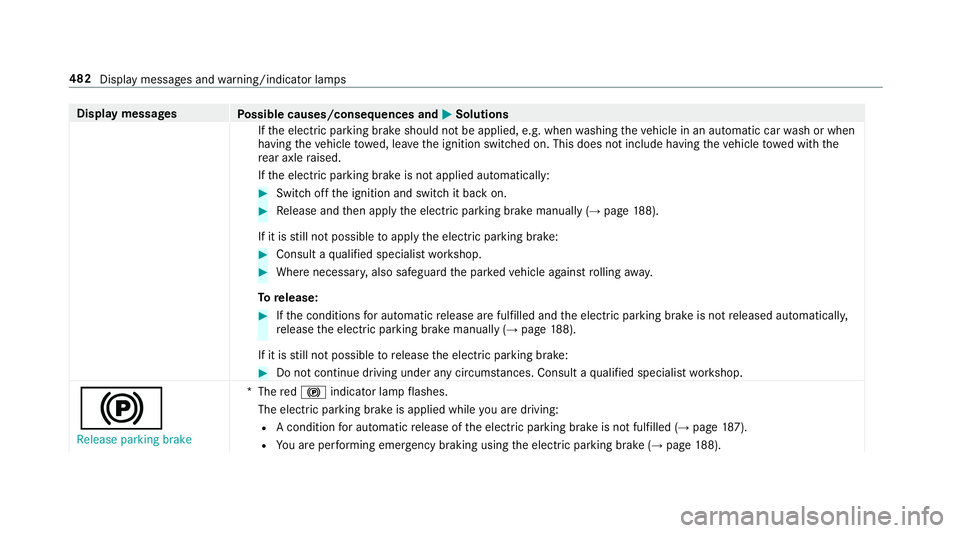
!
Release parking brake *
The red! indicator lamp flashes.
The electric parking brake is applied while you are driving:
R A condition for auto matic release of the electric parking brake is not fulfilled (→ page187).
R You are per form ing emer gency braking using the electric parking brake (→ page188). 482
Displaymessa ges and warning/indicator lamps
Page 496 of 593
Display messages
Possible causes/consequences and M
MSolutions
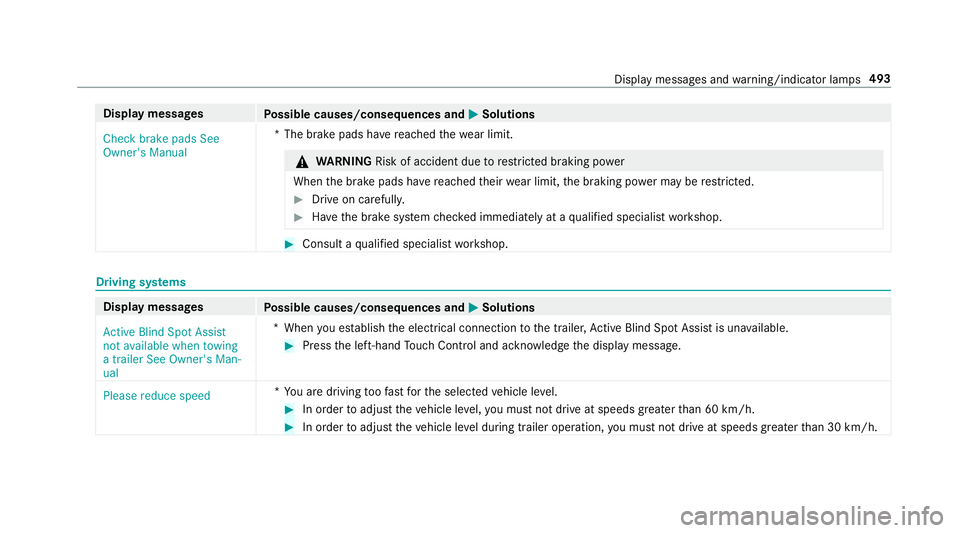
Check brake pads See
Owner's Manual *T
he brake pads ha vereached thewe ar limit. &
WARNING Risk of accident due torestricted braking po wer
When the brake pads ha vereached their wear limit, the braking po wer may be restricted. #
Drive on carefully. #
Have the brake sy stem checked immediately at a qualified specialist workshop. #
Consult a qualified specialist workshop. Driving sy
stems Display messages
Possible causes/consequences and M
MSolutions
Active Blind Spot Assist
not available when towing
a trailer See Owner's Man-
ual *W
hen you es tablish the electrical connection tothe trailer, Active Blind Spot Assi stis una vailable. #
Press the left-hand Touch Control and ackn owledge the display message.
Please reduce speed *Y
ou are driving toofast forth e selected vehicle le vel. #
In order toadjust theve hicle le vel,yo u must not drive at speeds greater than 60 km/h. #
In order toadjust theve hicle le vel during trailer operation, you must not drive at speeds greater than 30 km/h. Display messages and
warning/indicator lamps 493
Page 500 of 593

Display messages
Possible causes/consequences and M
MSolutions #
Clean the windscreen.
Active Lane Keeping Assist
inoperative *A
ctive Lane Keeping Assist is malfunctioning. #
Consult a qualified specialist workshop. Fault Drive at max. 80
km/h
*T
he AIR BODY CONTROL function is restricted. The vehicle's handling characteristics may be af fected. #
Drive in a manner appropria teforth e cur rent le vel, but do not exceed 80 km/h. #
Consult a qualified specialist workshop.
DY NA MIC BODY CONT ROL is malfunctioning. The vehicle's handling characteristics may be af fected. #
Do not drive at speeds grea terth an 80 km/h. #
Consult a qualified specialist workshop.
Blind Spot Assist not availa-
ble when towing a trailer
See Owner's Manual *W
hen you es tablish the electrical connection tothe trailer, Blind Spot Assist is una vailable. #
Press the left-hand Touch Control and ackn owledge the display message.
É Stop vehicle Vehicle too
low *Y
ou ha vepulled away despite theve hicle le vel being too lo w. #
Pull over and stop theve hicle, paying attention toroad and traf fic conditions.
The vehicle is raised tothe selected vehicle le vel. #
Wait until the display message disappears before pulling away.
If th e display message does not disappear and a warning tone also sounds, AIR BODY CONTROL is malfunctioning: #
Do not drive fasterthan 80 km/h and consult a qualified specialist workshop immediatel y. Displ
aymessa ges and warning/indicator lamps 497
Page 528 of 593

Display messages
Possible causes/consequences and M
MSolutions #
Never drive with the boot lid open. #
Close the boot lid.
¥ Top up washer fluid *T
hewasher fluid le vel in thewa sher fluid reser voir has dropped below the minimum. #
Top up thewa sher fluid (→ page 407).
ï
Check trailer hitch lock
(white displ aymessa ge) *T
he trailer tow hit chwill not be operational when you drive with a trailer. #
Stop theve hicle immediately, paying attention toroad and traf fic conditions, and switch off the engine. #
Uncouple the trailer and secure it against rolling away. #
Initiate a new swivelling procedure (→ page 254). #
When the display message disappears, couple up the trailer and drive on. &
WARNING Risk of an accident if the ball neck is not loc ked
If th e ball neck is not in the loc ked position, the trailer may come loose. #
Pull over and stop theve hicle safely as soon as possible, paying attention toroad and traf fic conditions.
Do not continue driving under any circums tances. #
Uncouple the trailer and secure it against rolling away. #
Initiate a new swivelling procedure and do not re-couple the trailer until the display message disappears. Display messages and
warning/indicator lamps 525
Page 529 of 593

Display messages
Possible causes/consequences and M
MSolutions
If th e display message does not disappear, the trailer tow hit chis defective and the ball neck is not loc ked. #
Do not couple up the trailer. Drive on without the trailer. No tethere duced ground clearance due tothe
unlo cked ball nec k. #
Consult a qualified specialist workshop.
The trailer tow hit chwill not be operational when theve hicle is at a standstill. #
Uncouple the coupled trailer and secure it against rolling away. #
Initiate a new swivelling procedure (→ page 254).
If th e display message does not disappear, the trailer tow hit chis defective and the ball neck is not loc ked. #
Do not couple up the trailer. Drive on without the trailer. No tethere duced ground clearance due tothe
unlo cked ball nec k. #
Consult a qualified specialist workshop. Climate control
Display messages
Possible causes/consequences and M
MSolutions
Air conditioning Malfunc-
tion See Owner's Manual *O
peration of the climate control sy stem is temp orarily restricted. Air flow and fresh air supply are set toautomatic
mode. #
Have the climate control sy stem checked at a qualified specialist workshop.
*T he climate contro l system is malfunctioning. 526
Display messages and warning/indicator lamps
Page 547 of 593
Wa
rning/indicator lamp
Possible causes/consequences and M
MSolutions
ï Tr ailer tow hit chwarning
lamp The
red trailer tow hit chwarning lamp is on.
The trailer tow hit chis not operational or swivels. &
WARNING Risk of an accident if the ball neck is not loc ked
If th e ball neck is not in the loc ked position, the trailer may come loose. #
Pull over and stop theve hicle safely as soon as possible, paying attention toroad and traf fic conditions. Do
not continue driving under any circums tances. #
Uncouple the trailer and secure it against rolling away. #
Initiate a new swivelling procedure and do not re-couple the trailer until the display message disappears. #
Obser vethe messages on the multifunction displa y.
If th e trailer hitch swivels: #
Wait until the ball coupling has reached the operational position. 544
Displaymessa ges and warning/indicator lamps
Page 551 of 593

Overview ............................................. 356
Sound settings .................................... 357
Tr
ans ferred vehicle data ......................3 57
Animals Pets in theve hicle ................................. 70
Anti-lock braking sy stem
see ABS (Anti-lock Braking Sy stem)
Anti-skid chains
see Snow chains
Anti-theft ala rmsystem
see ATA (anti-theft alarm sy stem)
Anti-theft pr otection
Ad ditional door lock .............................. 75
Immobiliser ...........................................95
Anti-theft pr otection
see ATA (anti-theft alarm sy stem)
Anticipatory occupant pr otection
see PRE- SAFE®
(anticipatory occu‐
pant pr otection)
see PRE-SAFE ®
PLUS (anticipatory
occupant pr otection plus)
Apple CarPlay™ ....................................... 354
Connecting an iPhone ®
....................... 355 Ending .................................................3
55
No tes .................................................. 355
Overview ............................................. 354
Sound settings .................................... 355
Tr ans ferred vehicle data ......................3 57
Asht ray
Fr ont centre console ........................... 12 3
Re ar passenger compartment ............ .123
Assistance sy stems
see Driving saf ety sy stem
Assistant display Menu (on-board computer) .................. 265
ASS YST PLUS ........................................... 400
Battery disconnection pe riods .............4 01
Displ aying the service due date ........... 400
Fu nction/no tes ................................... 400
Re gular maintenance work .................. 400
Special service requ irements .............. 400
ATA (anti-theft ala rmsystem) .................. 95
Deactivating the alarm .......................... 96
Fu nction ................................................ 95
Fu nction of interior pr otection ............... 96
Priming/deactivating interior pr otec‐
tion ........................................................ 97Priming/deactivating
tow- aw ay pro‐
te ction ................................................... 96
To w- aw ay protection function ................96
AT TENTION ASSI ST.......................... 243, 24 4
Fu nction .............................................. 24 3
Setting ................................................. 24 4
Sy stem limitations ...............................2 43
At tention assistant
see ATTENTION ASSIST
Au dio mode
Connecting USB devices ...................... 376
Copyrights .......................................... .373
Information ..........................................3 72
Inserting/removing an SD card ........... 374
Media sear ch....................................... 379
Overview ..............................................3 75
Pa use and playback function .............. .376
Selecting a track .................................. 376
Selecting pl ayback options .................. 376
Switching on media mode .................... 374
Tr ack list .............................................. 376
Au thorised workshop
see Qualified specialist workshop 548
Index

