2018 LINCOLN NAVIGATOR phone
[x] Cancel search: phonePage 460 of 649

911 Assist May Not Work If
•Your cellular phone or 911 Assisthardware sustains damage in a crash.
•The vehicle's battery or the SYNC systemhas no power.
•The phone(s) thrown from your vehicleare the ones paired and connected tothe system.
911 Assist Privacy Notice
When you switch on 911 Assist, it maydisclose to emergency services that yourvehicle has been in a crash involving thedeployment of an airbag or activation of thefuel pump shut-off. Certain versions orupdates to 911 Assist may also be capableof electronically or verbally disclosing to 911operators your vehicle location or otherdetails about your vehicle or crash to assist911 operators to provide the most appropriateemergency services. If you do not want todisclose this information, do not switch thefeature on.
Safety Information
WARNING: Driving while distractedcan result in loss of vehicle control, crashand injury. We strongly recommend thatyou use extreme caution when using anydevice that may take your focus off theroad. Your primary responsibility is the safeoperation of your vehicle. We recommendagainst the use of any hand-held devicewhile driving and encourage the use ofvoice-operated systems when possible.Make sure you are aware of all applicablelocal laws that may affect the use ofelectronic devices while driving.
•Do not attempt to service or repair thesystem. Have an authorized dealercheck your vehicle.
•Do not operate playing devices if thepower cords or cables are broken, splitor damaged. Place cords and cables outof the way, so they do not interfere withthe operation of pedals, seats,compartments or safe driving abilities.
•Do not leave playing devices in yourvehicle during extreme conditions as itcould cause them damage. See yourdevice's user guide for furtherinformation.
•For your safety, some SYNC 3 functionsare speed-dependent. Their use is limitedto when your vehicle is traveling atspeeds under 3 mph (5 km/h). Make surethat you review your device's manualbefore using it with SYNC 3.
Speed-restricted Features
Some features of this system may be toodifficult to use while your vehicle is movingso they are restricted from use unless yourvehicle is stationary.
457
Navigator (TB9) Canada/United States of America, enUSA, Edition date: 201708, Third-Printing-
SYNC™ 3
Page 461 of 649

•Screens crowded with information, suchas Point of Interest reviews and ratings,SiriusXM Traffic and Travel Link sportsscores, movie times or ski conditions.
•Any action that requires you to use akeyboard is restricted, such as enteringa navigation destination or editinginformation.
•All lists are limited so the user can viewfewer entries (such as phone contacts orrecent phone call entries).
See the following table for more specificexamples.
Restricted features
Pairing a Bluetooth phone.Cellular Phone
Browsing of list entries is limited for phone contacts and recent phone calls.
Editing the keypad code.System Functionality
Enabling Valet Mode.
Editing settings while the rear view camera or active park assist are active.
Editing Wi-Fi settings.Wi-Fi
Editing the list of wireless networks.
Connecting to a new Wi-Fi network.
Viewing received text messages.Text Messages
Using the keyboard to enter a destination.Navigation
Adding or editing Navigation Favorites entries or Avoid Areas.
458
Navigator (TB9) Canada/United States of America, enUSA, Edition date: 201708, Third-Printing-
SYNC™ 3
Page 462 of 649

Creating a SYNC Owner Account
Why do I need a SYNC owner account?
•Essential for keeping up with the latestsoftware and connected features.
•Access to customer support for anyquestions you may have.
•Maintain account permissions.
Visit the website to sign up and register.
Website
www.owner.lincoln.comwww.syncmyride.cawww.syncmaroute.ca
Lincoln Connect
With a Lincoln Connect-equipped vehicle,you can use Lincoln Way® to track yourvehicle’s location and remotely accessvehicle features such as start, lock andunlock and vehicle status including fuel leveland approximate mileage. You can alsoschedule specific times to remotely start your
vehicle so it’s ready to hit the road as soonas you are. Lincoln Way® is available througha free download via the Apple App Store®or Google Play™. Message and data ratesmay apply. Services may be limited by mobilephone network coverage area.
•FCC: LHJ-FAN
•IC: 2807E-FAN
Updating Your System
You can choose to download the updateonto a USB drive or use Wi-Fi to deliverautomatic updates.
USB Updates
To use the USB update you need to log intoyour owner account and visit the SYNCsoftware update page.
Website
www.owner.lincoln.comwww.syncmyride.ca
Website
www.syncmaroute.ca
The website notifies you if an update isavailable. You can then select to downloadthe update.
You will need an empty USB drive. Pleasecheck the website for minimumrequirements. Once you have inserted theUSB drive into your computer, choose to startthe download. Follow the instructionsprovided to download the files to the USBdrive.
The installation of most files occurs in thebackground, and does not interrupt your useof the system. Navigation updates cannot beinstalled in the background, because the filesare too large.
459
Navigator (TB9) Canada/United States of America, enUSA, Edition date: 201708, Third-Printing-
SYNC™ 3
Page 464 of 649

the download continues where it left off atthe next Wi-Fi connected opportunity. Uponactivation of an update, a banner displayson the touchscreen indicating the systemupdate. Select the icon to see more detail.This icon displays for two ignition cycles.
To switch this feature off:
Menu Item
Settings
General
In this menu selection, youcan change the selection forautomatic updates to OFF.
AutomaticSystemUpdates
Support
The SYNC support team is available to helpyou with any questions you are not able toanswer on your own.
Monday-Saturday, 8:30am-8:00pm EST.
United States: 1-800-521-4140.
Canada: 1-800-387-9333.
Times are subject to change due to holidays.
Privacy Information
When you connect a cellular phone to SYNC3, the system creates a profile within yourvehicle that links to that cellular phone. Thisprofile helps in offering you more cellularfeatures and operating more efficiently.Among other things, this profile may containdata about your cellular phone book, textmessages (read and unread), and call history,including history of calls when your cellphone was not connected to the system. Inaddition, if you connect a media device, thesystem creates and retains an index ofsupported media content. The system alsorecords a short diagnostic log ofapproximately 10 minutes of all recent systemactivity. The log profile and other system datamay be used to improve the system and helpdiagnose any problems that may occur.
The cellular profile, media device index, anddiagnostic log remain in your vehicle unlessyou delete them and are generally accessibleonly in your vehicle when the cellular phoneor media player is connected.
If you no longer plan to use the system oryour vehicle, we recommend you perform aMaster Reset to erase all stored information.You can find more information about theMaster Reset in General Settings. SeeSettings (page 510). System data cannot beaccessed without special equipment andaccess to your vehicle's SYNC 3 module. TheLincoln Motor Company does not access thesystem data for any purpose other than asdescribed absent consent, a court order, orwhere required by law enforcement, othergovernment authorities, or other third partiesacting with lawful authority. Other partiesmay seek to access the informationindependently of The Lincoln MotorCompany.
HOME SCREEN
461
Navigator (TB9) Canada/United States of America, enUSA, Edition date: 201708, Third-Printing-
SYNC™ 3
Page 466 of 649
Home screen displayTileItem
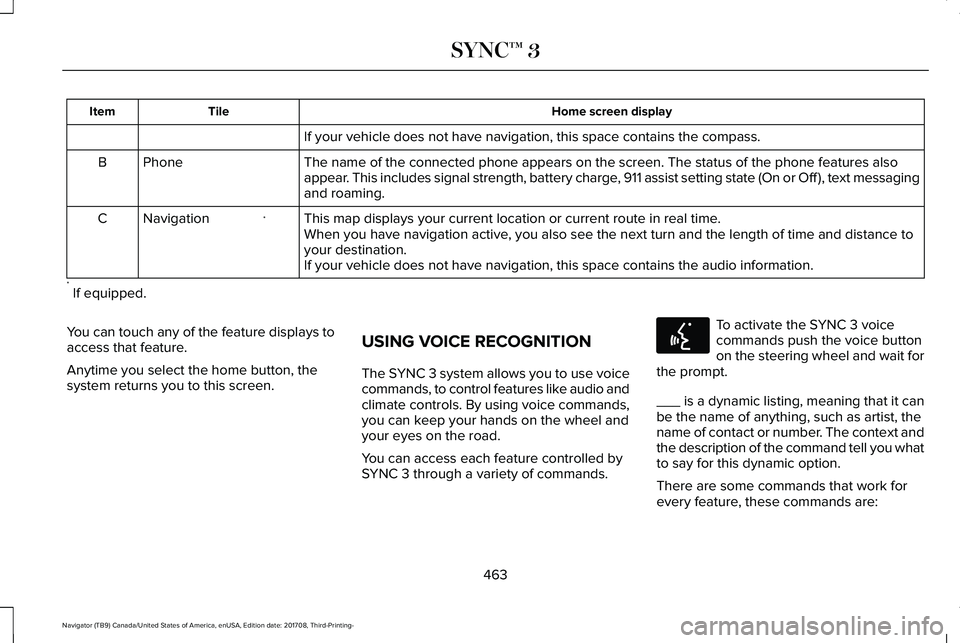
If your vehicle does not have navigation, this space contains the compass.
The name of the connected phone appears on the screen. The status of the phone features alsoappear. This includes signal strength, battery charge, 911 assist setting state (On or Off ), text messagingand roaming.
PhoneB
This map displays your current location or current route in real time.*NavigationCWhen you have navigation active, you also see the next turn and the length of time and distance toyour destination.If your vehicle does not have navigation, this space contains the audio information.
* If equipped.
You can touch any of the feature displays toaccess that feature.
Anytime you select the home button, thesystem returns you to this screen.
USING VOICE RECOGNITION
The SYNC 3 system allows you to use voicecommands, to control features like audio andclimate controls. By using voice commands,you can keep your hands on the wheel andyour eyes on the road.
You can access each feature controlled bySYNC 3 through a variety of commands.
To activate the SYNC 3 voicecommands push the voice buttonon the steering wheel and wait forthe prompt.
___ is a dynamic listing, meaning that it canbe the name of anything, such as artist, thename of contact or number. The context andthe description of the command tell you whatto say for this dynamic option.
There are some commands that work forevery feature, these commands are:
463
Navigator (TB9) Canada/United States of America, enUSA, Edition date: 201708, Third-Printing-
SYNC™ 3E142599
Page 467 of 649

Action and DescriptionVoice Command
Brings you to the main menu.Main Menu
Returns you to the previous screen.Go back
Ends the voice session.Cancel
Gives you a list of possible voice commands.List of Commands
You can name any feature and the system gives a list of commands available for the feature. Forexample, you could say:___ List of Commands
Phone List of Commands
Navigation List of Commands
You can use this command to view the next page of options on any screen where multiple pages ofchoices are given.Next Page
You can use this command to view the previous page of options on any screen where multiple pagesof choices are given.Previous Page
Gives you available commands you can use on the current screen.Help
Included here are some of the most popularcommands for each SYNC 3 feature.
464
Navigator (TB9) Canada/United States of America, enUSA, Edition date: 201708, Third-Printing-
SYNC™ 3
Page 469 of 649

DescriptionVoice command
Play Song ___
Play Audiobook ___
For USB audio only, you can say the name of an artist, album, or a genre tobrowse by that selection. Your system must finish indexing before this optionis available. For example you can say "Browse The Beatles" or "Browse folk".
Browse ___
1 This option may not be available in all markets or may require a subscription.
Climate Voice Commands
You can control the temperature of thevehicle using voice commands.
___ is a dynamic listing, meaning that forclimate voice commands it can be thedesired degrees for the temperature setting.
To adjust the temperature, say:
DescriptionVoice command
Adjust the temperature between 60–85°F (15.5–29.5°C).Set Temperature ___
Phone Voice Commands
Pairing a Phone
You can use voice commands to connectyour Bluetooth enabled phone to the system.
466
Navigator (TB9) Canada/United States of America, enUSA, Edition date: 201708, Third-Printing-
SYNC™ 3
Page 470 of 649

To pair your phone, press the voice button and when prompted, say:
DescriptionVoice command
Follow the on-screen instructions to complete the pairing process. See Settings (page 510).Pair Phone
Making Calls
___ is a dynamic listing, meaning that forphone voice commands it can be the nameof the contact you wish to call or the digitsyou want to dial.
Press the voice button and say a command similar to the following:
DescriptionVoice command
Allows you to call a specific contact from your phonebook such as "Call Jenny".Call ___
Allows you to call a specific contact from your phonebook at a specific location such as "CallJenny at Home".Call ___ at ___
Allows you to dial a specific number such as “Dial 867-5309”.Dial ___
Please make sure that you are saying thecontact name exactly as it appears in yourcontact list.
467
Navigator (TB9) Canada/United States of America, enUSA, Edition date: 201708, Third-Printing-
SYNC™ 3