2018 LINCOLN CONTINENTAL climate control
[x] Cancel search: climate controlPage 420 of 615
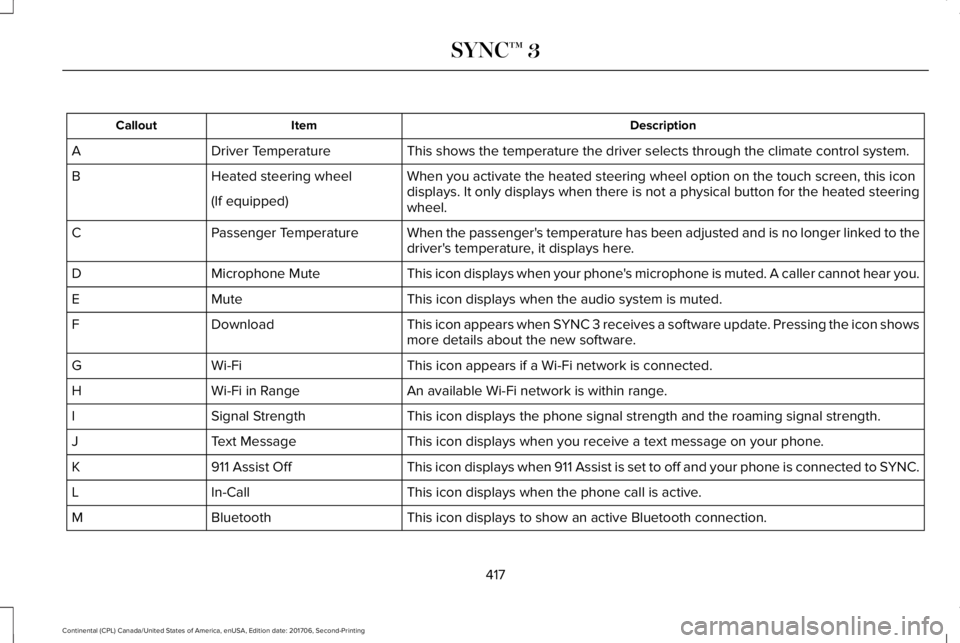
DescriptionItemCallout
This shows the temperature the driver selects through the climate control system.Driver TemperatureA
When you activate the heated steering wheel option on the touch screen, this icondisplays. It only displays when there is not a physical button for the heated steeringwheel.
Heated steering wheelB
(If equipped)
When the passenger's temperature has been adjusted and is no longer linked to thedriver's temperature, it displays here.Passenger TemperatureC
This icon displays when your phone's microphone is muted. A caller cannot hear you.Microphone MuteD
This icon displays when the audio system is muted.MuteE
This icon appears when SYNC 3 receives a software update. Pressing the icon showsmore details about the new software.DownloadF
This icon appears if a Wi-Fi network is connected.Wi-FiG
An available Wi-Fi network is within range.Wi-Fi in RangeH
This icon displays the phone signal strength and the roaming signal strength.Signal StrengthI
This icon displays when you receive a text message on your phone.Text MessageJ
This icon displays when 911 Assist is set to off and your phone is connected to SYNC.911 Assist OffK
This icon displays when the phone call is active.In-CallL
This icon displays to show an active Bluetooth connection.BluetoothM
417
Continental (CPL) Canada/United States of America, enUSA, Edition date: 201706, Second-Printing
SYNC™ 3
Page 421 of 615
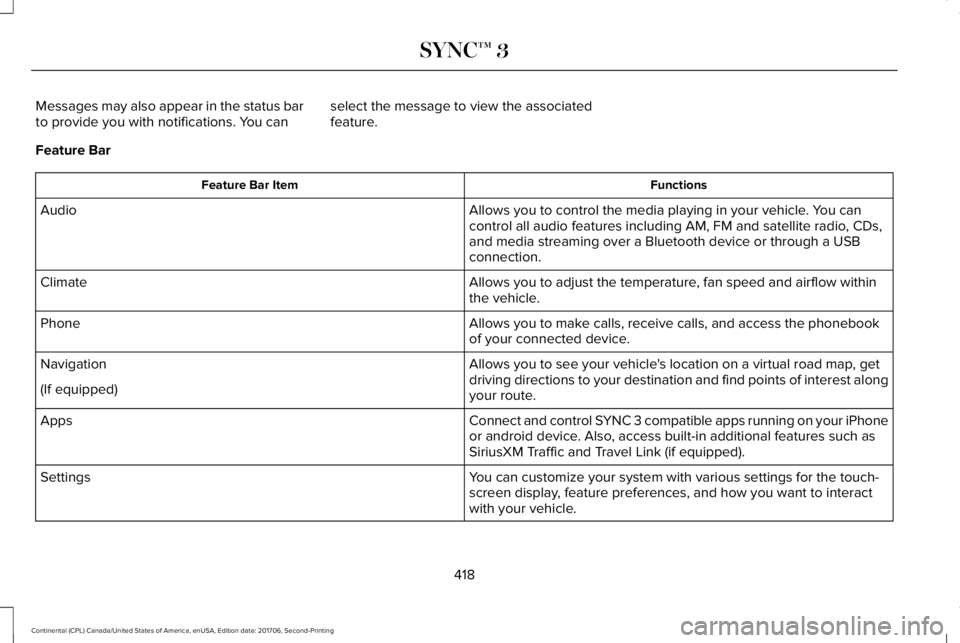
Messages may also appear in the status barto provide you with notifications. You canselect the message to view the associatedfeature.
Feature Bar
FunctionsFeature Bar Item
Allows you to control the media playing in your vehicle. You cancontrol all audio features including AM, FM and satellite radio, CDs,and media streaming over a Bluetooth device or through a USBconnection.
Audio
Allows you to adjust the temperature, fan speed and airflow withinthe vehicle.Climate
Allows you to make calls, receive calls, and access the phonebookof your connected device.Phone
Allows you to see your vehicle's location on a virtual road map, getdriving directions to your destination and find points of interest alongyour route.
Navigation
(If equipped)
Connect and control SYNC 3 compatible apps running on your iPhoneor android device. Also, access built-in additional features such asSiriusXM Traffic and Travel Link (if equipped).
Apps
You can customize your system with various settings for the touch-screen display, feature preferences, and how you want to interactwith your vehicle.
Settings
418
Continental (CPL) Canada/United States of America, enUSA, Edition date: 201706, Second-Printing
SYNC™ 3
Page 424 of 615
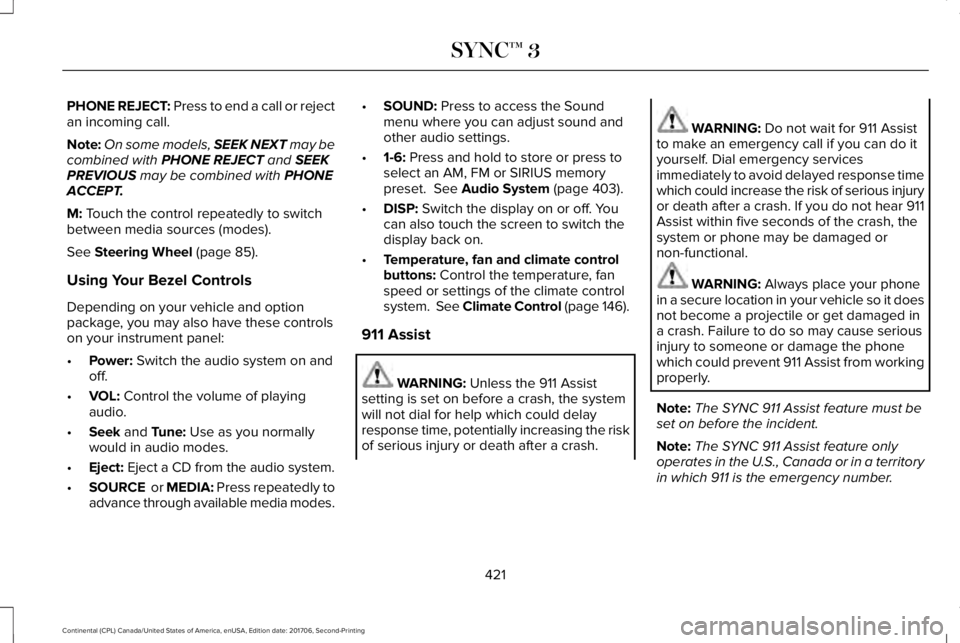
PHONE REJECT: Press to end a call or rejectan incoming call.
Note:On some models, SEEK NEXT may becombined with PHONE REJECT and SEEKPREVIOUS may be combined with PHONEACCEPT.
M: Touch the control repeatedly to switchbetween media sources (modes).
See Steering Wheel (page 85).
Using Your Bezel Controls
Depending on your vehicle and optionpackage, you may also have these controlson your instrument panel:
•Power: Switch the audio system on andoff.
•VOL: Control the volume of playingaudio.
•Seek and Tune: Use as you normallywould in audio modes.
•Eject: Eject a CD from the audio system.
•SOURCE or MEDIA: Press repeatedly toadvance through available media modes.
•SOUND: Press to access the Soundmenu where you can adjust sound andother audio settings.
•1-6: Press and hold to store or press toselect an AM, FM or SIRIUS memorypreset. See Audio System (page 403).
•DISP: Switch the display on or off. Youcan also touch the screen to switch thedisplay back on.
•Temperature, fan and climate controlbuttons: Control the temperature, fanspeed or settings of the climate controlsystem. See Climate Control (page 146).
911 Assist
WARNING: Unless the 911 Assistsetting is set on before a crash, the systemwill not dial for help which could delayresponse time, potentially increasing the riskof serious injury or death after a crash.
WARNING: Do not wait for 911 Assistto make an emergency call if you can do ityourself. Dial emergency servicesimmediately to avoid delayed response timewhich could increase the risk of serious injuryor death after a crash. If you do not hear 911Assist within five seconds of the crash, thesystem or phone may be damaged ornon-functional.
WARNING: Always place your phonein a secure location in your vehicle so it doesnot become a projectile or get damaged ina crash. Failure to do so may cause seriousinjury to someone or damage the phonewhich could prevent 911 Assist from workingproperly.
Note:The SYNC 911 Assist feature must beset on before the incident.
Note:The SYNC 911 Assist feature onlyoperates in the U.S., Canada or in a territoryin which 911 is the emergency number.
421
Continental (CPL) Canada/United States of America, enUSA, Edition date: 201706, Second-Printing
SYNC™ 3
Page 433 of 615
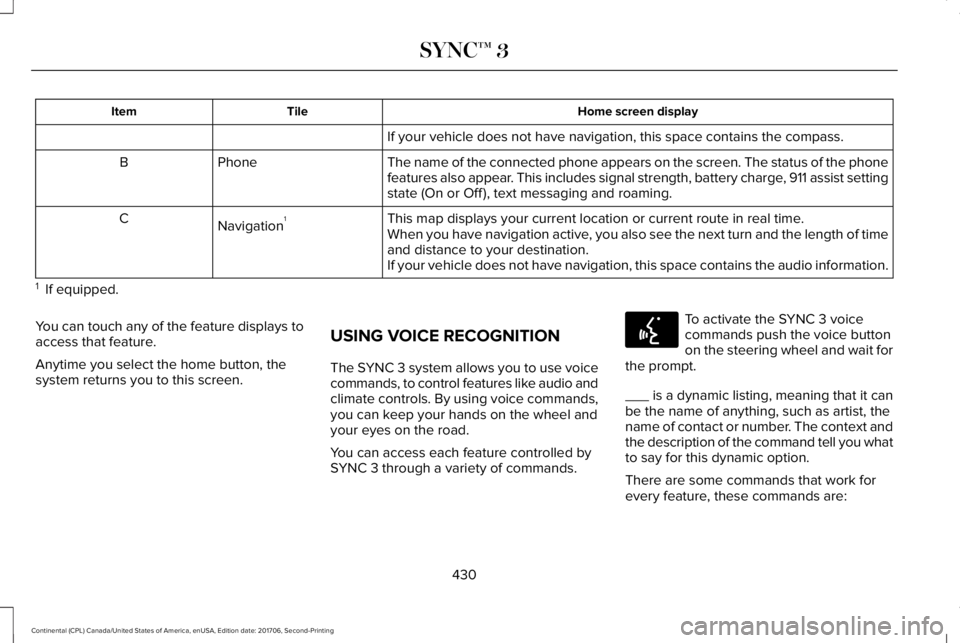
Home screen displayTileItem
If your vehicle does not have navigation, this space contains the compass.
The name of the connected phone appears on the screen. The status of the phonefeatures also appear. This includes signal strength, battery charge, 911 assist settingstate (On or Off ), text messaging and roaming.
PhoneB
This map displays your current location or current route in real time.Navigation1CWhen you have navigation active, you also see the next turn and the length of timeand distance to your destination.If your vehicle does not have navigation, this space contains the audio information.
1 If equipped.
You can touch any of the feature displays toaccess that feature.
Anytime you select the home button, thesystem returns you to this screen.
USING VOICE RECOGNITION
The SYNC 3 system allows you to use voicecommands, to control features like audio andclimate controls. By using voice commands,you can keep your hands on the wheel andyour eyes on the road.
You can access each feature controlled bySYNC 3 through a variety of commands.
To activate the SYNC 3 voicecommands push the voice buttonon the steering wheel and wait forthe prompt.
___ is a dynamic listing, meaning that it canbe the name of anything, such as artist, thename of contact or number. The context andthe description of the command tell you whatto say for this dynamic option.
There are some commands that work forevery feature, these commands are:
430
Continental (CPL) Canada/United States of America, enUSA, Edition date: 201706, Second-Printing
SYNC™ 3E142599
Page 436 of 615
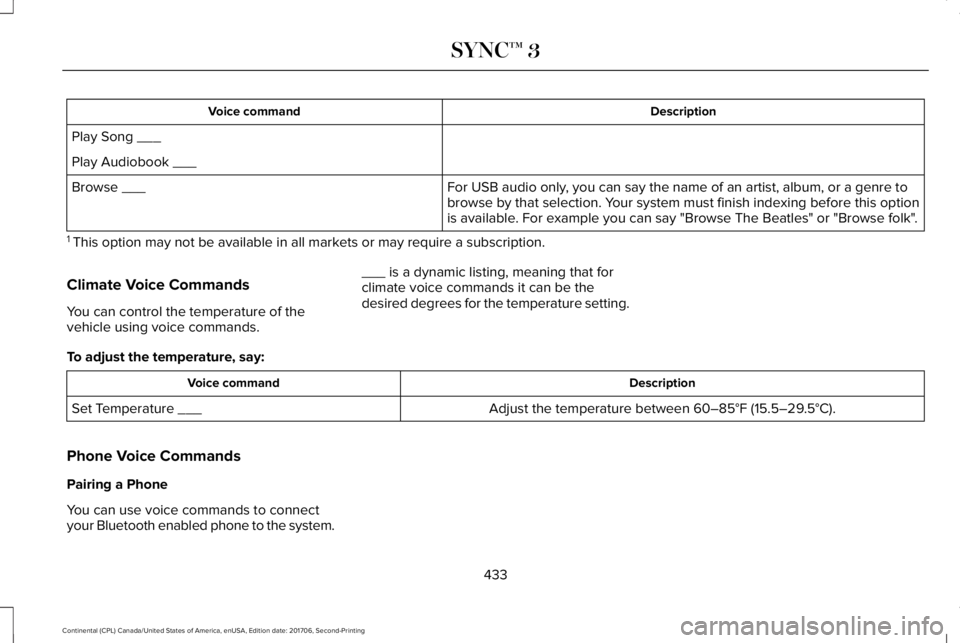
DescriptionVoice command
Play Song ___
Play Audiobook ___
For USB audio only, you can say the name of an artist, album, or a genre tobrowse by that selection. Your system must finish indexing before this optionis available. For example you can say "Browse The Beatles" or "Browse folk".
Browse ___
1 This option may not be available in all markets or may require a subscription.
Climate Voice Commands
You can control the temperature of thevehicle using voice commands.
___ is a dynamic listing, meaning that forclimate voice commands it can be thedesired degrees for the temperature setting.
To adjust the temperature, say:
DescriptionVoice command
Adjust the temperature between 60–85°F (15.5–29.5°C).Set Temperature ___
Phone Voice Commands
Pairing a Phone
You can use voice commands to connectyour Bluetooth enabled phone to the system.
433
Continental (CPL) Canada/United States of America, enUSA, Edition date: 201706, Second-Printing
SYNC™ 3
Page 443 of 615
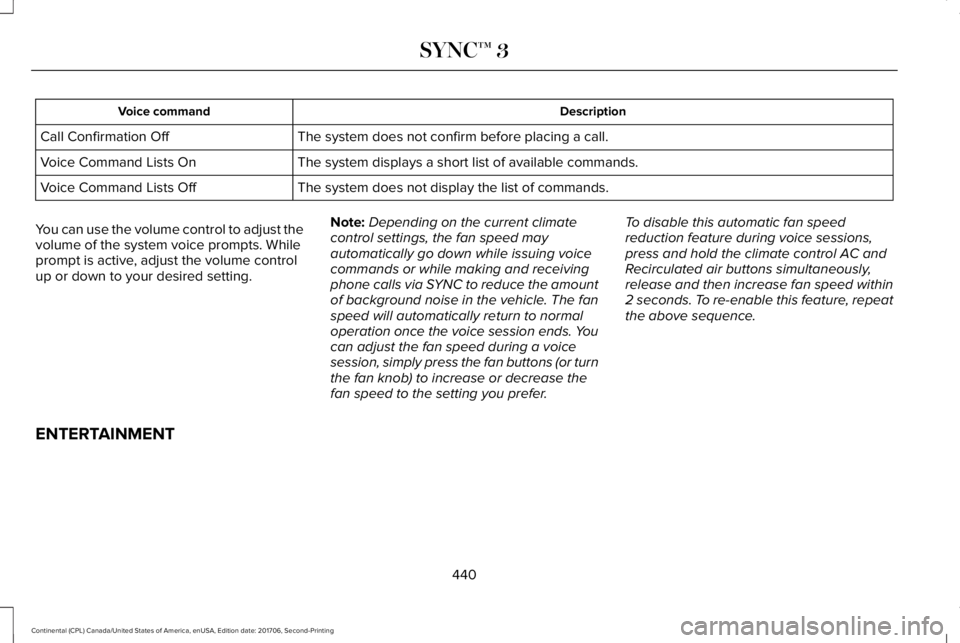
DescriptionVoice command
The system does not confirm before placing a call.Call Confirmation Off
The system displays a short list of available commands.Voice Command Lists On
The system does not display the list of commands.Voice Command Lists Off
You can use the volume control to adjust thevolume of the system voice prompts. Whileprompt is active, adjust the volume controlup or down to your desired setting.
Note:Depending on the current climatecontrol settings, the fan speed mayautomatically go down while issuing voicecommands or while making and receivingphone calls via SYNC to reduce the amountof background noise in the vehicle. The fanspeed will automatically return to normaloperation once the voice session ends. Youcan adjust the fan speed during a voicesession, simply press the fan buttons (or turnthe fan knob) to increase or decrease thefan speed to the setting you prefer.
To disable this automatic fan speedreduction feature during voice sessions,press and hold the climate control AC andRecirculated air buttons simultaneously,release and then increase fan speed within2 seconds. To re-enable this feature, repeatthe above sequence.
ENTERTAINMENT
440
Continental (CPL) Canada/United States of America, enUSA, Edition date: 201706, Second-Printing
SYNC™ 3
Page 457 of 615
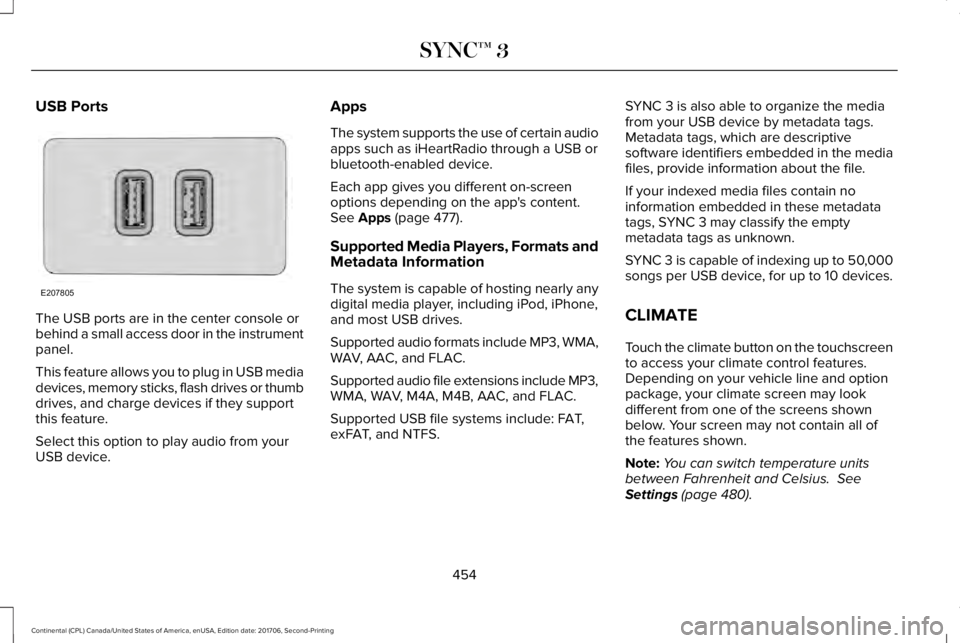
USB Ports
The USB ports are in the center console orbehind a small access door in the instrumentpanel.
This feature allows you to plug in USB mediadevices, memory sticks, flash drives or thumbdrives, and charge devices if they supportthis feature.
Select this option to play audio from yourUSB device.
Apps
The system supports the use of certain audioapps such as iHeartRadio through a USB orbluetooth-enabled device.
Each app gives you different on-screenoptions depending on the app's content.See Apps (page 477).
Supported Media Players, Formats andMetadata Information
The system is capable of hosting nearly anydigital media player, including iPod, iPhone,and most USB drives.
Supported audio formats include MP3, WMA,WAV, AAC, and FLAC.
Supported audio file extensions include MP3,WMA, WAV, M4A, M4B, AAC, and FLAC.
Supported USB file systems include: FAT,exFAT, and NTFS.
SYNC 3 is also able to organize the mediafrom your USB device by metadata tags.Metadata tags, which are descriptivesoftware identifiers embedded in the mediafiles, provide information about the file.
If your indexed media files contain noinformation embedded in these metadatatags, SYNC 3 may classify the emptymetadata tags as unknown.
SYNC 3 is capable of indexing up to 50,000songs per USB device, for up to 10 devices.
CLIMATE
Touch the climate button on the touchscreento access your climate control features.Depending on your vehicle line and optionpackage, your climate screen may lookdifferent from one of the screens shownbelow. Your screen may not contain all ofthe features shown.
Note:You can switch temperature unitsbetween Fahrenheit and Celsius. SeeSettings (page 480).
454
Continental (CPL) Canada/United States of America, enUSA, Edition date: 201706, Second-Printing
SYNC™ 3E207805
Page 459 of 615
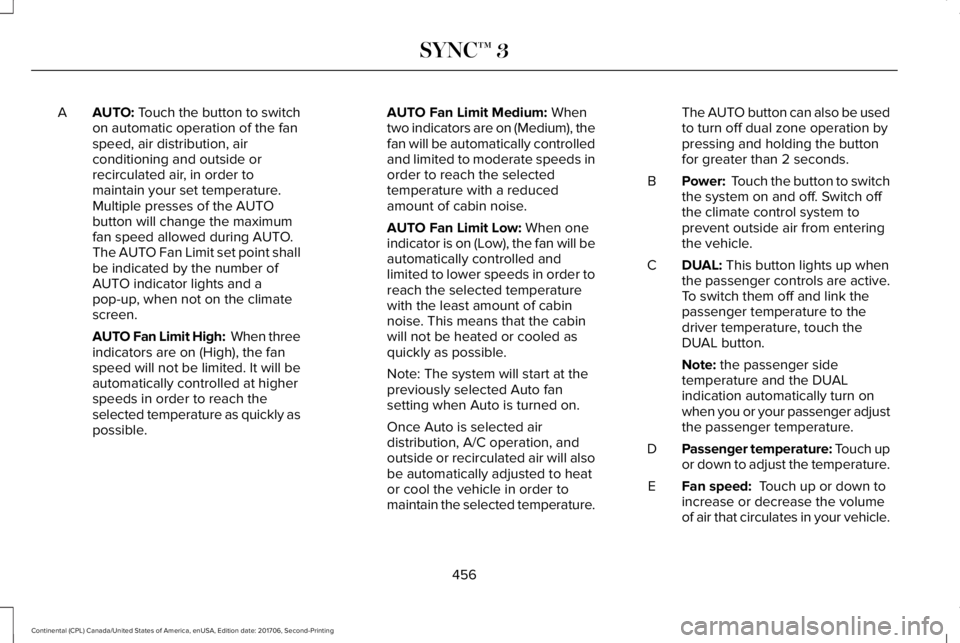
AUTO: Touch the button to switchon automatic operation of the fanspeed, air distribution, airconditioning and outside orrecirculated air, in order tomaintain your set temperature.
A
Multiple presses of the AUTObutton will change the maximumfan speed allowed during AUTO.The AUTO Fan Limit set point shallbe indicated by the number ofAUTO indicator lights and apop-up, when not on the climatescreen.
AUTO Fan Limit High: When threeindicators are on (High), the fanspeed will not be limited. It will beautomatically controlled at higherspeeds in order to reach theselected temperature as quickly aspossible.
AUTO Fan Limit Medium: Whentwo indicators are on (Medium), thefan will be automatically controlledand limited to moderate speeds inorder to reach the selectedtemperature with a reducedamount of cabin noise.
AUTO Fan Limit Low: When oneindicator is on (Low), the fan will beautomatically controlled andlimited to lower speeds in order toreach the selected temperaturewith the least amount of cabinnoise. This means that the cabinwill not be heated or cooled asquickly as possible.
Note: The system will start at thepreviously selected Auto fansetting when Auto is turned on.
Once Auto is selected airdistribution, A/C operation, andoutside or recirculated air will alsobe automatically adjusted to heator cool the vehicle in order tomaintain the selected temperature.
The AUTO button can also be usedto turn off dual zone operation bypressing and holding the buttonfor greater than 2 seconds.
Power: Touch the button to switchthe system on and off. Switch offthe climate control system toprevent outside air from enteringthe vehicle.
B
DUAL: This button lights up whenthe passenger controls are active.To switch them off and link thepassenger temperature to thedriver temperature, touch theDUAL button.
C
Note: the passenger sidetemperature and the DUALindication automatically turn onwhen you or your passenger adjustthe passenger temperature.
Passenger temperature: Touch upor down to adjust the temperature.D
Fan speed: Touch up or down toincrease or decrease the volumeof air that circulates in your vehicle.
E
456
Continental (CPL) Canada/United States of America, enUSA, Edition date: 201706, Second-Printing
SYNC™ 3