Page 278 of 792
278 4-4. Refueling
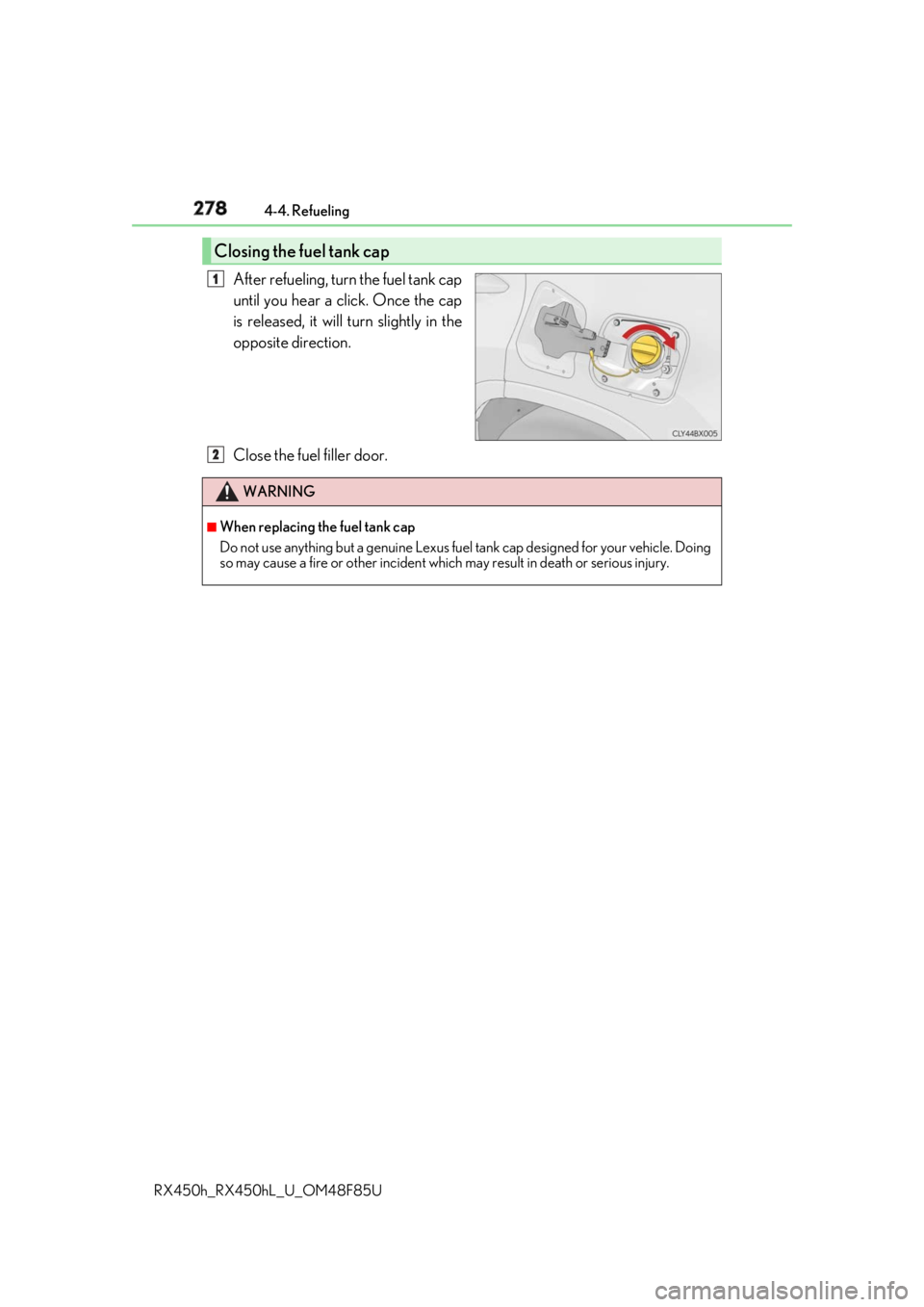
RX450h_RX450hL _U_OM48F85UAfter refueling, turn the fuel tank cap
until you hear a click. Once the cap
is released, it will turn slightly in the
opposite direction.
Close the fuel filler door.Closing the fuel tank cap 1
WARNING ■
When replacing the fuel tank cap
Do not use anything but a genuine Lexus fuel tank cap designed for your vehicle. Doing
so may cause a fire or other incident whic h may result in death or serious injury.2
Page 379 of 792
3794-5. Using the driving support systems
4
Driving
RX450h_RX450hL _U_OM48F85U
Vehicles without Adaptive Variable Suspension System
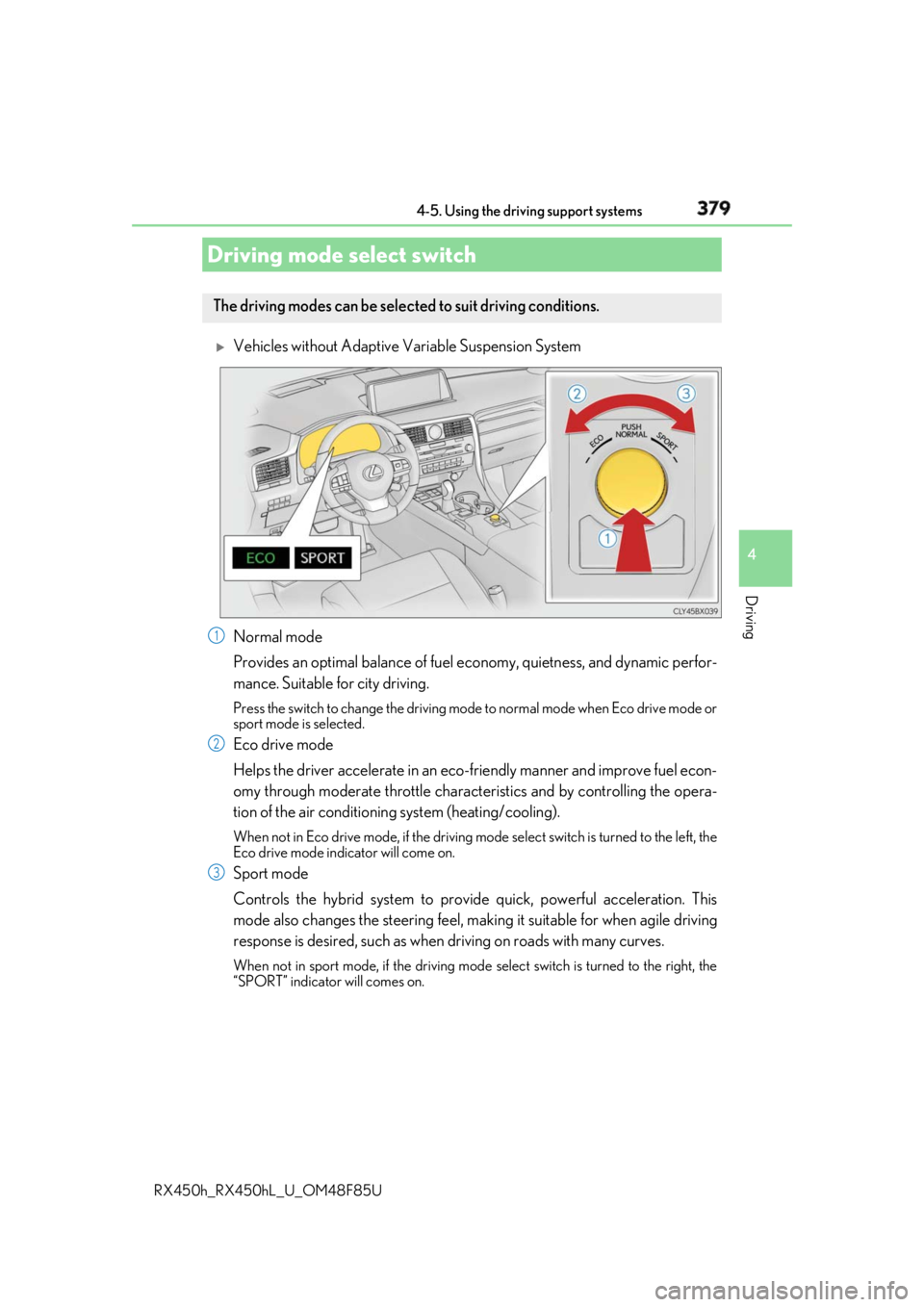
Normal mode
Provides an optimal balance of fuel ec onomy, quietness, and dynamic perfor-
mance. Suitable for city driving. Press the switch to change the driving mode to normal mode when Eco drive mode or
sport mode is selected.
Eco drive mode
Helps the driver accelerate in an eco-fr iendly manner and improve fuel econ-
omy through moderate throttle charact eristics and by controlling the opera-
tion of the air conditioning system (heating/cooling). When not in Eco drive mode, if the driving mode select switch is tu rned to the left, the
Eco drive mode indicator will come on.
Sport mode
Controls the hybrid system to prov ide quick, powerful acceleration. This
mode also changes the steering feel, maki ng it suitable for when agile driving
response is desired, such as when driving on roads with many curves. When not in sport mode, if the driving mode select switch is turned to the right, the
“SPORT” indicator will comes on.Driving mode select switch The driving modes can be selected to suit driving conditions.
1
2
3
Page 380 of 792
380 4-5. Using the driving support systems
RX450h_RX450hL _U_OM48F85U
Vehicles with Adaptive Variable Suspension System
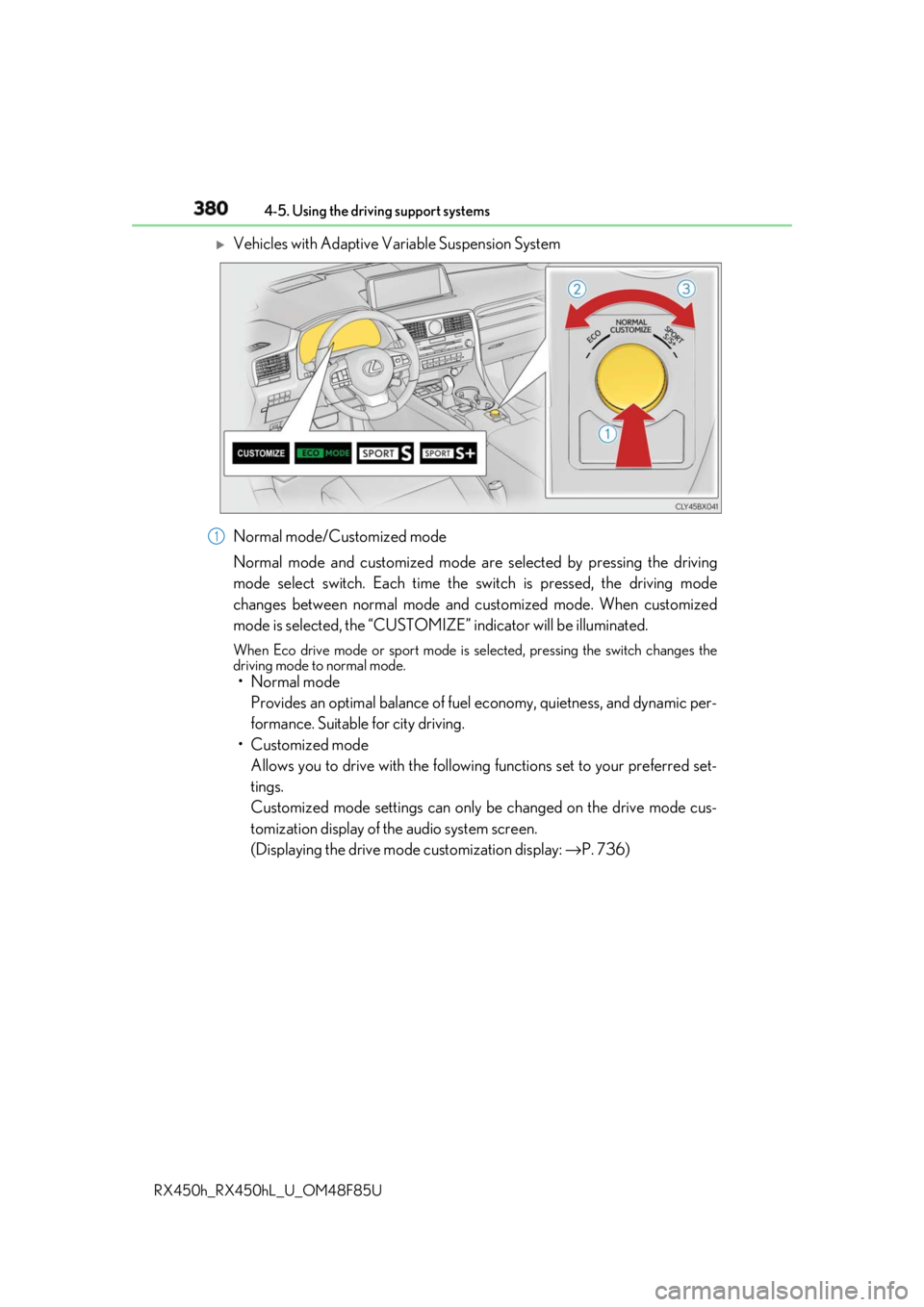
Normal mode/Customized mode
Normal mode and customized mode ar e selected by pressing the driving
mode select switch. Each time the switch is pressed, the driving mode
changes between normal mode and customized mode. When customized
mode is selected, the “CUSTOMIZE” indicator will be illuminated. When Eco drive mode or sport mode is se lected, pressing the switch changes the
driving mode to normal mode.
• Normal mode
Provides an optimal balance of fuel economy, quietness, and dynamic per-
formance. Suitable for city driving.
• Customized mode
Allows you to drive with the following functions set to your preferred set-
tings.
Customized mode settings can only be changed on the drive mode cus-
tomization display of the audio system screen.
(Displaying the drive mode customization display: → P. 736)1
Page 381 of 792
3814-5. Using the driving support systems
4
Driving
RX450h_RX450hL _U_OM48F85UEco drive mode
Helps the driver accelerate in an eco-fr iendly manner and improve fuel econ-
omy through moderate throttle charact eristics and by controlling the opera-
tion of the air conditioning system (heating/cooling). When not in Eco drive mode, if the driving mode select switch is tu rned to the left, the
Eco drive mode indicator will come on.
Sport mode
•SPORT S mode
Controls the hybrid system to prov ide quick, powerful acceleration. This
mode is suitable for when agile drivin g response is desired, such as when
driving on roads with many curves. When not in SPORT S mode, if the driving mode select switch is turned to the
right, the “SPORT S” indicator will come on.
•SPORT S+ mode
Helps to ensure steering performanc e and driving stability by simultane-
ously controlling the steering and suspension in addition to the hybrid sys-
tem. Suitable for sportier driving. When in SPORT S mode, if the driving mode select switch is turned to the right,
the “SPORT S+” indicator will come on.■
Operation of the air conditioning system in Eco drive mode
Eco drive mode controls the heating/cooling operations and fan speed of the air condi-
tioning system to enhance fuel efficiency. To improve air conditioning performance,
adjust the fan speed or turn off Eco drive mode. ■
Automatic deactivation of sport mode and customized mode
If the power switch is turned off after driv ing in sport mode or customized mode, the
drive mode will be changed to normal mode. ■
Driving mode pop-up display (12.3-inch display only)
When the driving mode is changed, the sele cted driving mode will be temporarily dis-
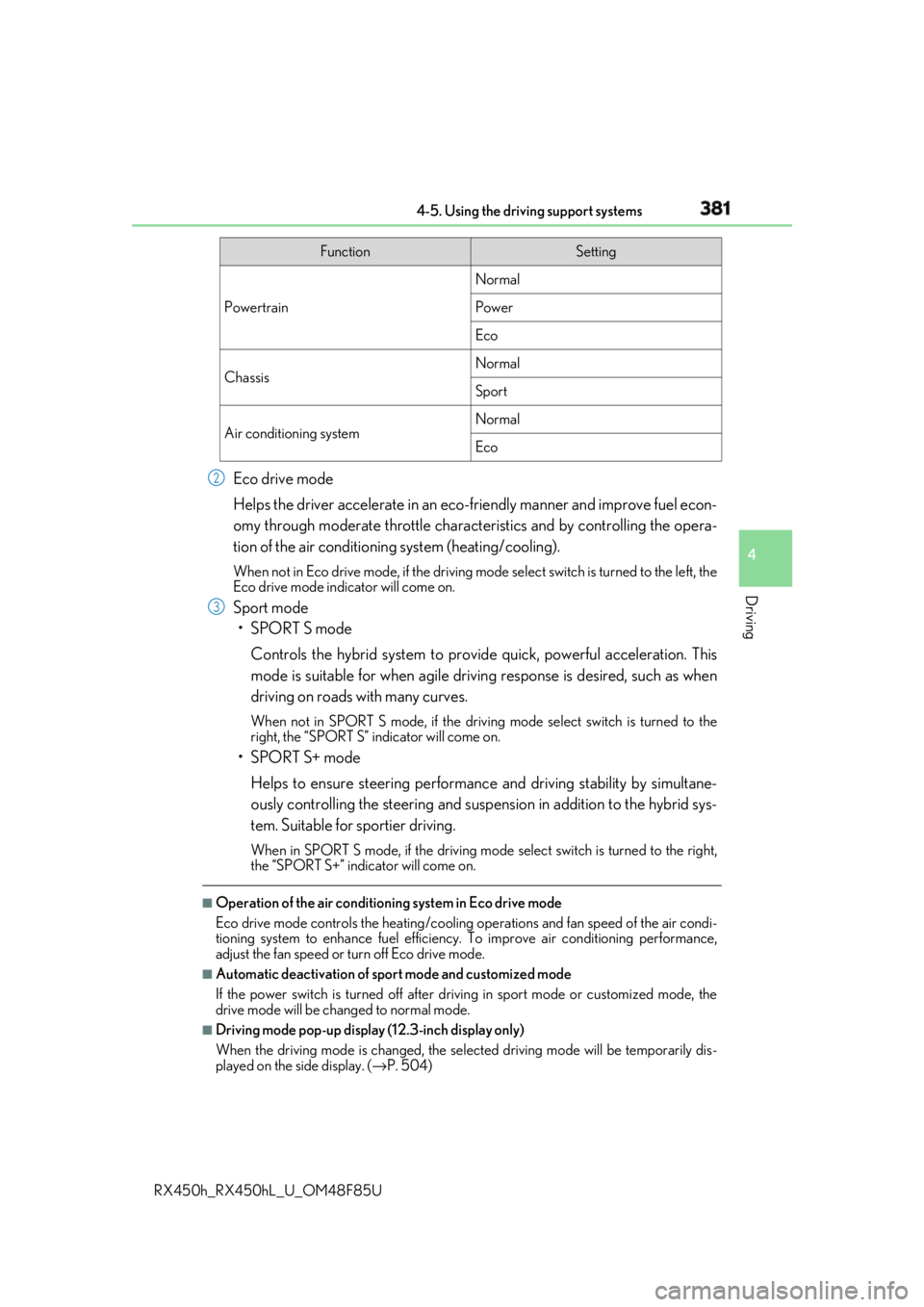
played on the side display. ( → P. 504)Function Setting
Powertrain Normal
Power
Eco
Chassis Normal
Sport
Air conditioning system Normal
Eco2
3
Page 388 of 792
388
RX450h_RX450hL _U_OM48F85U4-6. Driving tips
◆ Using Eco drive mode
When using Eco drive mode, the torque corresponding to the accelerator
pedal depression amount can be generate d more smoothly than it is in normal
conditions. In addition, the operation of the air conditioning system (heat-
ing/cooling) will be minimized, improving the fuel economy. ( → P. 379)
◆ Use of Hybrid System Indicator
The Eco-friendly driving is possible by keeping the indicator needle (except F
SPORT models) or bar display (F SPOR T models) of Hybrid System Indicator
within Eco area. ( → P. 99)
◆ Shift lever operation
Shift the shift lever to D when stopped at a traffic light, or driving in heavy traf-
fic, etc. Shift the shift lever to P when parking. When using the N, there is no
positive effect on fuel consumption. In the N, the gasoline engine operates but
electricity cannot be generated. Also, wh en using the air conditioning system,
etc., the hybrid battery (tractio n battery) power is consumed.
◆ Accelerator pedal/brake pedal operation ●
Drive your vehicle smoothly. Avoid ab rupt acceleration and deceleration.
Gradual acceleration and deceleration will make more effective use of the
electric motor (traction motor) without having to use gasoline engine
power. ●
Avoid repeated acceleration. Repeated acceleration consumes hybrid bat-
tery (traction battery) power, resulting in poor fuel consumption. Battery
power can be restored by driving with the accelerator pedal slightly
released.
◆ When braking
Make sure to operate the brakes gently and in a timely manner. A greater
amount of electrical energy can be regenerated when slowing down.Hybrid vehicle driving tips For economical and ecological driving, pay attention to the following points:
Page 389 of 792

3894-6. Driving tips
4
Driving
RX450h_RX450hL _U_OM48F85U◆ Delays
Repeated acceleration and deceleration, as well as long waits at traffic lights,
will lead to bad fuel economy. Check traffic reports before leaving and avoid
delays as much as possible. When drivin g in a traffic jam, gently release the
brake pedal to allow the vehicle to move forward slightly while avoiding over-
use of the accelerator pedal. Doing so can help control excessive gasoline
consumption.
◆ Highway driving
Control and maintain the vehicle at a co nstant speed. Before stopping at a toll
booth or similar, allow plenty of ti me to release the accelerator and gently
apply the brakes. A greater amount of electrical energy can be regenerated
when slowing down.
◆ Air conditioning
Use the air conditioning only when necessary. Doing so can help reduce
excessive gasoline consumption.
In summer: When the ambient temperature is high, use the recirculated air
mode. Doing so will help to reduce the burden on the air conditioning system
and reduce fuel consumption as well.
In winter: Because the gasoline engine will not automatically cut out until it
and the interior of the vehicle are warm , it will consume fuel. Also, fuel con-
sumption can be improved by av oiding overuse of the heater.
◆ Checking tire inflation pressure
Make sure to check the tire inflation pr essure frequently. Improper tire infla-
tion pressure can cause poor fuel economy.
Also, as snow tires can cause large amou nts of friction, their use on dry roads
can lead to poor fuel economy. Use ti res that are appropriate for the season.
◆ Luggage
Carrying heavy luggage will lead to poor fuel economy. Avoid carrying
unnecessary luggage. Installing a large roof rack will also cause poor fuel
economy.
◆ Warming up before driving
Since the gasoline engine starts up an d cuts out automatically when cold,
warming up the engine is unnecessary. Moreover, frequently driving short dis-
tances will cause the engine to repeated ly warm up, which can lead to excess
fuel consumption.
Page 488 of 792
488
RX450h_RX450hL _U_OM48F85U5-12. Other function
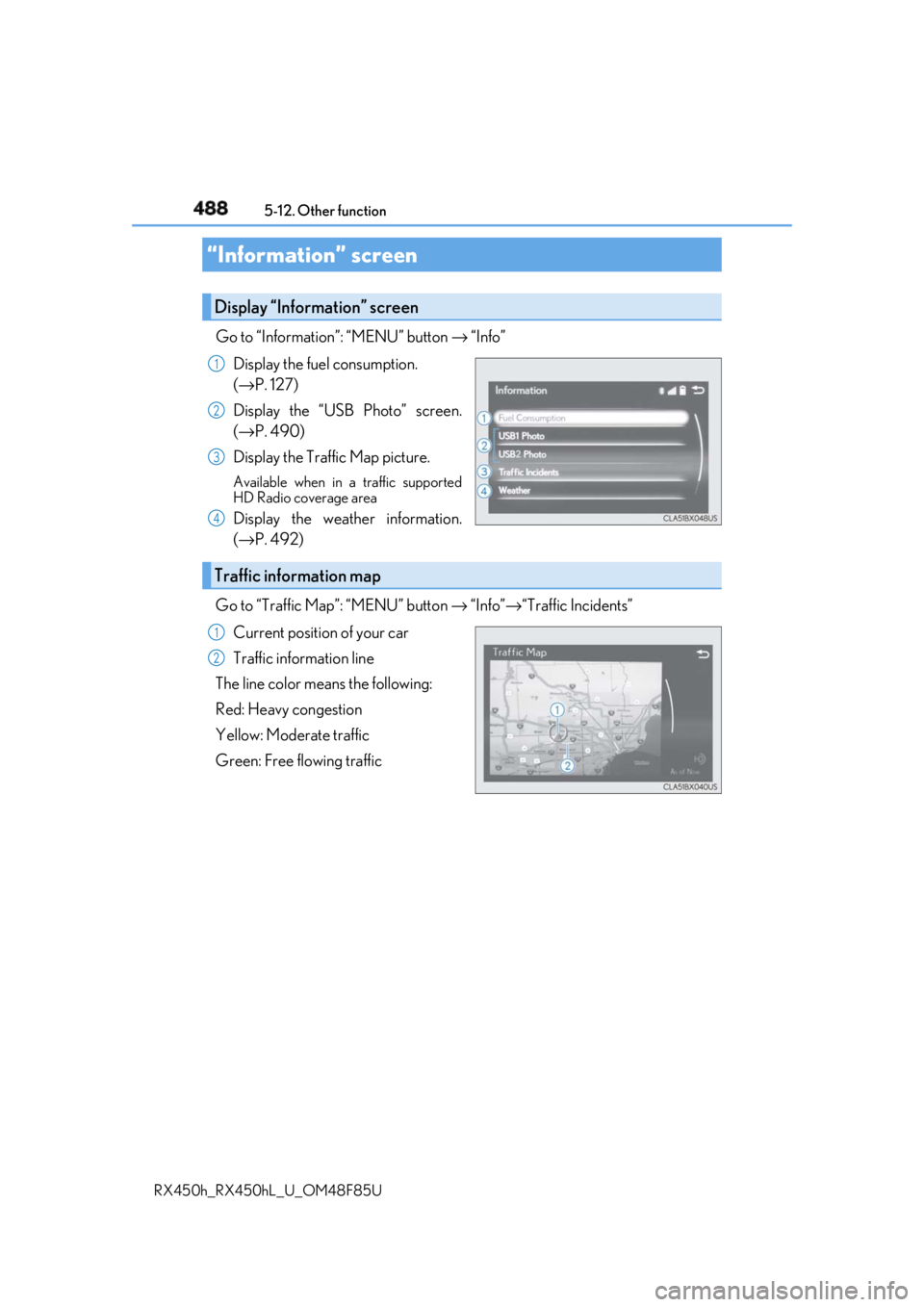
Go to “Information”: “MENU” button → “Info”
Display the fuel consumption.
( → P. 127)
Display the “USB Photo” screen.
( → P. 490)
Display the Traffic Map picture. Available when in a traffic supported
HD Radio coverage area
Display the weather information.
( → P. 492)
Go to “Traffic Map”: “MENU” button → “Info” → “Traffic Incidents”
Current position of your car
Traffic information line
The line color means the following:
Red: Heavy congestion
Yellow: Moderate traffic
Green: Free flowing traffic“Information” screen Display “Information” screen 1
2
3
4
Traffic information map 1
2
Page 504 of 792
504 6-1. Basic operation of the Remote Touch screen
RX450h_RX450hL _U_OM48F85U■
Full screen display
The following functions can be displayed full screen:
• Initial screen
•“Menu” screen ( → P. 503)
• Map screen
**: Refer to the “NAVIGATION SYSTEM OWNER’S MANUAL”.■
Split-screen display
Different information can be displayed on the left and right of the screen. For
example, audio screen can be displa yed and operated while the fuel con-
sumption information screen is being disp layed. The large screen on the left of
the display is called the main display, and the small screen to the right is called
the side display.12.3-inch display ∗
∗ : If equipped12.3-inch display overview