2018 LEXUS RX450h steering wheel
[x] Cancel search: steering wheelPage 219 of 792
2194-1. Before driving
4
Driving
RX450h_RX450hL _U_OM48F85UNOTICE ■
When driving the vehicle ●
Do not depress the accelerator and brake pedals at the same time during driving, as
this may restrain driving torque. ●
Do not use the accelerator pedal or depre ss the accelerator and brake pedals at the
same time to hold the vehicle on a hill. ■
When parking the vehicle
Always set the parking brake and shift the shift lever to P. Failure to do so may cause the
vehicle to move or the vehicle may accelerate suddenly if the accelerator pedal is acci-
dentally depressed. ■
Avoiding damage to vehicle parts ●
Do not turn the steering wheel fully in either direction and hold it there for an
extended period of time.
Doing so may damage the power steering motor. ●
When driving over bumps on the road, drive as slowly as possible to avoid damaging
the wheels, underside of the vehicle, etc. ■
If you get a flat tire while driving
A flat or damaged tire may cause the following situations . Hold the steering wheel
firmly and gradually depress the brake pedal to slow down the vehicle. ●
It may be difficult to control your vehicle. ●
The vehicle will make abnormal sounds or vibrations. ●
The vehicle will lean abnormally.
Information on what to do in case of a flat tire ( → P. 673)■
When encountering flooded roads
Do not drive on a road that has flooded after heavy rain, etc. Doing so may cause the
following serious damage to the vehicle: ●
Engine stalling ●
Short in electrical components ●
Engine damage caused by water immersion
In the event that you drive on a flooded road and the vehicle is flooded, be sure to have
your Lexus dealer check the following: ●
Brake function ●
Changes in quantity and quality of oil and fluid used for the engine, hybrid transmis-
sion, rear differential, etc. ●
Lubricant condition for the bearings and su spension joints (where possible), and the
function of all joints, bearings, etc.
Page 231 of 792

2314-1. Before driving
4
Driving
RX450h_RX450hL _U_OM48F85UYour vehicle will handle differently when towing a trailer. Help to avoid an acci-
dent, death or serious injury, keep the following in mind when towing:●
Speed limits for towing a tr ailer vary by state or province. Do not exceed the
posted towing speed limit. ●
Lexus recommends that the vehicle-traile r speed limit is 65 mph (104 km/h)
on a flat, straight, dry road. Do not exce ed this limit, the posted towing speed
limit or the speed limit for your trailer as set forth in your trailer owner’s man-
ual, whichever is lowest. Instability of the towing vehicle-trailer combination
(trailer sway) increases as speed incr eases. Exceeding speed limits may cause
loss of control. ●
Before starting out, check the trailer lights, tires and the vehicle-trailer con-
nections. Recheck after driving a short distance. ●
Practice turning, stopping and reversing with the trailer attached in an area
away from traffic until you become acc ustomed to the feel of the vehicle-
trailer combination. ●
Reversing with a trailer attached is di fficult and requires practice. Grip the
bottom of the steering wheel and move your hand to the left to move the
trailer to the left. Move your hand to the right to move the trailer to right. (This
is generally opposite to reversing with out a trailer attached.) Avoid sharp or
prolonged turning. Have someone guid e you when reversing to reduce the
risk of an accident. ●
As stopping distance is increased when towing a trailer, vehicle-to vehicle dis-
tance should be increased. For each 10 mph (16 km/h) of speed, allow at least
one vehicle and trailer length. ●
Avoid sudden braking as you may skid, re sulting in the trailer jackknifing and a
loss of vehicle control. This is especi ally true on wet or slippery surfaces.●
Avoid jerky starts or sudden acceleration. ●
Avoid jerky steering and sharp turns, an d slow down before making a turn.●
Note that when making a turn, the trailer wheels will be closer than the vehicle
wheels to the inside of the turn. Compensate by making a wider than normal
turning radius. ●
Slow down before making a turn, in cross winds, on wet or slippery surfaces,
etc.
Increasing vehicle speed can destabilize the trailer. ●
Take care when passing other vehicles . Passing requires considerable dis-
tance. After passing a vehicle, do not fo rget the length of your trailer, and be
sure you have plenty of room before changing lanes.Trailer towing tips
Page 234 of 792

234 4-1. Before driving
RX450h_RX450hL _U_OM48F85U■
Break-in schedule
If your vehicle is new or equipped with any new power train components (such as an
engine, hybrid transmission, rear differenti al or wheel bearing), Lexus recommends that
you do not tow a trailer until the vehicle ha s been driven for over 500 miles (800 km).
After the vehicle has been driven for over 500 miles (800 km), you can start towing.
However, for the next 500 miles (800 km), drive the vehicle at a speed of less than
50 mph (80 km/h) when towing a trailer, and avoid full throttle acceleration.■
Maintenance ●
If you tow a trailer, your vehicle will requir e more frequent maintenance due to the addi-
tional load. (See “Warranty and Services Guide”, “Owner’s Manual Supplement” or
“Scheduled Maintenance”.) ●
Retighten the fixing bolts of the towing ba ll and bracket after approximately 600 miles
(1000 km) of trailer towing. ■
If trailer sway occurs
One or more factors (crosswinds, passing ve hicles, rough roads, etc.) can adversely
affect handling of your vehicle and trailer, causing instability. ●
If trailer swaying occurs:
• Firmly grip the steering wh eel. Steer straight ahead.
Do not try to control trailer sway ing by turning the steering wheel.
• Begin releasing the accelerator pedal im mediately but very gradually to reduce
speed.
Do not increase speed. Do not apply vehicle brakes.
If you make no extreme correction with the st eering or brakes, your vehicle and trailer
should stabilize. (if enabled, Trailer Sway Control can also he lp to stabilize the vehicle and
trailer.) ●
After the trailer sw aying has stopped:
• Stop in a safe place. Get all occupants out of the vehicle.
• Check the tires of the vehicle and the trailer.
• Check the load in the trailer.
Make sure the load has not shifted.
Make sure the tongue weight is appropriate, if possible.
• Check the load in the vehicle.
Make sure the vehicle is not ov erloaded after occupants get in.
If you cannot find any problems, the speed at which trailer swaying occurred is beyond
the limit of your particular vehicle-trailer combination.
Drive at a lower speed to prevent instability. Remember that swaying of the towing vehi-
cle-trailer increases as speed increases.
Page 242 of 792

242 4-2. Driving procedures
RX450h_RX450hL _U_OM48F85U■
Steering lock
After turning the power switch off and openin g and closing the doors, the steering wheel
will be locked due to the steering lock func tion. Operating the power switch again auto-
matically cancels the steering lock. ■
When the steering lock cannot be released
■
Steering lock motor overheating prevention
To prevent the steering lock motor from overheating, operation of the motor may be sus-
pended if the hybrid system is turned on an d off repeatedly in a short period of time. In
this case, refrain from operating the hybrid system. Afte r about 10 seconds, the steering
lock motor will resume functioning. ■
When “Access System with Elec. Key Malf unction See Owner’s Manual” is displayed
on the multi-information display
The system may be malfunctio ning. Have the vehicle inspected by your Lexus dealer
immediately. ■
If the “READY” indicator does not come on
In the event that the “READY” indicator does not come on even after performing the
proper procedures for starting the vehicl e, contact your Lexus dealer immediately.■
If the hybrid system is malfunctioning
→ P. 79 ■
If the electronic key battery is depleted
→ P. 630 ■
Operation of the power switch ●
If the switch is not pressed shortly and firm ly, the power switch mode may not change or
the hybrid system may not start. ●
If attempting to restart the hybrid system immediately after turning the power switch off,
the hybrid system may not start in some cases. After turning the power switch off,
please wait a few seco nds before restarting the hybrid system.■
If the smart access system wi th push-button start has been deactivated by a customized
setting
→ P. 692“Steering Wheel Lock Pr ess Power Switch while
Turning Wheel” will be displayed on the multi-
information display.
Check that the shift lever is in P. Press the power
switch shortly and firmly while turning the steer-
ing wheel left and right.
Page 259 of 792
2594-3. Operating the lights and wipers
4
Driving
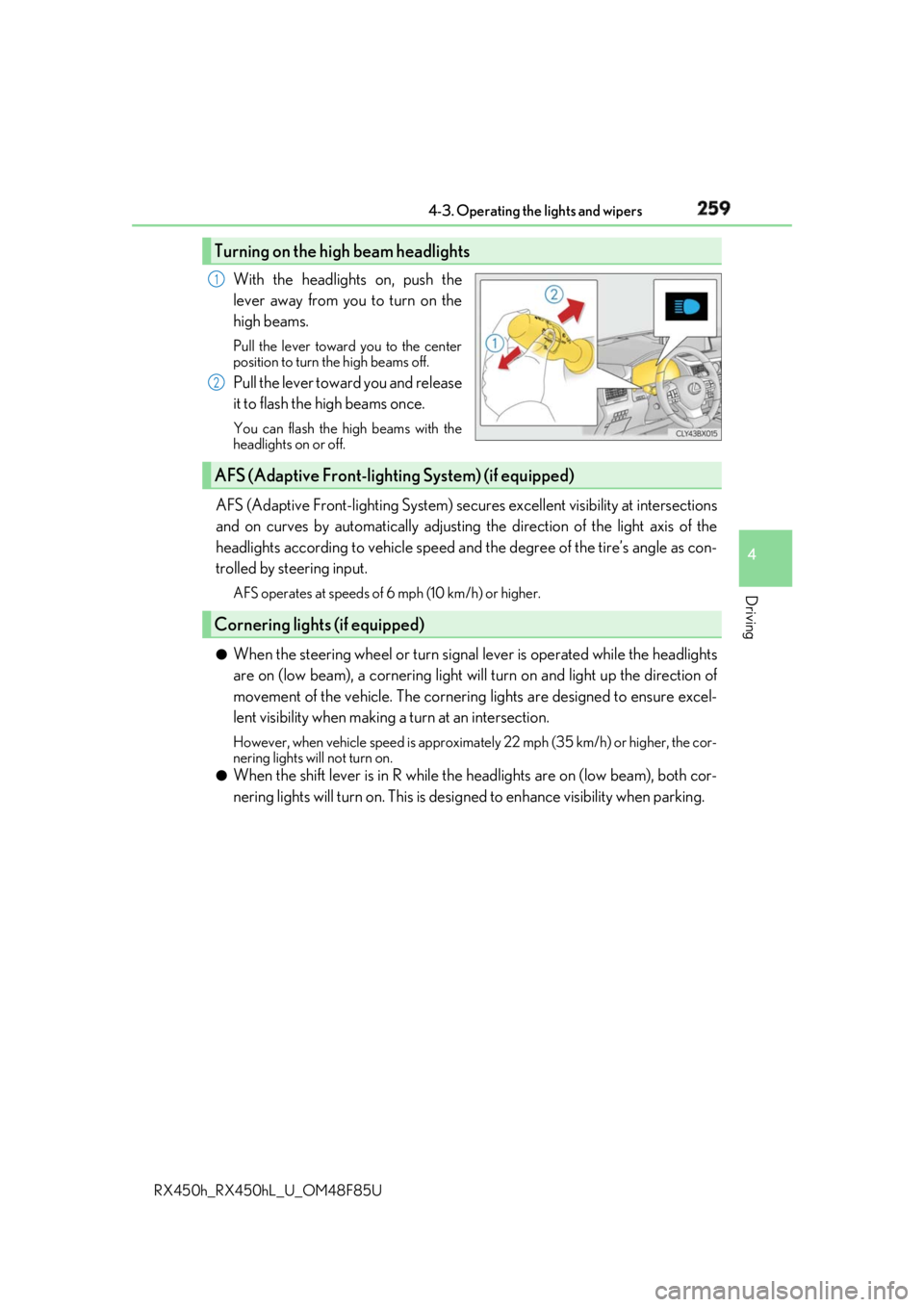
RX450h_RX450hL _U_OM48F85UWith the headlights on, push the
lever away from you to turn on the
high beams. Pull the lever toward you to the center
position to turn the high beams off.
Pull the lever toward you and release
it to flash the high beams once. You can flash the high beams with the
headlights on or off.
AFS (Adaptive Front-lighting System) secures excellent visibility at intersections
and on curves by automatically adjusting the direction of the light axis of the
headlights according to vehicle speed and the degree of the tire’s angle as con-
trolled by steering input. AFS operates at speeds of 6 mph (10 km/h) or higher.
●
When the steering wheel or turn signal lever is operated while the headlights
are on (low beam), a cornering light w ill turn on and light up the direction of
movement of the vehicle. The cornerin g lights are designed to ensure excel-
lent visibility when making a turn at an intersection. However, when vehicle speed is approximately 22 mph (35 km/h) or higher, the cor-
nering lights will not turn on.●
When the shift lever is in R while the headlights are on (low beam), both cor-
nering lights will turn on. This is desi gned to enhance visibility when parking.Turning on the high beam headlights 1
2
AFS (Adaptive Front-lighting System) (if equipped)
Cornering lights (if equipped)
Page 288 of 792

288 4-5. Using the driving support systems
RX450h_RX450hL _U_OM48F85UWARNING ■
Limitations of the pre-collision system●
The driver is solely responsible for safe driving. Always drive safely, taking care to
observe your surroundings.
Do not use the pre-collision sy stem instead of normal braking operations under any
circumstances. This system will not preven t collisions or lessen collision damage or
injury in every situation. Do not overly rely on this system. Failure to do so may lead to
an accident, resulting in death or serious injury. ●
Although this system is designed to help avoid a collision or help reduce the impact of
the collision, its effectivenes s may change according to various conditions, therefore
the system may not always be able to achieve the same level of performance.
Read the following conditions carefully. Do not overly rely on this system and always
drive carefully.
• Conditions under which the system may oper ate even if there is no possibility of a
collision: → P. 292
• Conditions under which the system may not operate properly: → P. 294●
Do not attempt to test the operation of the pre-collision system yourself, as the system
may not operate properly, possib ly leading to an accident.■
Pre-collision braking ●
When the pre-collision braking function is operating, a large amount of braking force
will be applied. ●
If the vehicle is stopped by the operation of the pre-collision braking function, the pre-
collision braking function operation will be canceled after approximately 2 seconds.
Depress the brake pedal as necessary. ●
The pre-collision braking fu nction may not operate if certain operations are per-
formed by the driver. If the accelerator pedal is being depressed strongly or the steer-
ing wheel is being turned, the system may de termine that the driver is taking evasive
action and possibly prevent the pre-coll ision braking function from operating.●
In some situations, wh ile the pre-collision braking function is operating, operation of
the function may be canceled if the accele rator pedal is depressed strongly or the
steering wheel is turned and the system de termines that the driv er is taking evasive
action. ●
If the brake pedal is being depressed, the sy stem may determine that the driver is tak-
ing evasive action and possibly delay the op eration timing of the pre-collision braking
function.
Page 291 of 792
2914-5. Using the driving support systems
4
Driving
RX450h_RX450hL _U_OM48F85U■
Operational conditions
The pre-collision system is enabled and the sy stem determines that the possibility of a
frontal collision with a vehicle or pedestrian is high.
Each function is operationa l at the following speeds:●
Pre-collision warning:
• Vehicle speed is between approximately 7 and 110 mph (10 and 180 km/h). (For
detecting a pedestrian, vehicle speed is between approximately 7 and 50 mph [10
and 80 km/h].)
• The relative speed between your vehicle and the vehicle or pedestrian ahead is
approximately 7 mph (10 km/h) or more. ●
Pre-collision brake assist:
• Vehicle speed is between approximately 20 and 110 mph (30 and 180 km/h). (For
detecting a pedestrian, vehicle speed is between approximately 20 and 50 mph
[30 and 80 km/h].)
• The relative speed between your vehicle and the vehicle or pedestrian ahead is
approximately 20 mph (30 km/h) or more. ●
Pre-collision braking:
• Vehicle speed is between approximately 7 and 110 mph (10 and 180 km/h). (For
detecting a pedestrian, vehicle speed is between approximately 7 and 50 mph [10
and 80 km/h].)
• The relative speed between your vehicle and the vehicle or pedestrian ahead is
approximately 7 mph (10 km/h) or more.
The system may not operate in the following situations: ●
If a 12-volt battery terminal has been disconnected and reconnected and then the vehi-
cle has not been driven for a certain amount of time ●
If the shift lever is in R ●
If VSC is disabled (only the pre-collis ion warning function will be operational)■
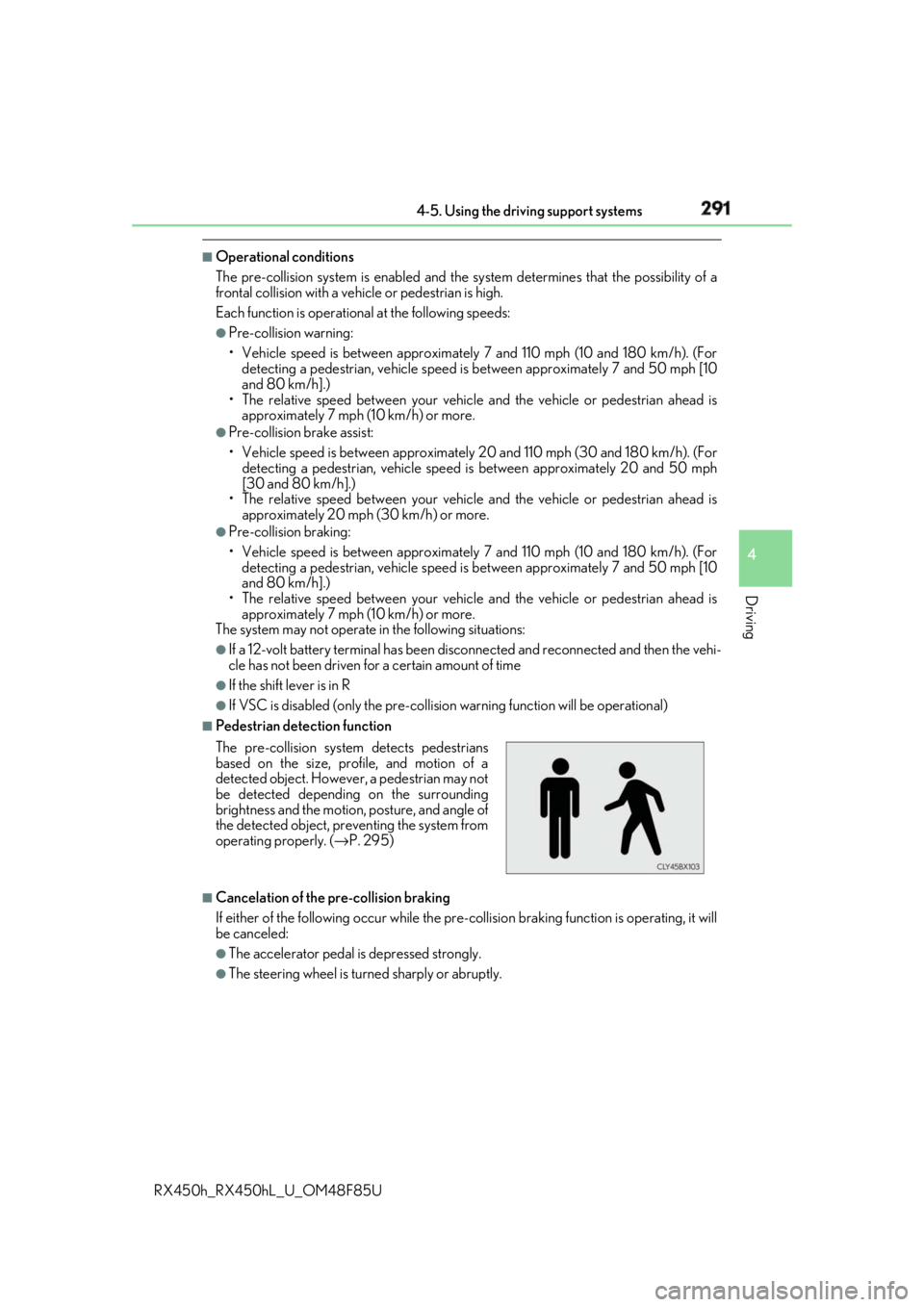
Pedestrian detection function
■
Cancelation of the pre-collision braking
If either of the following occur while the pre-co llision braking function is operating, it will
be canceled: ●
The accelerator pedal is depressed strongly. ●
The steering wheel is turned sharply or abruptly.The pre-collision system detects pedestrians
based on the size, prof ile, and motion of a
detected object. However, a pedestrian may not
be detected depending on the surrounding
brightness and the motion, posture, and angle of
the detected object, preventing the system from
operating properly. ( → P. 295)
Page 297 of 792

2974-5. Using the driving support systems
4
Driving
RX450h_RX450hL _U_OM48F85UWhen driving on highways and freeways with white or yellow lines, this function
alerts the driver when the vehicle might depart from its lane and provides assis-
tance by operating the steering wheel to keep the vehicle in its lane. Further-
more, the system also provides steering assistance when dynamic radar cruise
control with full-speed range is operat ing to keep the vehicle in its lane.
The LKA system recognizes visible
white or yellow lines with the camera
sensor on the upper portion of the
windshield.
LKA (Lane-Keeping Assist) Summary of functions