2018 KIA SOUL ESP
[x] Cancel search: ESPPage 387 of 620
Driving your vehicle
68
6
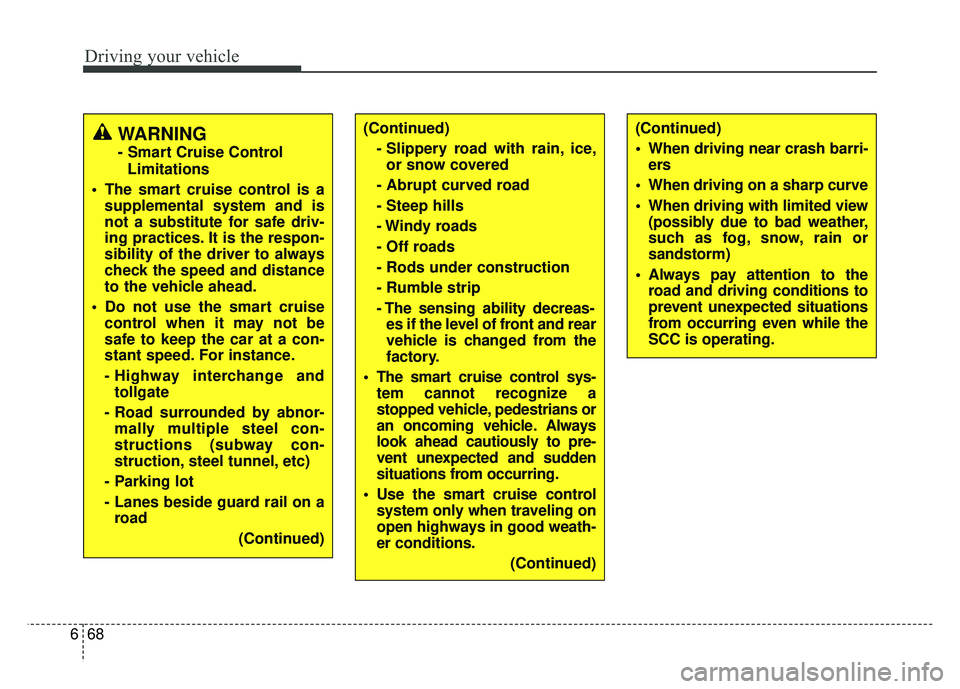
(Continued)
- Slippery road with rain, ice,or snow covered
- Abrupt curved road
- Steep hills
- Windy roads
- Off roads
- Rods under construction
- Rumble strip
- The sensing ability decreas- es if the level of front and rear
vehicle is changed from the
factory.
The smart cruise control sys- tem cannot recognize a
stopped vehicle, pedestrians or
an oncoming vehicle. Always
look ahead cautiously to pre-
vent unexpected and sudden
situations from occurring.
Use the smart cruise control system only when traveling on
open highways in good weath-
er conditions.
(Continued)WARNING
- Smart Cruise ControlLimitations
The smart cruise control is a supplemental system and is
not a substitute for safe driv-
ing practices. It is the respon-
sibility of the driver to always
check the speed and distance
to the vehicle ahead.
Do not use the smart cruise control when it may not be
safe to keep the car at a con-
stant speed. For instance.
- Highway interchange andtollgate
- Road surrounded by abnor- mally multiple steel con-
structions (subway con-
struction, steel tunnel, etc)
- Parking lot
- Lanes beside guard rail on a road
(Continued)
(Continued)
When driving near crash barri-ers
When driving on a sharp curve
When driving with limited view (possibly due to bad weather,
such as fog, snow, rain or
sandstorm)
Always pay attention to the road and driving conditions to
prevent unexpected situations
from occurring even while the
SCC is operating.
Page 388 of 620
669
Driving your vehicle
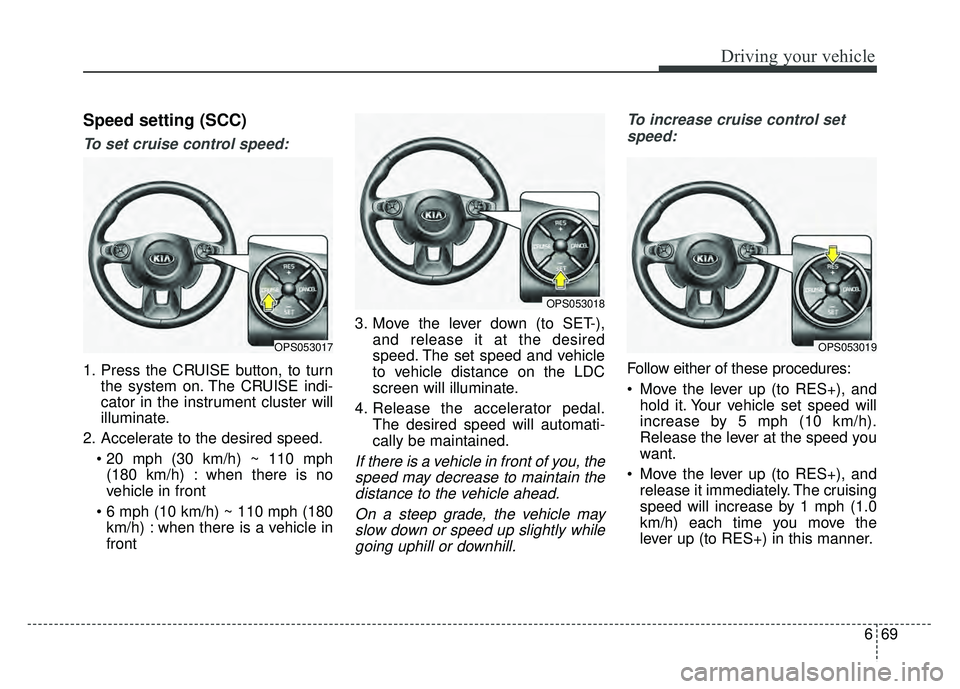
Speed setting (SCC)
To set cruise control speed:
1. Press the CRUISE button, to turnthe system on. The CRUISE indi-
cator in the instrument cluster will
illuminate.
2. Accelerate to the desired speed. (180 km/h) : when there is no
vehicle in front
km/h) : when there is a vehicle in
front 3. Move the lever down (to SET-),
and release it at the desired
speed. The set speed and vehicle
to vehicle distance on the LDC
screen will illuminate.
4. Release the accelerator pedal. The desired speed will automati-
cally be maintained.
If there is a vehicle in front of you, thespeed may decrease to maintain thedistance to the vehicle ahead.
On a steep grade, the vehicle mayslow down or speed up slightly whilegoing uphill or downhill. To increase cruise control set
speed:
Follow either of these procedures:
Move the lever up (to RES+), and hold it. Your vehicle set speed will
increase by 5 mph (10 km/h).
Release the lever at the speed you
want.
Move the lever up (to RES+), and release it immediately. The cruising
speed will increase by 1 mph (1.0
km/h) each time you move the
lever up (to RES+) in this manner.
OPS053017OPS053019
OPS053018
Page 402 of 620
683
Driving your vehicle
Outside rearview mirror may notalert the driver when:
- The outside rearview mirror hous- ing is severely polluted
- The window is severely polluted
- The windows are severely tinted. This device complies with Part 15
of the FCC rules.
Operation is subject to the following
three conditions:
1. This device may not cause harm-
ful interference, and
2. This device must accept any inter- ference received, including inter-
ference that may cause undesired
operation.
3. Changes or modifications not expressly approved by the party
responsible for compliance could
void the user’s authority to operate
the device. Radio frequency radiation expo-
sure information:
This equipment complies with FCC
radiation exposure limits set forth for
an uncontrolled environment.
This equipment should be installed
and operated with minimum distance
of 20 cm between the radiator
(antenna) and your body.
This transmitter must not be co-
located or operating in conjunction
with any other antenna or transmit-
ter.
Page 405 of 620

Driving your vehicle
86
6
This system detects the lane with a
sensor at the front windshield and
notifies you if it detects that your
vehicle leaves the lane. The LDWS does not make the
vehicle change lanes. It is the dri-
ver's responsibility to always check
the road conditions.
If the sensor cannot detect the lane or if the vehicle speed does not
exceed 40 mph (64 km/h), the
LDWS will not be able to notify you
if the vehicle leaves the lane.
If your vehicle has window tint or other types of coating on the front
windshield, the LDWS may not
work properly.
Prevent damage to the LDWS sen- sor from water or any liquid.
Do not remove the LDWS parts and avoid damaging the sensor by
avoiding a strong impacts.
Do not put objects that reflect light on the dash board.
The operation of the LDWS can be affected by several factors (includ-
ing environmental conditions). It is
the responsibility of the driver to
pay attention to the roadway and to
maintain the vehicle in it's lane at
all times.
LANE DEPARTURE WARNING SYSTEM (LDWS) (IF EQUIPPED)
WARNING - LDWS Alert
The LDWS is a supplemental
system and only intended to
provide you with information
regarding your vehicle's posi-
tion on the roadway. Upon
receiving an LDWS alert, you
must take the necessary steps
to maintain control of your vehi-
cle. The LDWS does not provide
any steering inputs into the
vehicle for you. It can be dan-
gerous to make a large sudden
steering input in response to an
alert, since that could result in
loss of control.
OPS056039L
OPS055040N
OPS056115L
Page 419 of 620
Driving your vehicle
100
6
FCWS is a warning system and does
not apply the brakes automatically in
a near crash situation. FCWS may
not provide a warning with enough
time to help avoid a crash. FCWS
does not detect pedestrians, ani-
mals, signs, construction or other
objects. It is the responsibility of the
driver to pay attention to the roadway
to prevent collisions.
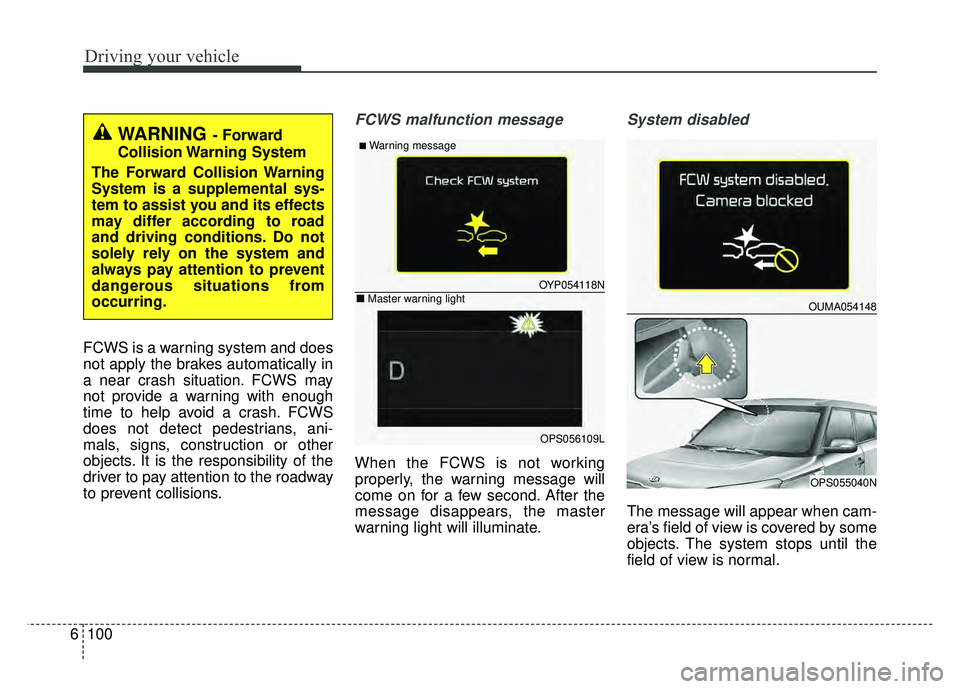
FCWS malfunction message
When the FCWS is not working
properly, the warning message will
come on for a few second. After the
message disappears, the master
warning light will illuminate.
System disabled
The message will appear when cam-
era’s field of view is covered by some
objects. The system stops until the
field of view is normal.
WARNING- Forward
Collision Warning System
The Forward Collision Warning
System is a supplemental sys-
tem to assist you and its effects
may differ according to road
and driving conditions. Do not
solely rely on the system and
always pay attention to prevent
dangerous situations from
occurring.
OYP054118N
OPS056109L
■Warning message
■ Master warning lightOUMA054148
OPS055040N
Page 422 of 620
6103
Driving your vehicle
Your vehicle's fuel economy depends
mainly on your style of driving, where
you drive and when you drive.
Each of these factors affects how
many miles (kilometers) you can get
from a gallon (liter) of fuel. To operate
your vehicle as economically as pos-
sible, use the following driving sug-
gestions to help save money in both
fuel and repairs:
Drive smoothly. Accelerate at amoderate rate. Don't make "jack-
rabbit" starts or full-throttle shifts
and maintain a steady cruising
speed. Don't race between stop-
lights. Try to adjust your speed to
the traffic so you don't have to
change speeds unnecessarily.
Avoid heavy traffic whenever pos-
sible. Always maintain a safe dis-
tance from other vehicles so you
can avoid unnecessary braking.
This also reduces brake wear.
Drive at a moderate speed. The faster you drive, the more fuel your
vehicle uses. Driving at a moderate
speed, especially on the highway,
is one of the most effective ways to
reduce fuel consumption. Don't "ride" the brake or clutch
pedal. This can increase fuel con-
sumption and also increase wear
on these components. In addition,
driving with your foot resting on the
brake pedal may cause the brakes
to overheat, which reduces their
effectiveness and may lead to
more serious consequences.
Take care of your tires. Keep them inflated to the recommended pres-
sure. Incorrect inflation, either too
much or too little, results in unnec-
essary tire wear. Check the tire
pressures at least once a month.
Be sure that the wheels are aligned correctly. Improper align-
ment can result from hitting curbs
or driving too fast over irregular
surfaces. Poor alignment causes
faster tire wear and may also result
in other problems as well as
greater fuel consumption. Keep your vehicle in good condi-
tion. For better fuel economy and
reduced maintenance costs, main-
tain your vehicle in accordance
with the maintenance schedule in
section 8. If you drive your vehicle
in severe conditions, more frequent
maintenance is required (see sec-
tion 8 for details).
Keep your vehicle clean. For maxi- mum service, your vehicle should
be kept clean and free of corrosive
materials. It is especially important
that mud, dirt, ice, etc. not be
allowed to accumulate on the
underside of the vehicle. This extra
weight can result in increased fuel
consumption and also contribute to
corrosion.
Travel lightly. Don't carry unneces- sary weight in your vehicle. Weight
reduces fuel economy.
Don't let the engine idle longer than necessary. If you are waiting
(and not in traffic), turn off your
engine and restart only when
you're ready to go.
ECONOMICAL OPERATION
Page 425 of 620
Driving your vehicle
106
6
If at all possible, avoid sharp turns or
abrupt maneuvers, do not load your
roof rack with heavy cargo, and
never modify your vehicle in any way.Rocking the vehicle
If it is necessary to rock the vehicle to
free it from snow, sand, or mud, first
turn the steering wheel right and left
to clear the area around your front
wheels. Then, shift back and forth
between 1st (First) and R (Reverse)
in vehicles equipped with a manual
transaxle or R (Reverse) and any for-
ward gear in vehicles equipped with
an automatic transaxle. Do not race
the engine, and spin the wheels as lit-
tle as possible. If you are still stuck
after a few tries, have the vehicle
pulled out by a tow vehicle to avoid
engine overheating and possible
damage to the transaxle.
The ESC system should be turned
OFF prior to rocking the vehicle.CAUTION- Vehicle rocking
Prolonged rocking may causeengine overheating, transaxledamage or failure, and tire dam-age.
WARNING- Replacement
tires
Always use the size and type of
tires recommended in the tire
section of the manual.
Installation of variant tires can
affect the safety and perform-
ance of your vehicle.
CAUTION- Spinning tires
Do not spin the wheels, espe- cially at speeds more than 35mph (56 km/h). Spinning thewheels at high speeds when thevehicle is stationary couldcause a tire to overheat whichcould result in tire damage thatmay injure bystanders.
WARNING
- Sudden vehicle movement
Do not attempt to rock the vehi-
cle if people or objects are near-
by. The vehicle may suddenly
move forward or backwards as
it becomes unstuck.
Page 426 of 620
6107
Driving your vehicle
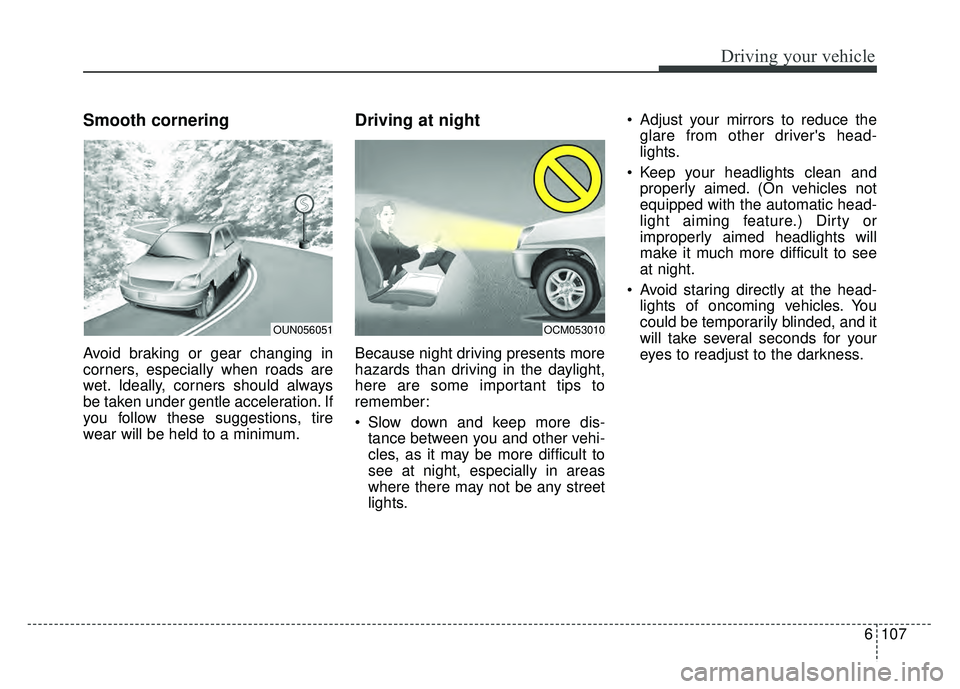
Smooth cornering
Avoid braking or gear changing in
corners, especially when roads are
wet. Ideally, corners should always
be taken under gentle acceleration. If
you follow these suggestions, tire
wear will be held to a minimum.
Driving at night
Because night driving presents more
hazards than driving in the daylight,
here are some important tips to
remember:
Slow down and keep more dis-tance between you and other vehi-
cles, as it may be more difficult to
see at night, especially in areas
where there may not be any street
lights. Adjust your mirrors to reduce the
glare from other driver's head-
lights.
Keep your headlights clean and properly aimed. (On vehicles not
equipped with the automatic head-
light aiming feature.) Dirty or
improperly aimed headlights will
make it much more difficult to see
at night.
Avoid staring directly at the head- lights of oncoming vehicles. You
could be temporarily blinded, and it
will take several seconds for your
eyes to readjust to the darkness.
OUN056051OCM053010