2018 Hyundai Sonata ECO mode
[x] Cancel search: ECO modePage 298 of 522
5-48
Driving your vehicle
D
DR
RI
IV
V E
E
M
M O
OD
DE
E
I
IN
N T
TE
EG
G R
RA
A T
TE
ED
D
C
C O
O N
NT
TR
R O
O L
L
S
S Y
Y S
ST
T E
EM
M
(
( I
IF
F
E
E Q
Q U
UI
IP
P P
PE
ED
D )
)
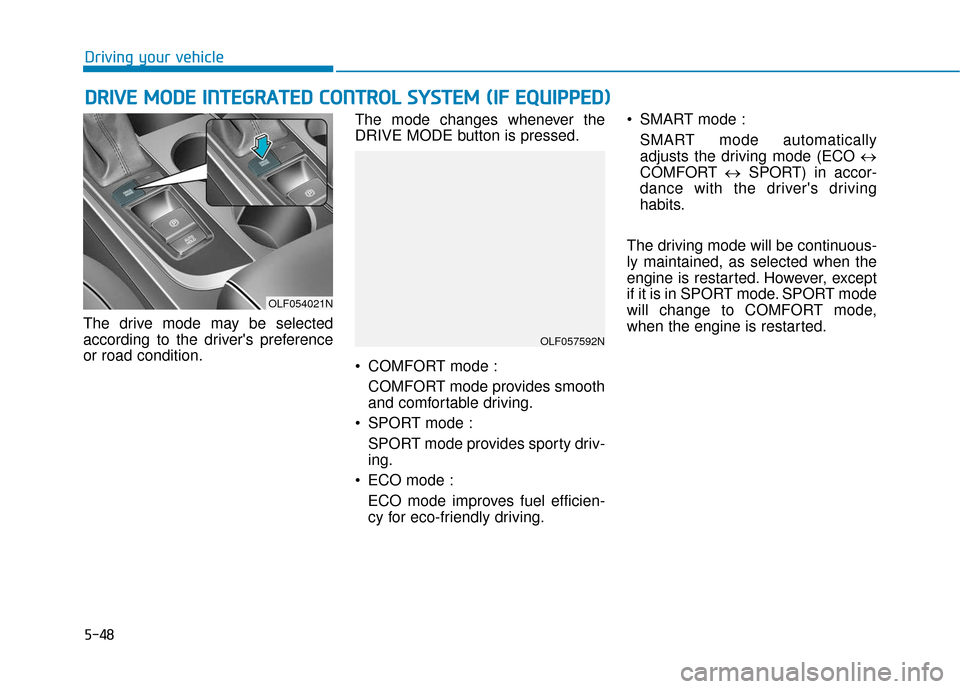
The drive mode may be selected
according to the driver's preference
or road condition. The mode changes whenever the
DRIVE MODE button is pressed.
COMFORT mode :
COMFORT mode provides smooth
and comfortable driving.
SPORT mode : SPORT mode provides sporty driv-
ing.
ECO mode : ECO mode improves fuel efficien-
cy for eco-friendly driving. SMART mode :
SMART mode automatically
adjusts the driving mode (ECO ↔
COMFORT ↔SPORT) in accor-
dance with the driver's driving
habits.
The driving mode will be continuous-
ly maintained, as selected when the
engine is restarted. However, except
if it is in SPORT mode. SPORT mode
will change to COMFORT mode,
when the engine is restarted.
OLF054021N
OLF057592N
Page 299 of 522

5-49
Driving your vehicle
5
ECO mode
When the Drive Mode isset to ECO mode, the
engine and transmission
control logic are changed
to maximize fuel efficiency.
When the ECO mode is selected by pressing the DRIVE MODE but-
ton, the ECO indicator will illumi-
nate.
If the vehicle is set to ECO mode, when the engine is turned OFF
and restarted the Drive Mode set-
ting will remain in ECO mode.
Information
Fuel efficiency depends on the driver's
driving habit and road condition. When ECO mode is activated:
The acceleration response may be
slightly reduced as the accelerator
pedal is depressed moderately.
The air conditioner performance may be limited.
The shift pattern of the automatic transmission may change.
The engine noise may get louder.
The above situations are normal
conditions when ECO mode is acti-
vated to improve fuel efficiency. Limitation of ECO mode opera-
tion:
If the following conditions occur while
ECO mode is operating, the system
operation is limited even though
there is no change in ECO indicator.
When the coolant temperature is
low:
The system will be limited until
engine performance becomes nor-
mal.
When driving up a hill: The system will be limited to gain
power when driving uphill because
engine torque is restricted.
When driving the vehicle with the automatic transmission gear shift
lever in manual shift mode:
The system will be limited accord-
ing to the shift location.
When the accelerator pedal is deeply depressed for a few seconds:
The system will be limited, judging
that the driver wants to speed up.
i
Page 300 of 522
5-50
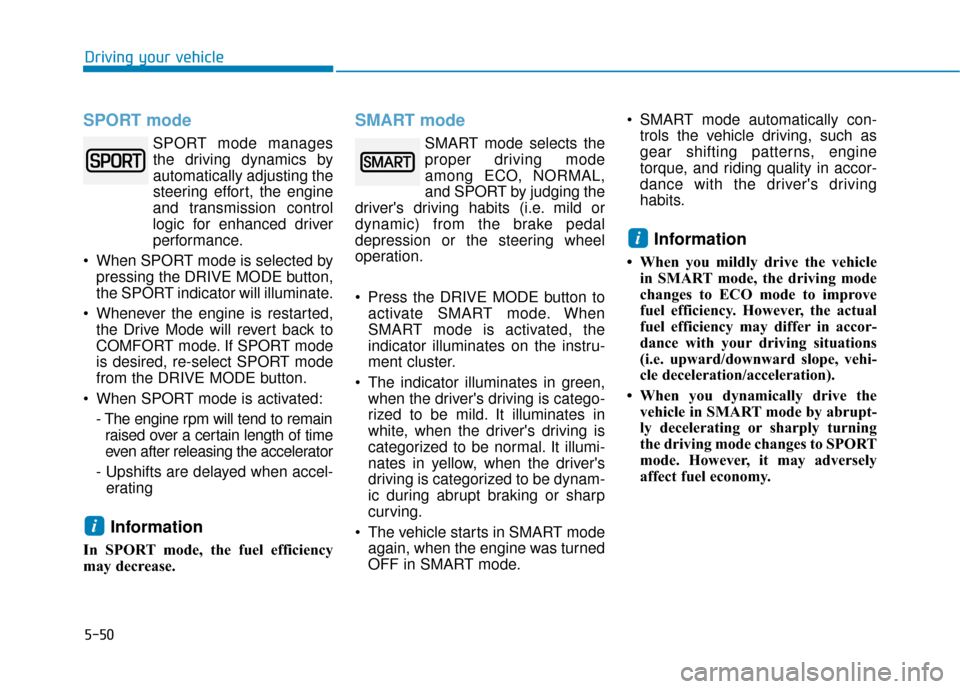
SPORT mode
SPORT mode managesthe driving dynamics by
automatically adjusting the
steering effort, the engine
and transmission control
logic for enhanced driver
performance.
When SPORT mode is selected by pressing the DRIVE MODE button,
the SPORT indicator will illuminate.
Whenever the engine is restarted, the Drive Mode will revert back to
COMFORT mode. If SPORT mode
is desired, re-select SPORT mode
from the DRIVE MODE button.
When SPORT mode is activated: - The engine rpm will tend to remainraised over a certain length of time
even after releasing the accelerator
- Upshifts are delayed when accel- erating
Information
In SPORT mode, the fuel efficiency
may decrease.
SMART mode
SMART mode selects the
proper driving mode
among ECO, NORMAL,
and SPORT by judging the
driver's driving habits (i.e. mild or
dynamic) from the brake pedal
depression or the steering wheel
operation.
Press the DRIVE MODE button to activate SMART mode. When
SMART mode is activated, the
indicator illuminates on the instru-
ment cluster.
The indicator illuminates in green, when the driver's driving is catego-
rized to be mild. It illuminates in
white, when the driver's driving is
categorized to be normal. It illumi-
nates in yellow, when the driver's
driving is categorized to be dynam-
ic during abrupt braking or sharp
curving.
The vehicle starts in SMART mode again, when the engine was turned
OFF in SMART mode. SMART mode automatically con-
trols the vehicle driving, such as
gear shifting patterns, engine
torque, and riding quality in accor-
dance with the driver's driving
habits.
Information
• When you mildly drive the vehiclein SMART mode, the driving mode
changes to ECO mode to improve
fuel efficiency. However, the actual
fuel efficiency may differ in accor-
dance with your driving situations
(i.e. upward/downward slope, vehi-
cle deceleration/acceleration).
• When you dynamically drive the vehicle in SMART mode by abrupt-
ly decelerating or sharply turning
the driving mode changes to SPORT
mode. However, it may adversely
affect fuel economy.
i
i
Driving your vehicle
Page 301 of 522
5-51
Driving your vehicle
Drive mode indicator screen
The drive mode indicator screen can
be displayed by using the trip com-
puter button on the steering wheel.
drive mode indicator screen displays
the status of current drive mode.
DRIVE MODE button is located onthe lower part of the transmission
lever for selecting drive mode. If
drive mode is selected manually by
the user, the drive mode indicator
screen will show user-selected
drive mode. (COMFORT, ECO, or
SPORT)
If SMART mode is selected by
DRIVE MODE button, the drive
mode indicator screen will show
current drive mode automatically
selected by SMART mode system.
(SMART COMFORT, SMART
ECO, or SMART SPORT)
When the trip computer mode is selected to show drive mode and
the SMART mode is in operation,
an automatically selected driving
mode SMART ECO, SMART
COMFORT, or SMART SPORT will
be selected on the LCD display. And right below is the horizontal
driving style gauge which reflects
the driving style in real time.
If you drive carefully and slowly in SMART mode, the left side of the
driving style gauge will illuminate,
and automatically shift to the
SMART ECO mode.
When the driver accelerates more
frequently, the right side of the driv-
ing style gauge will fill up, and shift
to SMART COMFORT mode.
In addition, if the rate of accelera-
tion and speed is high, drive mode
will change to SMART SPORT
mode.
If the auto cruise control function is operated or the transmission is
shifted to manual shift mode while
SMART mode is on, the SMART
mode will stop temporarily, and the
drive mode will be displayed as
OFF. The driving style gauge light
will be turned off accordingly. If the trip computer is not set to
show drive mode indicator screen,
and you want to know the on/off
status of the SMART mode, simply
check whether the letters 'SMART'
is lighten up on the screen or not
(green - ECO MODE, white -
COMFORT MODE, red - SPORT
MODE).
5
Page 302 of 522
5-52
Driving style gauge
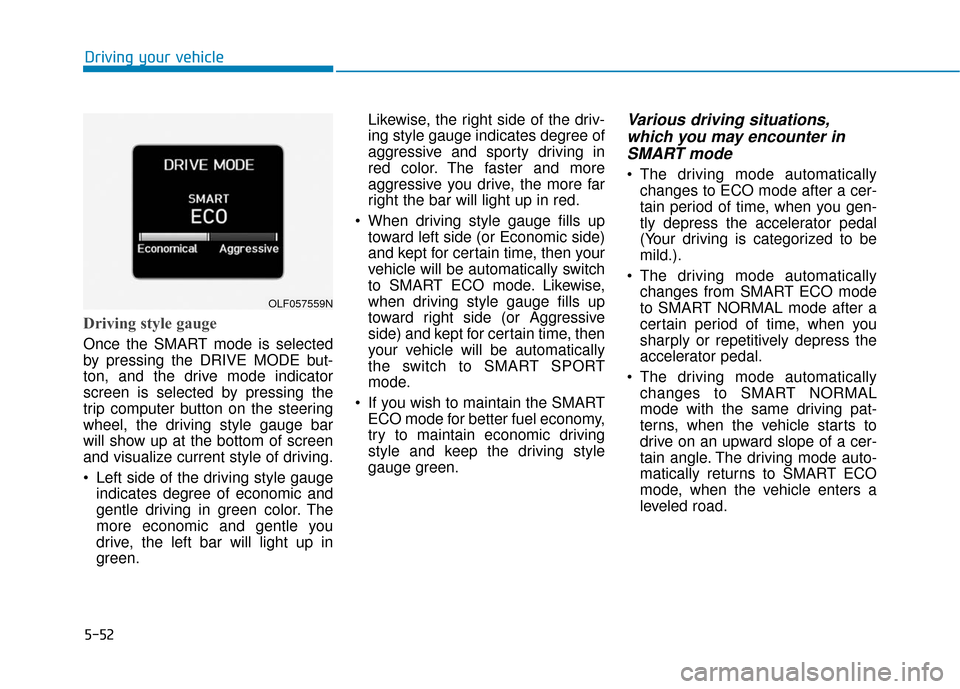
Once the SMART mode is selected
by pressing the DRIVE MODE but-
ton, and the drive mode indicator
screen is selected by pressing the
trip computer button on the steering
wheel, the driving style gauge bar
will show up at the bottom of screen
and visualize current style of driving.
Left side of the driving style gaugeindicates degree of economic and
gentle driving in green color. The
more economic and gentle you
drive, the left bar will light up in
green. Likewise, the right side of the driv-
ing style gauge indicates degree of
aggressive and sporty driving in
red color. The faster and more
aggressive you drive, the more far
right the bar will light up in red.
When driving style gauge fills up toward left side (or Economic side)
and kept for certain time, then your
vehicle will be automatically switch
to SMART ECO mode. Likewise,
when driving style gauge fills up
toward right side (or Aggressive
side) and kept for certain time, then
your vehicle will be automatically
the switch to SMART SPORT
mode.
If you wish to maintain the SMART ECO mode for better fuel economy,
try to maintain economic driving
style and keep the driving style
gauge green.
Various driving situations,which you may encounter inSMART mode
The driving mode automatically
changes to ECO mode after a cer-
tain period of time, when you gen-
tly depress the accelerator pedal
(Your driving is categorized to be
mild.).
The driving mode automatically changes from SMART ECO mode
to SMART NORMAL mode after a
certain period of time, when you
sharply or repetitively depress the
accelerator pedal.
The driving mode automatically changes to SMART NORMAL
mode with the same driving pat-
terns, when the vehicle starts to
drive on an upward slope of a cer-
tain angle. The driving mode auto-
matically returns to SMART ECO
mode, when the vehicle enters a
leveled road.
Driving your vehicle
OLF057559N
Page 303 of 522
5-53
Driving your vehicle
The driving mode automaticallychanges to SMART SPORT, when
you abruptly accelerate the vehicle
or repetitively operate the steering
wheel (Your driving is categorized
to be sporty.). In this mode, your
vehicle drives in a lower gear for
abrupt accelerating/decelerating
and increases the engine brake
performance.
You may still sense the engine braking performance, even when
you release the accelerator pedal
in SMART SPORT mode. It is
because your vehicle remains in
lower gear over a certain period of
time for next acceleration. Thus, it
is a normal driving situation, not
indicating any malfunction.
The driving mode automatically changes to SMART SPORT mode
only in harsh driving situations. In
most of the normal driving situa-
tions, the driving mode sets to be
either in SMART ECO mode or in
SMART NORMAL mode.Limitation of SMART mode
The SMART mode may be limited in
following situations. (The OFF indica-
tor illuminates in those situations.)
The driver manually moves theshift lever :
It deactivates SMART mode. The
vehicle drives, as the driver manu-
ally moves the shift lever.
The cruise control is activated : The cruise control system may
deactivate the SMART mode when
the vehicle is controlled by the set
speed of the smart cruise control
system. (SMART mode is not deac-
tivated just by activating the cruise
control system.)
The transmission oil temperature is either extremely low or extremely
high :
The SMART mode can be active in
most of the normal driving situa-
tions. However, an extremely high/
low transmission oil temperature
may temporarily deactivate the
SMART mode, because the trans-
mission condition is out of normal
operation condition.
5
Page 310 of 522
5-60
Driving your vehicle
To Convert to Cruise Control
Mode
The driver may choose to only use
the Cruise Control Mode (speed con-
trol function) by doing as follows:
1. Turn the Smart Cruise ControlSystem on (the cruise indicator
light will be on but the system will
not be activated).
2. Push and hold the Vehicle-to- Vehicle Distance button for more
than 2 seconds.
3. Choose between "Smart Cruise Control (SCC) Mode" and "Cruise
Control (CC) Mode".
When the system is canceled using
the CRUISE button or the CRUISE
button is used after the engine is
turned on, the SCC Mode will turn
on.
Smart Cruise Control Speed
To set Smart Cruise Control speed
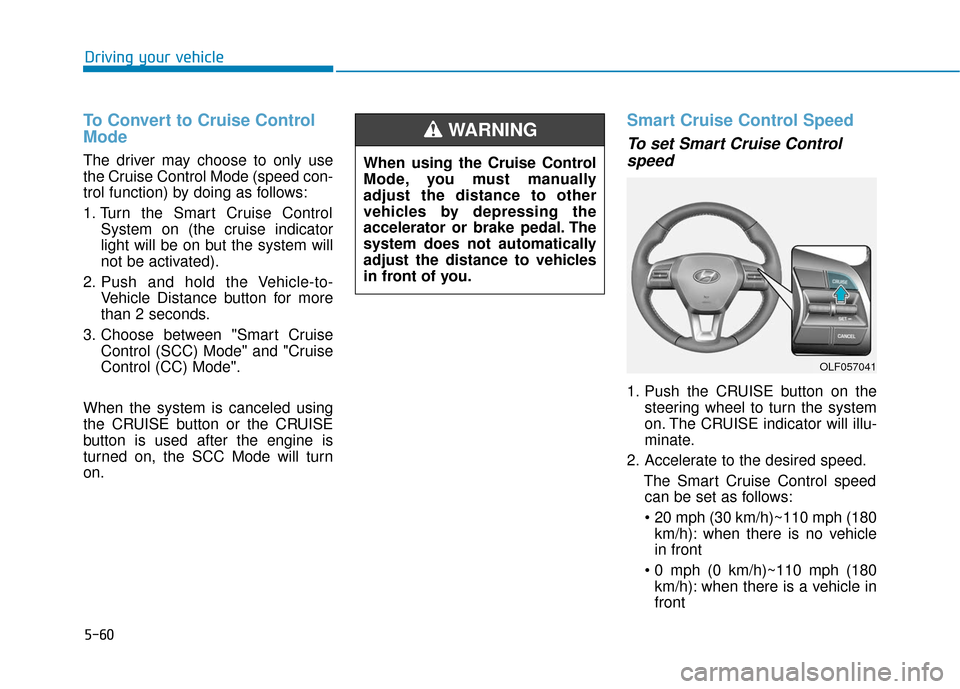
1. Push the CRUISE button on the
steering wheel to turn the system
on. The CRUISE indicator will illu-
minate.
2. Accelerate to the desired speed. The Smart Cruise Control speedcan be set as follows:
km/h): when there is no vehicle
in front
km/h): when there is a vehicle in
front
OLF057041
When using the Cruise Control
Mode, you must manually
adjust the distance to other
vehicles by depressing the
accelerator or brake pedal. The
system does not automatically
adjust the distance to vehicles
in front of you.
WARNING
Page 463 of 522

7-53
7
Maintenance
Vehicle Maximum Load on theTire
Load on an individual tire due to curb
and accessory weight plus maximum
occupant and cargo weight.
Vehicle Normal Load on the Tire
Load on an individual tire that is
determined by distributing to each
axle its share of the curb weight,
accessory weight, and normal occu-
pant weight and dividing by 2.
Vehicle Placard
A label permanently attached to a
vehicle showing the original equip-
ment tire size and recommended
inflation pressure.
All Season Tires
HYUNDAI specifies all season tires
on some models to provide good
performance for use all year round,
including snowy and icy road condi-
tions. All season tires are identified
by ALL SEASON and/or M+S (Mud
and Snow) on the tire sidewall. Snow
tires have better snow traction than
all season tires and may be more
appropriate in some areas.
Summer Tires
HYUNDAI specifies summer tires on
some models to provide superior
performance on dry roads. Summer
tire performance is substantially
reduced in snow and ice. Summer
tires do not have the tire traction rat-
ing M+S (Mud and Snow) on the tire
side wall. If you plan to operate your
vehicle in snowy or icy conditions,
HYUNDAI recommends the use of
snow tires or all season tires on all
four wheels.
Snow Tires
If you equip your car with snow tires,
they should be the same size and
have the same load capacity as the
original tires. Snow tires should be
installed on all four wheels; other-
wise, poor handling may result. Snow
tires should carry 4 psi (28 kPa)
more air pressure than the pressure
recommended for the standard tires
on the tire label on the driver’s side of
the center pillar, or up to the maxi-
mum pressure shown on the tire
sidewall, whichever is less. Do not
drive faster than 75 mph (120 km/h)
when your vehicle is equipped with
snow tires.