Page 336 of 523
5-82
Driving your vehicle
The vehicle is driven on a steepincline.
The steering wheel is turned sud- denly.
Limitations of the System
The LKA system may operate pre-
maturely even if the vehicle does not
depart from the intended lane, OR,
the LKA system may not assist your
steering or warn you if the vehicle
leaves the intended lane under the
following circumstances:
When the lane and road condi- tions are poor
It is difficult to distinguish the lanemarking from the road surface or
the lane marking is faded or not
clearly marked.
It is difficult to distinguish the color of the lane marker from the road.
There are markings on the road surface that look like a lane marker
that is inadvertently being detected
by the camera.
The lane marker is merged or divided. (e.g. tollgate) The lane number increases or
decreases or the lane marker are
crossing complicatedly.
There are more than two lane markers on the road in front of you.
The lane marker is very thick or thin.
The lanes ahead are not visible due to rain, snow, water on theroad, damaged or stained road
surface, or other factors.
The shadow is on the lane marker by a median strip, trees, etc.
The lanes are incomplete or the area is in a construction zone.
There are crosswalk signs or other symbols on the road.
The lane marker in a tunnel is stained with oil, etc.
The lane suddenly disappears such as at the intersection. When external condition is inter-vened
The brightness outside changes
suddenly such as when entering or
exiting a tunnel, or when passing
under a bridge.
The brightness outside is too low such as when the headlamps are
not on at night or the vehicle isgoing through a tunnel.
There is a boundary structure in the roadway such as a concrete
barrier, guardrail and reflector post
that is inadvertently being detected
by the camera.
When light coming from a street light or an oncoming vehicle is
reflected on a wet road surfacesuch as a puddle in the road.
The field of view in front is obstructed by sun glare.
There is not enough distance between you and the vehicle in
front to be able to detect the lane
marker or the vehicle ahead is driv-
ing on the lane marker.
Page 340 of 523
5-86
Driving your vehicle
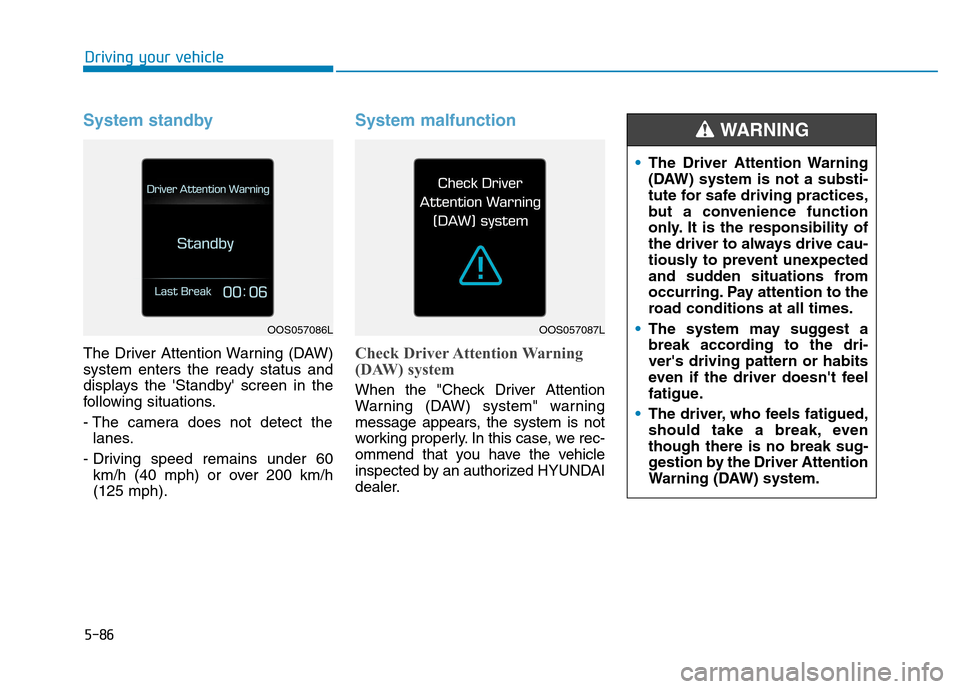
System standby
The Driver Attention Warning (DAW) system enters the ready status and
displays the 'Standby' screen in the
following situations.
- The camera does not detect thelanes.
- Driving speed remains under 60 km/h (40 mph) or over 200 km/h (125 mph).
System malfunction
Check Driver Attention Warning
(DAW) system
When the "Check Driver Attention
Warning (DAW) system" warning
message appears, the system is not
working properly. In this case, we rec-
ommend that you have the vehicle
inspected by an authorized HYUNDAI
dealer.
OOS057086LOOS057087L
The Driver Attention Warning
(DAW) system is not a substi-
tute for safe driving practices,
but a convenience function
only. It is the responsibility of
the driver to always drive cau-
tiously to prevent unexpected
and sudden situations from
occurring. Pay attention to the
road conditions at all times.
The system may suggest a
break according to the dri-ver's driving pattern or habits
even if the driver doesn't feel
fatigue.
The driver, who feels fatigued,
should take a break, eventhough there is no break sug-
gestion by the Driver Attention
Warning (DAW) system.
WARNING
Page 341 of 523
5-87
Driving your vehicle
5
The Driver Attention Warning
(DAW) system utilizes the camera
sensor on the front windshield for
its operation. To keep the camera
sensor in the best condition, you
should observe the followings:
NEVER install any accessoriesor stickers on the front wind-
shield, nor tint the front wind-shield.
NEVER locate any reflective objects (i.e. white paper, mirror)
over the dashboard. Any light
reflection may cause a malfunc-tion of the Driver Attention
Warning (DAW) system.
Pay extreme caution to keep the camera sensor out of water.
NEVER arbitrarily disassemble the camera assembly, nor apply
any impact on the camera
assembly. Do not disassemble camera
temporarily for tinted window or
attaching any types of coatings
and accessories. If you disas-
semble a camera and assemble
it again, we recommend that you
take your vehicle to an author-
ized HYUNDAI dealer and have
the system checked for calibra-tion.
NOTICE
The Driver Attention Warning
(DAW) system may not properly
operate with limited alerting in
the following situations:
The lane detection perform-
ance is limited. (For more
details, refer to "Lane KeepingAssist (LKA) system" in this
chapter.)
The vehicle is violently driven
or is abruptly turned for
obstacle avoidance (e.g. con-
struction area, other vehicles,
fallen objects, bumpy road).
CAUTION
Forward drivability of the
vehicle is severely under-
mined (possibly due to wide
variation in tire pressures,
uneven tire wear-out, toe-in/toe-out alignment).
The vehicle drives on a curvy
road.
The vehicle drives through a
windy area.
The vehicle drives on a
bumpy road.
The vehicle is controlled by
the following driving assistsystems:
- Lane Keeping Assist (LKA)system
- Forward Collision-avoidance Assist (FCA) system
Playing the vehicle audio sys-
tem at high volume may offset
the Driver Attention Warning
(DAW) system warning sounds.
CAUTION
Page 491 of 523

7-79
7
MaintenanceHigh-pressure washing
When using high-pressure washers,make sure to maintain sufficient dis-
tance from the vehicle.
Insufficient clearance or excessive pressure can lead to component
damage or water penetration.
Do not spray the camera, sensors or its surrounding area directly with a
high pressure washer. Shock
applied from high pressure water
may cause the device to not operate
normally.
Do not bring the nozzle tip close to boots (rubber or plastic covers) or
connectors as they may be dam-
aged if they come into contact with
high pressure water. Water washing in the engine com-
partment including high pressure
water washing may cause the fail-
ure of electrical circuits located in
the engine compartment.
Never allow water or other liquids to come in contact with electri-
cal/electronic components inside
the vehicle as this may damagethem.
Waxing
A good coat of wax is a barrier
between your paint and contaminate.
Keeping a good coat of wax on your
vehicle will help protect it. Wax the vehicle when water will nolonger bead on the paint.
Always wash and dry the vehicle
before waxing. Use a good quality
liquid or paste wax, and follow the
manufacturer’s instructions. Wax all
metal trim to protect it and to main-
tain its luster.
Removing oil, tar, and similar materi-
als with a spot remover will usually
strip the wax from the finish. Be sure
to re-wax these areas even if the rest
of the vehicle does not yet need wax-ing.
Wiping dust or dirt off the body
with a dry cloth will scratch the finish.
Do not use steel wool, abrasive cleaners, or strong detergents
containing highly alkaline or
caustic agents on chrome-plated
or anodized aluminum parts. This
may result in damage to the pro-tective coating and cause discol-oration or paint deterioration.
NOTICE
NOTICE
Wet brakes
After washing the vehicle, test
the brakes while driving slowly
to see if they have been affected
by water. If braking performance
is impaired, dry the brakes by
applying them lightly while main-
taining a slow forward speed.
WARNING
OOS077051
Page:
< prev 1-8 9-16 17-24