2018 Hyundai Kona Camera
[x] Cancel search: CameraPage 324 of 523
5-70
Driving your vehicle
Limitations of the system
The Forward Collision avoidance assist (FCA) systemsystem is
designed to monitor the vehicle ahead
or a pedestrian in the roadway through
radar signals and camera recognition
to warn the driver that a collision is
imminent, and if necessary, apply
emergency braking.
In certain situations, the radar sen-
sor or the camera may not be able to
detect the vehicle or pedestrian
ahead. In these cases, the FCA sys-
tem may not operate normally. The
driver must pay careful attention in
the following situations where the
FCA operation may be limited.
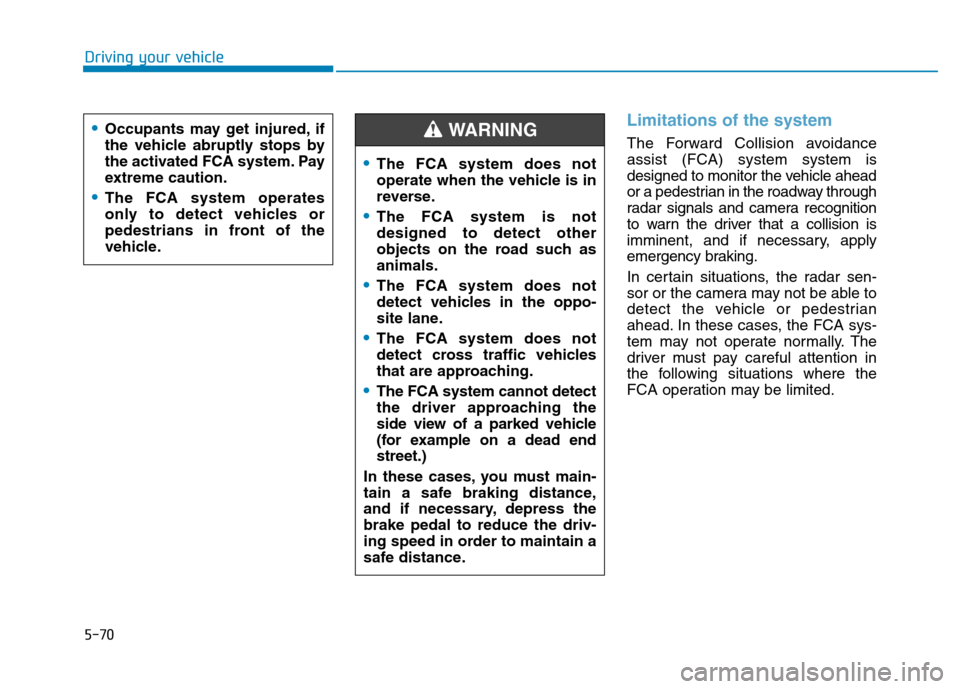
The FCA system does not
operate when the vehicle is in
reverse.
The FCA system is not designed to detect other
objects on the road such asanimals.
The FCA system does not
detect vehicles in the oppo-
site lane.
The FCA system does not
detect cross traffic vehicles
that are approaching.
The FCA system cannot detect
the driver approaching the
side view of a parked vehicle
(for example on a dead endstreet.)
In these cases, you must main-
tain a safe braking distance,
and if necessary, depress thebrake pedal to reduce the driv-
ing speed in order to maintain a
safe distance.
WARNING Occupants may get injured, if
the vehicle abruptly stops by
the activated FCA system. Pay
extreme caution.
The FCA system operates
only to detect vehicles or
pedestrians in front of the
vehicle.
Page 325 of 523

5-71
Driving your vehicle
5
Detecting vehicles
The sensor may be limited when:
The radar sensor or camera isblocked with a foreign object or
debris
The camera lens is contaminated due to tinted, filmed or coated
windshield, damaged glass, or
stuck of foreign matter (sticker,
bug, etc.) on the glass
Inclement weather such as heavy rain or snow obscures the field of
view of the radar sensor or camera
There is interference by electro- magnetic waves
There is severe irregular reflection from the radar sensor
The radar/camera sensor recogni- tion is limited
The vehicle in front is too small to be detected (for example a motor-
cycle or a bicycle, etc.)
The vehicle in front is an oversize vehicle or trailer that is too big to
be detected by the camera recog-
nition system (for example a tractor
trailer, etc.) The driver's field of view is not well
illuminated (either too dark or too
much reflection or too much back-
light that obscures the field of view)
The vehicle in front does not have their rear lights properly turned ON.
The outside brightness changes suddenly, for example when enter-
ing or exiting a tunnel
When light coming from a street light or an oncoming vehicle is
reflected on a wet road surfacesuch as a puddle in the road
The field of view in front is obstruct- ed by sun glare
The windshield glass is fogged up; a clear view of the road is obstruct-ed
The vehicle in front is driving errati- cally
The vehicle is on unpaved or uneven rough surfaces, or road
with sudden gradient changes.
The vehicle is driven near areas containing metal substances as a
construction zone, railroad, etc.
The vehicle drives inside a building, such as a basement parking lot The adverse road conditions cause
excessive vehicle vibrations while
driving
The sensor recognition changes suddenly when passing over a
speed bump
The vehicle in front is moving verti- cally to the driving direction
The vehicle in front is stopped ver- tically
The vehicle in front is driving towards your vehicle or reversing
You are on roundabouts and the vehicle in front circles
Page 326 of 523

5-72
Driving your vehicle
- Driving on a curve
The performance of the FCA system
may be limited when driving on a
curved road.
On curved roads, the other vehicle
on the same lane is not recognized
and the FCA system's performance
may be degraded. This may result in
unnecessary alarm or braking or no
alarm or braking when necessary.
Also, in certain instances the front
radar sensor or camera recognition
system may not detect the vehicle
traveling on a curved road.In these cases, the driver must main-
tain a safe braking distance, and if
necessary, depress the brake pedal
to reduce your driving speed in order
to maintain a safe distance.
The FCA system may recognize a
vehicle in the next lane when driving
on a curved road.
In this case, the system may unnec-
essarily alarm the driver and apply
the brake.
Always pay attention to road and
driving conditions, while driving. If
necessary, depress the brake pedal
to reduce your driving speed in order
to maintain a safe distance.
Also, when necessary depress the
accelerator pedal to prevent the sys-
tem from unnecessarily decelerating
your vehicle.
Check to be sure that the road con-
ditions permit safe operation of FCA.
OAE056101OAE056100
Page 328 of 523

5-74
Driving your vehicle
- Detecting the vehicle in front of you
If the vehicle in front of you has cargo
that extends rearward from the cab,
or when the vehicle in front of you
has higher ground clearance, addi-tional special attention is required.
The FCA system may not be able to
detect the cargo extending from the
vehicle. In these instances, you must
maintain a safe braking distance
from the rearmost object, and if nec-
essary, depress the brake pedal to
reduce your driving speed in order to
maintain distance.
Detecting pedestrians
The sensor may be limited when:
The pedestrian is not fully detectedby the camera recognition system,
for example, if the pedestrian is
leaning over or is not fully walking
upright
The pedestrian is moving very quickly or appears abruptly in the
camera detection area
The pedestrian is wearing clothing that easily blends into the back-
ground, making it difficult to be
detected by the camera recogni-tion system
The outside lighting is too bright (e.g. when driving in bright sunlight
or in sun glare) or too dark (e.g.
when driving on a dark rural roadat night)
It is difficult to detect and distin- guish the pedestrian from other
objects in the surroundings, for
example, when there is a group of
pedestrians or a large crowd
There is an item similar to a per- son's body structure
The pedestrian is small The pedestrian has impaired
mobility
The sensor recognition is limited
The radar sensor or camera is blocked with a foreign object or
debris
Inclement weather such as heavy rain or snow obscures the field of
view of the radar sensor or camera
When light coming from a street light or an oncoming vehicle is
reflected on a wet road surfacesuch as a puddle in the road
The field of view in front is obstructed by sun glare
The windshield glass is fogged up; a clear view of the road is obstruct-ed
The adverse road conditions cause excessive vehicle vibrations while
driving
OOS057022
Page 329 of 523
5-75
Driving your vehicle
Information
In some instances, the FCA system
may be cancelled when subjected to
electromagnetic interference.i
5
Never try to test the operation
of the FCA system. Doing so
may cause severe injury ordeath.
If the front bumper, front
glass, radar or camera have
been replaced or repaired, we
recommend that you have
your vehicle inspected by an
authorized HYUNDAI dealer.
Do not use the Forward
Collision avoidance Assist
(FCA) system when towing a
vehicle. Application of the
FCA system while towing may
adversely affect the safety of
your vehicle or the towing
vehicle.
Use extreme caution when the
vehicle in front of you has
cargo that extends rearward
from the cab, or when the
vehicle in front of you has
higher ground clearance.
The FCA system is designed to detect and monitor the
vehicle ahead or detect a
pedestrian in the roadway
through radar signals and
camera recognition. It is not
designed to detect bicycles,
motorcycles, or smaller
wheeled objects such as lug-
gage bags, shopping carts, or
strollers.
WARNING
Page 330 of 523
5-76
Driving your vehicleL
L AA NN EE KK EEEEPP IINN GG AA SSSSIISS TT (( LL KK AA )) SS YY SSTT EEMM
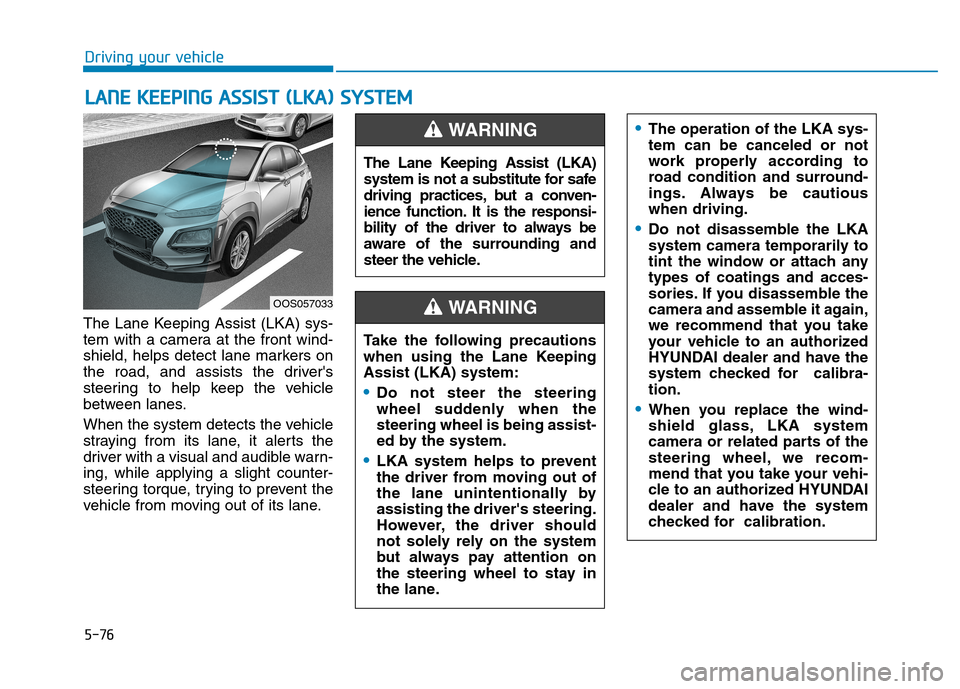
The Lane Keeping Assist (LKA) sys-
tem with a camera at the front wind-
shield, helps detect lane markers on
the road, and assists the driver's
steering to help keep the vehicle
between lanes.
When the system detects the vehicle
straying from its lane, it alerts the
driver with a visual and audible warn-ing, while applying a slight counter-
steering torque, trying to prevent the
vehicle from moving out of its lane.
OOS057033 The Lane Keeping Assist (LKA)
system is not a substitute for safe
driving practices, but a conven-
ience function. It is the responsi-
bility of the driver to always be
aware of the surrounding and
steer the vehicle.
WARNING
Take the following precautions
when using the Lane KeepingAssist (LKA) system:
Do not steer the steering
wheel suddenly when thesteering wheel is being assist-
ed by the system.
LKA system helps to prevent
the driver from moving out of
the lane unintentionally byassisting the driver's steering.
However, the driver should
not solely rely on the system
but always pay attention on
the steering wheel to stay in
the lane.
WARNING
The operation of the LKA sys- tem can be canceled or not
work properly according to
road condition and surround-
ings. Always be cautiouswhen driving.
Do not disassemble the LKA
system camera temporarily to
tint the window or attach anytypes of coatings and acces-
sories. If you disassemble the
camera and assemble it again,
we recommend that you take
your vehicle to an authorized
HYUNDAI dealer and have the
system checked for calibra-tion.
When you replace the wind-
shield glass, LKA system
camera or related parts of the
steering wheel, we recom-
mend that you take your vehi-
cle to an authorized HYUNDAI
dealer and have the system
checked for calibration.
Page 331 of 523

5-77
Driving your vehicle
5
LKA operation
To activate/deactivate the LKA sys- tem:
With the ignition switch in the ON
position, press the LKA system but-
ton located on the instrument panel
on the left hand side of the steering
wheel. (Right hand side of the steer-
ing wheel for RHD vehicles.)
The indicator in the cluster display
will initially illuminate white. This indi-cates the LKA system is in the
READY but NOT ENABLED state.
The system detects lane
markers and controls the
steering wheel by a camera,
therefore, if the lane markers
are hard to detect, the system
may not work properly.
Please refer to "Limitations of the system".
Do not remove or damage the
related parts of LKA system.
You may not hear a warning sound of LKA system
because of excessive audiosound.
Do not place objects on the
dashboard that reflects light
such as mirrors, white paper,
etc. The system may malfunc-tion if the sunlight is reflected.
Always have your hands on the steering wheel while the
LKA system is activated. If
you continue to drive with
your hands off the steering
wheel after the "Keep handson steering wheel" warning
message appears, the system
will turn off automatically.
The steering wheel is not con-
tinuously controlled so if the
vehicle speed is at a higher
rate when leaving a lane the
vehicle may not be controlled
by the system. The driver
must always follow the speedlimit when using the system.
If you attach objects to the
steering wheel, the system
may not assist steering or the
hands off alarm may not work
properly.
When you tow a trailer, make
sure that you turn off the LKAsystem.
OOS057034
Page 335 of 523
5-81
Driving your vehicle
5
Warning light and message
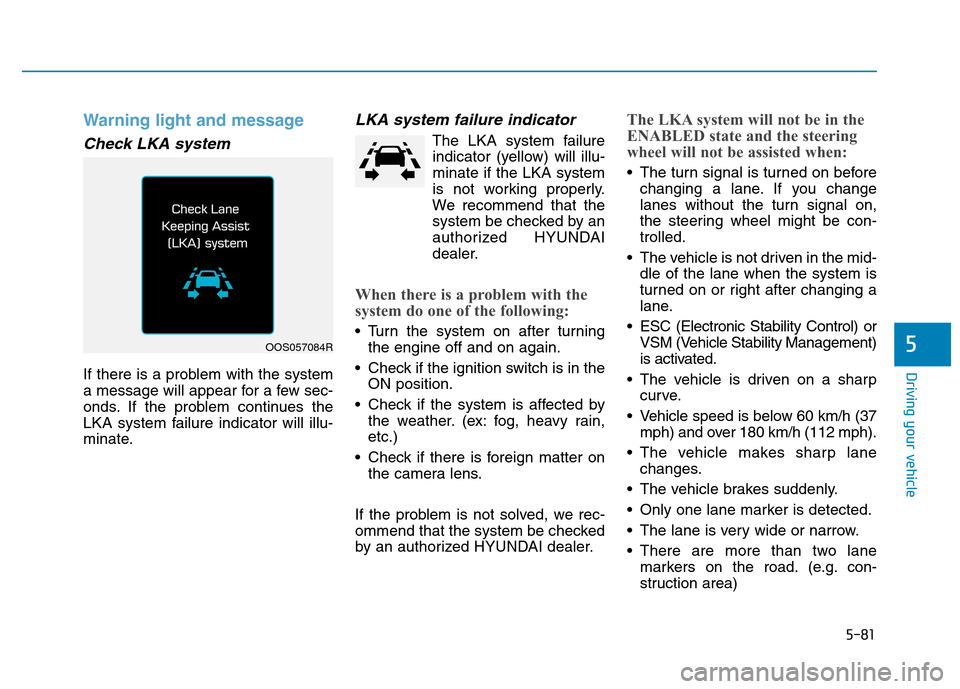
Check LKA system
If there is a problem with the system
a message will appear for a few sec-
onds. If the problem continues the
LKA system failure indicator will illu-
minate.
LKA system failure indicator
The LKA system failureindicator (yellow) will illu-minate if the LKA system
is not working properly.
We recommend that the
system be checked by an
authorized HYUNDAI
dealer.
When there is a problem with the
system do one of the following:
Turn the system on after turning the engine off and on again.
Check if the ignition switch is in the ON position.
Check if the system is affected by the weather. (ex: fog, heavy rain, etc.)
Check if there is foreign matter on the camera lens.
If the problem is not solved, we rec-
ommend that the system be checked
by an authorized HYUNDAI dealer.
The LKA system will not be in the
ENABLED state and the steering
wheel will not be assisted when:
The turn signal is turned on before changing a lane. If you change
lanes without the turn signal on,
the steering wheel might be con-trolled.
The vehicle is not driven in the mid- dle of the lane when the system is
turned on or right after changing a
lane.
ESC (Electronic Stability Control) or VSM (Vehicle Stability Management)
is activated.
The vehicle is driven on a sharp curve.
Vehicle speed is below 60 km/h (37 mph) and over 180 km/h (112 mph).
The vehicle makes sharp lane changes.
The vehicle brakes suddenly.
Only one lane marker is detected.
The lane is very wide or narrow.
There are more than two lane markers on the road. (e.g. con-
struction area)
OOS057084R