2018 Hyundai Ioniq Electric lane assist
[x] Cancel search: lane assistPage 321 of 541
5-60
Driving your vehicle
LKAS Operation
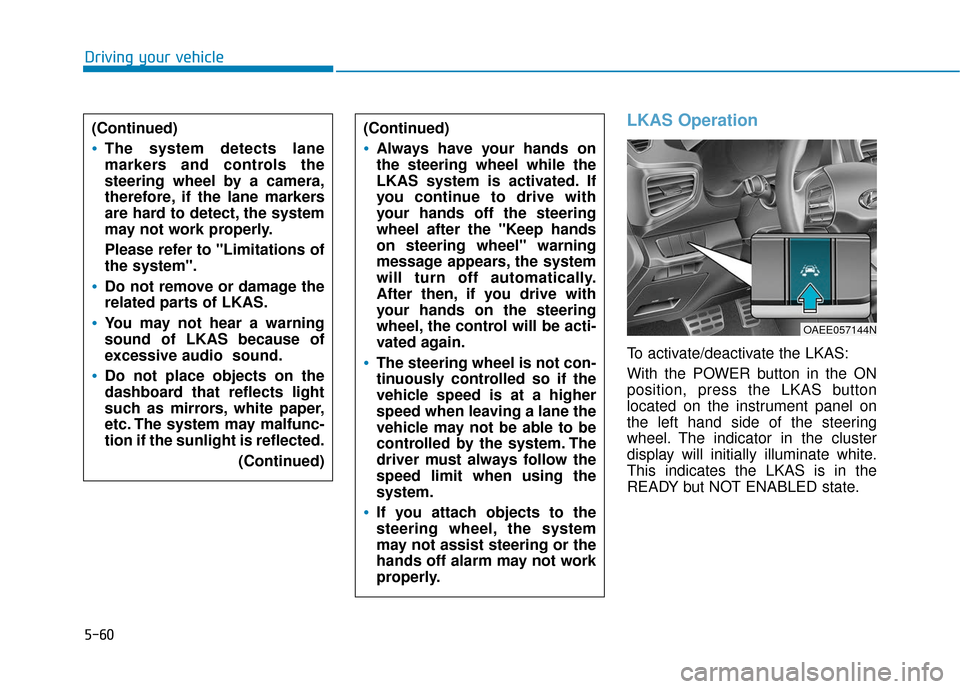
To activate/deactivate the LKAS:
With the POWER button in the ON
position, press the LKAS button
located on the instrument panel on
the left hand side of the steering
wheel. The indicator in the cluster
display will initially illuminate white.
This indicates the LKAS is in the
READY but NOT ENABLED state.
(Continued)
Always have your hands on
the steering wheel while the
LKAS system is activated. If
you continue to drive with
your hands off the steering
wheel after the "Keep hands
on steering wheel" warning
message appears, the system
will turn off automatically.
After then, if you drive with
your hands on the steering
wheel, the control will be acti-
vated again.
The steering wheel is not con-
tinuously controlled so if the
vehicle speed is at a higher
speed when leaving a lane the
vehicle may not be able to be
controlled by the system. The
driver must always follow the
speed limit when using the
system.
If you attach objects to the
steering wheel, the system
may not assist steering or the
hands off alarm may not work
properly.
(Continued)
The system detects lane
markers and controls the
steering wheel by a camera,
therefore, if the lane markers
are hard to detect, the system
may not work properly.
Please refer to "Limitations of
the system".
Do not remove or damage the
related parts of LKAS.
You may not hear a warning
sound of LKAS because of
excessive audio sound.
Do not place objects on the
dashboard that reflects light
such as mirrors, white paper,
etc. The system may malfunc-
tion if the sunlight is reflected.
(Continued)
OAEE057144N
Page 322 of 541
5-61
Driving your vehicle
5
Information
If the indicator (white) is activated
from the previous ignition cycle, the
system will turn ON without any addi-
tional control. If you press the LKAS
button again, the indicator on the
cluster goes off. The color of indicator will
change depending on the
condition of LKAS.
- White : Sensor does not detect
lane markers or vehicle
speed is under 40 mph (60
km/h).
- Green : Sensor detects lane mark- ers and the system is able
to control vehicle steering.
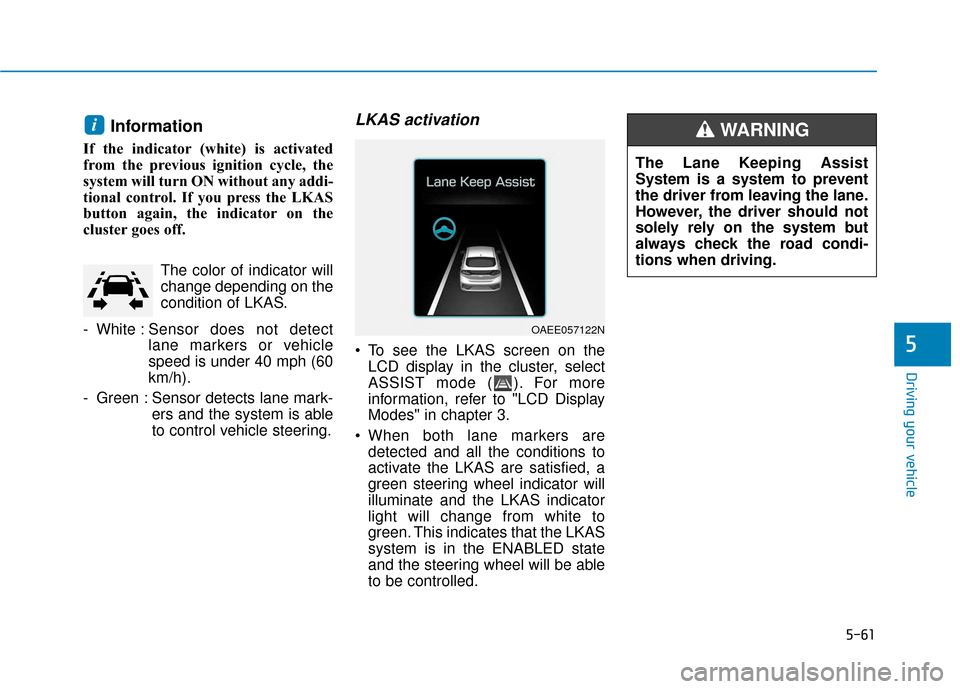
LKAS activation
To see the LKAS screen on theLCD display in the cluster, select
ASSIST mode ( ). For more
information, refer to "LCD Display
Modes" in chapter 3.
When both lane markers are detected and all the conditions to
activate the LKAS are satisfied, a
green steering wheel indicator will
illuminate and the LKAS indicator
light will change from white to
green. This indicates that the LKAS
system is in the ENABLED state
and the steering wheel will be able
to be controlled.
i
OAEE057122N
The Lane Keeping Assist
System is a system to prevent
the driver from leaving the lane.
However, the driver should not
solely rely on the system but
always check the road condi-
tions when driving.
WARNING
Page 323 of 541
5-62
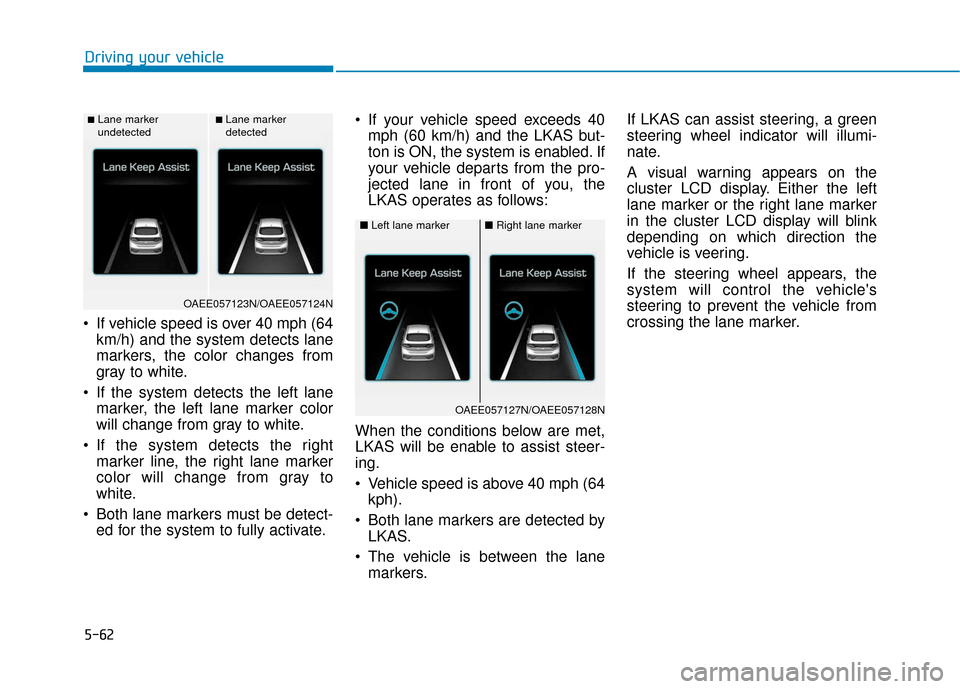
If vehicle speed is over 40 mph (64km/h) and the system detects lane
markers, the color changes from
gray to white.
If the system detects the left lane marker, the left lane marker color
will change from gray to white.
If the system detects the right marker line, the right lane marker
color will change from gray to
white.
Both lane markers must be detect- ed for the system to fully activate. If your vehicle speed exceeds 40
mph (60 km/h) and the LKAS but-
ton is ON, the system is enabled. If
your vehicle departs from the pro-
jected lane in front of you, the
LKAS operates as follows:
When the conditions below are met,
LKAS will be enable to assist steer-
ing.
Vehicle speed is above 40 mph (64 kph).
Both lane markers are detected by LKAS.
The vehicle is between the lane markers. If LKAS can assist steering, a green
steering wheel indicator will illumi-
nate.
A visual warning appears on the
cluster LCD display. Either the left
lane marker or the right lane marker
in the cluster LCD display will blink
depending on which direction the
vehicle is veering.
If the steering wheel appears, the
system will control the vehicle's
steering to prevent the vehicle from
crossing the lane marker.
Driving your vehicle
■Lane marker
undetected■Lane marker
detected
OAEE057123N/OAEE057124N
■
Left lane marker■Right lane marker
OAEE057127N/OAEE057128N
Page 325 of 541
5-64
Information
• Even though the steering is assistedby the system, the driver can still
steer to control the steering wheel.
• The steering wheel may feel heavier when the steering wheel is assisted
by the system than when it is not.
Warning Light and Message
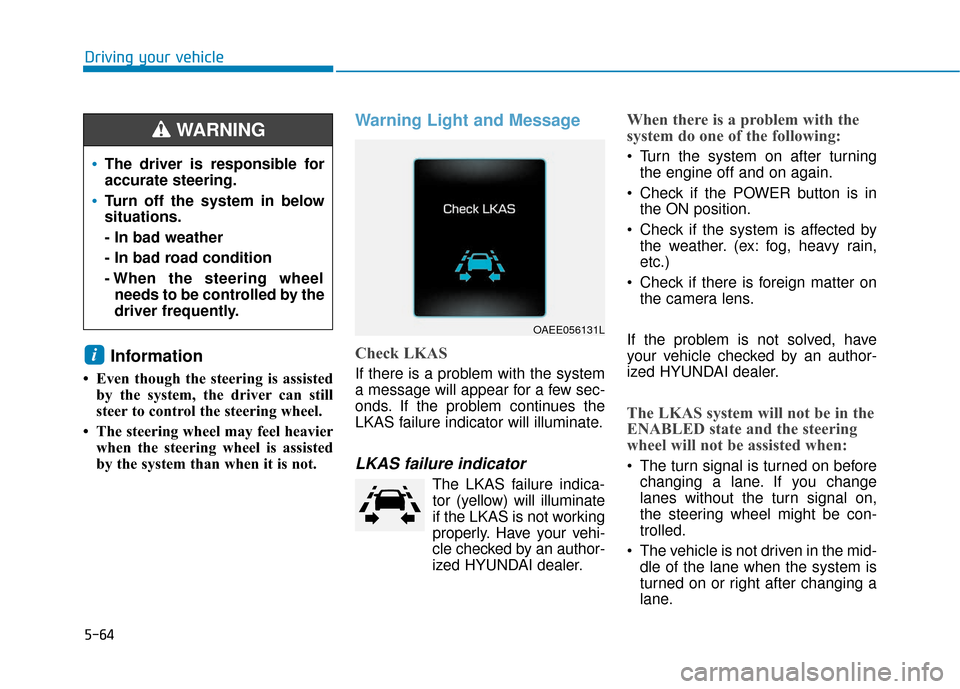
Check LKAS
If there is a problem with the system
a message will appear for a few sec-
onds. If the problem continues the
LKAS failure indicator will illuminate.
LKAS failure indicator
The LKAS failure indica-tor (yellow) will illuminate
if the LKAS is not working
properly. Have your vehi-
cle checked by an author-
ized HYUNDAI dealer.
When there is a problem with the
system do one of the following:
Turn the system on after turning the engine off and on again.
Check if the POWER button is in the ON position.
Check if the system is affected by the weather. (ex: fog, heavy rain,
etc.)
Check if there is foreign matter on the camera lens.
If the problem is not solved, have
your vehicle checked by an author-
ized HYUNDAI dealer.
The LKAS system will not be in the
ENABLED state and the steering
wheel will not be assisted when:
The turn signal is turned on before changing a lane. If you change
lanes without the turn signal on,
the steering wheel might be con-
trolled.
The vehicle is not driven in the mid- dle of the lane when the system is
turned on or right after changing a
lane.
i
Driving your vehicle
OAEE056131L
The driver is responsible for
accurate steering.
Turn off the system in below
situations.
- In bad weather
- In bad road condition
- When the steering wheelneeds to be controlled by the
driver frequently.
WARNING
Page 326 of 541
5-65
Driving your vehicle
The vehicle drives too close to thelane marker continuously before
steering is assisted.
ESC (Electronic Stability Control) or VSM (Vehicle Stability
Management) is activated.
The vehicle is driven on a sharp curve.
Vehicle speed is below 40 mph (60 km/h) and over 110 mph (180
km/h).
The vehicle makes sharp lane changes.
The vehicle brakes suddenly.
Only one lane marker is detected.
The lane is very wide or narrow.
There are more than two lane markers on the road. (e.g. con-
struction area)
The vehicle is driven on a steep incline.
The steering wheel is turned sud- denly.Limitations of the System
The LKAS may operate prematurely
even if the vehicle does not depart
from the intended lane, OR, the
LKAS may not assist your steering or
warn you if the vehicle leaves the
intended lane under the following cir-
cumstances:
When the lane and road condi-
tions are poor
It is difficult to distinguish the lanemarking from the road surface or
the lane marking is faded or not
clearly marked.
It is difficult to distinguish the color of the lane marker from the road.
There are markings on the road surface that look like a lane marker
that is inadvertently being detected
by the camera.
The lane marker is merged or divided. (e.g. tollgate)
The lane number increases or decreases or the lane marker are
crossing complicatedly.
There are more than two lane markers on the road in front of you.
The lane marker is very thick or thin. The lanes ahead are not visible
due to rain, snow, water on the
road, damaged or stained road
surface, or other factors.
The shadow is on the lane marker by a median strip, trees, etc.
The lanes are incomplete or the area is in a construction zone.
There are crosswalk signs or other symbols on the road.
The lane marker in a tunnel is stained with oil, etc.
The lane suddenly disappears such as at the intersection.
When external condition is inter-
vened
The brightness outside changes suddenly such as when entering or
exiting a tunnel or passing under a
bridge.
The brightness outside is too low such as when the headlamps are
not on at night or the vehicle is
going through a tunnel or passing
under a bridge..
5
Page 327 of 541
5-66
Driving your vehicle
There is a boundary structure in the roadway such as a concrete
barrier, guardrail and reflector post
that is inadvertently being detected
by the camera.
When light coming from a street light or an oncoming vehicle is
reflected on a wet road surface
such as a puddle in the road.
The field of view in front is obstructed by sun glare.
There is not enough distance between you and the vehicle in
front to be able to detect the lane
marker or the vehicle ahead is driv-
ing on the lane marker.
Driving on a steep grade, over a hill, or when driving on a curved
road.
The adverse road conditions cause excessive vehicle vibrations while
driving.
The surrounding of the inside rear view mirror temperature is high
due to direct sunlight, etc. When front visibility is poor
The windshield or the LKAS cam-
era lens is blocked with dirt or
debris.
The windshield glass is fogged up; a clear view of the road is obstruct-
ed.
Placing objects on the dashboard, etc.
The sensor cannot detect the lane because of fog, heavy rain or snow.
LKAS Function Change
The driver can change LKAS to Lane
Departure Warning System (LDWS)
or change the LKAS mode between
Standard LKA and Active LKA from
the LCD display. Go to the 'User
Settings →Driving Assist → Lane
Keep Assist System →Lane
Departure Warning/Standard LKA/
Active LKA'.
The system is automatically set to
Standard LKA if a function is not
selected.
Lane Departure Warning
LDWS alerts the driver with a visual
warning and a warning alarm when
the system detects the vehicle
departing the lane. The steering
wheel will not be controlled.
Standard LKA
The Standard LKA mode guides the
driver to help keep the vehicle within
the lanes. It rarely controls the steer-
ing wheel, when the vehicle drives
well inside the lanes. However, it
starts to control the steering wheel,
when the vehicle is about to deviate
out of the lanes.
Active LKA
The Active LKA mode provides more
frequent steering wheel control in
comparison with the Standard LKA
mode. Active LKA can reduce the dri-
ver’s fatigue to assist the steering for
maintaining the vehicle in the middle
of the lane.
Page 432 of 541
7-47
7
Maintenance
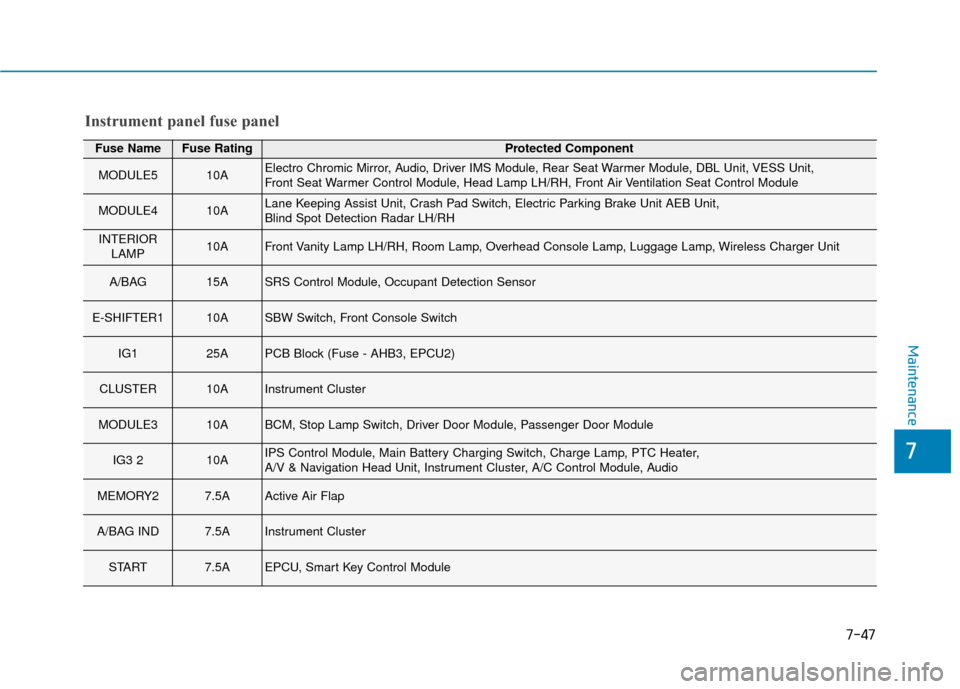
Fuse NameFuse RatingProtected Component
MODULE510AElectro Chromic Mirror, Audio, Driver IMS Module, Rear Seat Warmer Module, DBL Unit, VESS Unit,
Front Seat Warmer Control Module, Head Lamp LH/RH, Front Air Ventilation Seat Control Module
MODULE410ALane Keeping Assist Unit, Crash Pad Switch, Electric Parking Brake Unit AEB Unit,
Blind Spot Detection Radar LH/RH
INTERIORLAMP10AFront Vanity Lamp LH/RH, Room Lamp, Overhead Console Lamp, Luggage Lamp, Wireless Charger Unit
A/BAG 15ASRS Control Module, Occupant Detection Sensor
E-SHIFTER110ASBW Switch, Front Console Switch
IG125APCB Block (Fuse - AHB3, EPCU2)
CLUSTER10AInstrument Cluster
MODULE310ABCM, Stop Lamp Switch, Driver Door Module, Passenger Door Module
IG3 210AIPS Control Module, Main Battery Charging Switch, Charge Lamp, PTC Heater,
A/V & Navigation Head Unit, Instrument Cluster, A/C Control Module, Audio
MEMORY27.5AActive Air Flap
A/BAG IND7.5AInstrument Cluster
START7.5AEPCU, Smart Key Control Module
Instrument panel fuse panel
Page 475 of 541
I-7
Instrument panel illumination ....................................3-52
LCD display control ...................................................3-80
LCD display messages ...............................................3-68
LCD display modes ....................................................3-81
Regenerative braking rate indicator ...........................3-57
Shift indicator pop-up ................................................3-56
Trip computer .............................................................3-90
User settings mode .....................................................3-84
Warning and indicator lights ......................................3-58
Instrument panel fuse replacement .................................7-43
Instrument panel overview ...............................................1-5
Interior care .....................................................................7-7\
0
Interior features Bottle holder .............................................................3-125
Cargo security screen ...............................................3-131
Clock ........................................................................\
3-129
Clothes hanger ..........................................................3-130
Cup holder ................................................................3-125
Floor mat anchor(s) ..................................................3-130
Mobile phone holder ................................................3-128
Power outlet..............................................................3-127
Sunvisor ....................................................................3-12\
6
Wireless cellular phone charging system .................3-128
Interior lamp AUTO cut..................................................3-99 Interior lights...................................................................3-99
Door lamp...................................................................3-99
Interior lamp AUTO cut .............................................3-99
Luggage room lamp .................................................3-100
Map lamp....................................................................3-99\
Rear lamps ................................................................3-100
Room lamp .................................................................3-99
Vanity mirror lamp ...................................................3-101
Puddle lamp ..............................................................3-101
Interior overview...............................................................1-4
Jump starting .....................................................................6-4\
Label Air bag warning labels ...............................................2-70
Refrigerent label ...........................................................8-8
Tire sidewall labeling .................................................7-31
Tire specification and pressure label ............................8-8
Vehicle certification label .............................................8-8
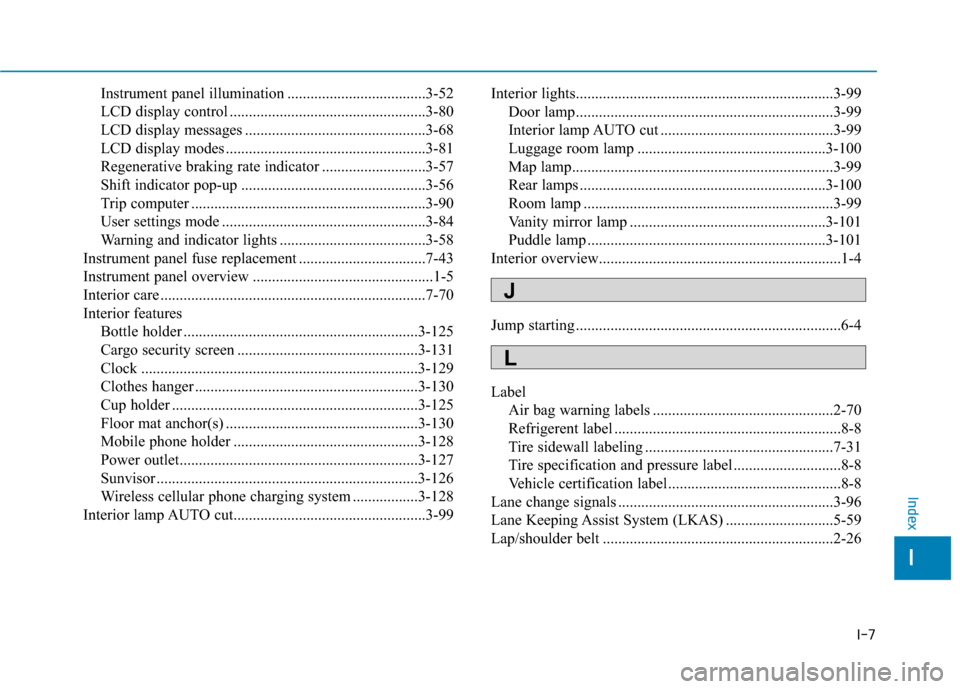
Lane change signals ........................................................3-96
Lane Keeping Assist System (LKAS) ............................5-59
Lap/shoulder belt ............................................................2-26
I
Index
J
L