2018 Hyundai Elantra radio
[x] Cancel search: radioPage 281 of 526
![Hyundai Elantra 2018 Owners Manual 4-62
Multimedia System
Language
This menu is used to set the display and
voice recognition language.
Select [Language]
The system will reboot after the language
is changed.
Language support by region](/manual-img/35/14540/w960_14540-280.png "Hyundai Elantra 2018 Owners Manual 4-62
Multimedia System
Language
This menu is used to set the display and
voice recognition language.
Select [Language]
The system will reboot after the language
is changed.
Language support by region")
4-62
Multimedia System
Language
This menu is used to set the display and
voice recognition language.
Select [Language]
The system will reboot after the language
is changed.
Language support by regionEnglish, Français, Español iPod
®is a registered trademark of
Apple Inc. iPod®mobile digital device
sold separately. The Bluetooth®word
mark and logos are registered trade-
marks owned by Bluetooth
®SIG, Inc.
and any use of such marks by
Hyundai is under license. SiriusXM
services require a subscription sold
separately, or as a package, by Sirius
XM Radio Inc. If you decide to contin-
ue service after your trial, the sub-
scription plan you choose will auto-
matically renew thereafter and you
will be charged according to your cho-
sen payment method at then-current
rates. Fees and taxes apply. To cancel
you must call SiriusXM at 1-866-635-
2349. See SiriusXM Customer
Agreement for complete terms at
www.siriusxm.com. SiriusXM U.S.
satellite and data services are avail-
able only in the 48 contiguous states,
DC and Puerto Rico (with coverage
limitations). SiriusXM satellite service
is also available in Canada; see
www.siriusxm.ca. All fees and pro-
gramming subject to change. Sirius, XM and all related marks and
logos are trademarks of Sirius XM
Radio Inc. Android™ is a trademark of
Google, Inc. BlackBerry is a registered
trademark of Research In Motion
Limited (RIM). All other marks, chan-
nel names and logos are the property
of their respective owners. All rights
reserved.
Page 282 of 526
4-63
Multimedia System
4
FCC
This equipment has been tested and found to comply with the limits for a Class B digital device, pursuant to part 15 of the FCC
Rules. These limits are designed to provide reasonable protection against harmful interference in a residential installation.
This equipment generates, uses and can radiate radio frequency energy and, if not installed and used in accordance with \
the
instructions,may cause harmful interference to radio communications. However, there is no guarantee that interference will not
occur in a particular installation. If this equipment does cause harmful interference to radio or television reception, which can be
determined by turning the equipment off and on, the user is encouraged to try to correct the interference by one ormore of the fol-
lowing measures :
Reorient or relocate the receiving antenna.
Increase the separation between the equipment and receiver.
Connect the equipment into an outlet on a circuit different from that to which the receiver is connected.
Consult the dealer or an experienced radio/TV technician for help.
Caution : Any changes or modifications to this device not explicitly approved by manufacturer could void your authority to oper-
ate this equipment.
D DE
EC
CL
LA
A R
RA
A T
TI
IO
O N
N
O
O F
F
C
C O
O N
NF
FO
O R
RM
M I
IT
T Y
Y
Page 369 of 526

5-86
Driving your vehicle
The Smart Cruise Control System may
not operate temporarily due to:
Electrical interference
Modifying the suspension
Differences of tire abrasion or tirepressure
Installing different type of tires
Information
This device complies with Part 15 of the
FCC rules.
Operation is subject to the following three
conditions:
1. This device may not cause harmful interference, and
2. This device must accept any interfer- ence received, including interference
that may cause undesired operation.
3. Changes or modifications not expressly approved by the party responsible for
compliance could void the user’s
authority to operate the device.
Information
Radio frequency radiation exposure infor-
mation:
This equipment complies with FCC radia-
tion exposure limits set forth for an uncon-
trolled environment.
This equipment should be installed and
operated with minimum distance of 8 in.
(20 cm) between the radiator (antenna)
and your body.
This transmitter must not be co-located or
operating in conjunction with any other
antenna or transmitter.
i
i
NOTICE
When using the Smart Cruise
Control take the following precau-
tions:
If an emergency stop is neces-
sary, you must apply the brakes.
The vehicle cannot be stopped by
using the Smart Cruise Control
System.
Keep a safe distance according
to road conditions and vehicle
speed. If the vehicle to vehicle
distance is too close during a
high-speed driving, a serious col-
lision may result.
Always maintain sufficient brak-
ing distance and decelerate your
vehicle by applying the brakes if
necessary.
The Smart Cruise Control System
cannot recognize a stopped vehi-
cle, pedestrians or an oncoming
vehicle. Always look ahead cau-
tiously to prevent unexpected
and sudden situations from
occurring.
(Continued)
WARNING (Continued)
Vehicles moving in front of you
with a frequent lane change may
cause a delay in the system's
reaction or may cause the system
to react to a vehicle actually in an
adjacent lane. Always drive cau-
tiously to prevent unexpected
and sudden situations from
occurring.
Always be aware of the selected
speed and vehicle to vehicle dis-
tance.
The Smart Cruise Control System
may not recognize complex driv-
ing situations so always pay
attention to driving conditions
and control your vehicle speed.
Page 385 of 526
6-4
What to do in an emergency
Information
An inappropriately disposed bat-tery can be harmful to the envi-
ronment and human health.
Dispose the battery according to
your local law(s) or regulations.
To prevent damage to your vehicle:
• Only use a 12-volt power supply (battery or jumper system) to jump
start your vehicle.
Do not attempt to jump start your vehicle by push-starting.
Jump starting procedure
1. Position the vehicles close enough that the jumper cables will reach, but
do not allow the vehicles to touch.
2. Avoid fans or any moving parts in the engine compartment at all times, even
when the vehicles are turned off.
3. Turn off all electrical devices such as radios, lights, air conditioning, etc. Put
the vehicles in P (Park) and set the
parking brakes. Turn both vehicles
OFF.
NOTICE
i
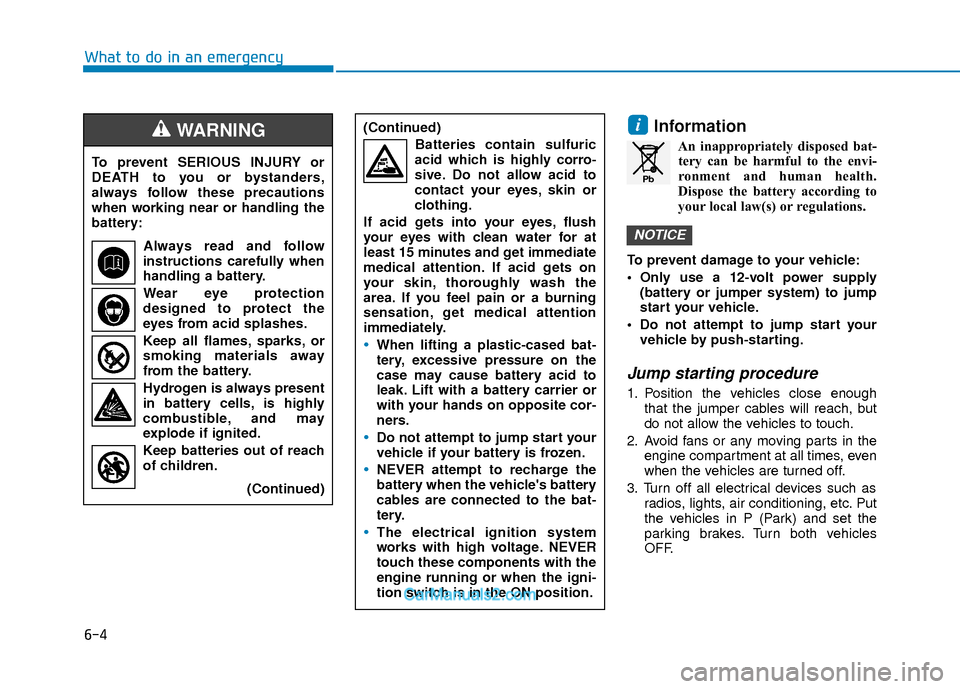
To prevent SERIOUS INJURY or
DEATH to you or bystanders,
always follow these precautions
when working near or handling the
battery:
Always read and follow
instructions carefully when
handling a battery.
Wear eye protection
designed to protect the
eyes from acid splashes.
Keep all flames, sparks, or
smoking materials away
from the battery.
Hydrogen is always present in battery cells, is highly
combustible, and may
explode if ignited.
Keep batteries out of reach
of children.
(Continued)
WARNING (Continued)Batteries contain sulfuric
acid which is highly corro-
sive. Do not allow acid to
contact your eyes, skin or
clothing.
If acid gets into your eyes, flush
your eyes with clean water for at
least 15 minutes and get immediate
medical attention. If acid gets on
your skin, thoroughly wash the
area. If you feel pain or a burning
sensation, get medical attention
immediately.
When lifting a plastic-cased bat-
tery, excessive pressure on the
case may cause battery acid to
leak. Lift with a battery carrier or
with your hands on opposite cor-
ners.
Do not attempt to jump start your
vehicle if your battery is frozen.
NEVER attempt to recharge the
battery when the vehicle's battery
cables are connected to the bat-
tery.
The electrical ignition system
works with high voltage. NEVER
touch these components with the
engine running or when the igni-
tion switch is in the ON position.
Pb
Page 392 of 526

6-11
What to do in an emergency
6
The TPMS Malfunction Indicator
may illuminate after blinking for
one minute if the vehicle is near
electric power supply cables or
radio transmitters such as police
stations, government and public
offices, broadcasting stations,
military installations, airports,
transmitting towers, etc.
Additionally, the TPMS
Malfunction Indicator may illumi-
nate if snow chains are used or
electronic devices such as com-
puters, chargers, remote starters,
navigation, etc. This may interfere
with normal operation of the
TPMS.
Changing a Tire with TPMS
If you have a flat tire, the Low Tire
Pressure and LCD position indicator
will come on. Have the flat tire
repaired by an authorized HYUNDAI
dealer as soon as possible or
replace the flat tire with the spare
tire.
The spare tire does not come with a
tire pressure monitoring sensor.
When the low pressure tire or the flat
tire is replaced with the spare tire,
the Low Tire Pressure LCD position
indicator will remain on. Also, the
TPMS Malfunction Indicator will illu-
minate after blinking for one minute if
the vehicle is driven at speed above
15.5 mph (25 km/h) for approximate-
ly 20 minutes.Once the original tire equipped with
a tire pressure monitoring sensor is
reinflated to the recommended pres-
sure and reinstalled on the vehicle,
the Low Tire Pressure LCD position
indicator and TPMS Malfunction
Indicator will go off within a few min-
utes of driving.
If the indicators do not disappear
after a few minutes, please visit an
authorized HYUNDAI dealer.
Each wheel is equipped with a tire
pressure sensor mounted inside the
tire behind the valve stem (except for
the spare tire). You must use TPMS
specific wheels. It is recommended
that you always have your tires serv-
iced by an authorized HYUNDAI
dealer.
NOTICE
It is recommended that you do
not use a puncture-repairing
agent not approved by
HYUNDAI dealer to repair
and/or inflate a low pressure
tire. Tire sealant not approved
by HYUNDAI dealer may dam-
age the tire pressure sensor.
CAUTION
Page 519 of 526
I-2
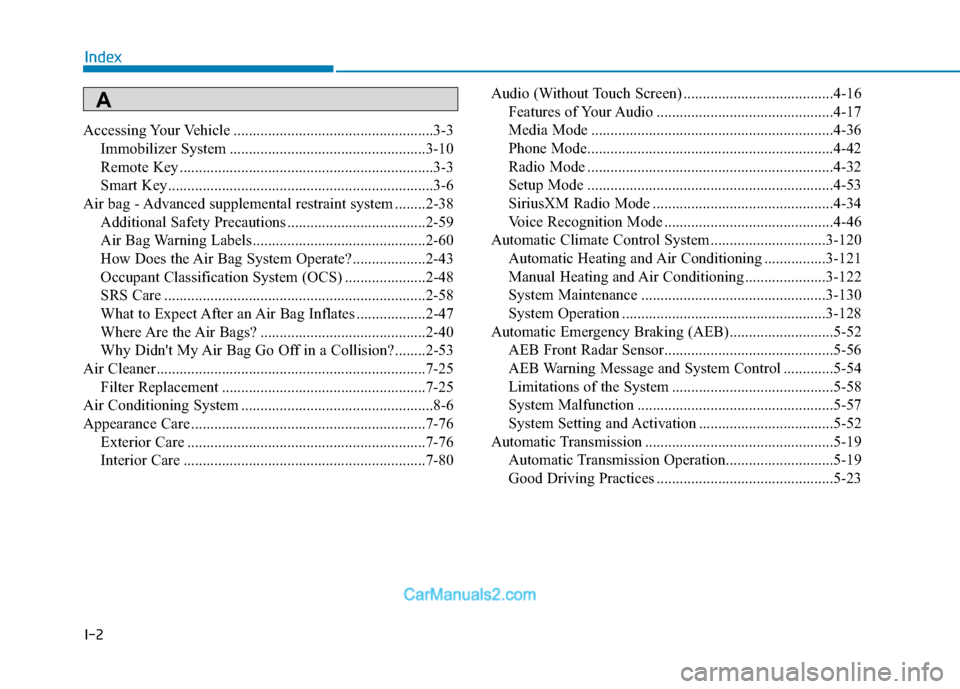
Accessing Your Vehicle ....................................................3-3Immobilizer System ...................................................3-10
Remote Key ..................................................................3-3
Smart Key.....................................................................3-6\
Air bag - Advanced supplemental restraint system ........2-38 Additional Safety Precautions ....................................2-59
Air Bag Warning Labels.............................................2-60
How Does the Air Bag System Operate? ...................2-43
Occupant Classification System (OCS) .....................2-48
SRS Care ....................................................................2-58\
What to Expect After an Air Bag Inflates ..................2-47
Where Are the Air Bags? ...........................................2-40
Why Didn't My Air Bag Go Off in a Collision?........2-53
Air Cleaner......................................................................7-\
25 Filter Replacement .....................................................7-25
Air Conditioning System ..................................................8-6
Appearance Care .............................................................7-76 Exterior Care ..............................................................7-76
Interior Care ...............................................................7-80 Audio (Without Touch Screen) .......................................4-16
Features of Your Audio ..............................................4-17
Media Mode ...............................................................4-36
Phone Mode................................................................4-42
Radio Mode ................................................................4-32
Setup Mode ................................................................4-53
SiriusXM Radio Mode ...............................................4-34
Voice Recognition Mode ............................................4-46
Automatic Climate Control System..............................3-120 Automatic Heating and Air Conditioning ................3-121
Manual Heating and Air Conditioning .....................3-122
System Maintenance ................................................3-130
System Operation .....................................................3-128
Automatic Emergency Braking (AEB)...........................5-52 AEB Front Radar Sensor............................................5-56
AEB Warning Message and System Control .............5-54
Limitations of the System ..........................................5-58
System Malfunction ...................................................5-57
System Setting and Activation ...................................5-52
Automatic Transmission .................................................5-19 Automatic Transmission Operation............................5-19
Good Driving Practices ..............................................5-23
Index
A