2018 FORD FUSION/HYBRID power steering
[x] Cancel search: power steeringPage 251 of 538

Protected Component
Fuse Rating
Fuse or Relay
Number
Run/start electronic power assist steering.
10A 2
19
Adaptive cruise control.
10A 2
20
Run-start transmission switch.
15A 2
21
Inverter (hybrid electric vehicle)
Not used (spare).
5A 2
22
Run-start: Blind spot information system,
Rear view camera, Adaptive cruise control,
Head-up display, Shifter.
15A
2
23
Run-start transmission oil pump (plug in
hybrid electric vehicle).
10A 2
24
Run-start anti-lock brake system.
10A 3
25
Run-start powertrain control module.
10A 3
26
Fuel door solenoid.
10A 2
27
Not used (spare).
20A 2
28
Not used (spare).
20A 2
29
Not used.
—
30
Not used.
—
31
Pulse width modulation fan relay (hybrid
electric vehicle / plug in hybrid electric
vehicle)
—
32
Not used.
—
33
Not used.
—
34
Charger fan.
15A 2
35
Battery electronic control module fan
(hybrid electric vehicle).
15A 2
36
Not used.
—
37
Vacuum pump #1 relay.
—
38
248
Fusion Energi / Fusion Hybrid (CC7) Hybrid Electric Vehicle (HEV)/Plug-In Hybrid Electric Vehicle (PHEV), Canada/United States of America, enUSA, Edition date: 201705, Second Printing Fuses
Page 257 of 538

Protected Component
Fuse Rating
Fuse or Relay
Number
Subwoofer amplifier.
20A 1
5
Not used (spare).
10A 2
6
Not used (spare).
10A 2
7
Not used (spare).
10A 2
8
Not used (spare).
10A 2
9
Keypad.
5A 2
10
Cell phone passport module.
Not used (spare).
5A 2
11
Climate control.
7.5A 2
12
Gear shift.
Steering wheel column.
7.5A 2
13
Instrument cluster.
Datalink logic.
Extended power module.
10A 2
14
Datalink-gateway module.
10A 2
15
Child lock.
15A 1
16
Decklid release.
Not used (spare).
5A 2
17
Push button start stop switch.
5A 2
18
Extended power module.
7.5A 2
19
Adaptive headlamps.
7.5A 2
20
Humidity and in–car temperature sensor.
5A 2
21
Not used (spare).
5A 2
22
Delayed accessory (power inverter logic,
moonroof logic, driver master switch).
10A 1
23
254
Fusion Energi / Fusion Hybrid (CC7) Hybrid Electric Vehicle (HEV)/Plug-In Hybrid Electric Vehicle (PHEV), Canada/United States of America, enUSA, Edition date: 201705, Second Printing Fuses
Page 267 of 538
Coolant Change
At specific mileage intervals, as listed in
the scheduled maintenance information,
the coolant should be changed. Add
prediluted coolant approved to the correct
specification. See Capacities and
Specifications (page 308).
Fail-Safe Cooling
Fail-safe cooling allows you to temporarily
drive your vehicle before any incremental
component damage occurs. The fail-safe
distance depends on ambient
temperature, vehicle load and terrain.
How Fail-Safe Cooling Works
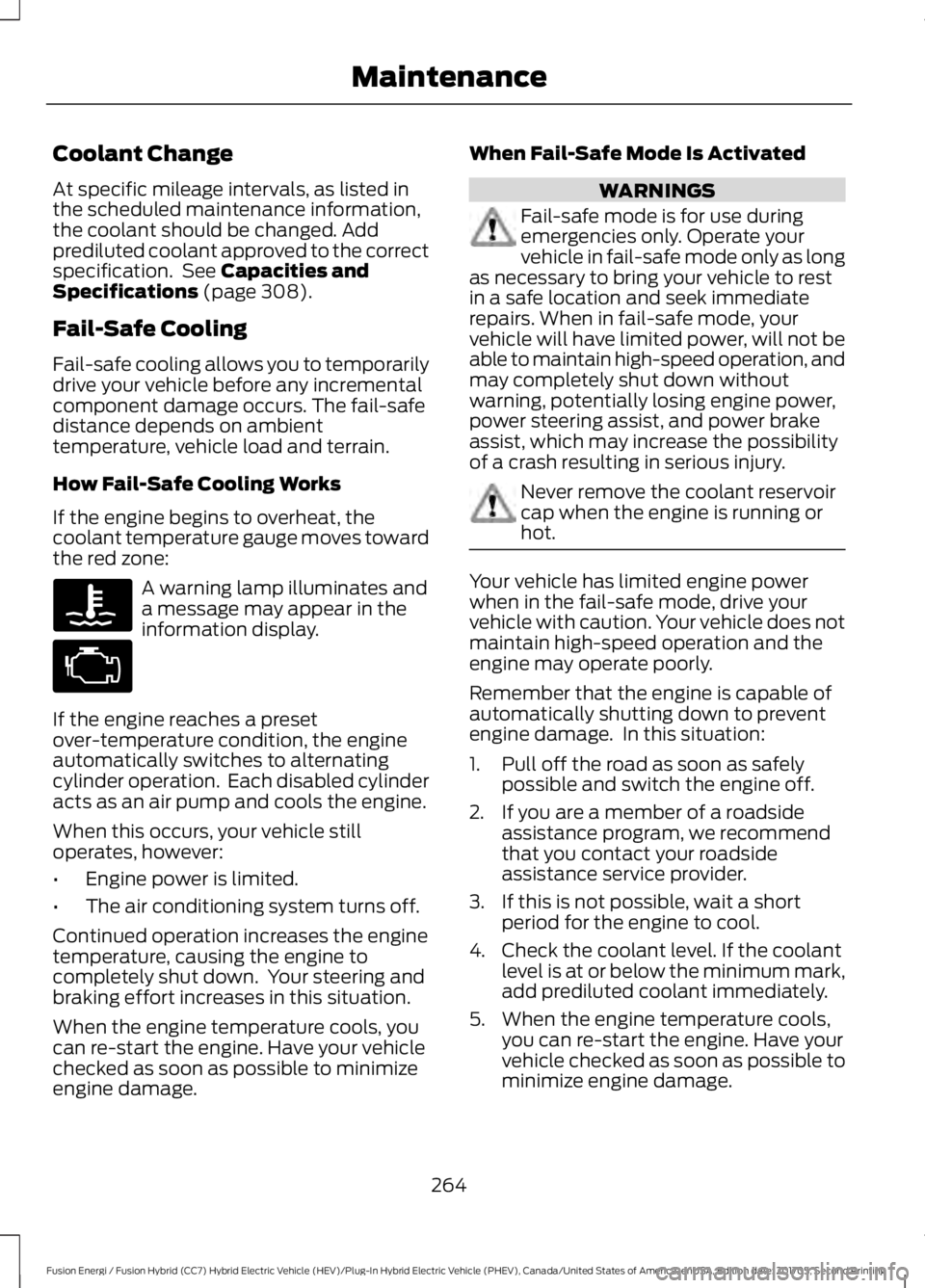
If the engine begins to overheat, the
coolant temperature gauge moves toward
the red zone: A warning lamp illuminates and
a message may appear in the
information display.
If the engine reaches a preset
over-temperature condition, the engine
automatically switches to alternating
cylinder operation. Each disabled cylinder
acts as an air pump and cools the engine.
When this occurs, your vehicle still
operates, however:
• Engine power is limited.
• The air conditioning system turns off.
Continued operation increases the engine
temperature, causing the engine to
completely shut down. Your steering and
braking effort increases in this situation.
When the engine temperature cools, you
can re-start the engine. Have your vehicle
checked as soon as possible to minimize
engine damage. When Fail-Safe Mode Is Activated WARNINGS
Fail-safe mode is for use during
emergencies only. Operate your
vehicle in fail-safe mode only as long
as necessary to bring your vehicle to rest
in a safe location and seek immediate
repairs. When in fail-safe mode, your
vehicle will have limited power, will not be
able to maintain high-speed operation, and
may completely shut down without
warning, potentially losing engine power,
power steering assist, and power brake
assist, which may increase the possibility
of a crash resulting in serious injury. Never remove the coolant reservoir
cap when the engine is running or
hot.
Your vehicle has limited engine power
when in the fail-safe mode, drive your
vehicle with caution. Your vehicle does not
maintain high-speed operation and the
engine may operate poorly.
Remember that the engine is capable of
automatically shutting down to prevent
engine damage. In this situation:
1. Pull off the road as soon as safely
possible and switch the engine off.
2. If you are a member of a roadside assistance program, we recommend
that you contact your roadside
assistance service provider.
3. If this is not possible, wait a short period for the engine to cool.
4. Check the coolant level. If the coolant level is at or below the minimum mark,
add prediluted coolant immediately.
5. When the engine temperature cools, you can re-start the engine. Have your
vehicle checked as soon as possible to
minimize engine damage.
264
Fusion Energi / Fusion Hybrid (CC7) Hybrid Electric Vehicle (HEV)/Plug-In Hybrid Electric Vehicle (PHEV), Canada/United States of America, enUSA, Edition date: 201705, Second Printing Maintenance
Page 352 of 538

Setting 911 Assist On or Off
Press Menu then select
Action and Description
Menu
Item
SYNC-Applications Select the desired option, on
or off.
911 Assist
If you choose not to activate this
feature you will have the following
options: Action and Description
Menu
Item
Provides a display and voice
reminder at phone connection
at vehicle start.
Voice
Reminder
ON
Provides a display reminder
only without a voice reminder
at phone connection.
Voice
Reminder
OFF
To make sure that 911 Assist works
properly:
• SYNC must be powered and working
properly at the time of the incident and
throughout feature activation and use.
• The 911 Assist feature must be set on
before the incident.
• You must pair and connect a
Bluetooth-enabled and compatible
cell phone to SYNC.
• A connected Bluetooth-enabled phone
must have the ability to make and
maintain an outgoing call at the time
of the incident. •
A connected Bluetooth-enabled phone
must have adequate network coverage,
battery power and signal strength.
• The vehicle must have battery power
and be located in the U.S., Canada or
in a territory in which 911 is the
emergency number.
In the Event of a Crash
Not all crashes deploy an airbag or activate
the fuel pump shut-off (the triggers for 911
Assist). If a connected cell phone sustains
damage or loses its connection to SYNC
during a crash, SYNC searches for and tries
to connect to a previously paired cell
phone; SYNC then attempts to call the
emergency services.
Before making the call:
• SYNC provides a short window of time
(about 10 seconds) to cancel the call.
If you fail to cancel the call, SYNC
attempts to dial 911.
• SYNC says the following, or a similar
message: "SYNC will attempt to call
911, to cancel the call, press Cancel on
your screen or press and hold the
phone button on your steering wheel".
If you do not cancel the call, and SYNC
makes a successful call, a pre-recorded
message plays for the 911 operator, and
then the occupant(s) in your vehicle is able
to talk with the operator. Be prepared to
provide your name, phone number and
location immediately, because not all 911
systems are capable of receiving this
information electronically.
911 Assist May Not Work If
• Your cellular phone or 911 Assist
hardware sustains damage in a crash.
• The vehicle's battery or the SYNC
system has no power.
• The phone(s) thrown from your vehicle
are the ones paired and connected to
the system.
349
Fusion Energi / Fusion Hybrid (CC7) Hybrid Electric Vehicle (HEV)/Plug-In Hybrid Electric Vehicle (PHEV), Canada/United States of America, enUSA, Edition date: 201705, Second Printing SYNC™
Page 381 of 538

Website
www.syncmaroute.ca
Important information about airbag
deployment and the fuel pump shut-off
See Supplementary Restraints System
(page 41). See Roadside Emergencies
(page 231).
To switch 911 Assist on and off please view
the settings information.
See Settings
(page 442).
To make sure that 911 Assist works
correctly:
• SYNC must be powered and working
properly at the time of the incident and
throughout feature activation and use.
• The 911 Assist feature must be set on
before the incident.
• You must pair and connect a
Bluetooth-enabled and compatible
cell phone to SYNC.
• A connected Bluetooth-enabled phone
must have the ability to make and
maintain an outgoing call at the time
of the incident.
• A connected Bluetooth-enabled phone
must have adequate network coverage,
battery power and signal strength.
• The vehicle must have battery power
and be located in the U.S., Canada or
in a territory in which 911 is the
emergency number.
In the Event of a Crash
Not all crashes will deploy an airbag or
activate the fuel pump shut-off (the
triggers for 911 Assist). If a connected cell
phone sustains damage or loses its
connection to SYNC during a crash, SYNC
will search for and try to connect to a
previously paired cell phone; SYNC will
then attempt to call the emergency
services. Before making the call:
•
SYNC provides a short window of time
(about 10 seconds) to cancel the call.
If you fail to cancel the call, SYNC
attempts to dial 911.
• SYNC says the following, or a similar
message: "SYNC will attempt to call
911, to cancel the call, press Cancel on
your screen or press and hold the
phone button on your steering wheel."
If you do not cancel the call, and SYNC
makes a successful call, a pre-recorded
message plays for the 911 operator, and
then the occupant(s) in your vehicle is able
to talk with the operator. Be prepared to
provide your name, phone number and
location immediately, because not all 911
systems are capable of receiving this
information electronically.
911 Assist May Not Work If
• Your cellular phone or 911 Assist
hardware sustains damage in a crash.
• The vehicle's battery or the SYNC
system has no power.
• The phone(s) thrown from your vehicle
are the ones paired and connected to
the system.
911 Assist Privacy Notice
When you switch on 911 Assist, it may
disclose to emergency services that your
vehicle has been in a crash involving the
deployment of an airbag or activation of
the fuel pump shut-off. Certain versions or
updates to 911 Assist may also be capable
of electronically or verbally disclosing to
911 operators your vehicle location or other
details about your vehicle or crash to assist
911 operators to provide the most
appropriate emergency services. If you do
not want to disclose this information, do
not switch the feature on.
378
Fusion Energi / Fusion Hybrid (CC7) Hybrid Electric Vehicle (HEV)/Plug-In Hybrid Electric Vehicle (PHEV), Canada/United States of America, enUSA, Edition date: 201705, Second Printing SYNC™ 3
Page 442 of 538

Engine On due to
The engine is on to charge the high-voltage battery. The
vehicle returns to electric mode once the battery is
charged.
Battery Charging
The engine is on to maintain engine oil quality. The
vehicle returns to electric mode when low engine use
mode is complete. See Hybrid Vehicle Operation
(page 150).
Low Use
(Energi Only)
The engine is on due to high or low high-voltage battery
temperature. This is a normal operating condition. The
vehicle returns to electric mode automatically when
possible.
Battery Temperature
(Energi Only)
The engine is on to optimize vehicle operation. The
vehicle returns to electric mode when possible.
Normal Operation
The engine is on to provide increased powertrain
braking. This can occur when you turn on the grade
assist feature, when speed control is on or when driving
with your foot off the accelerator pedal. Turning off
grade assist or speed control may allow the vehicle to
return to electric mode.
Engine Braking Active
Privacy Notice for GPS Mapping with
MyFord
MyFord allows for GPS mapping when a
vehicle is registered to a MyFord Mobile
account. To remove the vehicle from the
account, thereby removing GPS mapping
ability, a Master Reset can be performed
in the vehicle. See
Settings (page 442).
Before transferring ownership of a vehicle,
owners may choose to execute a Master
Reset or Factory Reset (completed via the
MyFord Mobile website). Either method
removes the vehicle from all MyFord
Mobile accounts. It is recommended that new owners
conduct a Master Reset upon taking
possession of the vehicle to remove it from
any existing MyFord Mobile accounts. The
new owner can activate a MyFord Mobile
account by completing registration process
on the website. Website
www.myfordmobile.com www.syncmyride.ca
www.syncmaroute.ca
APPS
The system enables voice, steering wheel,
and touch screen control of SYNC 3
AppLink enabled smartphone apps.
439
Fusion Energi / Fusion Hybrid (CC7) Hybrid Electric Vehicle (HEV)/Plug-In Hybrid Electric Vehicle (PHEV), Canada/United States of America, enUSA, Edition date: 201705, Second Printing SYNC™ 3
Page 528 of 538

A
A/C
See: Climate Control.......................................... 119
About This Manual...........................................7
ABS See: Brakes............................................................ 179
ABS driving hints See: Hints on Driving With Anti-Lock
Brakes................................................................. 179
Accessories...................................................469 Exterior Style....................................................... 469
Interior Style........................................................ 469
Lifestyle................................................................. 469
Peace of Mind..................................................... 469
Accessories See: Replacement Parts
Recommendation............................................ 12
ACC See: Using Adaptive Cruise Control.............201
Active Park Assist..........................................191 Deactivating the Active Park Assist
Feature.............................................................. 195
Parallel Parking, Perpendicular Parking, Parallel Park Out Assist................................ 191
Troubleshooting the System......................... 196
Adjusting the Headlamps........................269 Horizontal Aim Adjustment........................... 270
Vertical Aim Adjustment................................ 269
Adjusting the Steering Wheel - Vehicles With: Manual Adjustable Steering
Column.............................................................71
Adjusting the Steering Wheel - Vehicles With: Power Adjustable Steering
Column............................................................70
End of Travel Position......................................... 70
Airbag Disposal
...............................................49
Air Conditioning See: Climate Control.......................................... 119
Air Filter See: Changing the Engine Air Filter.............272
Alarm See: Anti-Theft Alarm........................................ 69
Ambient Lighting
............................................82
Anti-Theft Alarm............................................69 Arming the Alarm................................................ 69
Disarming the Alarm........................................... 69
Appendices....................................................493 Apps
.................................................................439
........................................................................\
.......... 439
SiriusXM Traffic and Travel Link.................... 441
At a Glance........................................................16
Audible Warnings and Indicators.............96 Headlamps On Warning Chime..................... 96
Keyless Warning Alert........................................ 96
Parking Brake On Warning Chime.................96
Audio Control....................................................71 MODE........................................................................\
72
Seek, Next or Previous........................................ 72
Audio System.................................................317 General Information........................................... 317
Audio Unit - Vehicles With: SYNC, Vehicles Without: Touchscreen
Display..........................................................320
Menu Structure................................................... 322
Audio Unit - Vehicles With: SYNC 3, Vehicles Without: Sony Audio
System..........................................................325
Audio Unit - Vehicles With: SYNC 3/Sony Audio System
..............................................318
Autolamps.........................................................77
Windshield Wiper Activated
Headlamps......................................................... 77
Automatic Climate Control - Vehicles With: SYNC, Vehicles Without:
Touchscreen Display
.................................123
Automatic Climate Control - Vehicles With: SYNC 3, Vehicles Without: Sony
Audio System...............................................121
A/C........................................................................\
.... 122
AUTO....................................................................... 122
Climate Controlled Seats................................. 122
Defrost.................................................................... 122
Fan Speed Control.............................................. 122
Heated Rear Window........................................ 122
Heated Seats........................................................ 122
Left-hand Temperature Control.................... 123
Max A/C.................................................................. 122
Max Defrost........................................................... 123
Power....................................................................... 122
Recirculated Air.................................................... 122
Right-hand Temperature Control.................122
Automatic Climate Control - Vehicles With: SYNC 3/Sony Audio
System
............................................................119
A/C........................................................................\
.... 119
525
Fusion Energi / Fusion Hybrid (CC7) Hybrid Electric Vehicle (HEV)/Plug-In Hybrid Electric Vehicle (PHEV), Canada/United States of America, enUSA, Edition date: 201705, Second Printing Index
Page 533 of 538

Power Steering.....................................................
116
Pre-Collision Assist............................................. 116
Remote Start......................................................... 116
Seats........................................................................\
116
Starting System ................................................... 117
Tire Pressure Monitoring System................... 117
Traction Control.................................................... 117
Transmission......................................................... 118
Installing Child Restraints............................19 Child Seats............................................................... 19
Using Lap and Shoulder Belts......................... 20
Using Lower Anchors and Tethers for CHildren (LATCH)........................................... 24
Using Tether Straps............................................. 26
Instrument Cluster........................................89
Instrument Lighting Dimmer......................77 Vehicles With Front Fog Lamps...................... 78
Vehicles Without Front Fog Lamps...............78
Instrument Panel Overview........................16
Interior Lamps
.................................................80
Front Interior Lamps........................................... 80
Rear Interior Lamps.............................................. 81
Interior Luggage Compartment Release...........................................................66
Interior Mirror
...................................................86
Automatic Dimming Mirror.............................. 86
Manual Dimming Mirror..................................... 86
Introduction.........................................................7
J
Jump Starting the Vehicle........................233 Connecting the Jumper Cables.................... 233
Jump Starting...................................................... 234
Preparing Your Vehicle..................................... 233
Removing the Jumper Cables....................... 234
K
Keyless Entry
...................................................64
SECURICODE™ Keyless Entry
Keypad................................................................ 64
Keyless Starting............................................145 Ignition Modes..................................................... 145
Keys and Remote Controls........................50 L
Lane Keeping System
................................209
Switching the System On and Off...............210
Lighting Control
..............................................76
Headlamp Flasher................................................ 77
Headlamp High Beam........................................ 76
Lighting...............................................................76 General Information............................................ 76
Load Carrying
.................................................222
Load Limit.......................................................222 Special Loading Instructions for Owners of
Pick-up Trucks and Utility-type
Vehicles............................................................ 226
Vehicle Loading - with and without a Trailer................................................................. 222
Locking and Unlocking..................................61 Activating Intelligent Access............................ 62
Autolock................................................................... 63
Autounlock............................................................. 64
Battery Saver......................................................... 64
Illuminated Entry.................................................. 64
Illuminated Exit..................................................... 64
Power Door Locks................................................. 61
Remote Control..................................................... 61
Smart Unlocks for Intelligent Access Keys...................................................................... 63
M
Maintenance.................................................258 General Information......................................... 258
Manual Seats
.................................................130
Memory Function..........................................132
Easy Entry and Exit Feature............................ 133
Linking a PreSet Position to your Remote Control or Intelligent Access Key
Fob....................................................................... 133
Saving a PreSet Position.................................. 133
Message Center See: Information Displays................................. 97
Mirrors See: Heated Windows and Mirrors..............126
See: Windows and Mirrors................................ 83
Mobile Communications Equipment.......13
Moonroof...........................................................87 Bounce-Back......................................................... 88
Opening and Closing the Moonroof..............87
530
Fusion Energi / Fusion Hybrid (CC7) Hybrid Electric Vehicle (HEV)/Plug-In Hybrid Electric Vehicle (PHEV), Canada/United States of America, enUSA, Edition date: 201705, Second Printing Index