2018 FORD FOCUS ELECTRIC door lock
[x] Cancel search: door lockPage 198 of 375
11.
After 4 miles (6 kilometers), stop and
check the tire pressure. See Second
Stage: Checking Tire Pressure.
Note: If you experience any unusual
vibration, ride disturbance or noise while
driving, reduce your speed until you can
safely pull off to the side of the road to call
for roadside assistance.
Note: Do not proceed to the second stage
of this operation.
Second Stage: Checking Tire
Pressure WARNINGS
If you are proceeding from the First
stage: Re–inflating the tire with
sealing compound and air section
and have injected sealant in the tire and
the pressure is below 20 psi (1.4 bar), stop
and call roadside assistance. If tire
pressure is above 20 psi (1.4 bar), continue
to the next step. The power plug may get hot after use
and should be handled carefully
while unplugging.
Check the air pressure of your tires as
follows:
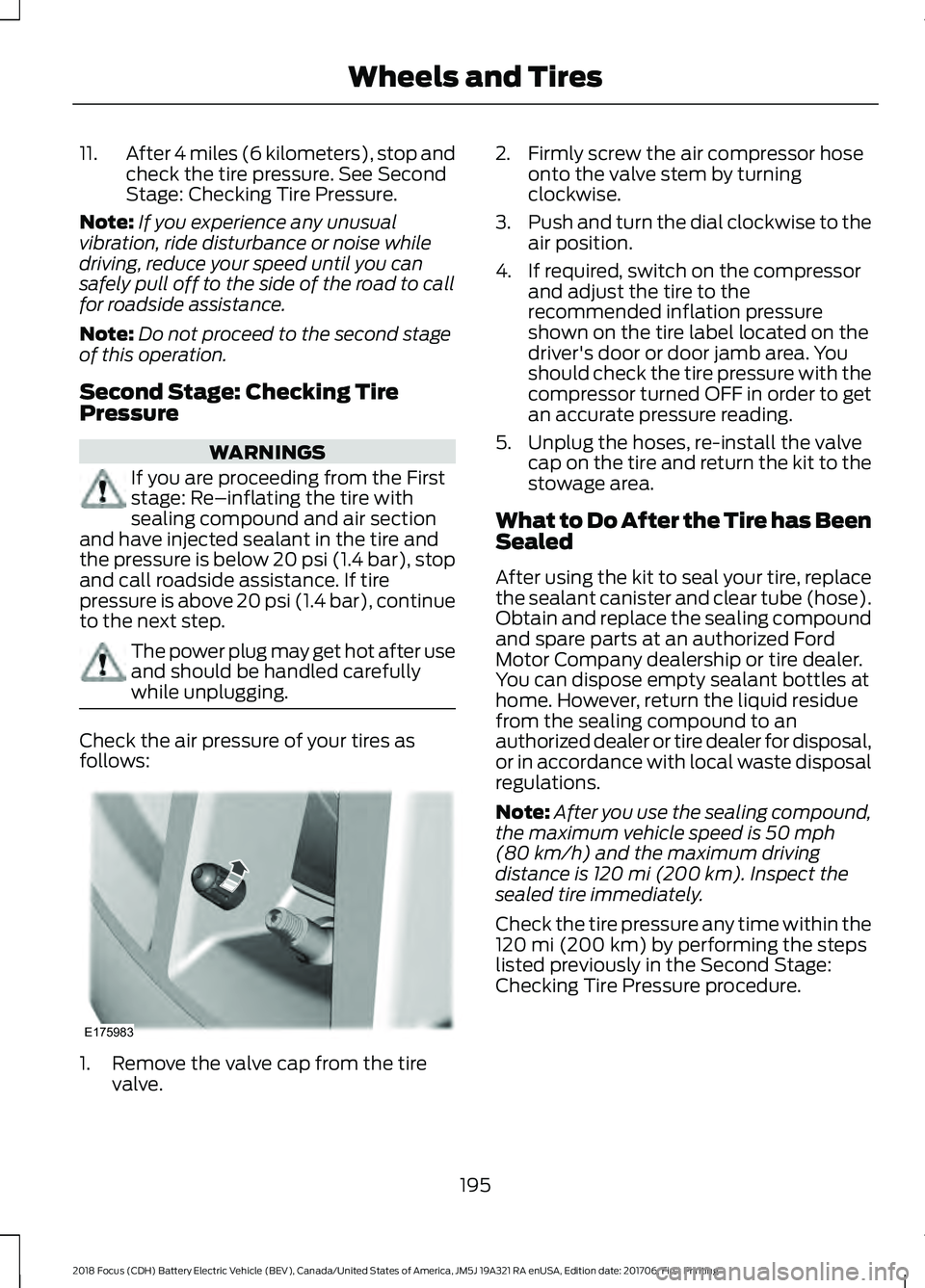
1. Remove the valve cap from the tire
valve. 2. Firmly screw the air compressor hose
onto the valve stem by turning
clockwise.
3. Push and turn the dial clockwise to the
air position.
4. If required, switch on the compressor and adjust the tire to the
recommended inflation pressure
shown on the tire label located on the
driver's door or door jamb area. You
should check the tire pressure with the
compressor turned OFF in order to get
an accurate pressure reading.
5. Unplug the hoses, re-install the valve cap on the tire and return the kit to the
stowage area.
What to Do After the Tire has Been
Sealed
After using the kit to seal your tire, replace
the sealant canister and clear tube (hose).
Obtain and replace the sealing compound
and spare parts at an authorized Ford
Motor Company dealership or tire dealer.
You can dispose empty sealant bottles at
home. However, return the liquid residue
from the sealing compound to an
authorized dealer or tire dealer for disposal,
or in accordance with local waste disposal
regulations.
Note: After you use the sealing compound,
the maximum vehicle speed is 50 mph
(80 km/h) and the maximum driving
distance is 120 mi (200 km). Inspect the
sealed tire immediately.
Check the tire pressure any time within the
120 mi (200 km)
by performing the steps
listed previously in the Second Stage:
Checking Tire Pressure procedure.
195
2018 Focus (CDH) Battery Electric Vehicle (BEV), Canada/United States of America, JM5J 19A321 RA enUSA, Edition date: 201706, First Printing Wheels and TiresE175983
Page 231 of 375
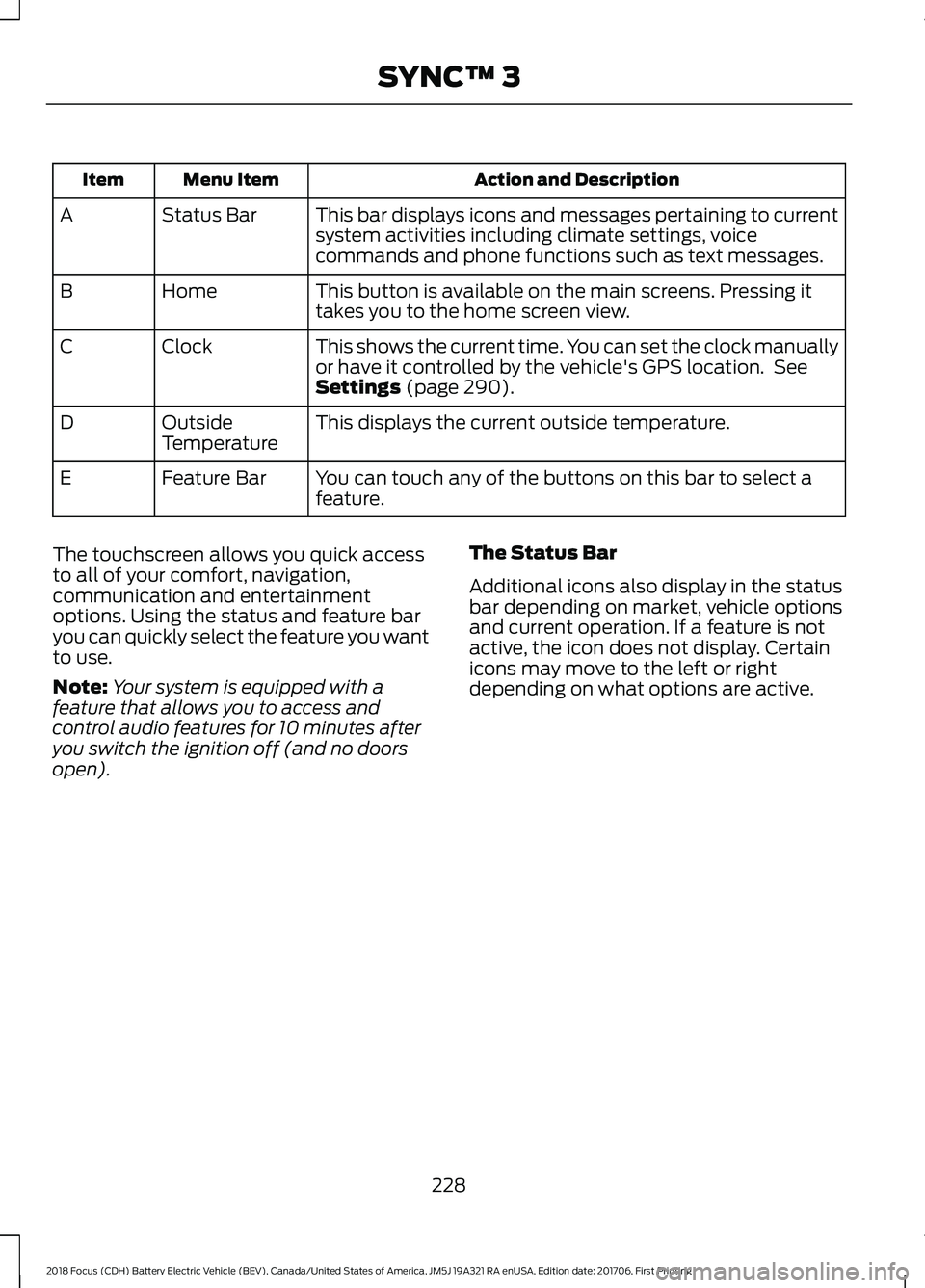
Action and Description
Menu Item
Item
This bar displays icons and messages pertaining to current
system activities including climate settings, voice
commands and phone functions such as text messages.
Status Bar
A
This button is available on the main screens. Pressing it
takes you to the home screen view.
Home
B
This shows the current time. You can set the clock manually
or have it controlled by the vehicle's GPS location. See
Settings (page 290).
Clock
C
This displays the current outside temperature.
Outside
Temperature
D
You can touch any of the buttons on this bar to select a
feature.
Feature Bar
E
The touchscreen allows you quick access
to all of your comfort, navigation,
communication and entertainment
options. Using the status and feature bar
you can quickly select the feature you want
to use.
Note: Your system is equipped with a
feature that allows you to access and
control audio features for 10 minutes after
you switch the ignition off (and no doors
open). The Status Bar
Additional icons also display in the status
bar depending on market, vehicle options
and current operation. If a feature is not
active, the icon does not display. Certain
icons may move to the left or right
depending on what options are active.
228
2018 Focus (CDH) Battery Electric Vehicle (BEV), Canada/United States of America, JM5J 19A321 RA enUSA, Edition date: 201706, First Printing SYNC™ 3
Page 274 of 375
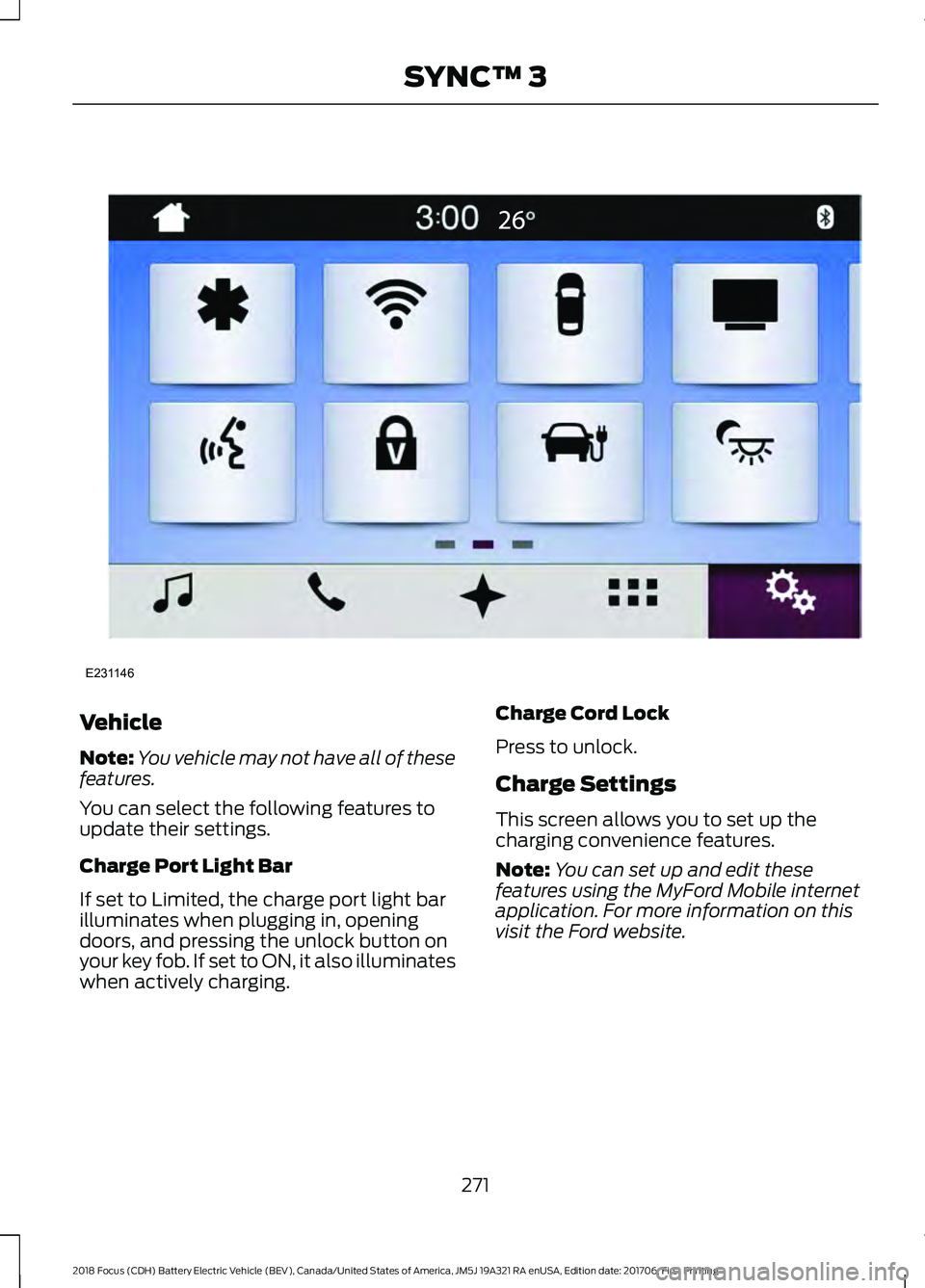
Vehicle
Note:
You vehicle may not have all of these
features.
You can select the following features to
update their settings.
Charge Port Light Bar
If set to Limited, the charge port light bar
illuminates when plugging in, opening
doors, and pressing the unlock button on
your key fob. If set to ON, it also illuminates
when actively charging. Charge Cord Lock
Press to unlock.
Charge Settings
This screen allows you to set up the
charging convenience features.
Note:
You can set up and edit these
features using the MyFord Mobile internet
application. For more information on this
visit the Ford website.
271
2018 Focus (CDH) Battery Electric Vehicle (BEV), Canada/United States of America, JM5J 19A321 RA enUSA, Edition date: 201706, First Printing SYNC™ 3E231146
Page 307 of 375
Valet Mode
Valet mode allows you to lock the system.
No information is accessible until the
system is unlocked with the correct PIN.
When you select valet mode a pop up
appears informing you that a four digit
code must be entered to enable and
disable valet mode. You can use any PIN
you chose but you must use the same PIN
to disable valet mode. The system asks
you to input the code.
Note:
If the system is locked and you
cannot remember the PIN, please contact
the Customer Relationship Center.
United States: 1-800-392-3673
Canada: 1-800-565-3673
To enable valet mode, enter your chosen
PIN. The system then asks to confirm your
PIN by reentering it. The system then locks. To unlock the system, enter the same pin
number. The system reconnects to your
phone and all of your options are available
again.
SYNC™ 3 TROUBLESHOOTING
Your SYNC 3 system is easy to use.
However, should questions arise, please
refer to the tables below.
To check your cell phone's compatibility,
visit the Ford website. Website
owner.ford.com
www.syncmyride.ca
www.syncmaroute.ca Cell phone issues
Possible solution
Possible cause
Issue
Refer to your device's manual about audio
adjustments.
The audio control
settings on your cell
phone may be affecting
SYNC 3 performance.
There is back-
ground noise
during a phone
call.
Try switching your cell phone off, resetting
it or removing the battery, then try again.
Possible cell phone
malfunction.
During a call, I
can hear the
other person
but they cannot
hear me.
Make sure that the microphone for SYNC
3 is not set to off. Look for the microphone
icon on the phone screen.
To restart your system, shut down the
engine, open and close the door, and then
lock the door and wait for 2-3 minutes.
Make sure that your SYNC 3 screen is black
and the lighted USB port is off.
The system may need to
be restarted.
During a call, I
cannot hear the
other person
and they cannot
hear me.
Check your cell phone's compatibility.
This is a cell phone-
dependent feature.
SYNC 3 is not
able to down-
load my phone-
book.
304
2018 Focus (CDH) Battery Electric Vehicle (BEV), Canada/United States of America, JM5J 19A321 RA enUSA, Edition date: 201706, First Printing SYNC™ 3
Page 319 of 375
For a complete listing of the accessories
that are available for your vehicle, please
contact your authorized dealer or visit the
online store web site:
Web Address (United States)
www.Accessories.Ford.com Web Address (Canada)
www.Accessories.Ford.ca
Ford Accessories are available for your
vehicle through an authorized Ford dealer.
Ford Motor Company will repair or replace
any properly authorized dealer-installed
Ford Original Accessory found to be
defective in factory-supplied materials or
workmanship during the warranty period,
as well as any component damaged by the
defective accessories.
Ford Motor Company warrants your Ford
Original Accessory through the warranty
that provides the greatest benefit:
• 24 months, unlimited mileage.
• The remainder of your new vehicle
limited warranty.
Contact an authorized dealer for details
and a copy of the warranty.
Exterior style
• Graphics.
• Hood deflector.*
• Side window deflectors.*
• Splash guards.
• Spoilers.
Interior style
• All-weather floor mats.
• Cargo organizers. •
Door sill plates.
• Premium carpeted floor mats.
Lifestyle
• Ash cup or coin holder.
• Roof racks and carriers.*
• Tablet holder.*
Peace of mind
• Charge cord storage bag.*
• First aid kit.*
• Full vehicle covers.
• Vehicle security systems.
• Wheel locks.
• Roadside assistance kits.*
316
2018 Focus (CDH) Battery Electric Vehicle (BEV), Canada/United States of America, JM5J 19A321 RA enUSA, Edition date: 201706, First Printing Accessories
Page 324 of 375
Ford Motor Company has recommended
maintenance intervals for various parts
and component systems based upon
engineering testing. Ford Motor Company
relies upon this testing to determine the
most appropriate mileage for replacement
of oils and fluids to protect your vehicle at
the lowest overall cost to you and
recommends against maintenance
schedules that deviate from the scheduled
maintenance information.
We strongly recommend the use of only
genuine Ford, Motorcraft or
Ford-authorized re-manufactured
replacement parts engineered for your
vehicle.
Additives and Chemicals
This owner's manual and the Ford
Workshop Manual list the recommended
additives and chemicals for your vehicle.
We do not recommend using chemicals or
additives not approved by us as part of
your vehicle
’s normal maintenance. Please
consult your warranty information. Oils, Fluids and Flushing
In many cases, fluid discoloration is a
normal operating characteristic and, by
itself, does not necessarily indicate a
concern or that the fluid needs to be
changed. However, a qualified expert, such
as the factory-trained technicians at your
dealership, should inspect discolored fluids
that also show signs of overheating or
foreign material contamination
immediately.
Make sure to change your vehicle
’s oils and
fluids at the specified intervals or in
conjunction with a repair. Flushing is a
viable way to change fluid for many vehicle
sub-systems during scheduled
maintenance. It is critical that systems are
flushed only with new fluid that is the same
as that required to fill and operate the
system or using a Ford-approved flushing
chemical.
Owner Checks and Services
Make sure you perform the following basic
maintenance checks and inspections every
month or at six-month intervals. Check every month
Function of all interior and exterior lights.
Tires (including spare) for wear and proper pressure. Windshield washer fluid level. Check every six months
Battery connections. Clean if necessary.
Body and door drain holes for obstructions. Clean if necessary. Cooling system fluid level and coolant strength.
Door weatherstrips for wear. Lubricate if necessary.
Hinges, latches and outside locks for proper operation. Lubricate if necessary.
321
2018 Focus (CDH) Battery Electric Vehicle (BEV), Canada/United States of America, JM5J 19A321 RA enUSA, Edition date: 201706, First Printing Scheduled Maintenance
Page 369 of 375
Changing a Road Wheel............................216
Important Information for Lifting or
Jacking............................................................... 216
Changing the 12V Battery...........................174
Changing the Front Wiper Blades..........176 Changing the Windshield Wiper
Blades................................................................. 176
Service Position................................................... 176
Changing the Rear Wiper Blades............177
Charging the High Voltage Battery.........110 AC Charging........................................................... 110
DC Charging........................................................... 115
Checking MyKey System Status................51 MyKey Distance...................................................... 51
Number of Admin Keys....................................... 51
Number of MyKeys............................................... 51
Checking the Wiper Blades.......................175
Child Restraint and Seatbelt Maintenance.................................................33
Child Restraint Positioning.........................24
Child Safety
.......................................................15
General Information............................................. 15
Child Safety Locks
..........................................25
Left-Hand Side...................................................... 26
Right-Hand Side................................................... 26
Cleaning Leather Seats..............................187
Cleaning Products........................................183
Cleaning the Engine....................................185
Cleaning the Exterior...................................184 Cleaning the Headlamps................................. 184
Exterior Chrome Parts...................................... 184
Exterior Plastic Parts......................................... 184
Stripes or Graphics............................................ 184
Underbody............................................................ 185
Under Hood.......................................................... 185
Cleaning the Instrument Panel and Instrument Cluster Lens
..........................187
Cleaning the Interior....................................186
Cleaning the Wheels...................................188
Cleaning the Windows and Wiper Blades............................................................186
Clearing All MyKeys.......................................50
Climate Control
..............................................94
Cold Weather Precautions........................142
Collision, Damage or Fire Event...............147 Guidance for Ford Motor Company Electric
and Hybrid-Electric Vehicles Equipped
With High Voltage Batteries....................... 147Coolant Check.................................................171
Adding Coolant.................................................... 172
Recycled Coolant................................................ 173
Severe Climates................................................... 173
Crash Sensors and Airbag Indicator........42
Creating a MyKey
...........................................49
Programming/Changing Configurable
Settings............................................................... 49
Cruise Control
..................................................62
Principle of Operation........................................ 131
Cruise control See: Using Cruise Control................................. 131
Customer Assistance
..................................149
D
Data Recording
..................................................7
Event Data Recording........................................... 8
Service Data Recording......................................... 7
Daytime Running Lamps
............................68
Type 1 - Conventional
(Non-Configurable)....................................... 68
Type 2 - Configurable......................................... 68
Direction Indicators.......................................69
Doors and Locks.............................................53
Driver and Passenger Airbags...................36 Children and Airbags........................................... 37
Proper Driver and Front Passenger Seating Adjustment........................................................ 36
Driver Knee Airbag
..........................................41
Driving Aids.....................................................133
Driving Hints....................................................142
Driving Through Water
................................142
DRL See: Daytime Running Lamps........................ 68
E
Electric Vehicle Information....................269 Charge Settings................................................... 271
Power Flow.......................................................... 285
Vehicle..................................................................... 271
Electromagnetic Compatibility
..............334
End User License Agreement.................336 VEHICLE SOFTWARE END USER LICENSE
AGREEMENT (EULA) ................................. 336
Engine Immobilizer See: Passive Anti-Theft System..................... 58
366
2018 Focus (CDH) Battery Electric Vehicle (BEV), Canada/United States of America, JM5J 19A321 RA enUSA, Edition date: 201706, First Printing Index
Page 371 of 375
Hill Start Assist..............................................122
Switching the System On and Off................122
Using Hill Start Assist........................................ 122
Hints on Controlling the Interior Climate............................................................95
General Hints......................................................... 95
Improving Vehicle Drive Range....................... 96
Recommended Settings for Cooling............96
Side Window Defogging in Cold Weather.............................................................. 96
Hints on Driving With Anti-Lock Brakes..............................................................121
Home Screen................................................238
Hood Lock See: Opening and Closing the Hood...........170
I
In California (U.S. Only).............................150
Information Display Control.......................63 Multimedia Controls........................................... 63
Information Displays....................................80 General Information........................................... 80
Information Messages
..................................87
AdvanceTrac®....................................................... 87
Alarm System........................................................ 88
Battery and Charging System (High Voltage).............................................................. 88
Door Ajar................................................................. 89
Hill Start Assist..................................................... 90
Keys and Intelligent Access............................. 90
Lighting.................................................................... 90
Maintenance........................................................... 91
MyKey........................................................................\
91
Parking Aid.............................................................. 92
Parking Brake......................................................... 92
Power Steering...................................................... 92
Remote Start......................................................... 93
Tire Pressure Monitoring System................... 93
Traction Control.................................................... 93
Transmission.......................................................... 93
Installing Child Restraints
............................16
Child Restraints...................................................... 16
Using Lap and Shoulder Belts.......................... 17
Using Lower Anchors and Tethers for Children (LATCH)............................................. 19
Using Tether Straps.............................................. 21
Instrument Cluster.........................................75 Instrument Lighting Dimmer.....................68
Instrument Panel Overview.........................13
Interior Lamps
.................................................69
Front Interior Lamps (If Equipped)...............69
Interior Mirror
....................................................73
Introduction........................................................5
J
Jump Starting the Vehicle.........................145 To Connect the Booster Cables.................... 146
To Start Your Vehicle......................................... 146
K
Keys and Remote Controls.........................44
L
Lighting Control..............................................66 Headlamp Flasher................................................ 67
High Beams............................................................ 66
Parking Lamps...................................................... 66
Lighting..............................................................66 General Information........................................... 66
Load Carrying
.................................................134
Load Limit........................................................134
Special Loading Instructions for Owners of
Pick-up Trucks and Utility-type
Vehicles............................................................. 139
Vehicle Loading - with and without a Trailer.................................................................. 134
Locking and Unlocking
.................................53
Activating Intelligent Access............................ 54
Autolock................................................................... 55
Autounlock............................................................. 55
Battery Saver......................................................... 56
Disabled Intelligent Access Keys.................... 55
Illuminated Entry.................................................. 56
Illuminated Exit..................................................... 56
Opening the Liftgate........................................... 56
Power Door Locks................................................ 53
Remote Control..................................................... 53
Smart Unlocks for Intelligent Access Keys...................................................................... 55
Lug Nuts See: Changing a Road Wheel........................ 216
Lug Nuts
............................................................217
368
2018 Focus (CDH) Battery Electric Vehicle (BEV), Canada/United States of America, JM5J 19A321 RA enUSA, Edition date: 201706, First Printing Index