2018 FORD EXPEDITION washer
[x] Cancel search: washerPage 5 of 571

Steering Wheel
Adjusting the Steering Wheel - Vehicles
With: Manual Adjustable Steering
Column .........................................................82
Adjusting the Steering Wheel - Vehicles With: Power Adjustable Steering
Column .........................................................
82
Audio Control ..................................................
83
Voice Control ..................................................
84
Cruise Control ................................................
84
Information Display Control ......................
85
Heated Steering Wheel ..............................
85
Pedals
Adjusting the Pedals ...................................
86
Wipers and Washers
Windshield Wipers ........................................
87
Autowipers .......................................................
87
Windshield Washers ....................................
88
Rear Window Wiper and Washers .........
88
Lighting
General Information ....................................
89
Lighting Control .............................................
89
Autolamps .......................................................
90
Instrument Lighting Dimmer ....................
90
Headlamp Exit Delay ....................................
91
Daytime Running Lamps .............................
91
Automatic High Beam Control ..................
91
Front Fog Lamps ...........................................
92
Direction Indicators ......................................
93
Interior Lamps ................................................
93
Ambient Lighting ..........................................
94
Windows and Mirrors
Power Windows ............................................
96
Global Opening and Closing .....................
97
Exterior Mirrors ...............................................
98
Interior Mirror ................................................
100Childminder Mirror
.......................................
101
Sun Visors .......................................................
101
Moonroof - Vehicles With: Vista Roof Opening Panel ...........................................
101
Liftgate Window ..........................................
102
Instrument Cluster
Gauges ............................................................
104
Warning Lamps and Indicators ..............
106
Audible Warnings and Indicators ...........
110
Information Displays
General Information .....................................
111
Information Messages ...............................
123
Climate Control
Manual Climate Control ............................
139
Automatic Climate Control .....................
140
Hints on Controlling the Interior Climate ........................................................................\
.
143
Rear Passenger Climate Controls .........
145
Heated Windows and Mirrors ..................
147
Cabin Air Filter ..............................................
148
Remote Start ................................................
148
Seats
Sitting in the Correct Position .................
149
Head Restraints ...........................................
149
Manual Seats ................................................
153
Power Seats ...................................................
153
Memory Function ........................................
156
Rear Seats .......................................................
157
Heated Seats .................................................
162
Climate Controlled Seats .........................
164
Universal Garage Door Opener
Universal Garage Door Opener ..............
166
2
Expedition (TB8) Canada/United States of America, enUSA, Edition date: 201708, Third-Printing- Table of Contents
Page 7 of 571

Blind Spot Information System
............250
Cross Traffic Alert .......................................
254
Steering ..........................................................
256
Pre-Collision Assist ....................................
257
Drive Control ..................................................
261
Load Carrying
Rear Under Floor Storage ........................
264
Cargo Nets ....................................................
266
Roof Racks and Load Carriers ................
267
Load Limit .....................................................
268
Towing
Towing a Trailer ............................................
274
Trailer Reversing Aids .................................
275
Trailer Sway Control ..................................
284
Recommended Towing Weights ..........
285
Essential Towing Checks .........................
287
Towing the Vehicle on Four Wheels .....
294
Driving Hints
Breaking-In ....................................................
297
Reduced Engine Performance ...............
297
Economical Driving ....................................
297
Driving Through Water .............................
298
Floor Mats .....................................................
298
Roadside Emergencies
Roadside Assistance ................................
300
Hazard Flashers ...........................................
301
Fuel Shutoff ...................................................
301
Jump Starting the Vehicle .......................
302
Post-Crash Alert System .........................
304
Transporting the Vehicle .........................
304
Towing Points ..............................................
305
Customer Assistance
Getting the Services You Need ..............
307
In California (U.S. Only) ...........................
308The Better Business Bureau (BBB) Auto
Line Program (U.S. Only) ....................
309
Utilizing the Mediation/Arbitration Program (Canada Only) .......................
310
Getting Assistance Outside the U.S. and Canada ........................................................
310
Ordering Additional Owner's Literature ........................................................................\
.
312
Reporting Safety Defects (U.S. Only) ........................................................................\
.
312
Reporting Safety Defects (Canada Only) ........................................................................\
.
312
Fuses
Fuse Box Locations .....................................
314
Fuse Specification Chart ..........................
314
Changing a Fuse ..........................................
323
Maintenance
General Information ..................................
325
Opening and Closing the Hood .............
325
Under Hood Overview ..............................
326
Engine Oil Dipstick ......................................
327
Engine Oil Check ..........................................
327
Oil Change Indicator Reset .....................
328
Engine Coolant Check ..............................
329
Automatic Transmission Fluid Check ........................................................................\
333
Transfer Case Fluid Check .......................
333
Brake Fluid Check .......................................
334
Washer Fluid Check ...................................
334
Fuel Filter .......................................................
335
Changing the 12V Battery ........................
335
Checking the Wiper Blades .....................
337
Changing the Wiper Blades ....................
337
Adjusting the Headlamps .......................
338
Removing a Headlamp .............................
339
Changing a Bulb ..........................................
339
Bulb Specification Chart ...........................
341
Changing the Engine Air Filter ...............
343
4
Expedition (TB8) Canada/United States of America, enUSA, Edition date: 201708, Third-Printing- Table of Contents
Page 18 of 571

INSTRUMENT PANEL OVERVIEW
Direction indicators. See
Direction Indicators (page 93).
A
Wiper lever. See
Wipers and
Washers (page 87).
B
Information display controls.
See
Information Displays
(page 111).
C
Instrument cluster. See
Instrument Cluster (page 104).
D
Naviga
tion, media, phone.
E
Entertainment display.
F
Hazard warning flasher switch.
See Hazard Flashers (page 301).
G Audio. See
Audio System
(page 389).
H
Climate control. See
Climate
Control (page 139).
I
Rear defrost.
J
Start button. See
Keyless
Starting (page 176).
K
Voice control. See
Voice
Control (page 84).
L
Horn.
M
Cruise control. See
Cruise
Control (page 237).
N
Steering wheel adjustment. See
Adjusting the Steering Wheel
(page
82).
O
15
Expedition (TB8) Canada/United States of America, enUSA, Edition date: 201708, Third-Printing- At a GlanceE251633
Page 90 of 571

WINDSHIELD WIPERS
Note:
Fully defrost the windshield before
you switch the windshield wipers on.
Note: Make sure you switch the windshield
wipers off before entering a car wash.
Note: If streaks or smears appear on the
windshield, clean the windshield and the
wiper blades. If that does not resolve the
issue, install new wiper blades.
Note: Do not operate the wipers on a dry
windshield. This may scratch the glass,
damage the wiper blades or cause the wiper
motor to burn out. Always use the
windshield washers before wiping a dry
windshield. •
Rotate away from you for a short wipe
interval.
• Rotate toward you for a long wipe
interval.
Speed Dependent Wipers
When your vehicle speed increases, the
interval between wipes decreases.
AUTOWIPERS (IF EQUIPPED)
Note: Fully defrost the windshield before
you switch the windshield wipers on.
Note: Make sure you switch the windshield
wipers off before entering a car wash. Note:
If streaks or smears appear on the
windshield, clean the windshield and the
wiper blades. If that does not resolve the
issue, install new wiper blades.
Note: If you switch autolamps and
autowipers on, the headlamps turn on when
the windshield wipers continuously operate.
Wet or winter driving conditions with ice,
snow or salty road mist can cause
inconsistent and unexpected wiping or
smearing.
The feature uses a rain sensor that is in the
area around the interior mirror. The rain
sensor monitors the amount of moisture
on the windshield and turns on the wipers.
It adjusts the wiper speed by the amount
of moisture that the sensor detects on the
windshield. You can switch this feature on
and off in the information display. See
Information Displays
(page 111). Use the rotary control to adjust the
sensitivity of the autowipers:
•
Rotate toward you for low sensitivity,
the wipers operate when the sensor
detects a large amount of water on the
windshield.
• Rotate away from you for high
sensitivity, the wipers operate when
the sensor detects a small amount of
water on the windshield.
Keep the outside of the windshield clean.
The rain sensor is very sensitive and the
wipers may operate if dirt, mist or insects
hit the windshield.
87
Expedition (TB8) Canada/United States of America, enUSA, Edition date: 201708, Third-Printing- Wipers and WashersE252762 E205527
Page 91 of 571
In these conditions, you can do the
following:
•
Lower the sensitivity of the autowipers
to reduce the amount of smearing on
the windshield.
• Switch to normal or high-speed wipe.
• Switch autowipers off.
Autowipers Settings
Autowipers default to on and remain on
until you switch them off in the information
display. When you switch off autowipers,
the wipers operate in intermittent mode.
WINDSHIELD WASHERS
Note: Do not operate the wipers on a dry
windshield. This may scratch the glass,
damage the wiper blades or cause the wiper
motor to burn out. Always use the
windshield washers before wiping a dry
windshield.
Note: Do not operate the washers when
the washer reservoir is empty. This may
cause the washer pump to overheat. •
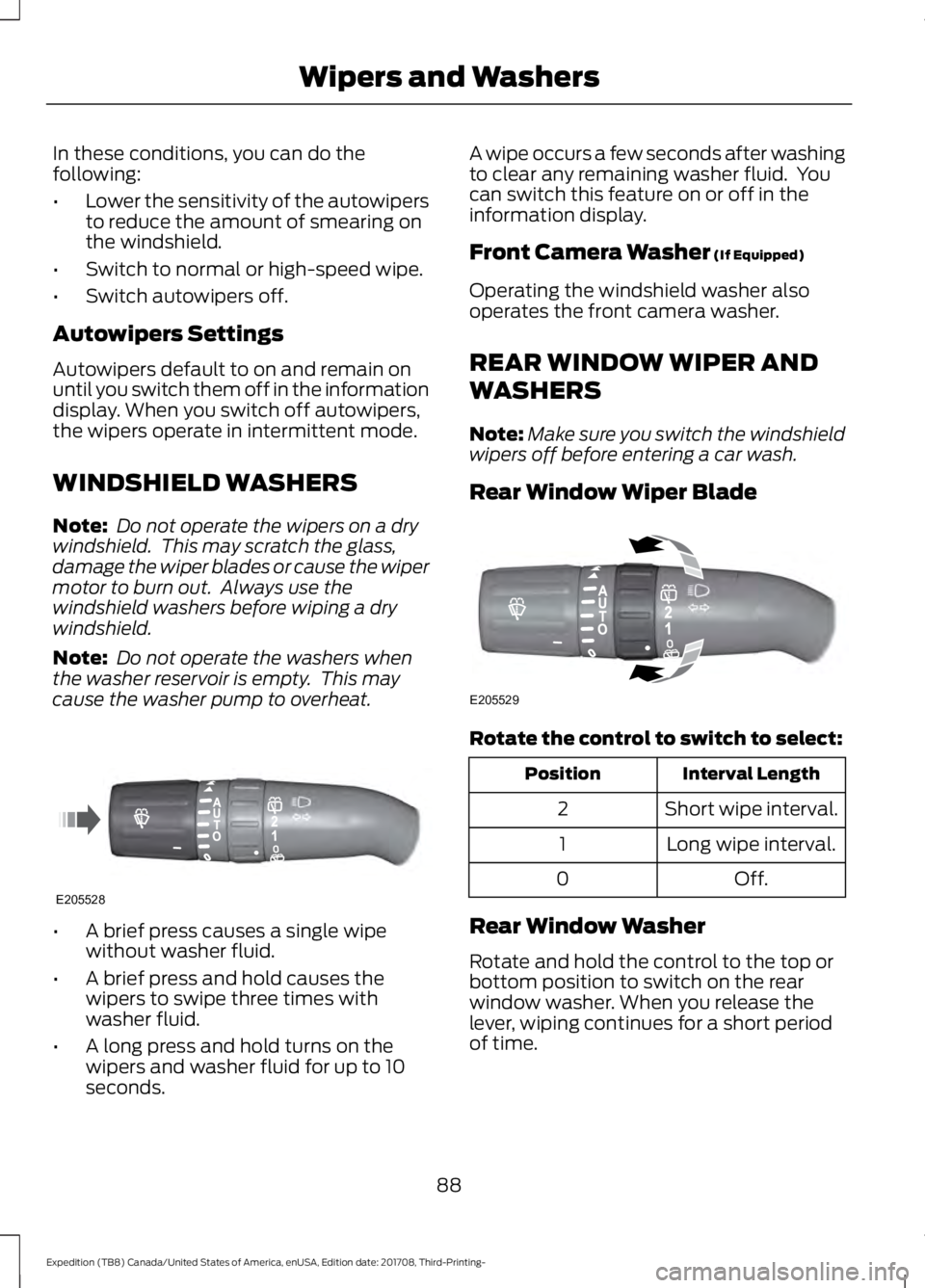
A brief press causes a single wipe
without washer fluid.
• A brief press and hold causes the
wipers to swipe three times with
washer fluid.
• A long press and hold turns on the
wipers and washer fluid for up to 10
seconds. A wipe occurs a few seconds after washing
to clear any remaining washer fluid. You
can switch this feature on or off in the
information display.
Front Camera Washer (If Equipped)
Operating the windshield washer also
operates the front camera washer.
REAR WINDOW WIPER AND
WASHERS
Note: Make sure you switch the windshield
wipers off before entering a car wash.
Rear Window Wiper Blade Rotate the control to switch to select:
Interval Length
Position
Short wipe interval.
2
Long wipe interval.
1
Off.
0
Rear Window Washer
Rotate and hold the control to the top or
bottom position to switch on the rear
window washer. When you release the
lever, wiping continues for a short period
of time.
88
Expedition (TB8) Canada/United States of America, enUSA, Edition date: 201708, Third-Printing- Wipers and WashersE205528 E205529
Page 93 of 571

Flashing the Headlamp High Beam
Slightly pull the lever toward you and
release it to flash the headlamps.
AUTOLAMPS
WARNING: The system does not
relieve you of your responsibility to drive
with due care and attention. You may
need to override the system if it does not
turn the headlamps on in low visibility
conditions, for example daytime fog. When the lighting control is in the
autolamps position, the headlamps turn
on in low light situations, or when the
wipers turn on. The headlamps remain on for a period of
time after you switch the ignition off. Use
the information display controls to adjust
the period of time that the headlamps
remain on.
Note:
If you switch the autolamps on, you
cannot switch the high beams on until the
system turns the low beams on.
Windshield Wiper Activated
Headlamps
When you switch the autolamps on, the
headlamps turn on within 10 seconds of
switching the wipers on. They turn off
approximately 60 seconds after you switch
the windshield wipers off.
The headlamps do not turn on with the
wipers:
• During a single wipe.
• When using the windshield washers.
• If the wipers are in intermittent mode.
Note: If you switch the autolamps and the
autowipers on, the headlamps turn on when
the windshield wipers continuously operate.
INSTRUMENT LIGHTING
DIMMER 90
Expedition (TB8) Canada/United States of America, enUSA, Edition date: 201708, Third-Printing- LightingE163268 E142451 E231828
Page 235 of 571
WARNING: Use caution when the
rear cargo door is ajar. If the rear cargo
door is ajar, the camera will be out of
position and the video image may be
incorrect. All guidelines disappear when
the rear cargo door is ajar. Failure to
follow this instruction could result in
personal injury. WARNING:
Use caution when
turning camera features on or off when
the transmission is not in park (P). Make
sure your vehicle is not moving.
The rear view camera system provides a
video image of the area behind your
vehicle.
During operation, lines appear in the
display which represent your vehicle ’s path
and proximity to objects behind your
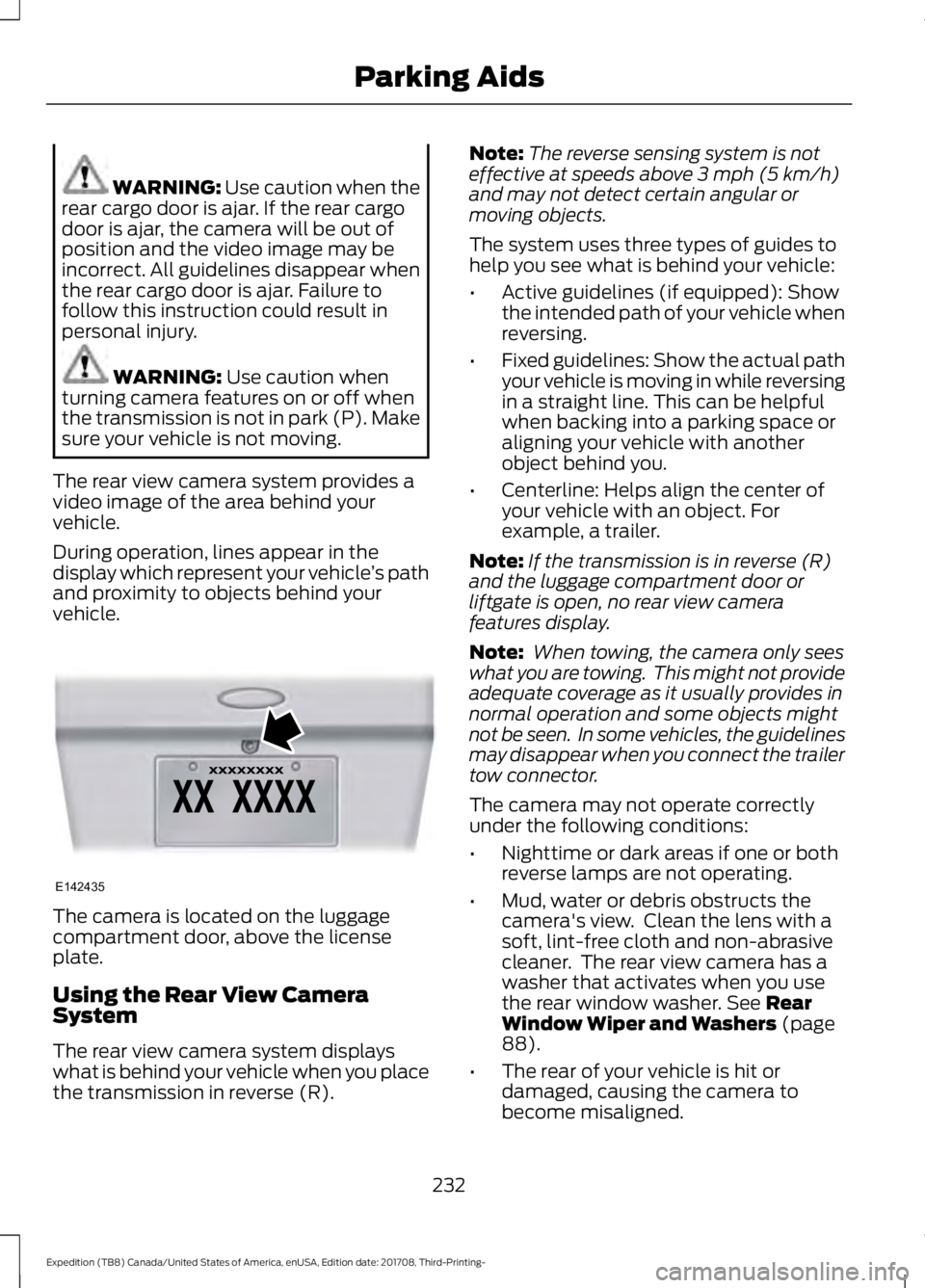
vehicle. The camera is located on the luggage
compartment door, above the license
plate.
Using the Rear View Camera
System
The rear view camera system displays
what is behind your vehicle when you place
the transmission in reverse (R). Note:
The reverse sensing system is not
effective at speeds above
3 mph (5 km/h)
and may not detect certain angular or
moving objects.
The system uses three types of guides to
help you see what is behind your vehicle:
• Active guidelines (if equipped): Show
the intended path of your vehicle when
reversing.
• Fixed guidelines: Show the actual path
your vehicle is moving in while reversing
in a straight line. This can be helpful
when backing into a parking space or
aligning your vehicle with another
object behind you.
• Centerline: Helps align the center of
your vehicle with an object. For
example, a trailer.
Note: If the transmission is in reverse (R)
and the luggage compartment door or
liftgate is open, no rear view camera
features display.
Note: When towing, the camera only sees
what you are towing. This might not provide
adequate coverage as it usually provides in
normal operation and some objects might
not be seen. In some vehicles, the guidelines
may disappear when you connect the trailer
tow connector.
The camera may not operate correctly
under the following conditions:
• Nighttime or dark areas if one or both
reverse lamps are not operating.
• Mud, water or debris obstructs the
camera's view. Clean the lens with a
soft, lint-free cloth and non-abrasive
cleaner. The rear view camera has a
washer that activates when you use
the rear window washer.
See Rear
Window Wiper and Washers (page
88).
• The rear of your vehicle is hit or
damaged, causing the camera to
become misaligned.
232
Expedition (TB8) Canada/United States of America, enUSA, Edition date: 201708, Third-Printing- Parking AidsE142435
Page 239 of 571
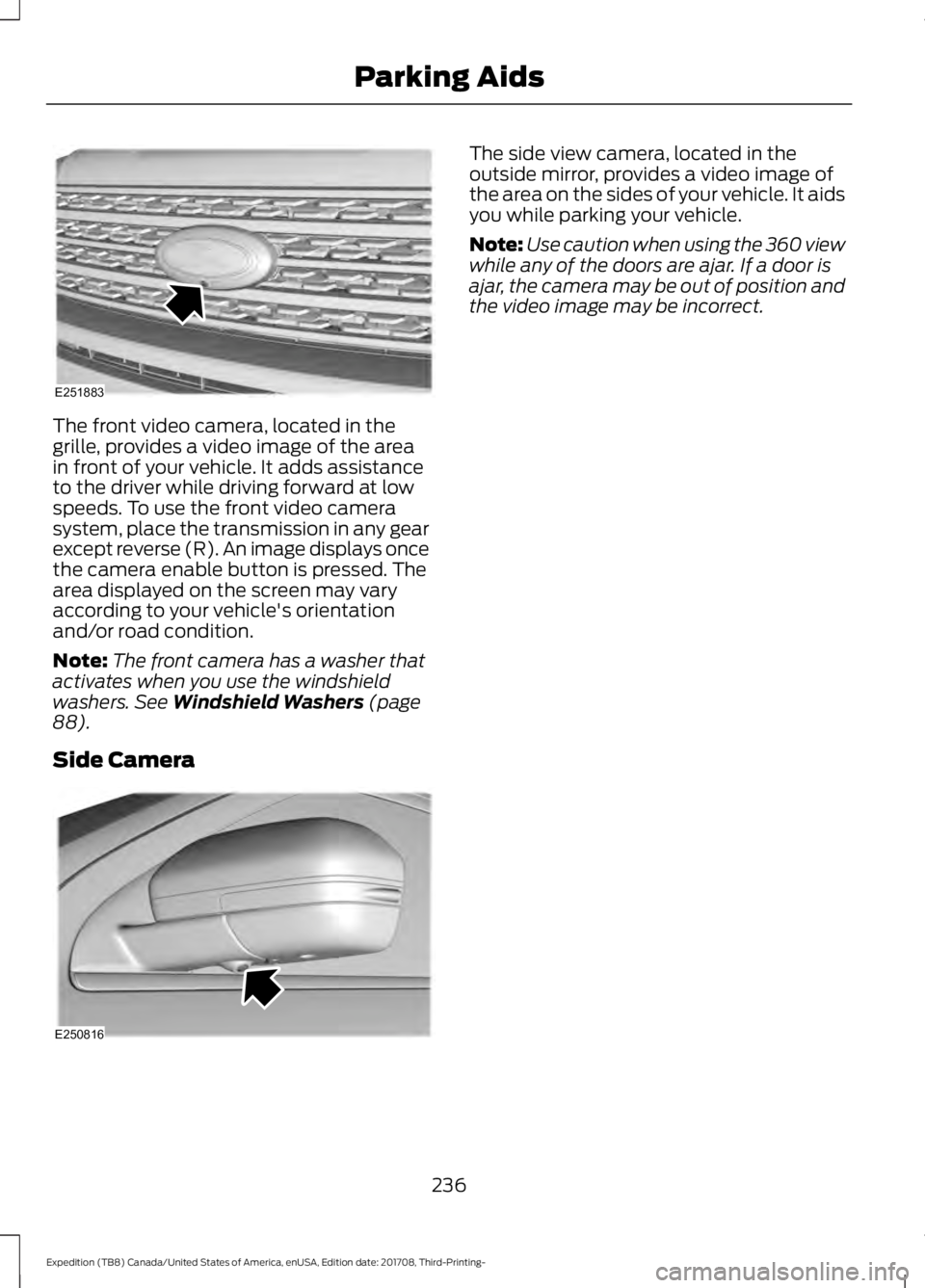
The front video camera, located in the
grille, provides a video image of the area
in front of your vehicle. It adds assistance
to the driver while driving forward at low
speeds. To use the front video camera
system, place the transmission in any gear
except reverse (R). An image displays once
the camera enable button is pressed. The
area displayed on the screen may vary
according to your vehicle's orientation
and/or road condition.
Note:
The front camera has a washer that
activates when you use the windshield
washers. See Windshield Washers (page
88).
Side Camera The side view camera, located in the
outside mirror, provides a video image of
the area on the sides of your vehicle. It aids
you while parking your vehicle.
Note:
Use caution when using the 360 view
while any of the doors are ajar. If a door is
ajar, the camera may be out of position and
the video image may be incorrect.
236
Expedition (TB8) Canada/United States of America, enUSA, Edition date: 201708, Third-Printing- Parking AidsE251883 E250816