Page 427 of 490
Engine
When selected, this screen displays the following values:
•Vehicle Speed
Shows the actual vehicle speed. •
Instantaneous Power
Shows the instantaneous power.
• Instantaneous Torque
Shows the instantaneous torque.
• Oil Pressure (6.4L Only)
Shows the actual engine oil pressure.
• Gear (Automatic Transmission Only)
Shows the current (or pending) operating gear of the
vehicle.
• Boost Pressure (6.2L Only)
Shows the actual boost pressure.
Engine
10
MULTIMEDIA 425
Page 428 of 490
Dynamometer (Dyno)The system starts drawing graphs for Power and Torque.
The graph fills to the right side of the page (based on
History time selected). Once the right side of the page is
reached, the graph scrolls with the right side always being
the most recent recorded sample.
The following options can be selected:
•Pressing the STOP button will freeze the graph. Selecting
Play will clear the graph and restart the process over.
• Press the “+” or “–” buttons to change the history of the
graph. The selectable options are 30, 60, 90, and 120
seconds. The graph will expand or constrict depending
on the setting selected.
• Select the “Gear” display (if equipped) to turn the graph
gear markers on and off.
Dyno Page
426 MULTIMEDIA
Page 431 of 490

Engine/
Transmis- sion Red Key/
700+ HP Black Key/
500 HP Transmis-
sion Paddle
Shifters Suspension Steering Traction
6.2L MTX X XN/A N/A X If Equipped X
6.2L ATX XXXXXI fEquipped X
6.4L MTX N/A N/A N/A N/A XX X
6.4L ATX N/A N/A XXXX X
The SRT Performance Control main screen displays the
current performance control and real-time status of the
vehicle’s performance configuration. The selectable Perfor-
mance Control buttons are Track, Sport, Custom, or Auto
and will be highlighted when displaying the current con-
figuration. Information shown below each performance
control button will indicate the actual status of each
system, along with a graphic that displays the status of the
vehicle’s components. The color red indicates “Track,”
orange “Sport,” and yellow “Street.” If the system status
shown does not match the current performance control set
up, a message will be displayed indicating which values
are not matching the current mode and why. NOTE:
ESC Full-Off can be activated across all of the
Performance Control features by pushing and holding the
ESC Off button on the instrument panel switch bank for
five seconds.
10
MULTIMEDIA 429
Page 434 of 490
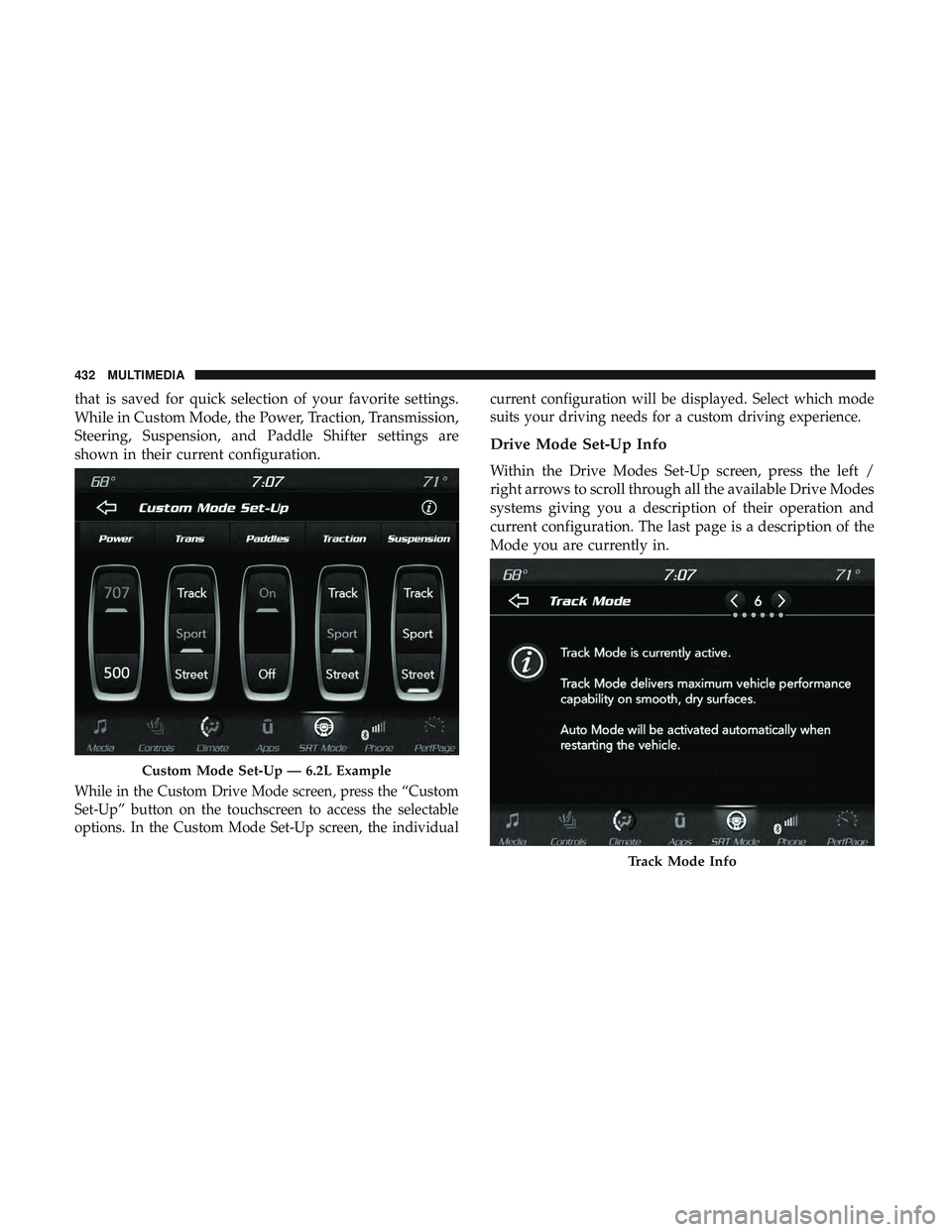
that is saved for quick selection of your favorite settings.
While in Custom Mode, the Power, Traction, Transmission,
Steering, Suspension, and Paddle Shifter settings are
shown in their current configuration.
While in the Custom Drive Mode screen, press the “Custom
Set-Up” button on the touchscreen to access the selectable
options. In the Custom Mode Set-Up screen, the individualcurrent configuration will be displayed. Select which mode
suits your driving needs for a custom driving experience.
Drive Mode Set-Up Info
Within the Drive Modes Set-Up screen, press the left /
right arrows to scroll through all the available Drive Modes
systems giving you a description of their operation and
current configuration. The last page is a description of the
Mode you are currently in.
Custom Mode Set-Up — 6.2L Example
Track Mode Info
432 MULTIMEDIA
Page 441 of 490

RACE OPTIONS
Press the “Race Options” button on the touchscreen while
in the Drive Modes screen, to display the vehicle’s Launch
Control screen. Within Race Options, you can activate,
deactivate, and adjust the RPM values for the Launch
Control and Shift Light features.
Launch Control
WARNING!
Launch Mode is intended for off-highway or off-road
use only and should not be used on any public
roadways. It is recommended that this feature be used
in a controlled environment, and within the limits of
the law. The capabilities of the vehicle as measured by
the performance pages must never be exploited in a
reckless or dangerous manner, which can jeopardize
the user ’s safety or the safety of others. Only a safe,
attentive, and skillful driver can prevent accidents.
WARNING!
ALWAYS drive safely and pay attention to the road.
ALWAYS drive safely with your hands on the steering
wheel. You have full responsibility and assume all
risks related to the use of the features and applications
in this vehicle. Only use the features and applications
when it is safe to do so. Failure to do so may result in
an accident involving serious injury or death.
Race Options
10
MULTIMEDIA 439
Page 442 of 490
Launch Control can be accessed by pushing the Launch
Control button on the instrument panel switch bank or
pressing the SRT button on the instrument panel switch
bank then selecting the “Race Options” button on the
touchscreen. Press the “Activate Launch Control” button
on the touchscreen to activate the feature. Use the “Launch
RPM Set-Up” vertical bar to set the holding RPM. Launch
Mode can be turned on or off by either pushing the LaunchControl button on the instrument panel switch bank (if
activated), or by pressing the “Cancel Launch Mode”
button on the touchscreen.
To adjust the Launch RPM, drag the slider bar or press the
arrows on the touchscreen to adjust the holding RPM. The
launch RPM limit will display digitally on the gauge.
Activate Launch Control
Launch RPM Set-Up
440 MULTIMEDIA
Page 443 of 490
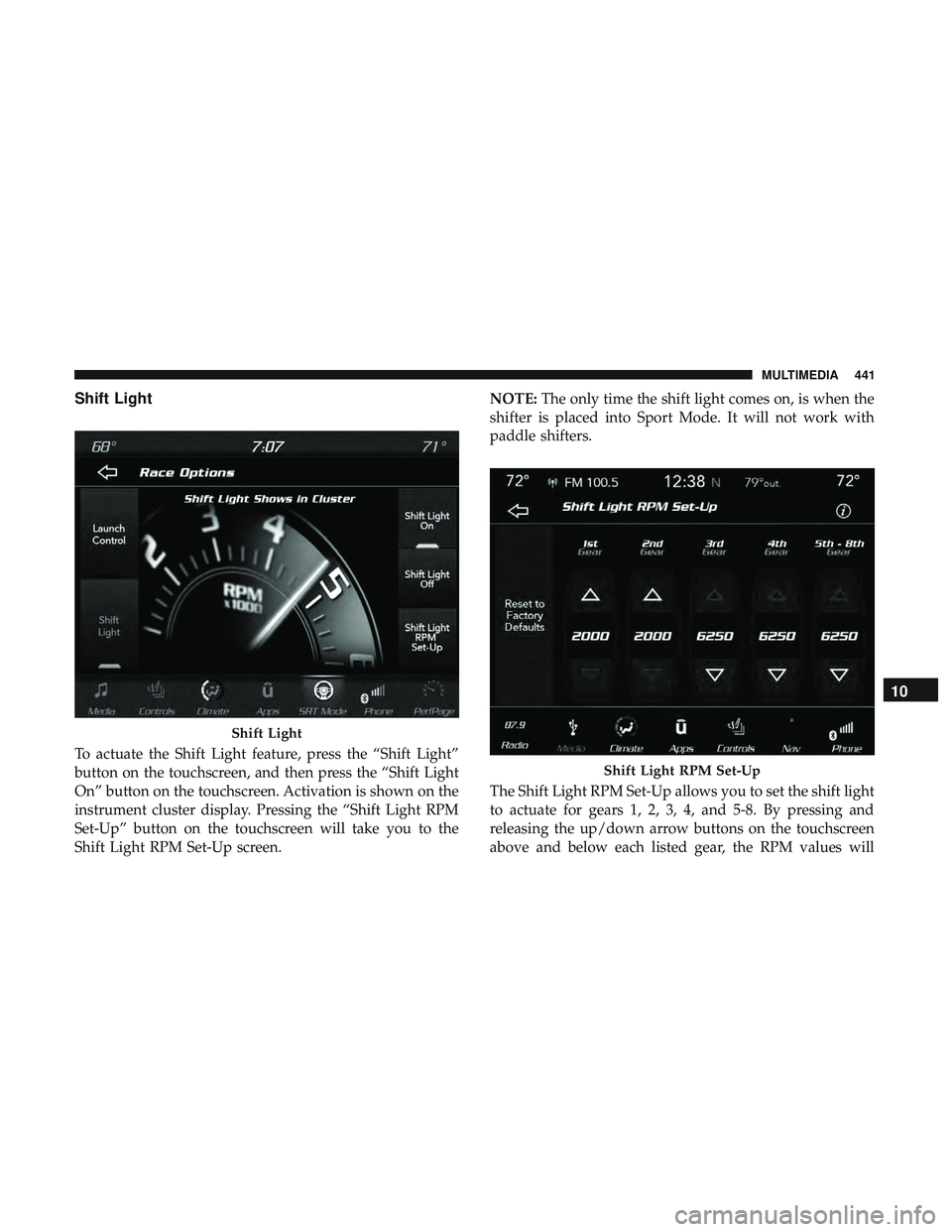
Shift Light
To actuate the Shift Light feature, press the “Shift Light”
button on the touchscreen, and then press the “Shift Light
On” button on the touchscreen. Activation is shown on the
instrument cluster display. Pressing the “Shift Light RPM
Set-Up” button on the touchscreen will take you to the
Shift Light RPM Set-Up screen.NOTE:
The only time the shift light comes on, is when the
shifter is placed into Sport Mode. It will not work with
paddle shifters.
The Shift Light RPM Set-Up allows you to set the shift light
to actuate for gears 1, 2, 3, 4, and 5-8. By pressing and
releasing the up/down arrow buttons on the touchscreen
above and below each listed gear, the RPM values will
Shift Light
Shift Light RPM Set-Up
10
MULTIMEDIA 441
Page 445 of 490
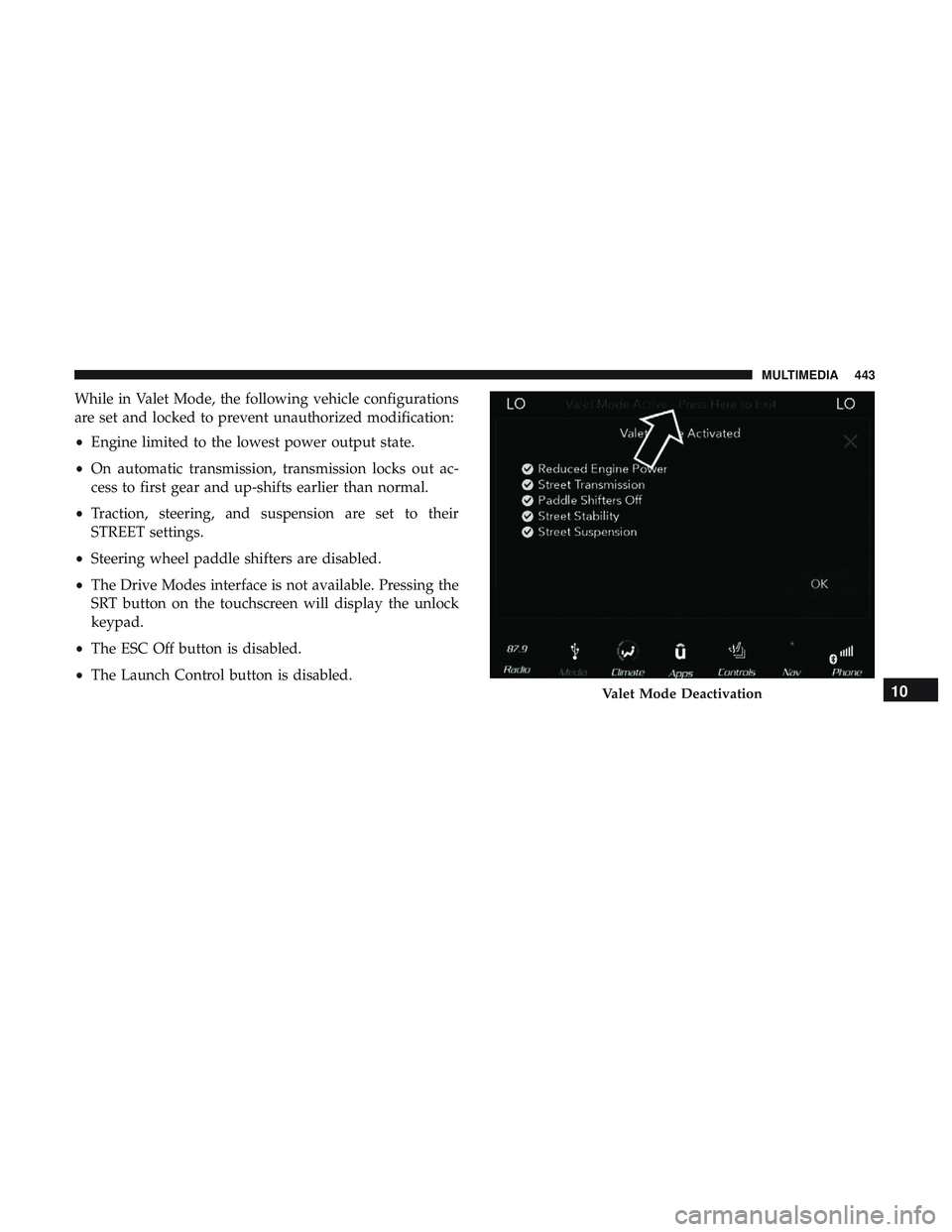
While in Valet Mode, the following vehicle configurations
are set and locked to prevent unauthorized modification:
•Engine limited to the lowest power output state.
• On automatic transmission, transmission locks out ac-
cess to first gear and up-shifts earlier than normal.
• Traction, steering, and suspension are set to their
STREET settings.
• Steering wheel paddle shifters are disabled.
• The Drive Modes interface is not available. Pressing the
SRT button on the touchscreen will display the unlock
keypad.
• The ESC Off button is disabled.
• The Launch Control button is disabled.
Valet Mode Deactivation10
MULTIMEDIA 443