Page 483 of 696
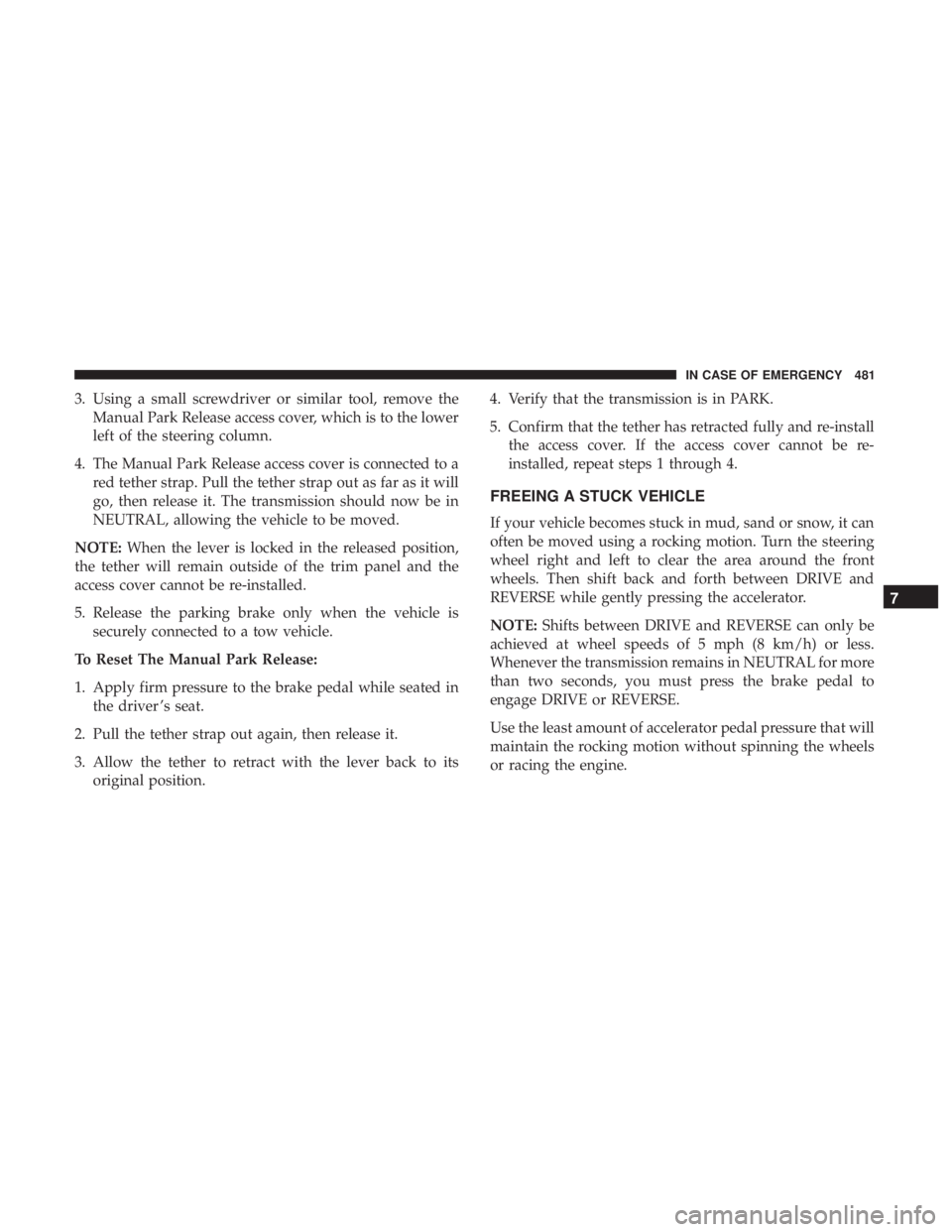
3. Using a small screwdriver or similar tool, remove theManual Park Release access cover, which is to the lower
left of the steering column.
4. The Manual Park Release access cover is connected to a red tether strap. Pull the tether strap out as far as it will
go, then release it. The transmission should now be in
NEUTRAL, allowing the vehicle to be moved.
NOTE: When the lever is locked in the released position,
the tether will remain outside of the trim panel and the
access cover cannot be re-installed.
5. Release the parking brake only when the vehicle is securely connected to a tow vehicle.
To Reset The Manual Park Release:
1. Apply firm pressure to the brake pedal while seated in the driver ’s seat.
2. Pull the tether strap out again, then release it.
3. Allow the tether to retract with the lever back to its original position. 4. Verify that the transmission is in PARK.
5. Confirm that the tether has retracted fully and re-install
the access cover. If the access cover cannot be re-
installed, repeat steps 1 through 4.
FREEING A STUCK VEHICLE
If your vehicle becomes stuck in mud, sand or snow, it can
often be moved using a rocking motion. Turn the steering
wheel right and left to clear the area around the front
wheels. Then shift back and forth between DRIVE and
REVERSE while gently pressing the accelerator.
NOTE: Shifts between DRIVE and REVERSE can only be
achieved at wheel speeds of 5 mph (8 km/h) or less.
Whenever the transmission remains in NEUTRAL for more
than two seconds, you must press the brake pedal to
engage DRIVE or REVERSE.
Use the least amount of accelerator pedal pressure that will
maintain the rocking motion without spinning the wheels
or racing the engine.
7
IN CASE OF EMERGENCY 481
Page 534 of 696
Keep dismounted tires in a cool, dry place with as little
exposure to light as possible. Protect tires from contact with
oil, grease, and gasoline.
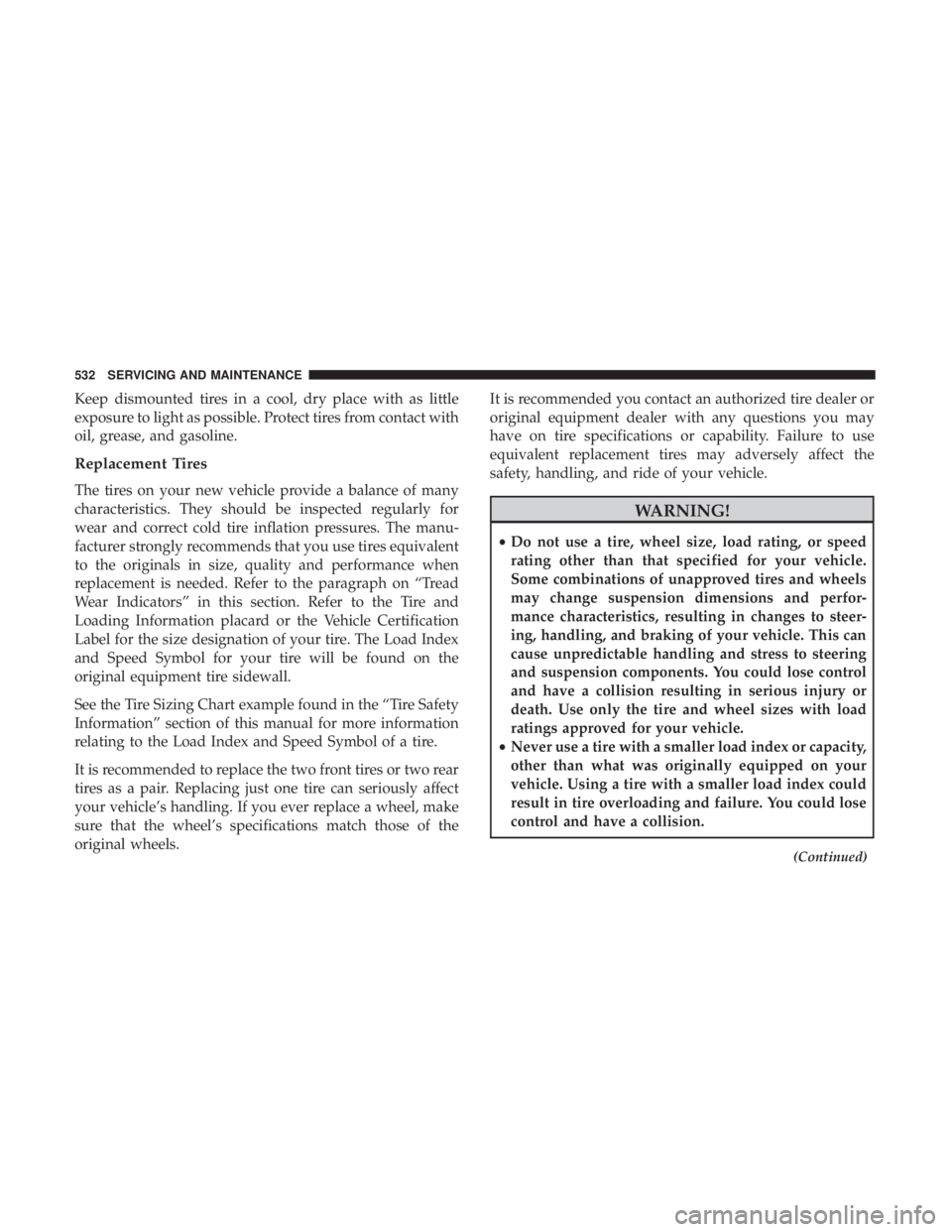
Replacement Tires
The tires on your new vehicle provide a balance of many
characteristics. They should be inspected regularly for
wear and correct cold tire inflation pressures. The manu-
facturer strongly recommends that you use tires equivalent
to the originals in size, quality and performance when
replacement is needed. Refer to the paragraph on “Tread
Wear Indicators” in this section. Refer to the Tire and
Loading Information placard or the Vehicle Certification
Label for the size designation of your tire. The Load Index
and Speed Symbol for your tire will be found on the
original equipment tire sidewall.
See the Tire Sizing Chart example found in the “Tire Safety
Information” section of this manual for more information
relating to the Load Index and Speed Symbol of a tire.
It is recommended to replace the two front tires or two rear
tires as a pair. Replacing just one tire can seriously affect
your vehicle’s handling. If you ever replace a wheel, make
sure that the wheel’s specifications match those of the
original wheels.It is recommended you contact an authorized tire dealer or
original equipment dealer with any questions you may
have on tire specifications or capability. Failure to use
equivalent replacement tires may adversely affect the
safety, handling, and ride of your vehicle.
WARNING!
•
Do not use a tire, wheel size, load rating, or speed
rating other than that specified for your vehicle.
Some combinations of unapproved tires and wheels
may change suspension dimensions and perfor-
mance characteristics, resulting in changes to steer-
ing, handling, and braking of your vehicle. This can
cause unpredictable handling and stress to steering
and suspension components. You could lose control
and have a collision resulting in serious injury or
death. Use only the tire and wheel sizes with load
ratings approved for your vehicle.
• Never use a tire with a smaller load index or capacity,
other than what was originally equipped on your
vehicle. Using a tire with a smaller load index could
result in tire overloading and failure. You could lose
control and have a collision.
(Continued)
532 SERVICING AND MAINTENANCE
Page 561 of 696
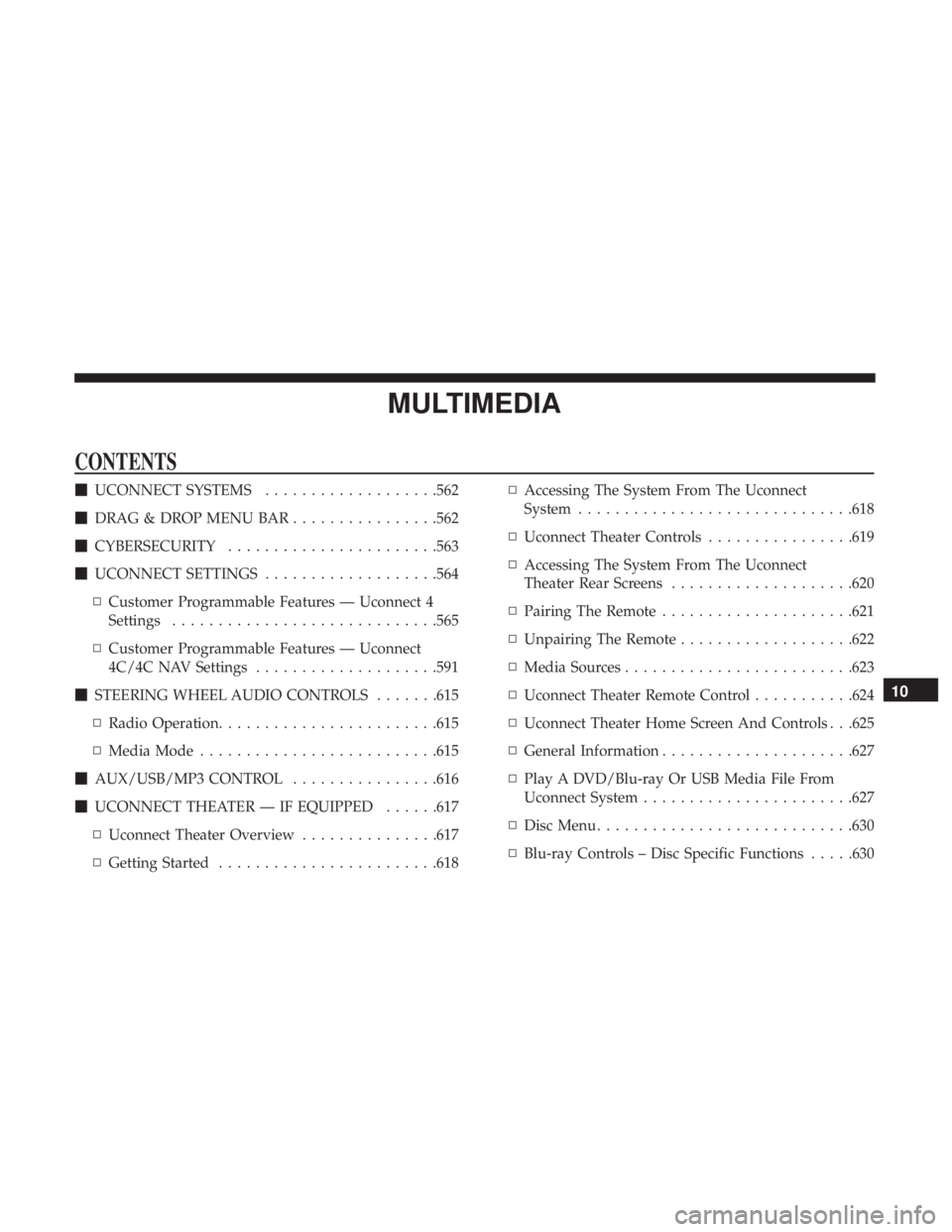
MULTIMEDIA
CONTENTS
�UCONNECT SYSTEMS ...................562
� DRAG & DROP MENU BAR ................562
� CYBERSECURITY .......................563
� UCONNECT SETTINGS ...................564
▫ Customer Programmable Features — Uconnect 4
Settings ............................ .565
▫ Customer Programmable Features — Uconnect
4C/4C NAV Settings ....................591
� STEERING WHEEL AUDIO CONTROLS .......615
▫ Radio Operation ........................615
▫ Media Mode ..........................615
� AUX/USB/MP3 CONTROL ................616
� UCONNECT THEATER — IF EQUIPPED ......617
▫ Uconnect Theater Overview ...............617
▫ Getting Started ........................618 ▫
Accessing The System From The Uconnect
System ............................. .618
▫ Uconnect Theater Controls ................619
▫ Accessing The System From The Uconnect
Theater Rear Screens ....................620
▫ Pairing The Remote .....................621
▫ Unpairing The Remote ...................622
▫ Media Sources ........................ .623
▫ Uconnect Theater Remote Control ...........624
▫ Uconnect Theater Home Screen And Controls . . .625
▫ General Information .....................627
▫ Play A DVD/Blu-ray Or USB Media File From
Uconnect System .......................627
▫ Disc Menu ............................630
▫ Blu-ray Controls – Disc Specific Functions .....630
10
Page 576 of 696
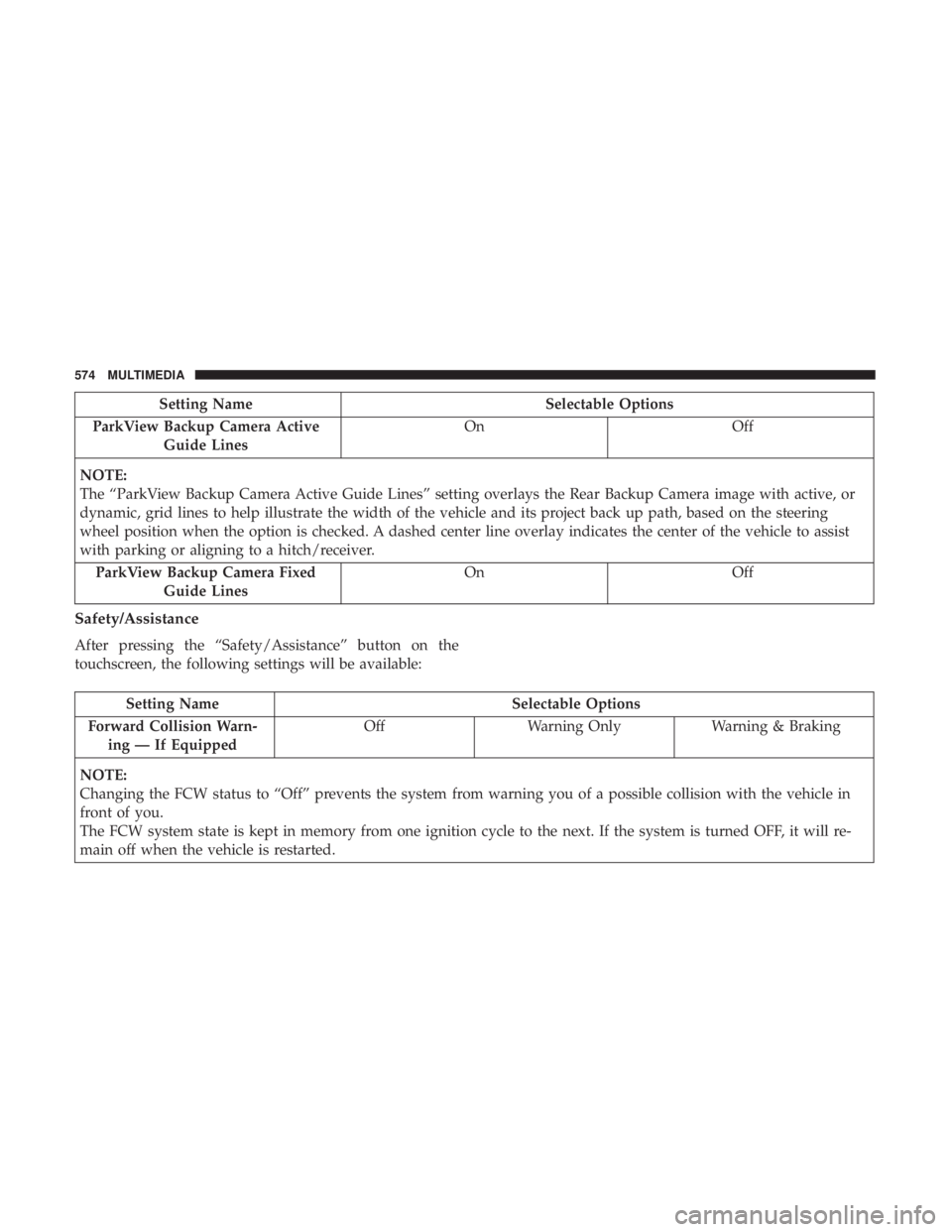
Setting NameSelectable Options
ParkView Backup Camera Active Guide Lines On
Off
NOTE:
The “ParkView Backup Camera Active Guide Lines” setting overlays the Rear Backup Camera image with active, or
dynamic, grid lines to help illustrate the width of the vehicle and its project back up path, based on the steering
wheel position when the option is checked. A dashed center line overlay indicates the center of the vehicle to assist
with parking or aligning to a hitch/receiver. ParkView Backup Camera Fixed Guide Lines On
Off
Safety/Assistance
After pressing the “Safety/Assistance” button on the
touchscreen, the following settings will be available:
Setting Name Selectable Options
Forward Collision Warn- ing — If Equipped Off
Warning Only Warning & Braking
NOTE:
Changing the FCW status to “Off” prevents the system from warning you of a possible collision with the vehicle in
front of you.
The FCW system state is kept in memory from one ignition cycle to the next. If the system is turned OFF, it will re-
main off when the vehicle is restarted.
574 MULTIMEDIA
Page 577 of 696
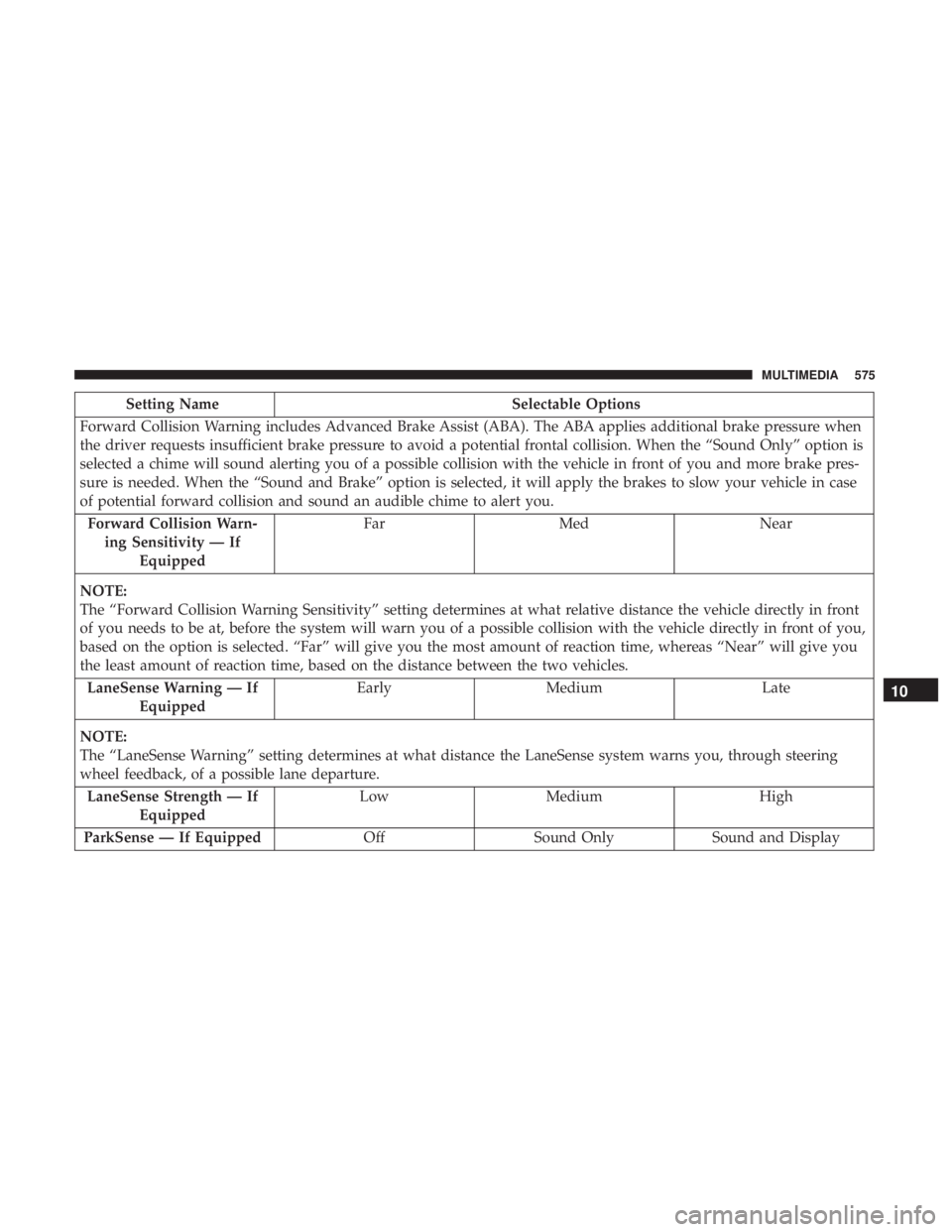
Setting NameSelectable Options
Forward Collision Warning includes Advanced Brake Assist (ABA). The ABA applies additional brake pressure when
the driver requests insufficient brake pressure to avoid a potential frontal collision. When the “Sound Only” option is
selected a chime will sound alerting you of a possible collision with the vehicle in front of you and more brake pres-
sure is needed. When the “Sound and Brake” option is selected, it will apply the brakes to slow your vehicle in case
of potential forward collision and sound an audible chime to alert you. Forward Collision Warn- ing Sensitivity — If Equipped Far
Med Near
NOTE:
The “Forward Collision Warning Sensitivity” setting determines at what relative distance the vehicle directly in front
of you needs to be at, before the system will warn you of a possible collision with the vehicle directly in front of you,
based on the option is selected. “Far” will give you the most amount of reaction time, whereas “Near” will give you
the least amount of reaction time, based on the distance between the two vehicles. LaneSense Warning — If Equipped Early
Medium Late
NOTE:
The “LaneSense Warning” setting determines at what distance the LaneSense system warns you, through steering
wheel feedback, of a possible lane departure. LaneSense Strength — If Equipped Low
Medium High
ParkSense — If Equipped OffSound Only Sound and Display
10
MULTIMEDIA 575
Page 584 of 696
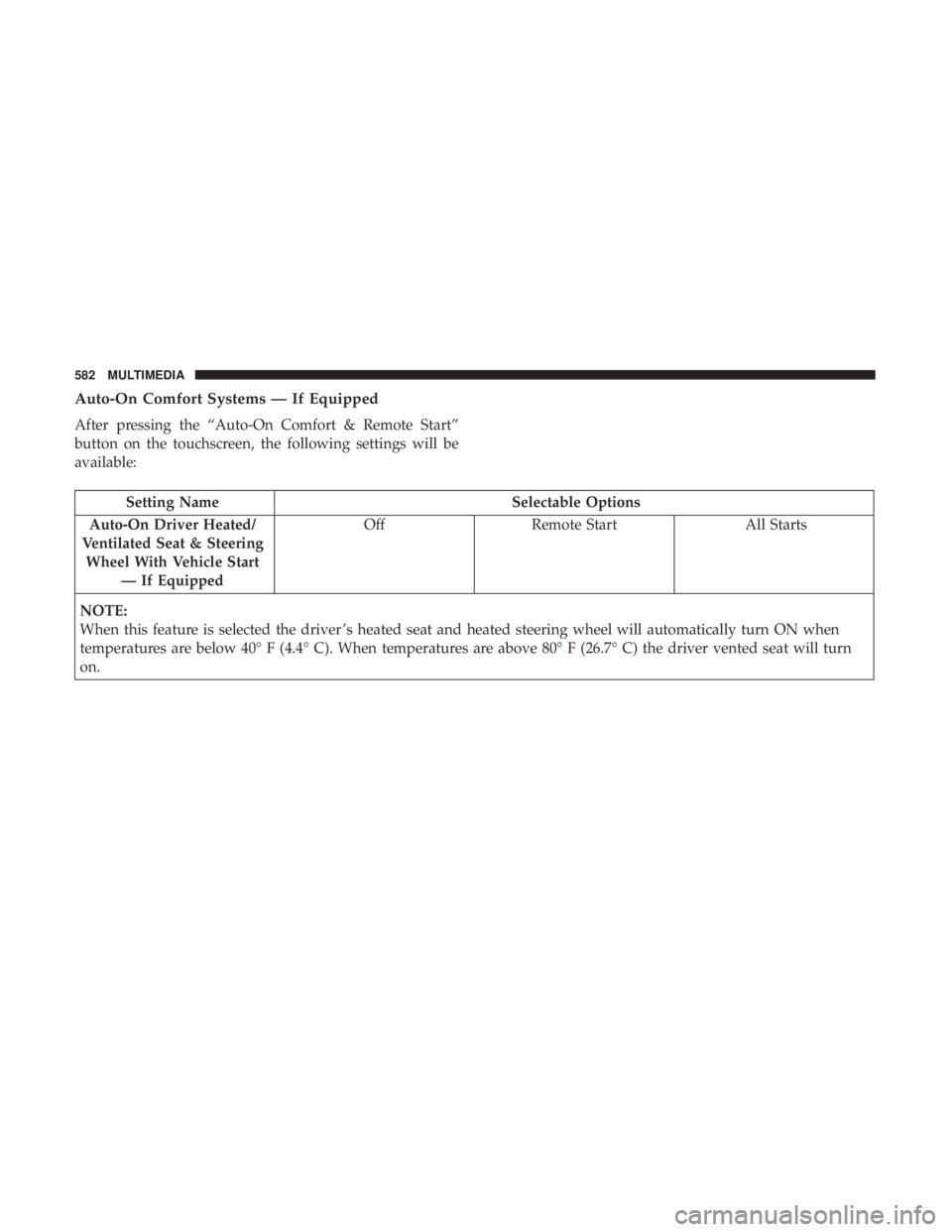
Auto-On Comfort Systems — If Equipped
After pressing the “Auto-On Comfort & Remote Start”
button on the touchscreen, the following settings will be
available:
Setting NameSelectable Options
Auto-On Driver Heated/
Ventilated Seat & Steering Wheel With Vehicle Start — If Equipped Off
Remote Start All Starts
NOTE:
When this feature is selected the driver ’s heated seat and heated steering wheel will automatically turn ON when
temperatures are below 40° F (4.4° C). When temperatures are above 80° F (26.7° C) the driver vented seat will turn
on.
582 MULTIMEDIA
Page 601 of 696
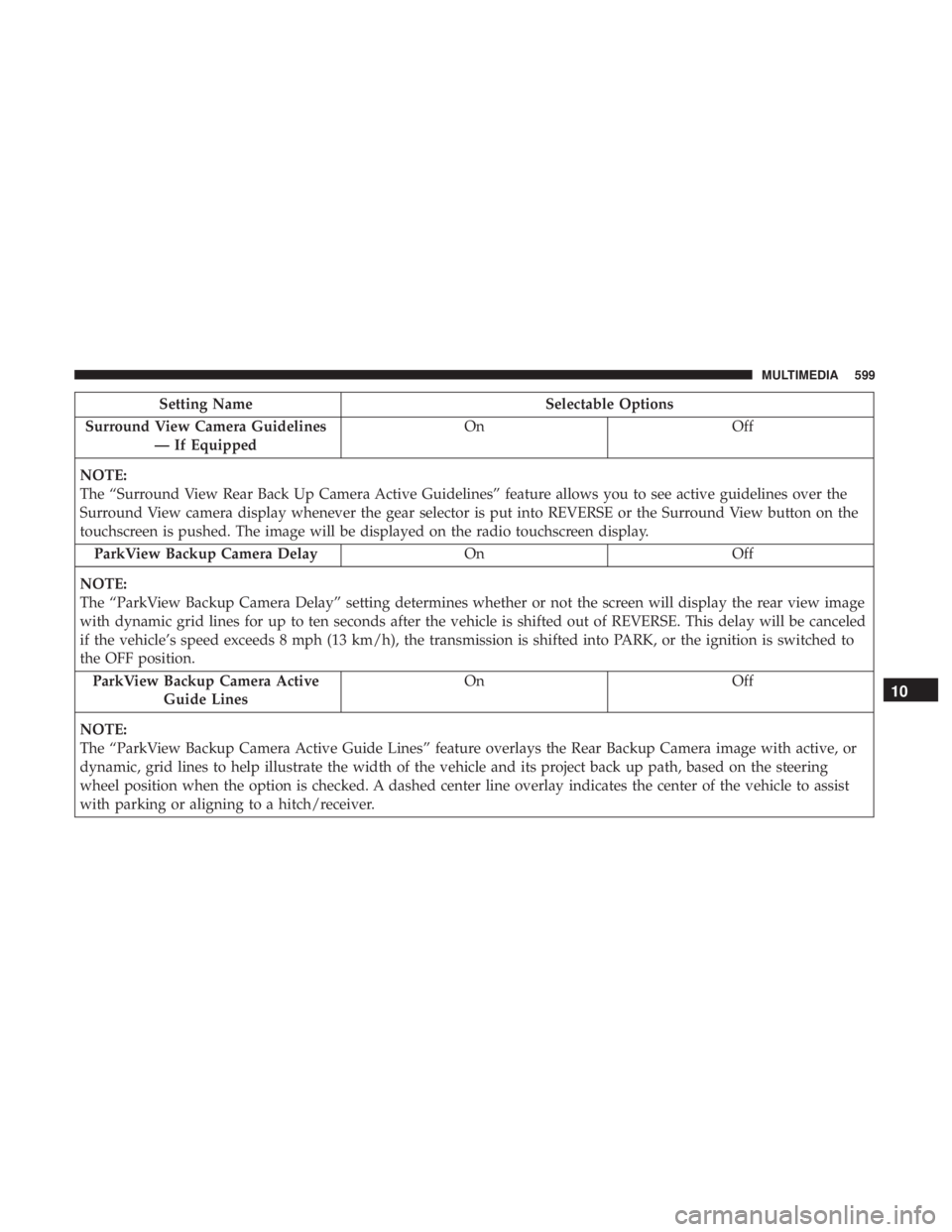
Setting NameSelectable Options
Surround View Camera Guidelines — If Equipped On
Off
NOTE:
The “Surround View Rear Back Up Camera Active Guidelines” feature allows you to see active guidelines over the
Surround View camera display whenever the gear selector is put into REVERSE or the Surround View button on the
touchscreen is pushed. The image will be displayed on the radio touchscreen display. ParkView Backup Camera Delay OnOff
NOTE:
The “ParkView Backup Camera Delay” setting determines whether or not the screen will display the rear view image
with dynamic grid lines for up to ten seconds after the vehicle is shifted out of REVERSE. This delay will be canceled
if the vehicle’s speed exceeds 8 mph (13 km/h), the transmission is shifted into PARK, or the ignition is switched to
the OFF position. ParkView Backup Camera Active Guide Lines On
Off
NOTE:
The “ParkView Backup Camera Active Guide Lines” feature overlays the Rear Backup Camera image with active, or
dynamic, grid lines to help illustrate the width of the vehicle and its project back up path, based on the steering
wheel position when the option is checked. A dashed center line overlay indicates the center of the vehicle to assist
with parking or aligning to a hitch/receiver.
10
MULTIMEDIA 599
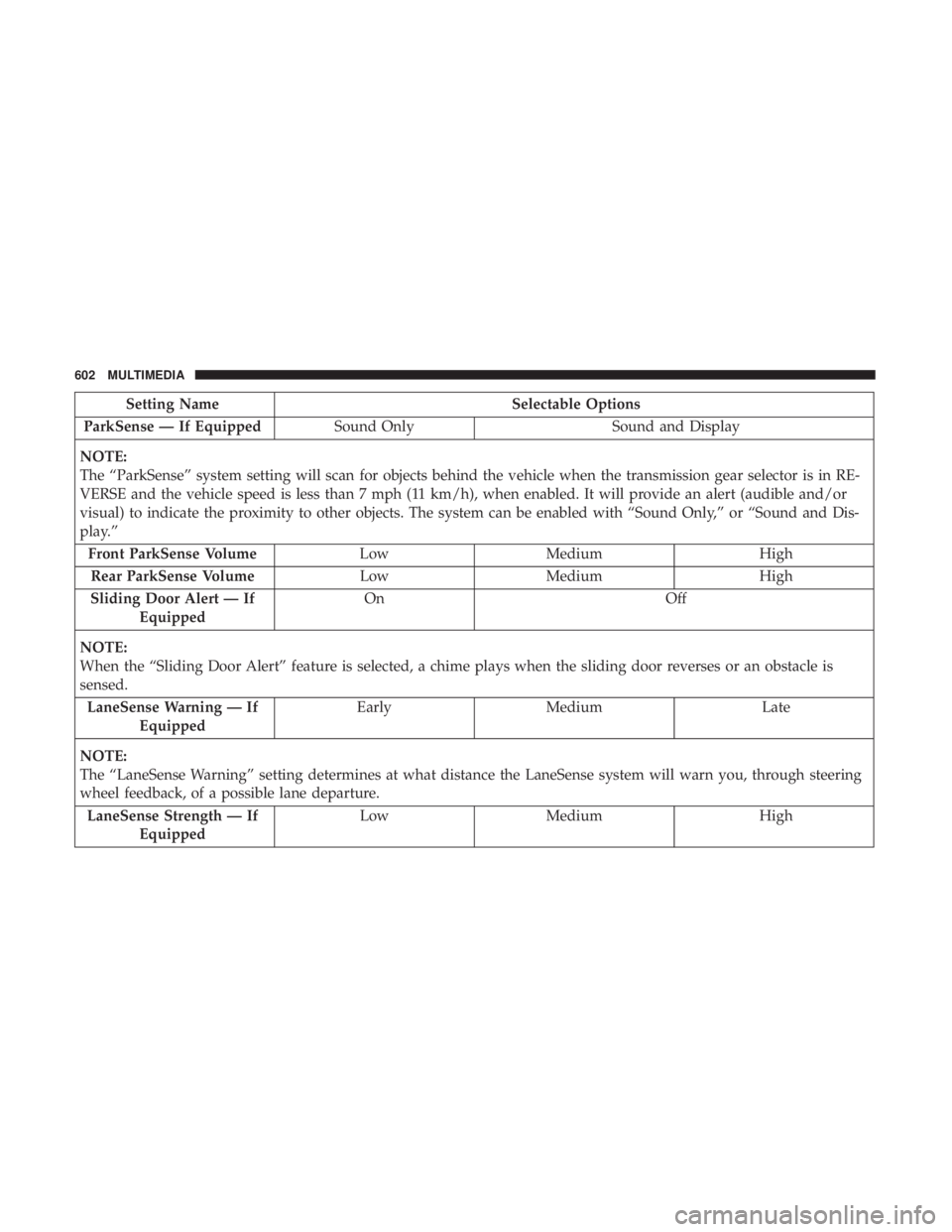
Page 604 of 696
Setting NameSelectable Options
ParkSense — If Equipped Sound Only Sound and Display
NOTE:
The “ParkSense” system setting will scan for objects behind the vehicle when the transmission gear selector is in RE-
VERSE and the vehicle speed is less than 7 mph (11 km/h), when enabled. It will provide an alert (audible and/or
visual) to indicate the proximity to other objects. The system can be enabled with “Sound Only,” or “Sound and Dis-
play.” Front ParkSense Volume LowMedium High
Rear ParkSense Volume LowMedium High
Sliding Door Alert — If Equipped On
Off
NOTE:
When the “Sliding Door Alert” feature is selected, a chime plays when the sliding door reverses or an obstacle is
sensed. LaneSense Warning — If Equipped Early
Medium Late
NOTE:
The “LaneSense Warning” setting determines at what distance the LaneSense system will warn you, through steering
wheel feedback, of a possible lane departure. LaneSense Strength — If Equipped Low
Medium High
602 MULTIMEDIA