Page 177 of 696
CAUTION!
Use care when removing and handling the crossbars to
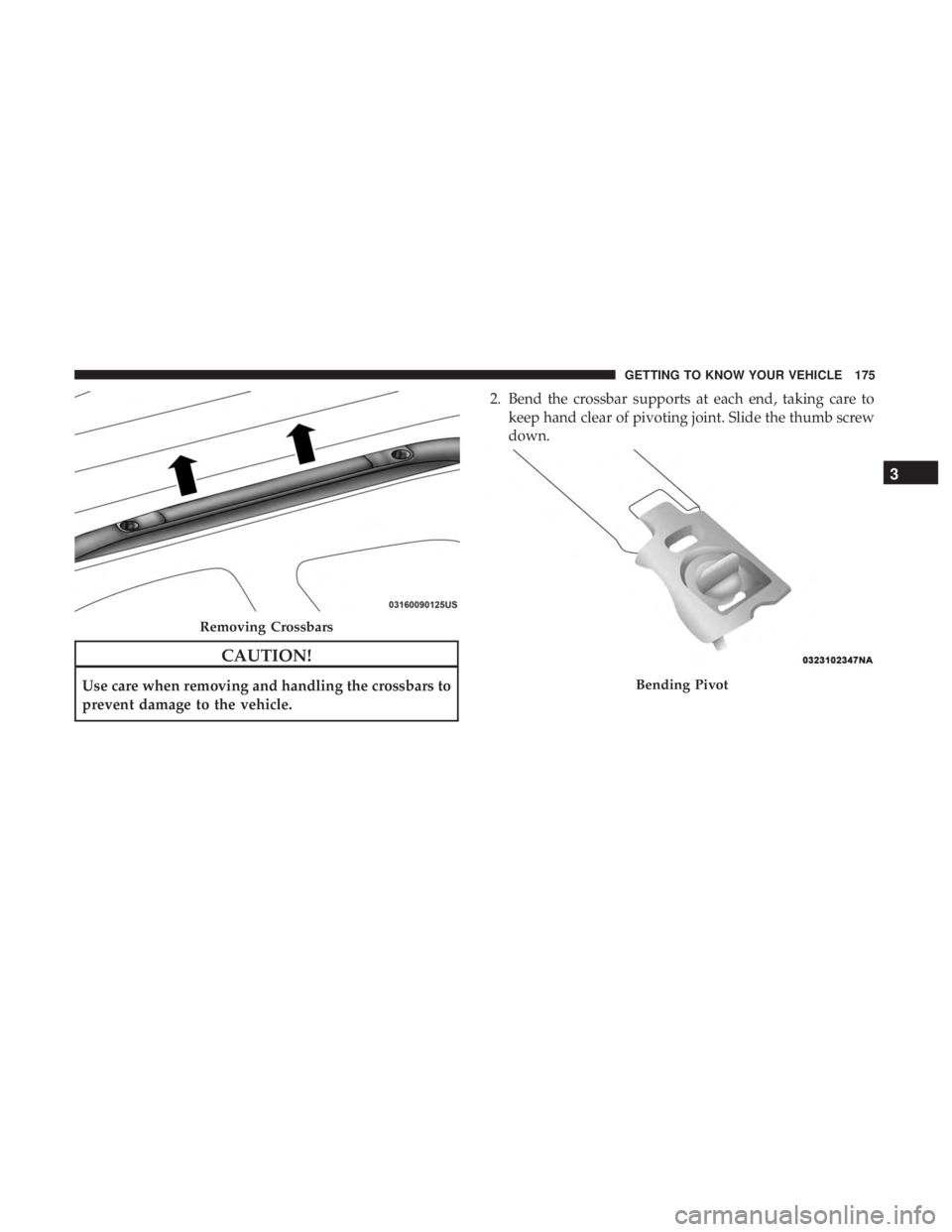
prevent damage to the vehicle.2. Bend the crossbar supports at each end, taking care to
keep hand clear of pivoting joint. Slide the thumb screw
down.
Removing Crossbars
Bending Pivot
3
GETTING TO KNOW YOUR VEHICLE 175
Page 179 of 696
Stowing The Crossbars
1. Starting with one crossbar, completely loosen the thumbscrews at both ends. Lift the crossbar away from the
matching letter to remove it from the deployed position.
Repeat with the other crossbar.
CAUTION!
Use care when removing and handling the crossbars to
prevent damage to the vehicle.
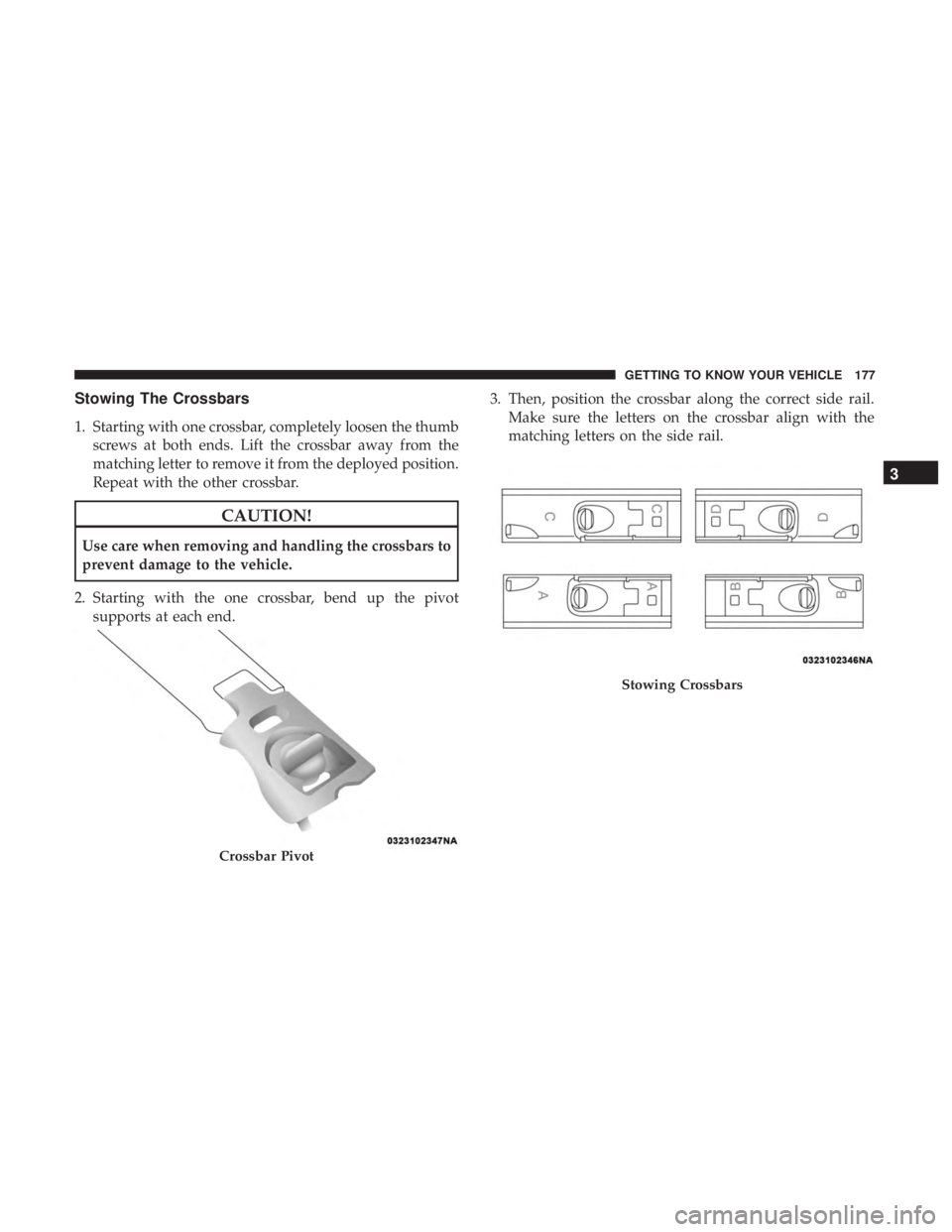
2. Starting with the one crossbar, bend up the pivot supports at each end. 3. Then, position the crossbar along the correct side rail.
Make sure the letters on the crossbar align with the
matching letters on the side rail.
Crossbar Pivot
Stowing Crossbars
3
GETTING TO KNOW YOUR VEHICLE 177
Page 181 of 696
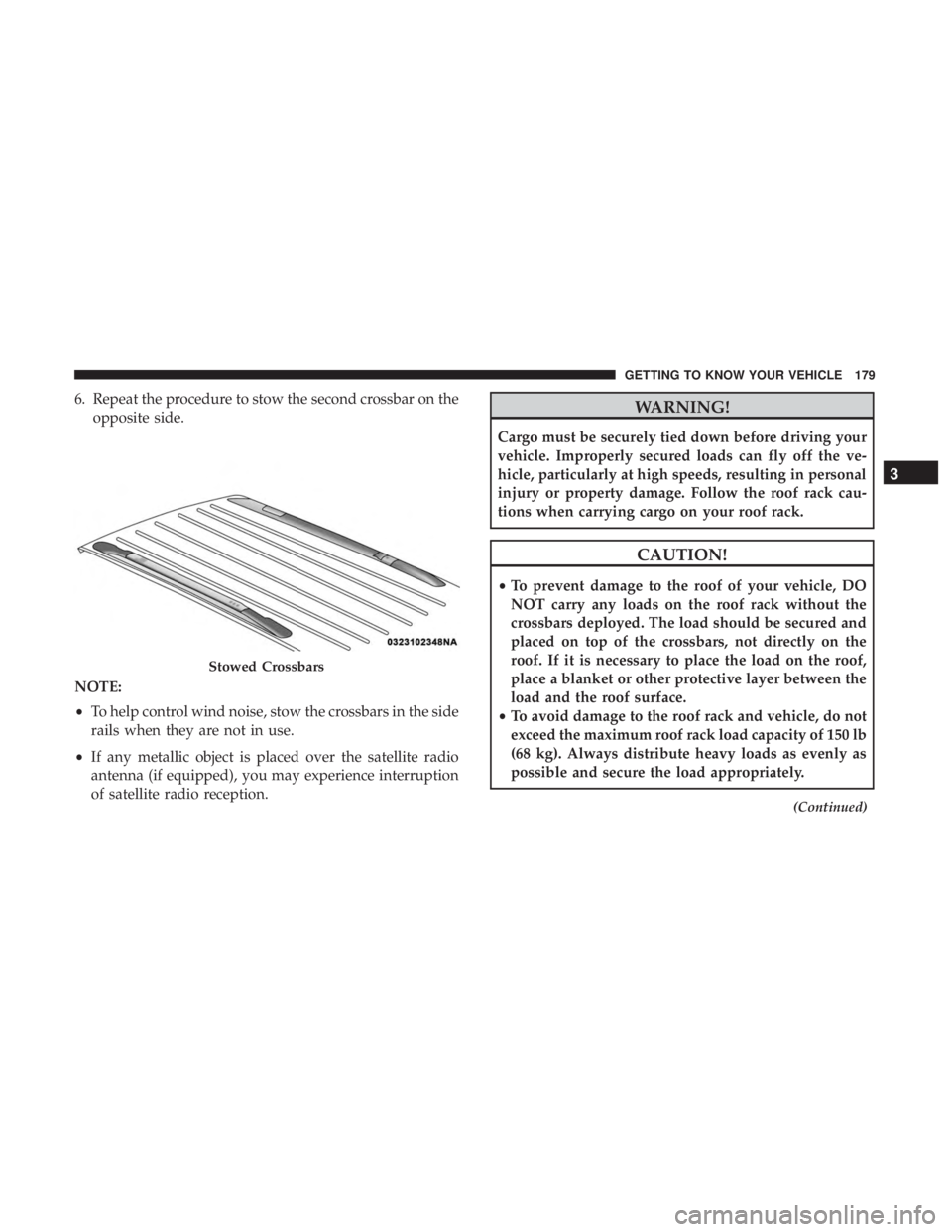
6. Repeat the procedure to stow the second crossbar on theopposite side.
NOTE:
• To help control wind noise, stow the crossbars in the side
rails when they are not in use.
• If any metallic object is placed over the satellite radio
antenna (if equipped), you may experience interruption
of satellite radio reception.WARNING!
Cargo must be securely tied down before driving your
vehicle. Improperly secured loads can fly off the ve-
hicle, particularly at high speeds, resulting in personal
injury or property damage. Follow the roof rack cau-
tions when carrying cargo on your roof rack.
CAUTION!
•To prevent damage to the roof of your vehicle, DO
NOT carry any loads on the roof rack without the
crossbars deployed. The load should be secured and
placed on top of the crossbars, not directly on the
roof. If it is necessary to place the load on the roof,
place a blanket or other protective layer between the
load and the roof surface.
• To avoid damage to the roof rack and vehicle, do not
exceed the maximum roof rack load capacity of 150 lb
(68 kg). Always distribute heavy loads as evenly as
possible and secure the load appropriately.
(Continued)
Stowed Crossbars
3
GETTING TO KNOW YOUR VEHICLE 179
Page 186 of 696
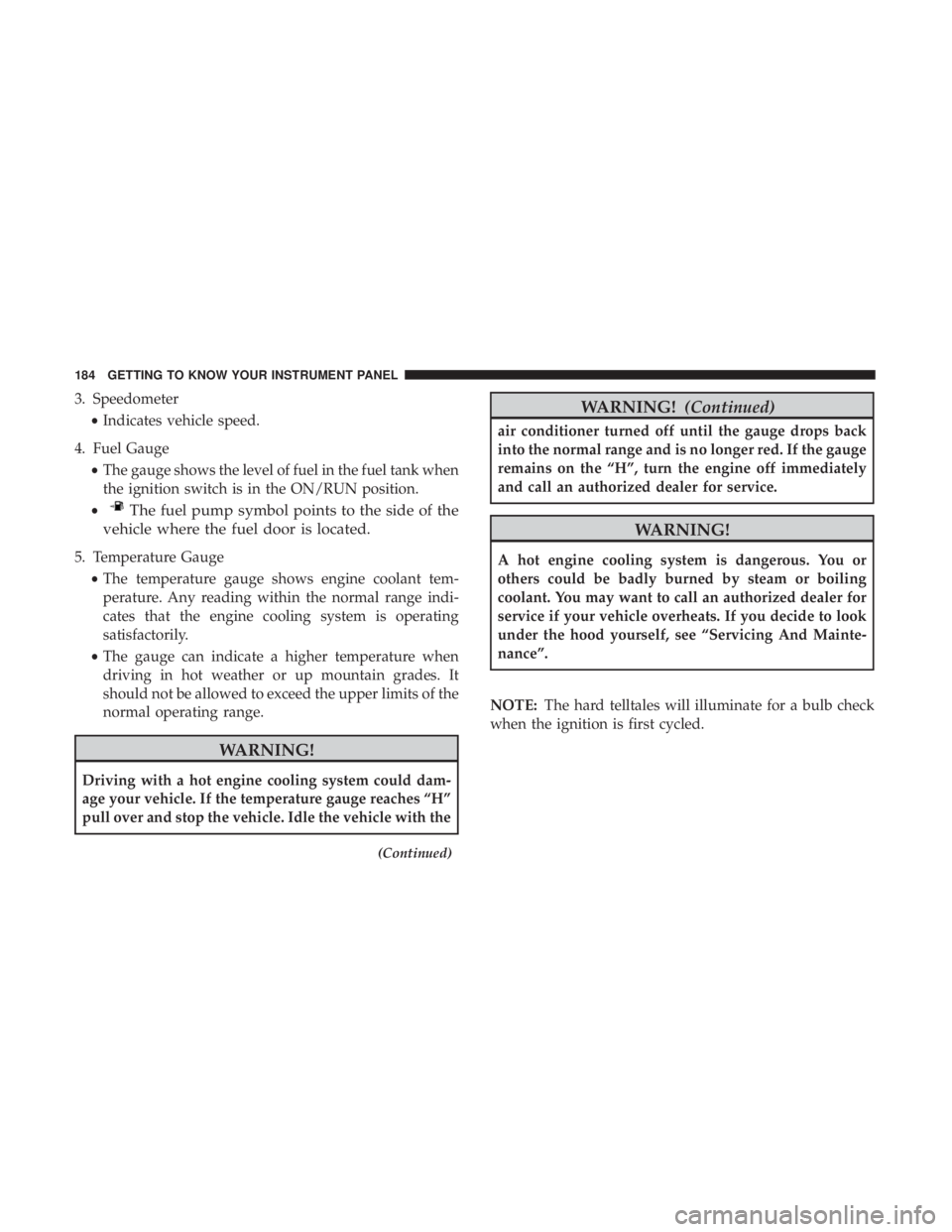
3. Speedometer•Indicates vehicle speed.
4. Fuel Gauge •The gauge shows the level of fuel in the fuel tank when
the ignition switch is in the ON/RUN position.
•
The fuel pump symbol points to the side of the
vehicle where the fuel door is located.
5. Temperature Gauge
•The temperature gauge shows engine coolant tem-
perature. Any reading within the normal range indi-
cates that the engine cooling system is operating
satisfactorily.
• The gauge can indicate a higher temperature when
driving in hot weather or up mountain grades. It
should not be allowed to exceed the upper limits of the
normal operating range.
WARNING!
Driving with a hot engine cooling system could dam-
age your vehicle. If the temperature gauge reaches “H”
pull over and stop the vehicle. Idle the vehicle with the
(Continued)
WARNING! (Continued)
air conditioner turned off until the gauge drops back
into the normal range and is no longer red. If the gauge
remains on the “H”, turn the engine off immediately
and call an authorized dealer for service.
WARNING!
A hot engine cooling system is dangerous. You or
others could be badly burned by steam or boiling
coolant. You may want to call an authorized dealer for
service if your vehicle overheats. If you decide to look
under the hood yourself, see “Servicing And Mainte-
nance”.
NOTE: The hard telltales will illuminate for a bulb check
when the ignition is first cycled.
184 GETTING TO KNOW YOUR INSTRUMENT PANEL
Page 189 of 696
Driver Assist — If Equipped
•ACC/LaneSense
Fuel Economy
• Average Fuel Economy Value (Hold Ok To Reset)
• Range
• Current Fuel Economy Gauge
Trip (Trip A/Trip B)
• Distance
• Average MPG
• Elapsed Time
• (Hold OK to Reset All)
Audio
• Current Media Source
• Song title
• Artist (If Available)
• Phone Call Status
Messages
Screen Setup
Stop/Start — If EquippedOil Life Reset
• Your vehicle is equipped with an engine oil change
indicator system. The “Oil Change Required” message
will display for approximately five seconds after a single
chime has sounded, to indicate the next scheduled oil
change interval. The engine oil change indicator system
is duty cycle based, which means the engine oil change
interval may fluctuate, dependent upon your personal
driving style.
• Unless reset, this message will continue to display each
time the ignition is cycled to the ON/RUN position.
• To reset the oil change indicator after performing the
scheduled maintenance, refer to the following proce-
dure.
Oil Life Reset
Without pressing the brake pedal, push the ENGINE
START/STOP button and place the ignition in the ON/
RUN position (do not start the vehicle.)
1. Push the OKbutton to enter the instrument cluster
display menu screen.
2. Push and release the downarrow button to access the
”Oil Life” menu screen.
4
GETTING TO KNOW YOUR INSTRUMENT PANEL 187
Page 197 of 696

Battery Saver On/Battery Saver Mode Message —
Electrical Load Reduction Actions — If Equipped
This vehicle is equipped with an Intelligent Battery Sensor
(IBS) to perform additional monitoring of the electrical
system and status of the vehicle battery.
In cases when the IBS detects charging system failure, or
the vehicle battery conditions are deteriorating, electrical
load reduction actions will take place to extend the driving
time and distance of the vehicle. This is done by reducing
power to or turning off non-essential electrical loads.
Load reduction is only active when the engine is running.
It will display a message if there is a risk of battery
depletion to the point where the vehicle may stall due to
lack of electrical supply, or will not restart after the current
drive cycle.
When load reduction is activated, the message “Battery
Saver On” or “Battery Saver Mode” will appear in the
instrument cluster display.
These messages indicate the vehicle battery has a low state
of charge and continues to lose electrical charge at a rate
that the charging system cannot sustain.NOTE:
•
The charging system is independent from load reduc-
tion. The charging system performs a diagnostic on the
charging system continuously.
• If the Battery Charge Warning Light is on it may indicate
a problem with the charging system. Refer to “Battery
Charge Warning Light” in “Warning Lights And Mes-
sages” located in ”Getting To Know Your Instrument
Panel” for further information.
The electrical loads that may be switched off (if equipped),
and vehicle functions which can be effected by load
reduction:
• Heated Seat/Vented Seats/Heated Wheel
• Heated/Cooled Cup Holders — If Equipped
• Rear Defroster And Heated Mirrors
• HVAC System
• 150W Power Inverter System
• Audio and Telematics System
4
GETTING TO KNOW YOUR INSTRUMENT PANEL 195
Page 198 of 696
Loss of the battery charge may indicate one or more of the
following conditions:
•The charging system cannot deliver enough electrical
power to the vehicle system because the electrical loads
are larger than the capability of charging system. The
charging system is still functioning properly.
• Turning on all possible vehicle electrical loads (e.g.
HVAC to max settings, exterior and interior lights,
overloaded power outlets +12V, 150W, USB ports) dur-
ing certain driving conditions (city driving, towing,
frequent stopping).
• Installing options like additional lights, upfitter electri-
cal accessories, audio systems, alarms and similar de-
vices.
• Unusual driving cycles (short trips separated by long
parking periods).
• The vehicle was parked for an extended period of time
(weeks, months).
• The battery was recently replaced and was not charged
completely.
• The battery was discharged by an electrical load left on
when the vehicle was parked. •
The battery was used for an extended period with the
engine not running to supply radio, lights, chargers,
+12V portable appliances like vacuum cleaner ’s, game
consoles and similar devices.
What to do when an electrical load reduction action
message is present (“Battery Saver On” or “Battery Saver
Mode”)
During a trip:
• Reduce power to unnecessary loads if possible:
– Turn off redundant lights (interior or exterior)
– Check what may be plugged in to power outlets +12V, 150W, USB ports
– Check HVAC settings (blower, temperature)
– Check the audio settings (volume)
After a trip:
• Check if any aftermarket equipment was installed (ad-
ditional lights, upfitter electrical accessories, audio sys-
tems, alarms) and review specifications if any (load and
Ignition Off Draw currents).
• Evaluate the latest driving cycles (distance, driving time
and parking time).
196 GETTING TO KNOW YOUR INSTRUMENT PANEL
Page 199 of 696
•The vehicle should have service performed if the mes-
sage is still present during consecutive trips and the
evaluation of the vehicle and driving pattern did not
help to identify the cause.
TRIP COMPUTER
The Trip Computer is located in the instrument cluster
display. Push and release the up or down arrow button
until “Trip Info” is highlighted in the instrument cluster
display. Push OK to enter the menu. Navigate between Trip
A or Trip B by using the right and left arrows.
For each trip the following information will be displayed:
Trip A
•Shows the total distance traveled for Trip A since the last
reset.
• Shows the Average MPG for Trip A since the last reset.
• Shows the elapsed time traveled for Trip A since the last
reset. Elapsed time will increment when the ignition
switch is in the ON or START position.
Trip B
• Shows the total distance traveled for Trip B since the last
reset. •
Shows the Average MPG for Trip B since the last reset.
• Shows the elapsed time traveled for Trip B since the last
reset. Elapsed time will increment when the ignition
switch is in the ON or START position.
To Reset A Trip Function
Push and hold the OK button to reset the currently
displayed trip.
WARNING LIGHTS AND MESSAGES
The warning/indicator lights will illuminate in the instru-
ment panel together with a dedicated message and/or
acoustic signal when applicable. These indications are
indicative and precautionary and as such must not be
considered as exhaustive and/or alternative to the infor-
mation contained in the Owner ’s Manual, which you are
advised to read carefully in all cases. Always refer to the
information in this chapter in the event of a failure indica-
tion. All active telltales will display first if applicable. The
system check menu may appear different based upon
equipment options and current vehicle status. Some tell-
tales are optional and may not appear.
4
GETTING TO KNOW YOUR INSTRUMENT PANEL 197