Page 662 of 696
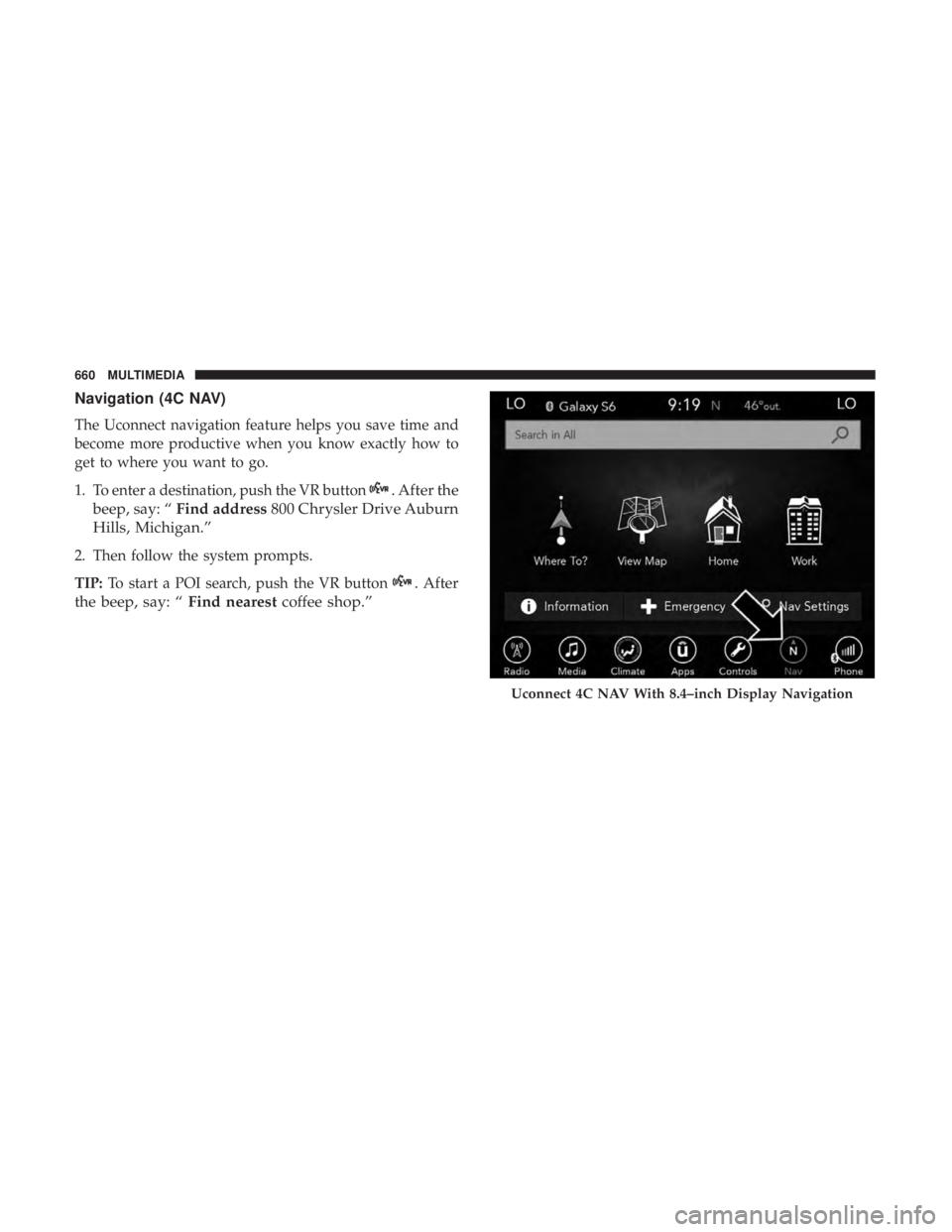
Navigation (4C NAV)
The Uconnect navigation feature helps you save time and
become more productive when you know exactly how to
get to where you want to go.
1. To enter a destination, push the VR button
. After the
beep, say: “ Find address 800 Chrysler Drive Auburn
Hills, Michigan.”
2. Then follow the system prompts.
TIP: To start a POI search, push the VR button
. After
the beep, say: “ Find nearestcoffee shop.”
Uconnect 4C NAV With 8.4–inch Display Navigation
660 MULTIMEDIA
Page 667 of 696
Using Do Not Disturb
With Do Not Disturb, you can disable notifications from
incoming calls and texts, allowing you to keep your eyes
on the road and hands on the wheel. For your convenience,
there is a counter display to keep track of your missed calls
and text messages while you were using Do Not Disturb.
Do Not Disturb can automatically reply with a text mes-
sage, a call or both, when declining an incoming call and
send it to voicemail.
Automatic reply messages can be:
•“I am driving right now, I will get back to you shortly.”
• Create a custom auto reply message up to 160 characters.
While in Do Not Disturb, Conference Call can be selected
so you can still place a second call without being inter-
rupted by incoming calls. NOTE:
•
Only the beginning of your custom message will be seen
on the touchscreen.
• Reply with text message is not compatible with iPhones.
• Auto reply with text message is only available on
phones that supporting Bluetooth MAP.
Android Auto — If Equipped
NOTE: Feature availability depends on your carrier and
mobile phone manufacturer. Some Android Auto features
may or may not be available in every region and/or
language.
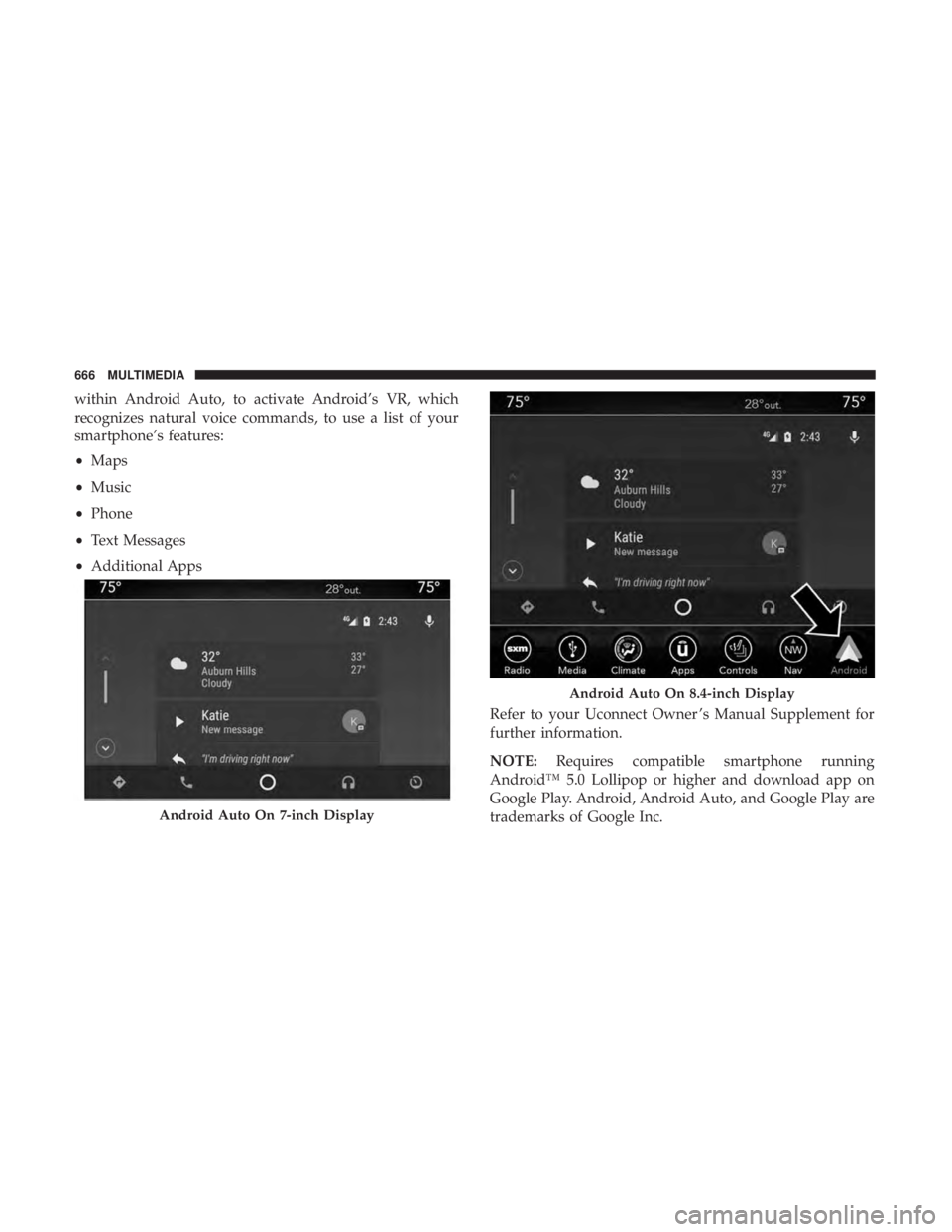
Android Auto allows you to use your voice to interact with
Android’s best-in-class speech technology through your
vehicle’s voice recognition system, and use your smart-
phone’s data plan to project your Android powered smart-
phone and a number of its apps onto your Uconnect
touchscreen. Connect your Android 5.0 (Lollipop), or
higher, to one of the media USB ports, using the factory-
provided USB cable, and press the new Android Auto icon
that replaces your “Phone” icon on the main menu bar to
begin Android Auto. Push and hold the VR button on the
steering wheel, or press and hold the “Microphone” icon
10
MULTIMEDIA 665
Page 668 of 696
within Android Auto, to activate Android’s VR, which
recognizes natural voice commands, to use a list of your
smartphone’s features:
•Maps
• Music
• Phone
• Text Messages
• Additional Apps
Refer to your Uconnect Owner ’s Manual Supplement for
further information.
NOTE:Requires compatible smartphone running
Android™ 5.0 Lollipop or higher and download app on
Google Play. Android, Android Auto, and Google Play are
trademarks of Google Inc.
Android Auto On 7-inch Display
Android Auto On 8.4-inch Display
666 MULTIMEDIA
Page 669 of 696
Apple CarPlay — If Equipped
NOTE:Feature availability depends on your carrier and
mobile phone manufacturer. Some Apple CarPlay features
may or may not be available in every region and/or
language.
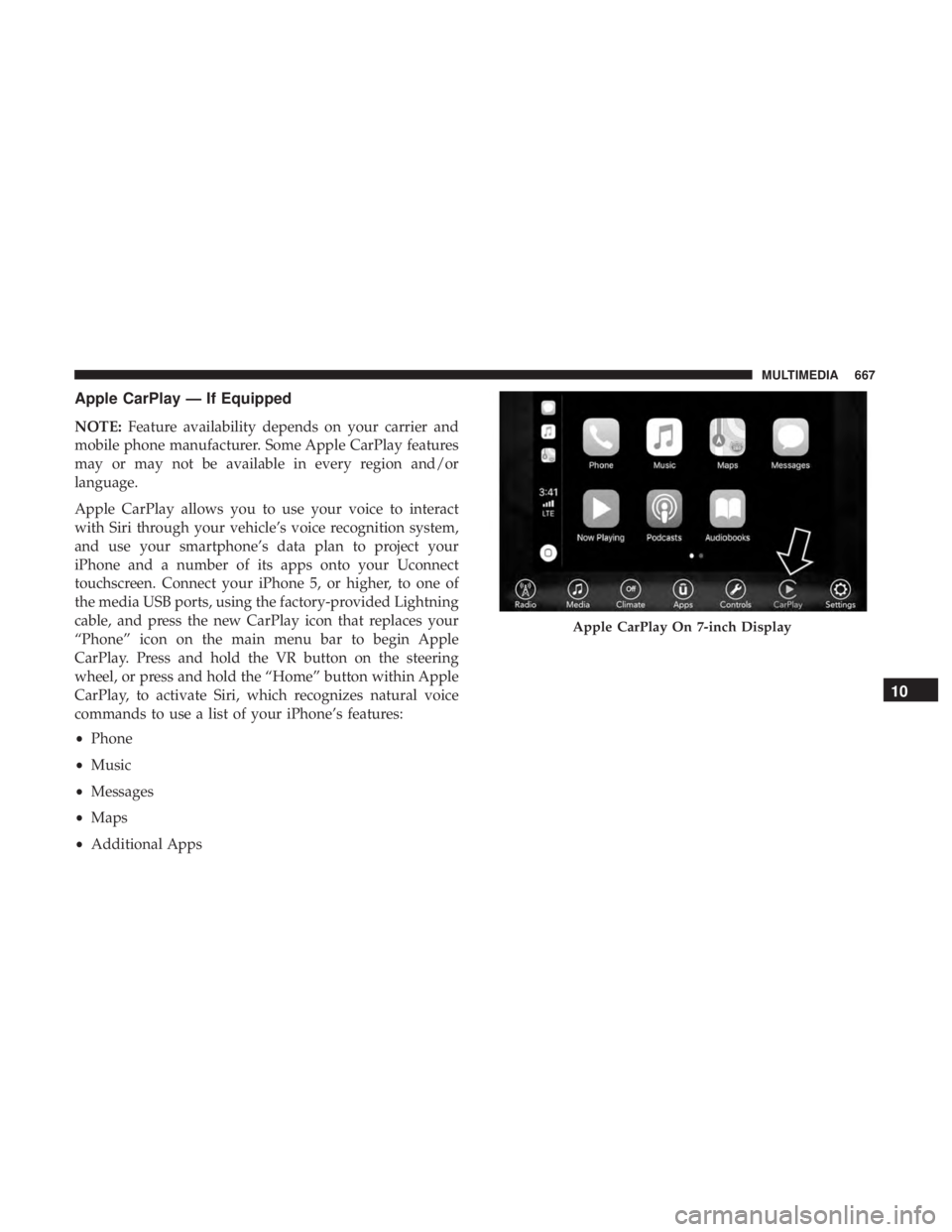
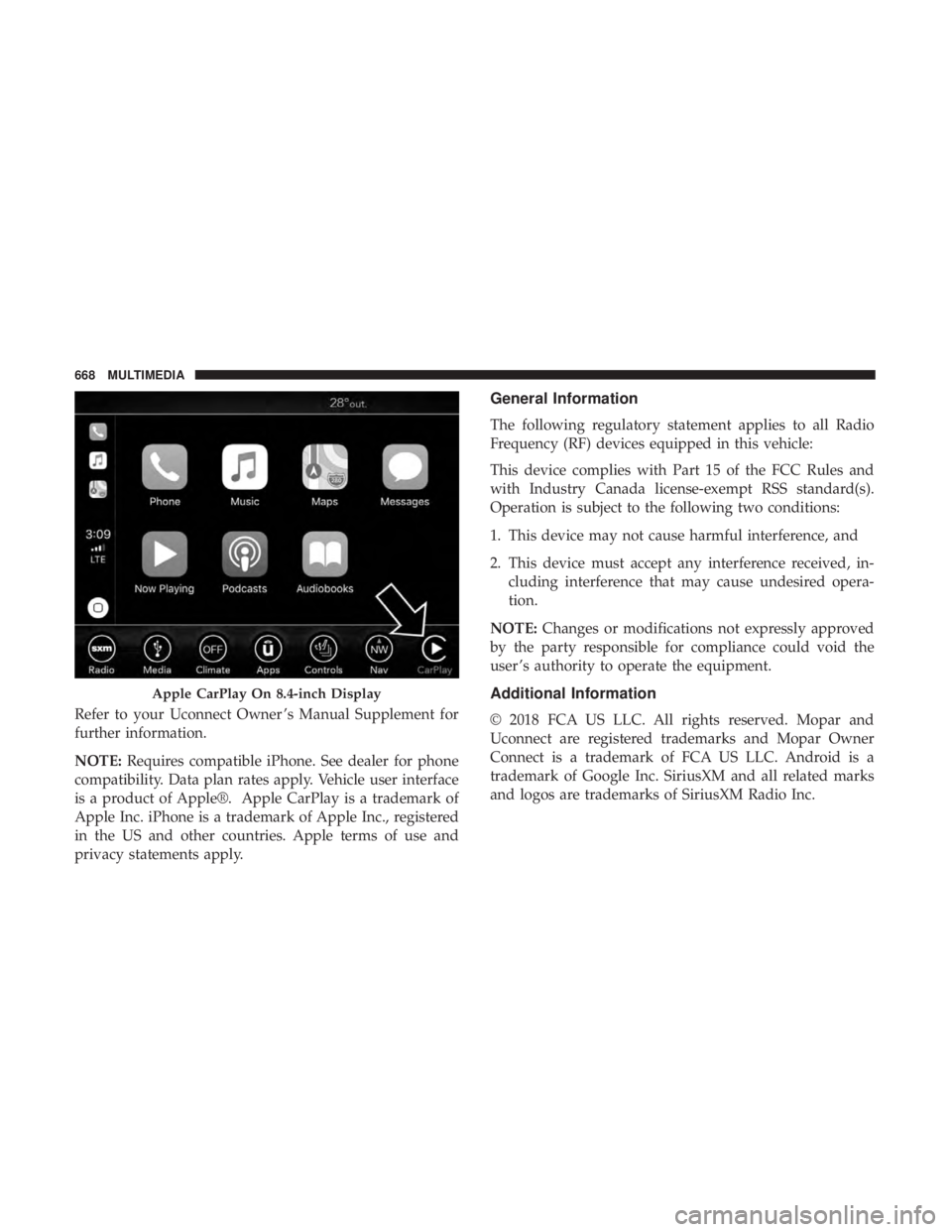
Apple CarPlay allows you to use your voice to interact
with Siri through your vehicle’s voice recognition system,
and use your smartphone’s data plan to project your
iPhone and a number of its apps onto your Uconnect
touchscreen. Connect your iPhone 5, or higher, to one of
the media USB ports, using the factory-provided Lightning
cable, and press the new CarPlay icon that replaces your
“Phone” icon on the main menu bar to begin Apple
CarPlay. Press and hold the VR button on the steering
wheel, or press and hold the “Home” button within Apple
CarPlay, to activate Siri, which recognizes natural voice
commands to use a list of your iPhone’s features:
• Phone
• Music
• Messages
• Maps
• Additional Apps
Apple CarPlay On 7-inch Display
10
MULTIMEDIA 667
Page 670 of 696
Refer to your Uconnect Owner ’s Manual Supplement for
further information.
NOTE:Requires compatible iPhone. See dealer for phone
compatibility. Data plan rates apply. Vehicle user interface
is a product of Apple®. Apple CarPlay is a trademark of
Apple Inc. iPhone is a trademark of Apple Inc., registered
in the US and other countries. Apple terms of use and
privacy statements apply.
General Information
The following regulatory statement applies to all Radio
Frequency (RF) devices equipped in this vehicle:
This device complies with Part 15 of the FCC Rules and
with Industry Canada license-exempt RSS standard(s).
Operation is subject to the following two conditions:
1. This device may not cause harmful interference, and
2. This device must accept any interference received, in- cluding interference that may cause undesired opera-
tion.
NOTE: Changes or modifications not expressly approved
by the party responsible for compliance could void the
user ’s authority to operate the equipment.
Additional Information
© 2018 FCA US LLC. All rights reserved. Mopar and
Uconnect are registered trademarks and Mopar Owner
Connect is a trademark of FCA US LLC. Android is a
trademark of Google Inc. SiriusXM and all related marks
and logos are trademarks of SiriusXM Radio Inc.
Apple CarPlay On 8.4-inch Display
668 MULTIMEDIA
Page 686 of 696

Ignition..................................26
Switch .................................26
Inside Rearview Mirror ....................89, 425
Instrument Cluster ..........................183
Descriptions ............................207
Display ...............................185
Menu Items ............................189
Instrument Panel Lens Cleaning ................545
Interior And Instrument Lights ..................98
Interior Appearance Care .....................544
Interior Lights ..............................98
Intermittent Wipers (Delay Wipers) ..............102
Introduction ................................4
Inverter Power ............................... .171
Jack Location ............................ .446
Jack Operation ........................ .446, 517
Jump Starting ............................ .475
KeyFob..................................18 Arm The System ..........................33
Disarm The Alarm ........................34
Programming Additional Key Fobs ..........24, 32
Key Fob Battery Service (Remote Keyless Entry) .....22Key Fob Programming (Remote Keyless Entry)
......24
Keys ....................................18
Replacement .............................32
Lane Change And Turn Signals .................94
Lane Change Assist .......................94, 98
LaneSense ............................... .394
Lap/Shoulder Belts ........................ .242
Latches ................................. .304
Hood .................................139
Lead Free Gasoline ........................ .550
Leaks, Fluid ............................. .304
Life Of Tires ............................. .531
Liftgate ................................. .141
Power ............................... .142
Light Bulbs .......................... .303, 435
Lighter Cigar ................................ .172
Lights .................................. .303
A i
rBag .........................198, 257, 301
Battery Saver ............................98
Brake Assist Warning ..................... .220
Brake Warning ..........................198
Bulb Replacement .....................431, 435
Center Mounted Stop ..................... .437
684 INDEX
Page 693 of 696
Hitches............................... .409
Minimum Requirements ....................413
Tips ................................. .417
Trailer And Tongue Weight ..................413
Wiring ............................... .416
Trailer Towing Guide ........................410
Trailer Weight ............................ .410
Transaxle Automatic ............................ .317
Operation ............................. .317
Transmission ............................. .319
Automatic ..........................319, 516
Maintenance ............................516
Transporting Pets ..........................300
Tread Wear Indicators .......................531
Turn Signals ........................94, 207, 435
Uconnect Theater ............................... .617
Uconnect Settings ..................... .31, 564
Uconnect 4C/4C Nav With 8.4-Inch Display ........591
Uconnect 4 With 7-Inch Display ................565
Uconnect Settings Customer Programmable Features ..........31, 564
Uconnect Voice Command ....................651 Umbrella Holder
.......................... .164
Uniform Tire Quality Grades ..................540
Universal Garage Door Opener (HomeLink) ........154
Universal Transmitter ........................154
Unleaded Gasoline ........................ .550
Untwisting Procedure, Seat Belt ................246
USB....................................616
Vacuum .................................147
Stow ‘n Vac ............................147
Vanity Mirrors .............................93
Vehicle Identification Number (VIN) .............548
Vehicle Loading ........................405, 524
Vehicle Modifications/Alterations .................5
Vehicle Storage ............................131
V iscosity
, Engine Oil ........................497
Voice Recognition System (VR) .................651
Warning Lights (Instrument Cluster Descriptions) . . . .202
Warnings And Cautions .......................5
Warranty Information .......................675
Washers, Windshield ........................494
Washing Vehicle .......................... .543
Water Driving Through ........................ .420
12
INDEX 691