Page 1 of 614
Pacifica Hybrid
OWNER’S MANUAL
Third Edition Rev 1
Printed in the U.S.A.
18RUPHEV-126-AC
©2018 FCA US LLC. All Rights Reserved.
Chrysler is a registered trademark of FCA US LLC.
2018
2018 PACIFICA HYBRID
Page 15 of 614
GETTING TO KNOW YOUR VEHICLE
CONTENTS
�HIGH VOLTAGE BATTERY ..................18
� HIGH VOLTAGE CHARGING OPERATION ......20
▫ SAE J1772 Charging Inlet ..................20
▫ AC Level 1 Charging (120V, 15 Amp) ..........21
▫ AC Level 2 Charging (240V, 30 Amp) ..........31
▫ Charging Times .........................32
▫ Vehicle Charge Indicators ..................33
▫ Hybrid Electric Pages .....................35
� KEYS .................................38
▫ KeyFob..............................38
� IGNITION SWITCH .......................46
� REMOTE STARTING SYSTEM — IF EQUIPPED . . .49
▫ Remote Start Cancel Message — If Equipped ....50
▫ How To Use Remote Start ..................50 ▫
To Enter Remote Start Mode ................51
▫ To Exit Remote Start Mode Without Driving
The Vehicle ...........................51
▫ To Exit Remote Start Mode And Drive
The Vehicle ............................51
▫ Remote Start Comfort Systems — If Equipped . . .51
▫ Remote Start Windshield Wiper De–Icer Activation
— If Equipped ..........................52
▫ General Information .....................52
� SENTRY KEY ............................52
▫ Customer Key Programming ...............53
▫ Replacement Keys .......................53
▫ General Information .....................53
� VEHICLE SECURITY ALARM — IF EQUIPPED . . .53
▫ Rearming Of The System ..................543
Page 37 of 614

Hybrid Electric Pages
Within your Uconnect 4C/4C NAV system is the “Hybrid
Electric Pages” App that allows you to see your vehicle’s
power flow, understand your drive history, and set an
EVSE charging schedule for your vehicle’s high voltage
battery. To access this app, press the “Apps” button on the
main menu bar of the radio’s touch screen, and locate the
“Hybrid Electric” App. Pressing the “Hybrid Electric
Pages” App brings you to a set of three pages: Power Flow,
Driving History, and Charging Schedule.
Power Flow
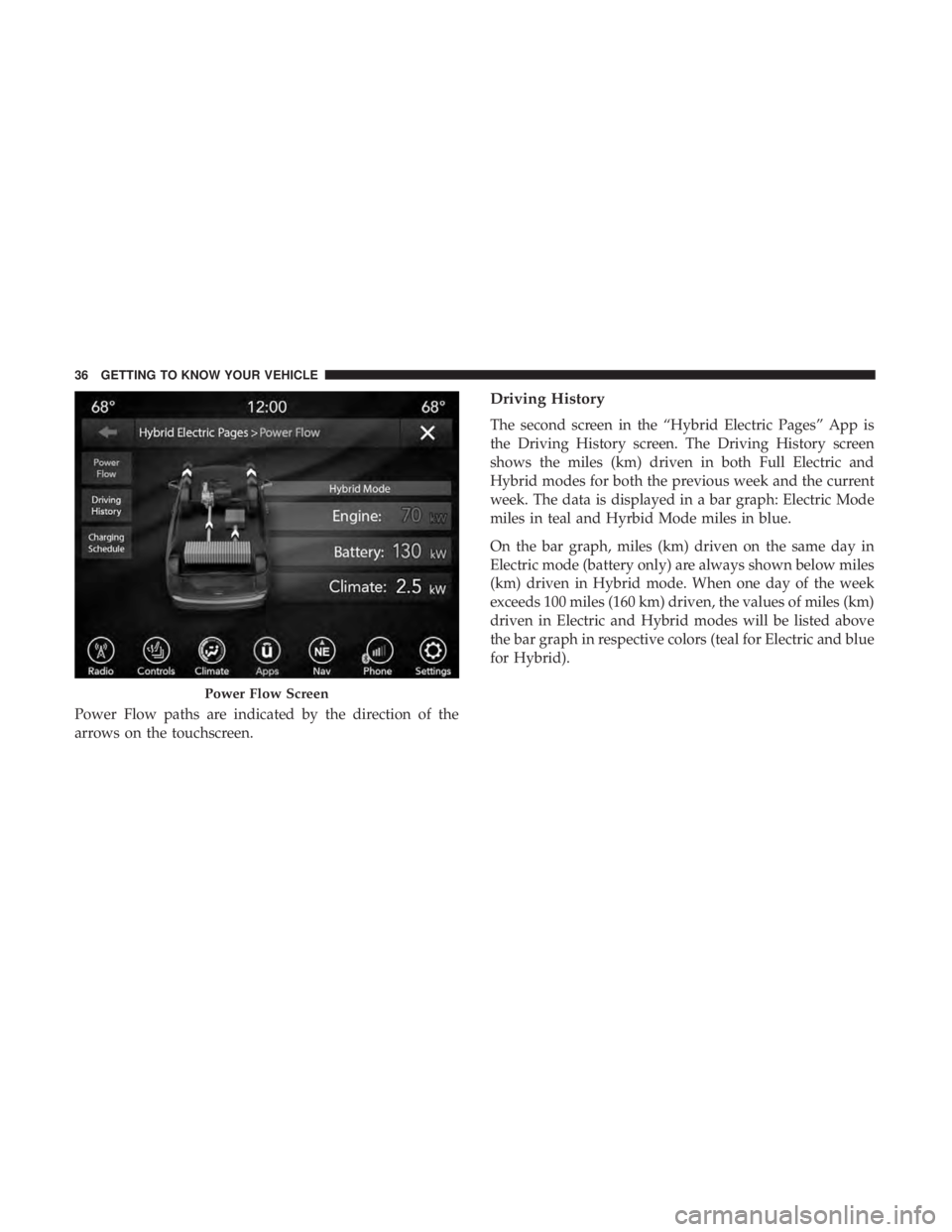
The first screen within the “Hybrid Electric Pages” App is
the Power Flow screen. The Power Flow screen shows the
current power readings for all of the following:
•Engine - Shows the amount of power (in kW) the engine
is generating. Based on vehicle operating conditions, this
power is used to: propel the vehicle, provide passenger
compartment heating & cooling, power vehicle electrical
loads, and charge the High Voltage Battery. Engine
operation is controlled to maximize fuel economy.
• Battery - Shows the amount of power (in kW) the high
voltage battery is currently providing/absorbing. A
negative kW indicates the vehicle’s high voltage battery
is charging.
• Climate - Shows the amount of power (in kW) the
climate control system is using to maintain the current
interior temperature.
Hybrid Electric Pages App Location
3
GETTING TO KNOW YOUR VEHICLE 35
Page 38 of 614
Power Flow paths are indicated by the direction of the
arrows on the touchscreen.
Driving History
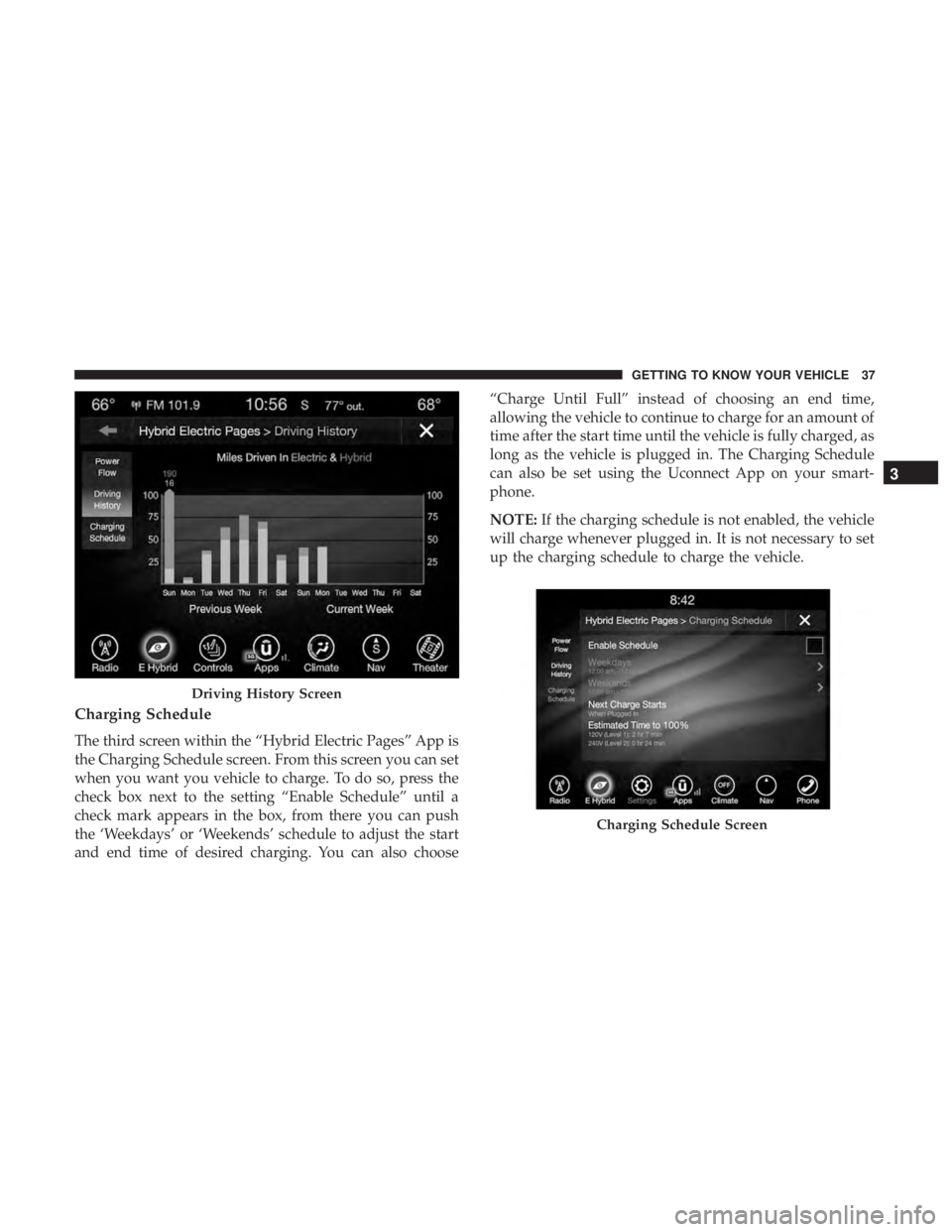
The second screen in the “Hybrid Electric Pages” App is
the Driving History screen. The Driving History screen
shows the miles (km) driven in both Full Electric and
Hybrid modes for both the previous week and the current
week. The data is displayed in a bar graph: Electric Mode
miles in teal and Hyrbid Mode miles in blue.
On the bar graph, miles (km) driven on the same day in
Electric mode (battery only) are always shown below miles
(km) driven in Hybrid mode. When one day of the week
exceeds 100 miles (160 km) driven, the values of miles (km)
driven in Electric and Hybrid modes will be listed above
the bar graph in respective colors (teal for Electric and blue
for Hybrid).
Power Flow Screen
36 GETTING TO KNOW YOUR VEHICLE
Page 39 of 614
Charging Schedule
The third screen within the “Hybrid Electric Pages” App is
the Charging Schedule screen. From this screen you can set
when you want you vehicle to charge. To do so, press the
check box next to the setting “Enable Schedule” until a
check mark appears in the box, from there you can push
the ‘Weekdays’ or ‘Weekends’ schedule to adjust the start
and end time of desired charging. You can also choose“Charge Until Full” instead of choosing an end time,
allowing the vehicle to continue to charge for an amount of
time after the start time until the vehicle is fully charged, as
long as the vehicle is plugged in. The Charging Schedule
can also be set using the Uconnect App on your smart-
phone.
NOTE:
If the charging schedule is not enabled, the vehicle
will charge whenever plugged in. It is not necessary to set
up the charging schedule to charge the vehicle.
Driving History Screen
Charging Schedule Screen
3
GETTING TO KNOW YOUR VEHICLE 37
Page 40 of 614

NOTE:If the vehicle is plugged in outside of the charging
schedule set in the Uconnect 4C radio, the vehicle’s battery
will not charge. Charging will only begin immediately if
the vehicle is plugged in within the time and day of the
week set in the schedule. Otherwise, charging will auto-
matically begin when the selected charge time/day of the
week occurs or whenever the vehicle is plugged in with no
charge schedule set.
If the vehicle is turned off outside of the charging window,
a radio pop-up message will be displayed, which provides
an option to begin charging the vehicle immediately. The
pop-up message asks the driver if they would like to
“Charge Now?” and provides other information, including
the next charging schedule start time and estimated time to
charge the battery to 100%. If within one hour of selecting
“Yes,” the vehicle is connected to a powered EVSE, the
vehicle will immediately begin to charge (temporarily
ignoring any set charge schedule). To fully deactivate the
charge schedule, refer to the “Charging Schedule” feature
within the “Hybrid Electric Pages” App.
The charging schedule can also be overridden if the EVSE
is plugged in, unplugged, and then plugged in a second
time to the vehicle. This “double plugged-in” feature will
override the schedule that is set in the radio, and begin charging the vehicle immediately. The double plug se-
quence must be completed within ten seconds for it to
override the programed schedule.
KEYS
Key Fob
Your vehicle uses a keyless ignition system. The ignition
system consists of a key fob with Remote Keyless Entry
(RKE) and a START/STOP push button ignition system.
The Remote Keyless Entry system consists of a key fob and
Keyless Enter-N-Go feature if equipped.
NOTE:
The key fob may not be found if it is located next to
a mobile phone, laptop or other electronic device; these
devices may block the key fob’s wireless signal.
This system allows you to lock or unlock the doors and
liftgate, activate the Panic Alarm, optional power liftgate,
left power sliding door, and right power sliding door from
distances up to approximately 66 ft (20 m) using a hand-
held key fob. The key fob does not need to be pointed at the
vehicle to activate the system.
38 GETTING TO KNOW YOUR VEHICLE
Page 49 of 614
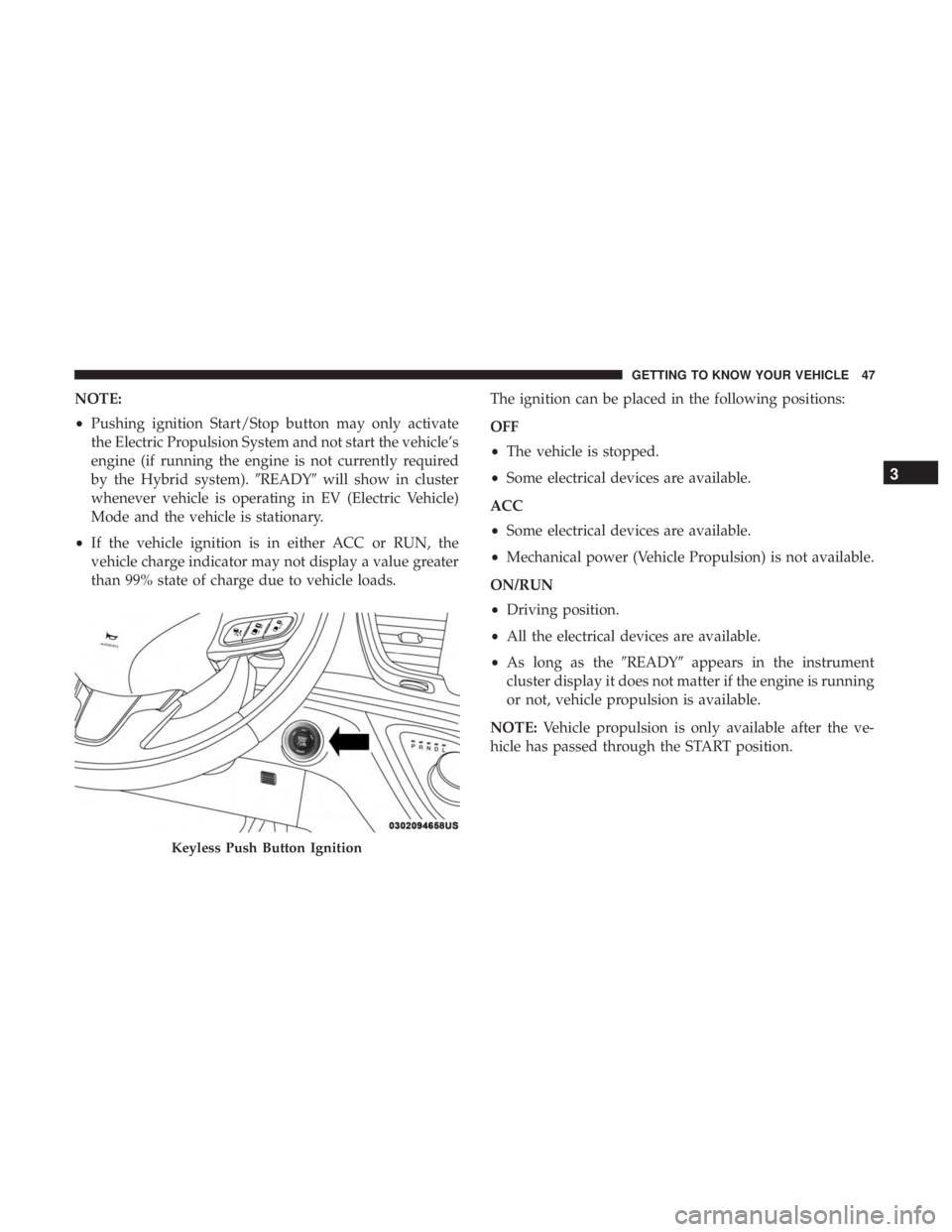
NOTE:
•Pushing ignition Start/Stop button may only activate
the Electric Propulsion System and not start the vehicle’s
engine (if running the engine is not currently required
by the Hybrid system). �READY�will show in cluster
whenever vehicle is operating in EV (Electric Vehicle)
Mode and the vehicle is stationary.
• If the vehicle ignition is in either ACC or RUN, the
vehicle charge indicator may not display a value greater
than 99% state of charge due to vehicle loads. The ignition can be placed in the following positions:
OFF
•
The vehicle is stopped.
• Some electrical devices are available.
ACC
• Some electrical devices are available.
• Mechanical power (Vehicle Propulsion) is not available.
ON/RUN
• Driving position.
• All the electrical devices are available.
• As long as the �READY�appears in the instrument
cluster display it does not matter if the engine is running
or not, vehicle propulsion is available.
NOTE: Vehicle propulsion is only available after the ve-
hicle has passed through the START position.
Keyless Push Button Ignition
3
GETTING TO KNOW YOUR VEHICLE 47
Page 50 of 614

Conditions Causing Engine To Run
•Maintaining Hybrid Battery SOC
• Provide Maximum Vehicle Acceleration
• Provide Maximum Passenger Compartment Heating
• Maintain Exhaust System Catalyst Temperature (after
engine start in current ignition cycle - emissions require-
ment)
• Engine Temporarily Operating in “Fuel and Oil Mainte-
nance Mode”
• Hood Opened with Ignition in Run Post-Start Mode
(eliminate unexpected engine start-ups)
In case the ignition switch does not change with the push
of a button, the key fob may have a low or dead battery. In
this situation, a back up method can be used to operate the
ignition switch. Put the nose side (side opposite of the
emergency key) of the key fob against the ENGINE
START/STOP button and push to operate the ignition
switch.
WARNING!
• When leaving the vehicle, always remove the key fob
from the vehicle and lock your vehicle.
• Never leave children alone in a vehicle, or with
access to an unlocked vehicle.
• Allowing children to be in a vehicle unattended is
dangerous for a number of reasons. A child or others
could be seriously or fatally injured. Children
should be warned not to touch the parking brake,
brake pedal or the gear selector.
(Continued)
Keyless Push Button Ignition
48 GETTING TO KNOW YOUR VEHICLE