Page 556 of 614
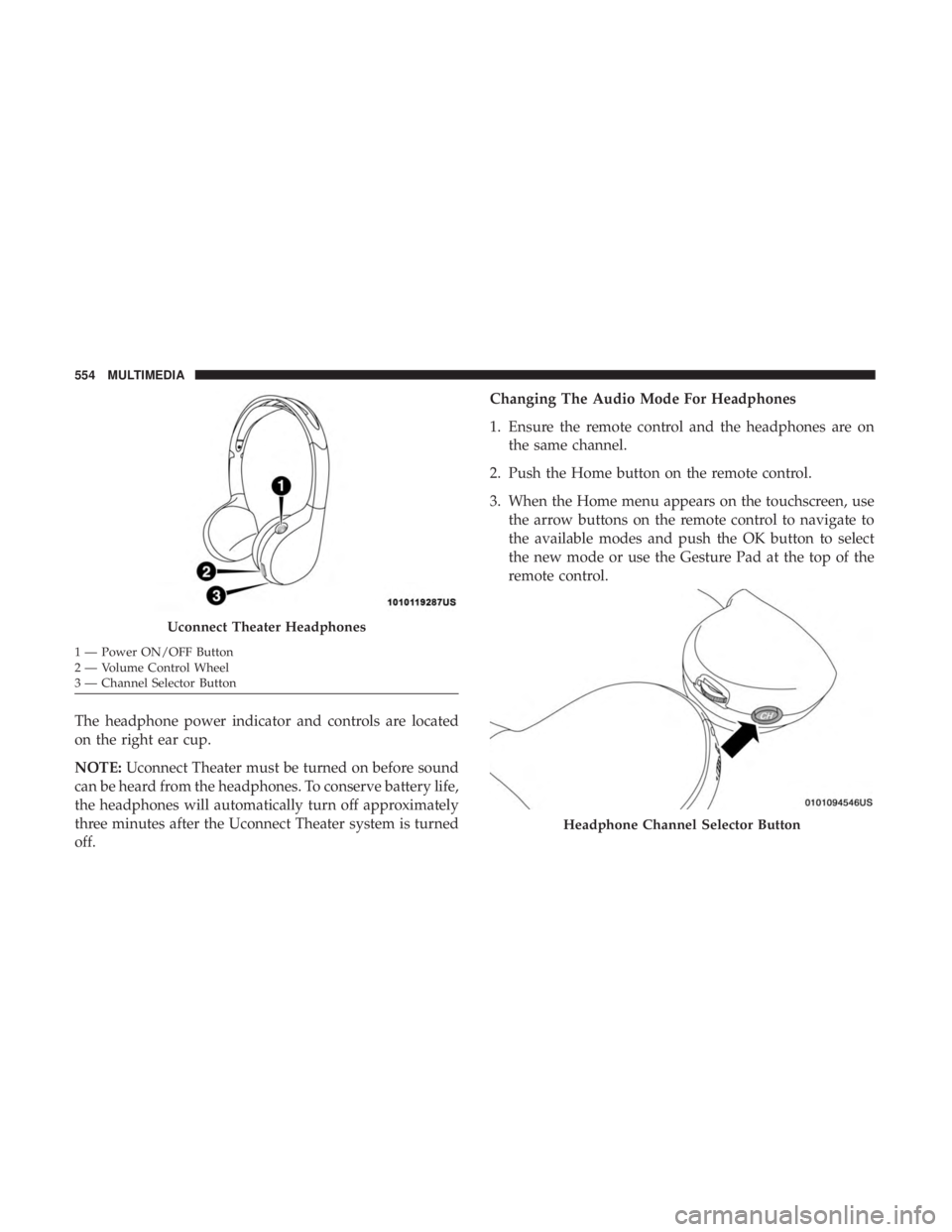
The headphone power indicator and controls are located
on the right ear cup.
NOTE:Uconnect Theater must be turned on before sound
can be heard from the headphones. To conserve battery life,
the headphones will automatically turn off approximately
three minutes after the Uconnect Theater system is turned
off. Changing The Audio Mode For Headphones
1. Ensure the remote control and the headphones are on
the same channel.
2. Push the Home button on the remote control.
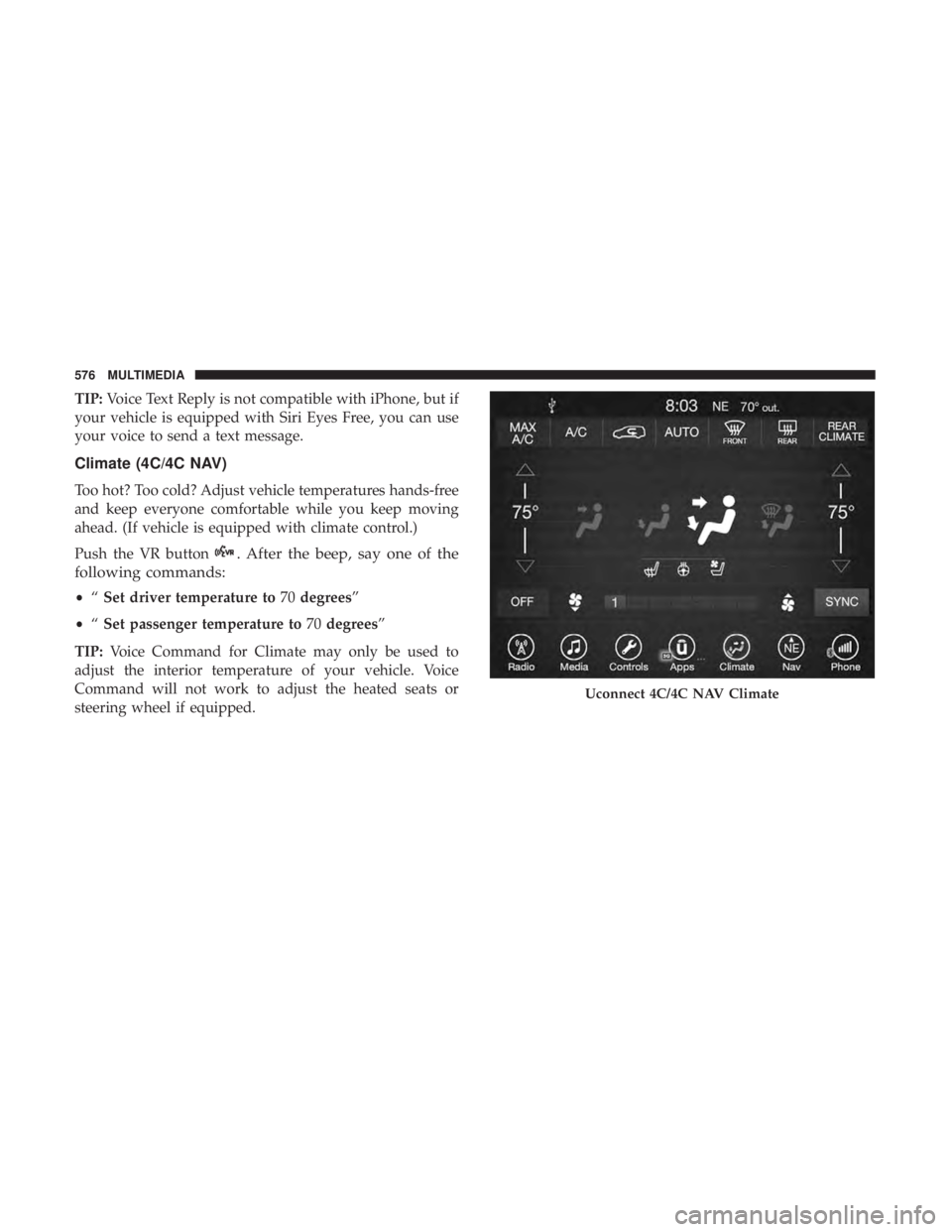
3. When the Home menu appears on the touchscreen, use the arrow buttons on the remote control to navigate to
the available modes and push the OK button to select
the new mode or use the Gesture Pad at the top of the
remote control.
Uconnect Theater Headphones
1 — Power ON/OFF Button
2 — Volume Control Wheel
3 — Channel Selector Button
Headphone Channel Selector Button
554 MULTIMEDIA
Page 573 of 614
NOTE:If you see the NAV icon on the bottom bar, or in the
Apps menus, of your touchscreen, you have the Uconnect
4C NAV system. If not, you have a Uconnect 4C system.
Get Started
All you need to control your Uconnect system with your
voice are the buttons on your steering wheel.
Helpful hints for using Voice Recognition:
1. Visit UconnectPhone.com to check mobile device and feature compatibility and to find phone pairing instruc-
tions.
2. Reduce background noise. Wind and passenger conver- sations are examples of noise that may impact recogni-
tion.
3. Speak clearly at a normal pace and volume while facing straight ahead. The microphone is positioned on the
rearview mirror and aimed at the driver.
4. Each time you give a Voice Command, you must first push either the Voice Recognition (VR) or Phone button,
wait until afterthe beep, then say your Voice Command. 5. You can interrupt the help message or system prompts
by pushing the VR or Phone button and saying a Voice
Command from current category.
Uconnect Voice Command Buttons
1 — Push To Initiate Or To Answer A Phone Call, Send Or Receive
A Text
2 — For All Radios: Push To Begin Radio Or Media Functions. For
8.4–inch System Only: Push To Begin Navigation, Apps And Cli-
mate Functions
3 — Push To End Call
10
MULTIMEDIA 571
Page 578 of 614
TIP:Voice Text Reply is not compatible with iPhone, but if
your vehicle is equipped with Siri Eyes Free, you can use
your voice to send a text message.
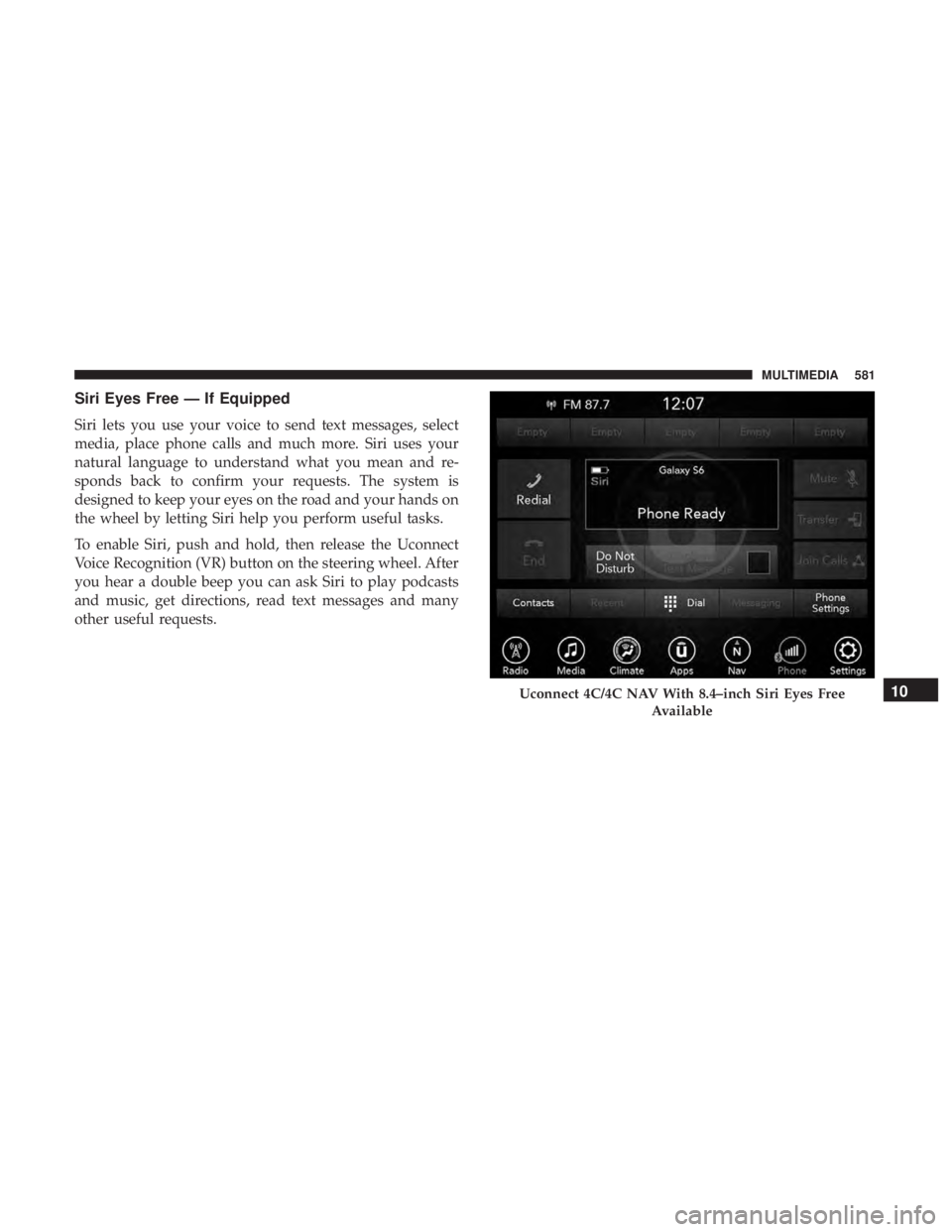
Climate (4C/4C NAV)
Too hot? Too cold? Adjust vehicle temperatures hands-free
and keep everyone comfortable while you keep moving
ahead. (If vehicle is equipped with climate control.)
Push the VR button
. After the beep, say one of the
following commands:
• “Set driver temperature to 70degrees”
• “Set passenger temperature to 70degrees”
TIP: Voice Command for Climate may only be used to
adjust the interior temperature of your vehicle. Voice
Command will not work to adjust the heated seats or
steering wheel if equipped.
Uconnect 4C/4C NAV Climate
576 MULTIMEDIA
Page 583 of 614
Siri Eyes Free — If Equipped
Siri lets you use your voice to send text messages, select
media, place phone calls and much more. Siri uses your
natural language to understand what you mean and re-
sponds back to confirm your requests. The system is
designed to keep your eyes on the road and your hands on
the wheel by letting Siri help you perform useful tasks.
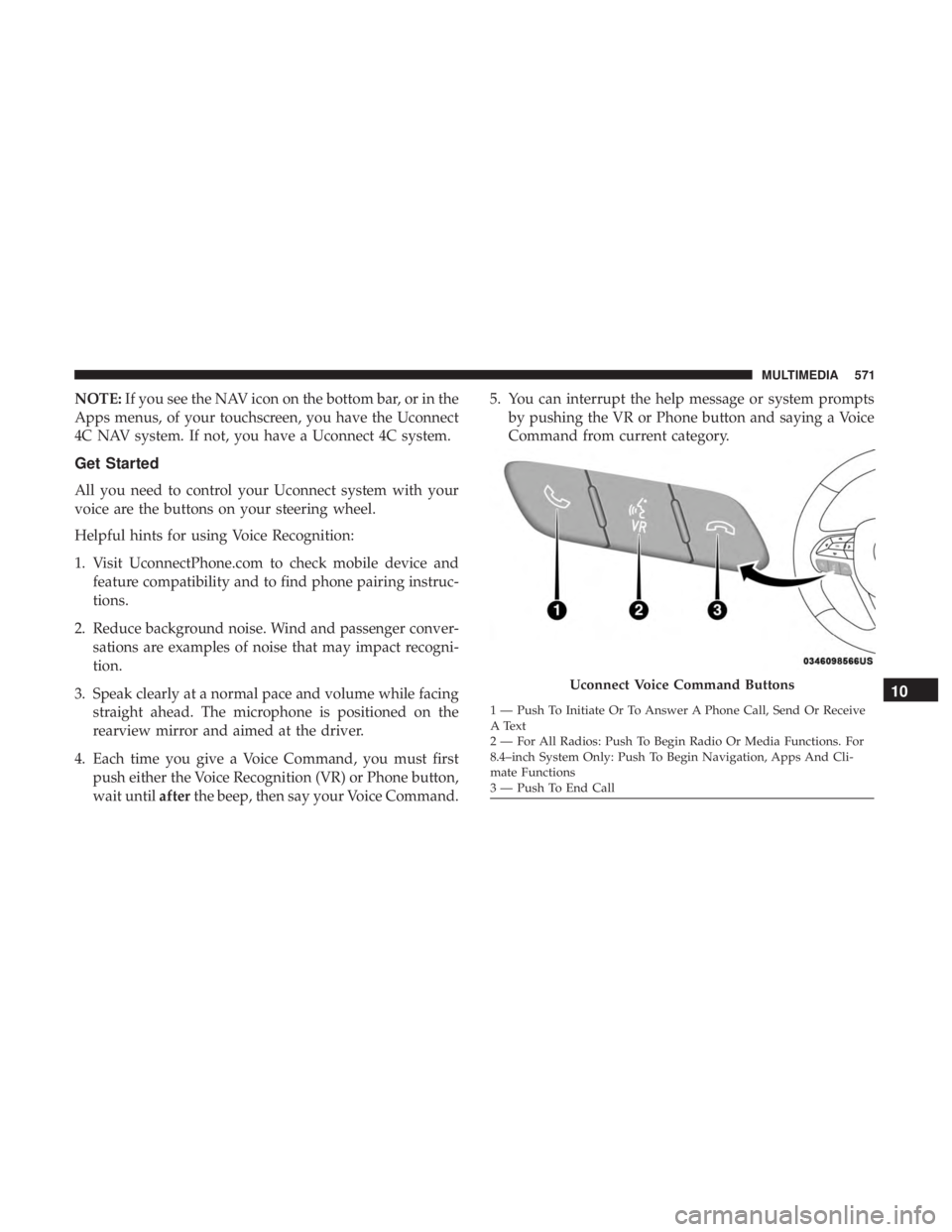
To enable Siri, push and hold, then release the Uconnect
Voice Recognition (VR) button on the steering wheel. After
you hear a double beep you can ask Siri to play podcasts
and music, get directions, read text messages and many
other useful requests.
Uconnect 4C/4C NAV With 8.4–inch Siri Eyes FreeAvailable10
MULTIMEDIA 581
Page 584 of 614

Do Not Disturb
With Do Not Disturb, you can disable notifications from
incoming calls and texts, allowing you to keep your eyes
on the road and hands on the wheel. For your convenience,
there is a counter display to keep track of your missed calls
and text messages while you were using Do Not Disturb.
Do Not Disturb can automatically reply with a text mes-
sage, a call or both, when declining an incoming call and
send it to voicemail.
Automatic reply messages can be:
•“I am driving right now, I will get back to you shortly.”
• Create a custom auto reply message up to 160 characters.
NOTE: Only the first 25 characters can be seen on the
touchscreen while typing a custom message.
While in Do Not Disturb, Conference Call can be selected
so you can still place a second call without being inter-
rupted by incoming calls. NOTE:
•
Reply with text message is not compatible with iPhones.
• Auto reply with text message is only available on
phones that support Bluetooth MAP.
Android Auto — If Equipped
Android Auto allows you to use your voice to interact with
Android’s best-in-class speech technology through your
vehicle’s voice recognition system, and use your smart-
phone’s data plan to project your Android powered smart-
phone and a number of its apps onto your Uconnect
touchscreen. Connect your Android 5.0 (Lollipop), or
higher, to one of the media USB ports, using the factory-
provided USB cable, and press the new Android Auto icon
that replaces your “Phone” icon on the main menu bar to
begin Android Auto. Push and hold the VR button on the
steering wheel, or press and hold the “Microphone” icon
within Android Auto, to activate Android’s VR, which
recognizes natural voice commands, to use a list of your
smartphone’s features:
• Maps
• Music
• Phone
582 MULTIMEDIA
Page 585 of 614
•Text Messages
• Additional Apps
Refer to your Uconnect Owner ’s Manual Supplement for
further information.Apple CarPlay — If Equipped
Apple CarPlay allows you to use your voice to interact
with Siri through your vehicle’s voice recognition system,
and use your smartphone’s data plan to project your
iPhone and a number of its apps onto your Uconnect
touchscreen. Connect your iPhone 5, or higher, to one of
the media USB ports, using the factory-provided Lightning
cable, and press the new CarPlay icon that replaces your
“Phone” icon on the main menu bar to begin Apple
CarPlay. Press and hold the VR button on the steering
wheel, or press and hold the “Home” button within Apple
CarPlay, to activate Siri, which recognizes natural voice
commands to use a list of your iPhone’s features:
• Phone
• Music
• Messages
• Maps
• Additional Apps
Android Auto On 8.4-inch Display
10
MULTIMEDIA 583
Page 598 of 614
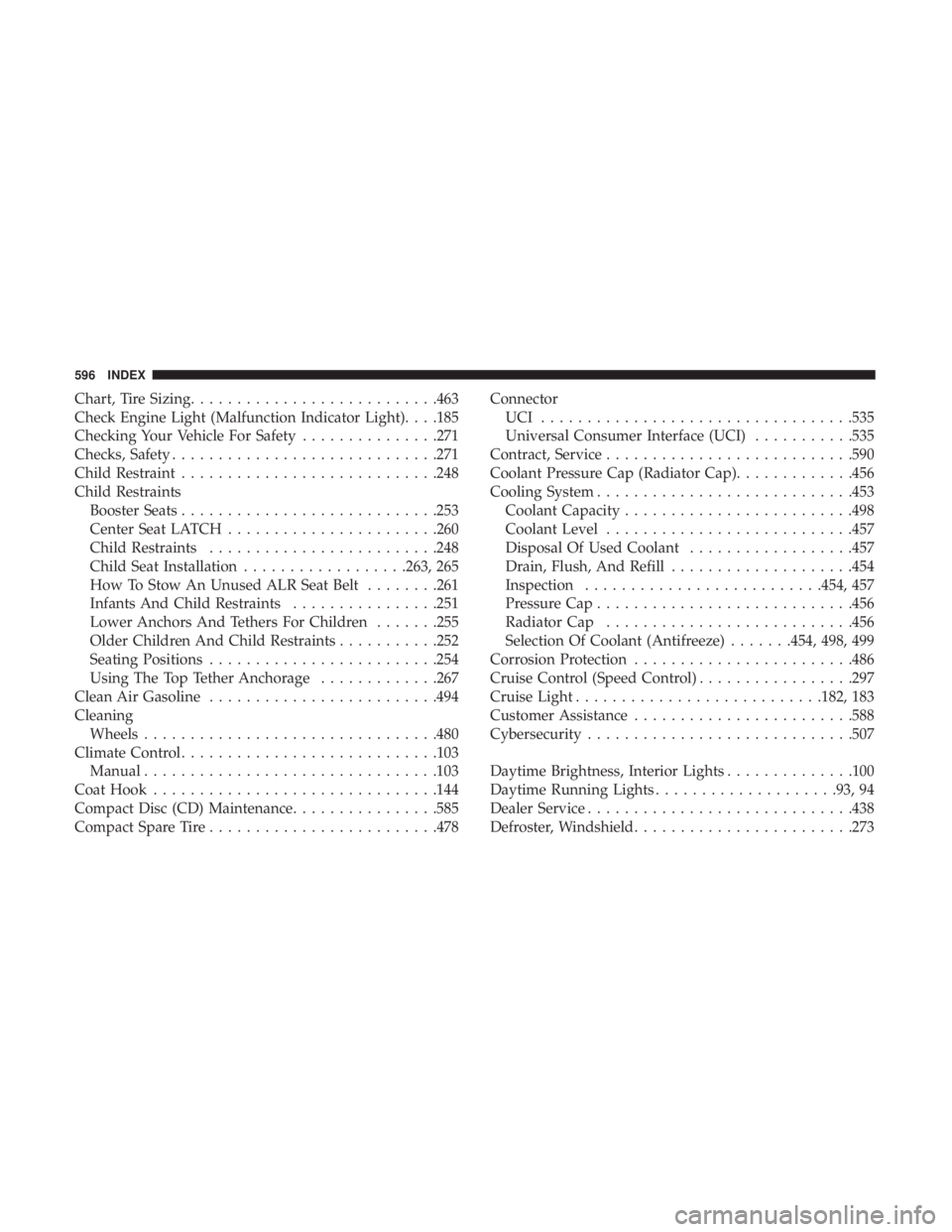
Chart, Tire Sizing.......................... .463
Check Engine Light (Malfunction Indicator Light). . . .185
Checking Your Vehicle For Safety ...............271
Checks, Safety ............................ .271
Child Restraint ........................... .248
Child Restraints Booster Seats ........................... .253
Center Seat LATCH ...................... .260
Child Restraints ........................ .248
Child Seat Installation ..................263, 265
How To Stow An Unused ALR Seat Belt ........261
Infants And Child Restraints ................251
Lower Anchors And Tethers For Children .......255
Older Children And Child Restraints ...........252
Seating Positions ........................ .254
Using The Top Tether Anchorage .............267
Clean Air Gasoline ........................ .494
Cleaning Wheels ............................... .480
Climate Control ........................... .103
Manual ............................... .103
Coat Hook .............................. .144
Compact Disc (CD) Maintenance ................585
Compact Spare Tire ........................ .478Connector
UCI ................................. .535
Universal Consumer Interface (UCI) ...........535
Contract, Service .......................... .590
Coolant Pressure Cap (Radiator Cap) .............456
Cooling System ........................... .453
Coolant Capacity ........................ .498
Coolant Level .......................... .457
Disposal Of Used Coolant ..................457
Drain, Flush, And Refill ....................454
Inspection ......................... .454, 457
Pressure Cap ........................... .456
Radiator Cap .......................... .456
Selection
Of Coolant (Antifreeze) .......454, 498, 499
Corrosion Protection ....................... .486
Cruise Control (Speed Control) .................297
Cruise Light .......................... .182, 183
Customer Assistance ....................... .588
Cybersecurity ............................ .507
Daytime Brightness, Interior Lights ..............100
Daytime Running Lights ....................93, 94
Dealer Service ............................ .438
Defroster, Windshield ....................... .273
596 INDEX
Page 607 of 614
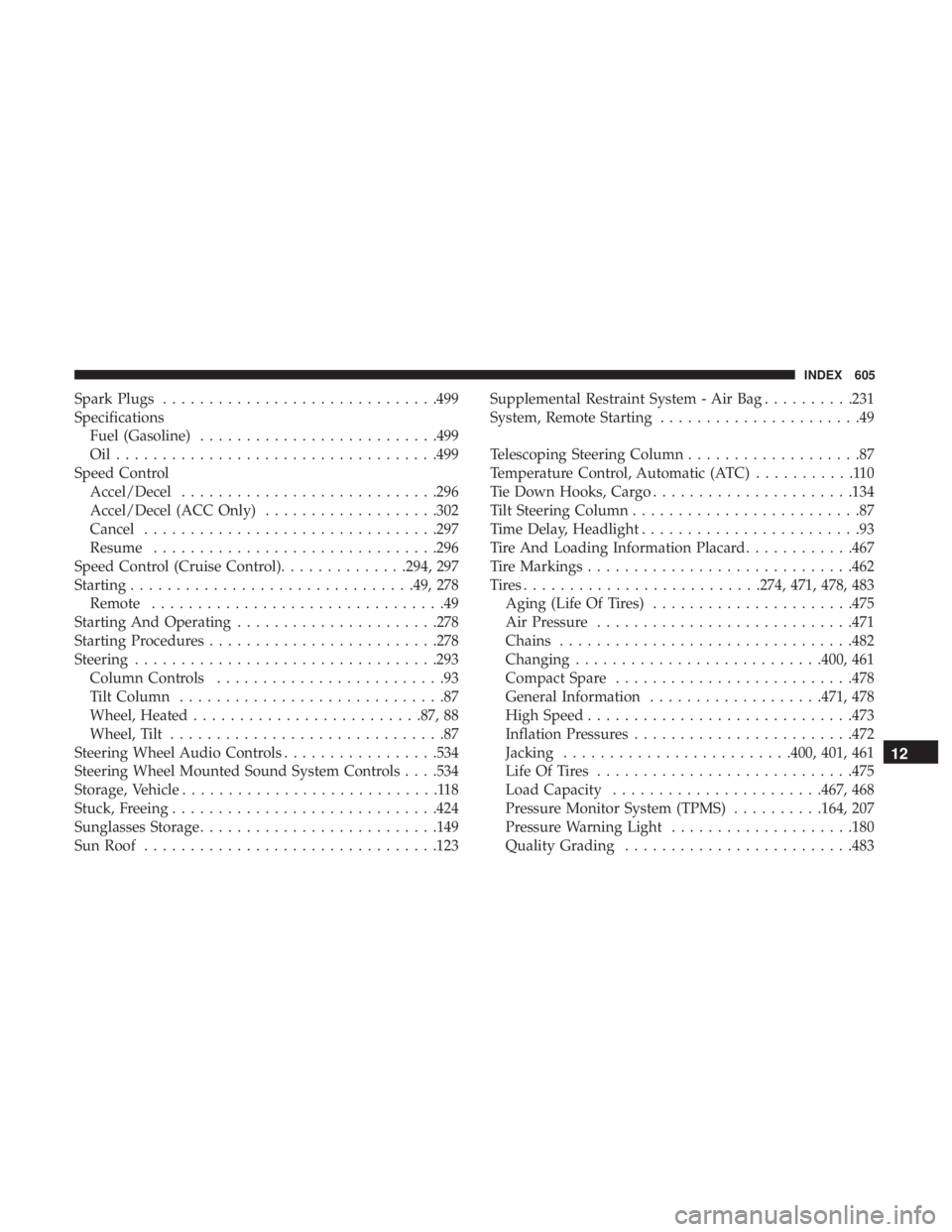
Spark Plugs............................. .499
Specifications Fuel (Gasoline) ......................... .499
Oil.................................. .499
Speed Control Accel/Decel ........................... .296
Accel/Decel (ACC Only) ...................302
Cancel ............................... .297
Resume .............................. .296
Speed Control (Cruise Control) ..............294, 297
Starting .............................. .49, 278
Remote ................................49
Starting And Operating ..................... .278
Starting Procedures ........................ .278
Steering ................................ .293
Column Controls .........................93
Tilt Column .............................87
Wheel, Heated ........................ .87, 88
Wheel, Tilt ..............................87
Steering Wheel Audio Controls .................534
Steering Wheel Mounted Sound System Controls . . . .534
Storage, Vehicle ............................118
Stuck, Freeing ............................ .424
Sunglasses Storage ......................... .149
Sun Roof ............................... .123Supplemental Restraint System - Air Bag
..........231
System, Remote Starting ......................49
Telescoping Steering Column ...................87
Temperature Control, Automatic (ATC) ...........110
Tie Down Hooks, Cargo ..................... .134
Tilt Steering Column .........................87
Time Delay, Headlight ........................93
Tire And Loading Information Placard ............467
Tire Markings ............................ .462
Tires......................... .274, 471, 478, 483
Aging (Life Of Tires) ..................... .475
Air Pressure ........................... .471
Chains ............................... .482
Changing .......................... .400, 461
Compact Spare ......................... .478
General
Information ...................471, 478
High Speed ............................ .473
Inflation Pressures ....................... .472
Jacking ........................ .400, 401, 461
Life Of Tires ........................... .475
Load Capacity ...................... .467, 468
Pressure Monitor System (TPMS) ..........164, 207
Pressure Warning Light ....................180
Quality Grading ........................ .483
12
INDEX 605