Page 493 of 614
TECHNICAL SPECIFICATIONS
CONTENTS
�IDENTIFICATION DATA ...................492
▫ Vehicle Identification Number .............492
� BRAKE SYSTEM ....................... .492
� WHEEL AND TIRE TORQUE SPECIFICATIONS . .492
▫ Torque Specifications ....................493
� FUEL REQUIREMENTS ...................494
▫ 3.6L Engine ......................... .494
▫ Reformulated Gasoline ..................494
▫ Materials Added To Fuel .................495
▫ Gasoline/Oxygenate Blends ...............495 ▫
Do Not Use E-85 In Non-Flex Fuel Vehicles . . . .496
▫ CNG And LP Fuel System Modifications ......496
▫ MMT In Gasoline ...................... .496
▫ Fuel System Cautions ....................496
▫ Carbon Monoxide Warnings ...............497
� FLUID CAPACITIES ..................... .498
� FLUIDS AND LUBRICANTS ................499
▫ Engine ............................. .499
▫ Chassis ............................ .501
9
Page 494 of 614

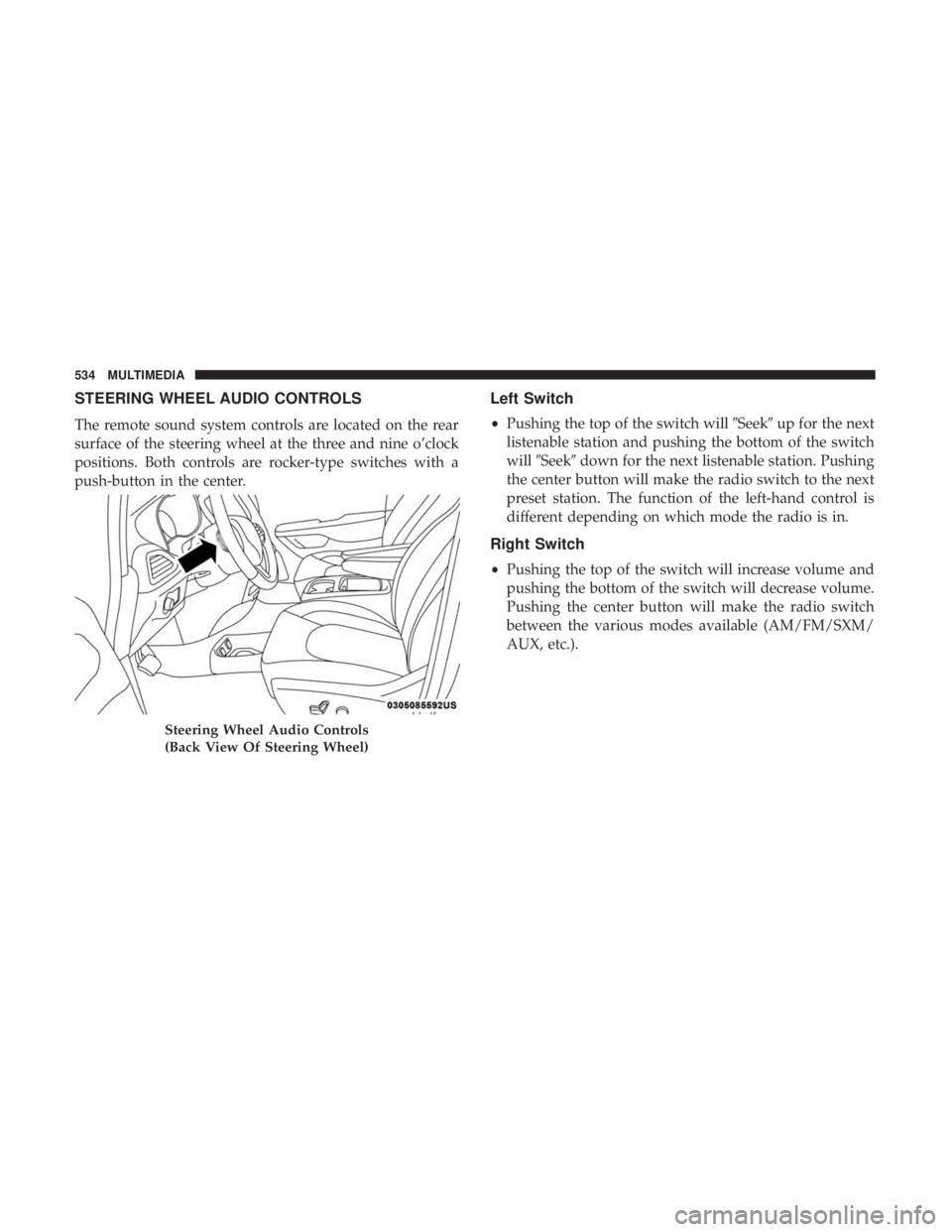
IDENTIFICATION DATA
Vehicle Identification Number
The Vehicle Identification Number (VIN) is on the left front
corner of the instrument panel and is visible from outside
of the vehicle through the windshield. This number also
appears stamped under the right front seat and printed on
the Automobile Information Disclosure Label affixed to a
window on your vehicle, the vehicle registration and title.
NOTE:It is illegal to remove or alter the VIN.
BRAKE SYSTEM
Your vehicle is equipped with dual hydraulic brake sys-
tems. If either of the two hydraulic systems loses normal
capability, the remaining system will still function. How-
ever, there will be some loss of overall braking effective-
ness. You may notice increased pedal travel during appli-
cation, greater pedal force required to slow or stop, and
potential activation of the Brake Warning Light.
In the event power assist is lost for any reason (i.e.,
repeated brake applications with the engine off) the brakes
will still function. However, the effort required to brake the
vehicle will be much greater than that required with the
power system operating.
WHEEL AND TIRE TORQUE SPECIFICATIONS
Proper lug nut/bolt torque is very important to ensure that
the wheel is properly mounted to the vehicle. Any time a
wheel has been removed and reinstalled on the vehicle, the
lug nuts/bolts should be torqued using a properly cali-
brated torque wrench using a high quality six sided (hex)
deep wall socket.
Vehicle Identification Number
492 TECHNICAL SPECIFICATIONS
Page 495 of 614
Torque Specifications
Lug Nut/BoltTorque **Lug Nut/Bolt
Size Lug Nut/Bolt
Socket Size
100 Ft-Lbs (135 N·m) M12 x 1.5 19 mm
**Use only your authorized dealer recommended lug nuts/
bolts and clean or remove any dirt or oil before tightening.
Inspect the wheel mounting surface prior to mounting the
tire and remove any corrosion or loose particles. Tighten the lug nuts/bolts in a star pattern until each
nut/bolt has been tightened twice. Ensure that the socket is
fully engaged on the lug nut/bolt (do not insert it half-
way).
After 25 miles (40 km) check the lug nut/bolt torque to be
sure that all the lug nuts/bolts are properly seated against
the wheel.
Wheel Mounting Surface
Torque Patterns
9
TECHNICAL SPECIFICATIONS 493
Page 505 of 614
MULTIMEDIA
CONTENTS
�UCONNECT SYSTEMS ...................506
� DRAG & DROP MENU BAR ................506
� CYBERSECURITY ...................... .507
� UCONNECT SETTINGS ...................508
▫ Customer Programmable Features — Uconnect
4C/4C NAV Settings ....................509
� STEERING WHEEL AUDIO CONTROLS .......534
▫ Left Switch .......................... .534
▫ Right Switch ......................... .534
� AUX/USB/MP3 CONTROL ................535
� UCONNECT THEATER — IF EQUIPPED ......536
▫ Uconnect Theater Overview ...............536
▫ Getting Started ....................... .537
▫ Accessing The System From The Uconnect
System ............................. .537▫
Uconnect Theater Controls ................538
▫ Accessing The System From The Uconnect
Theater Rear Screens ....................539
▫ Pairing The Remote .....................540
▫ Unpairing The Remote ...................541
▫ Media Sources ........................ .542
▫ Uconnect Theater Remote Control ...........543
▫ Uconnect Theater Home Screen And Controls . . .544
▫ General Information .....................546
▫ Play A DVD/Blu-ray Or USB Media File From
Uconnect System ...................... .546
▫ Disc Menu ........................... .549
▫ Blu-ray Controls – Disc Specific Functions .....549
▫ Uconnect Theater Apps .................. .550
▫ Using
The Rear Video USB Port .............552
10
Page 519 of 614
Setting NameSelectable Options
ParkView Backup Camera Delay — If Equipped On
Off
NOTE:
The “ParkView Backup Camera Delay” setting determines whether or not the screen will display the rear view image
with dynamic grid lines for up to ten seconds after the vehicle is shifted out of REVERSE. This delay will be canceled
if the vehicle’s speed exceeds 8 mph (13 km/h), the transmission is shifted into PARK, or the ignition is switched to
the OFF position. ParkView Backup Camera Active Guide Lines — If Equipped On
Off
NOTE:
The “ParkView Backup Camera Active Guide Lines” feature overlays the Rear Backup Camera image with active, or
dynamic, grid lines to help illustrate the width of the vehicle and its project back up path, based on the steering
wheel position when the option is checked. A dashed center line overlay indicates the center of the vehicle to assist
with parking or aligning to a hitch/receiver.
10
MULTIMEDIA 517
Page 521 of 614
Setting NameSelectable Options
Forward Collision Warn- ing Sensitivity —If Equipped Far
Med Near
NOTE:
The “Forward Collision Warning Sensitivity” setting determines at what relative distance the vehicle directly in front
of you needs to be at, before the system will warn you of a possible collision with the vehicle directly in front of you,
based on the option is selected. “Far” will give you the most amount of reaction time, whereas “Near” will give you
the least amount of reaction time, based on the distance between the two vehicles. LaneSense Warning — If Equipped Early
Medium Late
NOTE:
The “LaneSense Warning” setting determines at what distance the LaneSense system will warn you, through steering
wheel feedback, of a possible lane departure. LaneSense Strength — If Equipped Low
Medium High
ParkSense — If Equipped SoundSound and Display
NOTE:
The “ParkSense” system setting will scan for objects behind the vehicle when the transmission gear selector is in RE-
VERSE and the vehicle speed is less than 7 mph (11 km/h), when enabled. It will provide an alert (audible and/or
visual) to indicate the proximity to other objects. The system can be enabled with “Sound Only,” or “Sound and Dis-
play.”
10
MULTIMEDIA 519
Page 528 of 614
Setting NameSelectable Options
Personal Settings Linked to Key Fob — If Equipped On
Off
NOTE:
The “Personal Settings Linked to Key Fob” feature provides automatic recall of all settings stored to a memory loca-
tion (driver ’s seat, exterior mirrors, steering column position and radio station pre-sets) to enhance driver mobility
when entering and exiting the vehicle.
The seat returns to the memorized seat location, if the settings is set to “On,” when the key fob is used to unlock the
door.
Auto- On Comfort — If Equipped
After pressing the “Auto-On Comfort” button on the
touchscreen, the following settings will be available:
Setting Name Selectable Options
Auto-On Driver Heated/
Ventilated Seat & Steering Wheel With Vehicle Start — If Equipped Off
Remote Start All Starts
NOTE:
When this feature is selected, the driver ’s heated seat and heated steering wheel will automatically turn on when
temperatures are below 40° F (4.4° C). When temperatures are above 80° F (26.7° C) the driver vented seat will turn
on.
526 MULTIMEDIA
Page 536 of 614
STEERING WHEEL AUDIO CONTROLS
The remote sound system controls are located on the rear
surface of the steering wheel at the three and nine o’clock
positions. Both controls are rocker-type switches with a
push-button in the center.
Left Switch
•Pushing the top of the switch will �Seek�up for the next
listenable station and pushing the bottom of the switch
will �Seek� down for the next listenable station. Pushing
the center button will make the radio switch to the next
preset station. The function of the left-hand control is
different depending on which mode the radio is in.
Right Switch
• Pushing the top of the switch will increase volume and
pushing the bottom of the switch will decrease volume.
Pushing the center button will make the radio switch
between the various modes available (AM/FM/SXM/
AUX, etc.).
Steering Wheel Audio Controls
(Back View Of Steering Wheel)
534 MULTIMEDIA