Page 395 of 492
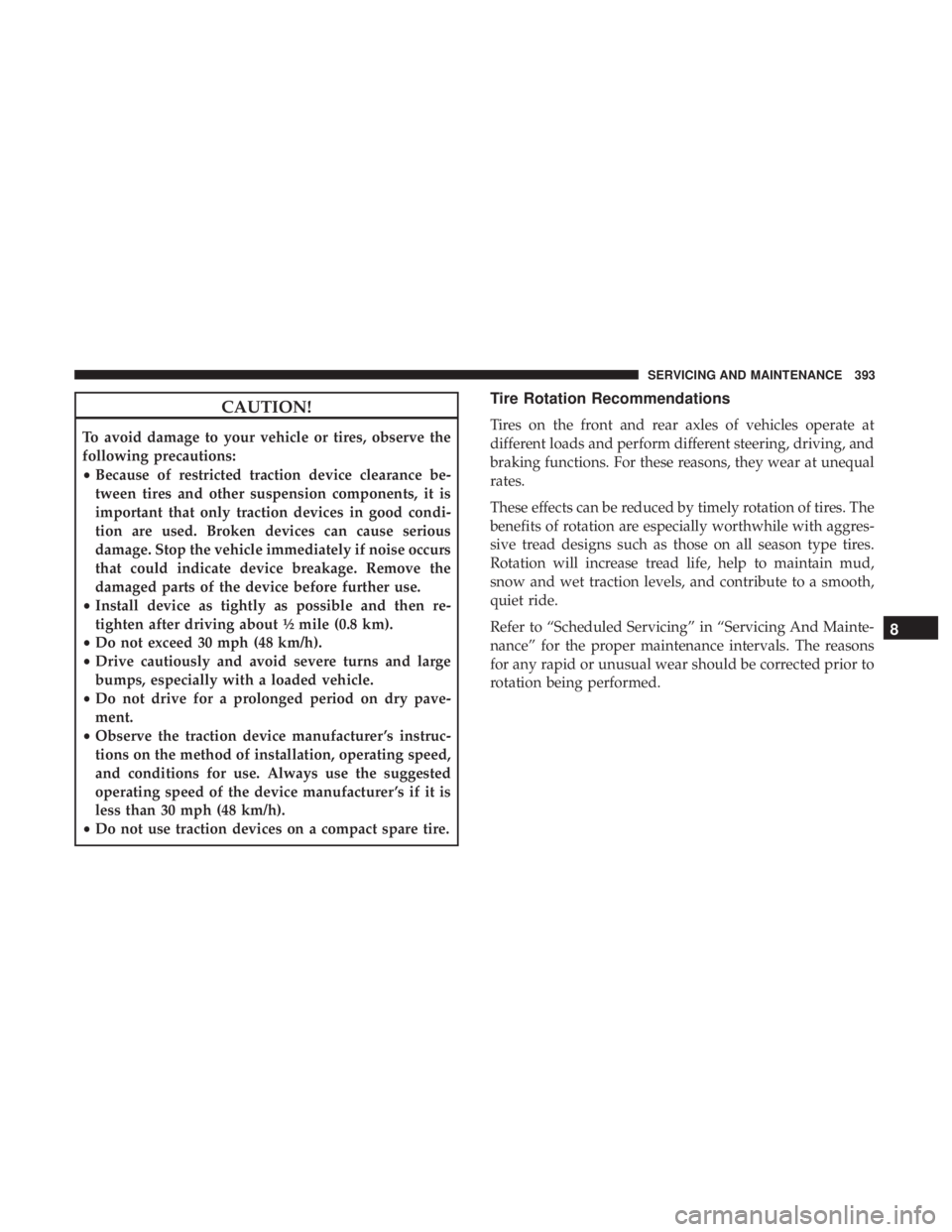
CAUTION!
To avoid damage to your vehicle or tires, observe the
following precautions:
•Because of restricted traction device clearance be-
tween tires and other suspension components, it is
important that only traction devices in good condi-
tion are used. Broken devices can cause serious
damage. Stop the vehicle immediately if noise occurs
that could indicate device breakage. Remove the
damaged parts of the device before further use.
• Install device as tightly as possible and then re-
tighten after driving about ½ mile (0.8 km).
• Do not exceed 30 mph (48 km/h).
• Drive cautiously and avoid severe turns and large
bumps, especially with a loaded vehicle.
• Do not drive for a prolonged period on dry pave-
ment.
• Observe the traction device manufacturer ’s instruc-
tions on the method of installation, operating speed,
and conditions for use. Always use the suggested
operating speed of the device manufacturer ’s if it is
less than 30 mph (48 km/h).
• Do not use traction devices on a compact spare tire.
Tire Rotation Recommendations
Tires on the front and rear axles of vehicles operate at
different loads and perform different steering, driving, and
braking functions. For these reasons, they wear at unequal
rates.
These effects can be reduced by timely rotation of tires. The
benefits of rotation are especially worthwhile with aggres-
sive tread designs such as those on all season type tires.
Rotation will increase tread life, help to maintain mud,
snow and wet traction levels, and contribute to a smooth,
quiet ride.
Refer to “Scheduled Servicing” in “Servicing And Mainte-
nance” for the proper maintenance intervals. The reasons
for any rapid or unusual wear should be corrected prior to
rotation being performed.
8
SERVICING AND MAINTENANCE 393
Page 419 of 492

MULTIMEDIA
CONTENTS
�UCONNECT SYSTEMS ...................419
� DRAG & DROP MENU BAR ................419
� CYBERSECURITY ...................... .420
� UCONNECT SETTINGS ...................421
▫ Customer Programmable Features — Uconnect
4C/4C NAV Settings ....................422
� STEERING WHEEL AUDIO CONTROLS .......445
▫ Radio Operation ....................... .446
▫ Media Mode ......................... .446
� AUX/USB/MP3 CONTROL ................447
� RADIO OPERATION AND MOBILE PHONES . . .447
▫ Regulatory And Safety Information ..........448
� UCONNECT VOICE RECOGNITION
QUICK TIPS .......................... .449
▫ Introducing Uconnect ....................449 ▫
Get Started .......................... .450
▫ Basic Voice Commands ...................451
▫ Radio .............................. .451
▫ Media .............................. .452
▫ Phone .............................. .453
▫ Voice Text Reply ...................... .453
▫ Climate ............................. .455
▫ Navigation (4C NAV) ....................456
▫ SiriusXM Guardian (4C/4C NAV)— If Equipped.457
▫ Register (4C/4C NAV) ...................457
▫ Vehicle Health Report/Alert (4C/4C NAV) .....458
▫ Mobile App (4C/4C NAV) ................458
▫ SiriusXM Travel Link (4C NAV) .............459
▫ Siri
Eyes Free — If Equipped ..............459
10
Page 430 of 492
Setting NameSelectable Options
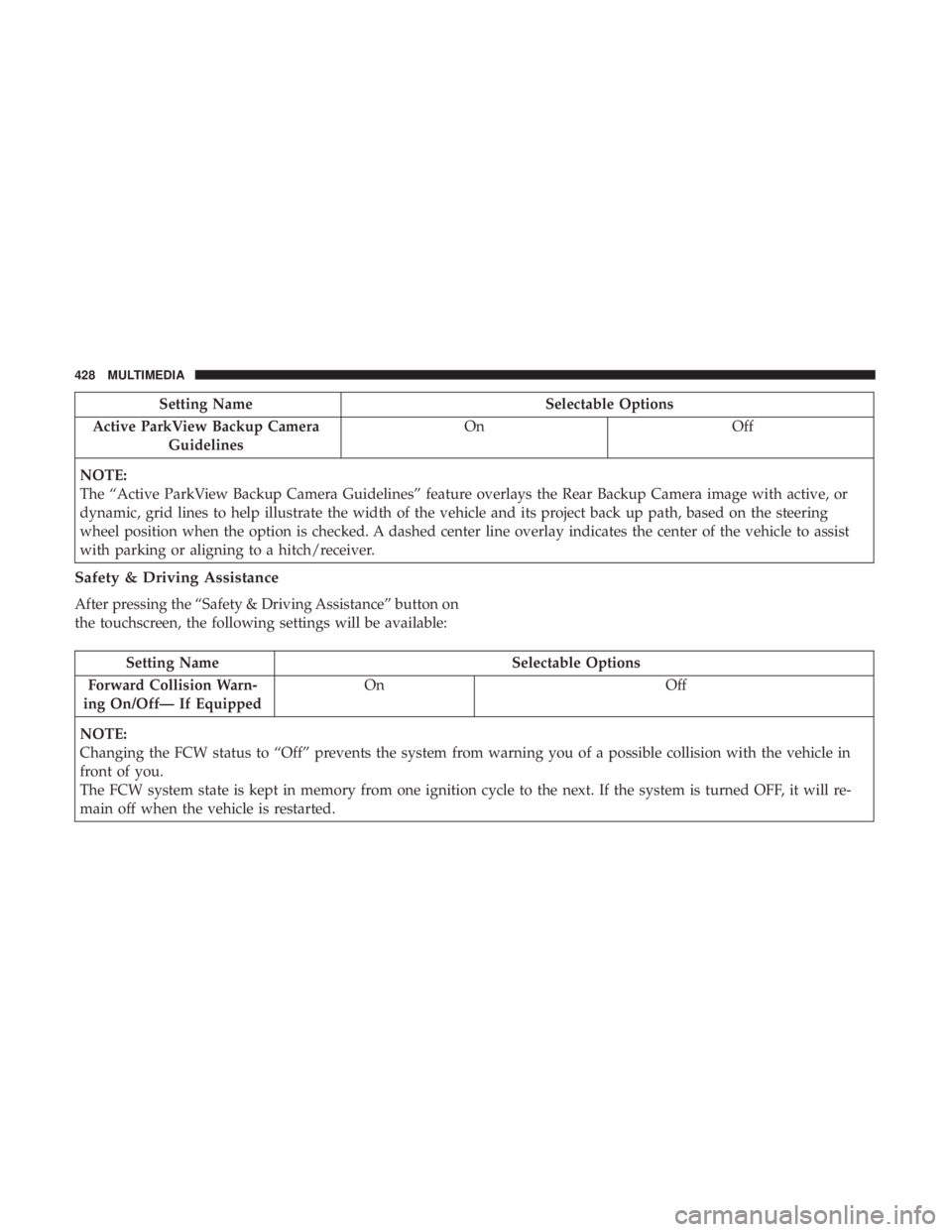
Active ParkView Backup Camera Guidelines On
Off
NOTE:
The “Active ParkView Backup Camera Guidelines” feature overlays the Rear Backup Camera image with active, or
dynamic, grid lines to help illustrate the width of the vehicle and its project back up path, based on the steering
wheel position when the option is checked. A dashed center line overlay indicates the center of the vehicle to assist
with parking or aligning to a hitch/receiver.
Safety & Driving Assistance
After pressing the “Safety & Driving Assistance” button on
the touchscreen, the following settings will be available:
Setting Name Selectable Options
Forward Collision Warn-
ing On/Off— If Equipped On
Off
NOTE:
Changing the FCW status to “Off” prevents the system from warning you of a possible collision with the vehicle in
front of you.
The FCW system state is kept in memory from one ignition cycle to the next. If the system is turned OFF, it will re-
main off when the vehicle is restarted.
428 MULTIMEDIA
Page 432 of 492
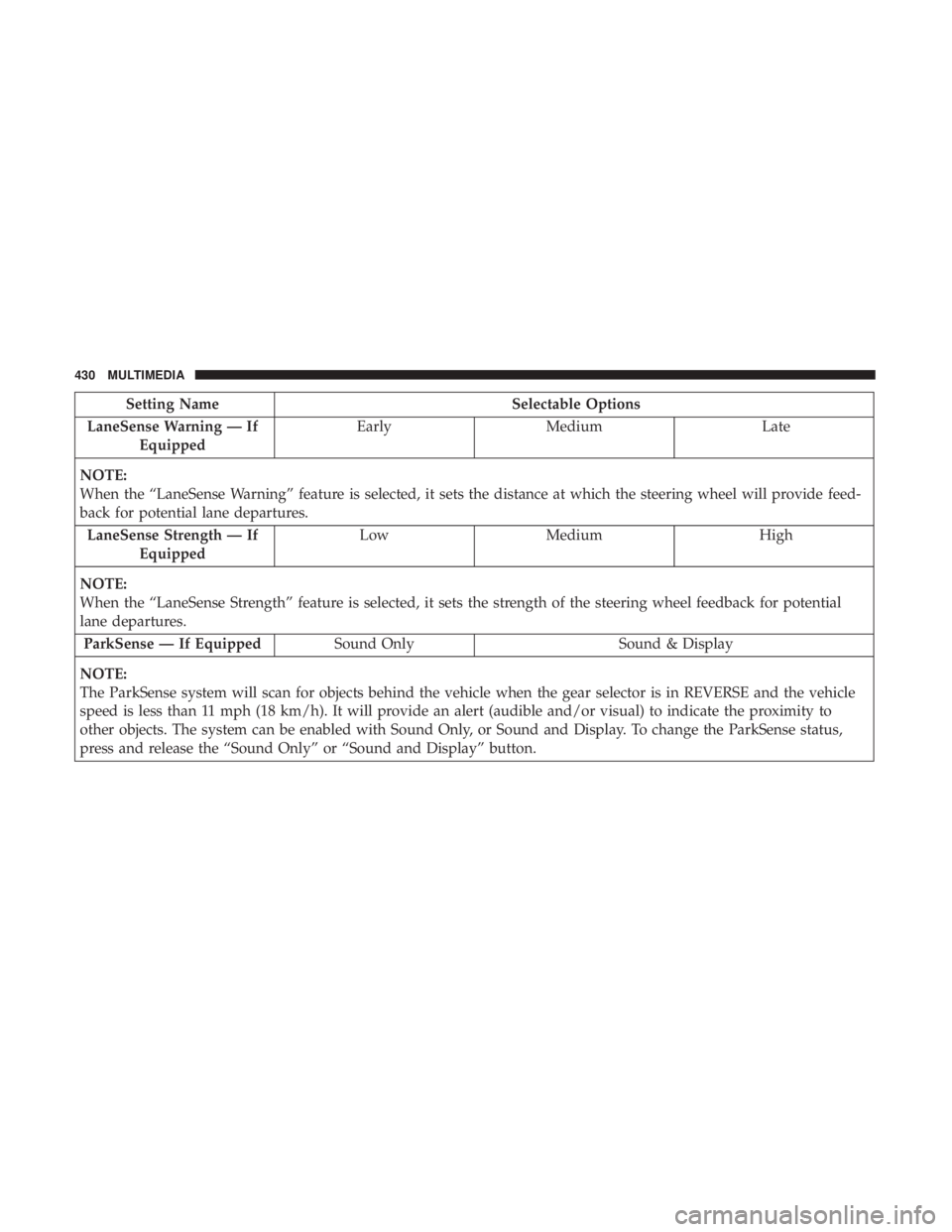
Setting NameSelectable Options
LaneSense Warning — If Equipped Early
Medium Late
NOTE:
When the “LaneSense Warning” feature is selected, it sets the distance at which the steering wheel will provide feed-
back for potential lane departures. LaneSense Strength — If Equipped Low
Medium High
NOTE:
When the “LaneSense Strength” feature is selected, it sets the strength of the steering wheel feedback for potential
lane departures. ParkSense — If Equipped Sound Only Sound & Display
NOTE:
The ParkSense system will scan for objects behind the vehicle when the gear selector is in REVERSE and the vehicle
speed is less than 11 mph (18 km/h). It will provide an alert (audible and/or visual) to indicate the proximity to
other objects. The system can be enabled with Sound Only, or Sound and Display. To change the ParkSense status,
press and release the “Sound Only” or “Sound and Display” button.
430 MULTIMEDIA
Page 433 of 492
Setting NameSelectable Options
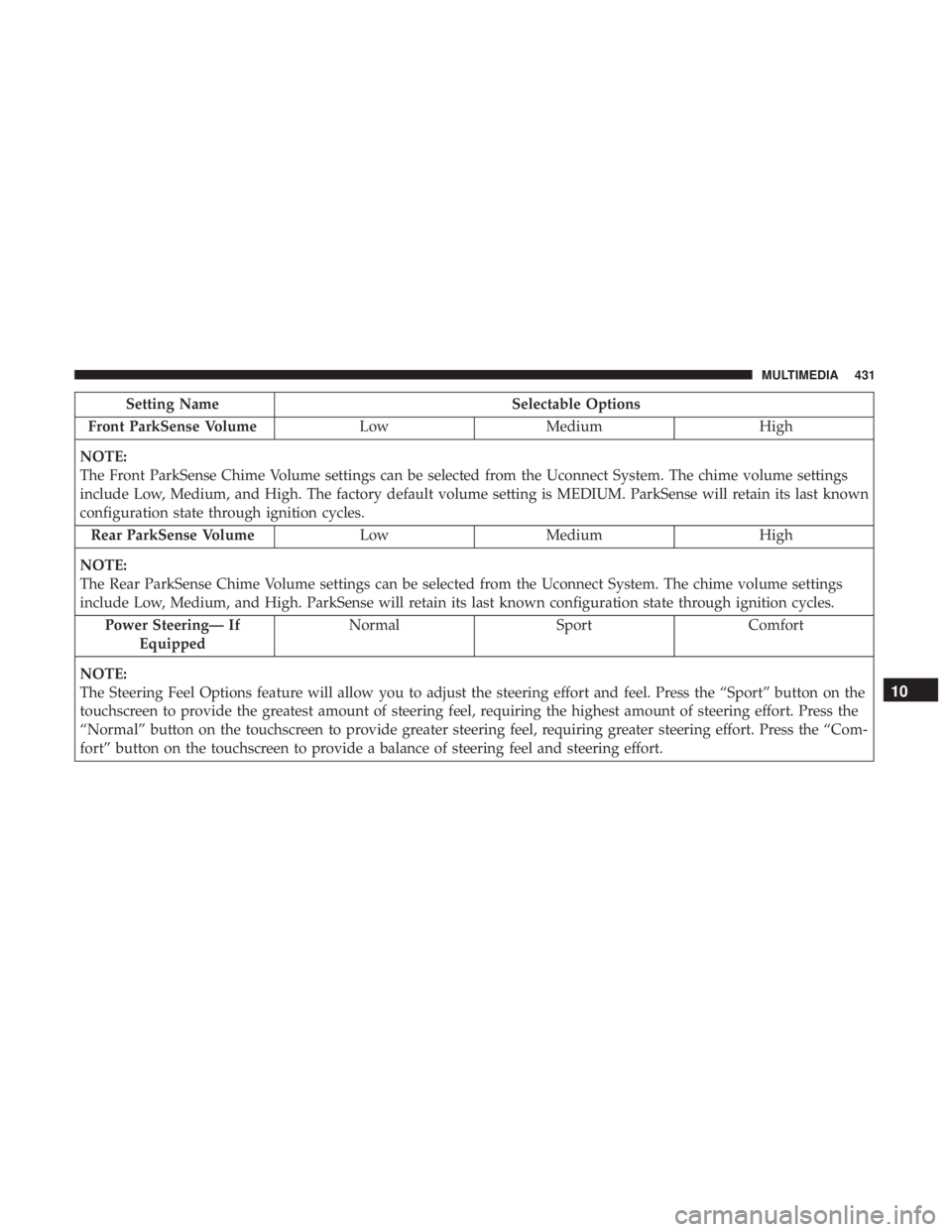
Front ParkSense Volume LowMedium High
NOTE:
The Front ParkSense Chime Volume settings can be selected from the Uconnect System. The chime volume settings
include Low, Medium, and High. The factory default volume setting is MEDIUM. ParkSense will retain its last known
configuration state through ignition cycles. Rear ParkSense Volume LowMedium High
NOTE:
The Rear ParkSense Chime Volume settings can be selected from the Uconnect System. The chime volume settings
include Low, Medium, and High. ParkSense will retain its last known configuration state through ignition cycles. Power Steering— If Equipped Normal
SportComfort
NOTE:
The Steering Feel Options feature will allow you to adjust the steering effort and feel. Press the “Sport” button on the
touchscreen to provide the greatest amount of steering feel, requiring the highest amount of steering effort. Press the
“Normal” button on the touchscreen to provide greater steering feel, requiring greater steering effort. Press the “Com-
fort” button on the touchscreen to provide a balance of steering feel and steering effort.
10
MULTIMEDIA 431
Page 437 of 492
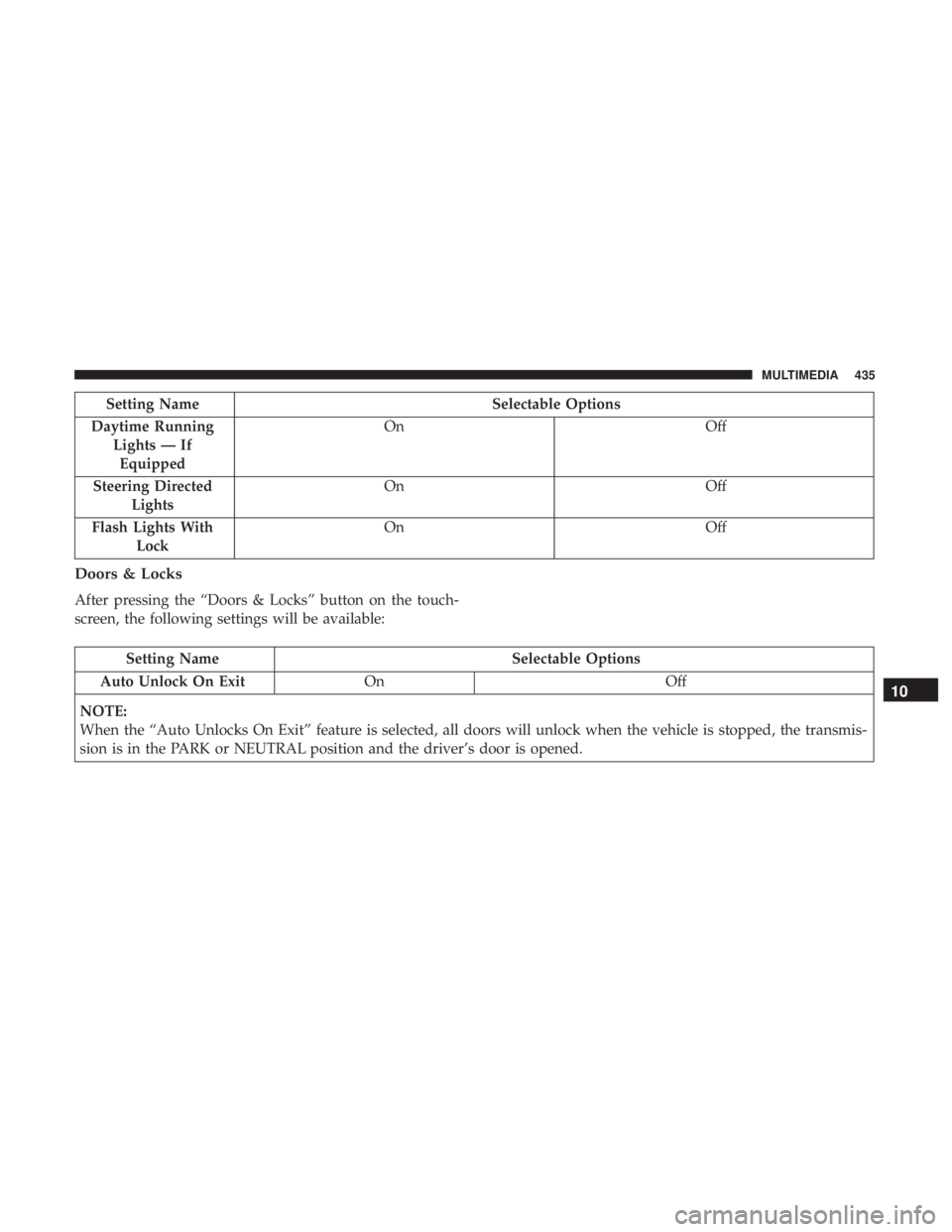
Setting NameSelectable Options
Daytime Running Lights — IfEquipped On
Off
Steering Directed Lights On
Off
Flash Lights With Lock On
Off
Doors & Locks
After pressing the “Doors & Locks” button on the touch-
screen, the following settings will be available:
Setting Name Selectable Options
Auto Unlock On Exit On Off
NOTE:
When the “Auto Unlocks On Exit” feature is selected, all doors will unlock when the vehicle is stopped, the transmis-
sion is in the PARK or NEUTRAL position and the driver’s door is opened.
10
MULTIMEDIA 435
Page 439 of 492
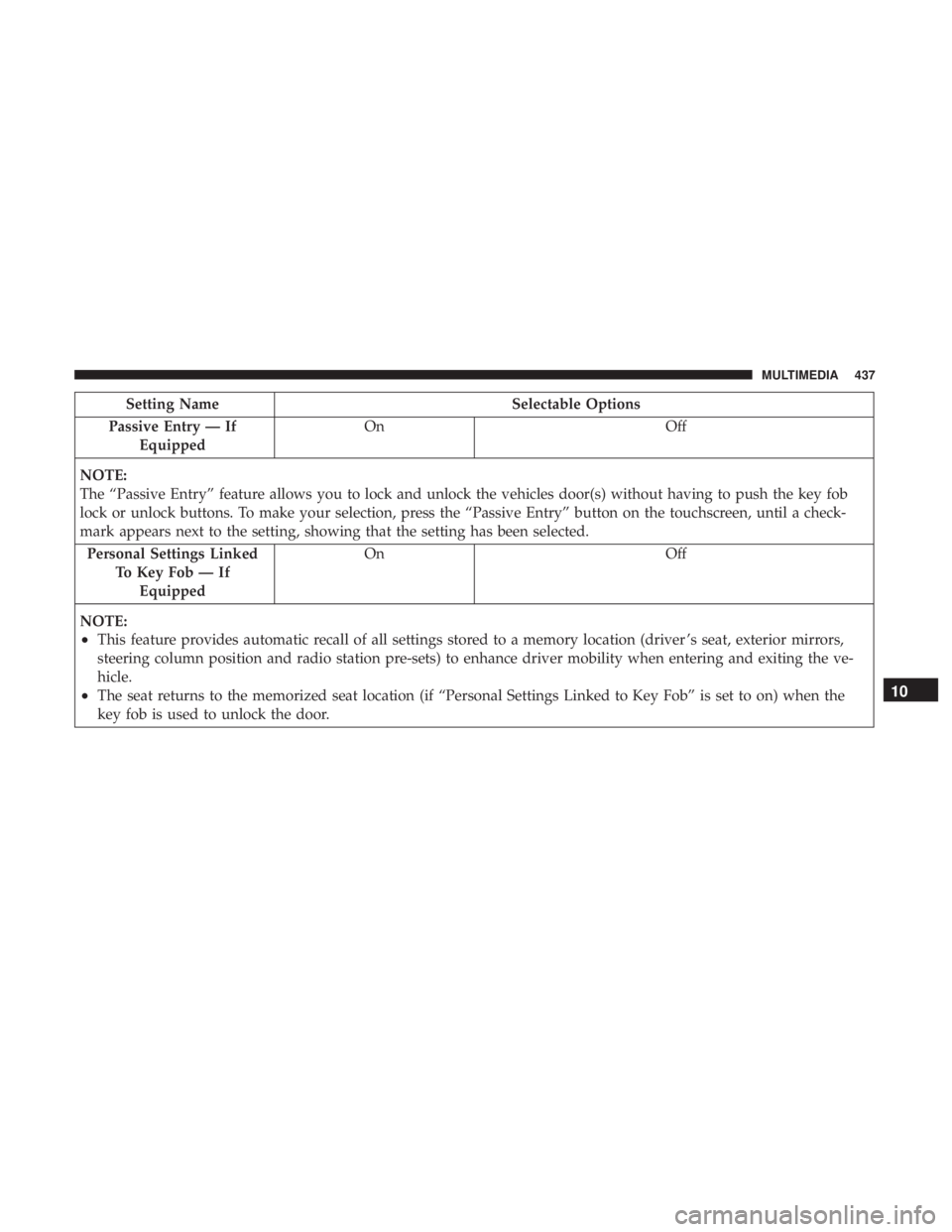
Setting NameSelectable Options
Passive Entry — If Equipped On
Off
NOTE:
The “Passive Entry” feature allows you to lock and unlock the vehicles door(s) without having to push the key fob
lock or unlock buttons. To make your selection, press the “Passive Entry” button on the touchscreen, until a check-
mark appears next to the setting, showing that the setting has been selected. Personal Settings Linked To Key Fob — IfEquipped On
Off
NOTE:
•This feature provides automatic recall of all settings stored to a memory location (driver ’s seat, exterior mirrors,
steering column position and radio station pre-sets) to enhance driver mobility when entering and exiting the ve-
hicle.
•The seat returns to the memorized seat location (if “Personal Settings Linked to Key Fob” is set to on) when the
key fob is used to unlock the door.10
MULTIMEDIA 437
Page 440 of 492
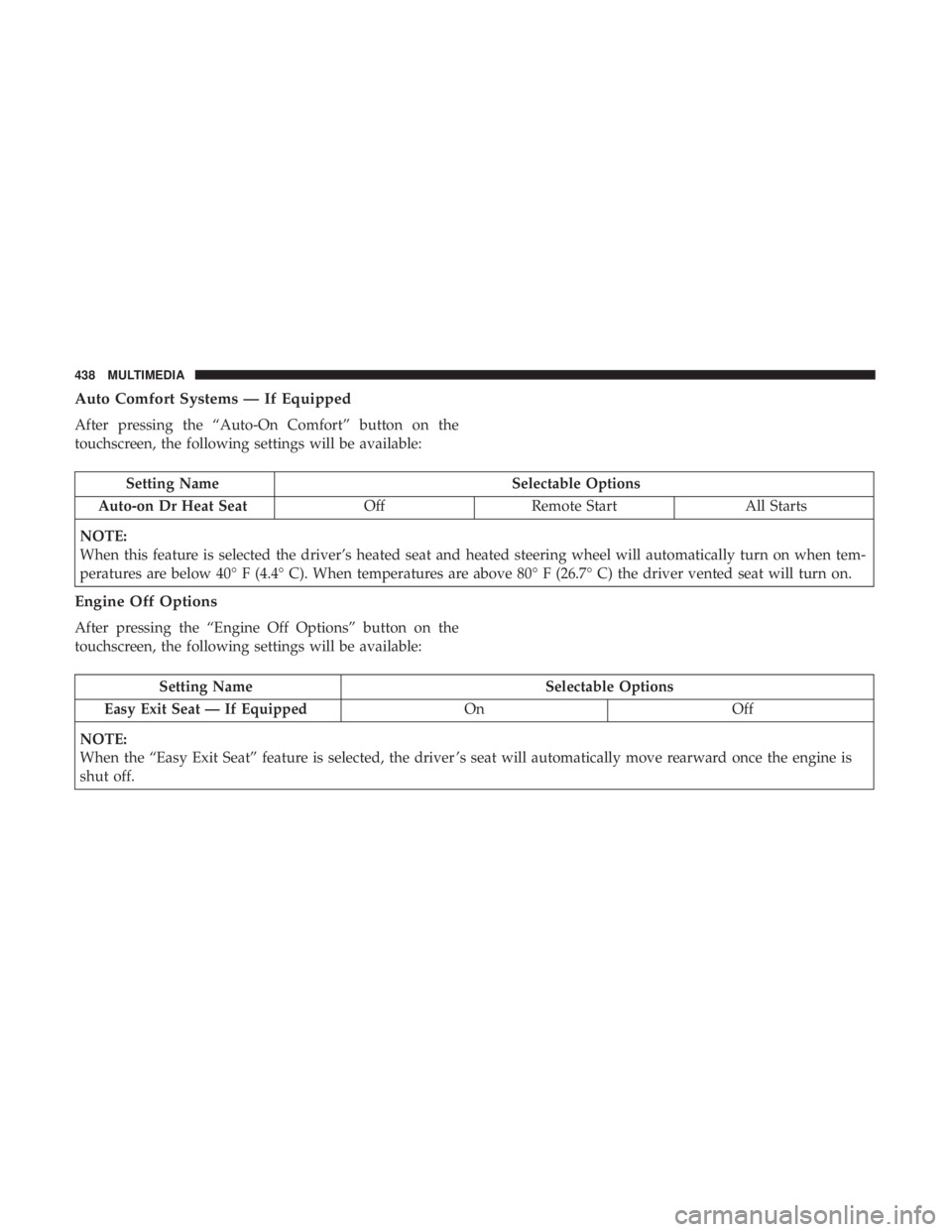
Auto Comfort Systems — If Equipped
After pressing the “Auto-On Comfort” button on the
touchscreen, the following settings will be available:
Setting NameSelectable Options
Auto-on Dr Heat Seat OffRemote Start All Starts
NOTE:
When this feature is selected the driver’s heated seat and heated steering wheel will automatically turn on when tem-
peratures are below 40° F (4.4° C). When temperatures are above 80° F (26.7° C) the driver vented seat will turn on.
Engine Off Options
After pressing the “Engine Off Options” button on the
touchscreen, the following settings will be available:
Setting Name Selectable Options
Easy Exit Seat — If Equipped OnOff
NOTE:
When the “Easy Exit Seat” feature is selected, the driver ’s seat will automatically move rearward once the engine is
shut off.
438 MULTIMEDIA