Page 447 of 492
System Information
After pressing the “System Information” button on the
touchscreen, the following settings will be available:
Setting NameSelectable Options
Software License System Software Information Screen
NOTE:
When the “System Information” feature is selected, a “System Software Information” screen will appear, displaying
the system software version.
STEERING WHEEL AUDIO CONTROLS
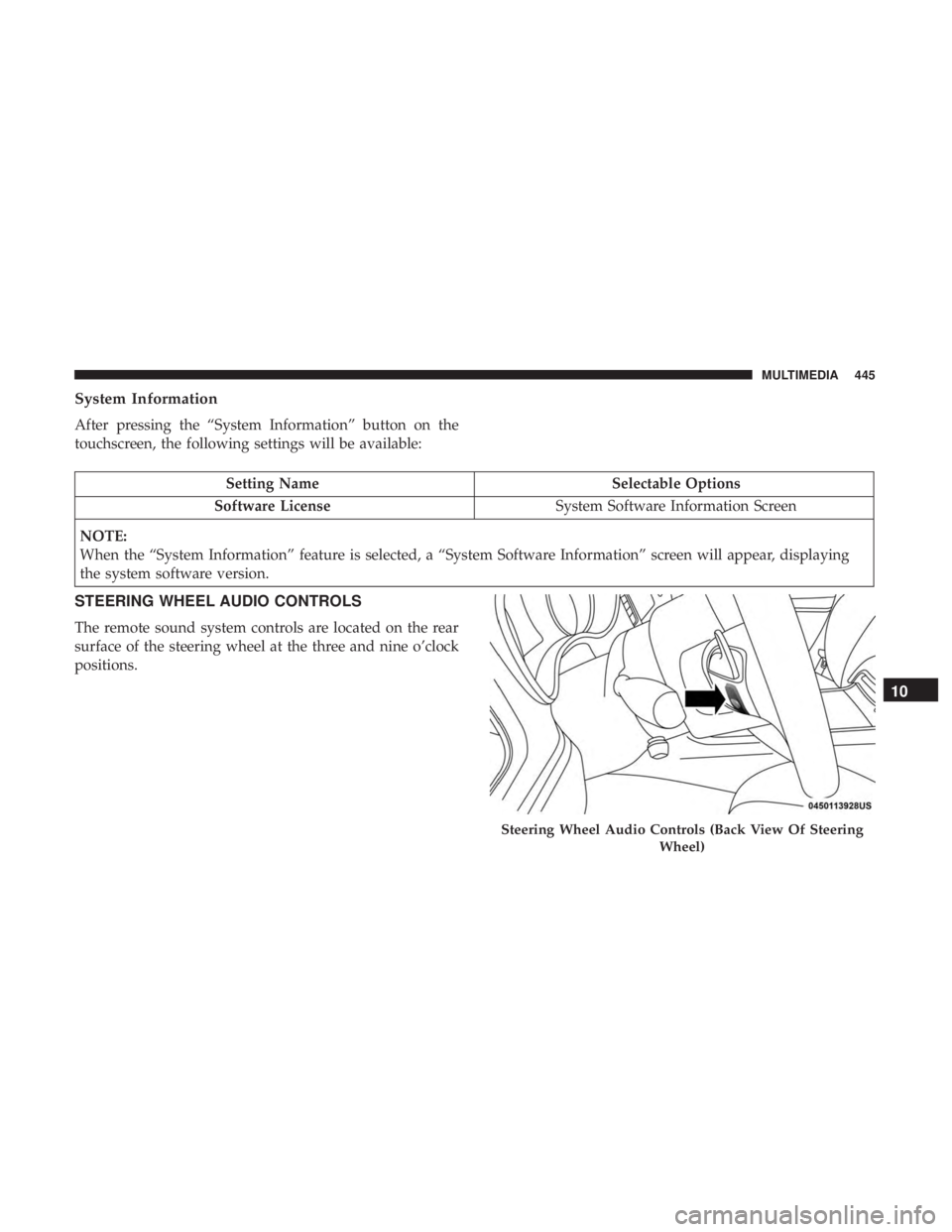
The remote sound system controls are located on the rear
surface of the steering wheel at the three and nine o’clock
positions.
Steering Wheel Audio Controls (Back View Of Steering Wheel)
10
MULTIMEDIA 445
Page 452 of 492

NOTE:If you see the NAV icon on the bottom bar, or in the
Apps menus, of your touchscreen, you have the Uconnect
4C NAV system. If not, you have a Uconnect 4C system.
Get Started
All you need to control your Uconnect system with your
voice are the buttons on your steering wheel.
Helpful hints for using Voice Recognition:
1. Visit UconnectPhone.com to check mobile device and feature compatibility and to find phone pairing instruc-
tions.
2. Reduce background noise. Wind and passenger conver- sations are examples of noise that may impact recogni-
tion.
3. Speak clearly at a normal pace and volume while facing straight ahead. The microphone is positioned on the
rearview mirror and aimed at the driver.
4. Each time you give a Voice Command, you must first push either the Voice Recognition (VR) or Phone button,
wait until afterthe beep, then say your Voice Command. 5. You can interrupt the help message or system prompts
by pushing the VR or Phone button and saying a Voice
Command from current category.
Uconnect Voice Command Buttons
1 — Push To Initiate Or To Answer A Phone Call, Send Or Receive
A Text
2 — For All Radios: Push To Begin Radio, Media, or Climate Func-
tions. For 8.4–inch System Only: Push To Begin Navigation Function
3 — Push To End Call
450 MULTIMEDIA
Page 457 of 492
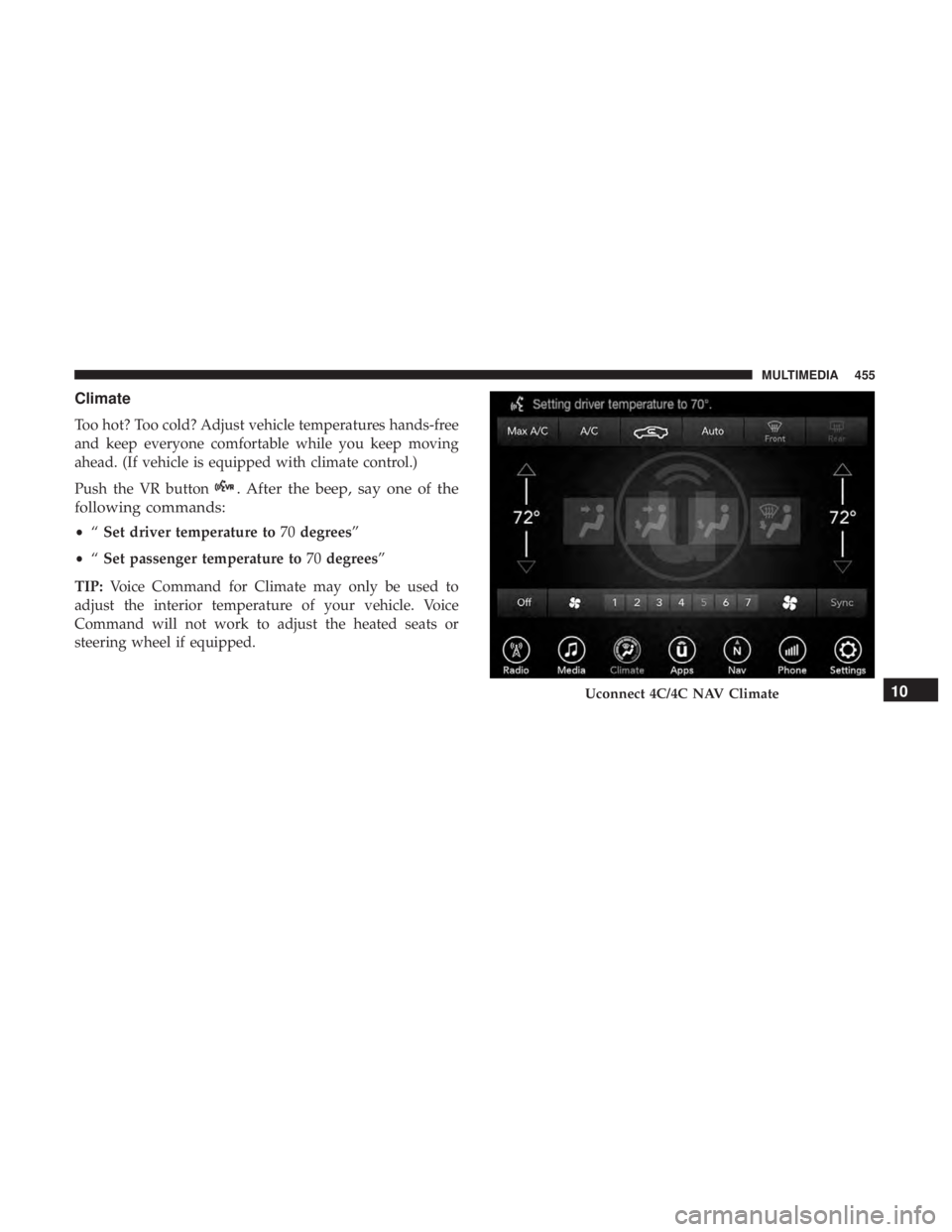
Climate
Too hot? Too cold? Adjust vehicle temperatures hands-free
and keep everyone comfortable while you keep moving
ahead. (If vehicle is equipped with climate control.)
Push the VR button
. After the beep, say one of the
following commands:
• “Set driver temperature to 70degrees”
• “Set passenger temperature to 70degrees”
TIP: Voice Command for Climate may only be used to
adjust the interior temperature of your vehicle. Voice
Command will not work to adjust the heated seats or
steering wheel if equipped.
Uconnect 4C/4C NAV Climate10
MULTIMEDIA 455
Page 462 of 492
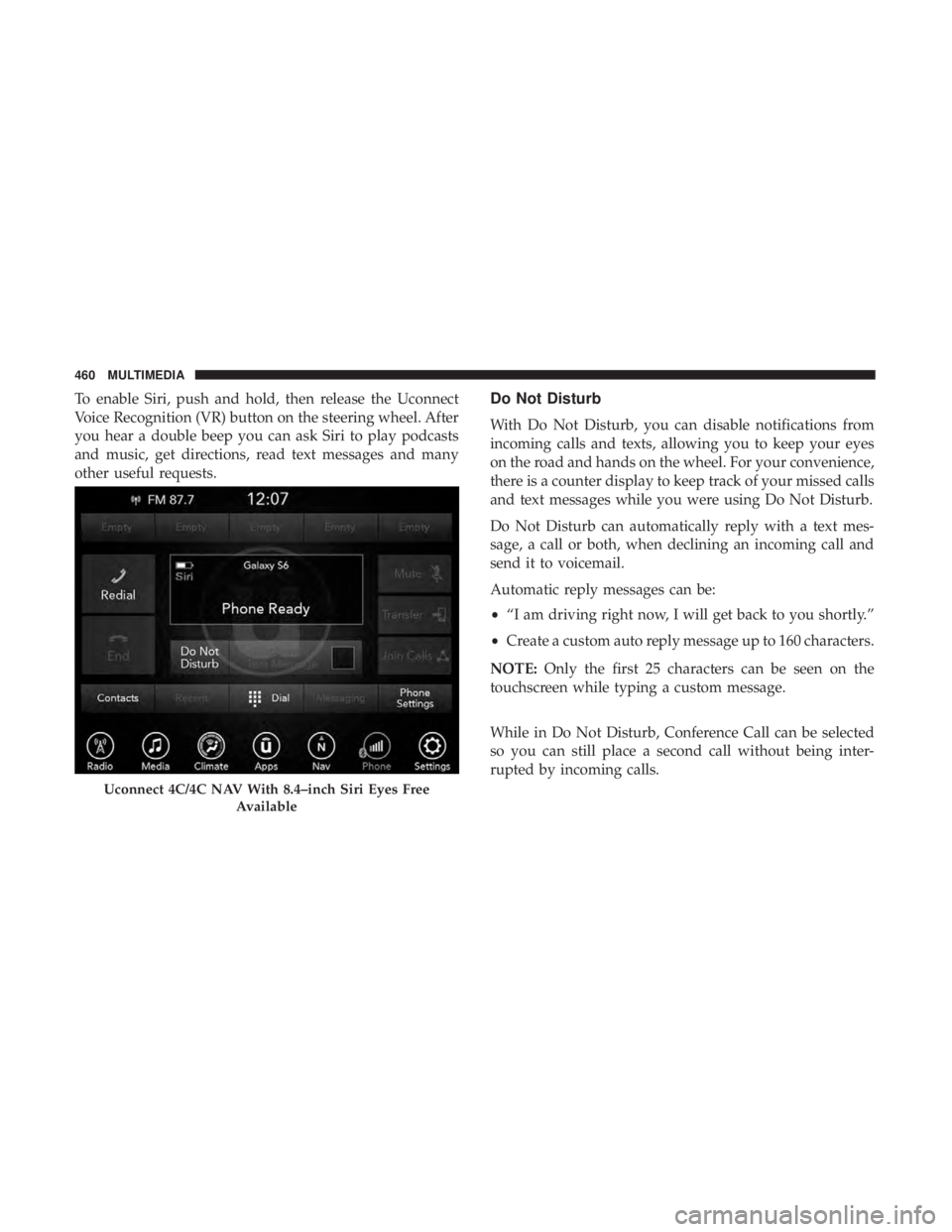
To enable Siri, push and hold, then release the Uconnect
Voice Recognition (VR) button on the steering wheel. After
you hear a double beep you can ask Siri to play podcasts
and music, get directions, read text messages and many
other useful requests.Do Not Disturb
With Do Not Disturb, you can disable notifications from
incoming calls and texts, allowing you to keep your eyes
on the road and hands on the wheel. For your convenience,
there is a counter display to keep track of your missed calls
and text messages while you were using Do Not Disturb.
Do Not Disturb can automatically reply with a text mes-
sage, a call or both, when declining an incoming call and
send it to voicemail.
Automatic reply messages can be:
•“I am driving right now, I will get back to you shortly.”
• Create a custom auto reply message up to 160 characters.
NOTE: Only the first 25 characters can be seen on the
touchscreen while typing a custom message.
While in Do Not Disturb, Conference Call can be selected
so you can still place a second call without being inter-
rupted by incoming calls.
Uconnect 4C/4C NAV With 8.4–inch Siri Eyes Free
Available
460 MULTIMEDIA
Page 463 of 492
NOTE:
•Reply with text message is not compatible with iPhones.
• Auto reply with text message is only available on
phones that support Bluetooth MAP.
Android Auto — If Equipped
NOTE: Feature availability depends on your carrier and
mobile phone manufacturer. Some Android Auto features
may or may not be available in every region and/or
language.
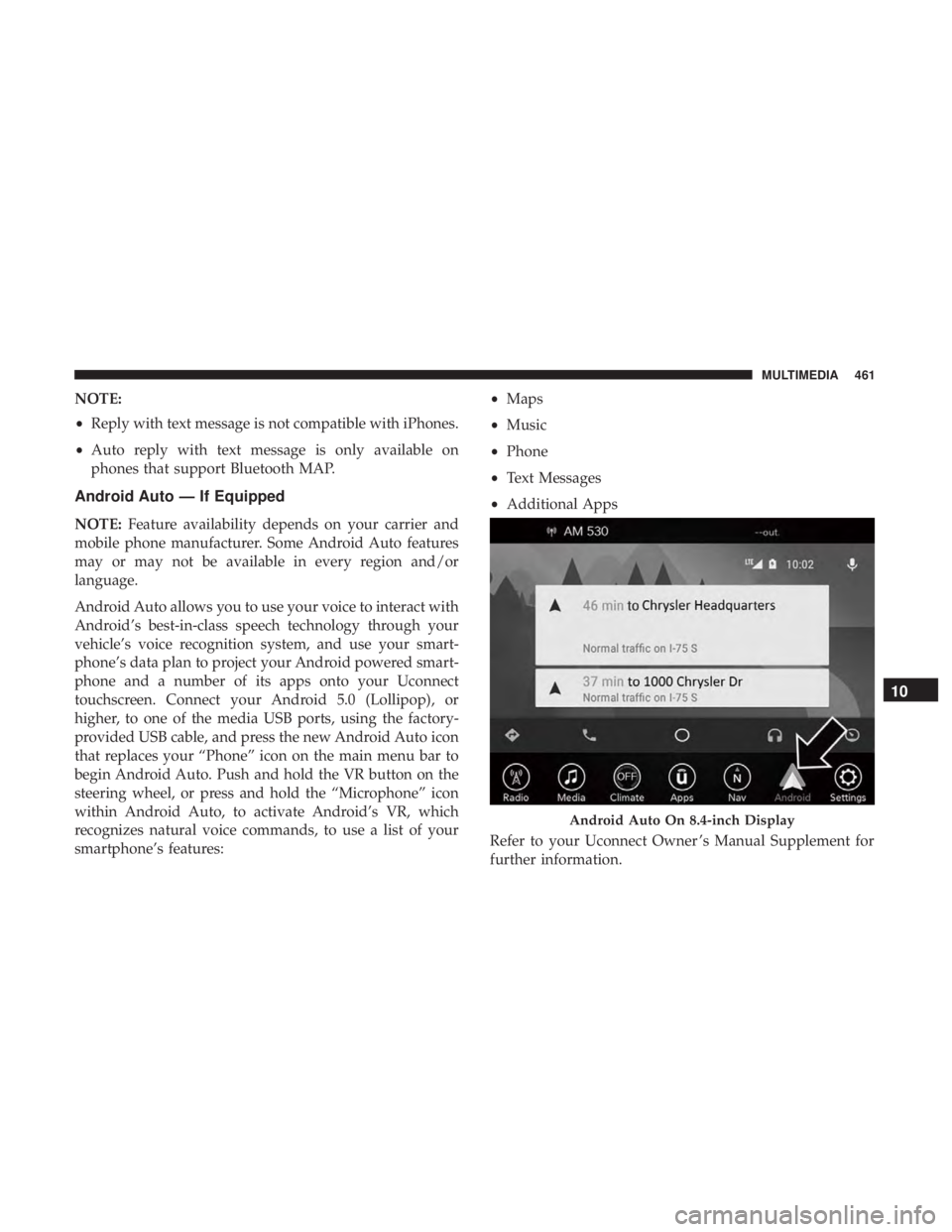
Android Auto allows you to use your voice to interact with
Android’s best-in-class speech technology through your
vehicle’s voice recognition system, and use your smart-
phone’s data plan to project your Android powered smart-
phone and a number of its apps onto your Uconnect
touchscreen. Connect your Android 5.0 (Lollipop), or
higher, to one of the media USB ports, using the factory-
provided USB cable, and press the new Android Auto icon
that replaces your “Phone” icon on the main menu bar to
begin Android Auto. Push and hold the VR button on the
steering wheel, or press and hold the “Microphone” icon
within Android Auto, to activate Android’s VR, which
recognizes natural voice commands, to use a list of your
smartphone’s features: •
Maps
• Music
• Phone
• Text Messages
• Additional Apps
Refer to your Uconnect Owner ’s Manual Supplement for
further information.
Android Auto On 8.4-inch Display
10
MULTIMEDIA 461
Page 464 of 492
NOTE:Requires compatible smartphone running
Android™ 5.0 Lollipop or higher and download app on
Google Play. Android, Android Auto, and Google Play are
trademarks of Google Inc.
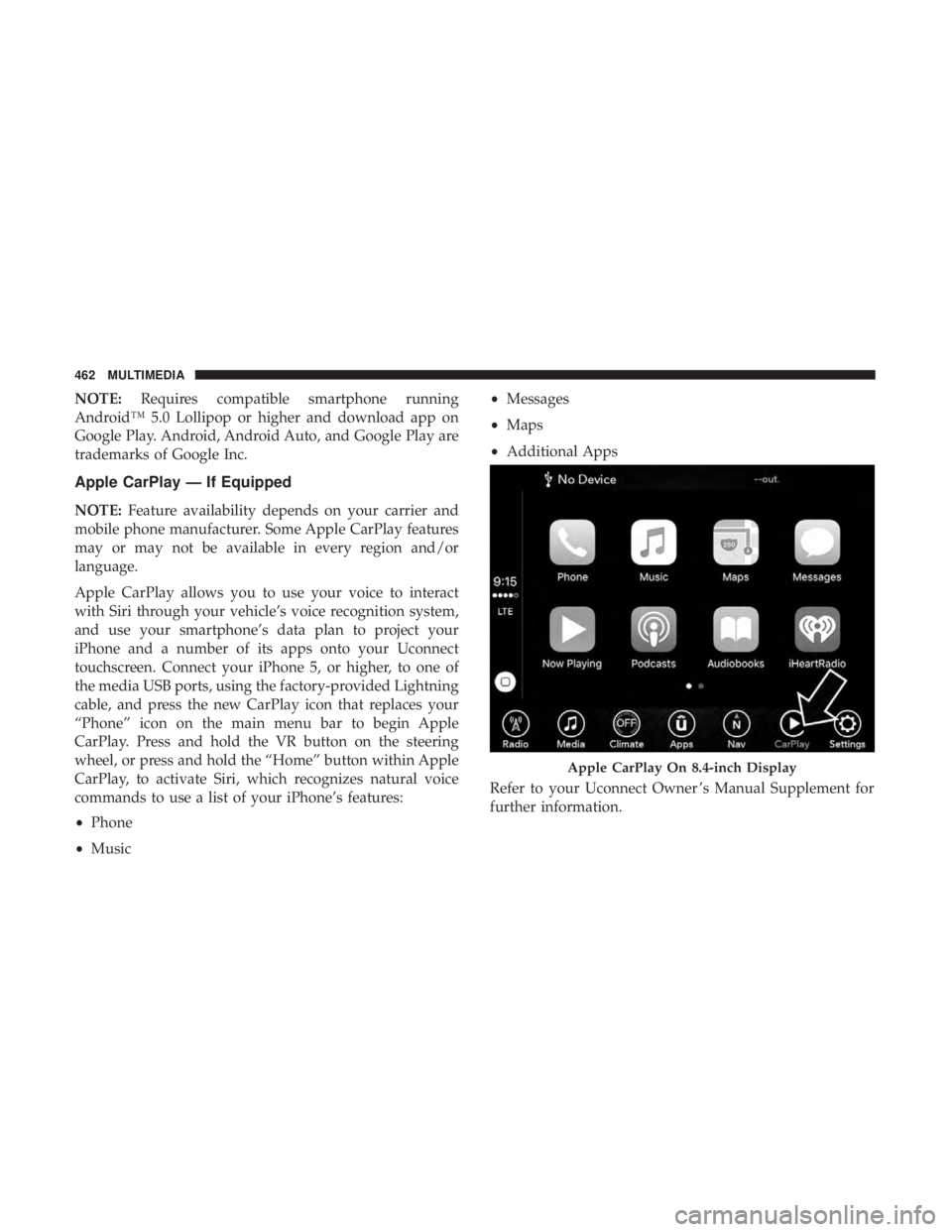
Apple CarPlay — If Equipped
NOTE: Feature availability depends on your carrier and
mobile phone manufacturer. Some Apple CarPlay features
may or may not be available in every region and/or
language.
Apple CarPlay allows you to use your voice to interact
with Siri through your vehicle’s voice recognition system,
and use your smartphone’s data plan to project your
iPhone and a number of its apps onto your Uconnect
touchscreen. Connect your iPhone 5, or higher, to one of
the media USB ports, using the factory-provided Lightning
cable, and press the new CarPlay icon that replaces your
“Phone” icon on the main menu bar to begin Apple
CarPlay. Press and hold the VR button on the steering
wheel, or press and hold the “Home” button within Apple
CarPlay, to activate Siri, which recognizes natural voice
commands to use a list of your iPhone’s features:
• Phone
• Music •
Messages
• Maps
• Additional Apps
Refer to your Uconnect Owner ’s Manual Supplement for
further information.
Apple CarPlay On 8.4-inch Display
462 MULTIMEDIA
Page 484 of 492
Steering.............................. .235
Sunroof ................................86
Tilt/Telescoping Steering Column ..............55
Windows ...............................83
Power Seats Forward ................................42
Power Lumbar ...........................43
Rearward ...............................42
Recline .................................42
Power Steering Fluid ....................... .413
Pregnant Women And Seat Belts ................175
Preparation For Jacking ..................... .323
Pretensioners Seat Belts ............................. .175
Radial Ply Tires ........................... .383
Radiator Cap (Coolant Pressure Cap) .............365
Radio Frequency General Information ................24, 30, 32, 39
Radio Operation .......................... .447
Rain Sensitive Wiper System ...................73
Rear Axle (Differential) ..................... .370
Rear Camera ............................. .277
Rear Cross Path ........................... .155
Rear ParkSense System ..................... .260Rear Seat, Folding
...........................50
Rear Wheel Drive Towing ............................... .338
Recreational Towing ........................ .292
Reformulated Gasoline ...................... .406
Refrigerant .............................. .354
Release, Hood ..............................90
Reminder, Lights On .........................66
Reminder, Seat Belt ........................ .168
Remote Keyless Entry Arm The Alarm ..........................32
Panic Alarm .............................20
Programming Additional Key Fobs ..........23, 31
Unlatch The Trunk ........................20
Remote Starting Exit Remote Start Mode .....................29
Uconnect Customer Programmable Features ......30
Uconnect Settings .........................30
Remote Trunk Release ........................91
Replacement Bulbs ........................ .304
Replacement
Keys ....................... .23, 31
Replacement Tires ......................... .386
Reporting Safety Defects .....................469
Restraint, Head ......................... .51, 52
Restraints, Child .......................... .191
482 INDEX
Page 486 of 492

Security Alarm......................... .32, 129
Arm The System ..........................32
Selection Of Coolant (Antifreeze) ...............413
Sentry Key Key Programming .........................31
Sentry Key (Immobilizer) ......................30
Sentry Key Replacement ....................23, 31
Service Assistance ......................... .466
Service Contract .......................... .468
Service Manuals .......................... .470
Shifting ................................ .224
Automatic Transmission ................224, 226
Shoulder Belts ............................ .169
Side View Mirror Adjustment ...................58
Signals, Turn ....................... .67, 135, 212
Siri .................................... .459
SiriusXM Guardian Vehicle Health Alert ...................... .458
Snow Chains (Tire Chains) ....................392
Snow Tires .............................. .388
Spare Tire ............................... .321
Spare Tires ........................ .388, 389, 390
Spark Plugs ............................. .413Specifications
Fuel (Gasoline) ......................... .413
Oil.................................. .413
Speed Control Accel/Decel ........................ .237, 238
Accel/Decel (ACC Only) ...................244
Cancel ............................... .239
Resume .............................. .239
Set .................................. .237
Speed Control (Cruise Control) ..........236, 237, 239
Sport Mode .............................. .234
Starting ............................. .216, 217
Automatic Transmission ....................216
Button .................................24
Cold Weather .......................... .220
Engine Fails To Start ..................... .220
Starting
And Operating ...................216, 217
Starting Procedures ..................... .216, 217
Steering ..................................54
Column Lock ............................54
Power ............................... .235
Tilt Column .......................... .54, 55
Wheel, Heated ...........................56
Wheel, Tilt .......................... .54, 55
484 INDEX