2018 AUDI A3 SEDAN ESP
[x] Cancel search: ESPPage 120 of 404

Trail er to wing
Trailer towing
Driving with a trailer
General information
Your veh icle is primari ly intended for transport
ing peop le and luggage. Howeve r, if you dr ive
with a tra iler , follow the techn ica l requirements ,
the operation and driving tips, and the lega l reg
ulations.
Dr iving w ith a trailer affects the vehicle 's fuel
consumpt ion, performance and wear. It a lso re
quires higher concentration from the driver .
A WARNING
Do not transport any people in a trailer due to
the risk of fatal injury .
Technical requirements
Certain requirements must be met when towing
a trailer.
Trailer hitch
Only use a trailer hitch with a removab le ball
h itch mount and ball h itch. The tra ile r hitc h must
be pe rm it t ed for the vehicle, the tra iler and the
permitted tota l weight of the trailer being
pu lled . Above all, it must be secure ly and safe ly
attached to the vehicle trailer.
Never mo unt a t rai ler hitch on the bumper. The
trai ler hitc h must be mounted in a way that does
not impair the function of the bumper. Do not
make any changes to the exhaust system and the
brake system.
Check regu larly if the trai ler hitc h is securely
mounted . A lways follow the instructions given by
the trai ler hitch manufacturer .
Trailer brakes
If t he tra ile r has its own bra ke system, then fol
low the manufacturer specifica tions. Howeve r,
the brake system on the trai ler must never be
connected to the vehicle brake system.
118
Engine cooling system
D riving w ith a tra ile r means a higher load on t he
engine and the cooling sys tem. The coo ling sys
tem must be designed for additiona l load and
contain enoug h
coolant ¢@ .
@ Note
Longer incl ines cannot be driven wi tho ut a
suitab le cooling system, especia lly if the out
side temperatures are high . ot herwise, this
i ncreases the risk of eng ine damage.
Operating instructions
Several things must be noted when towing a
trailer.
Towing capacity
Yo ur vehicle can only be ope ra ted with class 1 or
class 2 trai le rs.
Load distribution
Poor cargo load and distr ib ution can negatively
i mpact vehicle handling . T o have the lowest im
pact as poss ible, load the tra ile r according to
t h ese cr ite ria :
- Store objects preferably in the vehicle luggage
compartment . The vehicle should a lways carry
the heaviest poss ib le load and the trailer
should have t he lig htest poss ible load .
- Dist ribute the load in the t railer so that the
heavy objects a re as close to the axle as poss i
ble.
- Secu re objects from s lid ing o ut of place.
- Ut il ize the maximum permitted tongue we ight
if poss ible .
Tire s
Set the tire pressure on your vehicle for a "full
load"; see the tire pressure
st icker ¢ page 341.
If necessary, also adjust the t ire pressure on the
trailer acco rding to the manufactu rer's recom
mendat ion.
Winter tires should be mounted on the vehicle and on the trailer during w inter temperatures .
Page 121 of 404

Outside mirrors
If yo u cannot see the traffic behind the tra iler
with the standard exterior mirrors, then you
must attach additiona l exterior mirrors . Adj ust
them so you have a sufficient visibility behind
you .
Exterior lighting
Follow the legal regulat ions regard ing the light
ing equipment on your trailer . Contact an author
ized Audi dealer or authorized Audi Service Facili
ty for more information.
Before starting to drive, check all lighti ng equip
ment on the hitched trailer.
The headlight range contro l adjusts automatical
l y to the light range of the headl ights.
Safety chains
Make sure the safety chains are correctly applied
when pull ing a trailer . The chains should hang
enough so that the trailer can dr ive around
curves. However, they must not touch the
g ro und .
(D Tips
-Use chocks whe n parking on incl ines if the
trailer is load ed.
- We recommend also hav ing the veh icle in
spected between the inspect ion intervals if
you are towing a trailer frequently.
- Avo id driving with a trailer during the vehi
cle break- in period .
Driving with a trailer
Driving with a trailer requires extra caution.
Speed
Adhere to the legal speed limits. Follow the legal
regulations specific to the country.
As the speed increases, the driving stability of
the trai ler decreases. Therefore you should not
exceed the maximum legal speed limit when
u. there are unfavorable road, weather and/or wind 00
~ conditions . This especially applies when driving
~ downhill.
0 N > 00
Trailer towing
You m ust always reduce your speed as soon as
you notice even the slightest swinging motion of
the tra iler. Never try to "stra ighten out" the tra il
er by acce lerating.
T he weight distribution is very poor if the vehicle
is empty and the trai ler is loaded . However if you
must drive under these circumstances, then dr ive
especially slowly .
Brakes
Brake in a timely manner. Downshift before driv
ing down hill so that t he engine can assist with
braking ~.&. .
When using a trailer w it h overrun brakes, first
brake gently then quickly. This reduces the r isk of
jerking while braking if the trailer wheels lock up .
Engine coolant temperature
Pay attention specifically to the coo lant tempera
ture display when there are high outside temper
a tur es, and when driving on long inclines
~page 11. Shift to a hig her gear in a timely man
ner .
A WARNING
= -
Constant braking causes the brakes to over-
heat and substantially reduces braking per
formance, increases braking distance or caus
es complete failure of the brake system.
119
Page 122 of 404

Ass is tance sy stem s
Assistance systems
Speed warning system
Description
Applies to: veh icles with speed warning system
The speed warning system helps you to stay be
low a specified maximum speed that can be set,
changed or deleted in the Infotainment system.
The speed warning system warns you if you are
exceeding the maximum speed that you have set .
A warni ng tone will sound as soon as your speed
exceeds the sto red value slight ly. The
[OJ (USA
models) ;[;] (Canada models) indica to r li gh t and
the co rresponding message appear in the inst ru
ment cluster display at the same time. The
[C]
(USA models)/ [ej (Canada mode ls) indicator
light and the message turn off w hen the vehicle
speed drops below the stored maximum speed .
Sett ing a threshold is recommended if you would
like to be reminded when yo u reach a certa in
maximum speed . Situations where you may want
to do so include driving in a country with a ge ner
al speed limit or if there is a specified maximum
speed for winter tires.
Setting the warning thr eshold
.. Select in the Infotainment sys tem : IMENUI but
ton
> Vehicle > left contro l button > Driver a s
sistance
> S peed warning > Manual.
@ Tips
Regardless of the speed warning system, you
should always monitor yo ur speed using the
speedometer and make sure you are following
the legal speed limit.
120
Cruise control system
Switching on
Applies to: vehicles with cruise control system
The cruise control system makes it possible to
drive at a constant speed starting at 15 mph (20km/h) .
0
f
~
0
Fig . 1 21 Ope rat ing lev er : cru ise co ntrol sys te m
0
"' N
~ CD
.. To switch t he system on, pull the lever into po -
sition
CD ¢ fig. 121 .
.. Drive at the speed to be maintained .
.. To store the speed, press the button @.
The
[ij;(l)~1j ( U SA mode ls) / 51 (Canada models)
indicator light turns on in the instr ument cluster .
The stored or prese lec ted speed w ill be displayed
briefly in the instrument cluster .
The speed is mainta ined by modifyi ng engine
power or through an active bra ke intervention.
&_ WARNING
- Always pay at ten tion to the traffic a ro und
you whe n the cruise contro l system is in op
erat ion . You are always respons ible fo r your
speed and the distance between your vehi
cle and other vehicles.
-For safety reaso ns, cruise cont rol should not
be used in the city, in stop-and-go traff ic, on
w inding roads and when road conditions are
poor (such as ice, fog, gravel, heavy rai n and
hydroplaning), because this increases the
r isk of an accident.
-Switch t he cr uise control off temporarily
when dr iv ing in turning lanes, highway exits
or in construction zones .
- Please note that unconsciously
"rest ing"
your foot on the accelerator pedal prevents
-
Page 124 of 404

Ass is tanc e system s
A WARNING
You should only resume the stored speed if it
is not too high for existing traffic condit ions.
Otherwise you can increase the r isk of an acci
dent .
Lap timer
Introduction
Applies to: vehicles with lap timer
You can measure and analyze lap times with the
lap timer in the display.
Opening th e lap timer
i.. Open the first Vehicle tab (t rip computer) using
t h e
l
whee l.
i.. Applies to: vehicles with analog instrument
cluster: Press the
[gJ button on the m ultifunc
tion steering whee l and select
Lap t imer in the
menu .
... Applies to: vehicles with Audi virtual cockpit: on
the multifunction steering wheel, select: left
contro l button
> Lap times .
Operating the lap t ime r
... On the multifunction steering whee l, turn the
l eft thumbwhee l
(J) ¢page 13 or (D ¢page 16
unt il the desired menu item is d isplayed in the
instrument cluster .
... Press the left thumbwheel to confirm the selec
tion .
A WARNING
Your foc us should always be on d riving your
vehicle safely. As the drive r, you have com
ple te responsibi lity for safety in traffic. Only
use the functions s uch as the lap timer in such
a way that you always maintain comp lete con
trol over your vehicle in all traffic situations.
(D Tips
You can ret rieve information from the trip
computer while the lap timer stopwatch is
running .
122
-
Lap times and timing
Applies to: vehicles with lap timer
Requirement: the lap time r must be open
¢ page 122.
Timing laps
... To start timing, select Lap 1 - pre ss OK or S tart
lap 1
in the menu .
i.. Applies to: vehicles with Audi virtual cockpit: to
start t iming au tomatically when yo u start dr iv
ing, select
S tart lap 1 by driving off or St art by
dri ving off in the menu .
... To measure the lap time, select New lap - pre ss
OK or New lap
in t he menu . This starts timing
the next lap at the same t ime .
After completing, the d ifference between the
l ast lap and the previous best lap time will be in
dicated with
a" -"/ . or "+ "fll .
Pausing timing and displaying a split time
i.. To insert a pause m , sele ct Pau se in the menu.
i.. To cont inue tim ing, select Pre ss OK to re sume
or Re sume in the menu .
... T o display a sp lit time, select Split time in the
menu. The split time
r~1 appears for approxi
mate ly 10 seconds in the instrument cluster .
The timing of the current lap continues.
Re setting timing
... Using the mult ifunct ion steer ing whee l, select
Reset or Reset time s in the menu.
(D Tips
-A max imum of 30 lap t imes (analog instru
ment cl uster) or 99 lap times (Audi virtua l
cockpit*) can be measured.
- If tim ing is paused, you can continue i t later
even if you switch the ignition off.
- Saved lap times cannot be individually de
leted from the total results .
- T he save d la p timer va lues w ill remain after
switching the ignition off.
Page 126 of 404

Ass is tance sy stem s
General information
Applies to: vehicles with Audi adaptive cruise contro l/Audi pre
sense front
Fig . 1 23 Front o f veh icle: sensor
The rada r sensor area r:!) fig. 123 must not be cov
ered with stickers, deposits or any other obstruc
tions as it may impair the function of the adap
tive cruise control or the pre sense front . For in
formation on cleaning,
see ¢ page 354 . The
same applies for any modifications made in the
front area .
The funct ion of the adaptive cruise contro l sys
tem or pre sense front is limited in some condi
tions:
-Vehicles can only be detected when they are
within the sensor range
¢page 123, fig. 122 .
-The system has a lim ited abi lity to detect
vehicles that are a short d istance ahead , off to
the side of your vehicle or moving into your lane .
-Objects that are difficu lt to detect such as mo
torcycles, vehicles with h igh ground clearance
or an overhang ing load are detected late or not
detected at all.
-When dr iving through curves ¢ page 125.
-When the vehicle is stationary ¢ page 125.
A WARNING
Always pay attent io n to the traffic aro und you
when adaptive cruise control is switched on .
As the driver, you a re st ill respons ible for your
own speed and the distance to othe r vehicles.
Th e adapt ive cr uise control is u sed to assis t
you . The driver must a lways take act ion to
avoid a collision . The driver is always responsi
ble for brak ing at the correct time .
124
-For safety reasons, do not use adaptive
cru ise control when dr iving on roads with
many curves, when the road surface is in
poor condition and/or in bad weather (such
as ice, fog, gravel, heavy rain and hydroplan
ing). Using the system under these cond i
tions could result in a co llision .
-Switch adaptive cruise cont rol off tempora
rily when dr iv ing in turning lanes, on ex
pressway ex its or in construction zones. This
prevents the veh icle from accelerating to
the stored speed when in these situat io ns.
-The adap tive cruise contro l system will not
brake by itself if you put yo ur foot on the ac
celerator pedal. Doing so c an override the
speed and distance regulation .
- Adapt ive cruise control does not respond to
peop le, animals, or crossing or oncoming
objects .
-The funct ion of the radar se nsors can be af
fected by ref lective objects such as guard
rails, the entrance to a tunnel, heavy rain or
ice .
~ Note
The sensor can be d isplaced by impacts or
damage to the bumper, wheel housing and underbody . This can impair the adaptive
cruise control. Have an authorized A udi dealer
or authorized Audi Service Facility check their
f u nct ion.
@ Tips
For an explanation on conformity with the
FCC regulations in the United States and the
Industry Canada regu lations, see
¢ page 386 .
Page 130 of 404

Ass is tance sy stem s
Interrupting cruise contr ol while driving
• Move the leve r into position @. The message
AC C: s tandb y appears . Or
• Press the brake pedal.
• To resume th e stor ed speed, move the lever in
to position
@ .
Inter rupt ing crui se contr ol when stopped
• Push the lever away from you into position @.
The message
A CC : s tandb y appears.
• To resume cruise control , press the brake pedal
and pull the l ev er toward you into position @.
A WARNING
It is dangerous to activate cruise control and
resume the stored speed when the current
road, traffic or weather conditions do not per
mit this. This increases the risk of an accident.
Setting the distance
App lies to: vehicles with Audi adaptive cruise contro l
,
0
Fig. 131 Oper ating lever: setting the distance
• Tap the switch to display the current set dis
tance
¢fig. 131.
• T o increase or reduce the distance in incre
ments, tap the switch upward/downward
again. The d istance between the two vehicles
will change in the instr ument cluster disp lay.
When approaching a veh icle driving ahead, the
adaptive cru ise control system brakes to match
that vehicle's speed and then adjusts to the set
d istance.
If the vehicle dr iv ing ahead accelerates ,
then the adaptive cruise control will also acceler
ate up to the speed that you have set.
The higher the speed, the greate r the d istance
c::;, ,&. . The Di stan ce 3 setting is recommended.
128
That is equa l to the general recommendation of
"ha lf the speed shown on the spe edometer".
The distances provided a re spec ified values . De
pending on the dr iv ing situation and how the
ve
hicle ahead is driving, the actual distance may be
more or less than these target distances .
If you c hange the time gaps, the newly set va lue
appears b rief ly in the instrument cl uster d isplay,
for example
II for Di stan ce 3. This on ly occurs if
the adaptive cruise control is not currently shown
i n the display
c::;, page 125, fig. 127.
Di stance 1 : this setting corresponds to a d istance
of 92 feet (28 meters) when traveling at 62 mph
(100 km/h), or a time distance of 1 second.
Di stanc e 2: this setting corresponds to a d istance
of 118 feet (36 meters) when trave ling at 62
mph (100 km/h), or a time distance of 1.3 sec
onds.
Di stanc e 3: this setting corresponds to a d istance
of 164 feet ( SO meters) when trave ling at 62
mph ( 100 km/h), or a time distance of 1.8 sec
onds .
Distanc e 4: this setting corresponds to a d istance
of 219 feet (67 meters) when trave ling at 62
mph ( 100 km/h), or a time distance of 2 .4 sec
onds .
Distance 5 : this setting corresponds to a d istance
of 328 feet ( 100 meters) when t raveling a t 62
mph ( 100 km/h), or a time distance of 3 .6 sec
onds .
A WARNING
When setting the distance, the driver is re
sponsible for adhering to any applicable legal
regulations.
(D Tips
-
Your settings are automatically stored and as
signed to the remote contro l key being used.
Page 131 of 404

LL co ..... N
" N ..... 0 N > co
Setting the driving program
Applies to: vehicles with Audi adaptive cruise contro l
Depending on the se lected dr iv ing program and
d istance, dr iv ing behav ior when ac celerating w ill
va ry from dy namic to comfortab le.
Setting the driving program on vehicles
w ithout drive sele ct*
• Se lect in the Infotainment sys tem: IM ENUI but
ton
> Vehicle > left contro l bu tto n > Dri ver a s·
si stan ce
> Audi adapt ive crui se contr ol > Dri v
ing p rogram
> Comfort , Standard or D yn am ic.
Setting the driving mode on vehicles with
d rive s elect *
See i::!) page 141.
@ Tips
Your sett ings are automa tic ally sto red and as
signed to the remote control key being used.
Driver intervention request
Applies to: vehicles with Audi adaptive cruise control
F ig . 132 Ins tru ment clust er: reques t for dr iver in ter ven
tio n
The request for driver intervention instructs you
to take over if the adaptive cruise control brak ing
function is not able to mainta in a suff icient dis
tance to the vehicle driving ahead
¢ fig . 132 .
Assi st a nce systems
Distance display and distance warning
Applies to: vehicles with Audi adaptive cruise control
This function measures the time between the ve
hicle driving ahead and shows this in the instru
ment cluster display.
F ig. 13 3 Instrumen t cluster : dista nce in dicato r/warn ing
D escription
At speeds above app roximately 40 mph (65 km/
h), this function measures the distance to the ve
hicle ahead as time .
• Switch the adaptive cruise contro l display on in
the instrument cluster
display ¢ page 13.
The. indicator light turns on if you fall below
the set distance.
Setting the wa rning threshold
You can set, change or de lete the warning
threshold in the Infotainment system .
• In the Infotainment system, select: I MENU I
button > Vehicle > left control button > Dri ver
assistance
> D istance warning .
A WARNING
-Read and follow the warnings on i::!) A in
Gen eral information on page 124 .
-
- The driver is always responsible for adhering
to the regulat ions applicab le in that coun
try.
(D Tips
You may fall below he warning threshold briefly when passing or when qu ickly ap
proaching a slow vehicle . There is no warn ing
i n th is scenar io. A warning is given only if you
..,.
129
Page 133 of 404
u. 00 .-< N l' N .-< 0 N > 00
-Due to t he interlinking o f various vehicle sys
tems, critica l driving situations can be detected
by
pre sense ba sic and meas ures for preventa
t ive occ upant protection are can be initiated.
- The
pre sense front uses the data from the ra
dar sensors and calc ulates the probab ility of an
acc ident
c::> page 124. An impending collision
with vehicles ca n be detected within the limits
of the system . In this case, the system warns
the driver v isually, acoustically and with a je rk
on the brakes if necessary. If needed, it ca n ini
tiate a part ia l o r full dece le ra tion to reduce the
co llision speed o r to avo id t he coll is io n unde r
ce rtain c ircumstances. In conjunc tion wi th pre
sense basic, the front safety belts are a lso re
versib ly tensioned w hen needed . The pre sense
front is a lso active when adaptive cruise con
trol* is sw itched off.
A WARNING
Also follow the genera l instructions fo und in
c::> .&. in G eneral information on page 124.
(D Tips
- Certain pre sense f unctions switch off when
d riving in reverse.
- The pre sense functions may not be avai la
b le if there is a ma lfunction in the ESC sys
tem or the airbag contro l modu le.
- Note t hat the revers ible belt tensioner on
t h e front passe nger's side deactivates w hen
the front passe nger's a irbag is deact ivated .
- Switch the pre sense off when you are not
us ing public streets or whe n loadi ng the ve
h icle onto a veh icle carrier, train, ship or
othe r type of t ransportation . T his can pre
vent a n un des ired intervent ion from the pre
sense sys te m .
Audi pre sense basic
App lies to: ve hicles with Audi pre sense basic
The pre sense basic funct io ns are activ ated a t a
speed of approximate ly 20 mph (30 km/h) or
h igher .
The fo llow ing funct io ns can be t rigge red unde r
cert ain cond itions withi n the limi ts of the sys
tem :
Ass istance systems
- Tensioning o f the safety belts (for examp le,
during heavy braking) : the front safety belts
have revers ib le be lt tens ione rs . If a collision
does not occu r, the safety belts loosen slig htly
and are ready to tr igger aga in.
- Initiat ing the clos ing of the w indows and the
panorama g lass roof* (for examp le when un
der- or oversteering).
Audi drive select*: the trigger times are adjusted depending on the mode selected .
Audi pre sense front
Applies to : vehicles wi th Audi pre sense fro nt
Fig. 134 In str u men t cluster : approac h warni ng
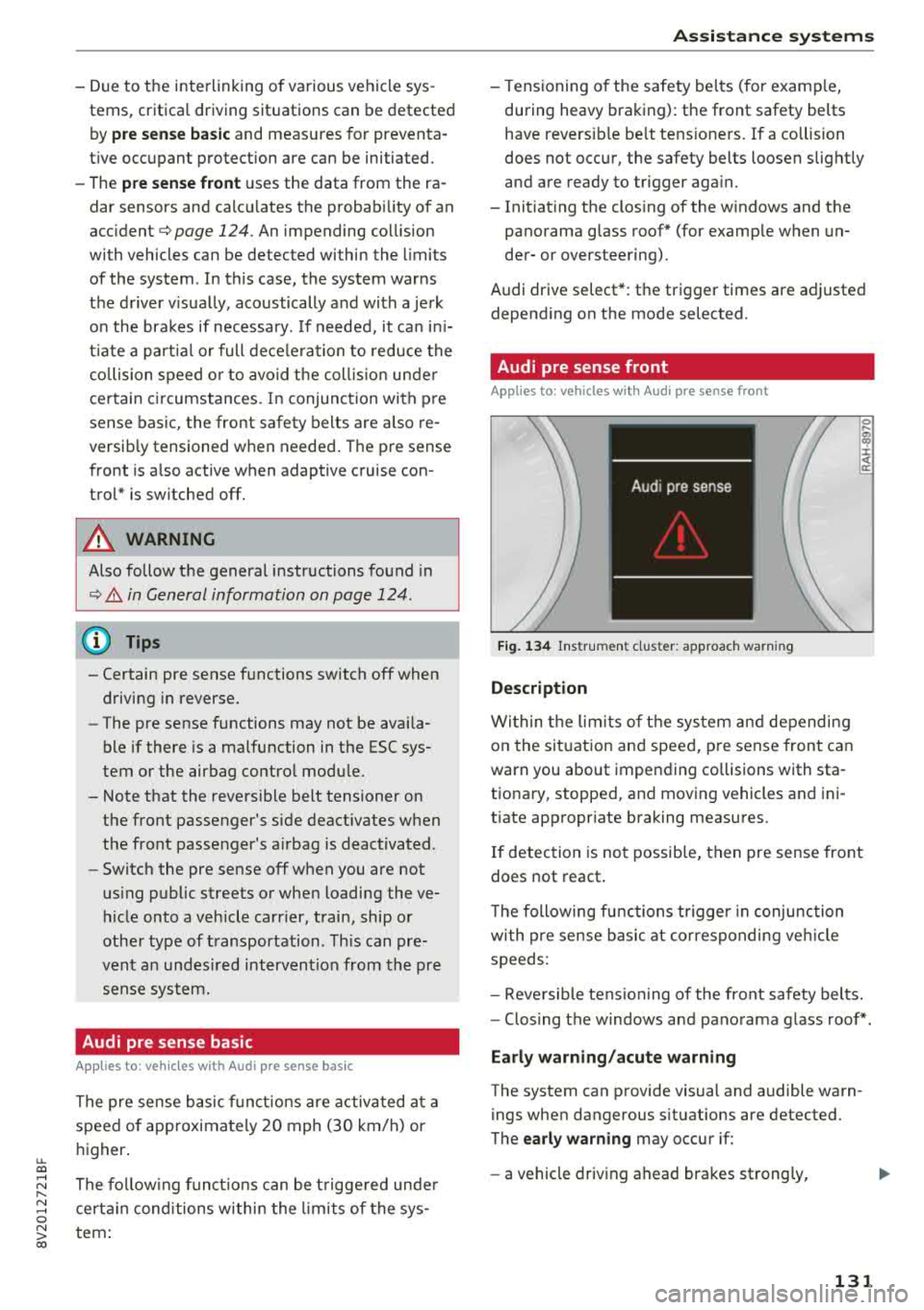
Description
Wi thin the lim its of t he sys tem and depending
on the sit uat ion and spee d, p re sense front can
warn you about impending collisions with sta
t iona ry, stopped, and moving vehicles and ini
tiate app ropr iate braking measu res.
0 .... a, "? :i:: ~ a:
If detection is not possib le, then pre sense front
does not react.
T he following fu nctions t rigge r in conjunction
wi th pre sense basic at co rresponding ve hicle
speeds :
- Reve rsible tens ion ing of the front safety belts.
- Clos ing the windows and pano rama g lass roof* .
Early warning /acute warning
The system can provide visual and audible warn
ings when dangerous situations are detected.
The
early warning may occur if:
- a vehicle driving ahead brakes st rong ly,
131