Page 554 of 672
554
SIENNA_OM_OM08007U_(U)
8-2. Steps to take in an emergency
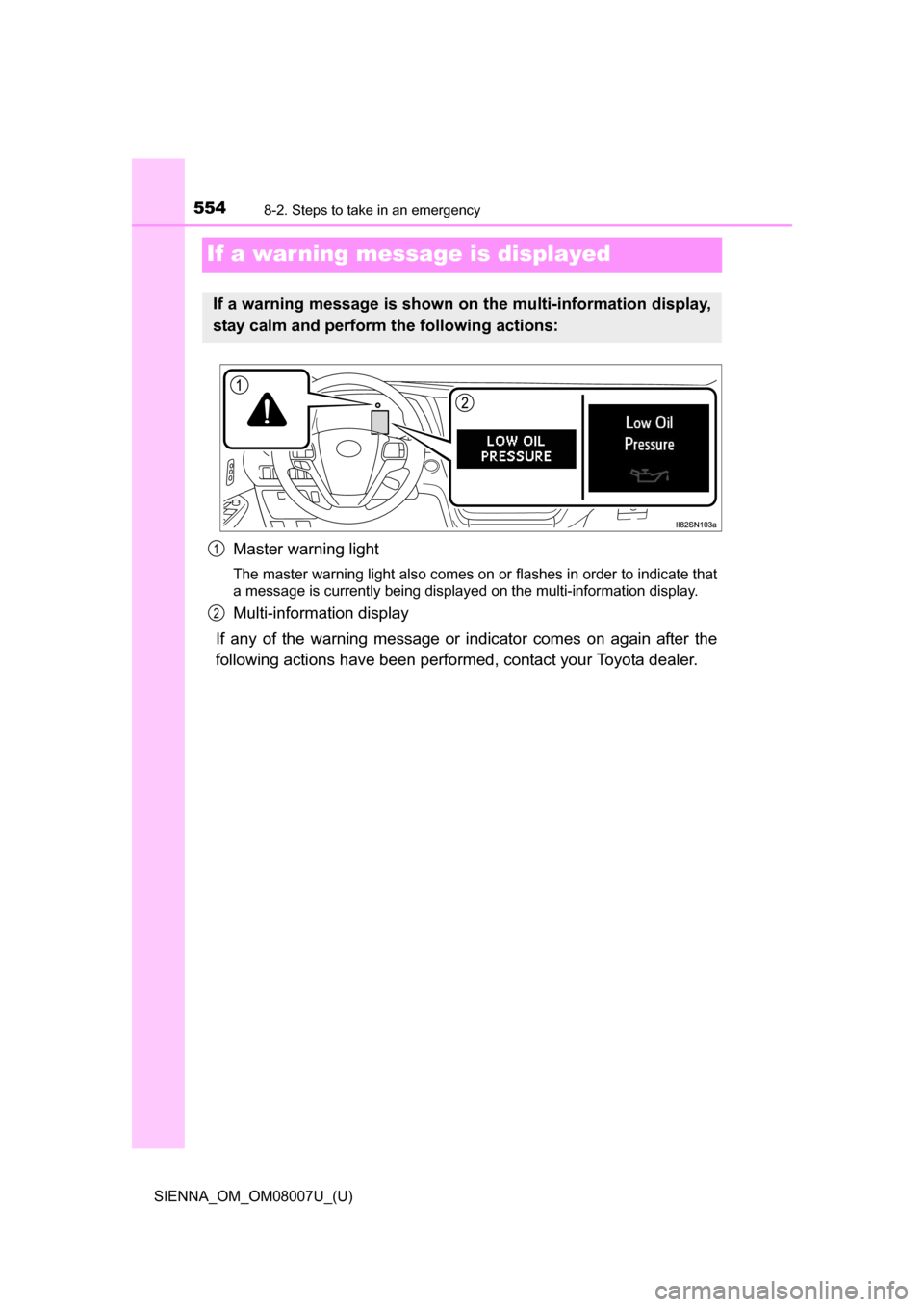
If a war ning message is displayed
Master warning light
The master warning light also comes on or flashes in order to indicate that
a message is currently being displayed on the multi-information display.
Multi-information display
If any of the warning message or indicator comes on again after the
following actions have been performed, contact your Toyota dealer.
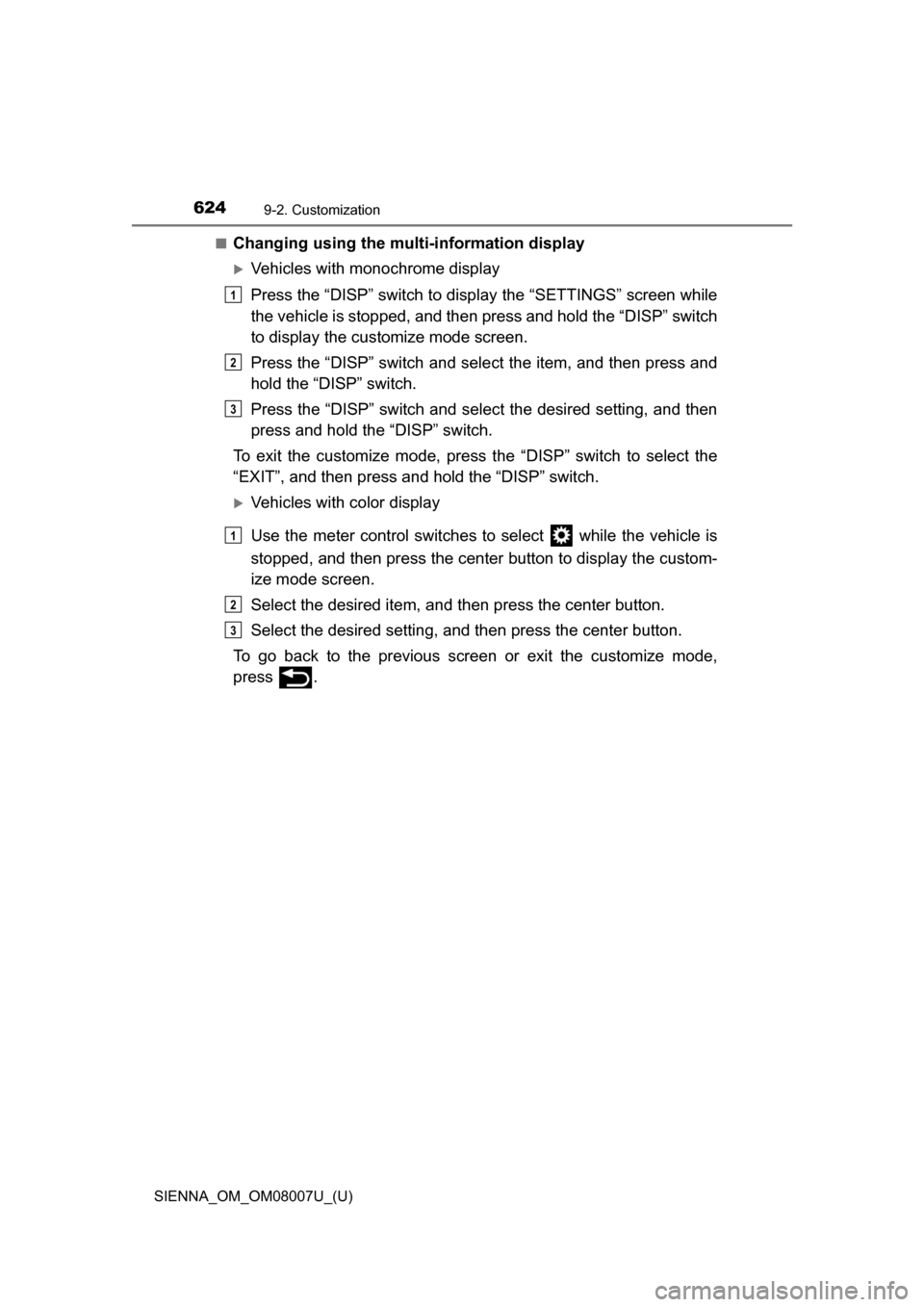
If a warning message is shown on the multi-information display,
stay calm and perform the following actions:
1
2
Page 565 of 672
5658-2. Steps to take in an emergency
SIENNA_OM_OM08007U_(U)
8
When trouble arises
■Messages displays
The message illustrations used are intended as examples, and may differ
from the image that is actually displayed on the multi-information display
■ Warning message in dynamic radar cr uise control mode (if equipped)
In the following situations, the warning message may not be displayed even if
vehicle-to-vehicle distance decreases:
● When your vehicle and the vehicle ahead are traveling at the same speed or
the vehicle ahead is traveling more quickly than your vehicle
● When the vehicle ahead is traveling at a very low speed
● Immediately after cruise control speed is set
● At the instant the accelerator pedal is depressed
■
Conditions that the tire pressure warning system may not function
properly
P. 5 0 1
■Warning buzzer
P. 550
Page 566 of 672
5668-2. Steps to take in an emergency
SIENNA_OM_OM08007U_(U)
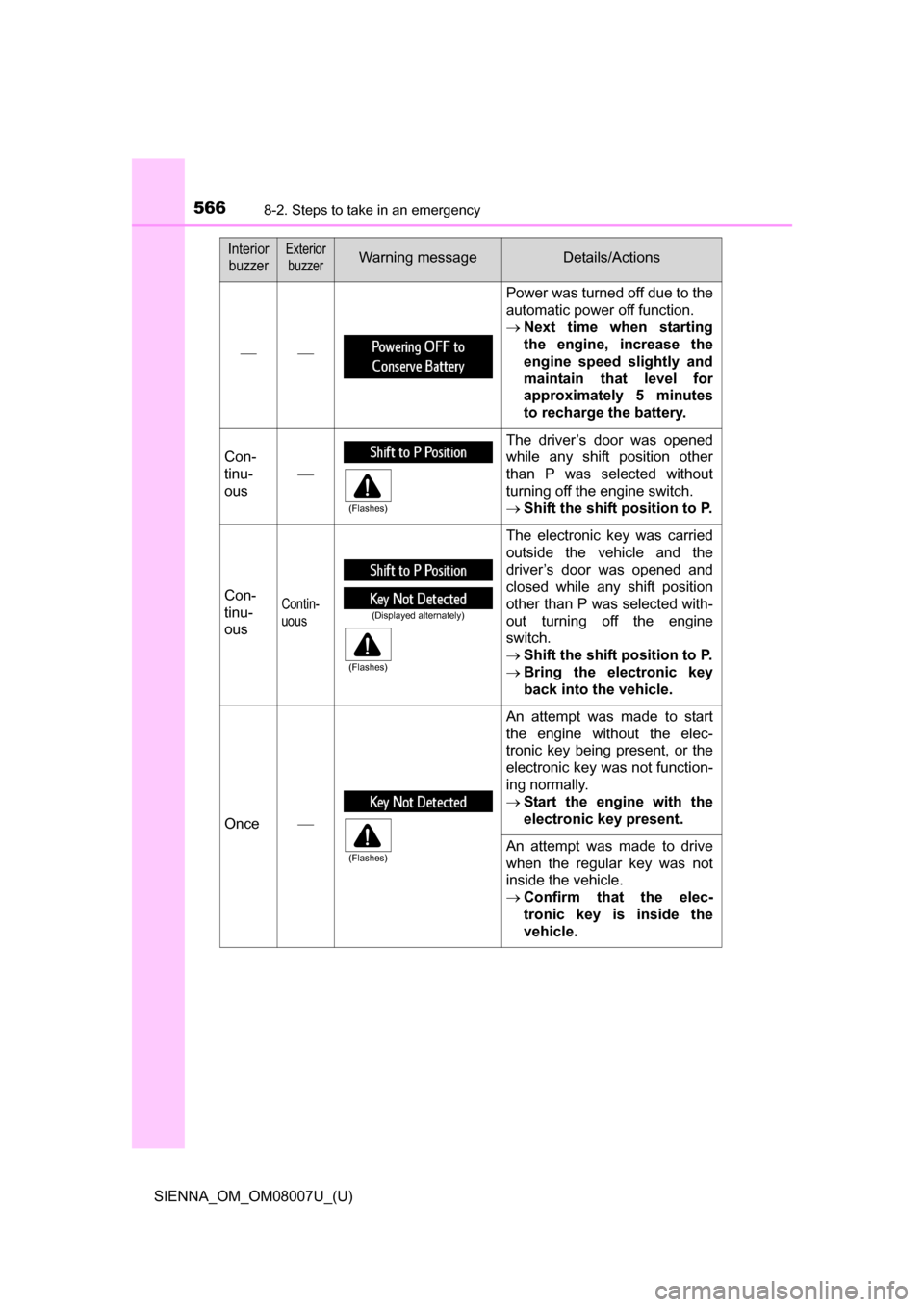
InteriorbuzzerExterior buzzerWarning messageDetails/Actions
Power was turned off due to the
automatic power off function.
Next time when starting
the engine, increase the
engine speed slightly and
maintain that level for
approximately 5 minutes
to recharge the battery.
Con-
tinu-
ous The driver’s door was opened
while any shift position other
than P was selected without
turning off the engine switch.
Shift the shift position to P.
Con-
tinu-
ousContin-
uous
The electronic key was carried
outside the vehicle and the
driver’s door was opened and
closed while any shift position
other than P was selected with-
out turning off the engine
switch.
Shift the shift position to P.
Bring the electronic key
back into the vehicle.
Once An attempt was made to start
the engine without the elec-
tronic key being present, or the
electronic key was not function-
ing normally.
Start the engine with the
electronic key present.
An attempt was made to drive
when the regular key was not
inside the vehicle.
Confirm that the elec-
tronic key is inside the
vehicle.
(Flashes)
(Displayed alternately)
(Flashes)
(Flashes)
Page 567 of 672
5678-2. Steps to take in an emergency
SIENNA_OM_OM08007U_(U)
8
When trouble arises
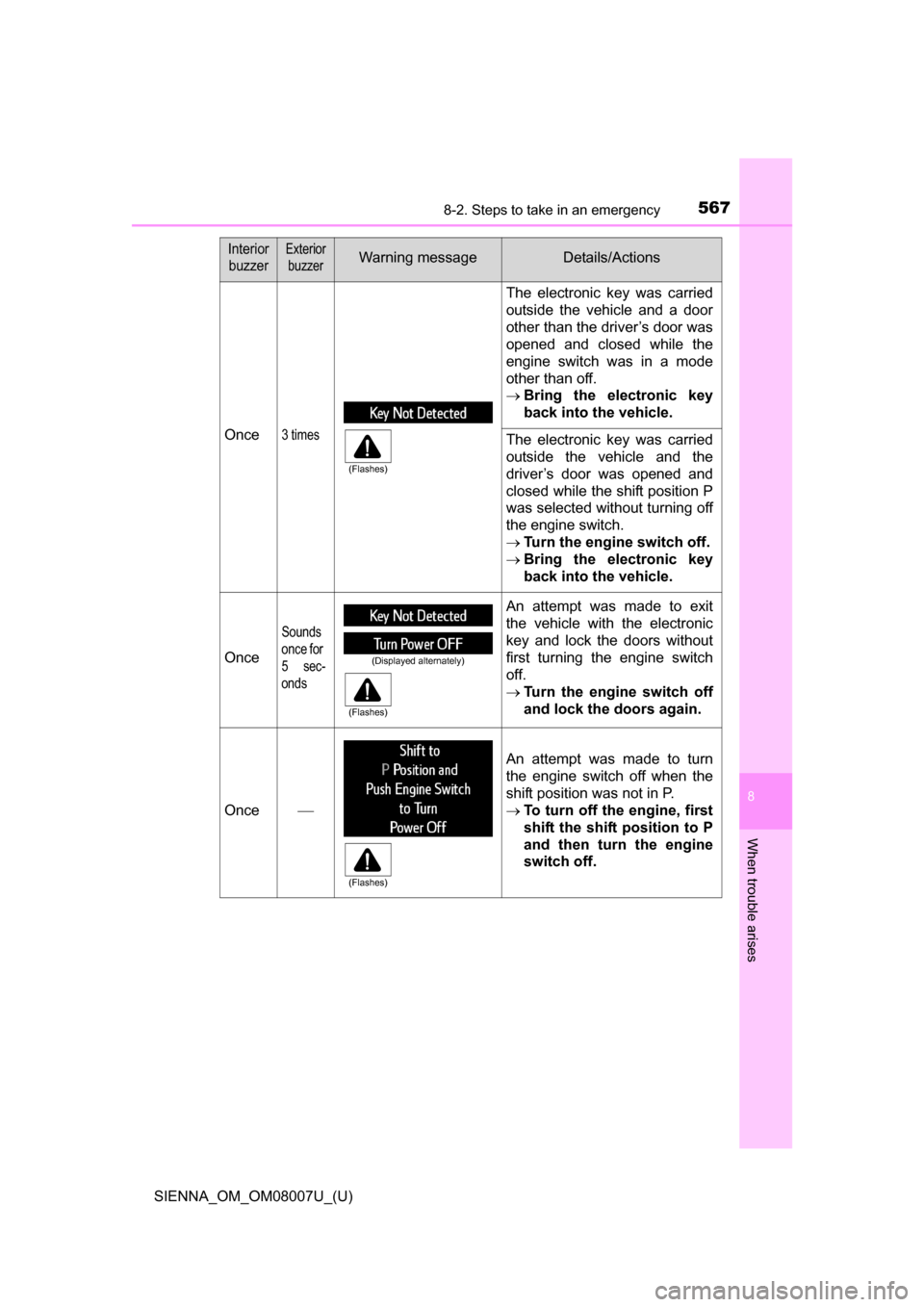
Once3 times
The electronic key was carried
outside the vehicle and a door
other than the driver’s door was
opened and closed while the
engine switch was in a mode
other than off.
Bring the electronic key
back into the vehicle.
The electronic key was carried
outside the vehicle and the
driver’s door was opened and
closed while the shift position P
was selected without turning off
the engine switch.
Turn the engine switch off.
Bring the electronic key
back into the vehicle.
Once
Sounds
once for
5 sec-
onds
An attempt was made to exit
the vehicle with the electronic
key and lock the doors without
first turning the engine switch
off.
Turn the engine switch off
and lock the doors again.
Once
An attempt was made to turn
the engine switch off when the
shift position was not in P.
To turn off the engine, first
shift the shift position to P
and then turn the engine
switch off.
Interior
buzzerExterior buzzerWarning messageDetails/Actions
(Flashes)
(Displayed alternately)
(Flashes)
(Flashes)
Page 569 of 672
5698-2. Steps to take in an emergency
SIENNA_OM_OM08007U_(U)
8
When trouble arises
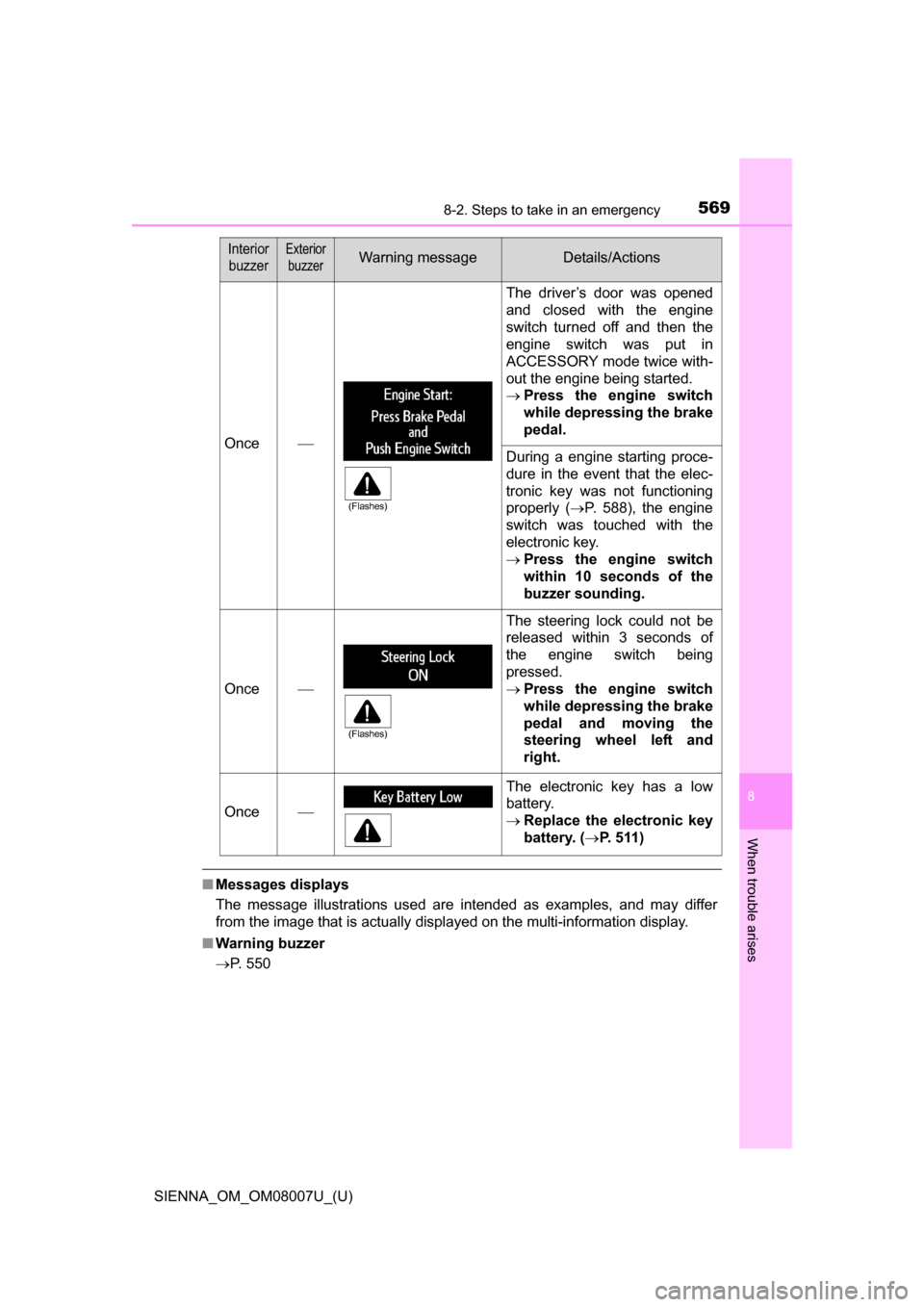
■Messages displays
The message illustrations used are intended as examples, and may differ
from the image that is actually displayed on the multi-information display.
■ Warning buzzer
P. 550
Once
The driver’s door was opened
and closed with the engine
switch turned off and then the
engine switch was put in
ACCESSORY mode twice with-
out the engine being started.
Press the engine switch
while depressing the brake
pedal.
During a engine starting proce-
dure in the event that the elec-
tronic key was not functioning
properly ( P. 588), the engine
switch was touched with the
electronic key.
Press the engine switch
within 10 seconds of the
buzzer sounding.
Once
The steering lock could not be
released within 3 seconds of
the engine switch being
pressed.
Press the engine switch
while depressing the brake
pedal and moving the
steering wheel left and
right.
Once
The electronic key has a low
battery.
Replace the electronic key
battery. ( P. 511)
Interior
buzzerExterior buzzerWarning messageDetails/Actions
(Flashes)
(Flashes)
Page 594 of 672
594
SIENNA_OM_OM08007U_(U)
8-2. Steps to take in an emergency
If your vehicle overheats
●The needle of the engine coolant temperature gauge ( P. 8 8 )
enters the red zone or a loss of engine power is experienced. (For
example, the vehicle sp eed does not increase.)
● The warning message indicating overheats is shown on the multi-
information display. ( P. 559)
● Steam is coming from under the hood.
Stop the vehicle in a safe place and turn off the air conditioning sys-
tem, and then stop the engine.
If you see steam:
Carefully lift the hood after the steam subsides.
If you do not see steam:
Carefully lift the hood.
After the engine has cooled down su fficiently, inspect the hoses and
radiator core (radiator) for any leaks.
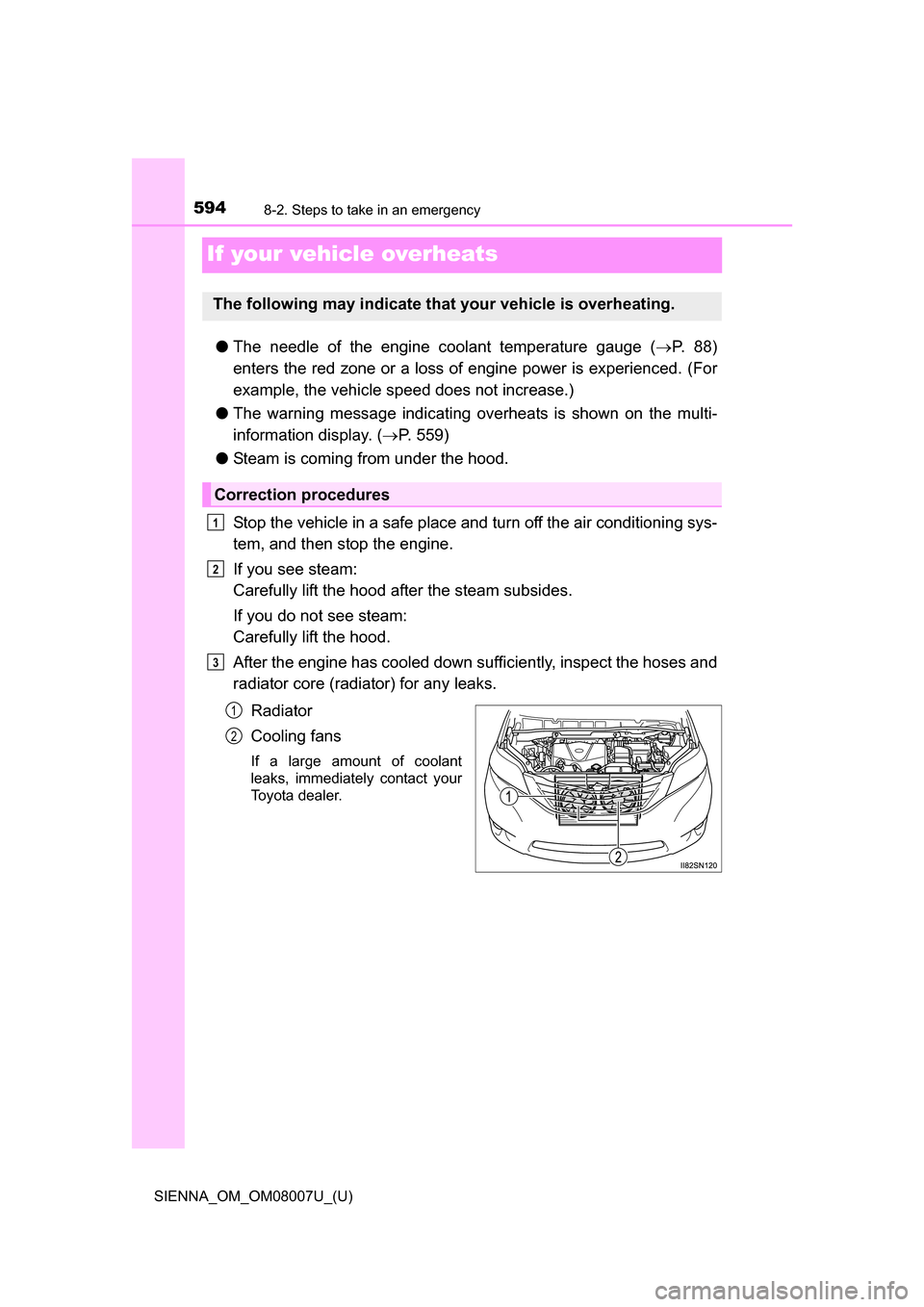
Radiator
Cooling fans
If a large amount of coolant
leaks, immediately contact your
Toyota dealer.
The following may indicate that your vehicle is overheating.
Correction procedures
1
2
3
1
2
Page 623 of 672
623
SIENNA_OM_OM08007U_(U)
9-2. Customization
9
Vehicle specifications
Customizable features
■Changing using the audio system screen
Audio system with “CAR” button
Press the “SETUP” button.
Select “Vehicle” on the “Setup” screen.
Audio system with “APPS” button
Press the “APPS” button.
Select “Setup” on the “Apps” screen and select “Vehicle”.
Various setting can be changed. Refer to the list of settings that can
be changed for details.
Your vehicle includes a variety of electronic features that can be
personalized to your preferences. The settings of these features
can be changed using the multi-information display, the audio
system screen or at your Toyota dealer.
Some function settings are change d simultaneously with other func-
tions being customized. Contact your Toyota dealer for further
details.
Customizing vehicle features
1
2
1
2
Page 624 of 672
624
SIENNA_OM_OM08007U_(U)
9-2. Customization
■Changing using the multi-information display
Vehicles with monochrome display
Press the “DISP” switch to display the “SETTINGS” screen while
the vehicle is stopped, and then press and hold the “DISP” switch
to display the customize mode screen.
Press the “DISP” switch and select the item, and then press and
hold the “DISP” switch.
Press the “DISP” switch and select the desired setting, and then
press and hold the “DISP” switch.
To exit the customize mode, press the “DISP” switch to select the
“EXIT”, and then press and hold the “DISP” switch.
Vehicles with color display
Use the meter control switches to select while the vehicle is
stopped, and then press the center button to display the custom-
ize mode screen.
Select the desired item, and then press the center button.
Select the desired setting, and then press the center button.
To go back to the previous screen or exit the customize mode,
press .
1
2
3
1
2
3